?unique=0004aa4)
































Community
Enterprise
Odoo.sh
Screen Video Recording
Capture your screen with microphone and system/tab audio from the systray or any document chatter. Store recordings securely, link them to business records, share with colleagues, and play videos inline - no new browser tab required.

Explore This Module

Overview
kx_video_recording adds professional screen recording to Odoo 18 using the browser’s native getDisplayMedia API. Recordings are saved as WebM attachments with optional auto-delete, document linking, user sharing, and a full operation audit log.

Features
Available in Odoo 19.0 Community and Enterprise.
- Share screen, window, or browser tab
- Optional microphone capture
- Optional system / tab audio (mixed with mic)
- Live preview before recording (non-tab sources)
- Timer badge while recording; close menu safely
- Robust MediaRecorder start (codec fallbacks)
- Auto-link when recording from chatter or open form
- Recordings visible on document for all readers
- Open document from recording form
- Works with any
mail.threadmodel
- Share wizard: add users via tags
- Remove shared users from the same wizard
- Owner and managers can manage shares
- Shared users see recording in Screen Recordings menu
- History tab: create, share, unshare, view, delete, auto-delete
- Optional auto delete (7 / 14 / 30 / 60 / 90 days)
- Daily cron for expired recordings
- Play inline with Odoo FileViewer overlay
- From chatter, list view, form, or systray after save
- WebM storage with reliable MIME handling
- User — own recordings + shared + linked document access
- Manager — all company recordings
- Company-scoped record rules

Screenshots
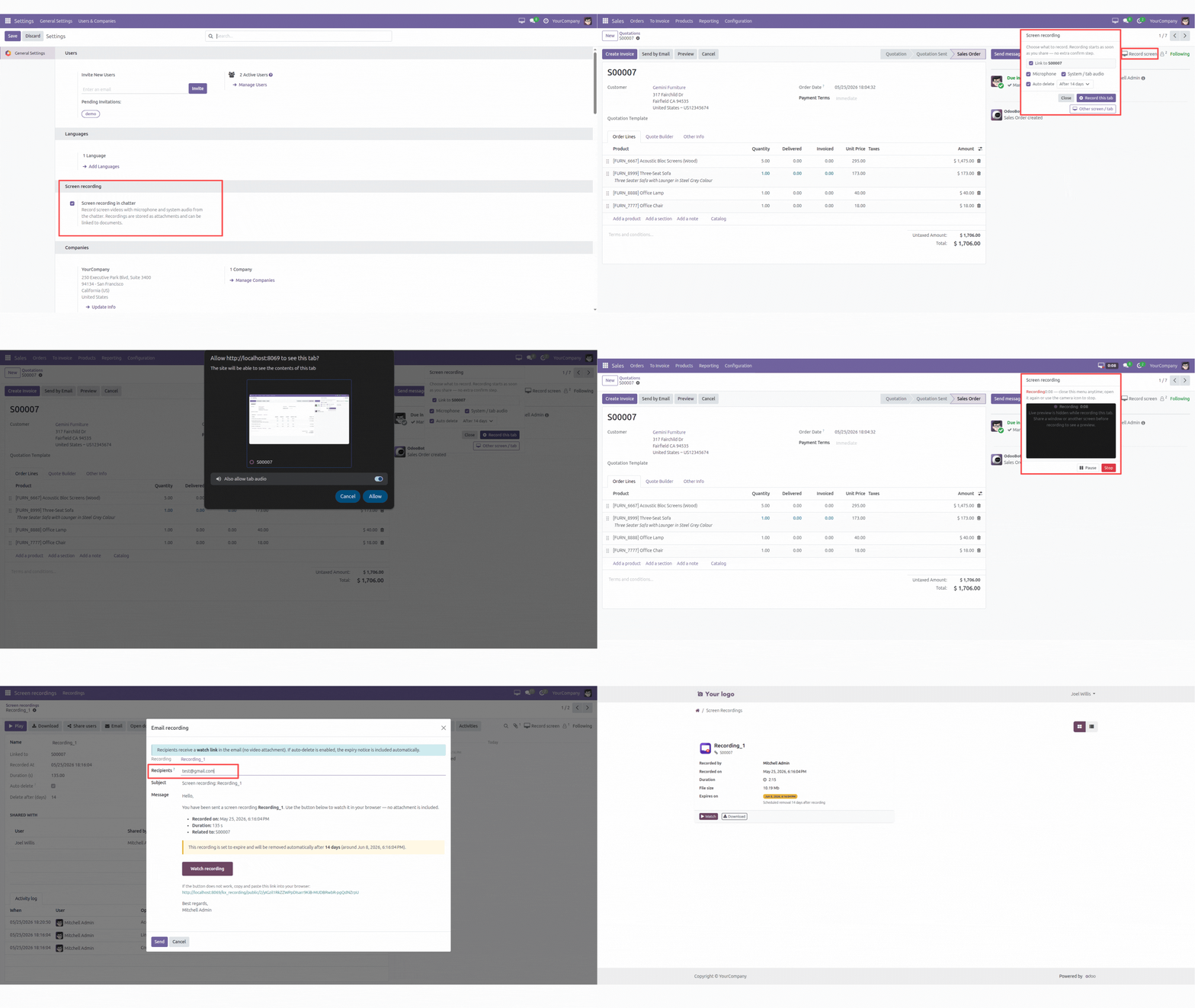
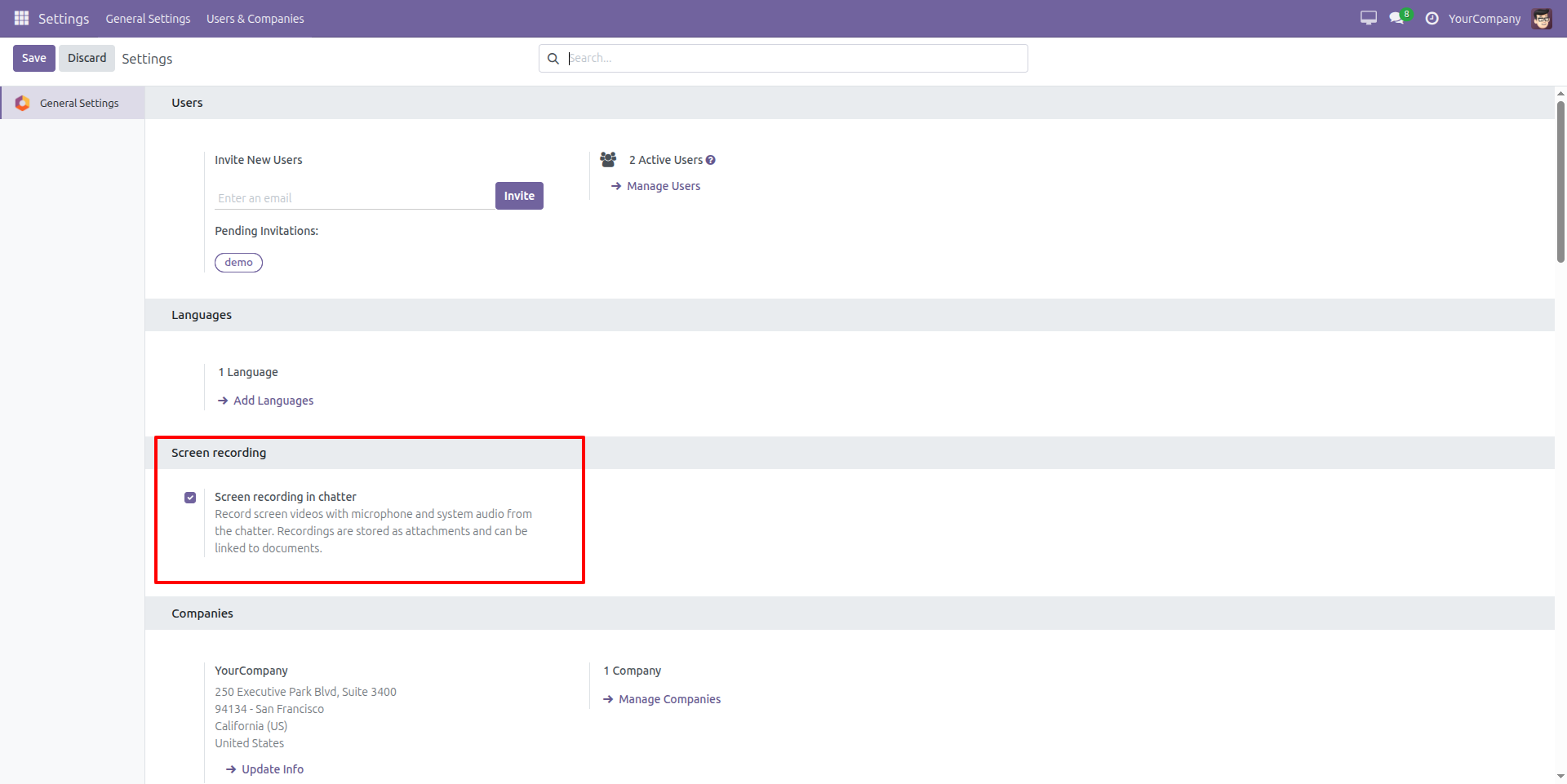
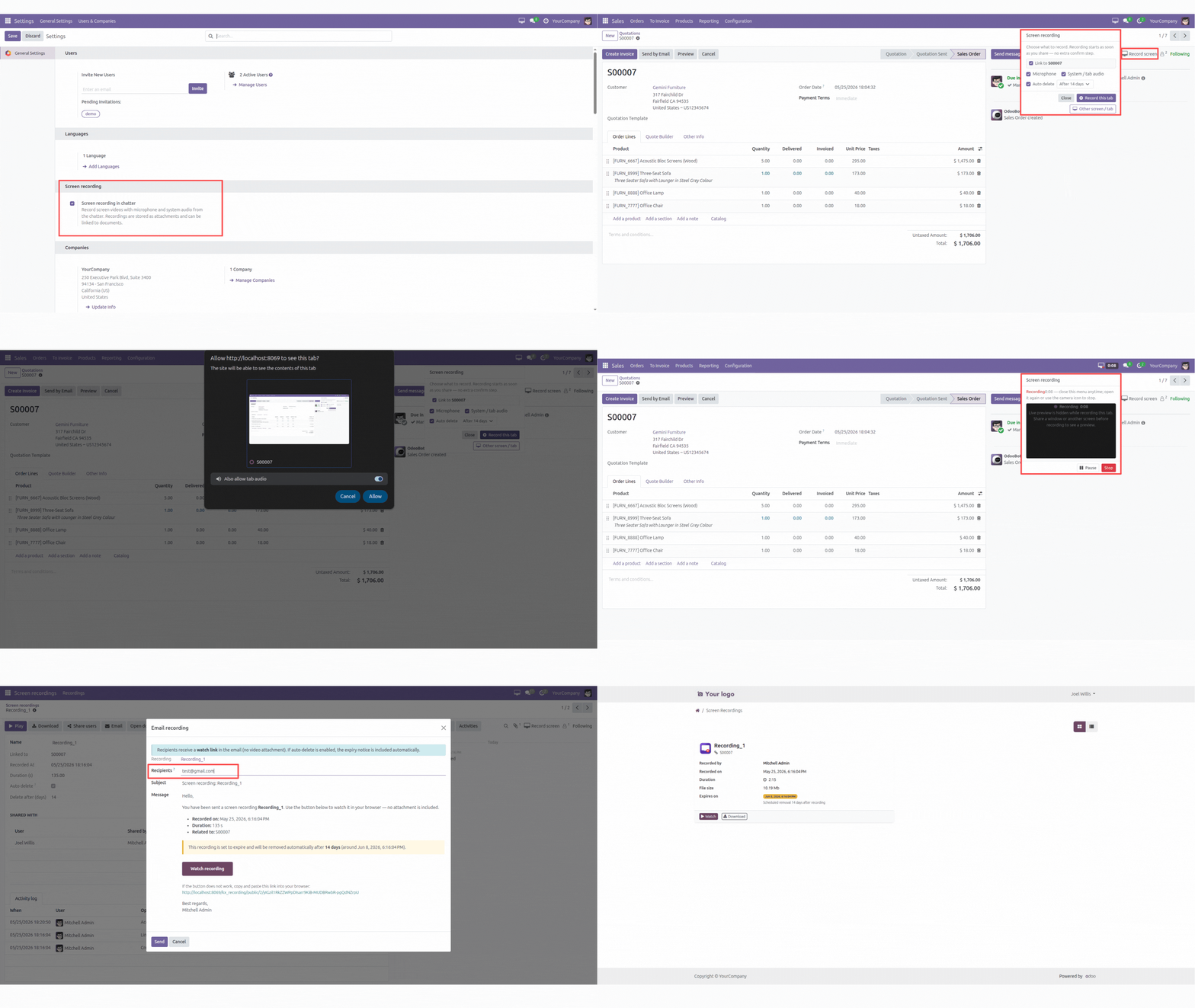
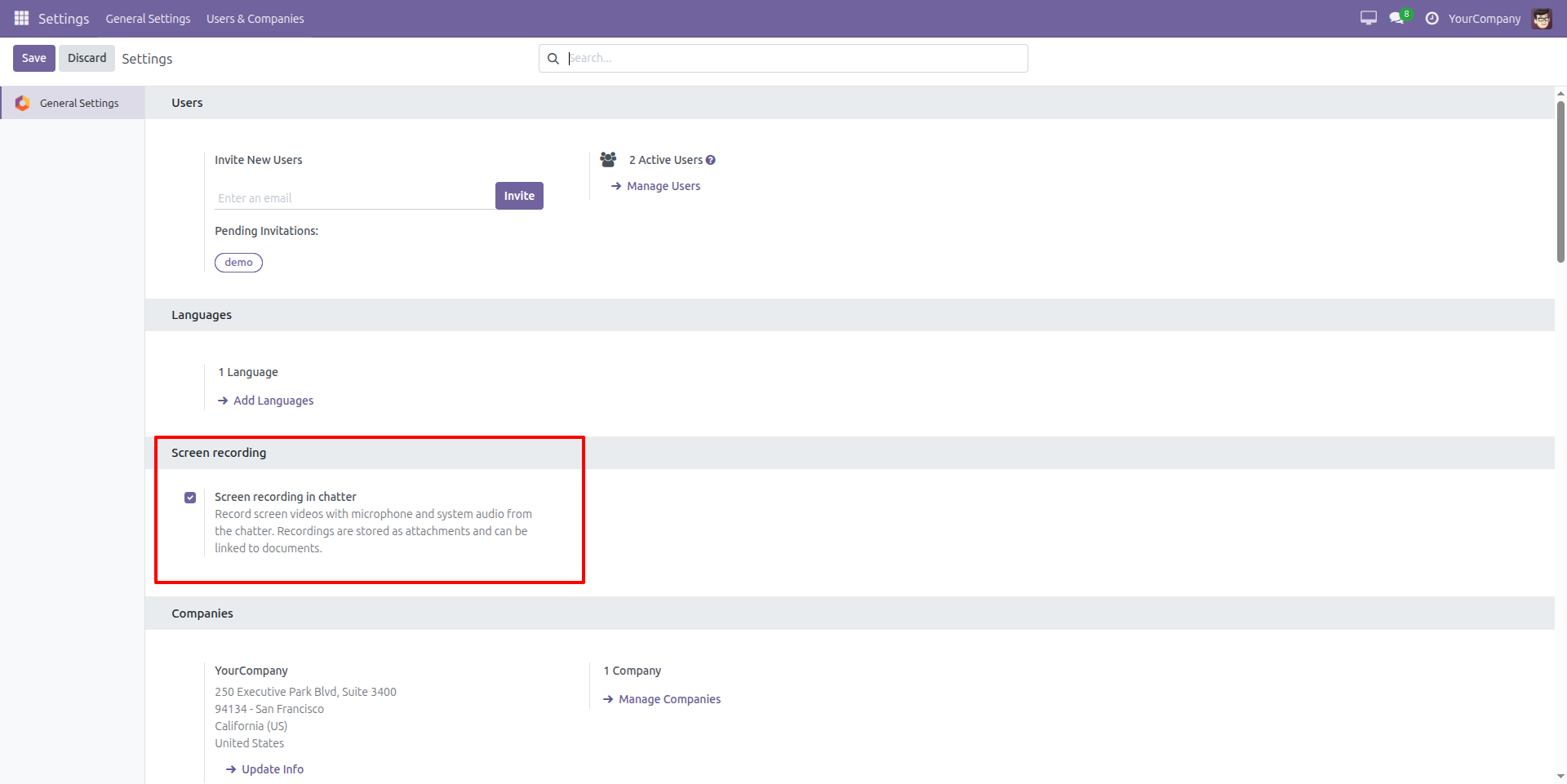
Enable Screen Recording in Chatter
Allow users to record screen videos with microphone and system audio directly from the chatter. Recordings are automatically stored as attachments and linked to related documents for easy collaboration and communication.
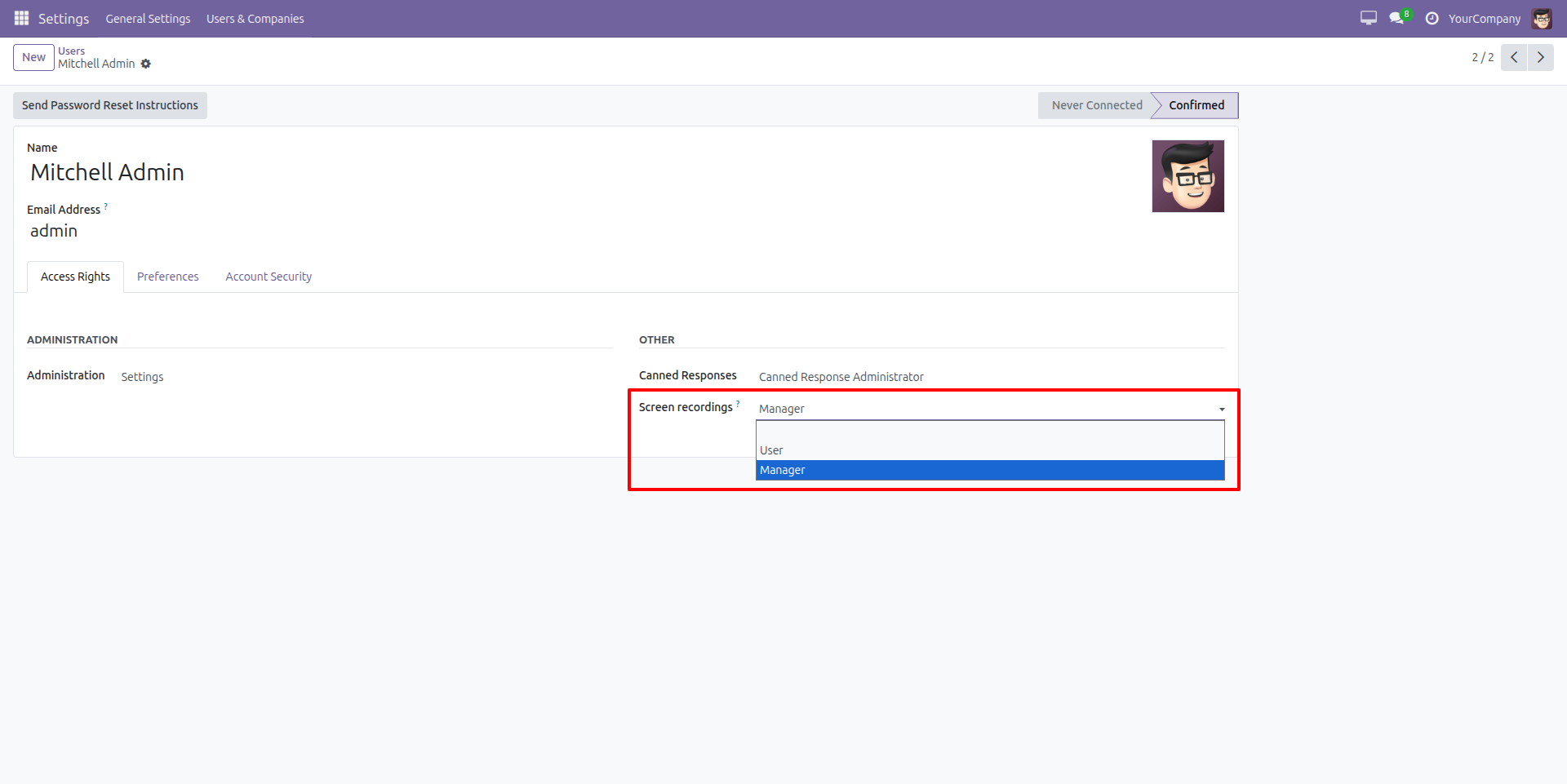
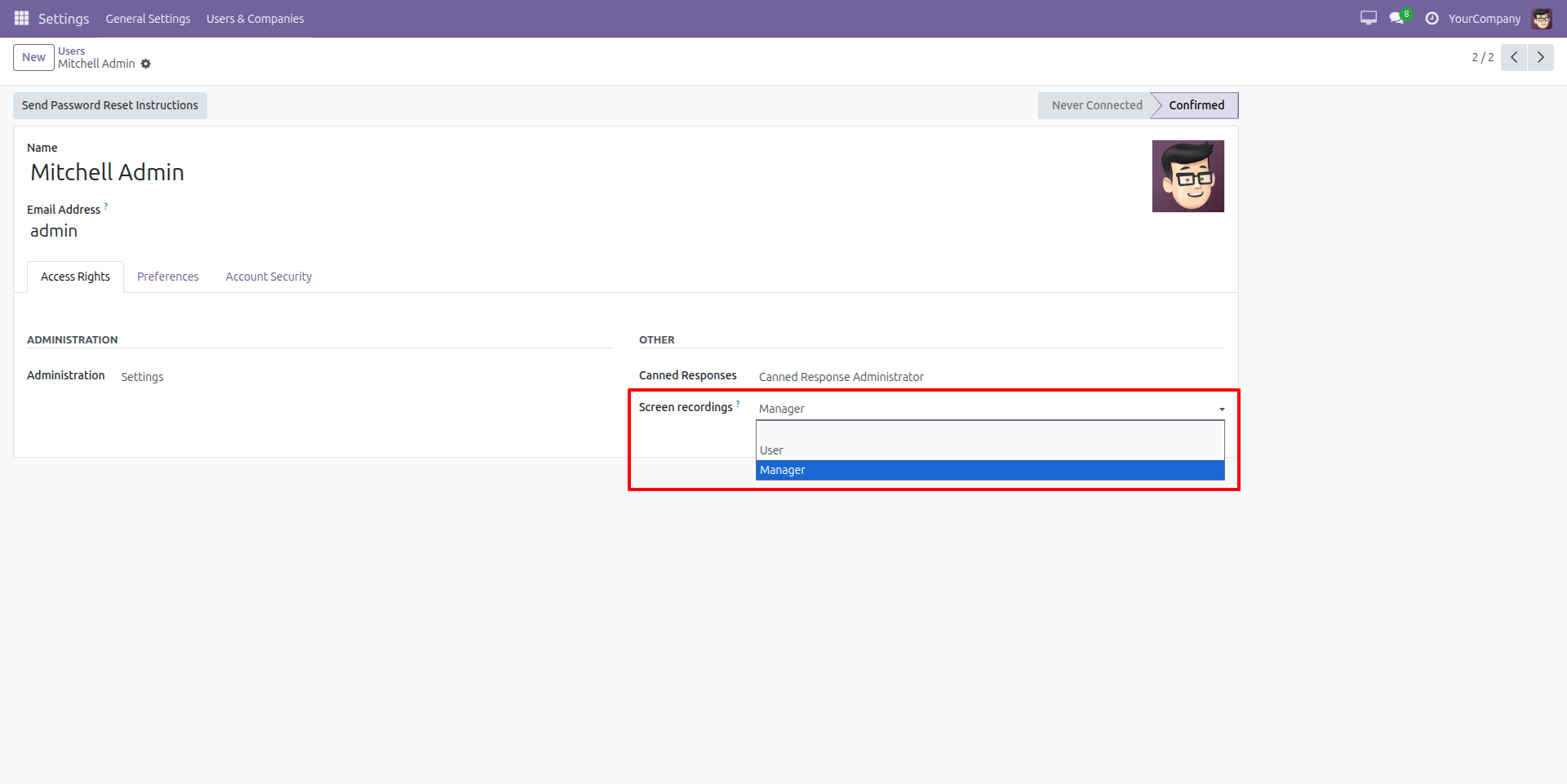
Manage Screen Recording Access Rights
Configure user access levels for the Screen Recording feature by assigning roles such as User or Manager, ensuring secure control over recording and management permissions.
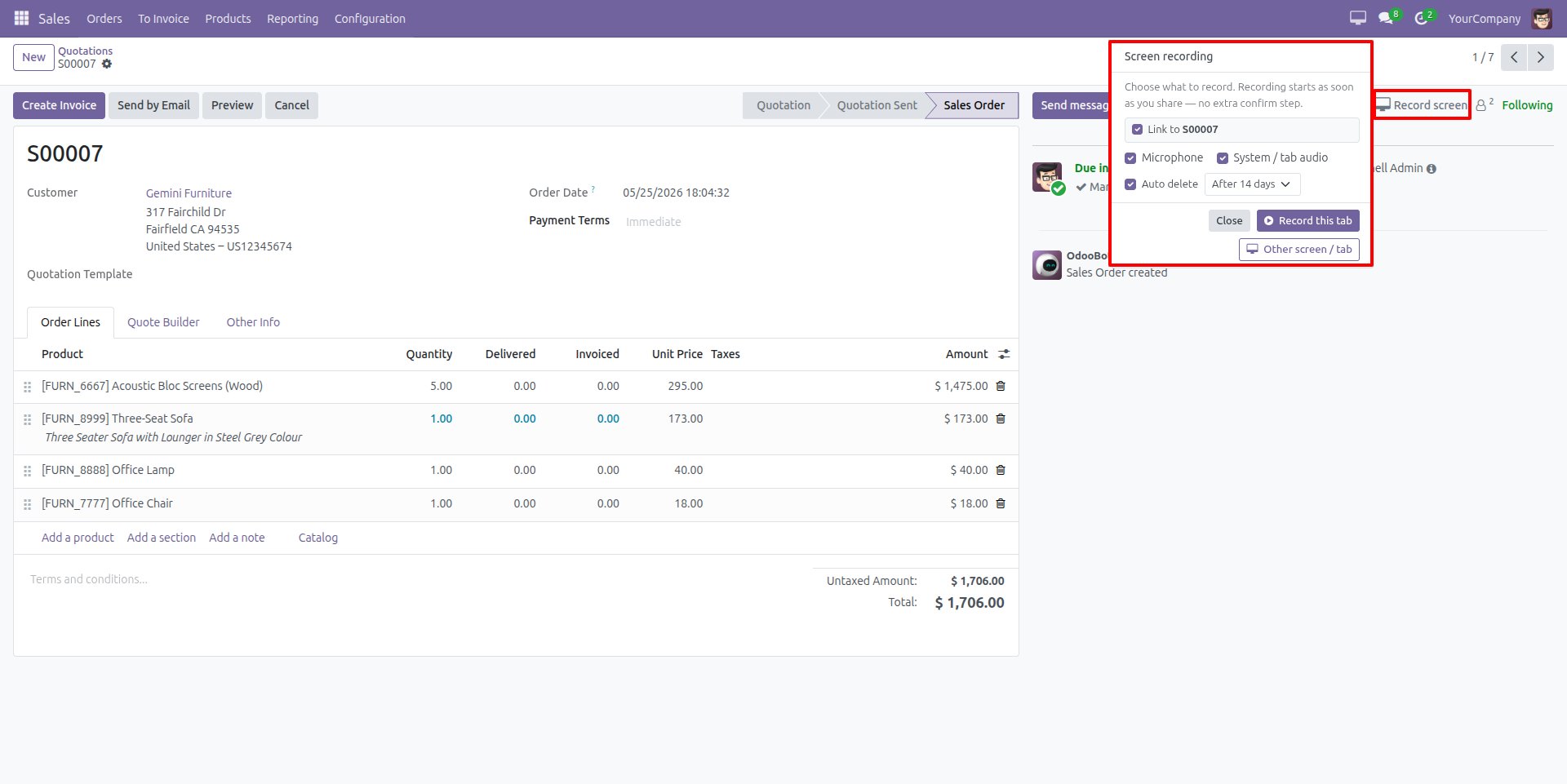
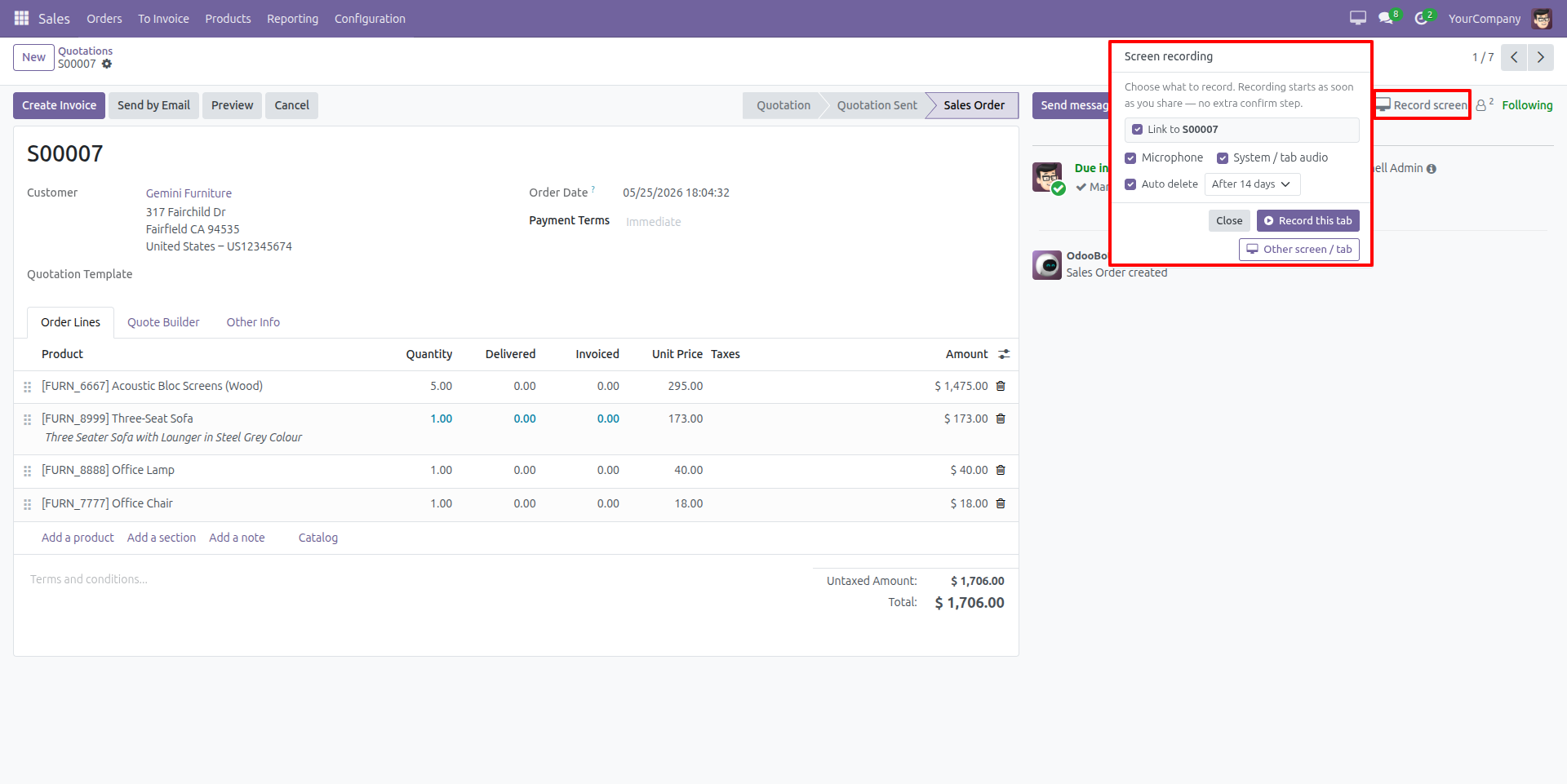
Start Screen Recording Directly from Chatter
Record your current tab or any screen directly from the chatter with microphone and system audio support. Automatically link recordings to related documents for better communication, training, and issue tracking.
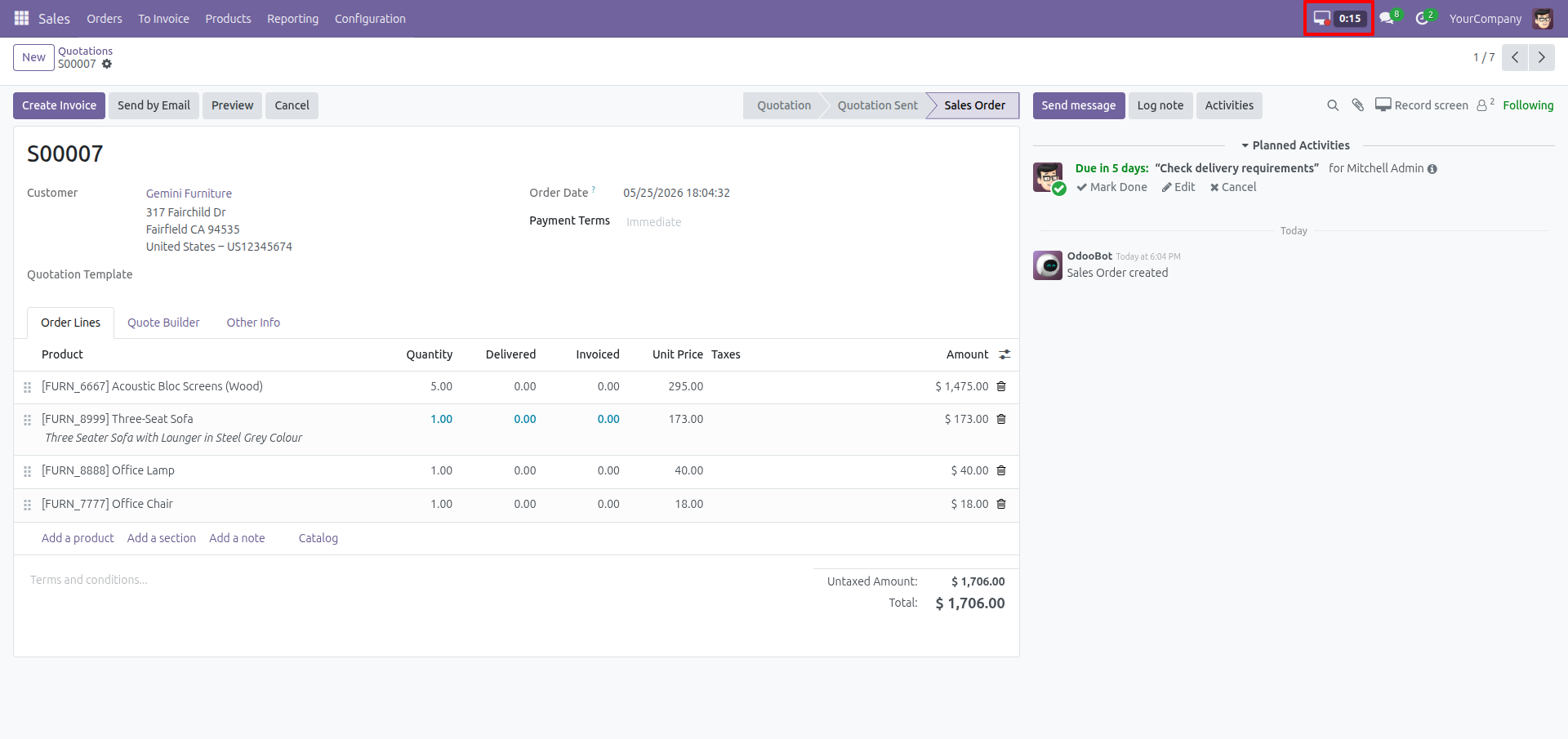
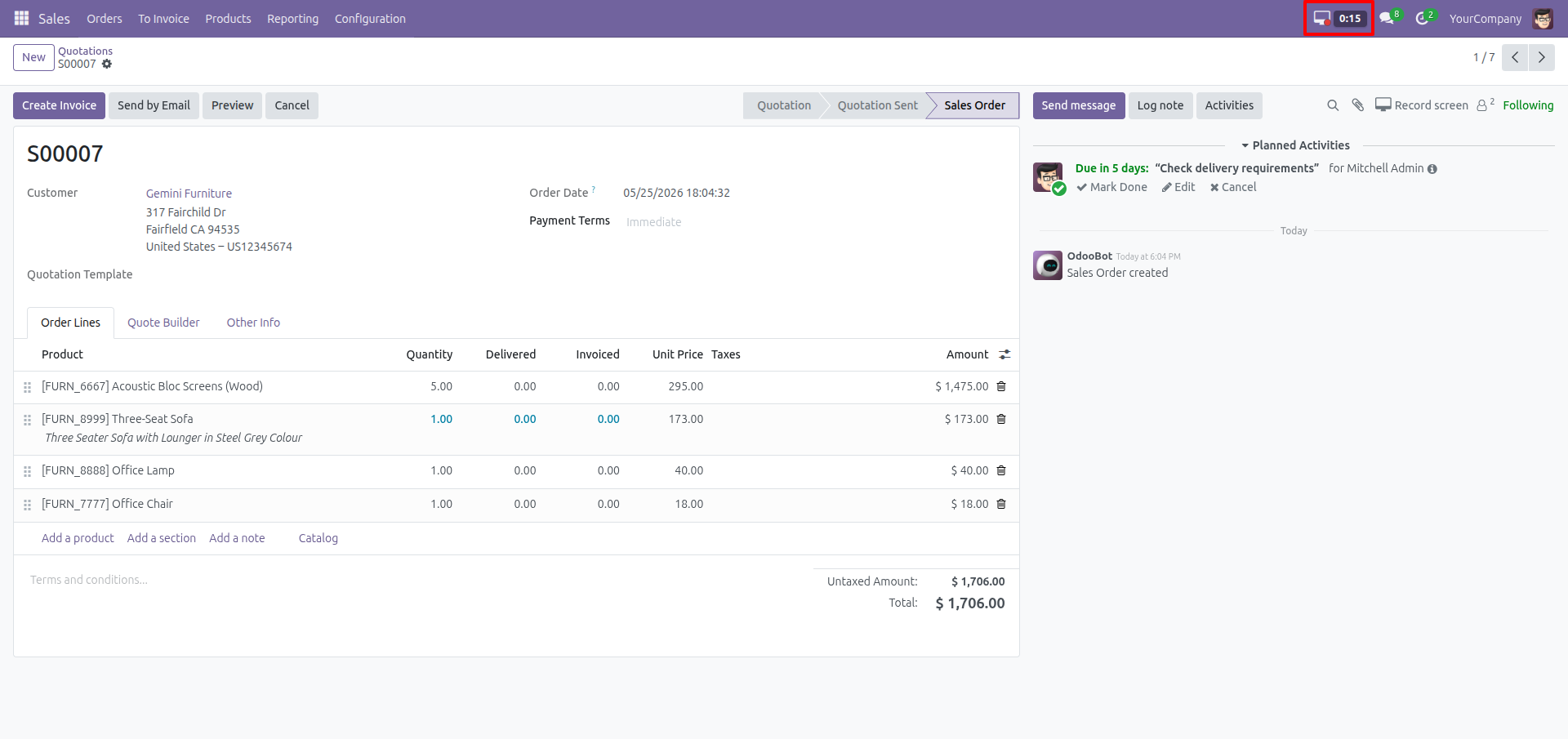
Live Screen Recording Status
Track active screen recordings in real time with a live recording timer displayed in the header, allowing users to monitor ongoing recordings directly within the system.
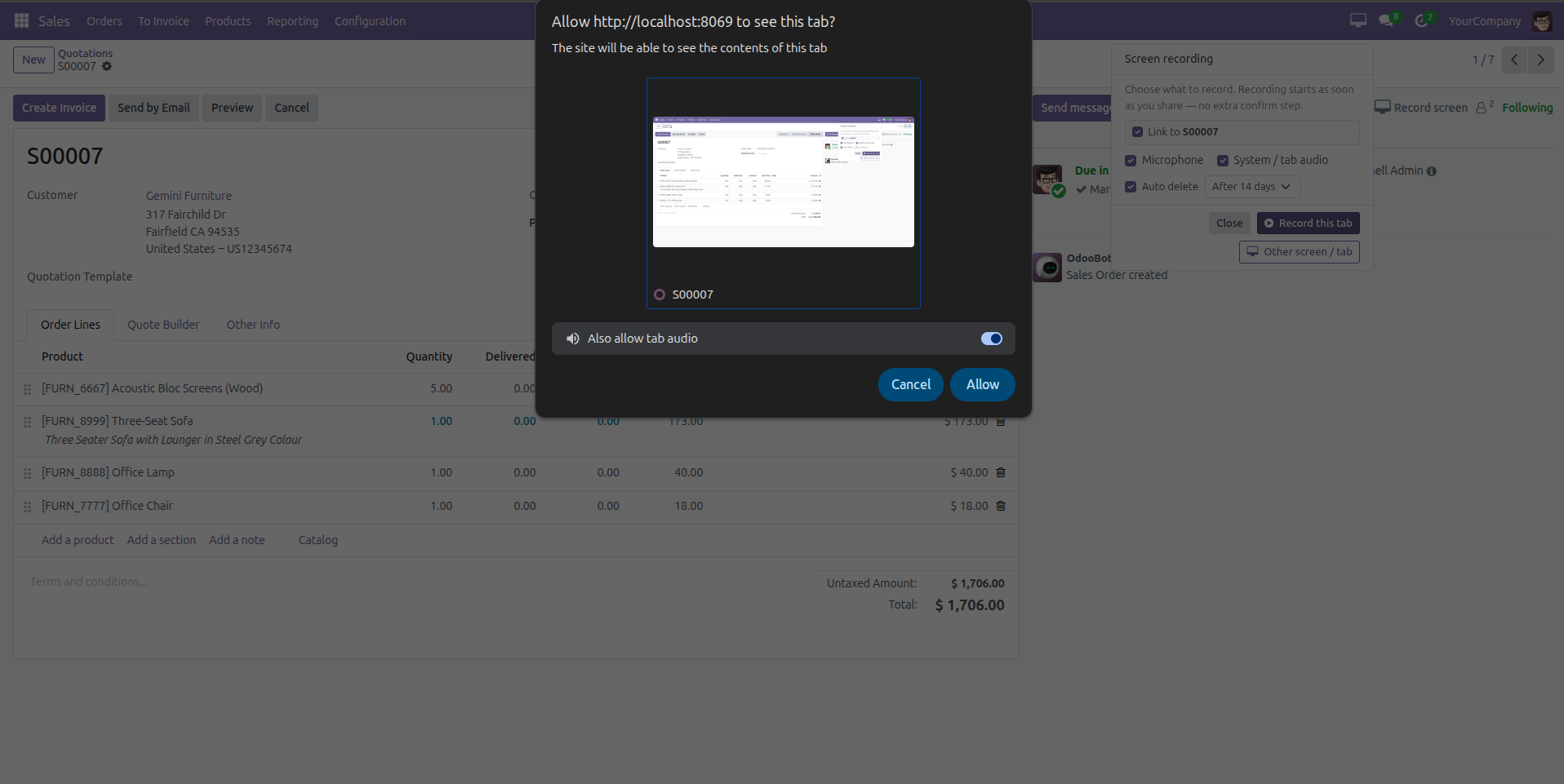
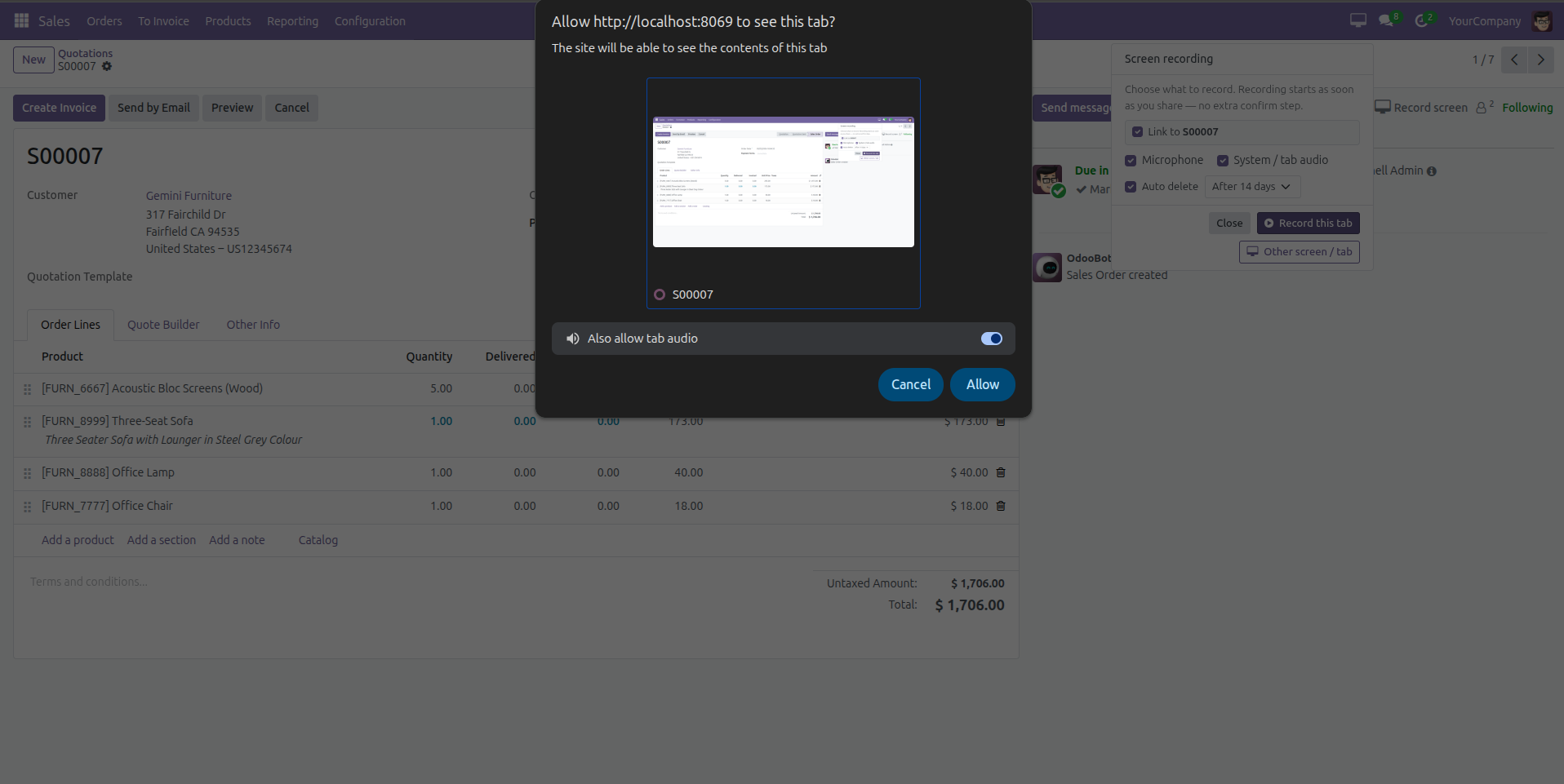
Browser Permission for Screen Sharing
Grant browser permission to share your screen or tab for recording, including optional system audio support for complete screen capture functionality.
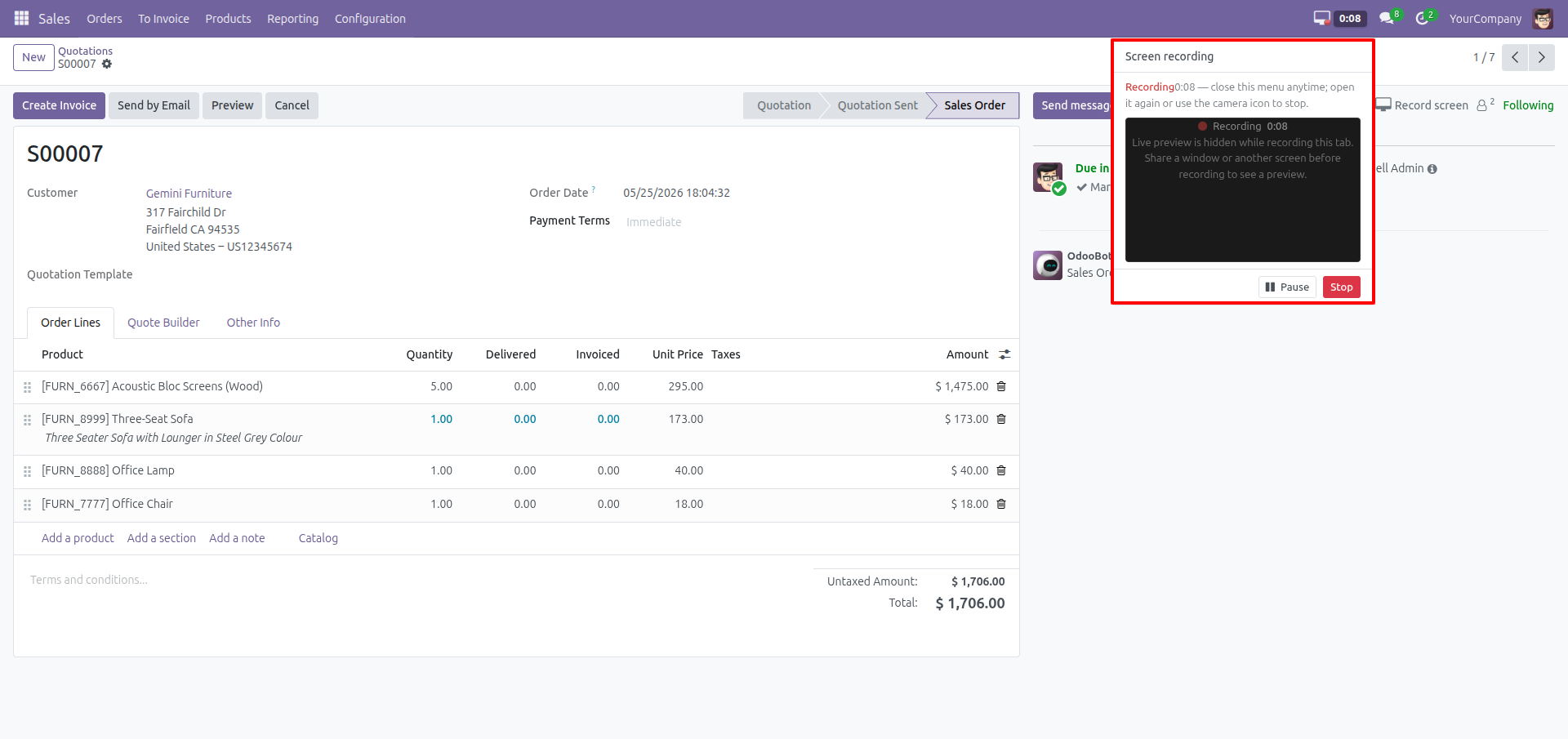
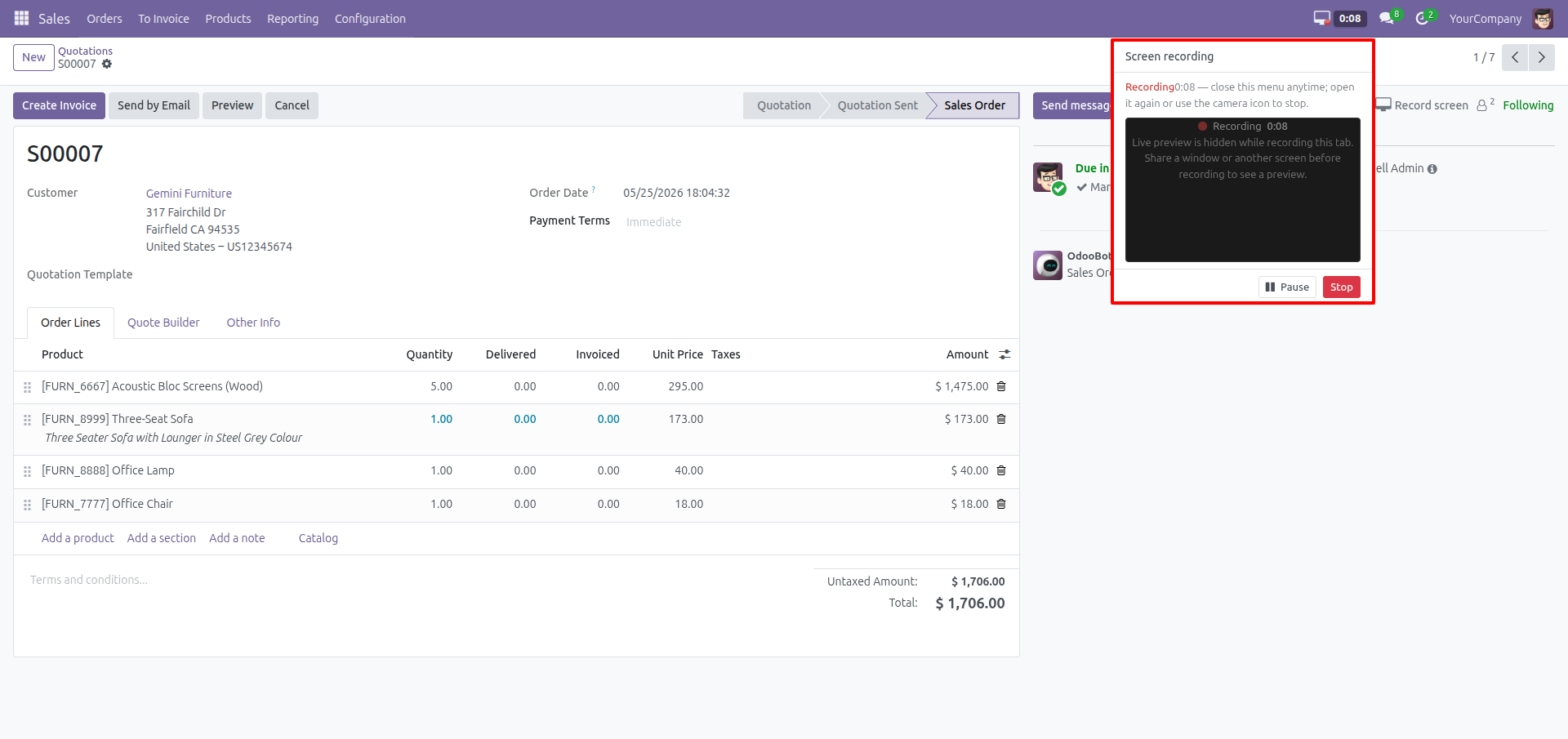
Pause and Stop Screen Recording
Manage ongoing screen recordings with built-in pause and stop controls, allowing users to control recordings efficiently while working inside the system.
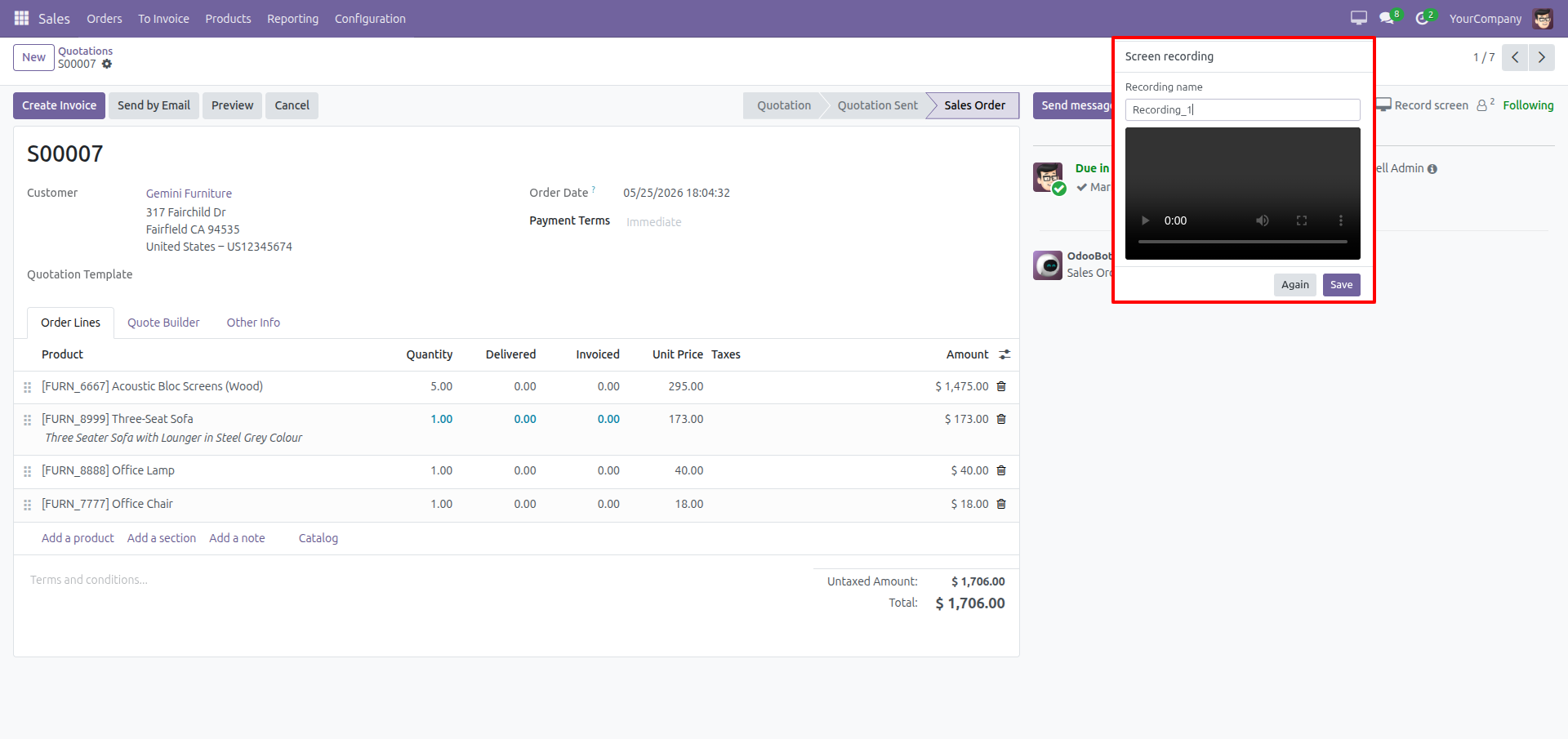
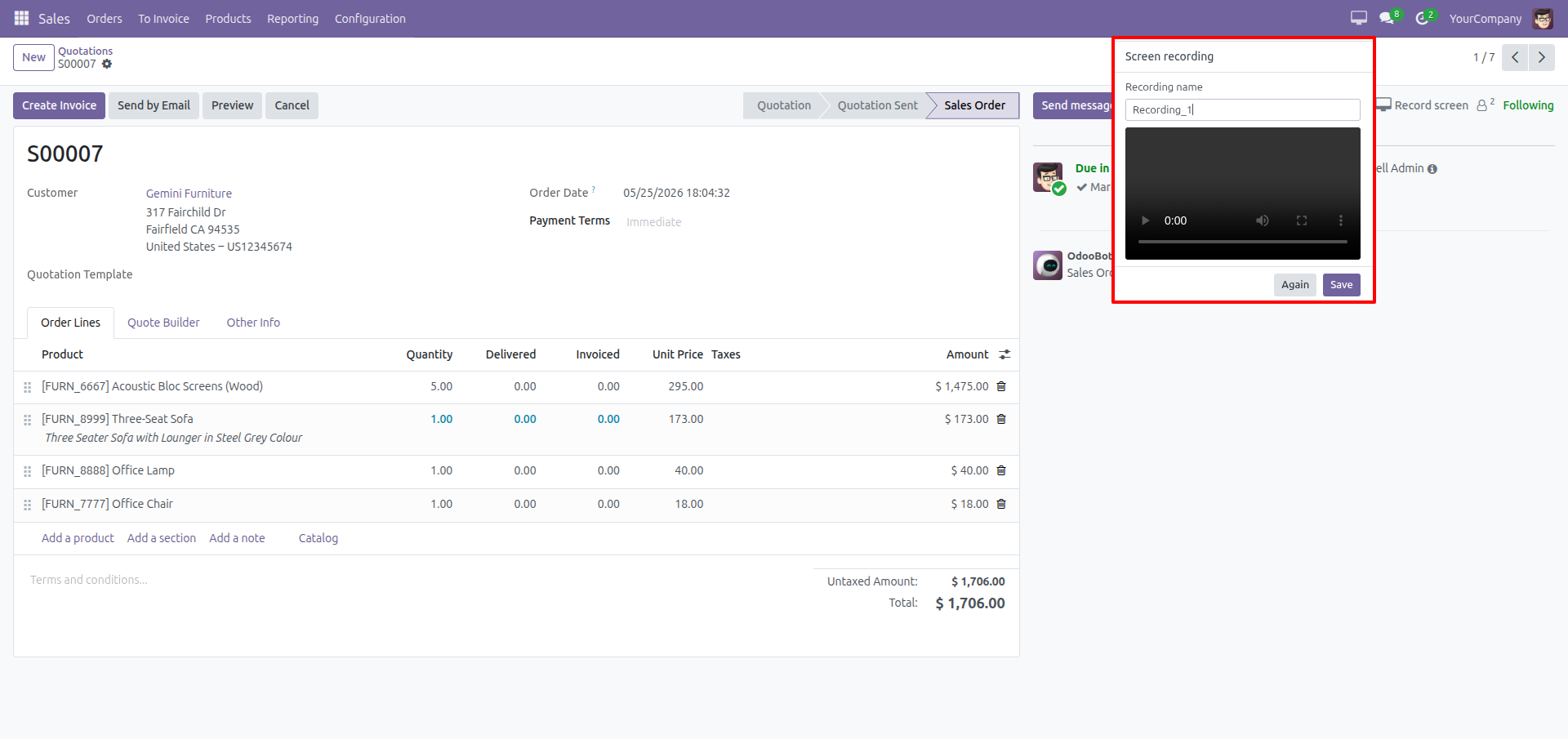
Preview and Save Screen Recordings
Preview recorded screen videos, rename recordings if needed, and save them as attachments linked to related documents for future reference and collaboration.
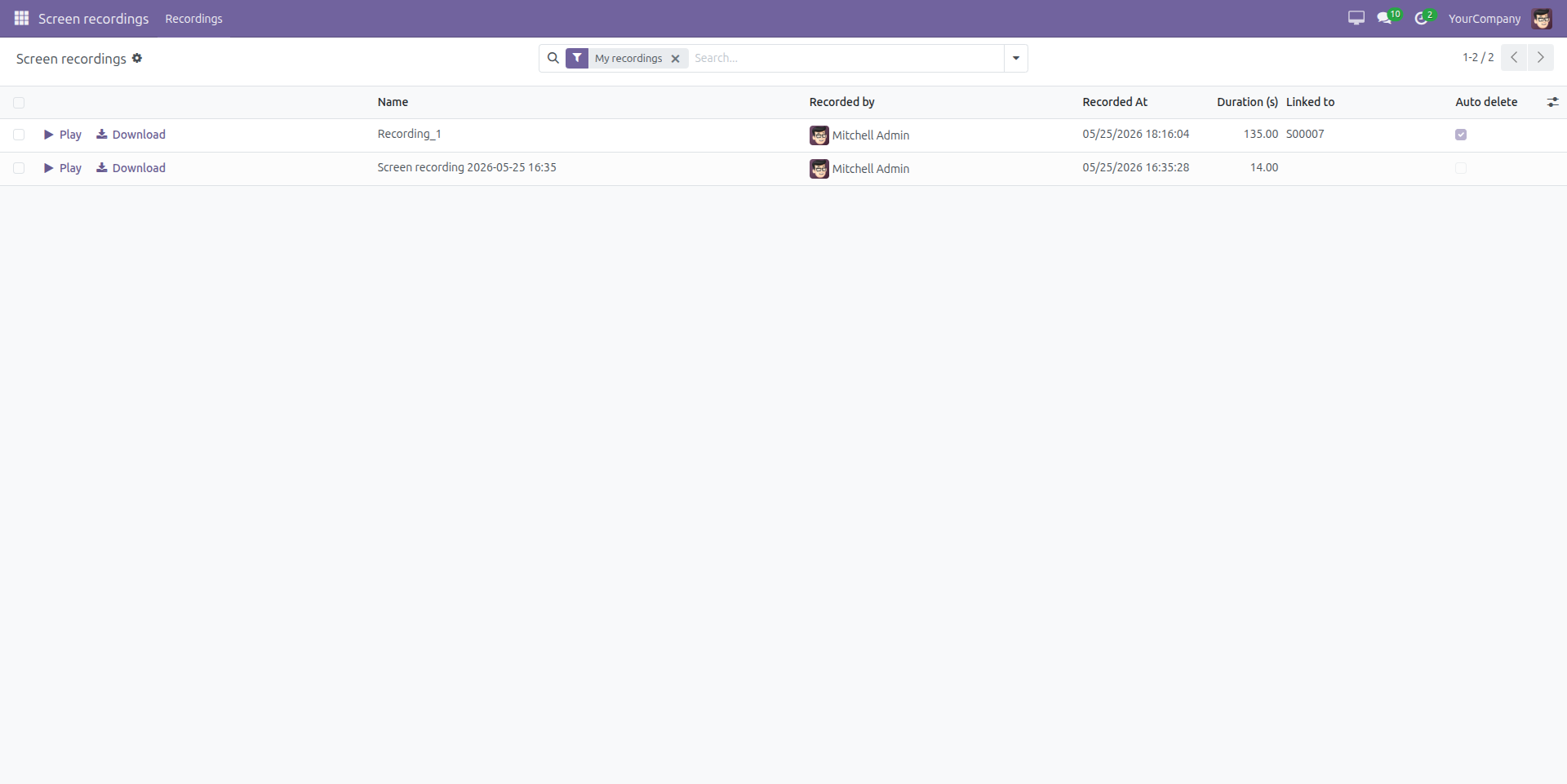
Manage and Download Screen Recordings
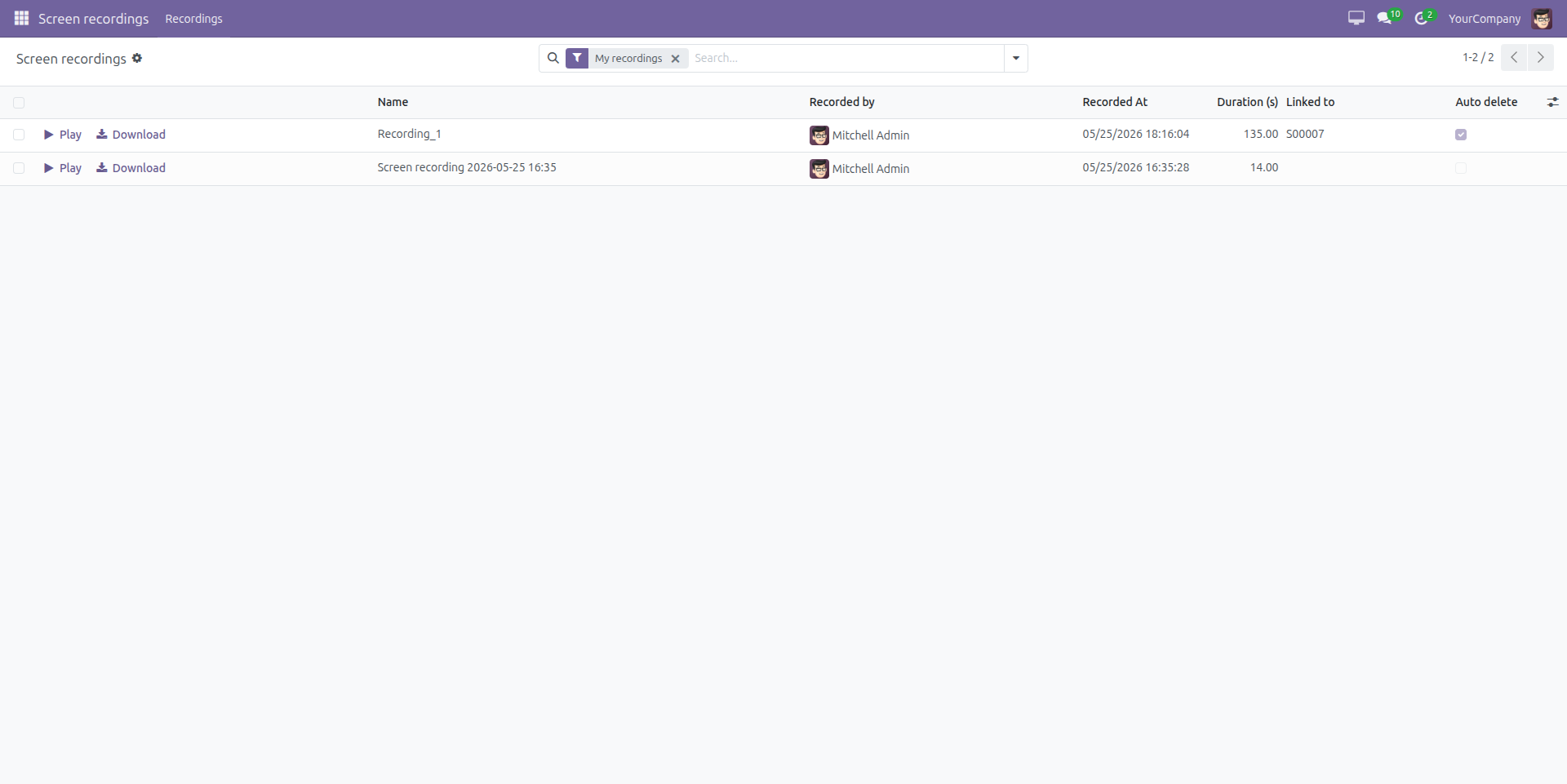
View, play, and download all recorded screen sessions from a dedicated Screen Recordings menu, with details such as recording duration, linked documents, recorder information, and auto-delete status.
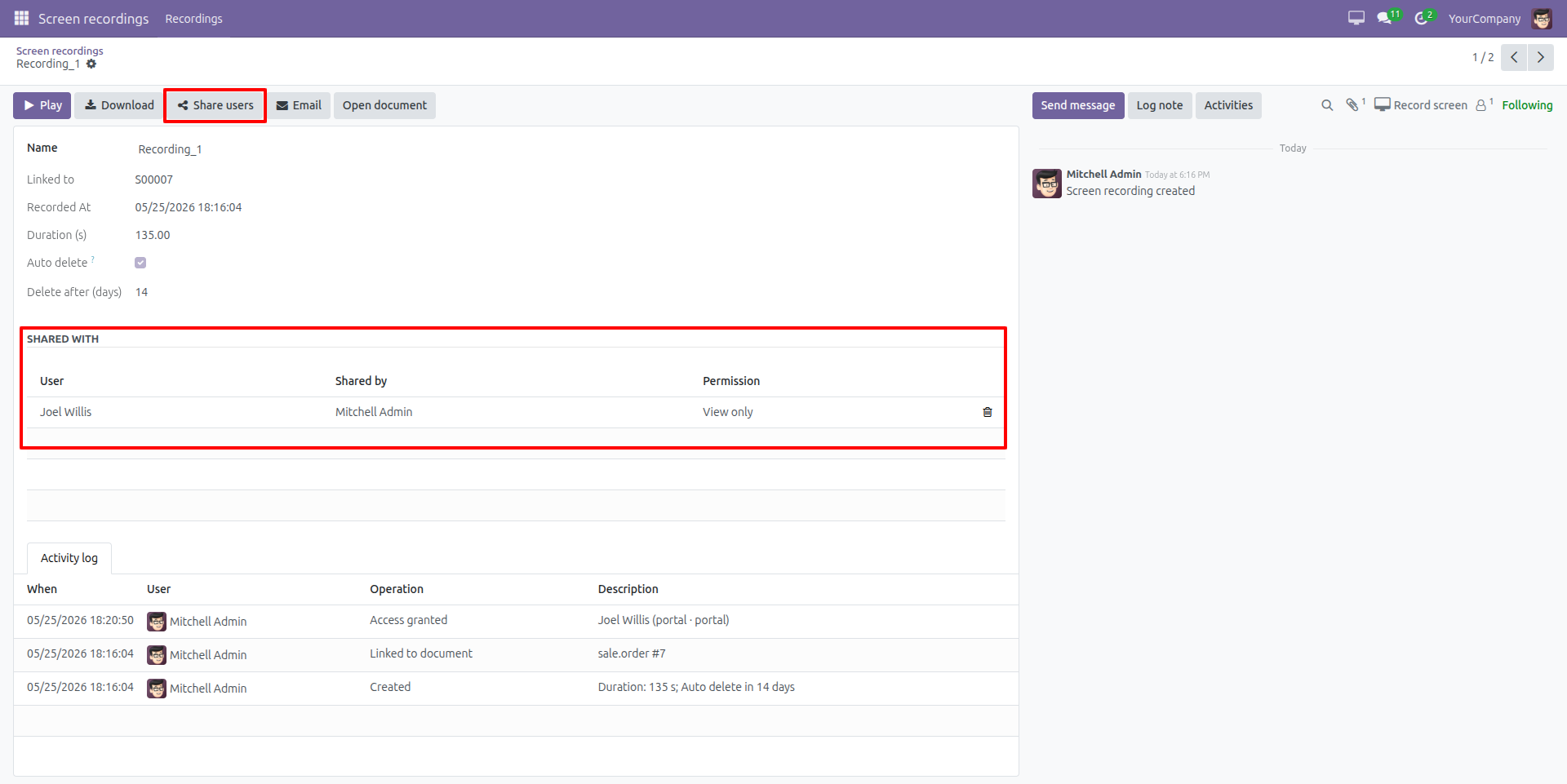
Share Screen Recordings with Users
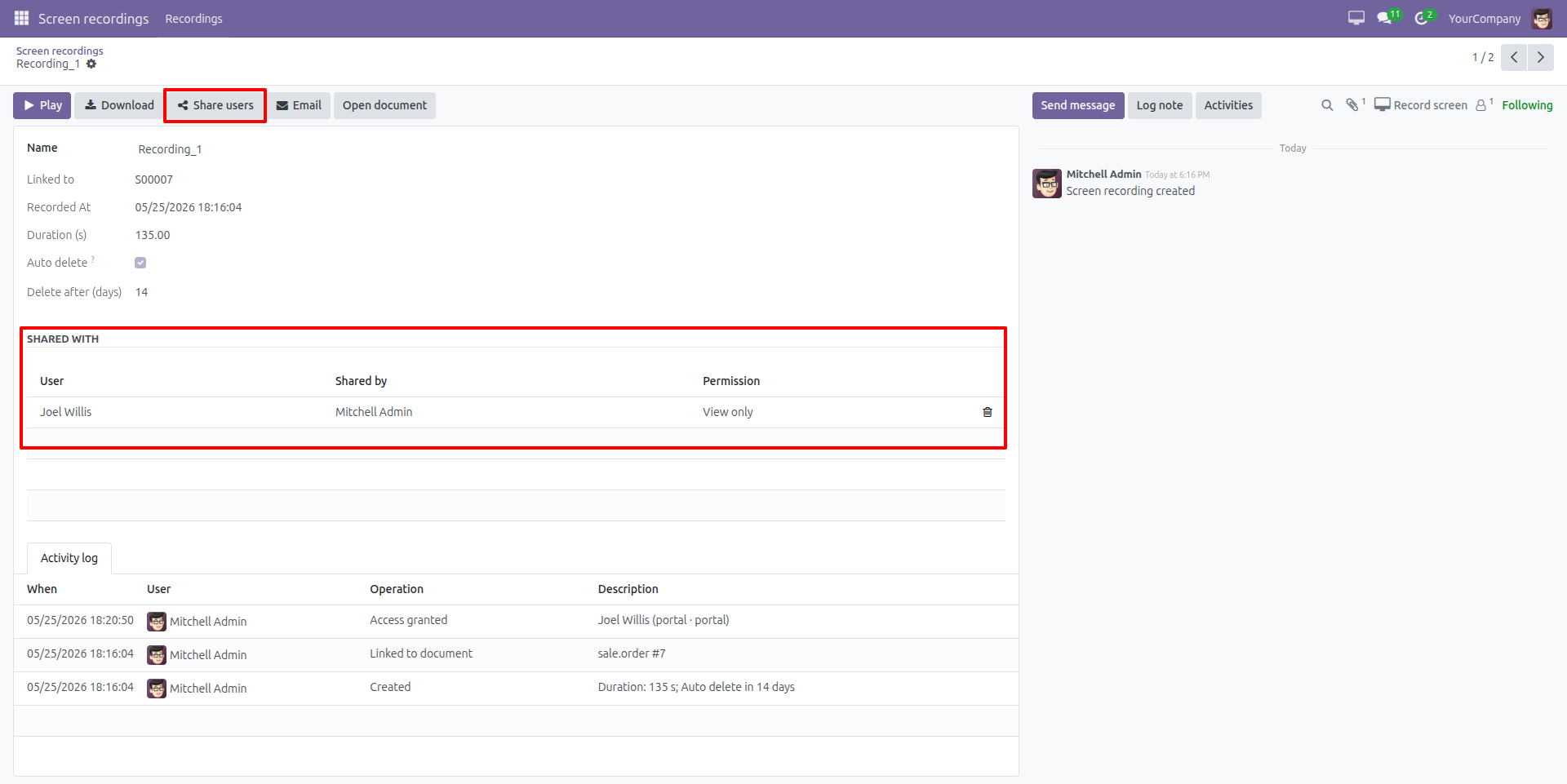
Easily share recorded screen videos with specific users and manage access permissions such as view-only access, while maintaining a complete activity log for tracking shared actions and recording history.
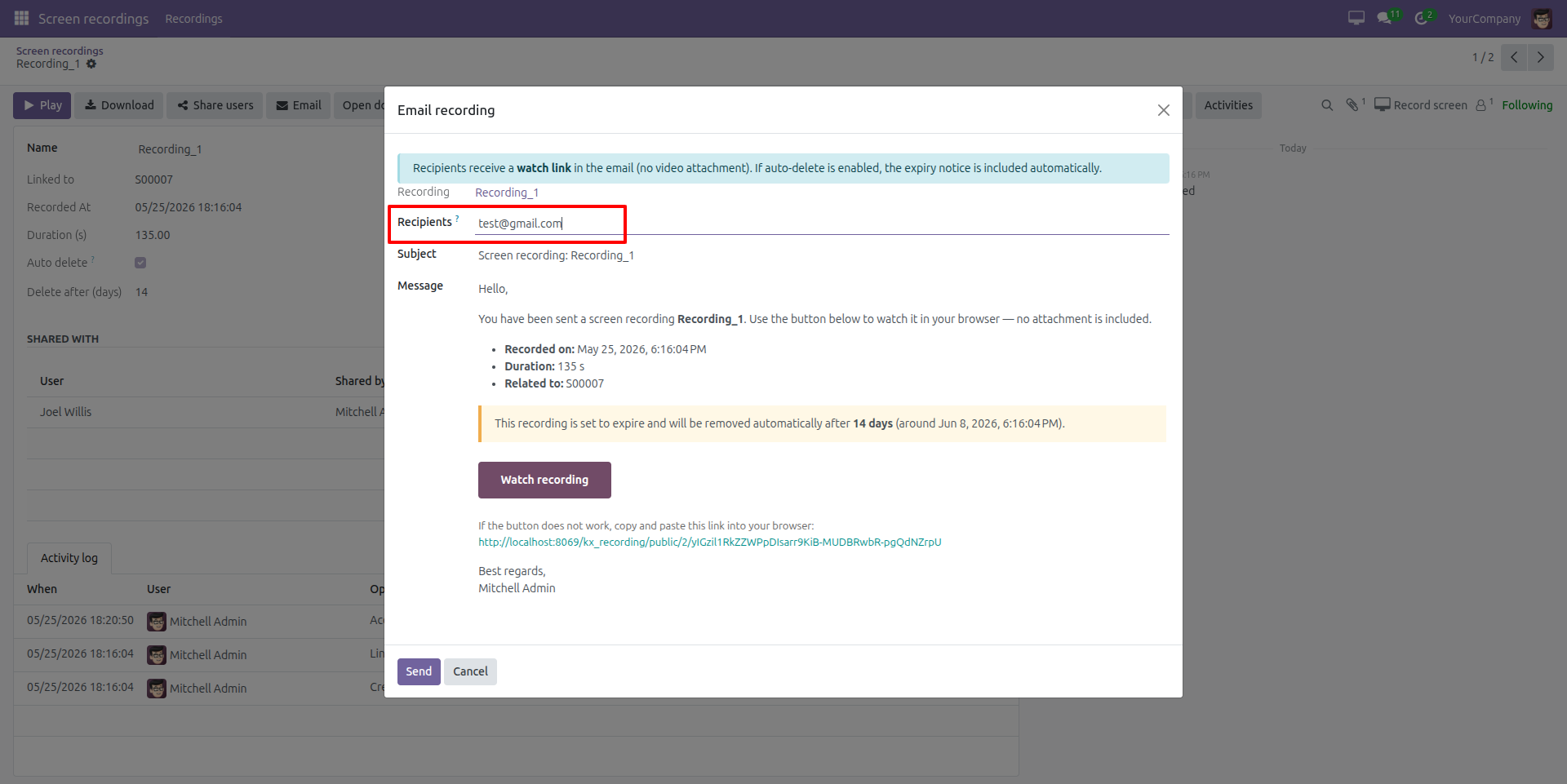
Send Screen Recording Links via Email
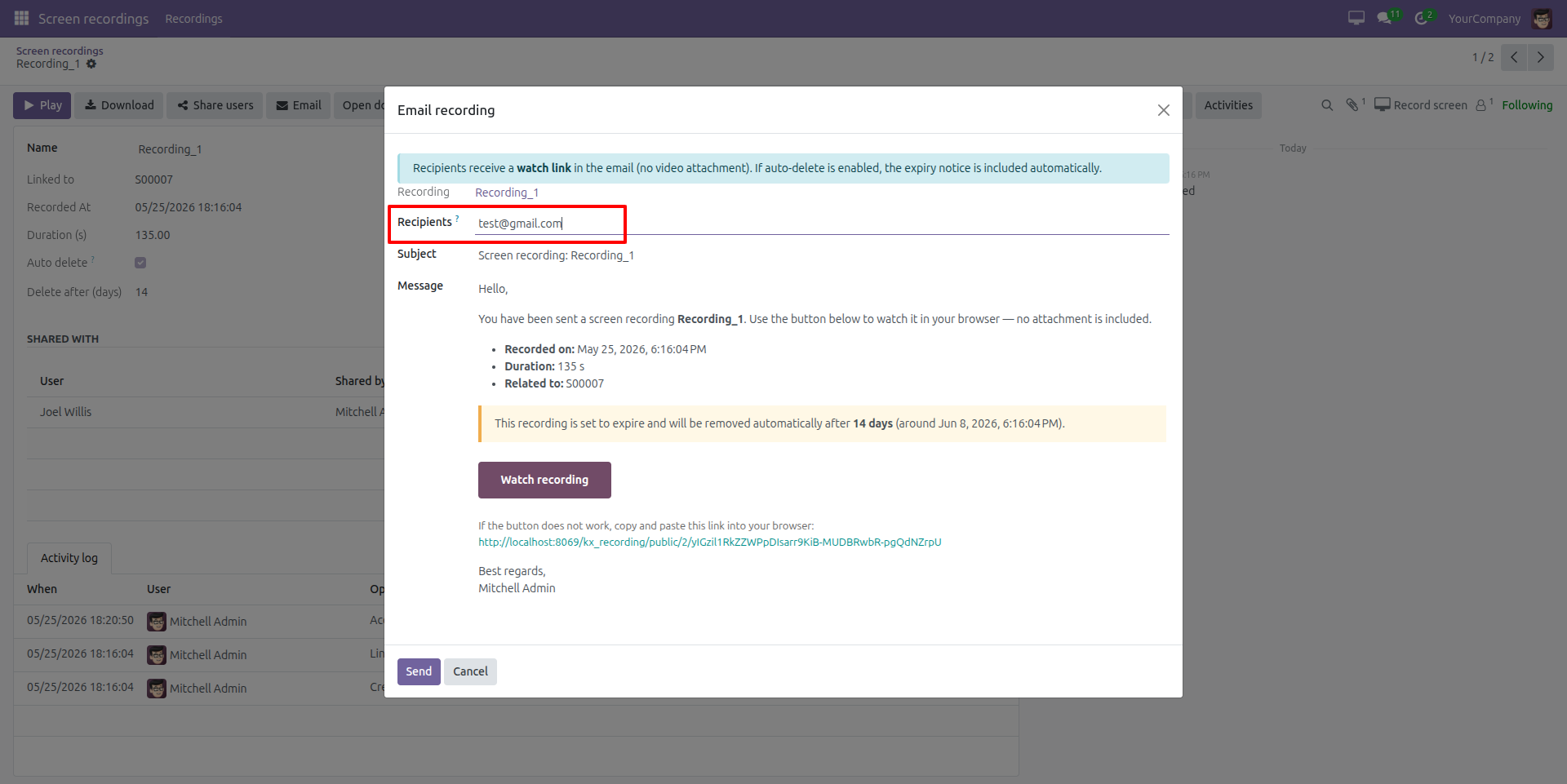
Share screen recordings instantly through email by sending secure watch links to recipients, including recording details, related documents, and automatic expiry notifications without attaching large video files.
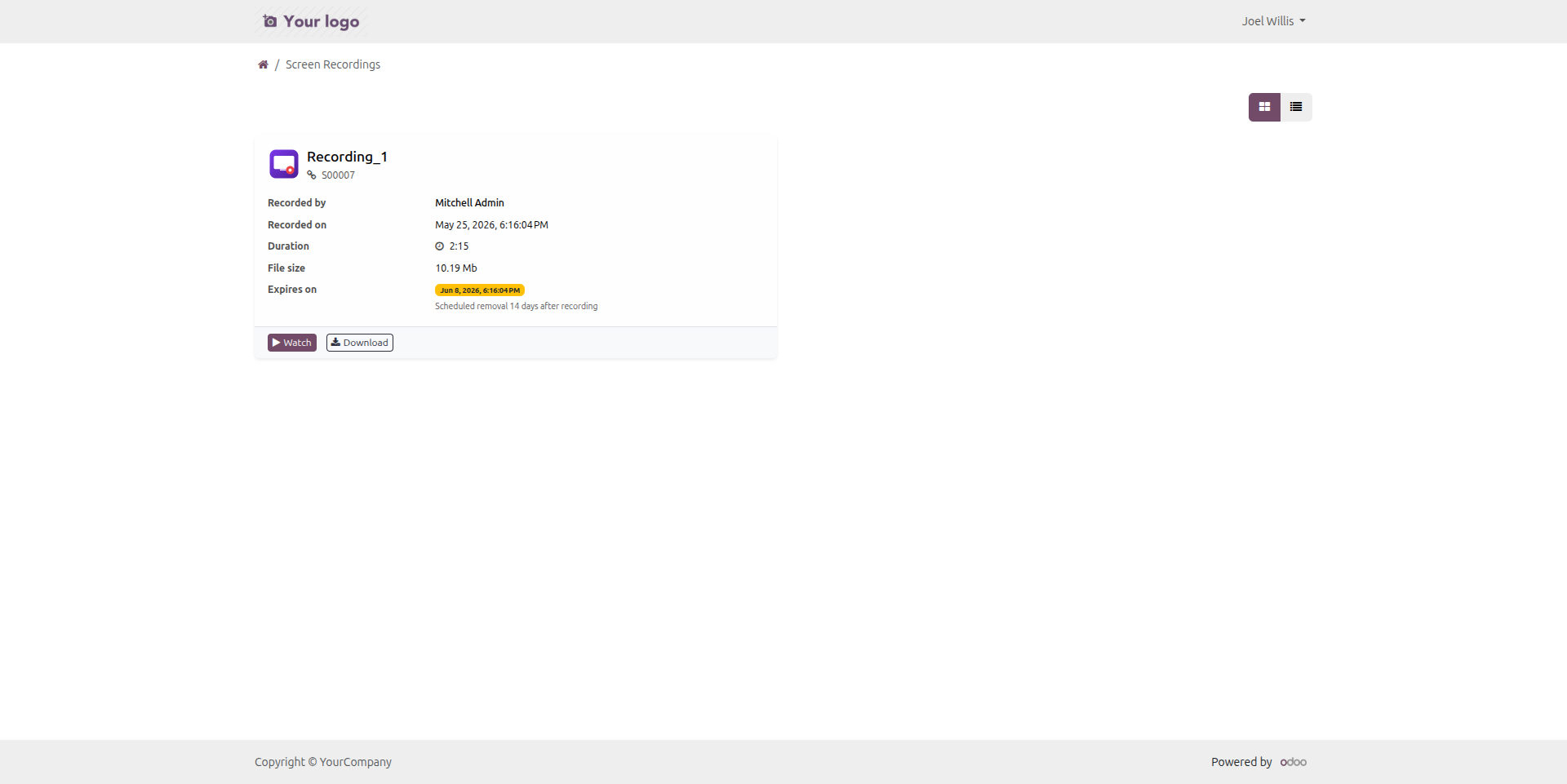
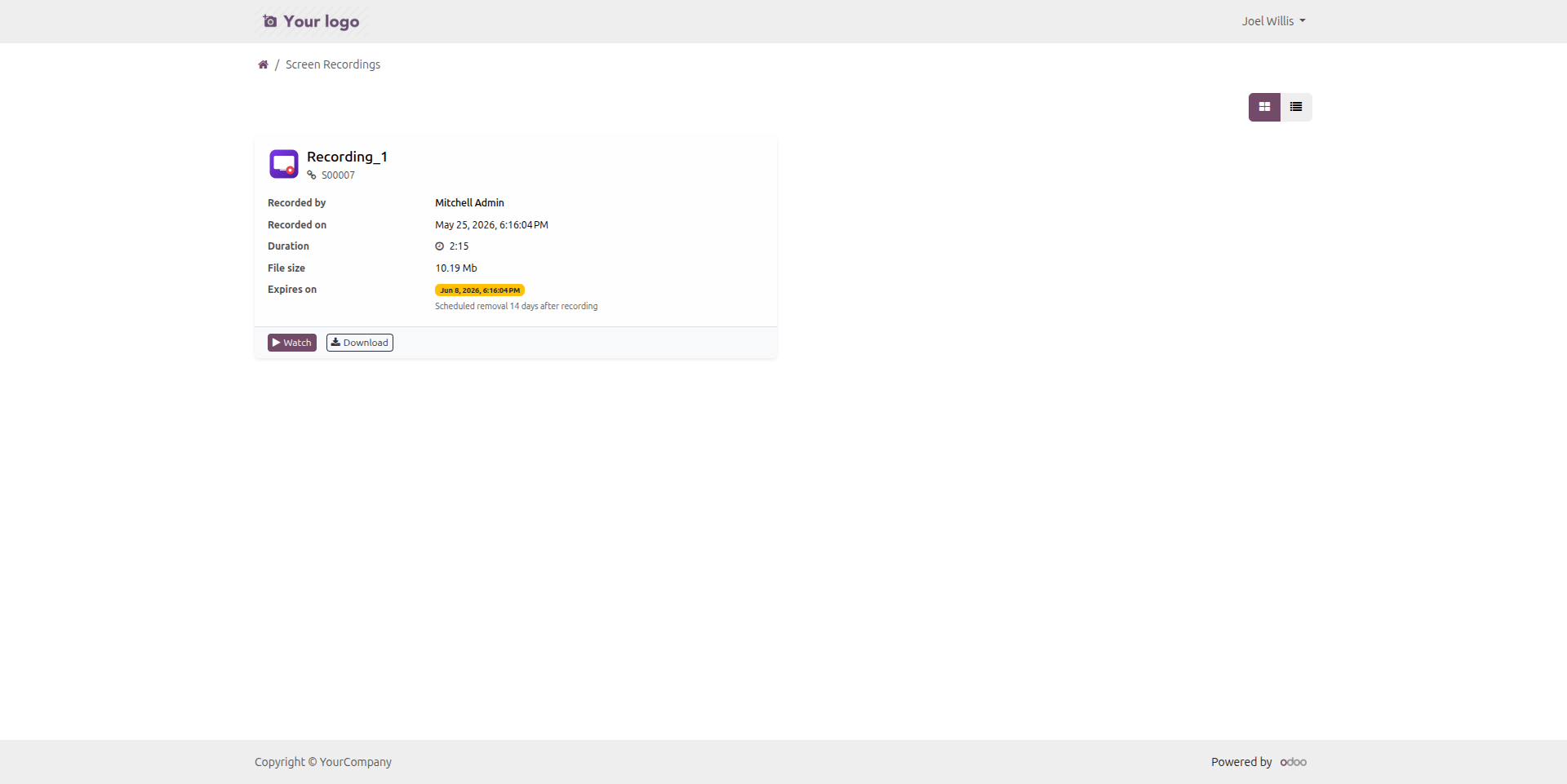
Portal Access for Shared Screen Recordings
Allow portal users to securely access shared screen recordings through a dedicated web page with options to watch or download recordings, including recording details, expiry information, and linked document references.
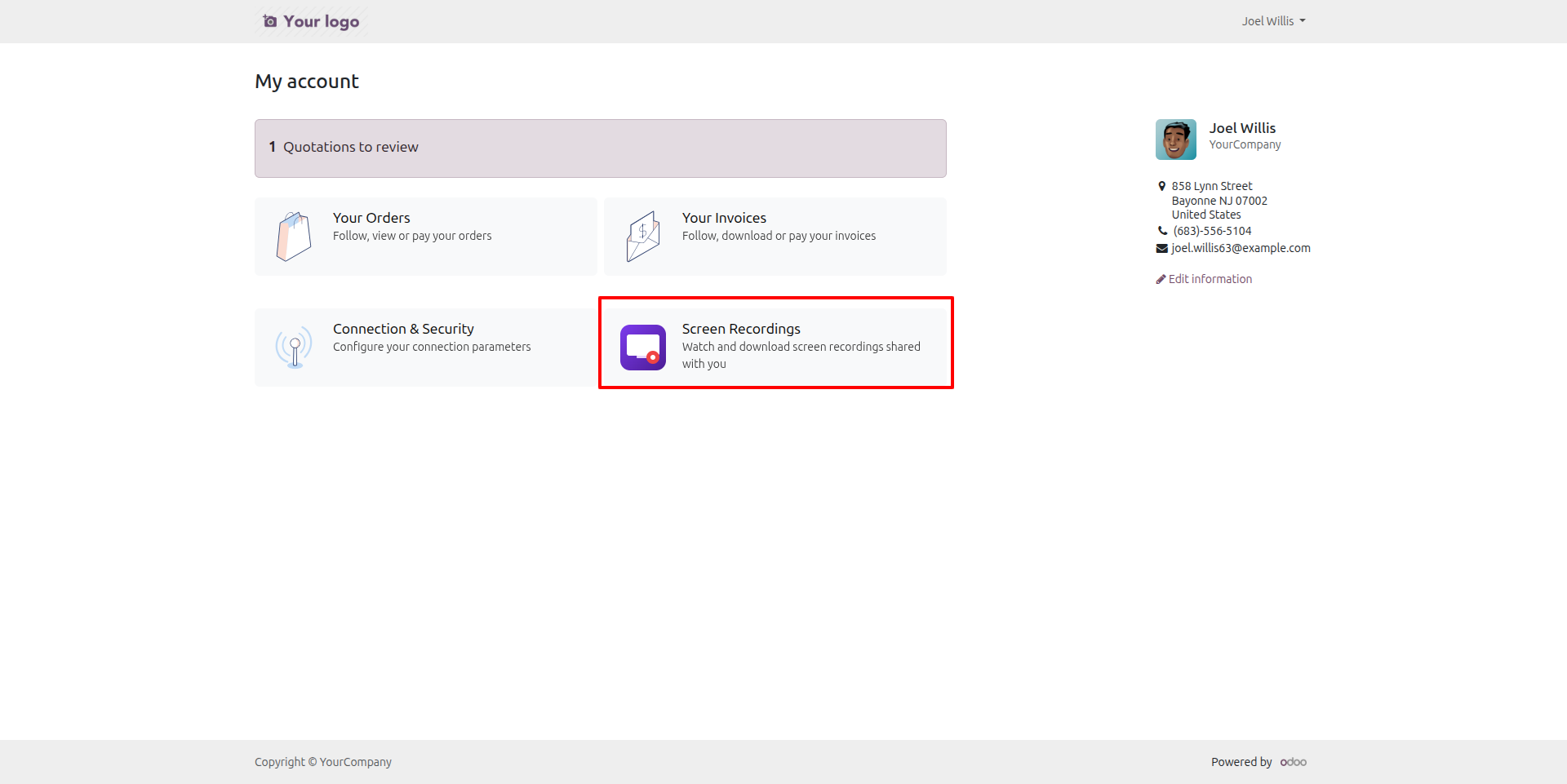
Access Shared Screen Recordings from the Portal
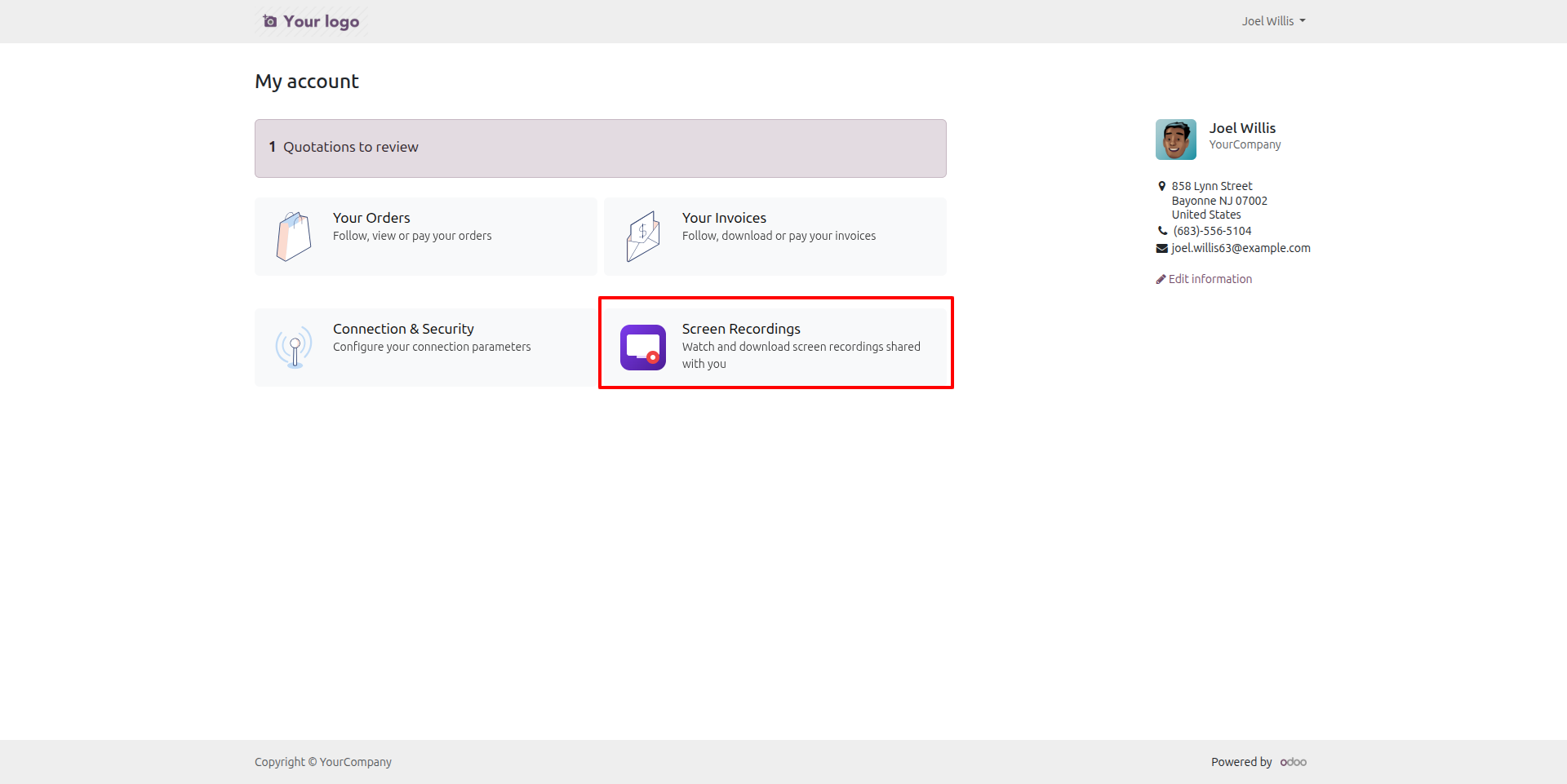
Portal users can easily access a dedicated Screen Recordings section from their account dashboard to watch and download recordings shared with them through the portal.

Our Services

Our Industries

Support



Technical Information
kx_video_recording
web
mail
base_setup
portal
Supported Versions
18.0.1.0
FREE
19.0.1.0
FREE