?unique=1d6fd7c)
Purchase Multilevel Approvals



.png)
.png)
.png)
.png)
.png)
.png)
.png)
.png)
.png)
.png)
















































Community
Enterprise
Odoo.sh
Multi level Approval for Purchase Module
This module integrates a multi-level approval workflow with purchase orders, managing team-based approvals based on specified conditions.
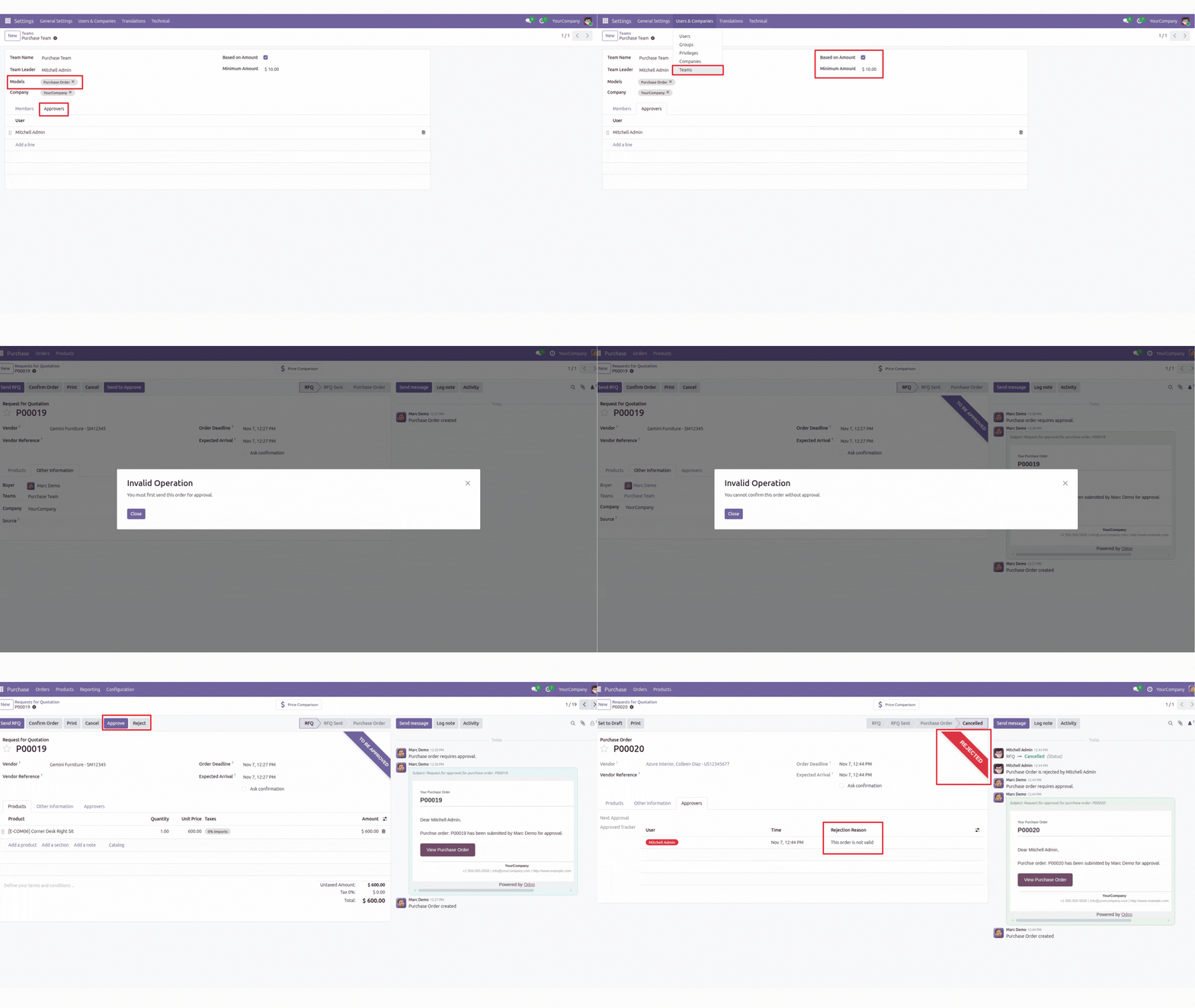

Explore This Module

Overview
This module implements a multi-level approval system for Purchse module in Odoo. It includes a configurable minimum approval amount, dynamic assignment of approvers from a separate team module, and a "Send to Approve" button for high-value orders. The approval process, shown in a dedicated "Approval" tab, features real-time notifications and alerts. The team module manages teams and approvers, integrating seamlessly with existing Purchase modules for a structured and efficient approval workflow.

Features
Available in Odoo 19.0 Community and Enterprise.
View detailed Purchase Multi Level Approval
Easy setup with no extra configuration required.

Screenshots
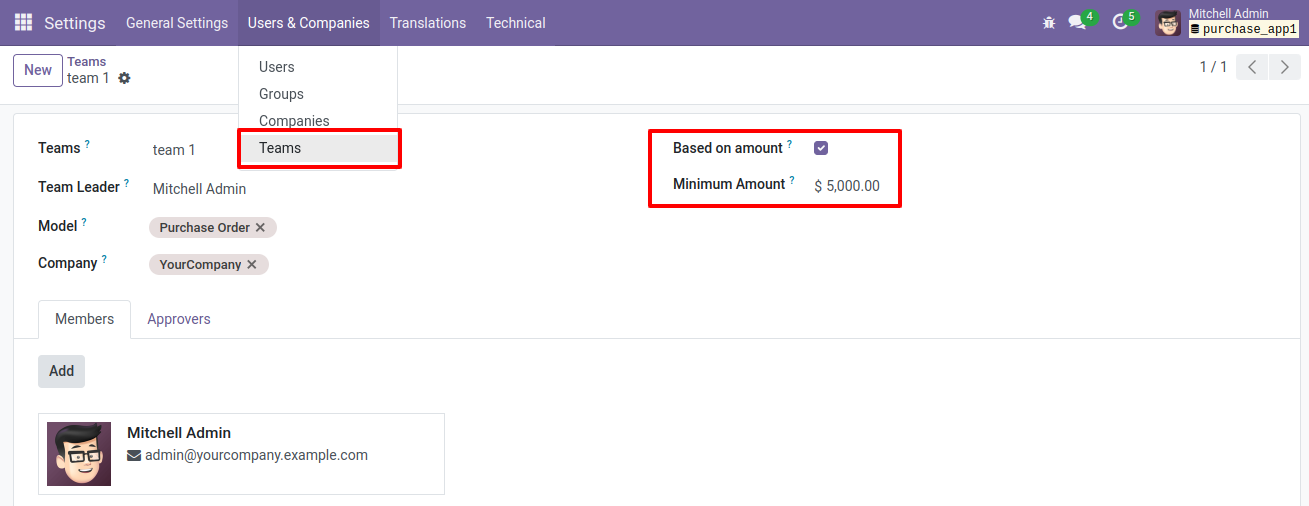
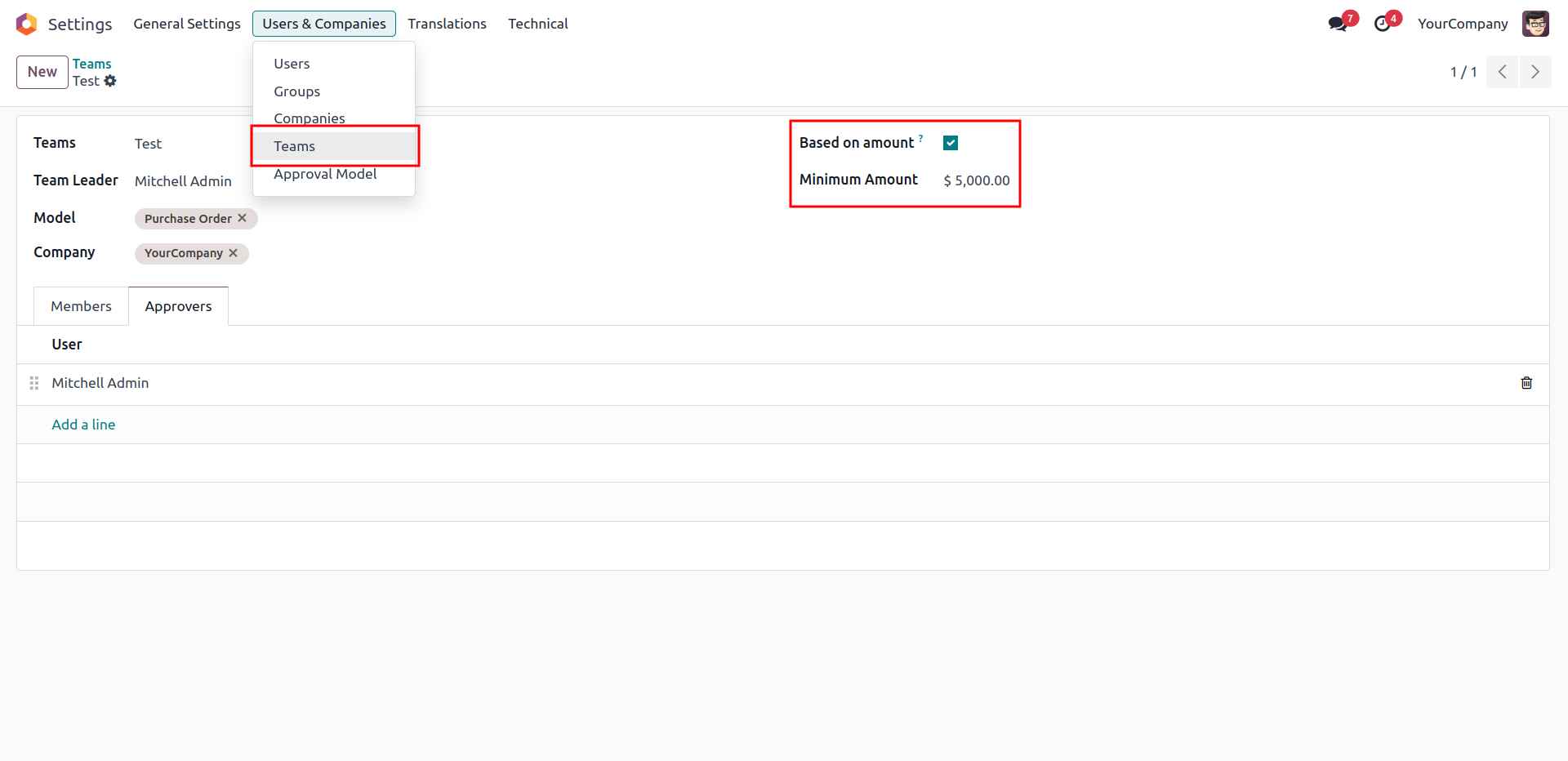
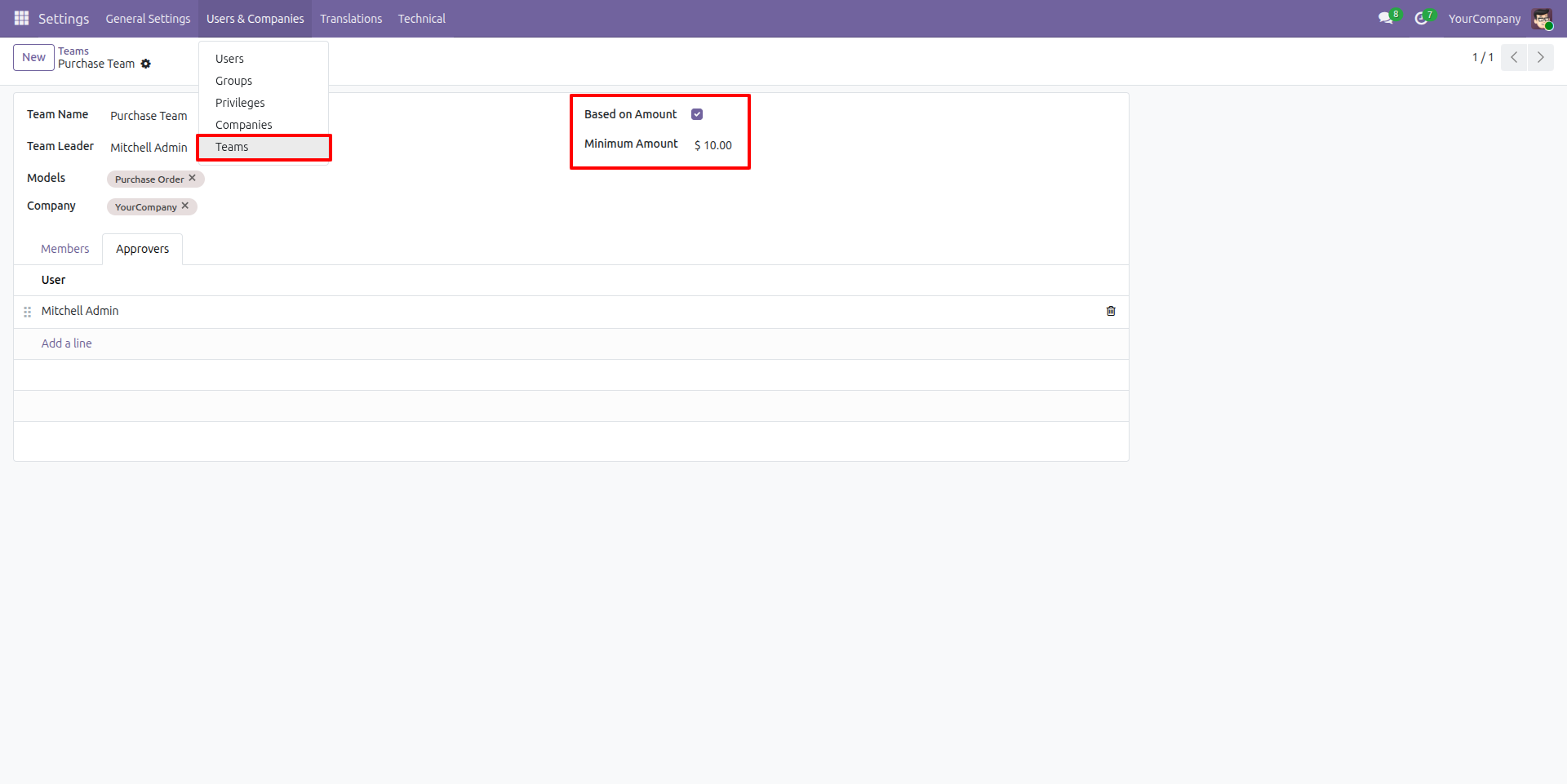
Settings for Approval
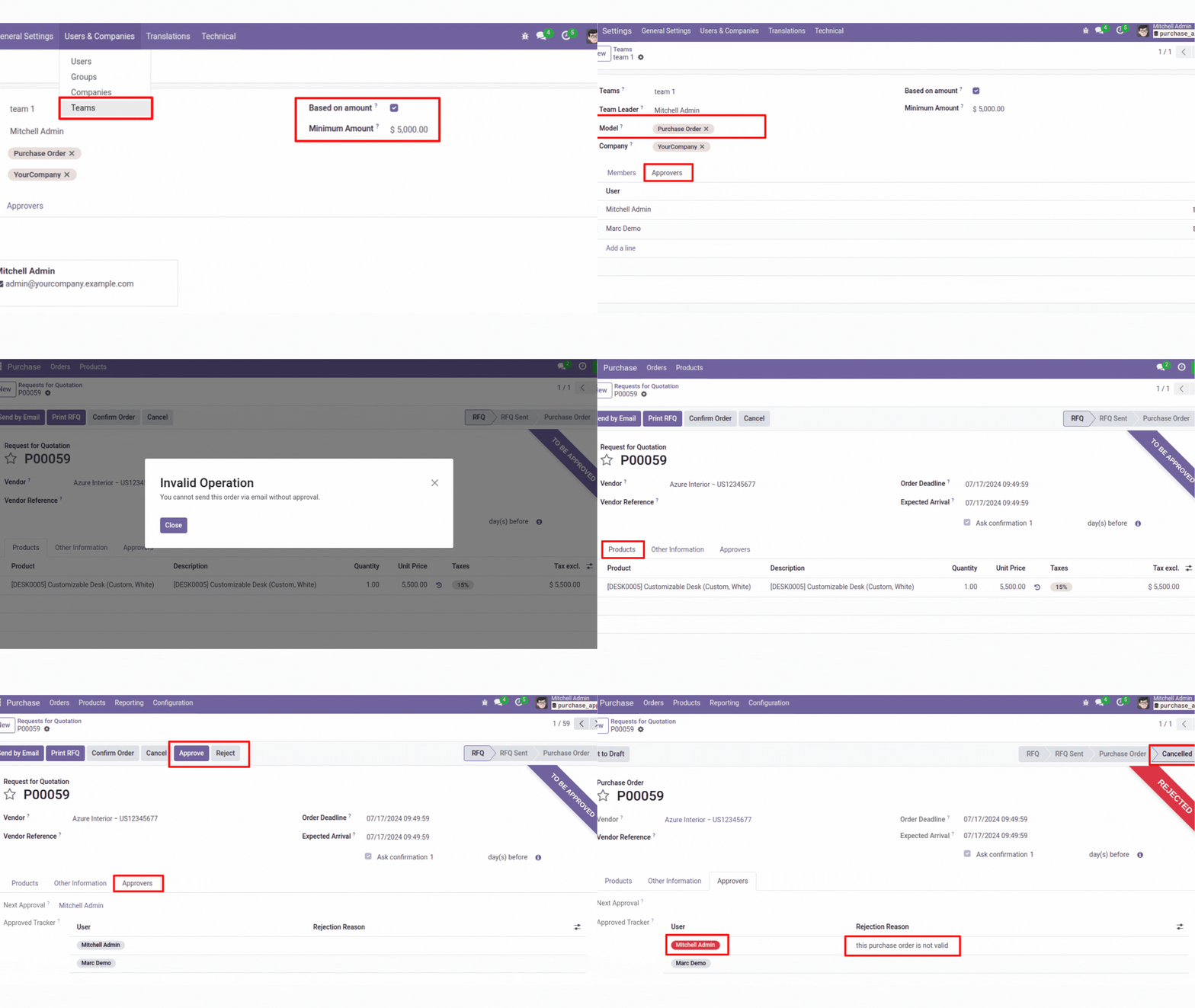
This screenshot displays a 'Teams' submenu in the settings menu for managing Team options. The 'Based on amount' field is highlighted, featuring checkboxes for 'Minimum amount' options. These settings allow customization of how the minimum amount is defined for approval.
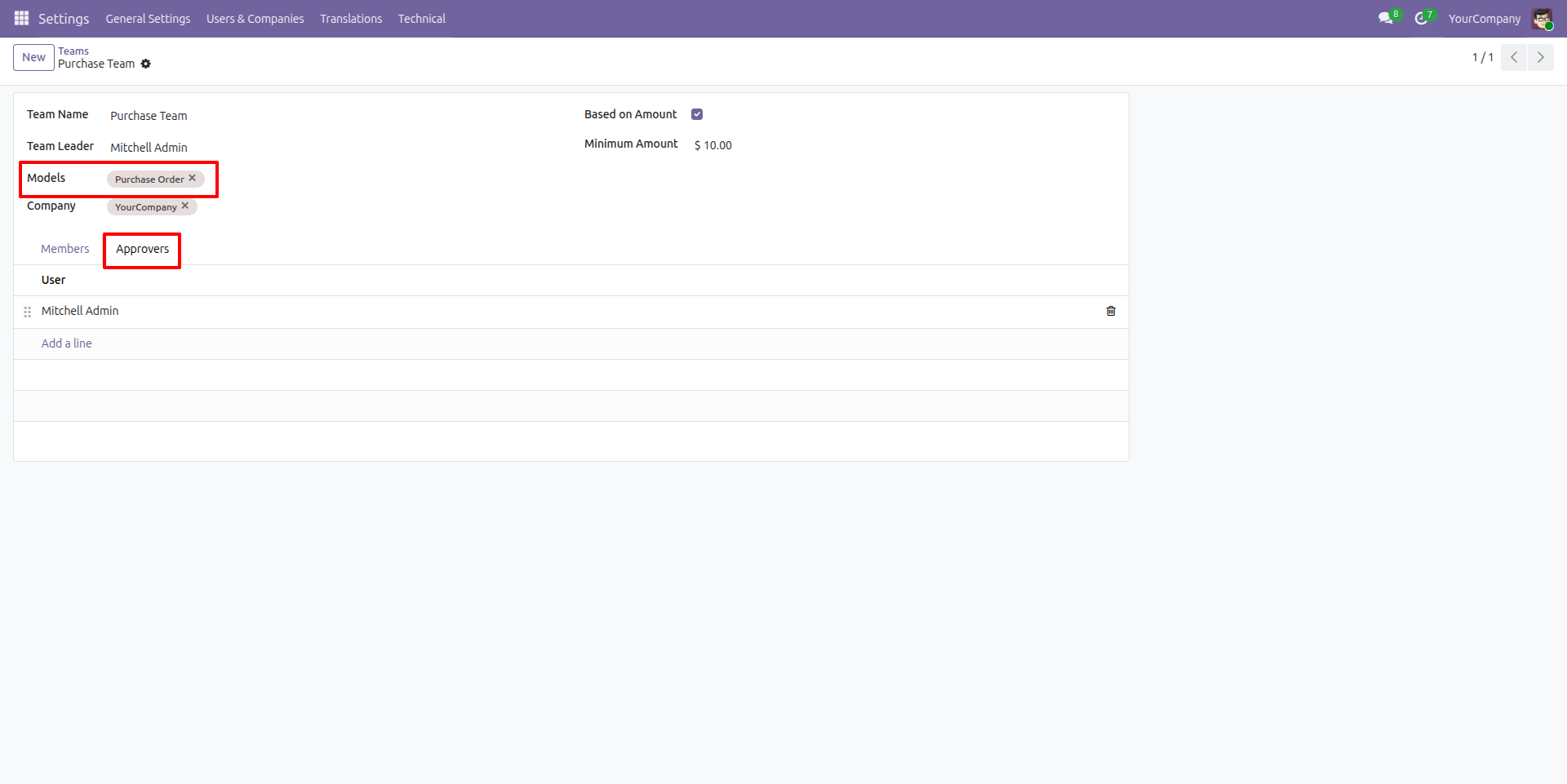
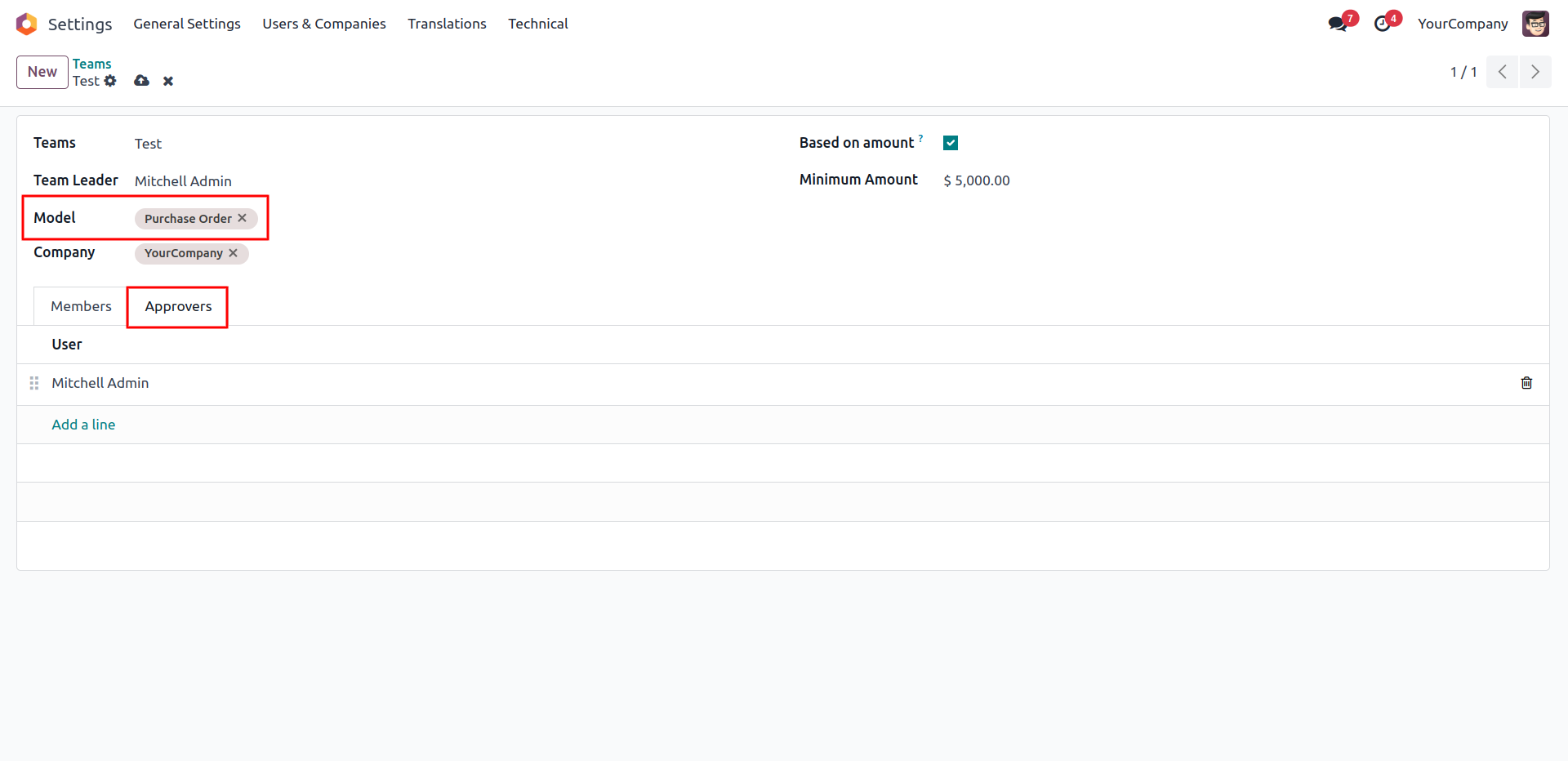
Models and Approvers
This image displays a model field where multiple models can be added to enable multi-level approval. It also shows the approver tab where approvers can be added for the approval process.
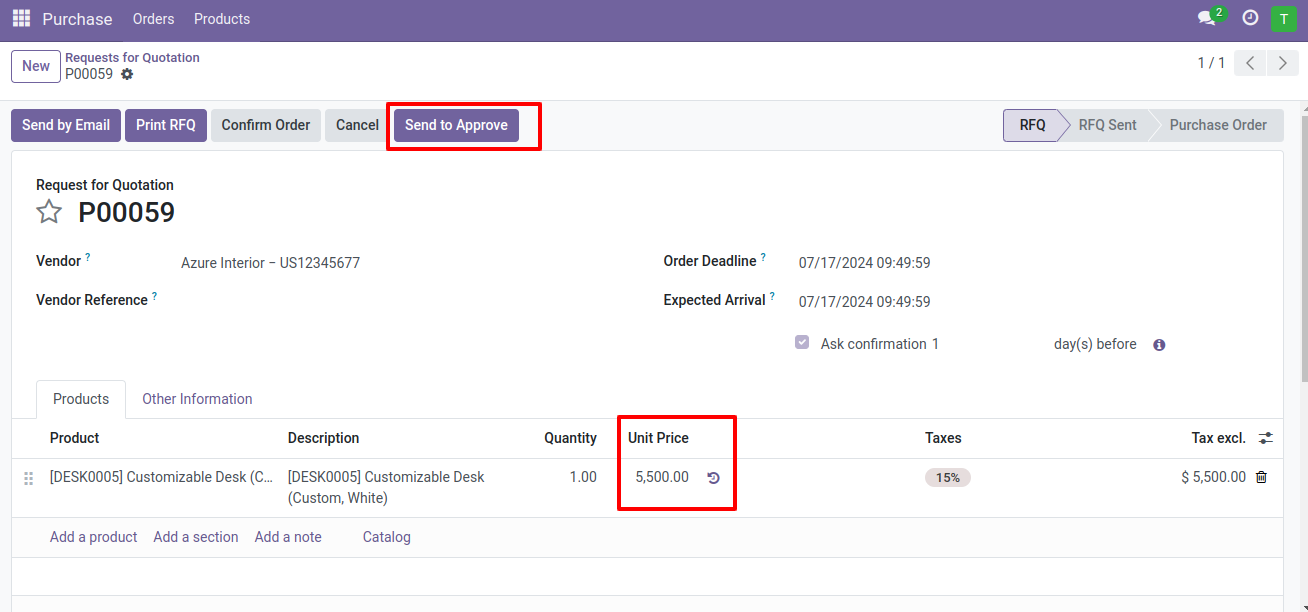
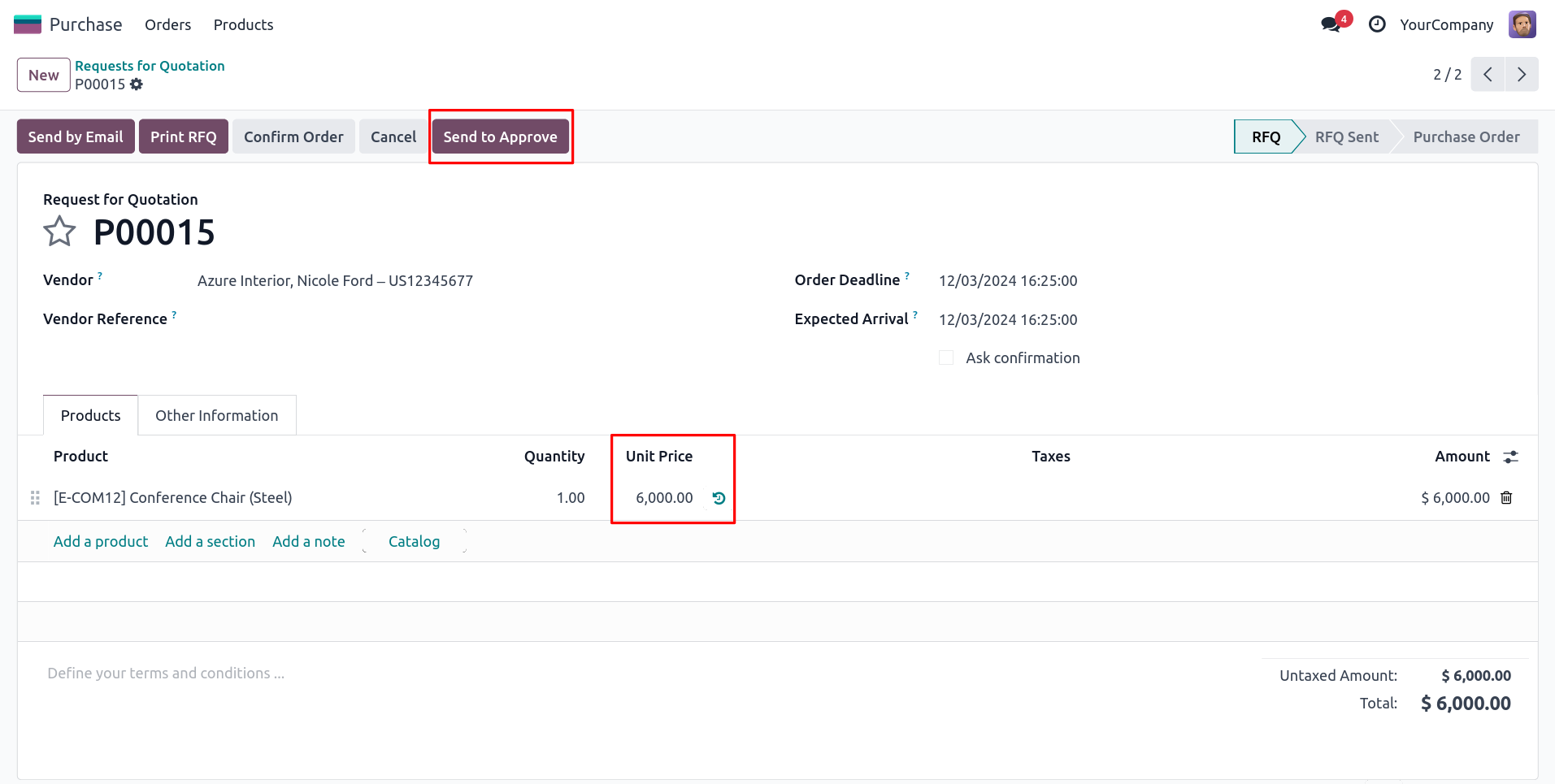
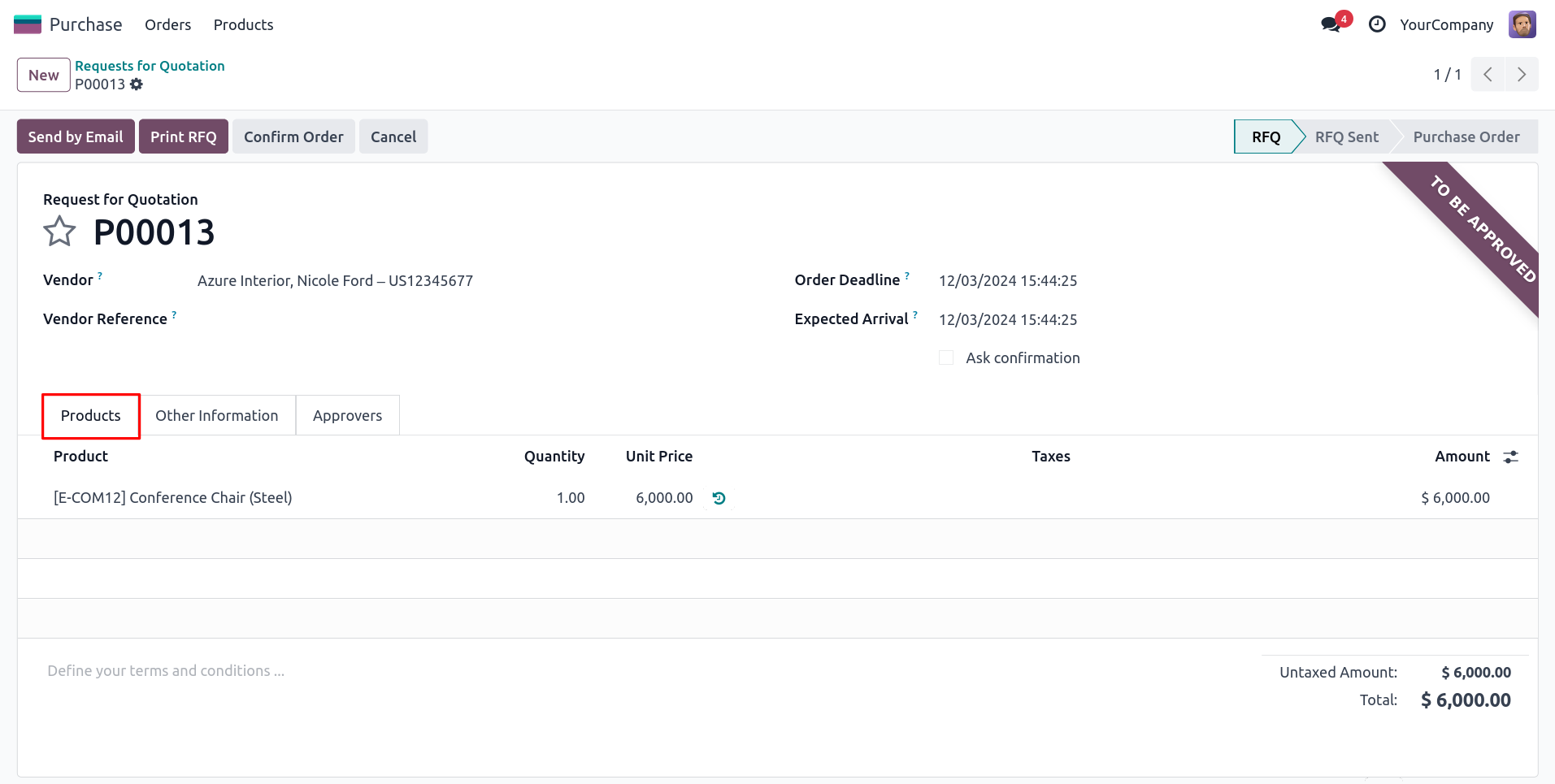
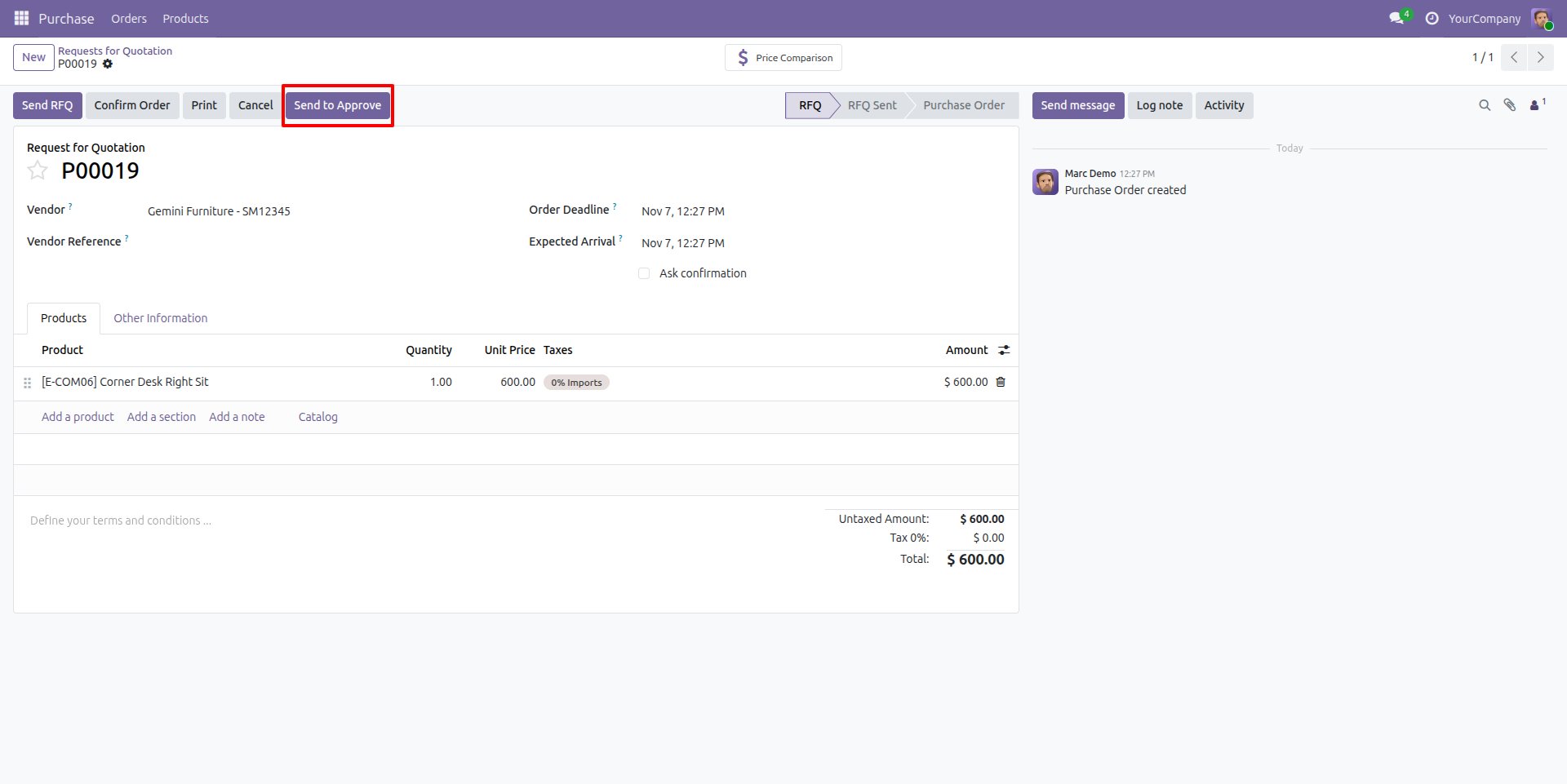
Purchase Order Showing Send to approve Button
This image displays a Purchase Order with a 'Send to Approve' button. The button will appear after the condition for the minimum amount is applied.
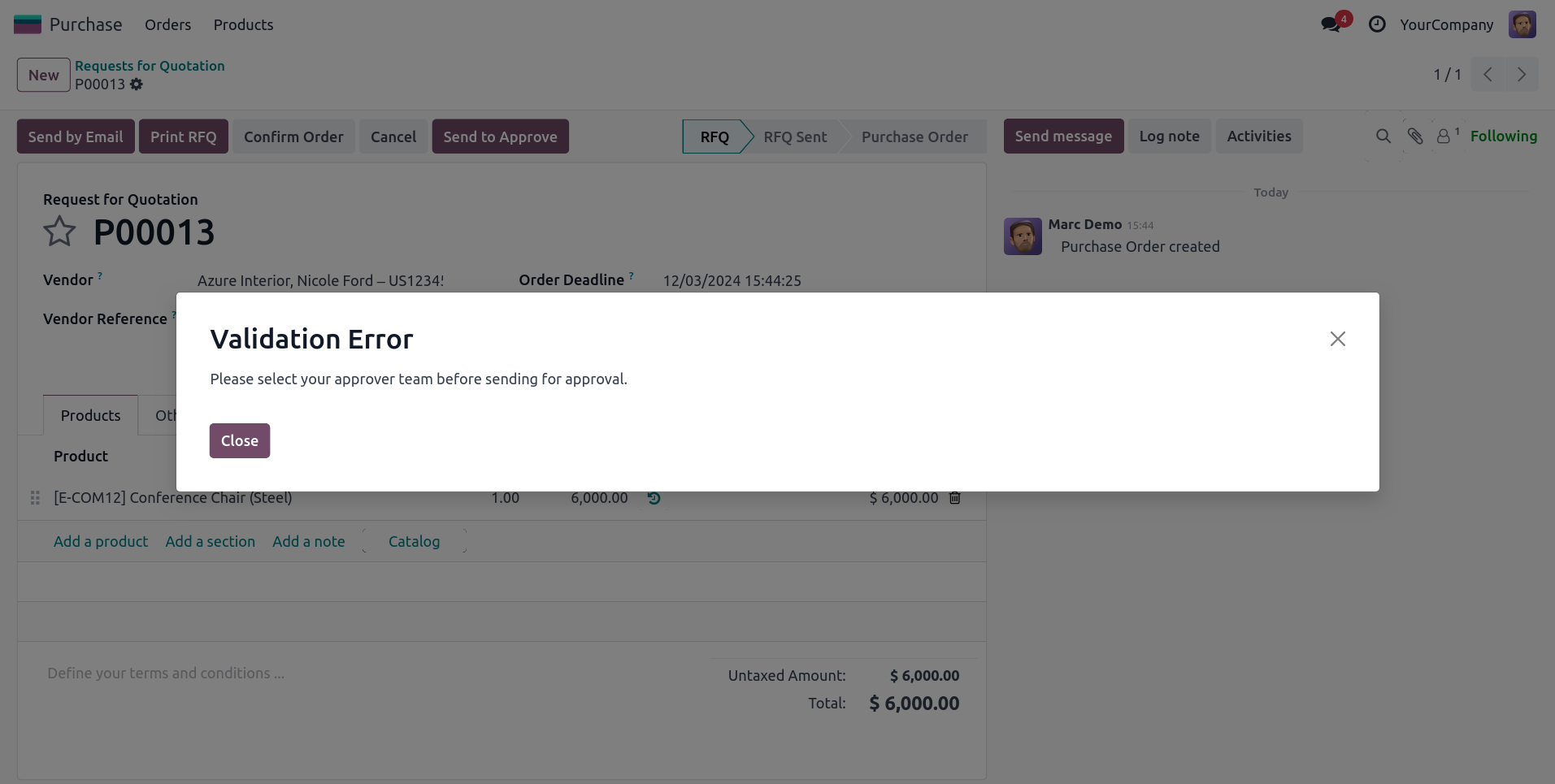
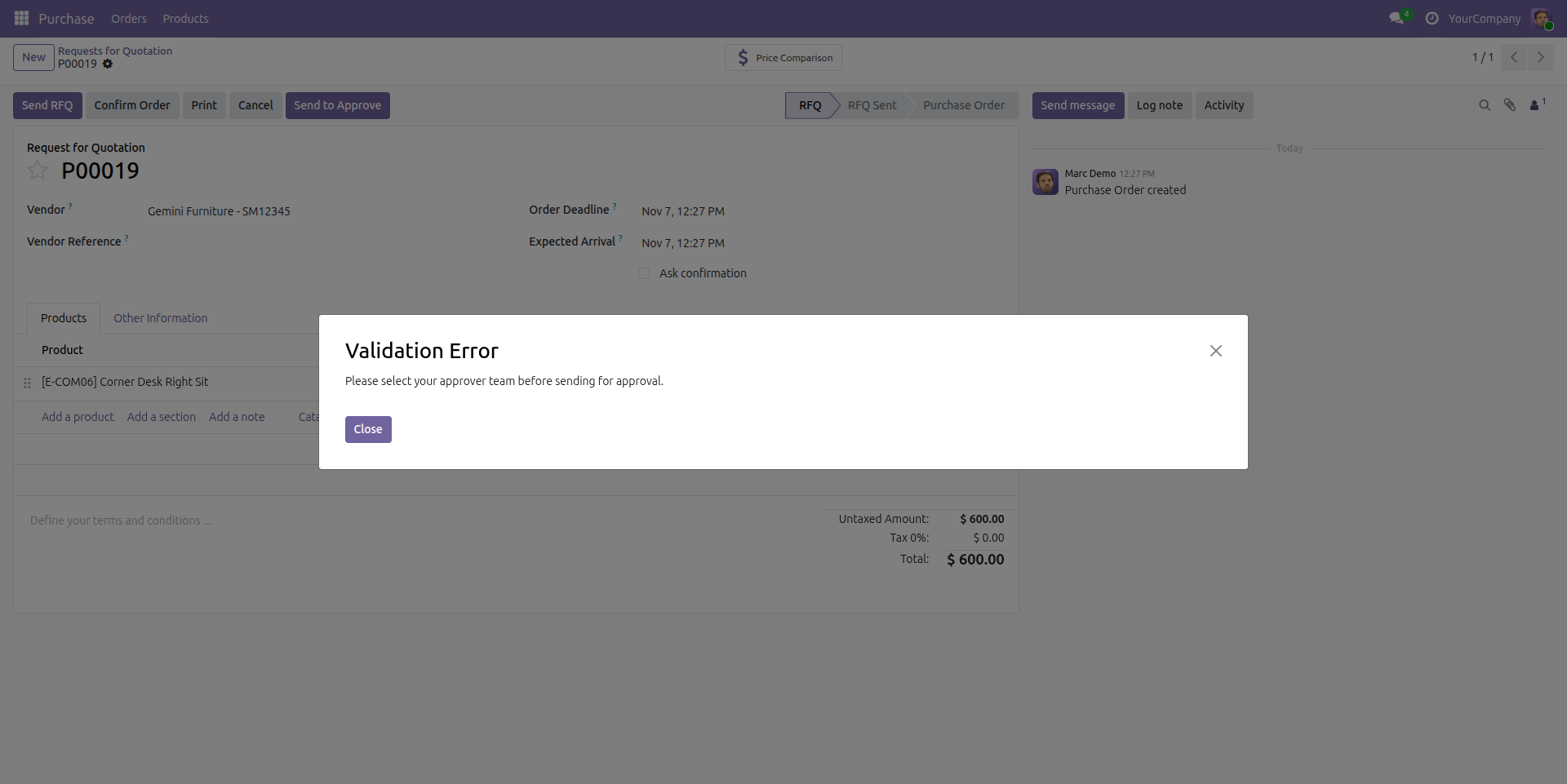
Validation Error for Approver Team and Buyer
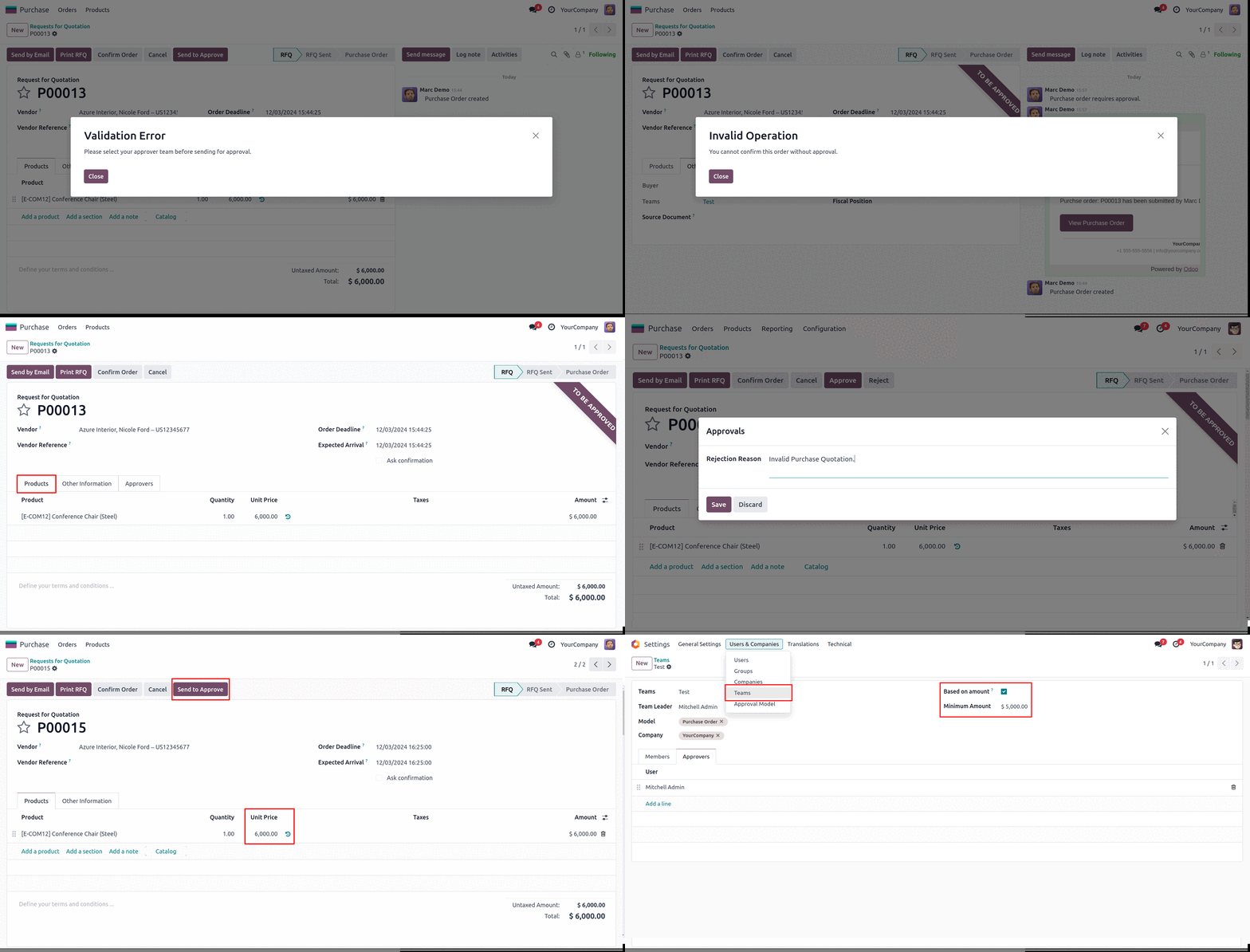
Validation error for approver Team and Buyer until the Approver Team and Buyer are selected.
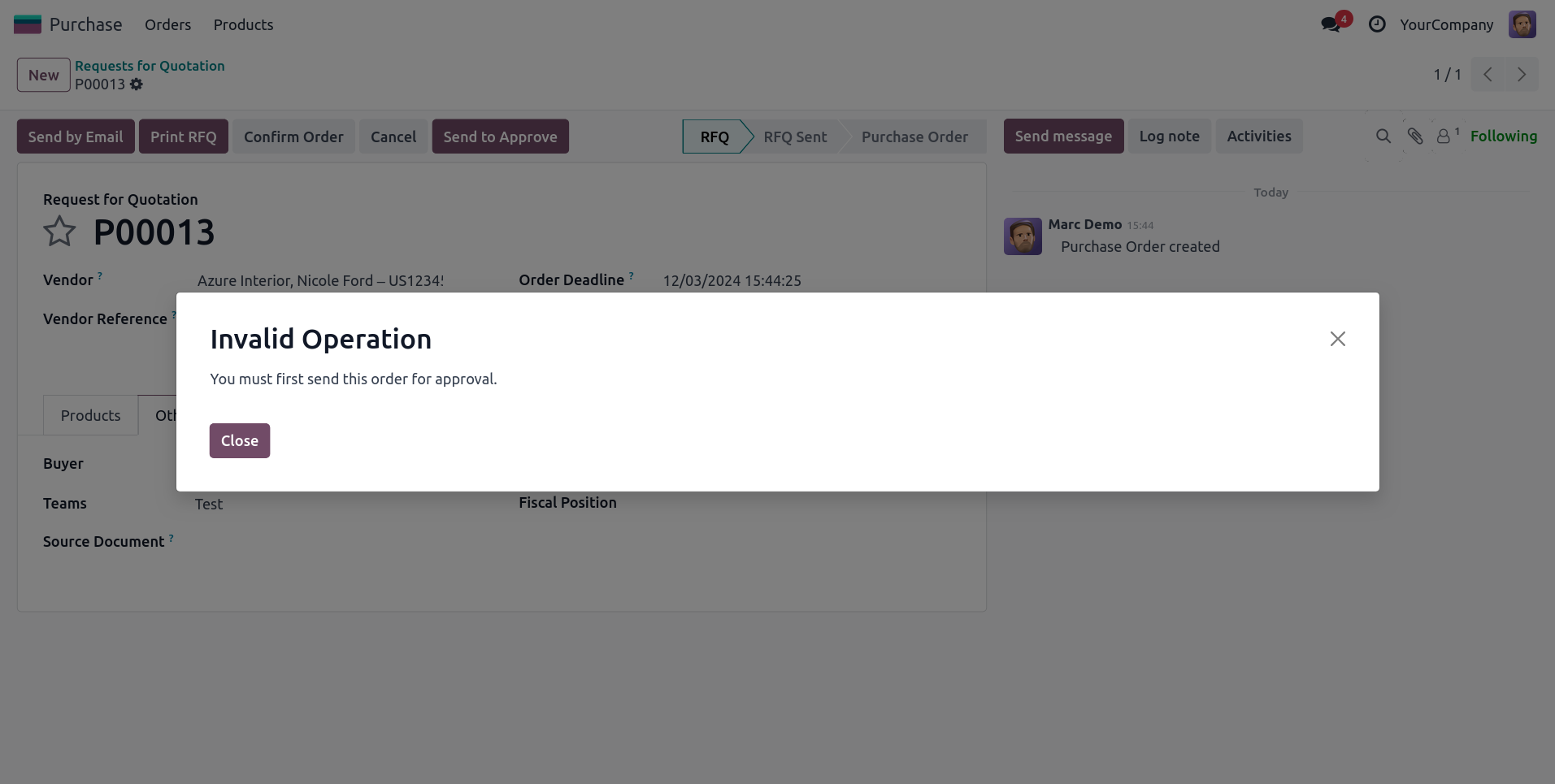
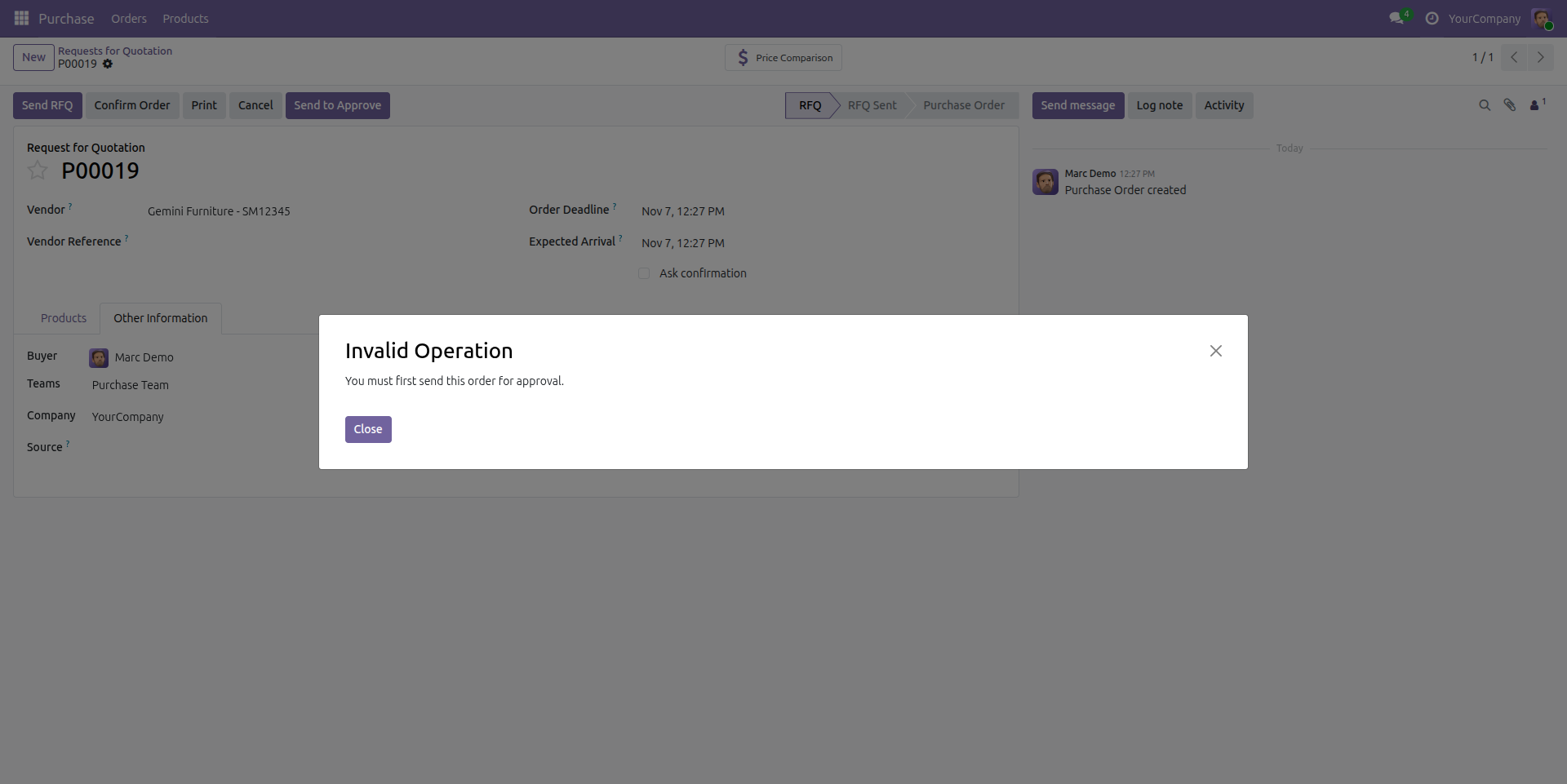
Validation Error for Send For Approval
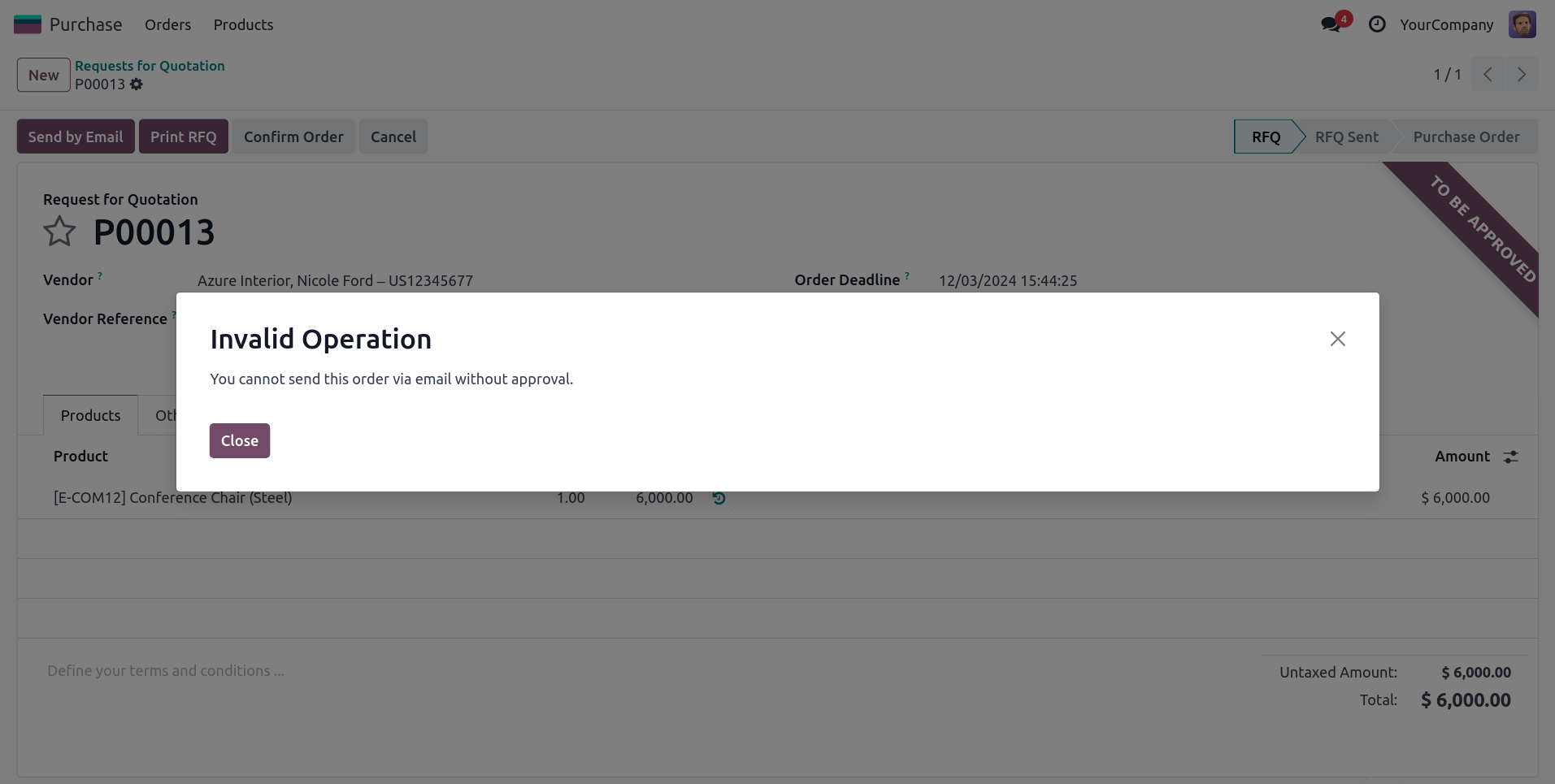
Validation error occurs during confirmation unless the order has been sent for approval after the condition is applied.
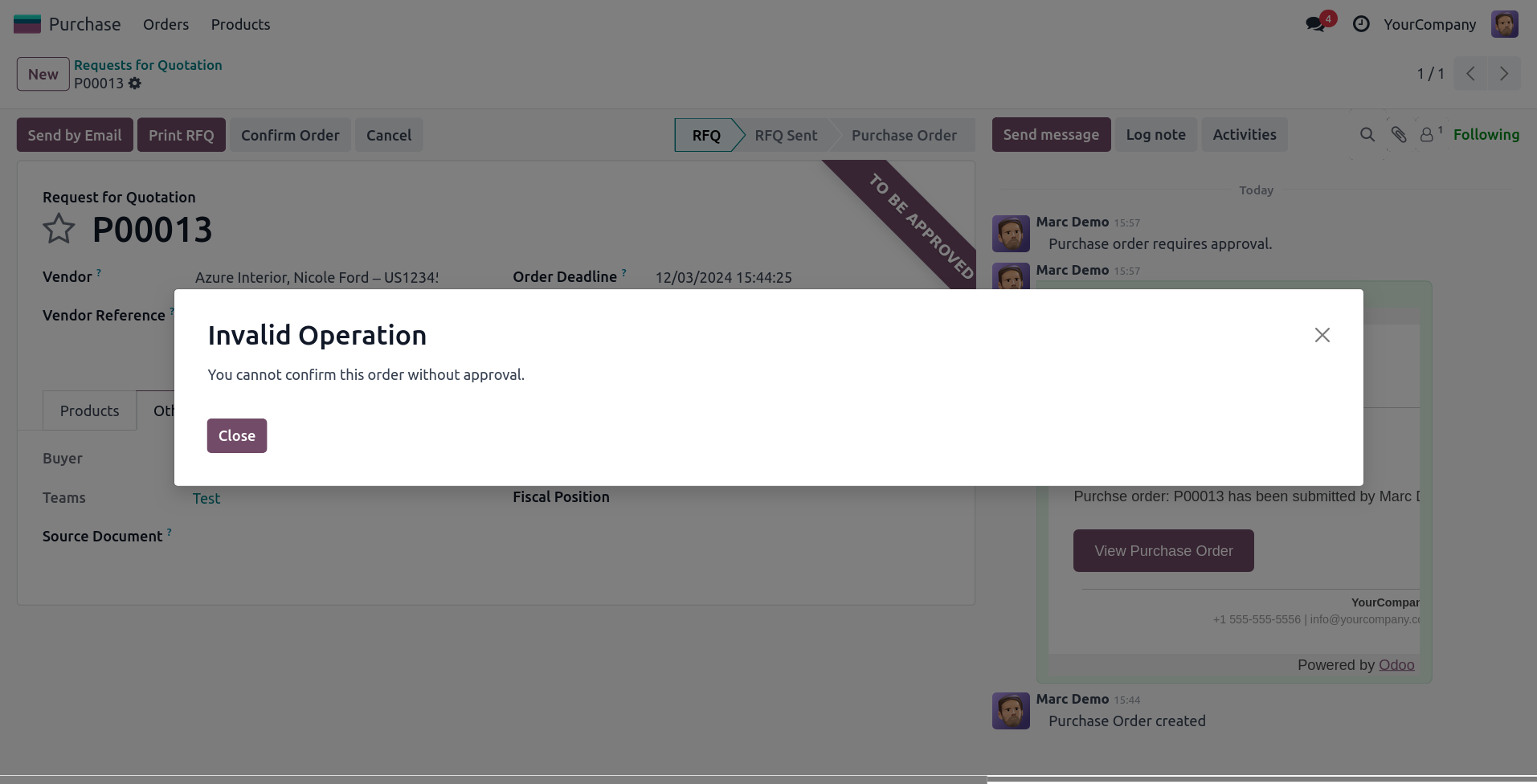
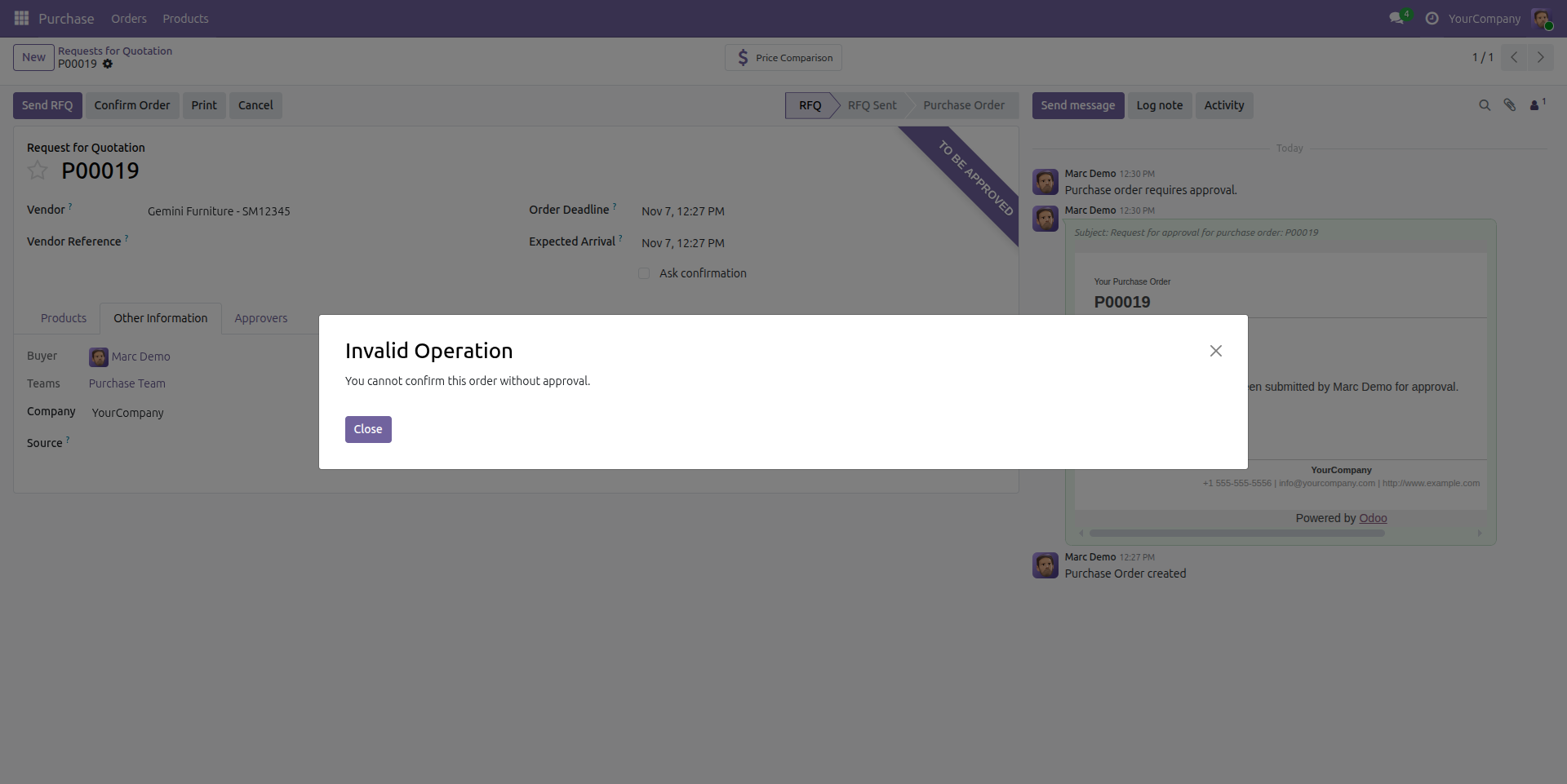
Validation Error for confirmation
Validation error during confirmation until the order has been approved by all approvers after the condition is applied.
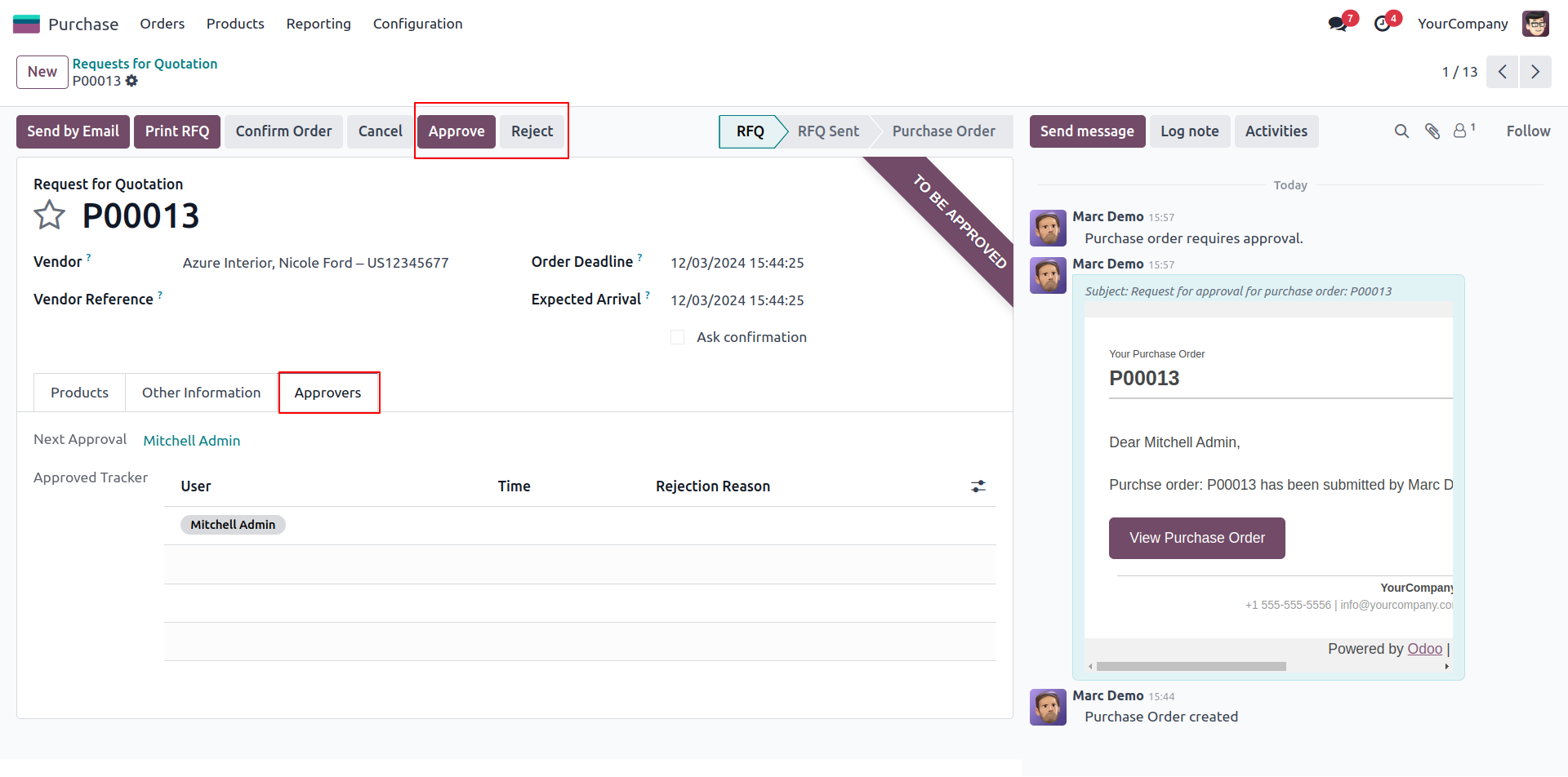
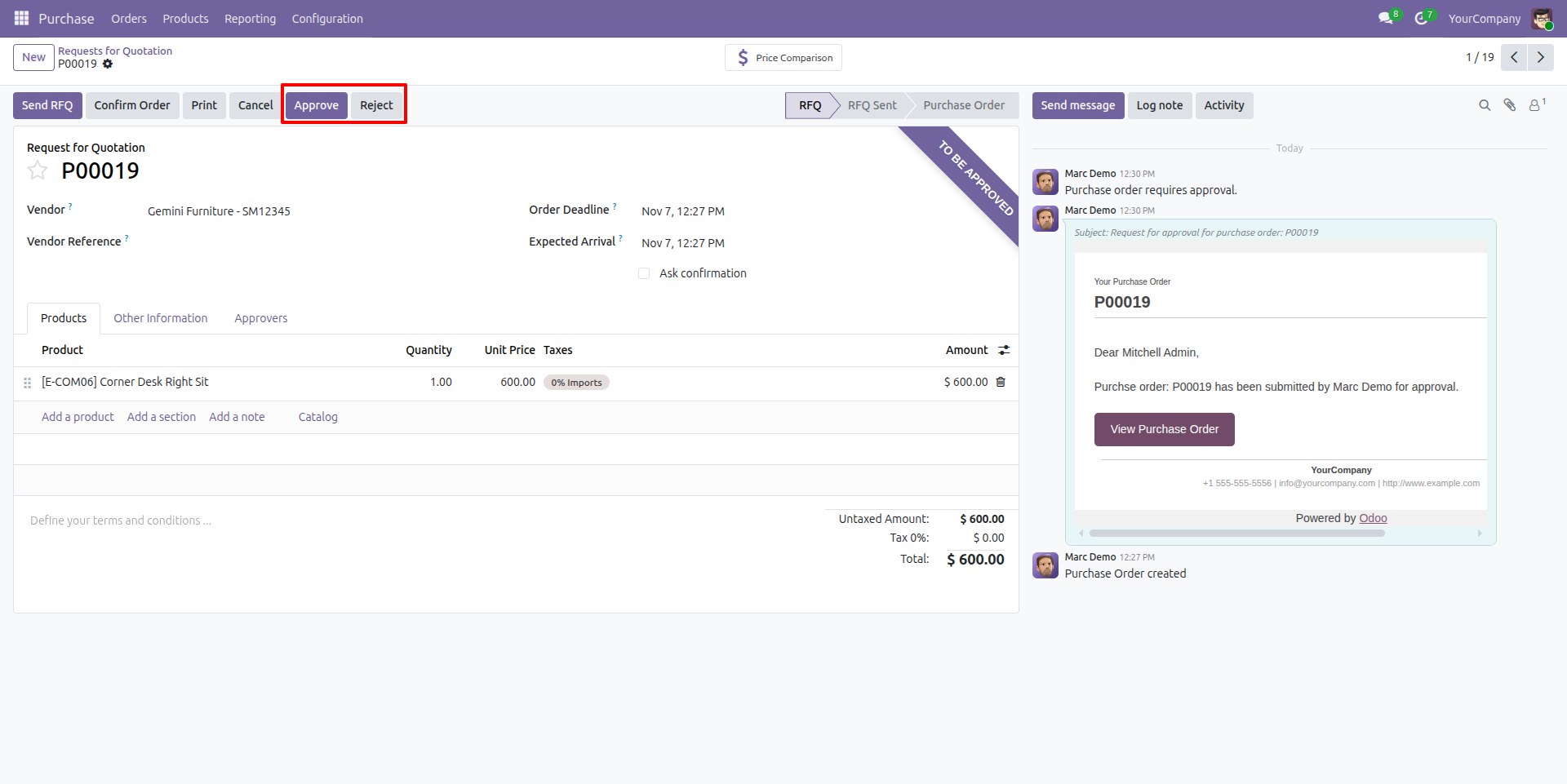
Approver see the quotation
The purchase quotation displays the "Approve" and "Reject" buttons for approval.
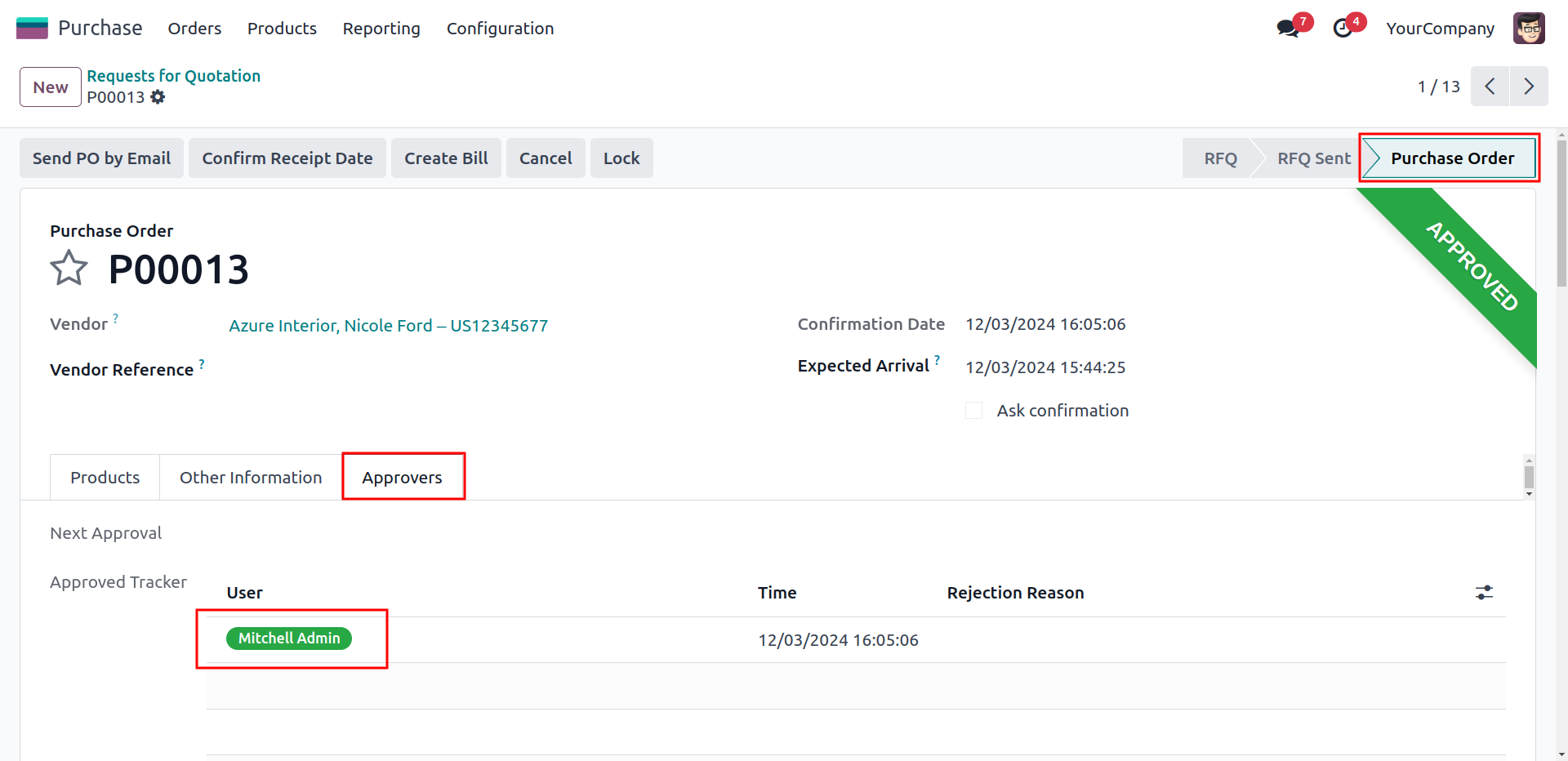
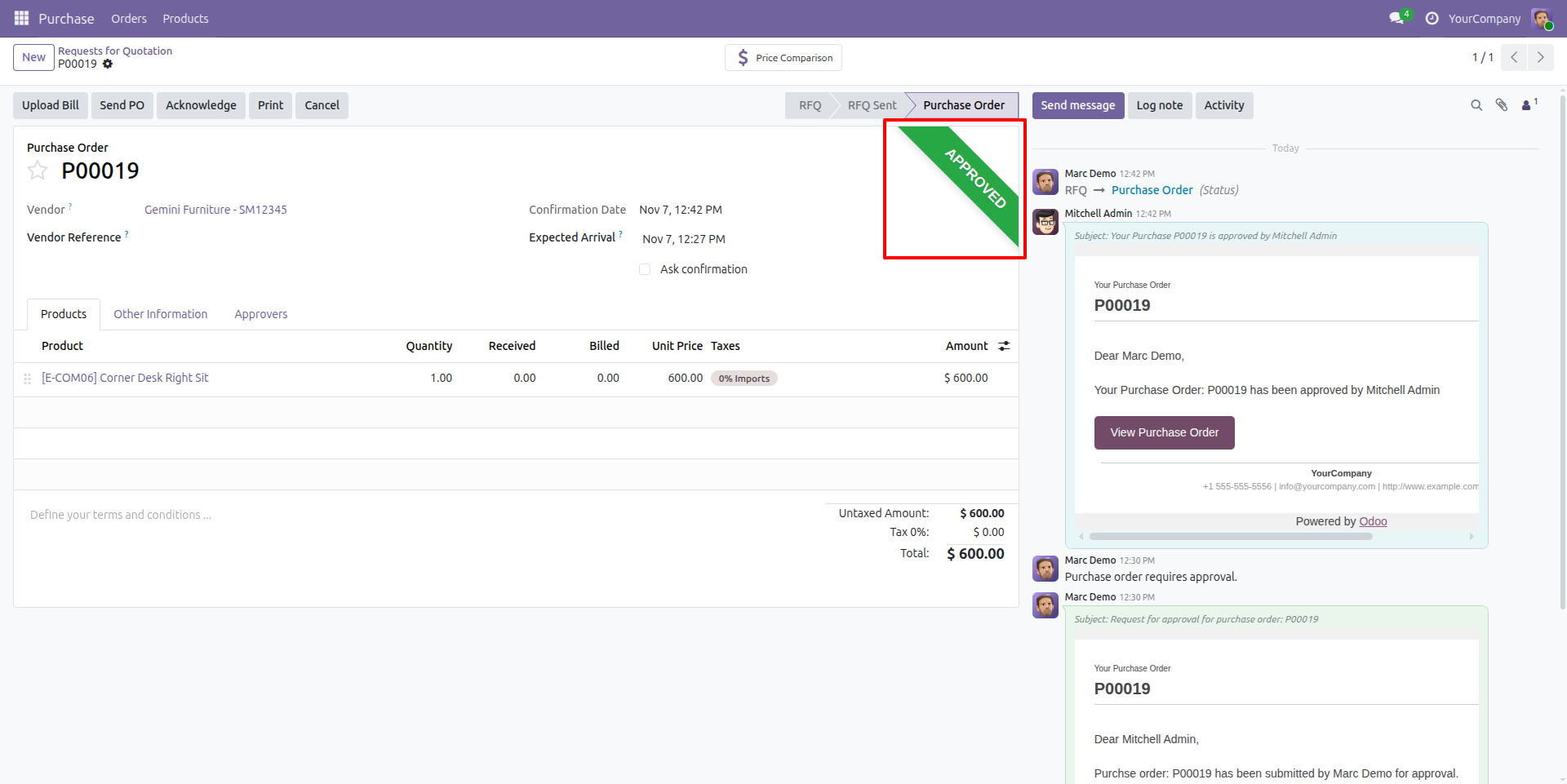
Purchase Order with Approved
We can see that the Purchase order has been approved by the approvers. After approval, the user will confirm the order themselves.
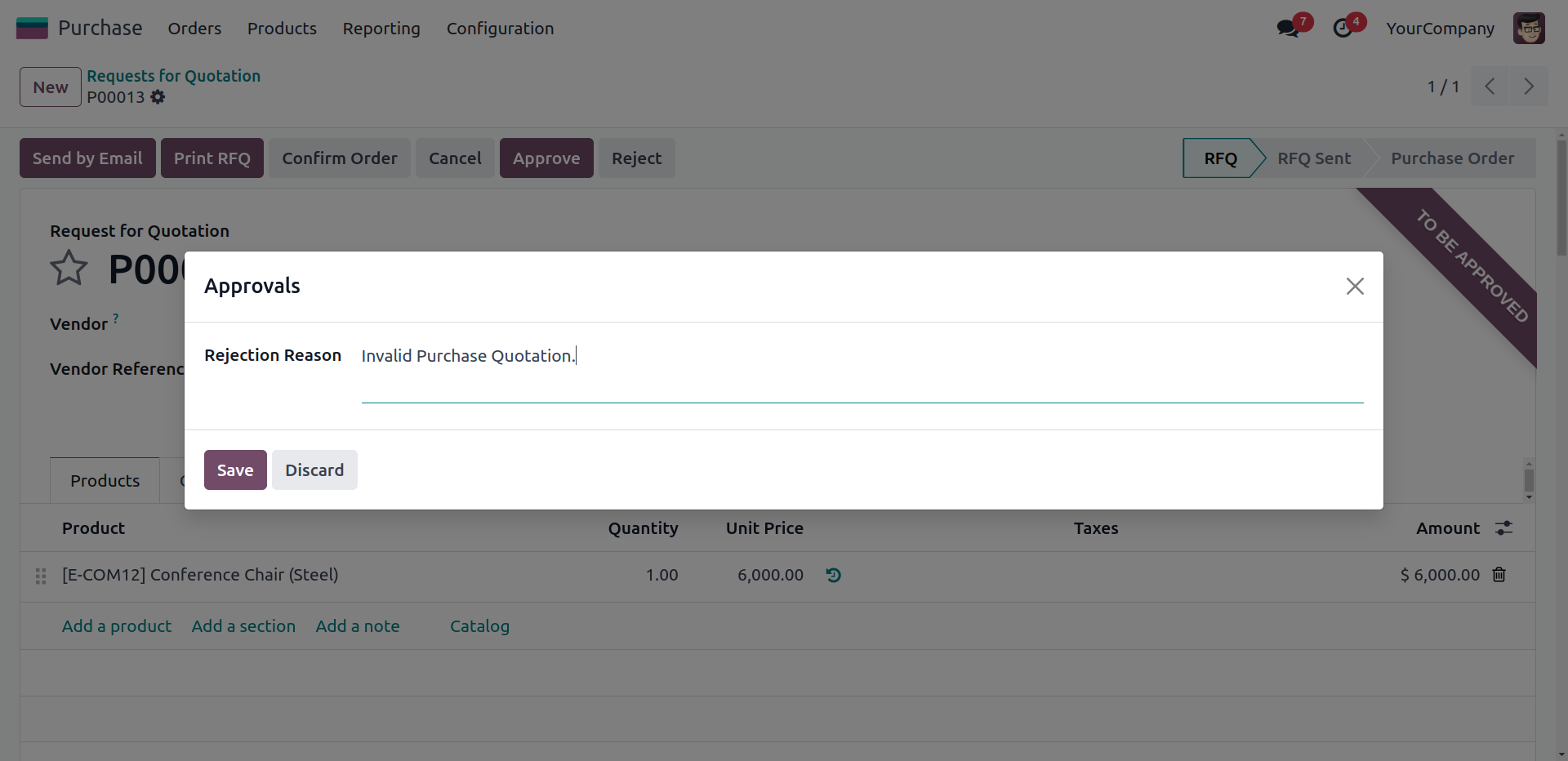
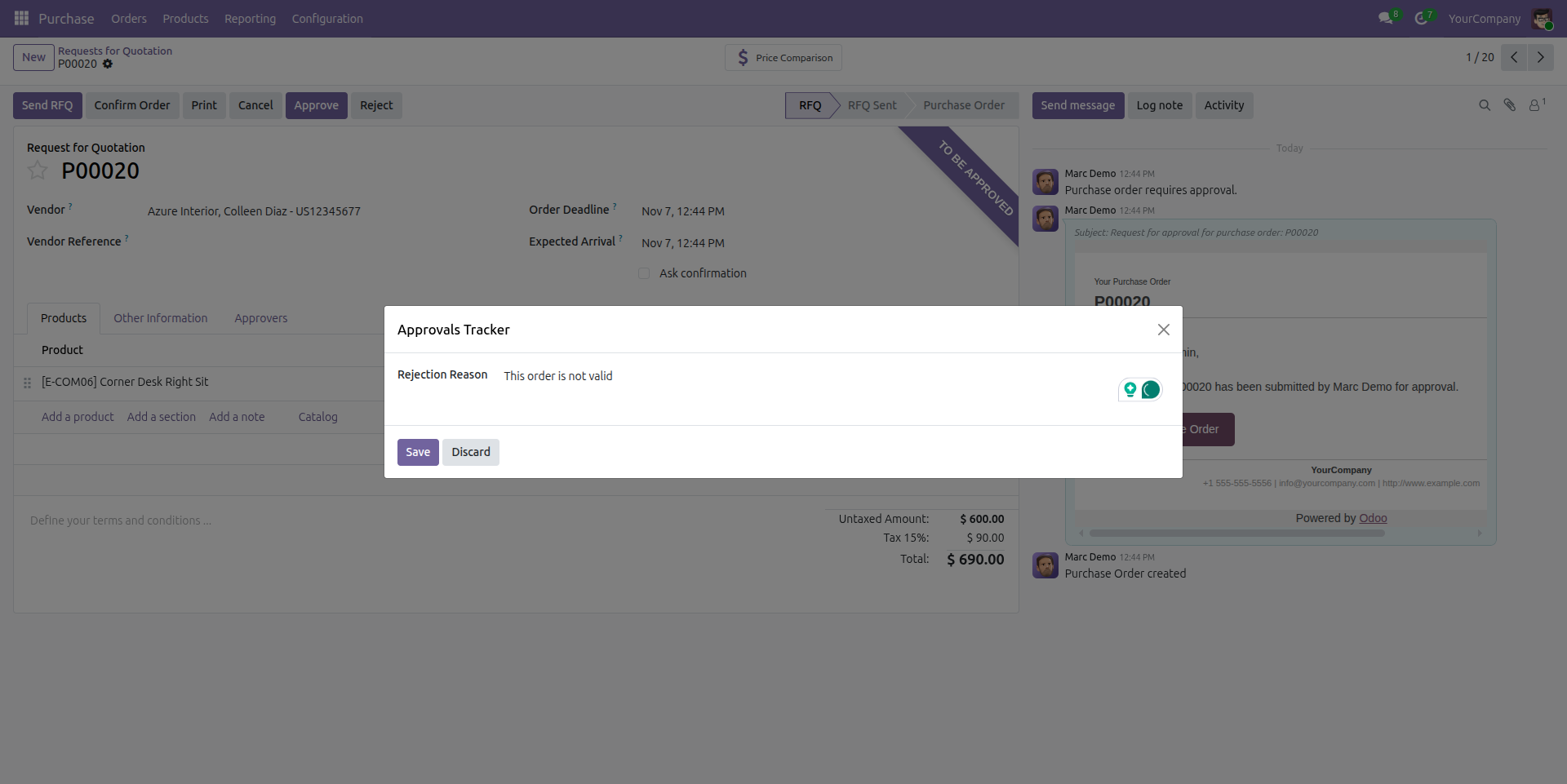
Pop-up wizard for rejection reason
Pop-up wizard for rejection reason when a purchase order has been rejected by the approver.
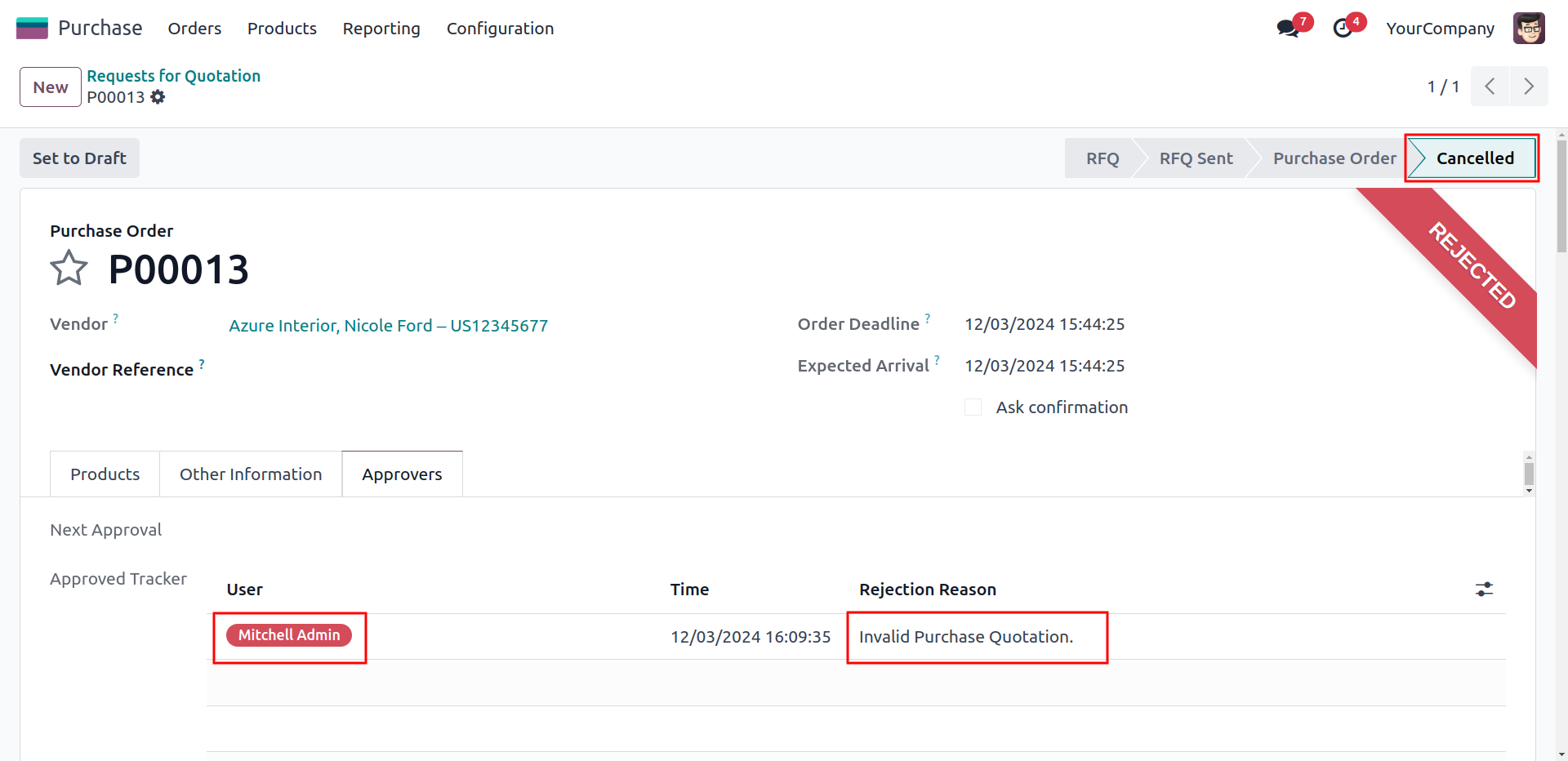
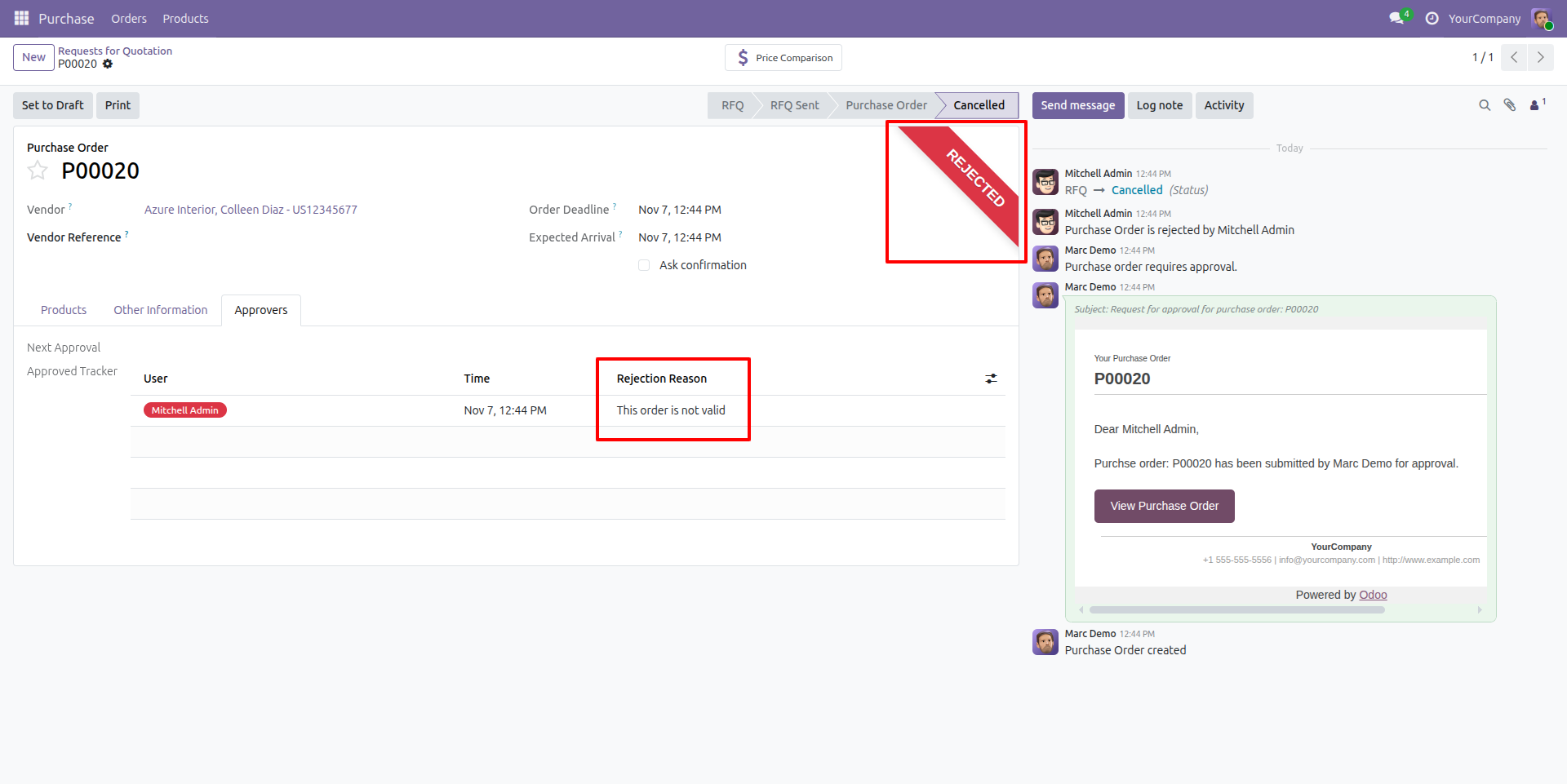
Purchase Order Rejected
The purchase order has been rejected by the approver.

Our Services

Our Industries

Support



Technical Information
kx_purchase_multi_approval
purchase
kx_teams
Supported Versions
17.0.1.0.1
₹ 3,792.78
18.0.1.0.2
₹ 3,792.78
19.0.1.0
₹ 3,792.78