












Community
Enterprise
Odoo.sh
POS WhatsApp Integration
The POS WhatsApp Integration module allows you to instantly send order details, receipts, and messages to customers directly through WhatsApp from the POS screen.

Explore This Module

Overview
The POS WhatsApp Integration module allows users to send order receipts directly to customers via WhatsApp. It supports predefined templates, automatic message customization, and instant sharing from the POS screen ensuring faster and more personalized customer communication.

Features
Available in Odoo 18.0 Community and Enterprise.

Send POS order details, receipts, and payment summaries directly to customers through WhatsApp.

Use predefined WhatsApp message templates for order summary, detail, or signature messages.

Manage WhatsApp templates and enable/disable message options directly from the POS settings.

Instantly send WhatsApp messages to customers with just one click from the POS receipt screen.

Screenshots
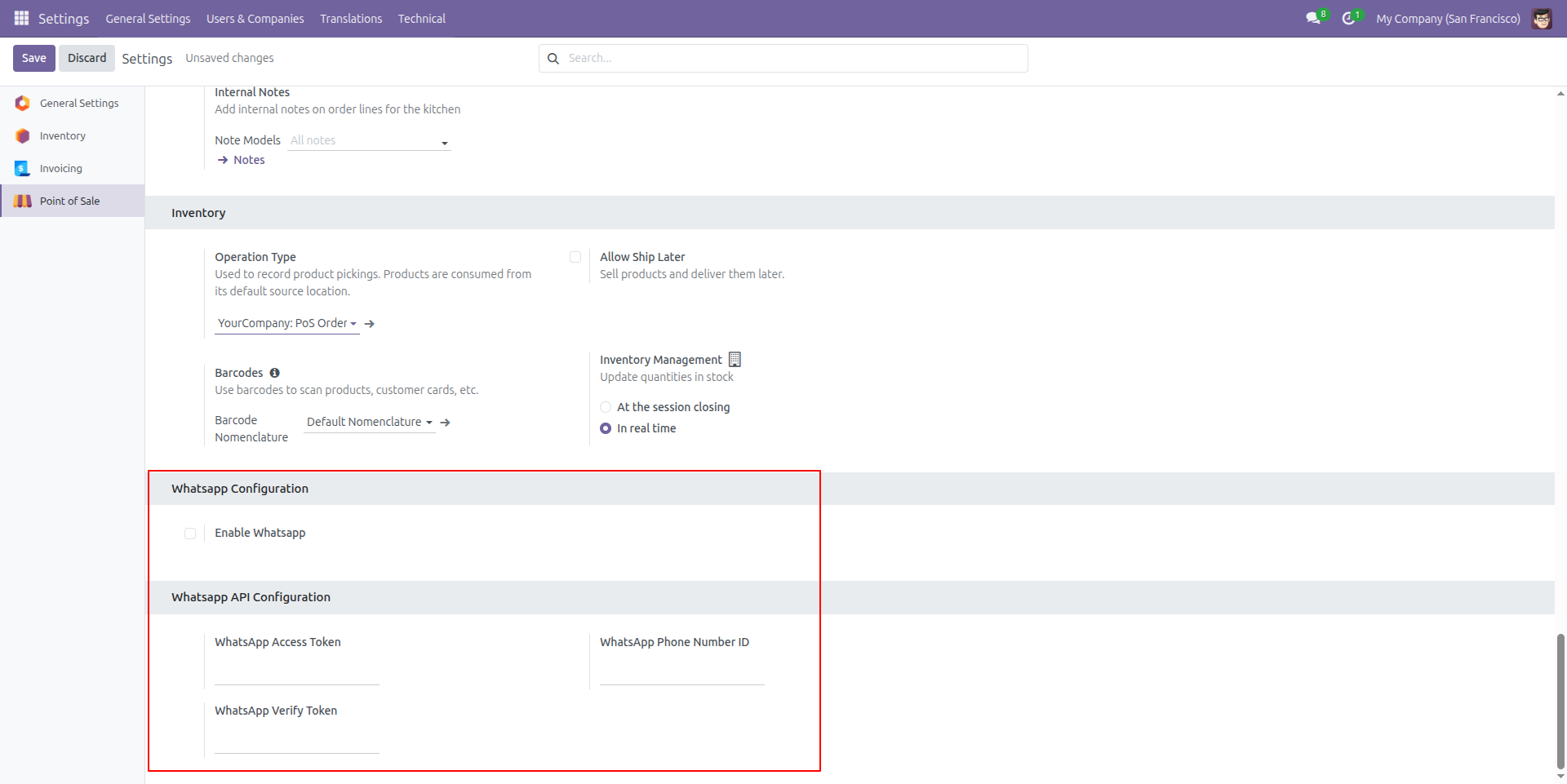
WhatsApp API Configuration
The configuration panel enables WhatsApp integration by allowing you to activate WhatsApp messaging and enter the required API credentials, such as the Access Token, Verify Token, and Phone Number ID, to connect with the WhatsApp Business API.
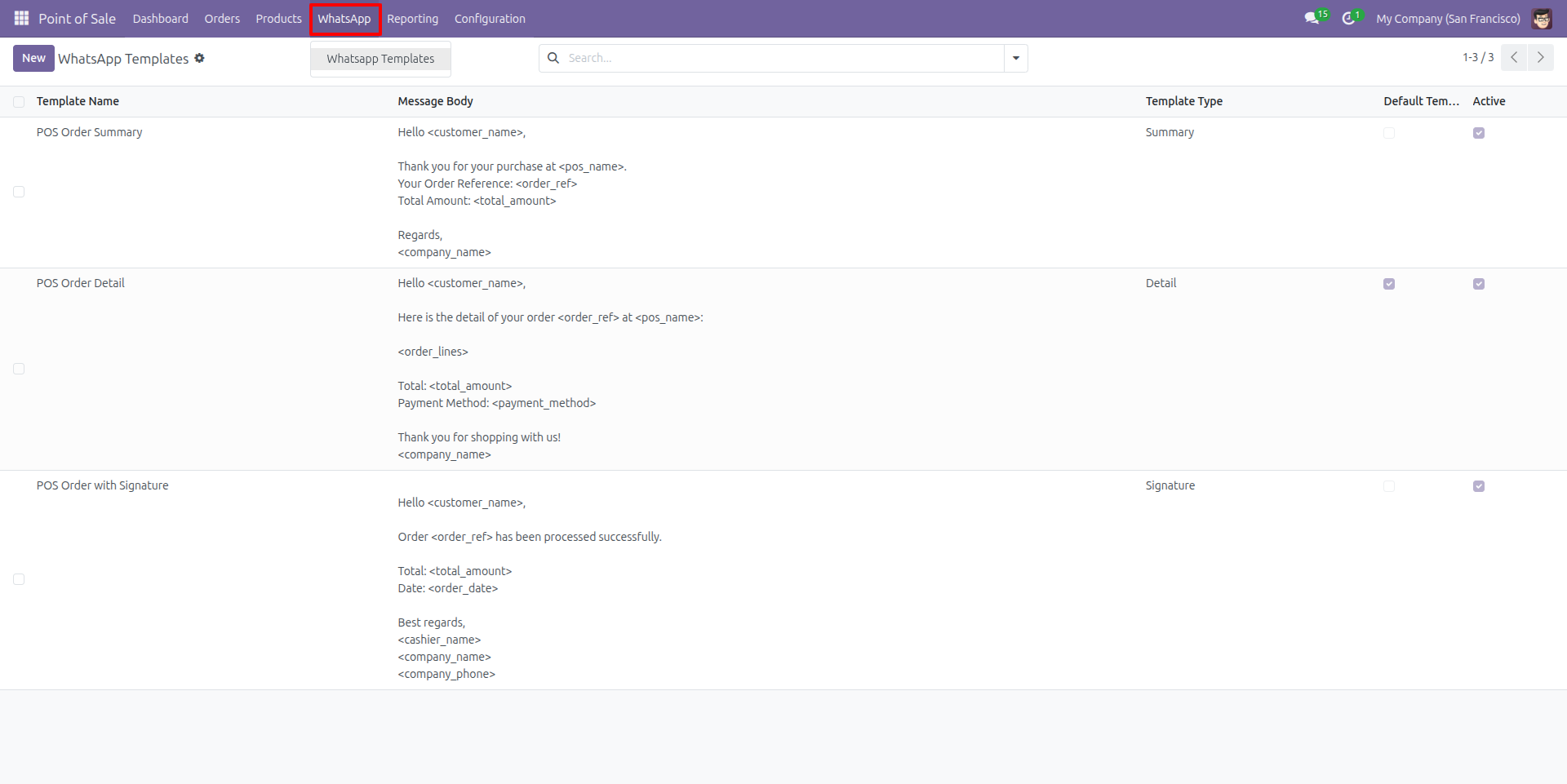
WhatsApp Message Templates
The WhatsApp Templates configuration in Odoo Point of Sale allows businesses to create and manage predefined WhatsApp message templates, such as order summaries, detailed order information, and confirmation messages with signatures.
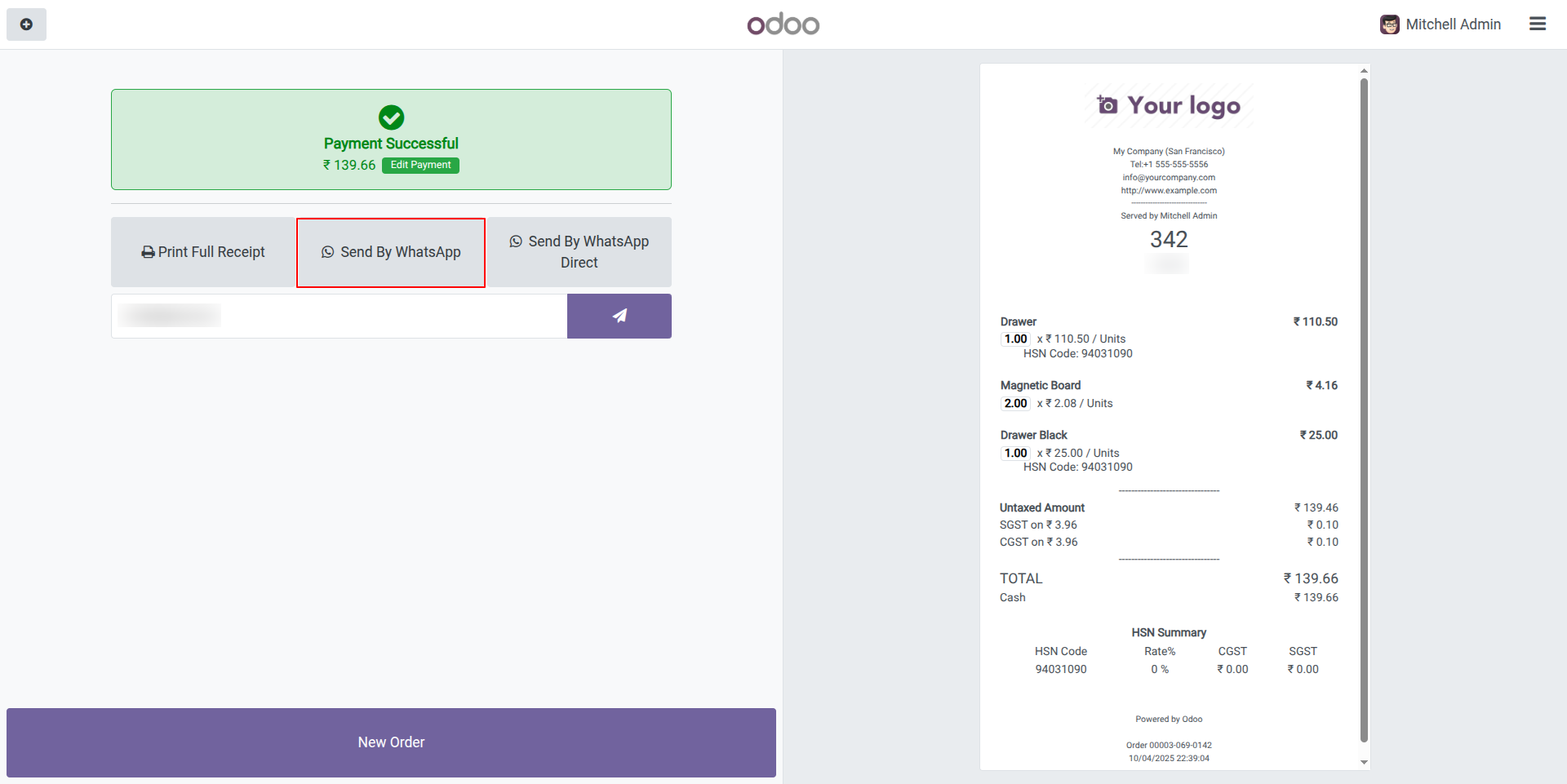
Receipt Preview
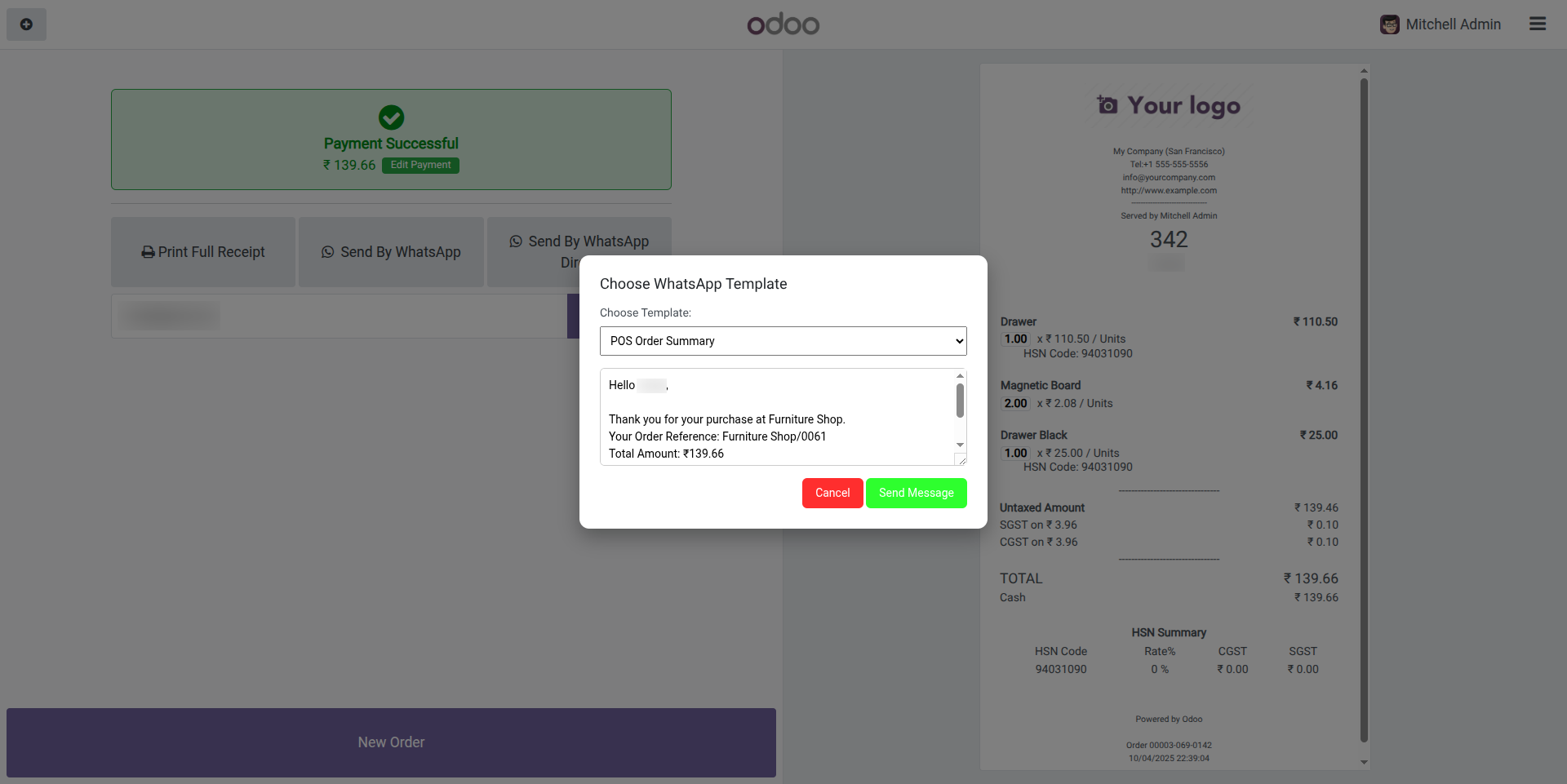
The template selection popup opens when clicking 'Send by WhatsApp', allowing users to choose and customize their message template before sending.
WhatsApp Template Selection Popup
The WhatsApp template selection popup, accessed by clicking 'Send by WhatsApp', enables users to select a template, customize the message content, and send it to the customer via WhatsApp.
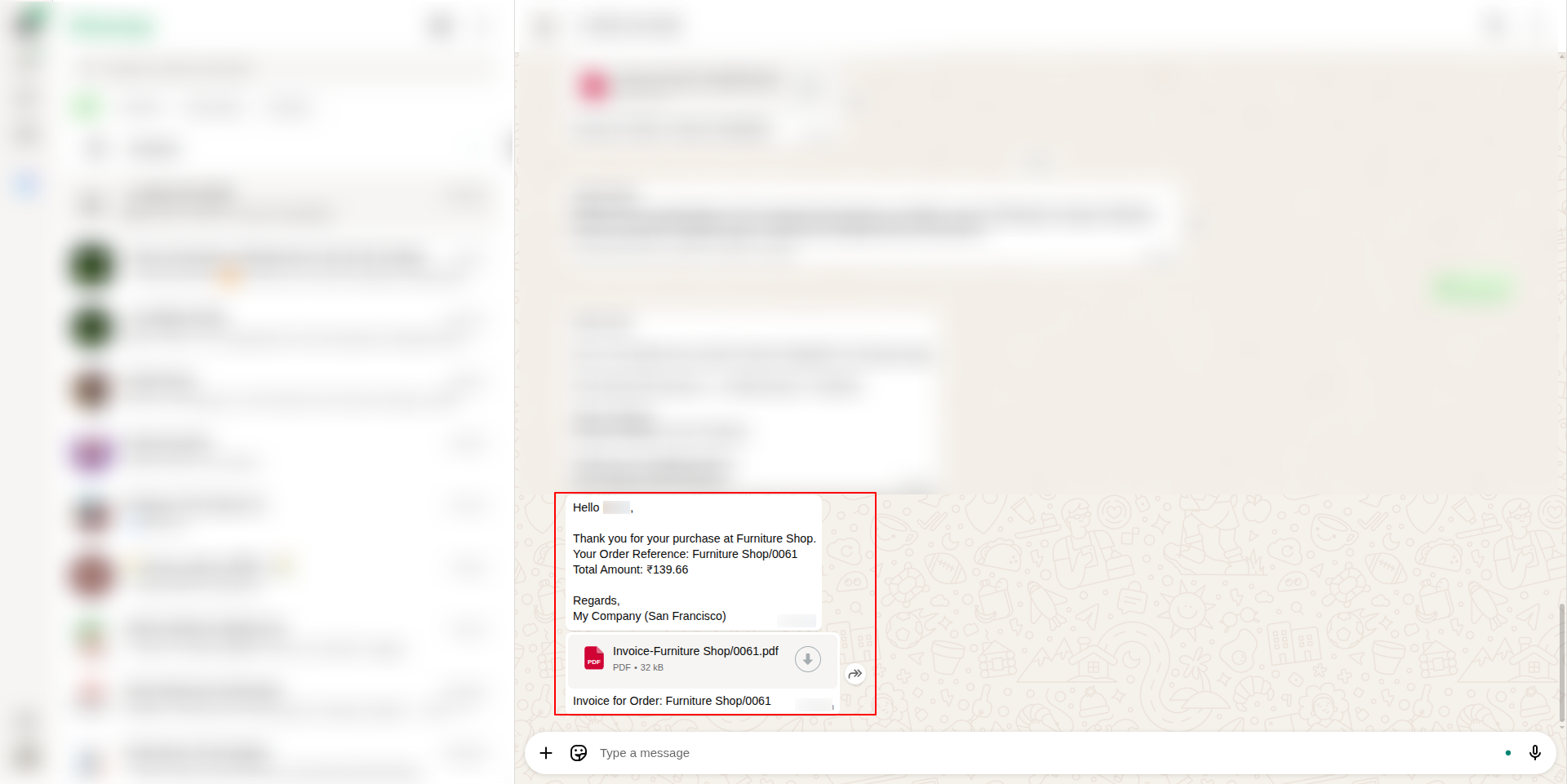
WhatsApp Message Delivery with Invoice PDF
The message sent to the customer's WhatsApp includes the invoice PDF attachment along with order confirmation details.
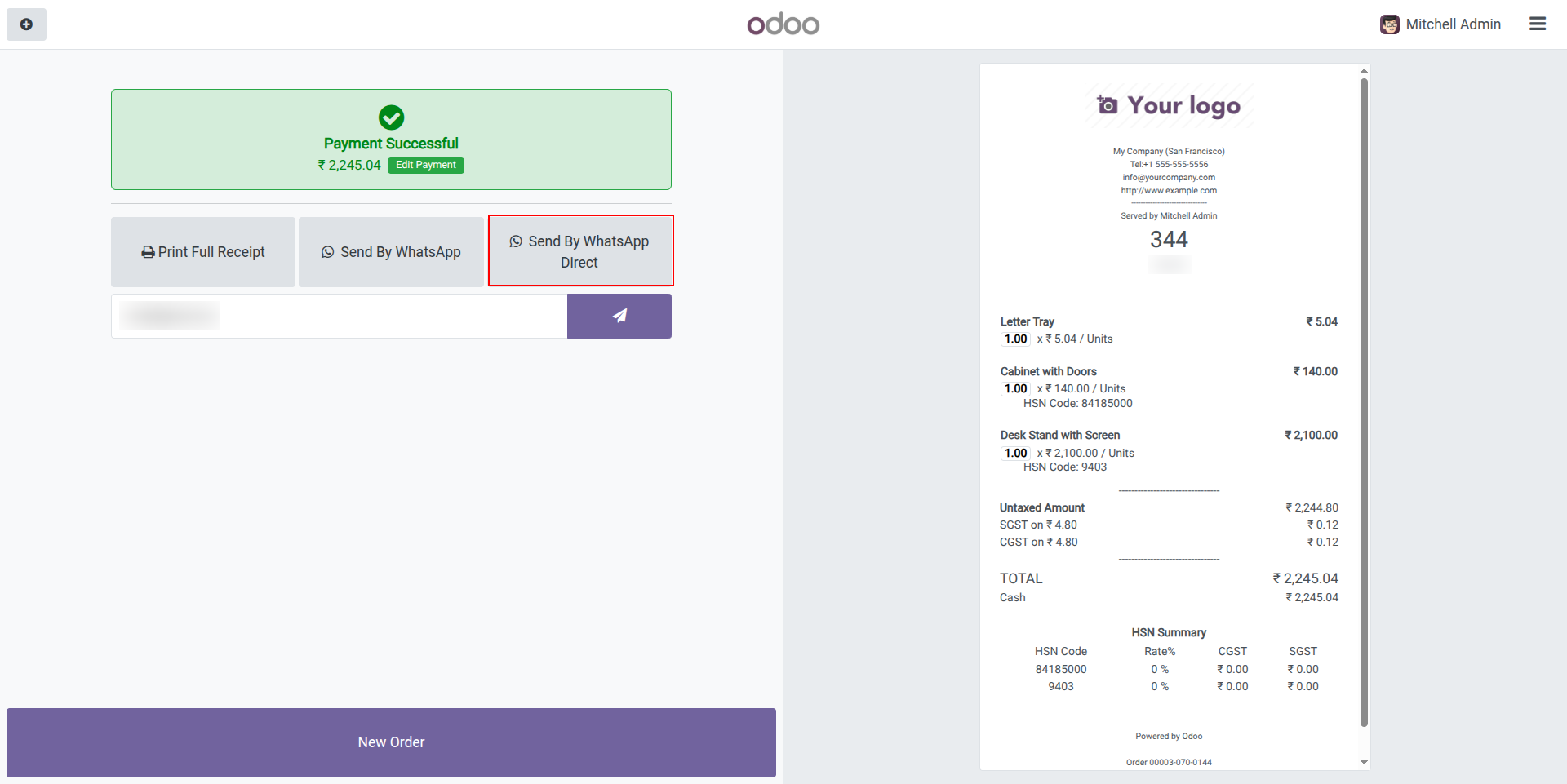
Direct WhatsApp Template Sending
The 'Send By WhatsApp Direct' button sends the default message template to the customer's WhatsApp without opening a selection popup, streamlining the messaging process.
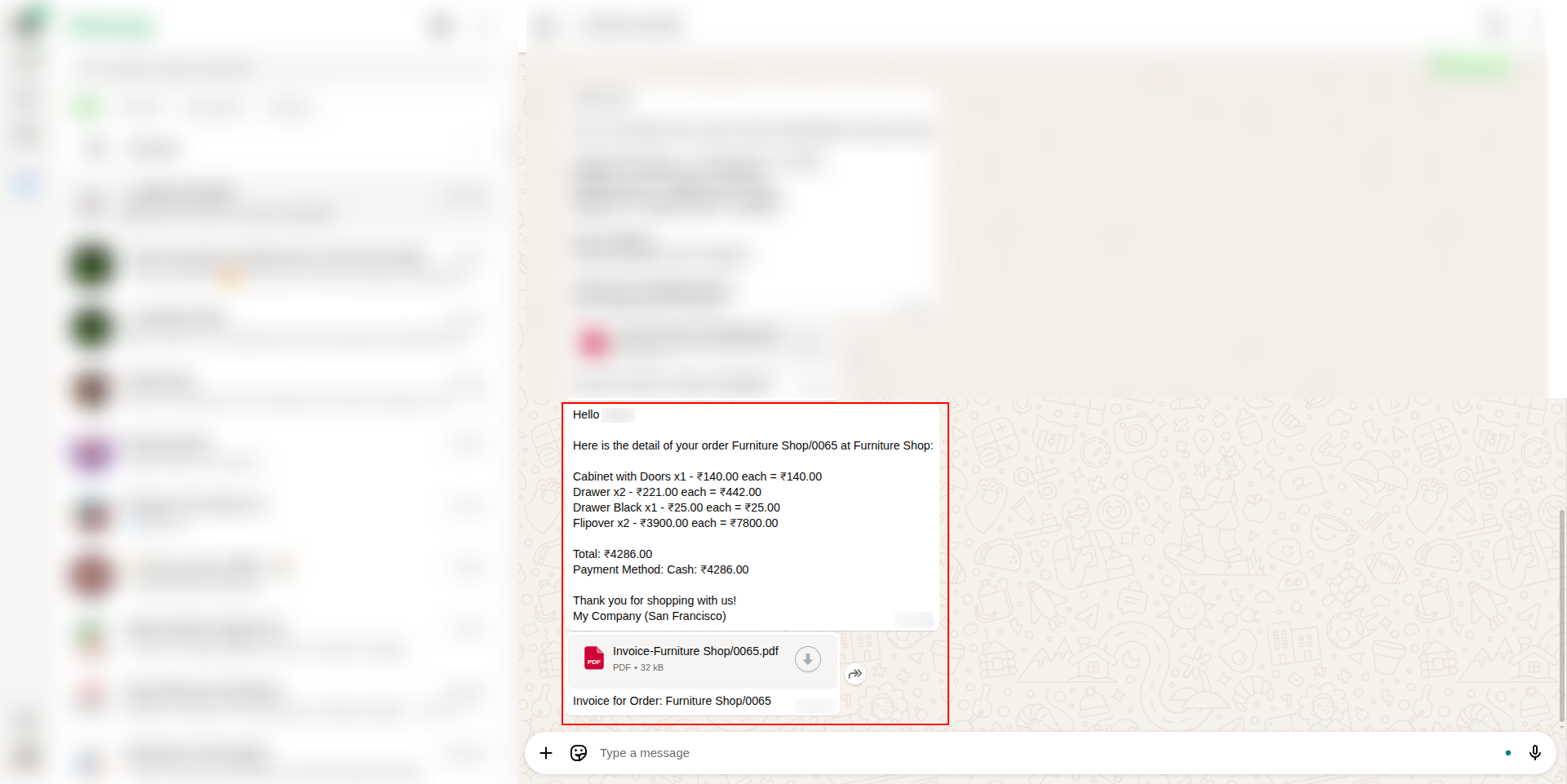
Default WhatsApp Message with Invoice
The default message sent to the customer's WhatsApp when clicking 'Send by WhatsApp Direct' includes detailed order information with item-wise breakdown, quantities, prices, total amount, payment method, and the attached invoice PDF.
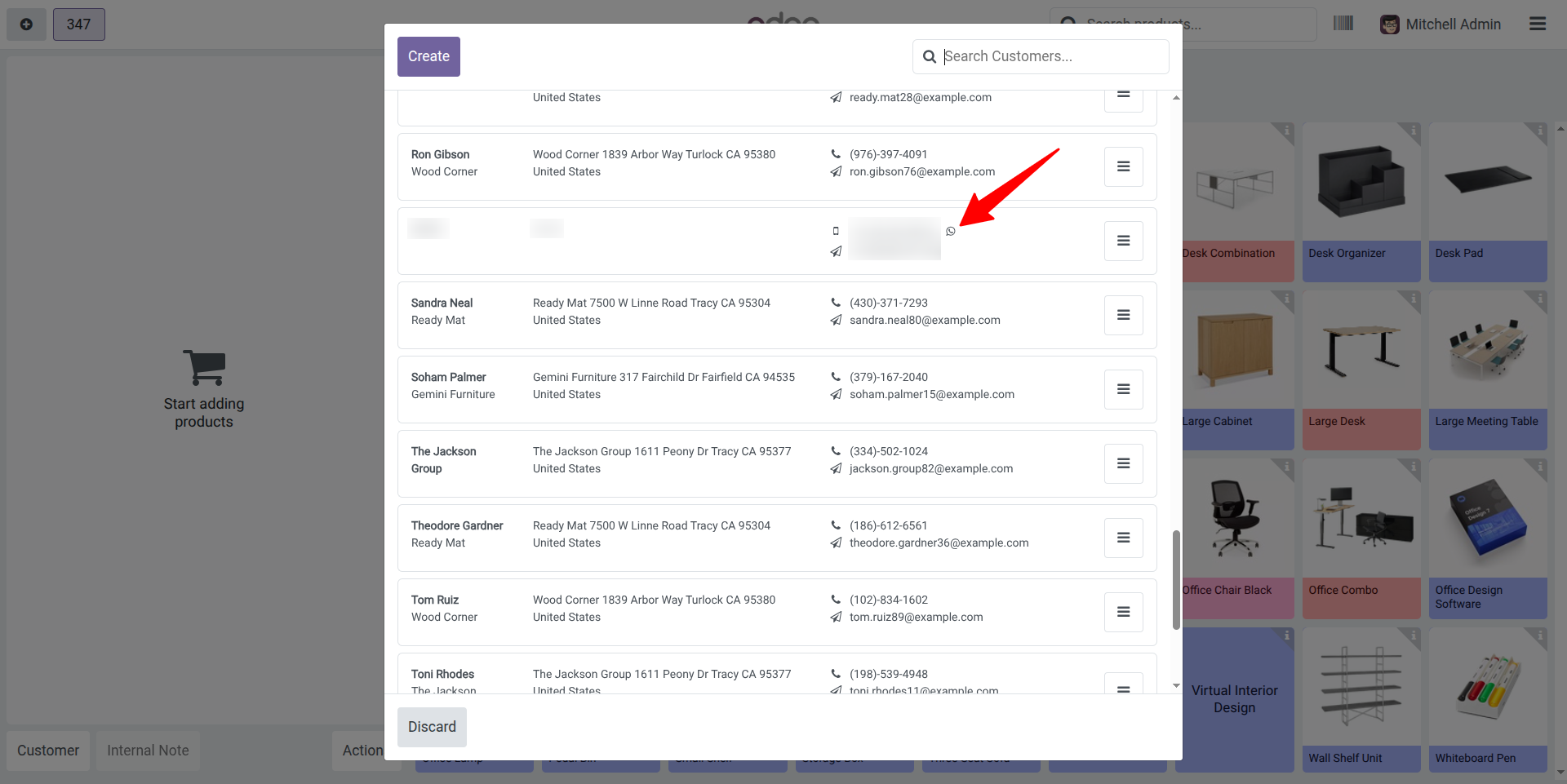
WhatsApp Direct Messaging from Customer List
The WhatsApp icon in the customer list opens WhatsApp Web to message the customer directly, providing quick access to customer communication without leaving the application.

Our Services

Our Industries

Support



Technical Information
kx_pos_whatsapp_integration
point_of_sale
account
stock
Supported Versions
18.0.1.0
₹ 4,742.16