












Community
Enterprise
Odoo.sh
Dynamic Field Tracking
Enable chatter tracking for any field of any model — no code and no tracking=True needed. Configure per-field tracking from the UI, including one2many line changes logged on the parent record.

Explore This Module

Overview
Dynamic Field Tracking lets administrators enable chatter tracking on any field of any model without writing code. Simply pick a model with a chatter (mail.thread) and every field is added automatically with tracking enabled — then toggle individual fields on or off as needed. Changes on one2many lines (create, update, delete) are logged on the parent record's chatter, such as order line changes on a sale order. It merges seamlessly with native tracking, applies instantly without a server restart, and stays performant thanks to ORM-cached configuration.

Features
Available in Odoo 19.0 Community and Enterprise.

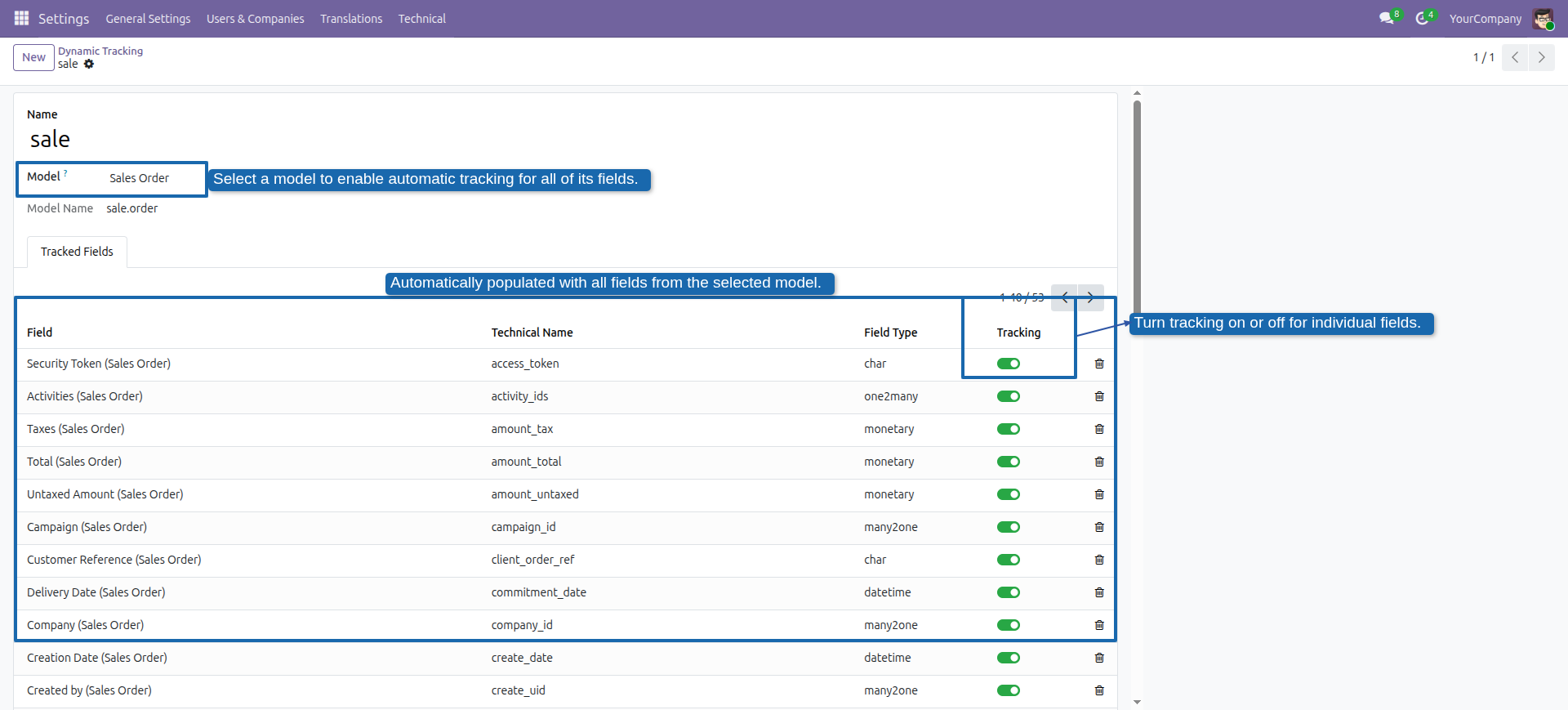
Pick a model and every field is added automatically with tracking enabled by default — no tracking=True, no development needed.

Toggle tracking on or off for each field individually. Only models with a chatter (mail.thread) are proposed.

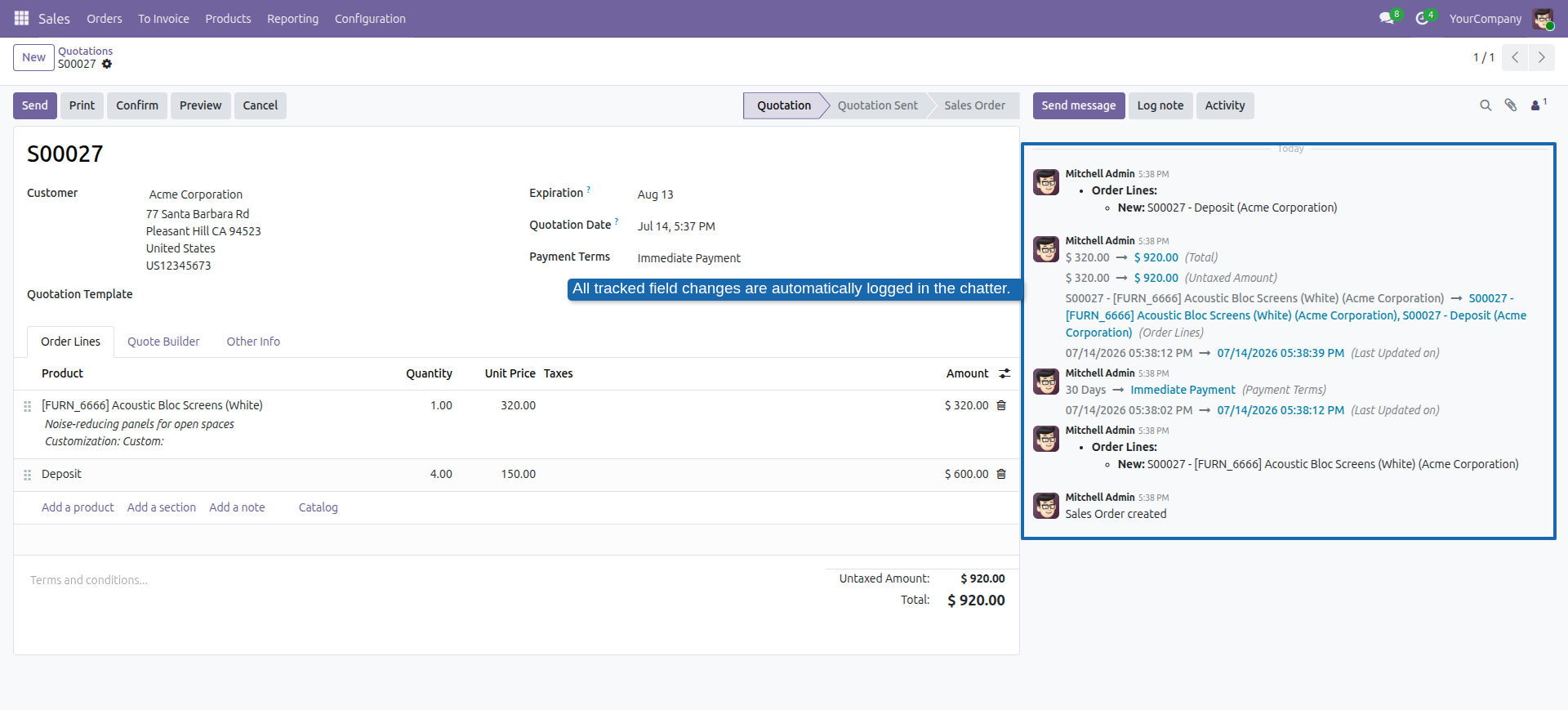
Line changes (create, update, delete) are logged on the parent record's chatter — for example, order line changes on the sale order.
Fields already tracked in code keep working as before — dynamic tracking simply extends them.
Configuration changes apply immediately with no server restart, and the ORM-cached configuration adds no extra database queries on regular writes.
Screenshots
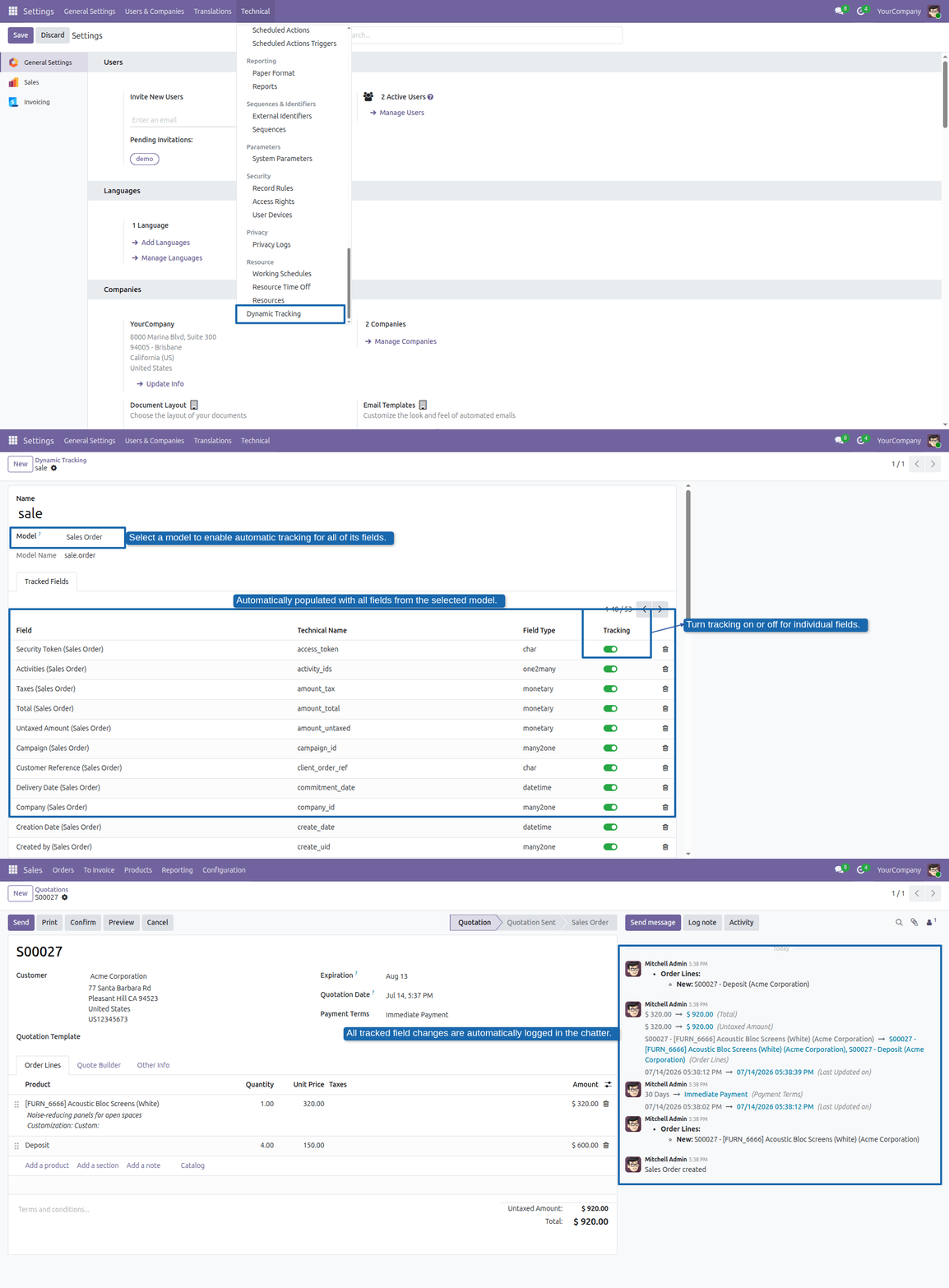
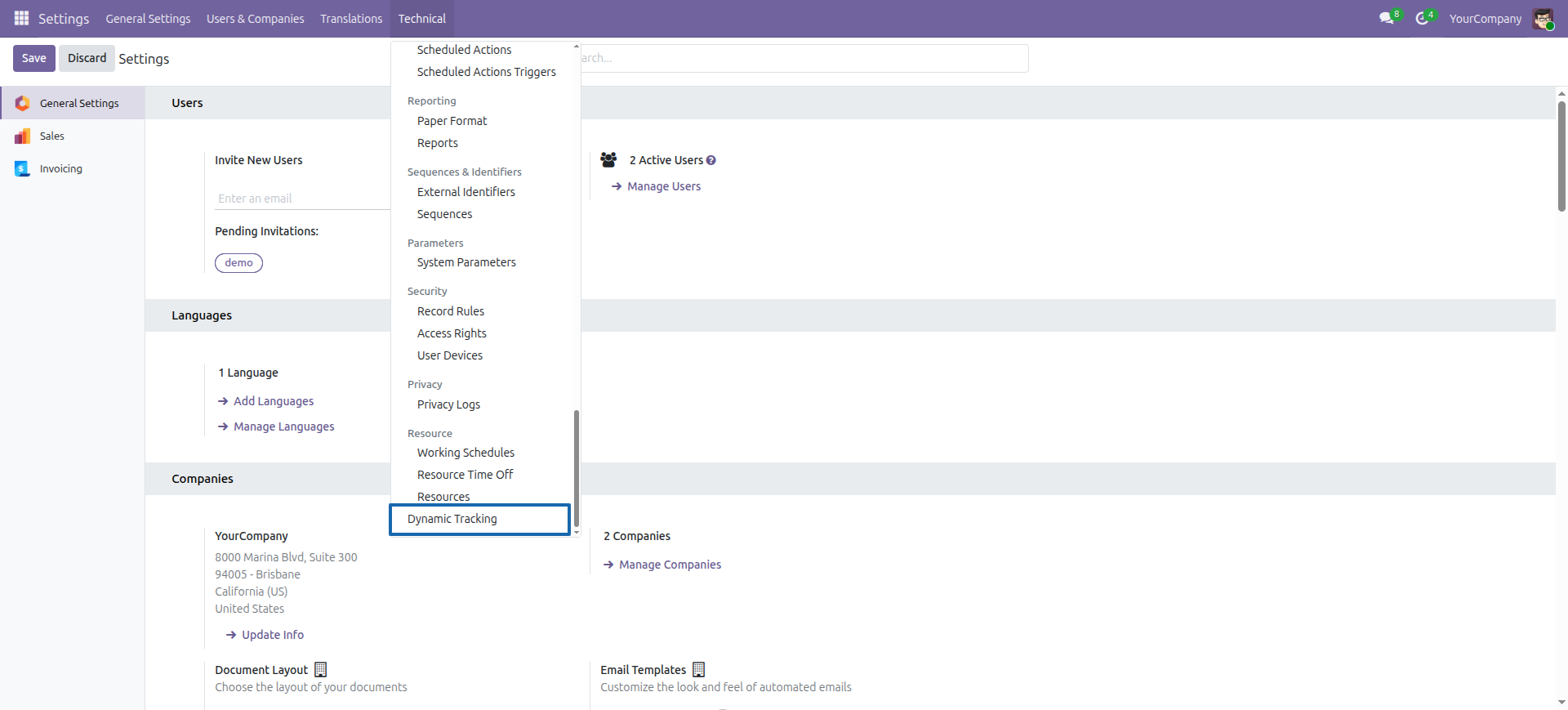
Dedicated menu under Settings → Technical → Dynamic Tracking
Select a model: all of its fields are added automatically, with a toggle to enable or disable tracking per field
All tracked changes are logged in the chatter — including one2many lines such as sale order lines

Our Services

Our Industries

Support



Technical Information
kx_dynamic_tracking
mail
Supported Versions
19.0.1.0.1
FREE