













Community
Enterprise
Odoo.sh
BIM File Preview
The BIM File Preview module enables Odoo users to seamlessly view and interact with BIM (.xkt) 3D model files directly within chatter attachments. Built using the powerful xeokit 3D engine, this module provides an immersive viewing experience for architects, construction teams, project managers, and engineering professionals. Upload your BIM models and preview them instantly with smooth 3D navigation—no external software required.

Explore This Module

Overview
The BIM File Preview module allows users to view and interact with .xkt BIM 3D models directly from Odoo’s chatter attachments. Using the powerful xeokit 3D engine, it enables smooth rotation, zoom, and inspection of building models without any external software. This module improves collaboration for engineering, architecture, and construction teams by making BIM visualization accessible inside Odoo.

Features
Fully compatible with Odoo 18 Community and Enterprise editions.

Open and view .xkt BIM models directly inside Odoo chatter attachments.

Rotate, zoom, pan, isolate model parts, and explore BIM structures interactively.

Extends default Odoo attachment preview to recognize and render BIM file formats.

Search and locate specific elements within the BIM model for efficient navigation.

Click the screenshot button to capture high-resolution images of the current BIM view.
Change model color by choosing from various options to change the color of the BIM model for better visualization.

Screenshots
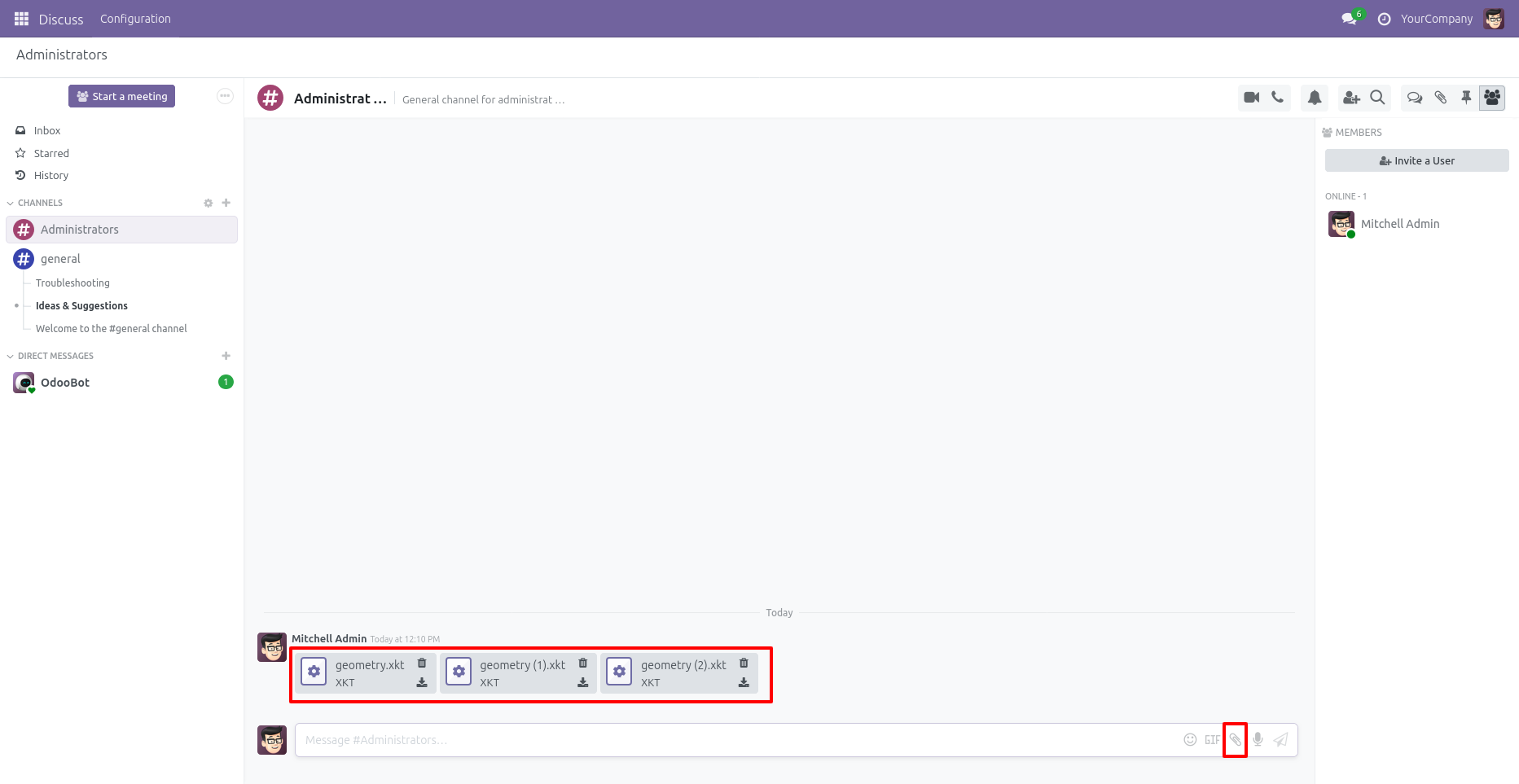
Uploading BIM/XKT Files in User Chatter
You can attach BIM (.xkt) files directly in the Discuss module by clicking the attachment icon
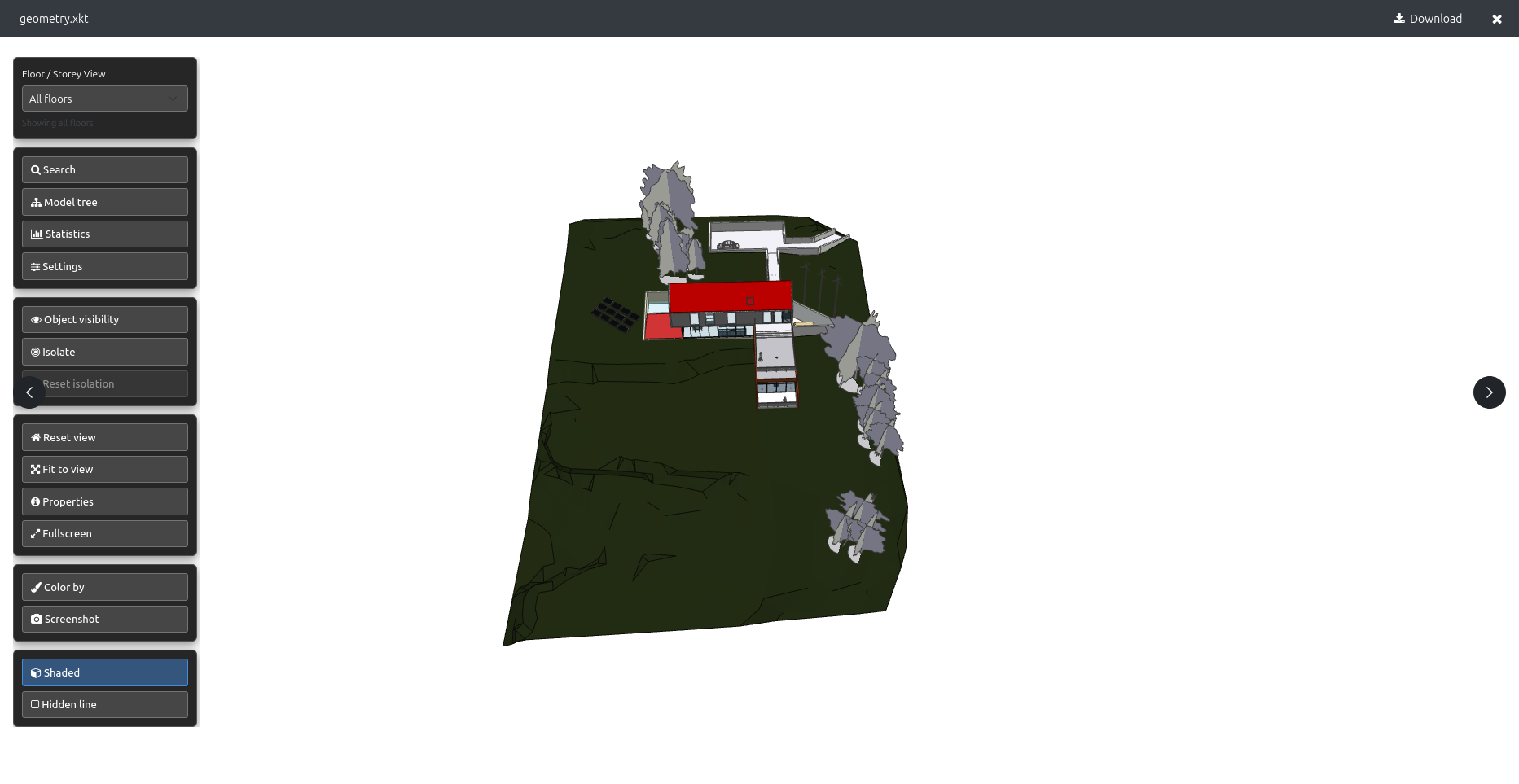
Click the attached BIM (.xkt) file in the chatter to open the interactive 3D viewer
click on the attached BIM (.xkt) file in the chatter to open the 3D viewer and interact with the model.
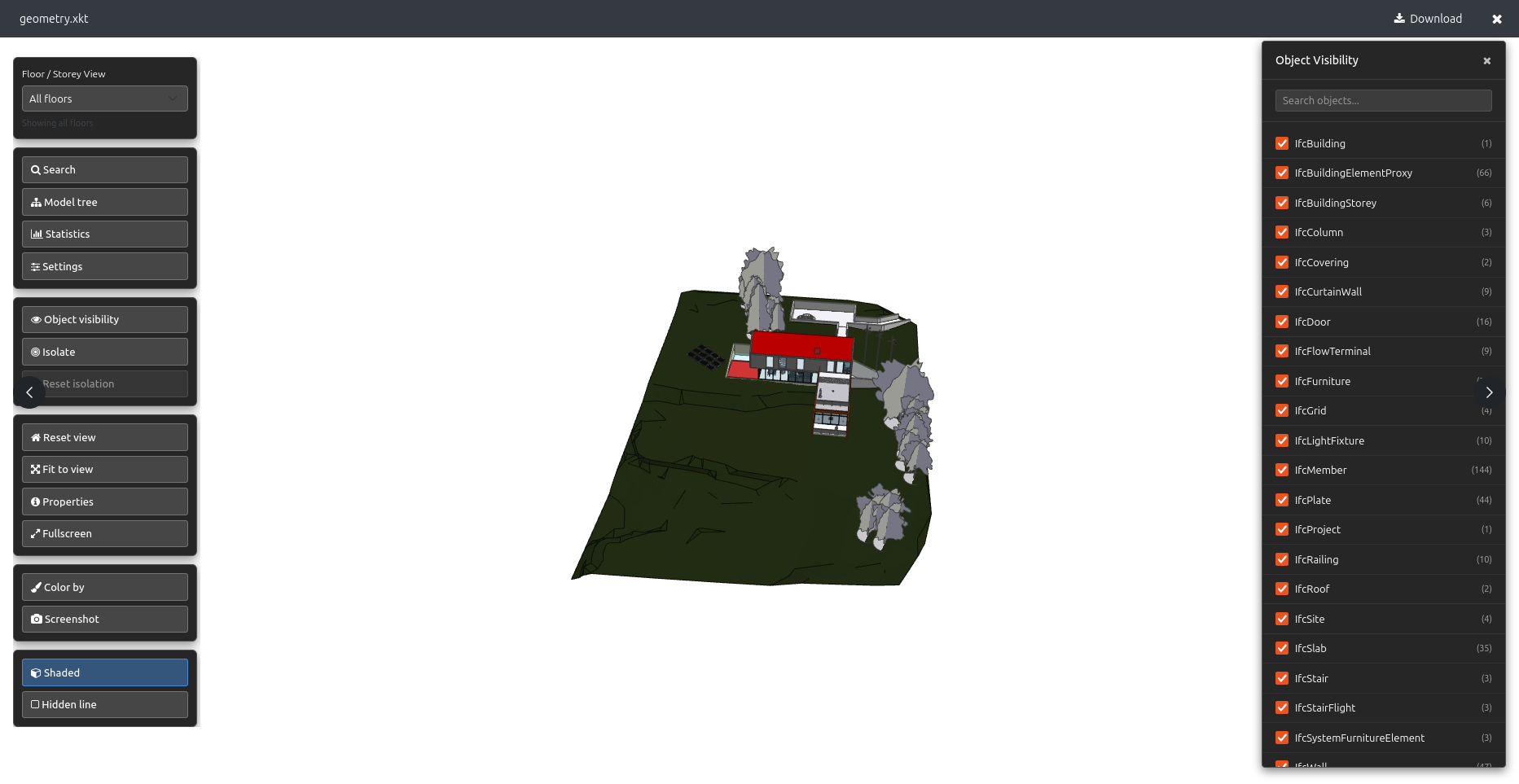
Adjust Object Visibility in the 3D BIM Viewer
Use the Object Visibility panel to enable or disable specific IFC categories such as walls, doors, roofs, furniture, and more. This helps you isolate elements and inspect the BIM model with greater detail and clarity.

Our Services

Our Industries

Support



Technical Information
kx_dt_bim
mail
base
web
Supported Versions
18.0.1.0.0
₹ 18,968.63