











Community
Enterprise
Odoo.sh
Custom Fields for Products
Allow users to create and manage custom fields for products directly from their user interface, enabling them to define additional attributes or properties specific to each product without requiring backend access or technical expertise
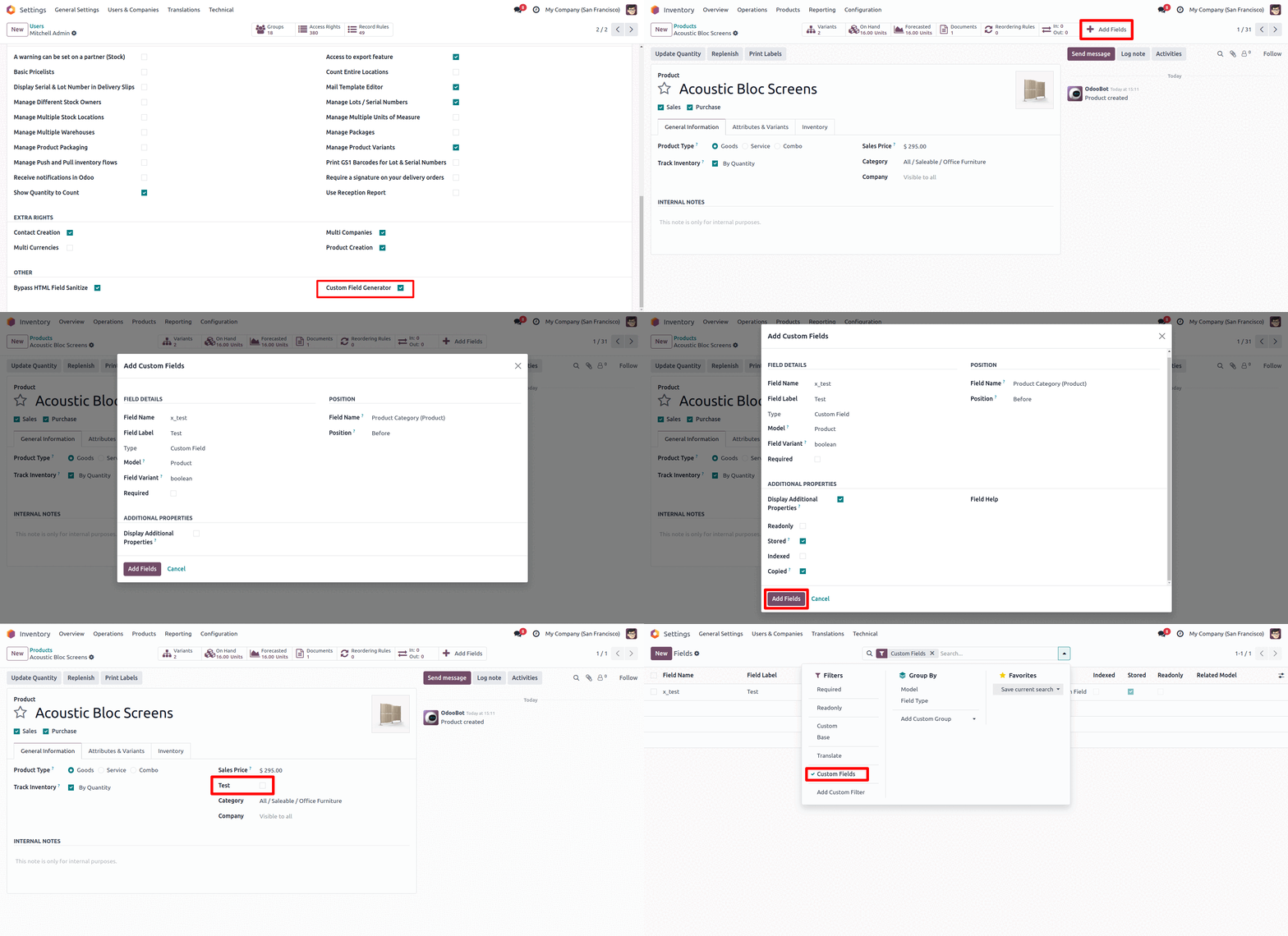

Explore This Module

Overview
The feature allows users to create and manage custom fields for products directly through a user-friendly interface. This enables users to add and configure additional attributes or properties for each product according to their specific needs. By providing this functionality at the user level, the system ensures that users can make modifications without needing backend access or technical expertise, streamlining the customization process and enhancing product data management.

Features
Users can add new custom fields to product records, specifying field types such as text, number, date, or dropdown.
Users can configure attributes for each custom field, including field label, default values, and validation rules.
The feature is integrated into the existing product management interface, making it accessible and easy to use for non-technical users.

Screenshots
Set Up Custom Fields
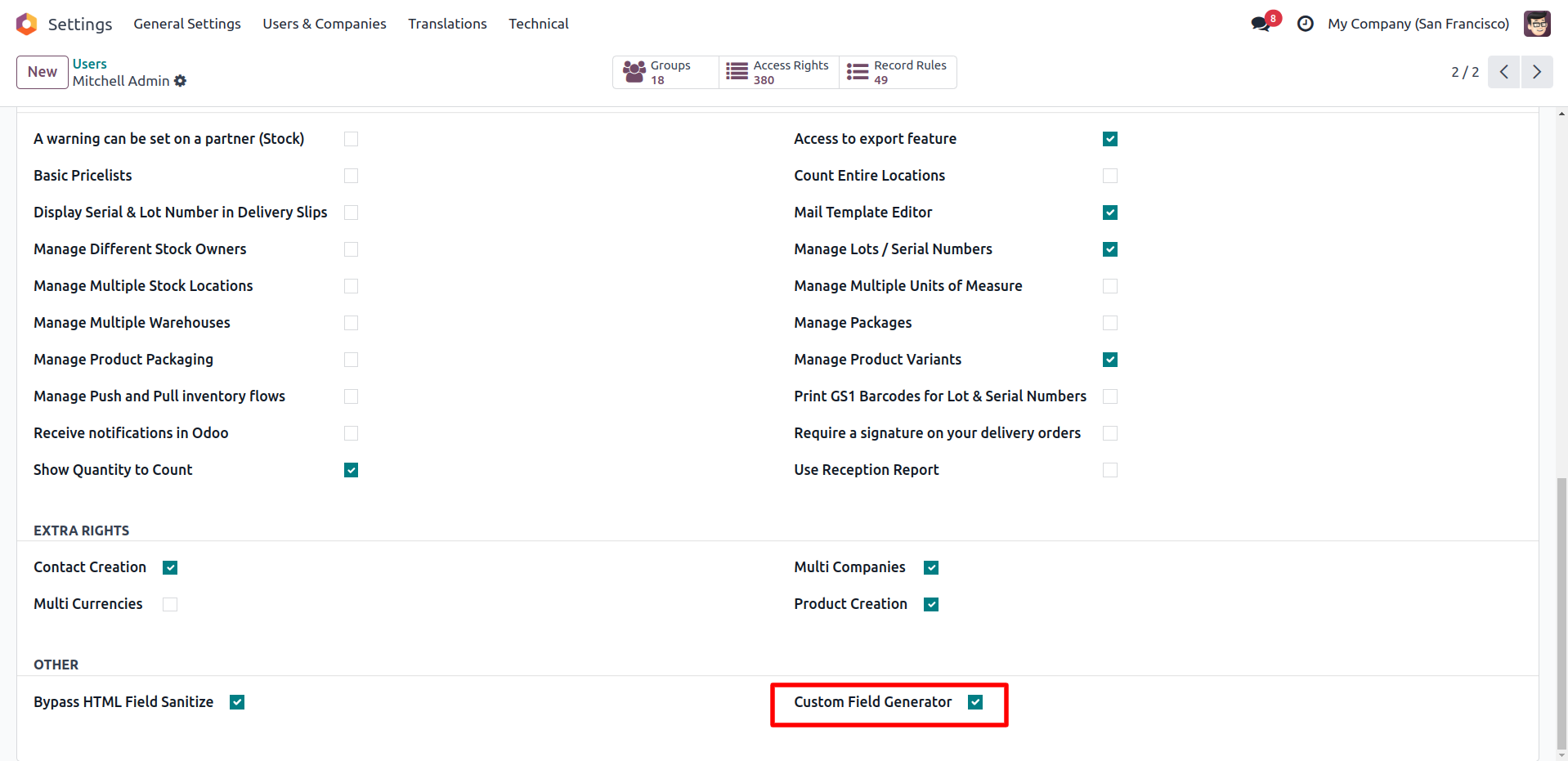
"Post-installation, grant users the ability to 'Add Custom Fields' directly from their User Settings."
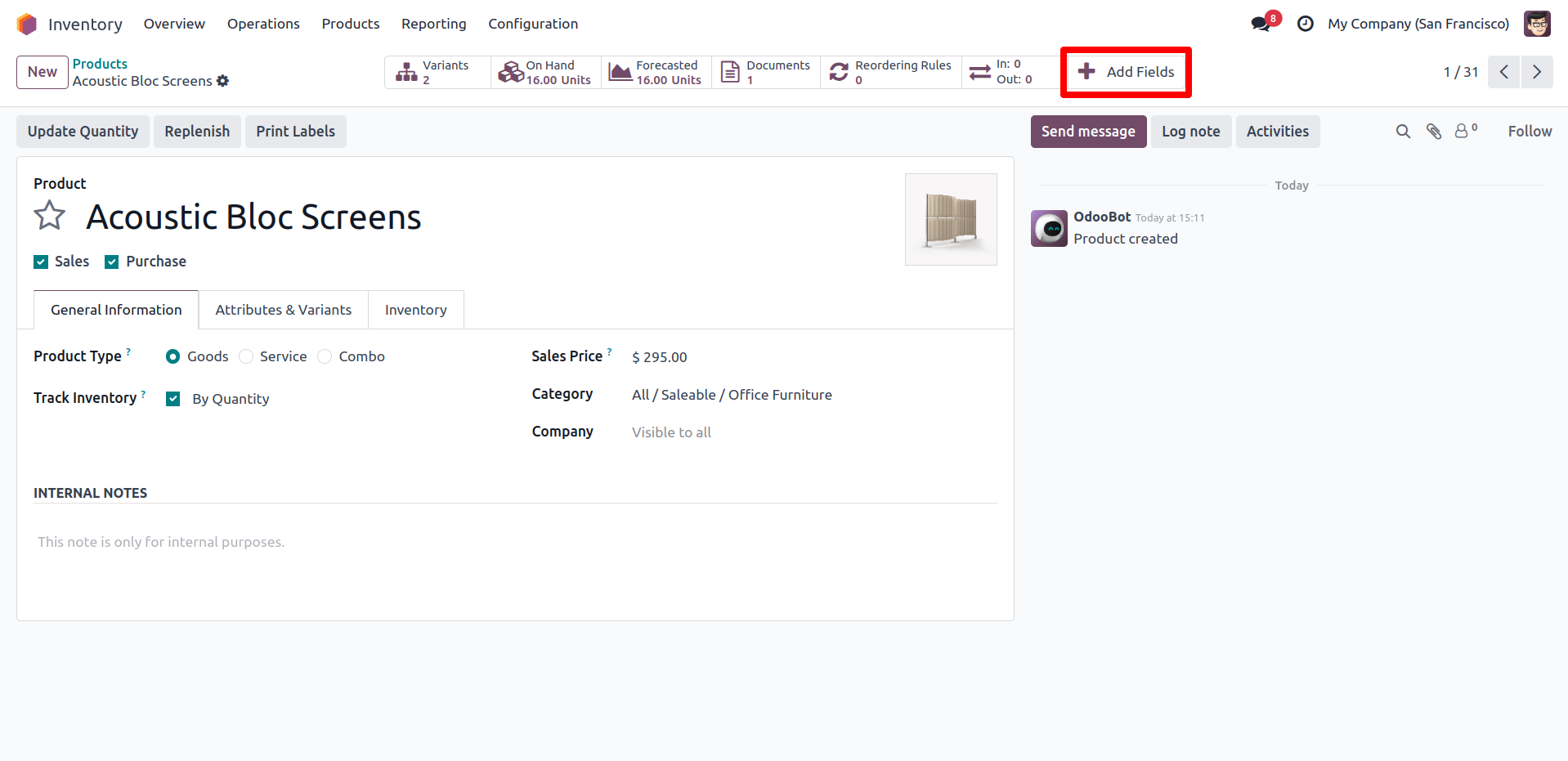
Add Fields
"Click 'Add Fields' to generate and configure custom fields.".
Widget
Select the model, specify the field type, and choose the widget, if applicable.
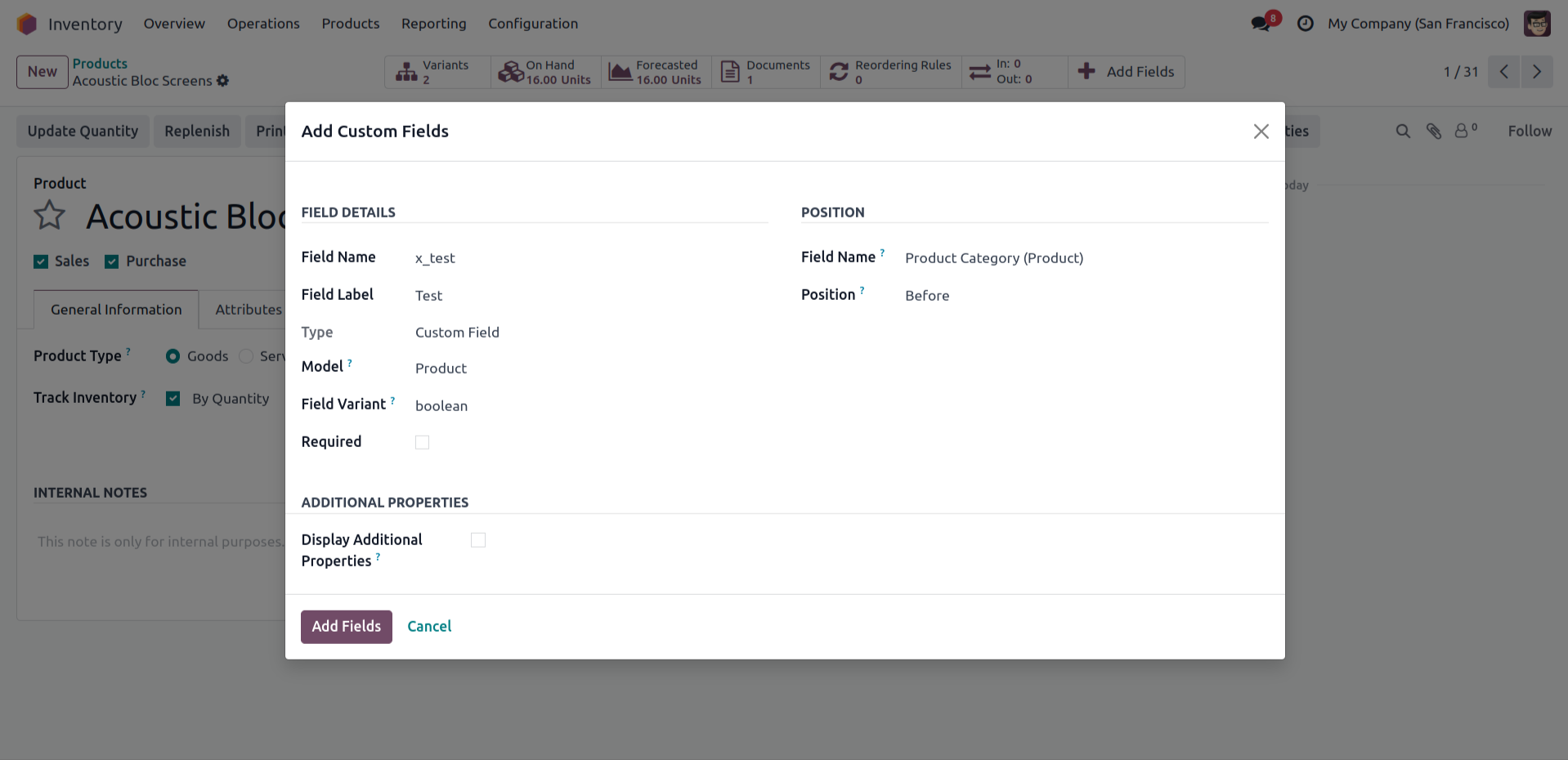
Create/Add A New Field.
"You must specify the field's position and optionally select additional properties for the field. After providing the required details, click 'Add Fields' to finalize and create the new field."
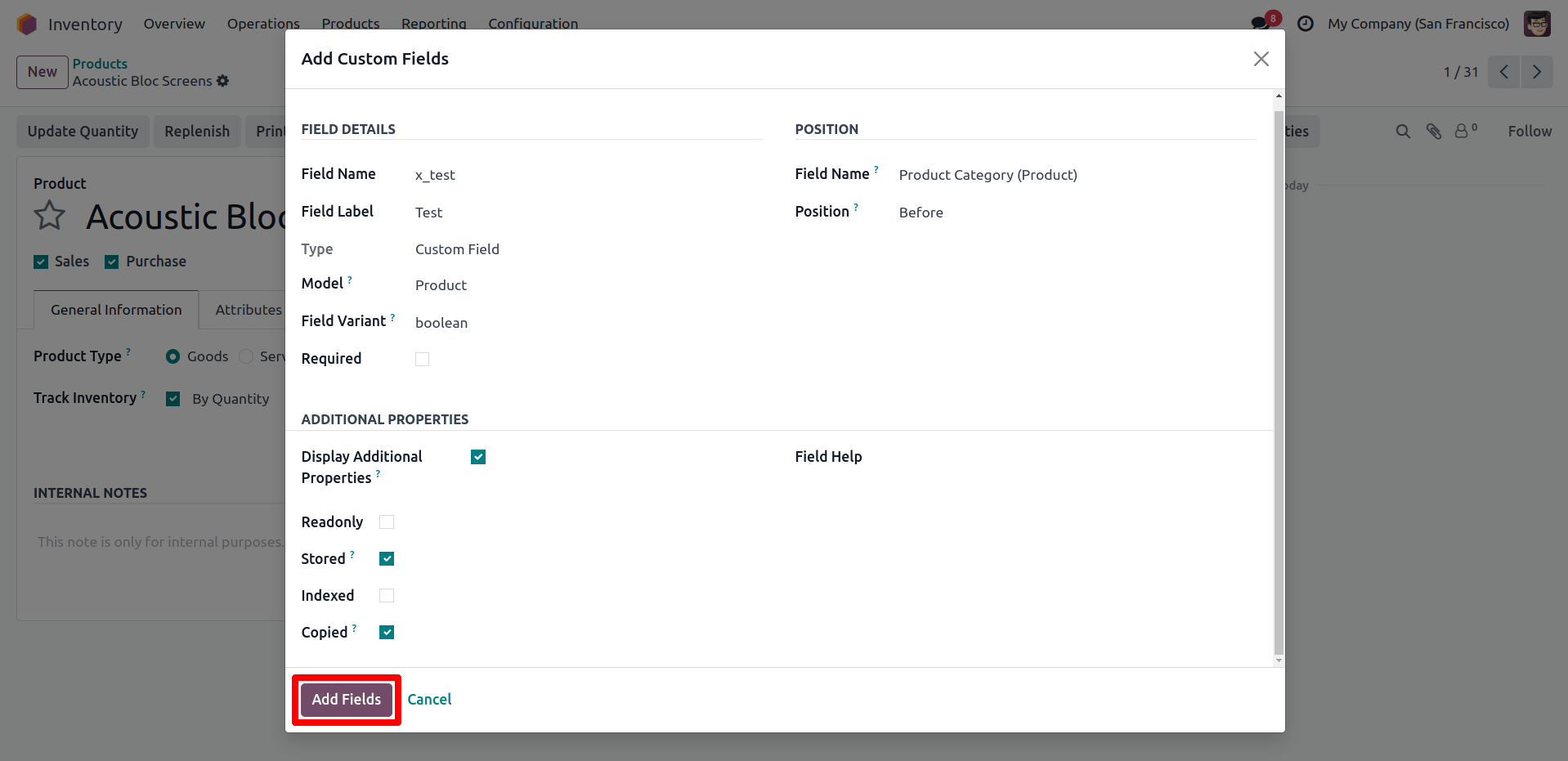
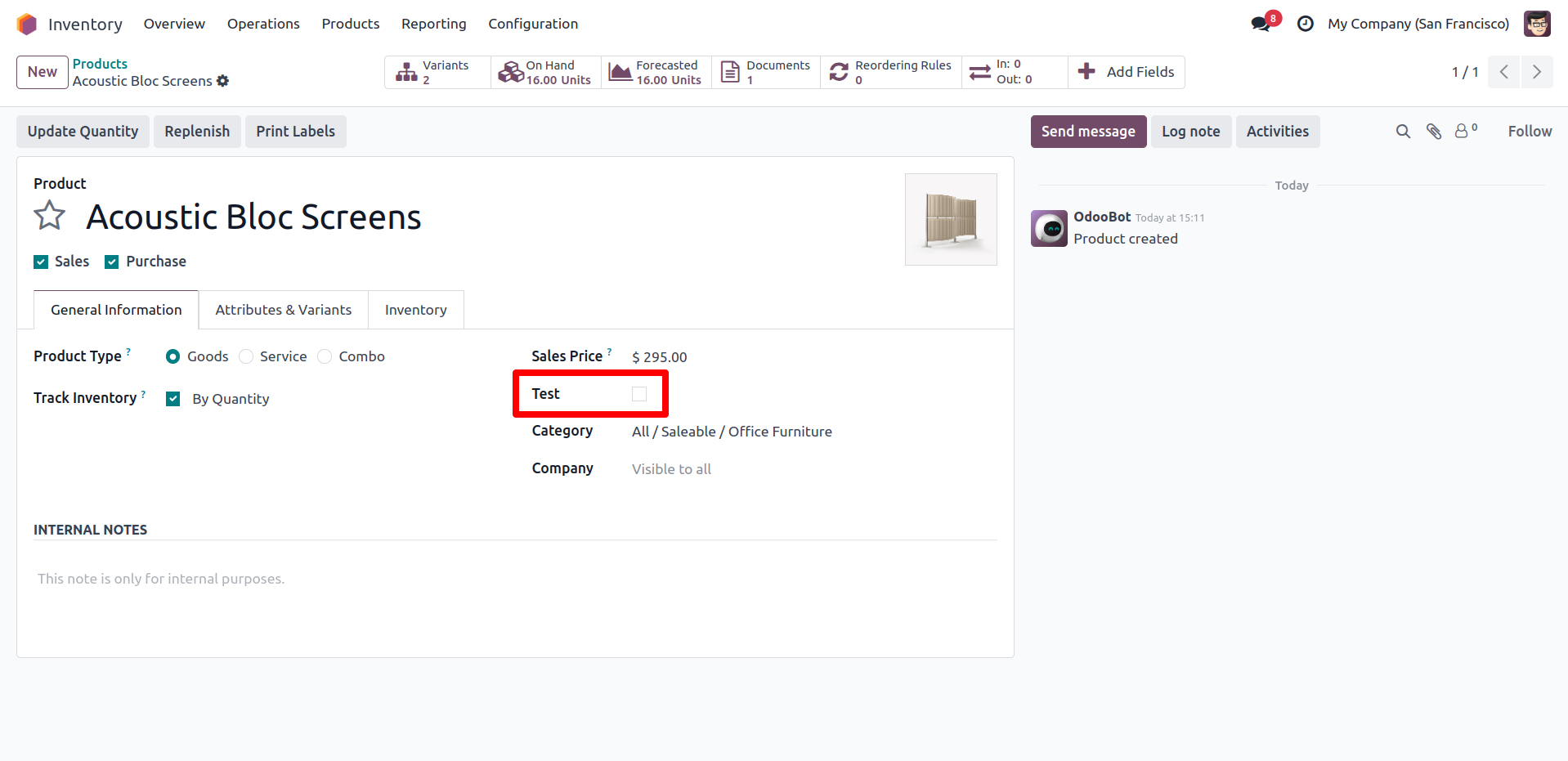
New Field is Add
The new field is now created and visible in the product form.
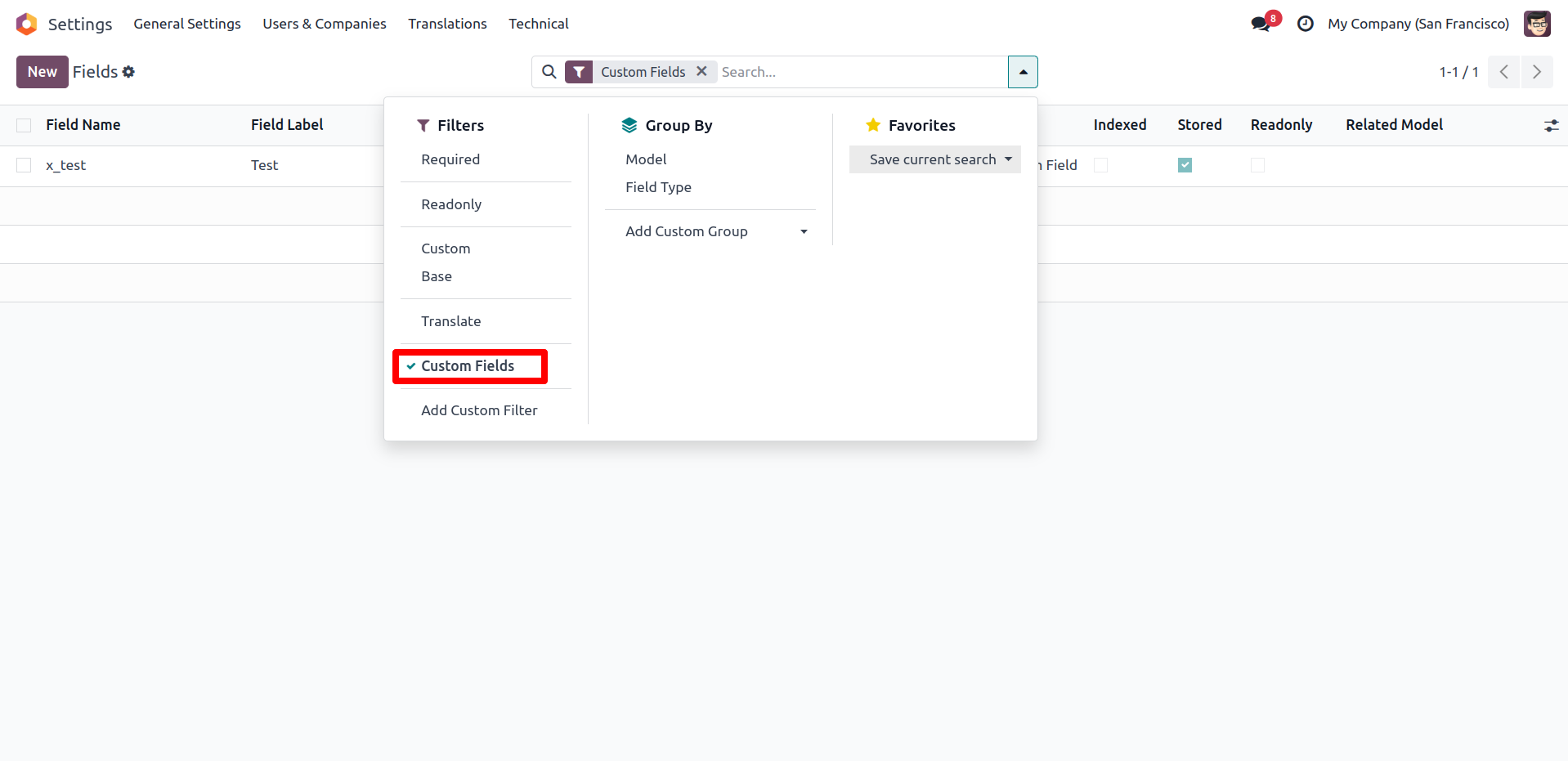
Filter Custom Fields
"You can filter custom fields from the settings to manage and view them more effectively."

Our Services

Our Industries

Support



Technical Information
kx_customizable_product_fields
product
Supported Versions
18.0.1.0.2
FREE