?unique=6e6c9f5)




















Community
Enterprise
Odoo.sh
HTML Editor Calendar
Type /calendar in any HTML field and instantly insert a fully rendered, editable calendar of the current month — right at your cursor. No dialogs, no external widgets. Click into any day cell and start typing your notes, plans, or reminders directly inside the calendar.

Explore This Module


Overview
The HTML Editor Calendar module adds a "Calendar" command to the Odoo 18 HTML editor powerbox. Type /calendar in any HTML field — internal notes, descriptions, Knowledge articles, email templates — and a fully rendered calendar table for the current month is inserted inline at the cursor position. Every day cell is editable, so users can click into any date and type notes, plans, or reminders directly. The calendar is plain HTML, so it stays perfectly readable in reports, emails, and on the website — no external widget or JavaScript needed after insertion.

Features
Available in Odoo 18.0 Community and Enterprise.
Adds a "Calendar" command to the HTML editor powerbox — just type /calendar and pick it from the list.
Inserts a complete calendar table for the current month — instantly, at the cursor, with the week starting on the right day for your language settings.
Click into any day cell and type your notes, tasks, or reminders directly inside the calendar.
Use it in internal notes, descriptions, Knowledge articles, email templates — anywhere the HTML editor is available.
The calendar is plain HTML with bundled styling for backend, PDF reports, and the website frontend — it looks right everywhere.

Screenshots
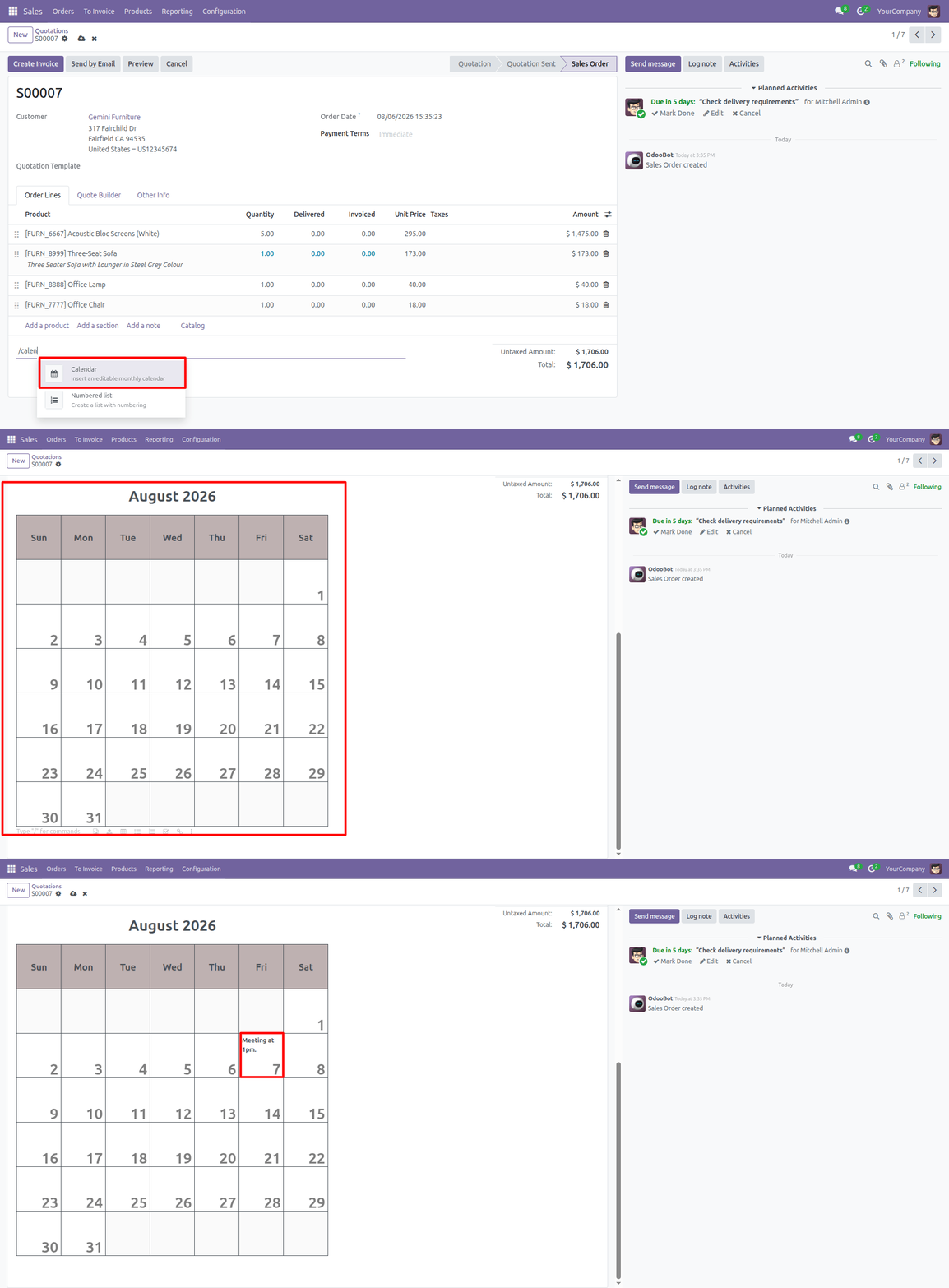
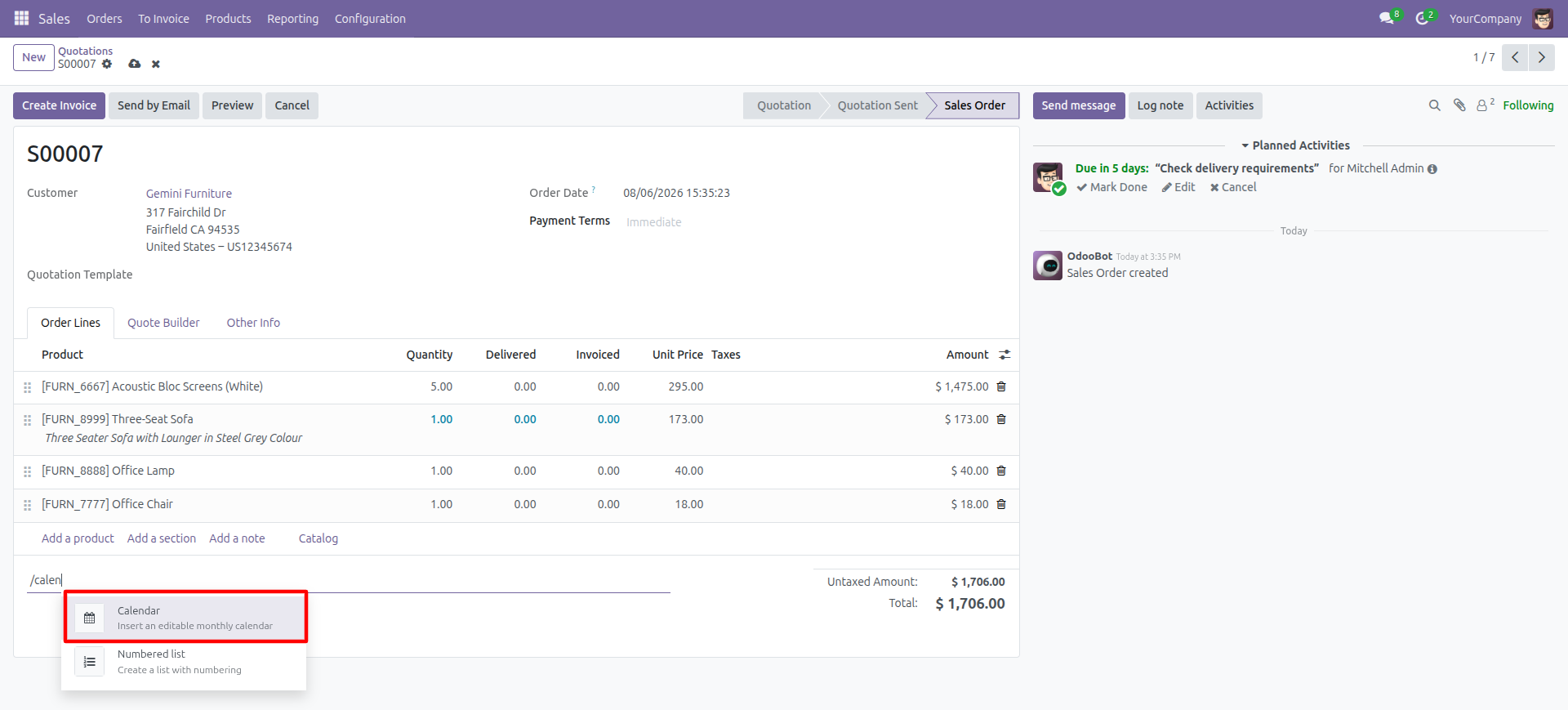
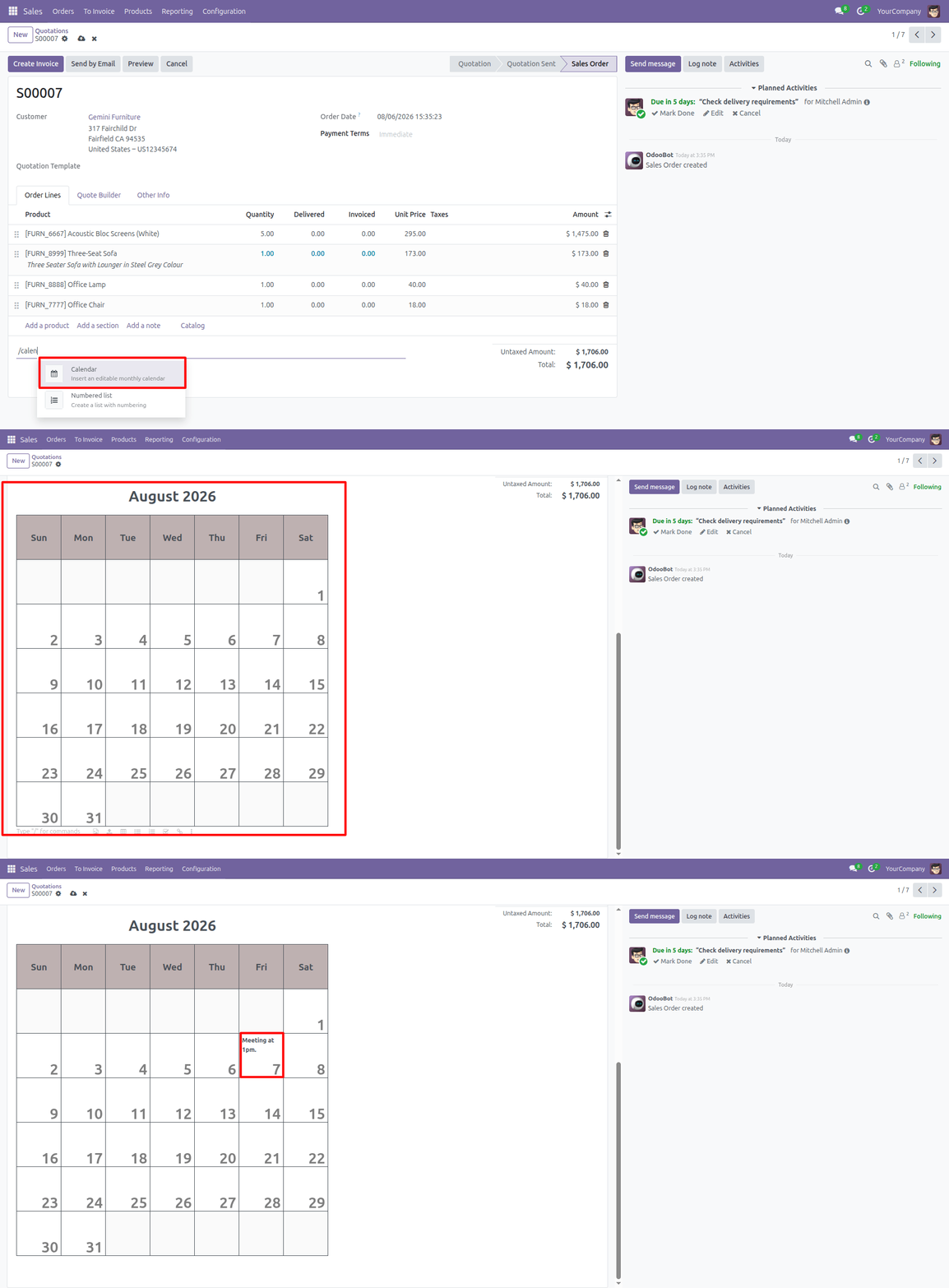
Type /calendar in the HTML Editor
Open any record with an HTML field and type /calendar. The "Calendar" command appears in the powerbox under the Structure category — select it to insert the calendar.
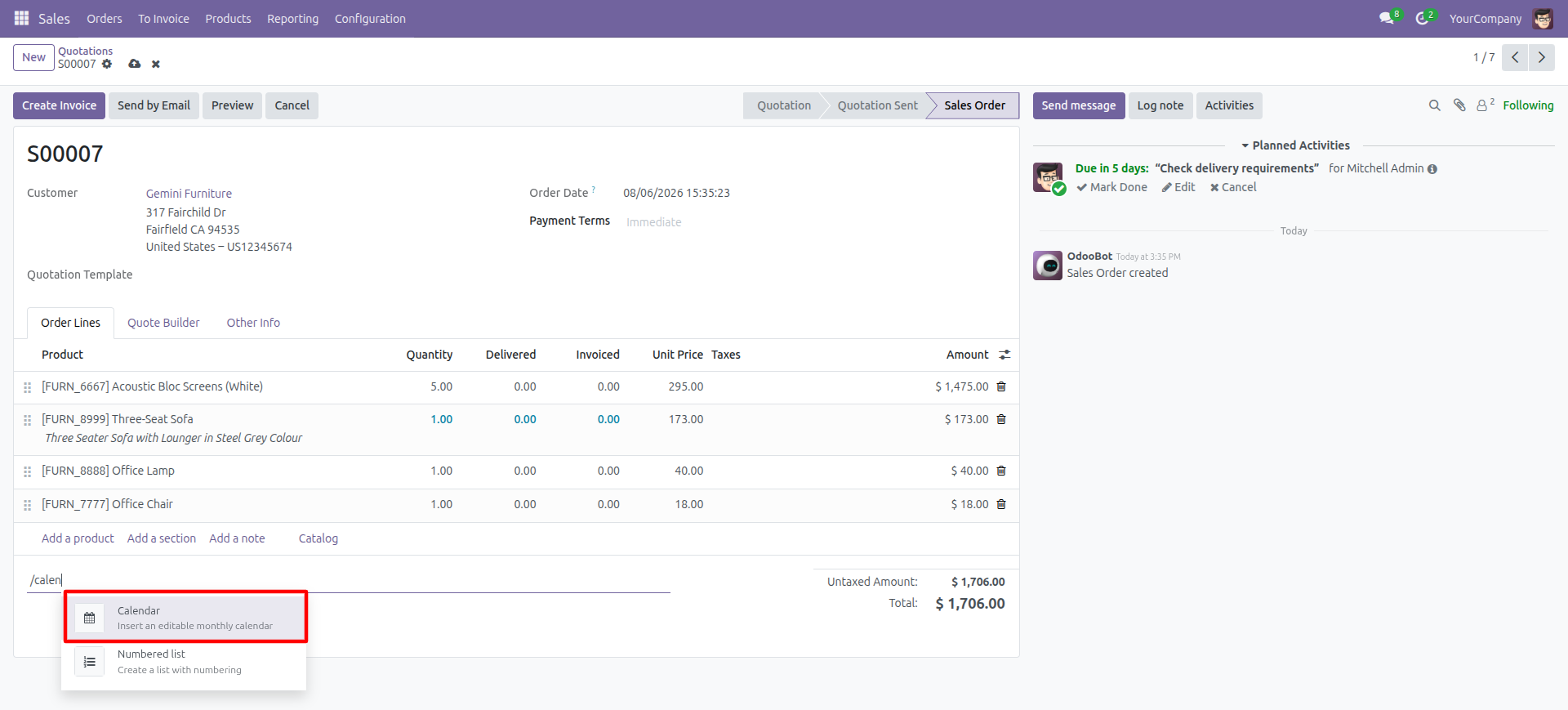
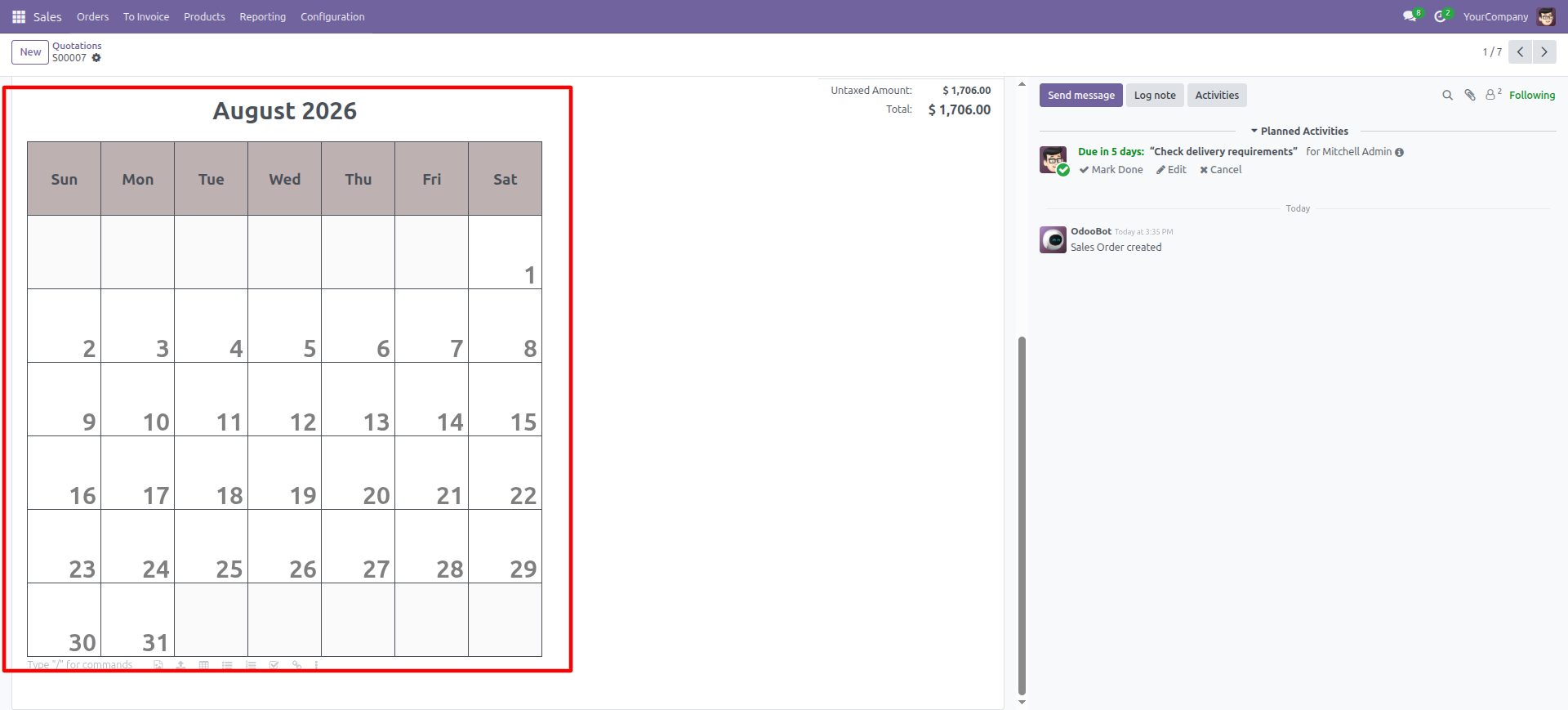
Calendar Inserted Inline at the Cursor
A fully rendered calendar for the current month is inserted directly at the cursor position — no dialog, no external widget. The month title, weekday headers, and day numbers are protected so they cannot be deleted by accident.
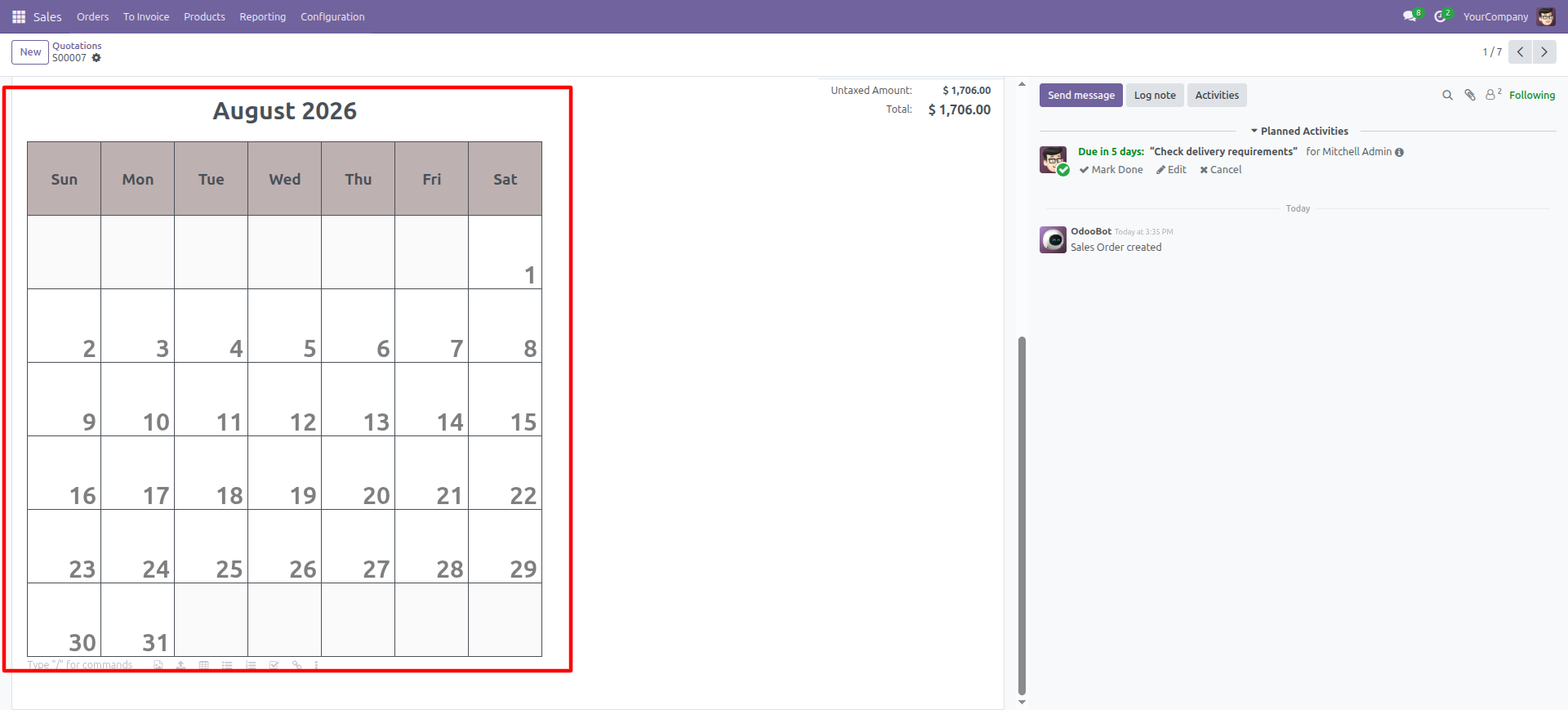
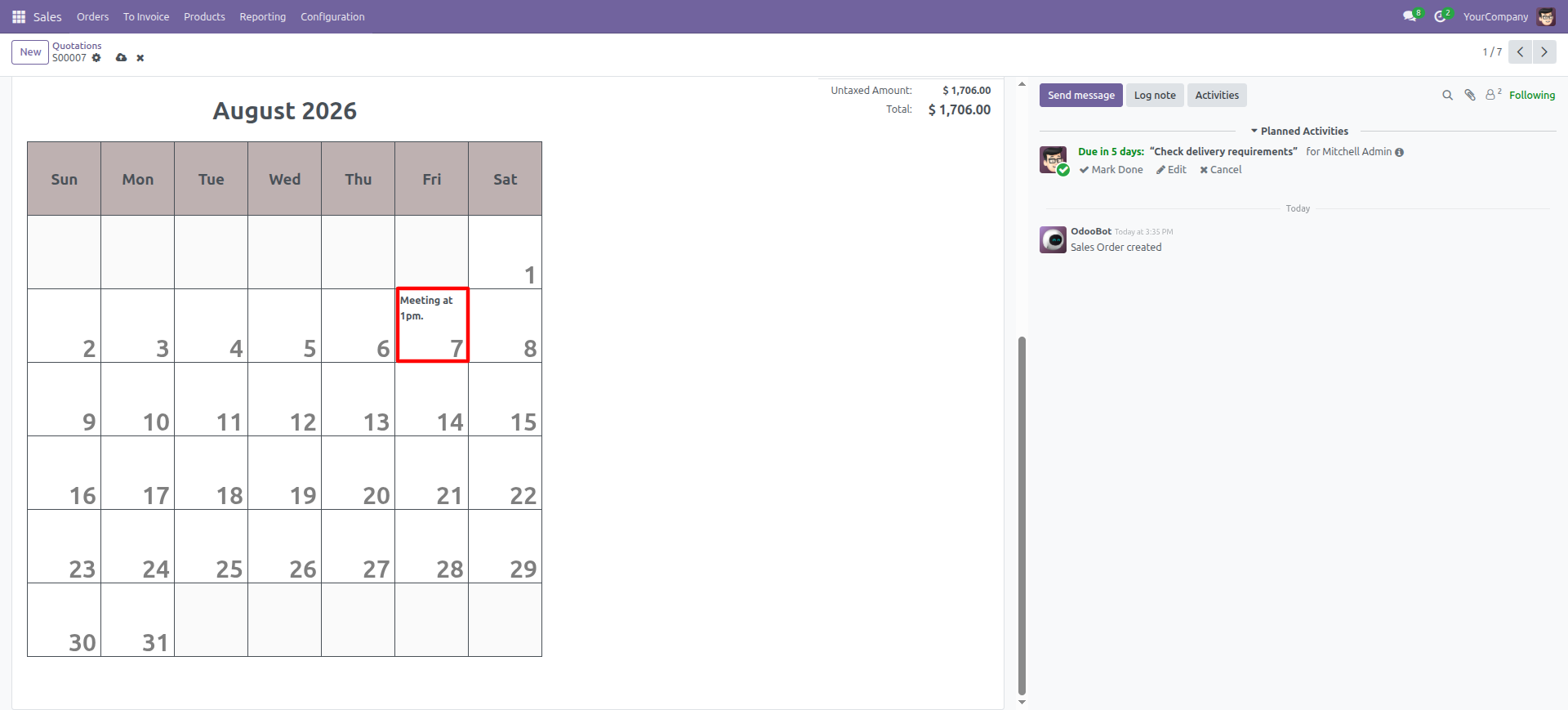
Type Notes Directly in Day Cells
Click into any day cell and type your notes, tasks, or reminders. The content is saved with the record like any other HTML field content and stays visible in reports and emails.

Our Services


Our Industries









Support





Technical Information
kx_html_editor_calendar
html_editor
web
Supported Versions
18.0.1.0.0
FREE
19.0.1.0.0
FREE