?unique=1d6fd7c)






























































Community
Enterprise
Odoo.sh
Website Helpdesk Support Ticket Management
The Website Helpdesk Support Ticket Management module allows users to create and manage support tickets from the website while handling them efficiently in the backend. It integrates automated email notifications, predefined reply templates, and scheduled actions to enhance customer support. The module supports ticket merging, stage tracking, and security controls. It also enables service charge-based invoicing by integrating with sale_project and tracks time spent through hr_timesheet. Reporting features provide insights into ticket management, while website and portal templates enhance user interaction.

Explore This Module

Overview
The Website Helpdesk Support Ticket Management module provides a complete solution for managing support tickets. Customers can create tickets via the website, while support teams can manage and process them through the backend. The module also includes functionality for generating invoices that include service charges based on the tickets.

Features
Available in Odoo 19.0 Community and Enterprise.

Customers can submit support tickets directly from the website

Manage tickets from the backend, assign to relevant teams, and track progress

Generate invoices for tickets, including service charges

Send email notifications to customers and support teams with predefined templates

Manage user roles and permissions for secure ticket handling

Track ticket progress, generate reports, and analyze team performance

Screenshots
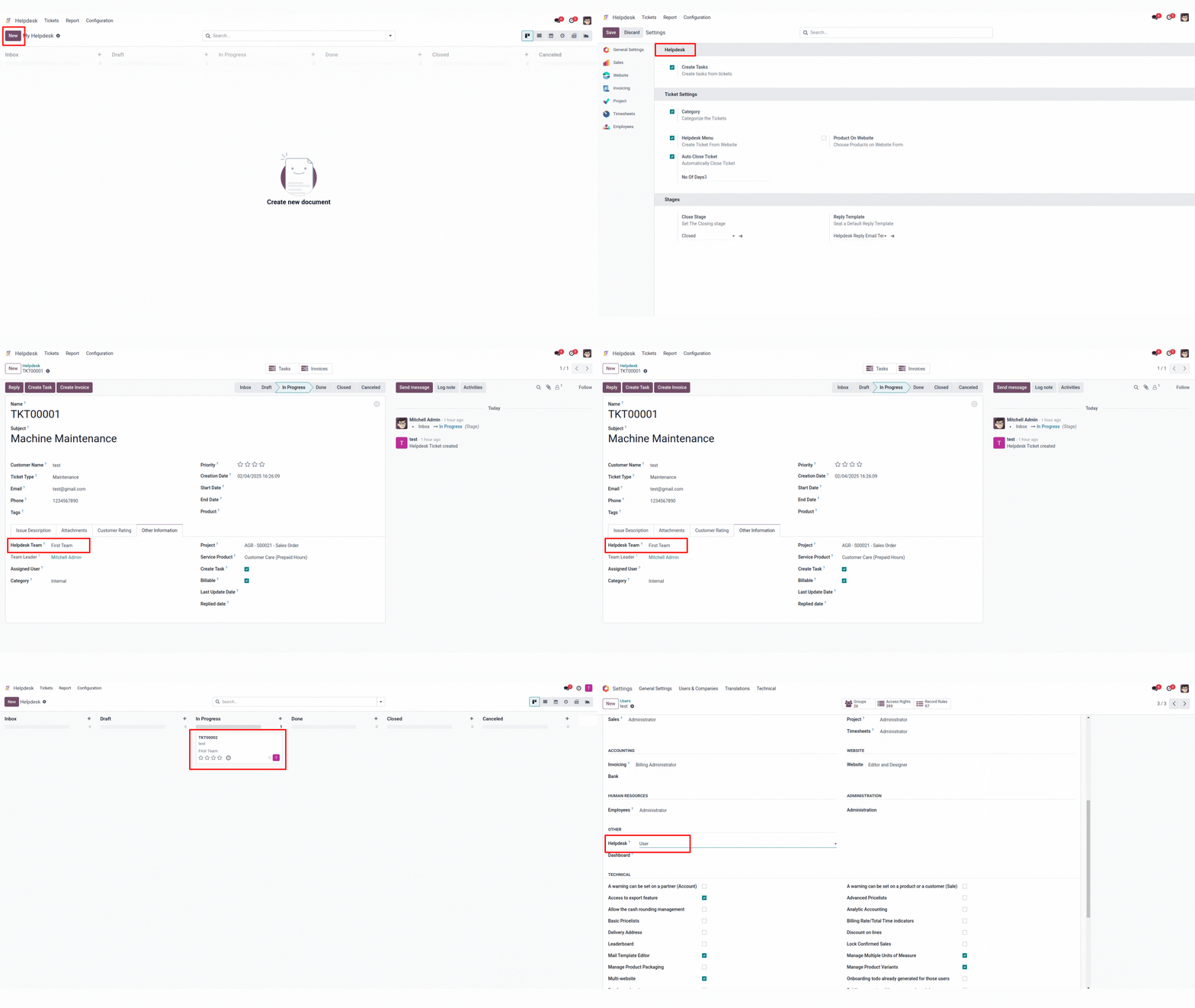
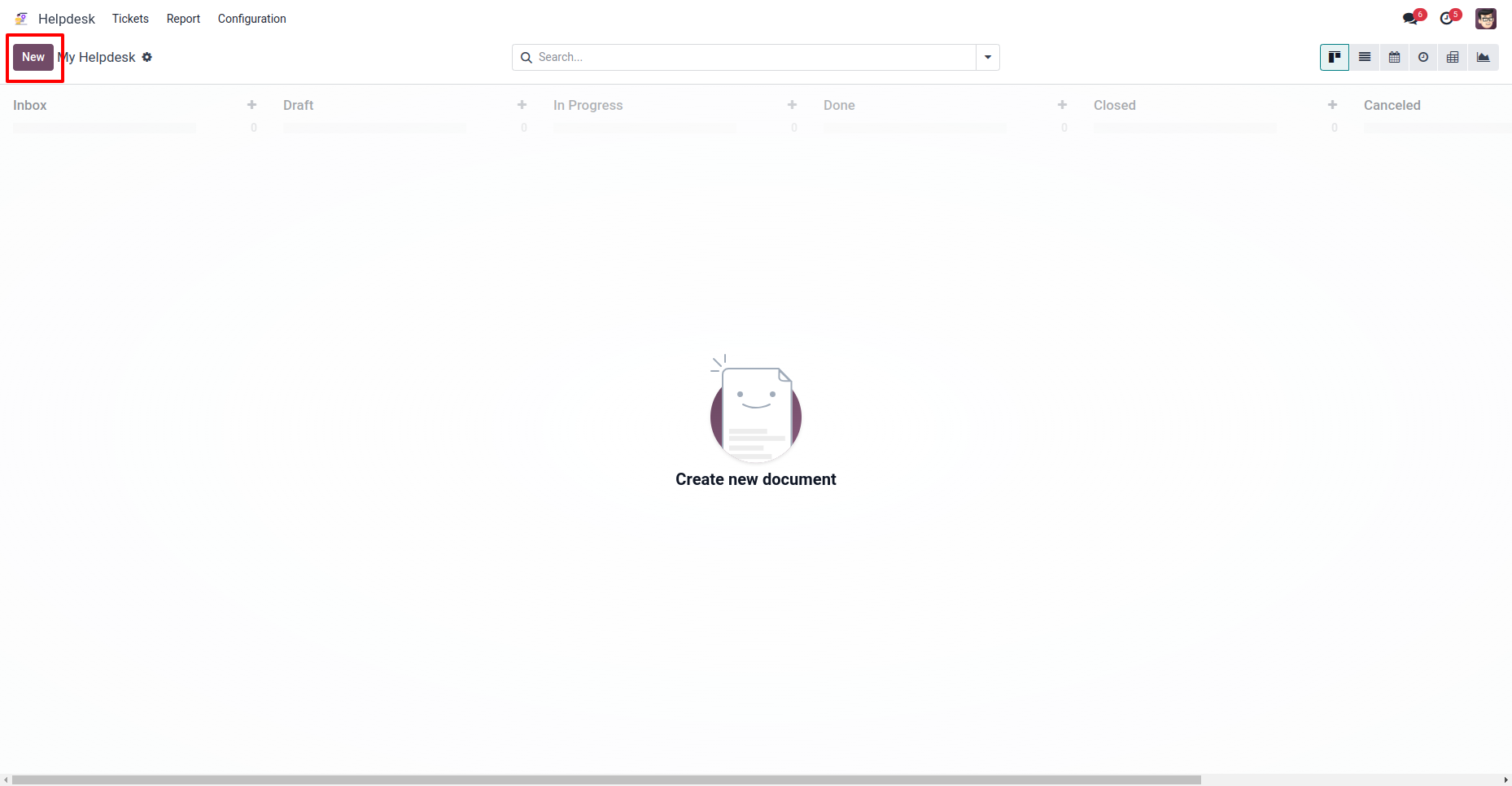
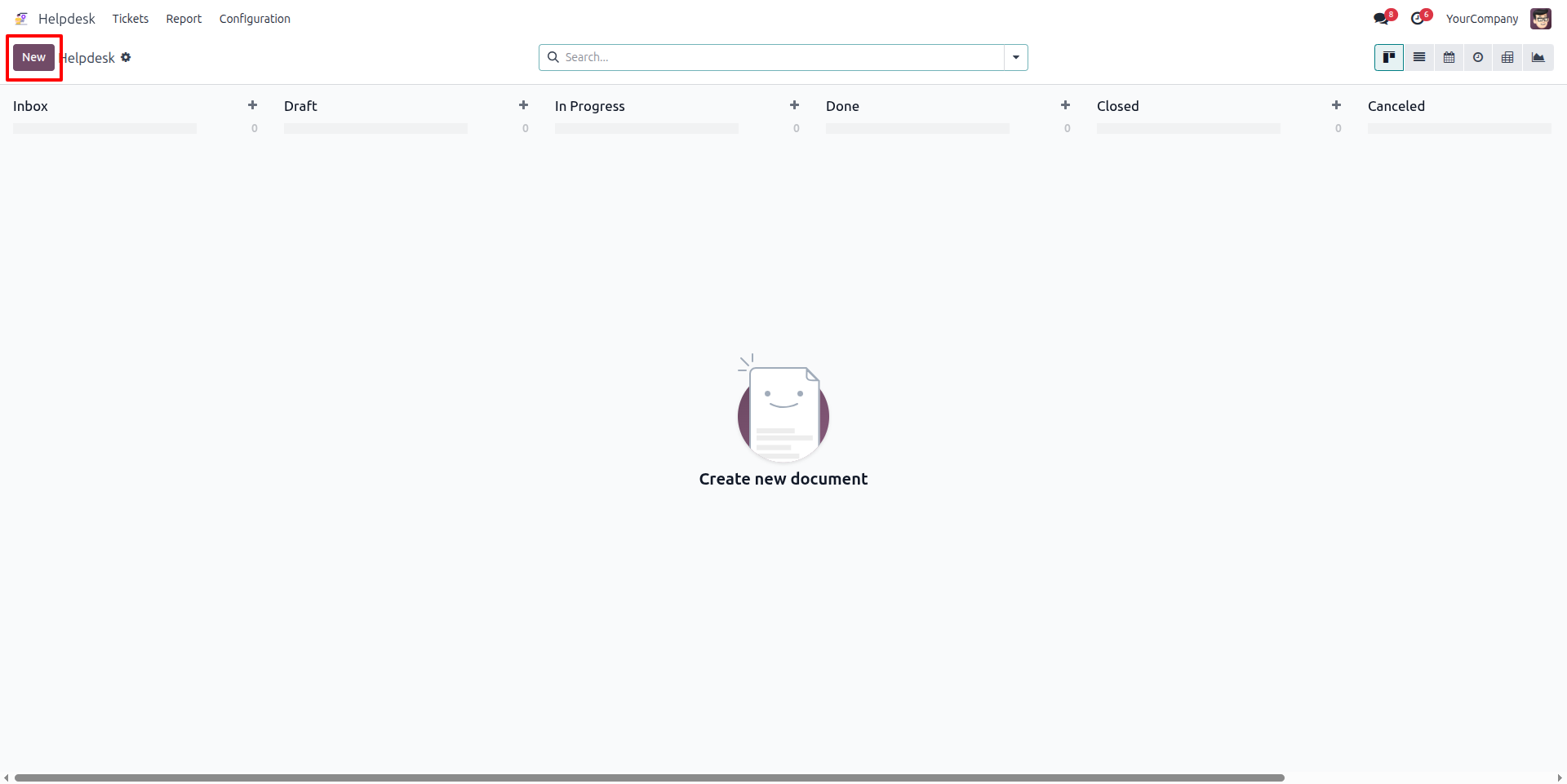
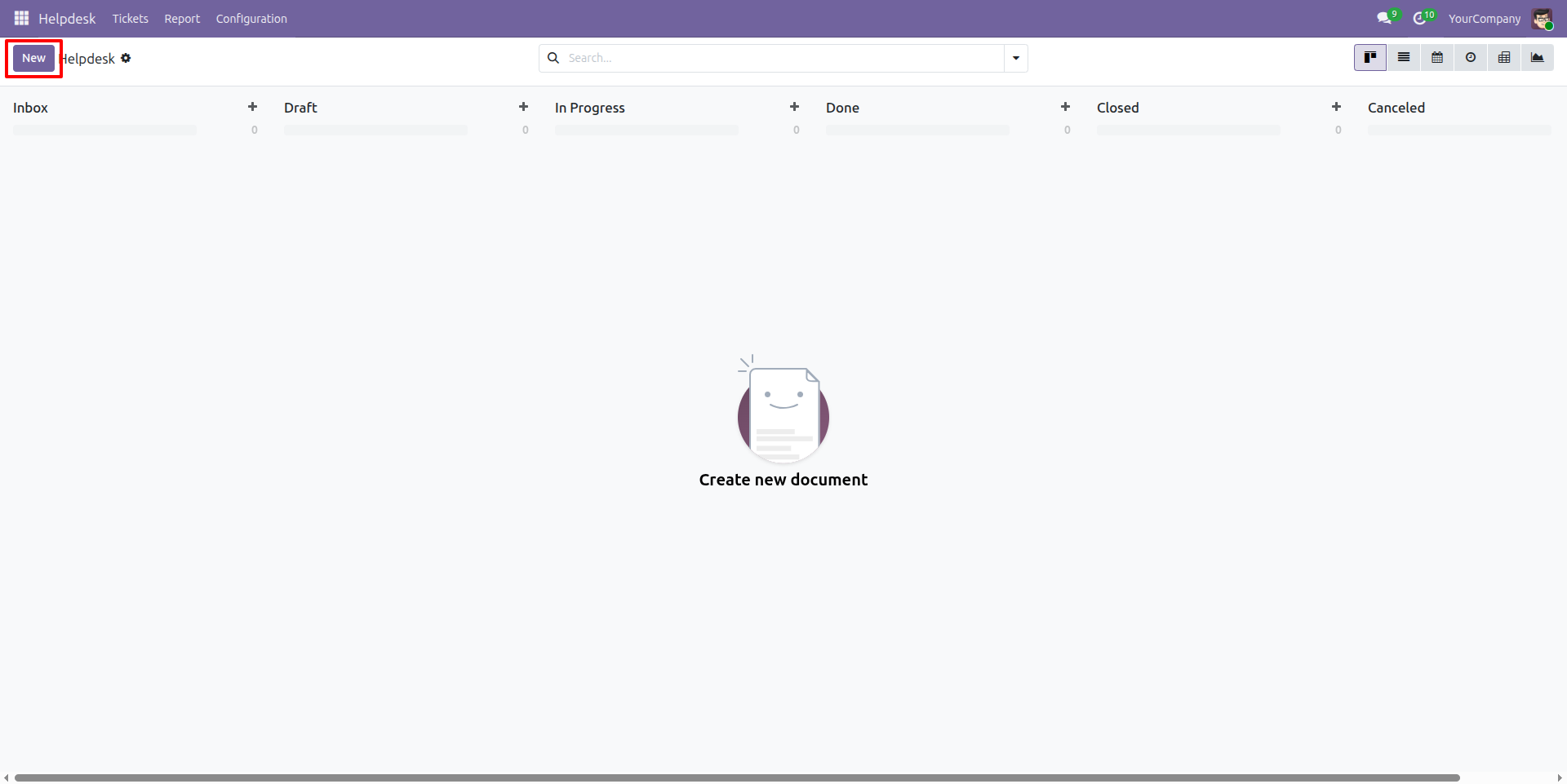
Create new helpdesk ticket
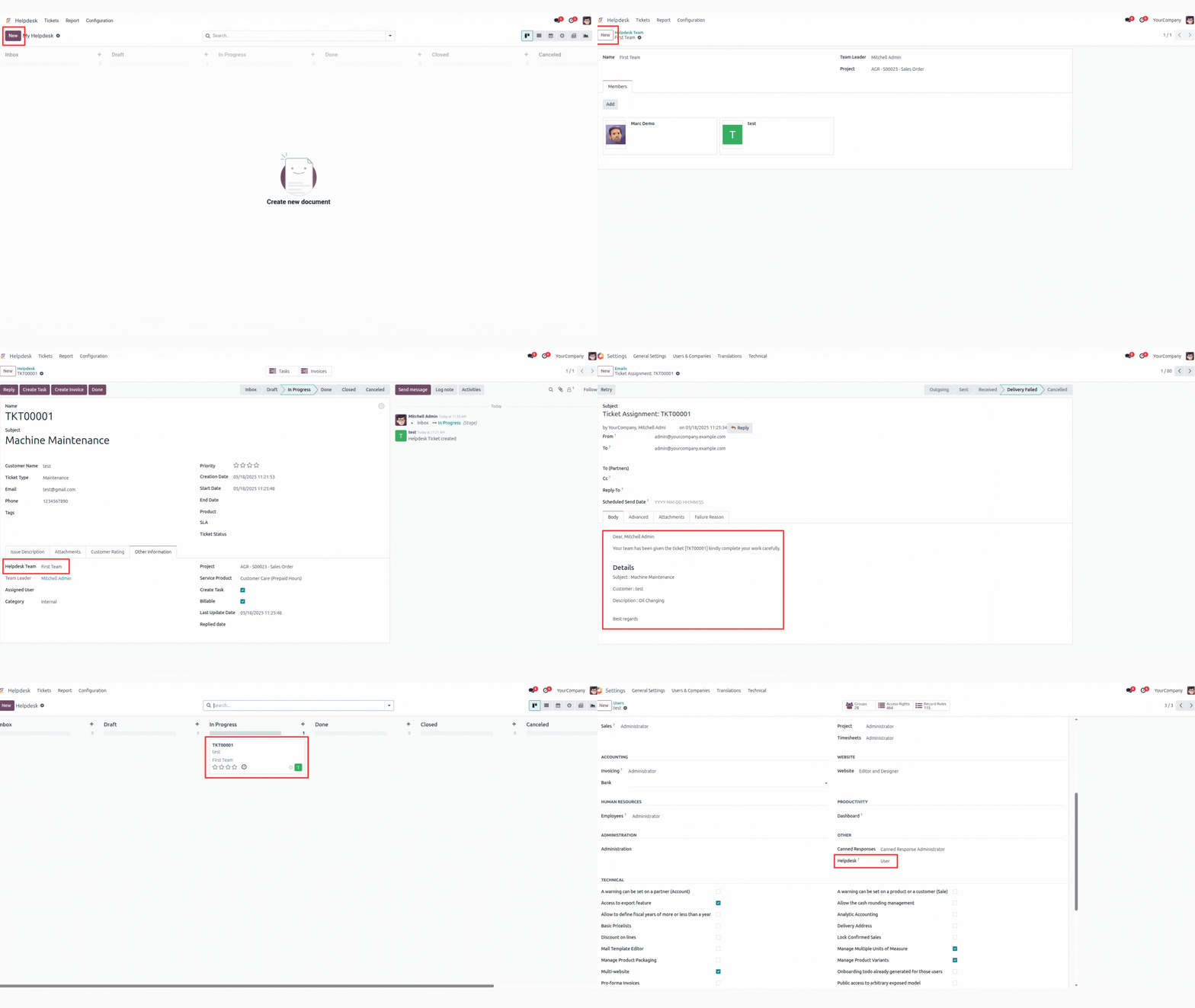
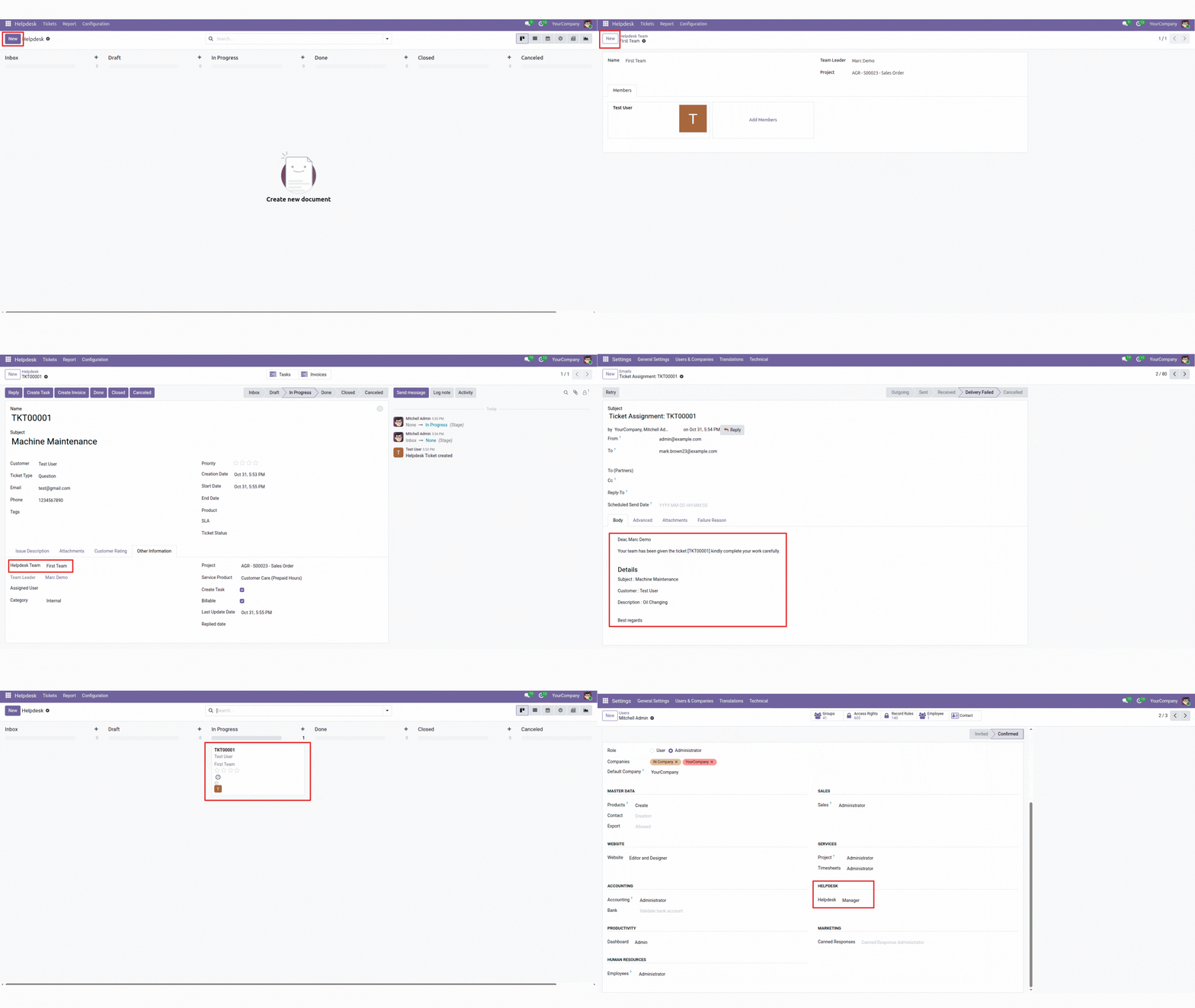
This is the ticket dashboard to show all tickets. You can click 'New' to create a ticket.
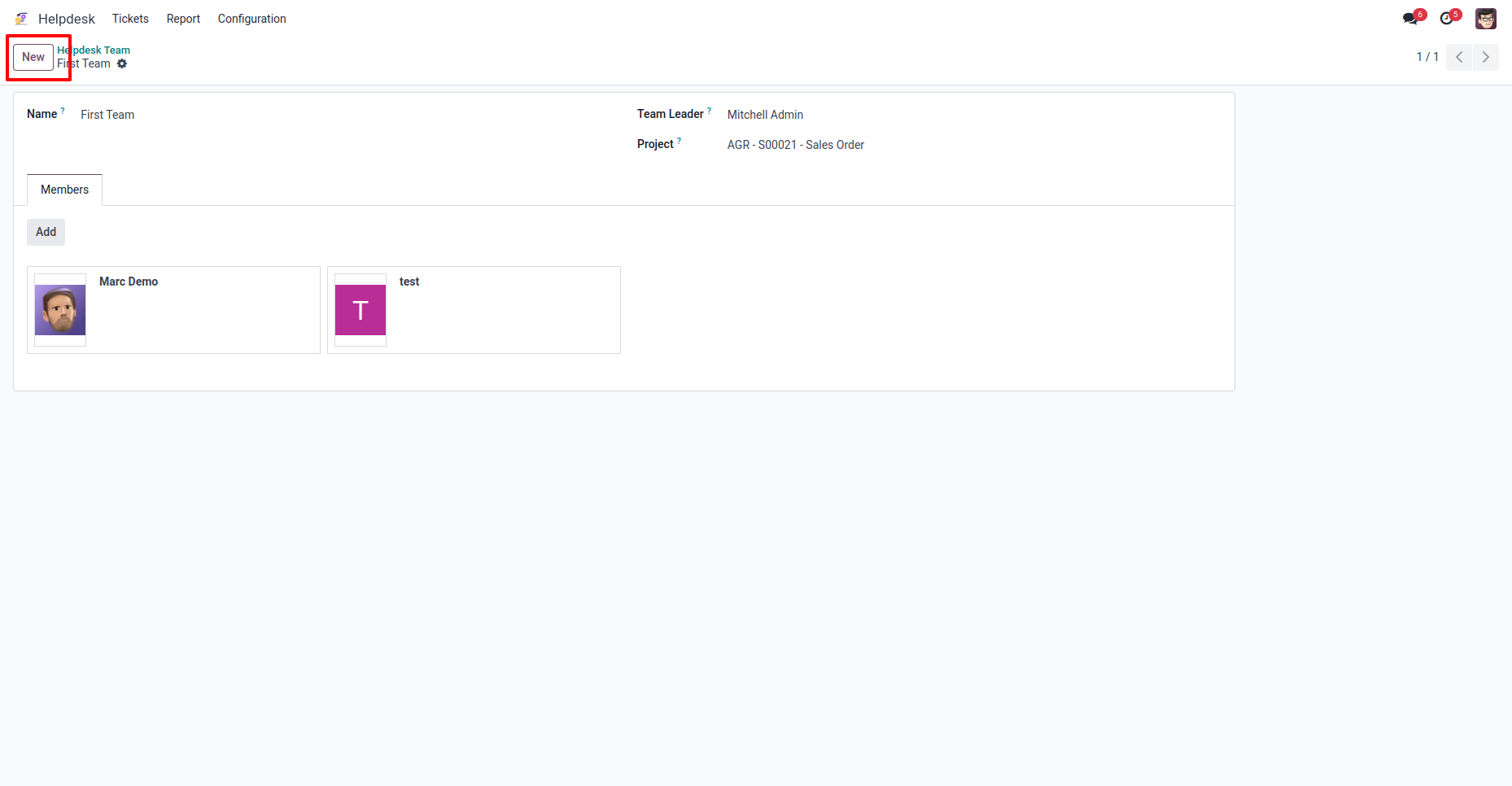
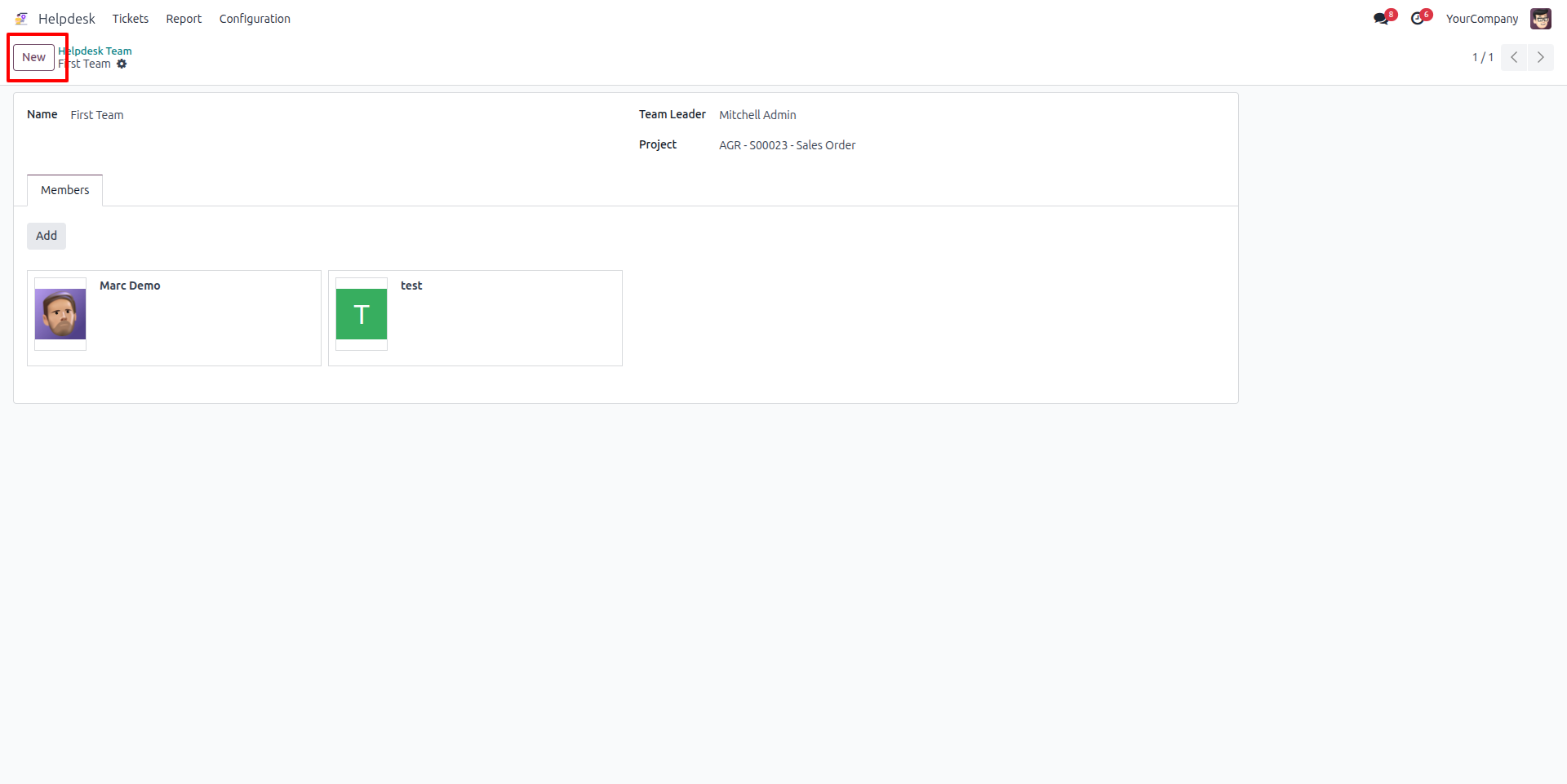
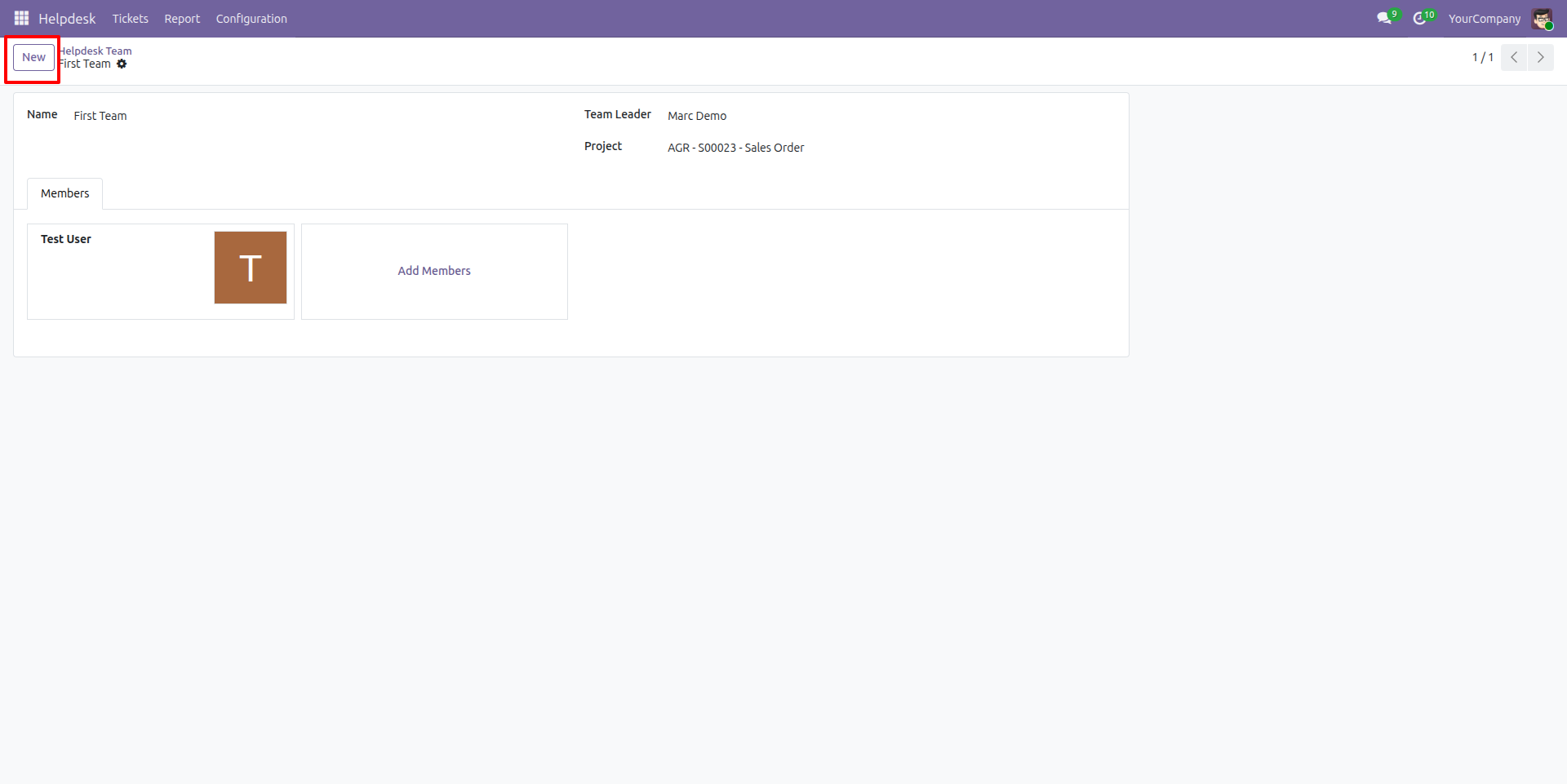
Create new teams
Create new teams to organize and assign tasks within your organization. Define team members, assign roles, and set responsibilities to ensure effective collaboration and ticket management.
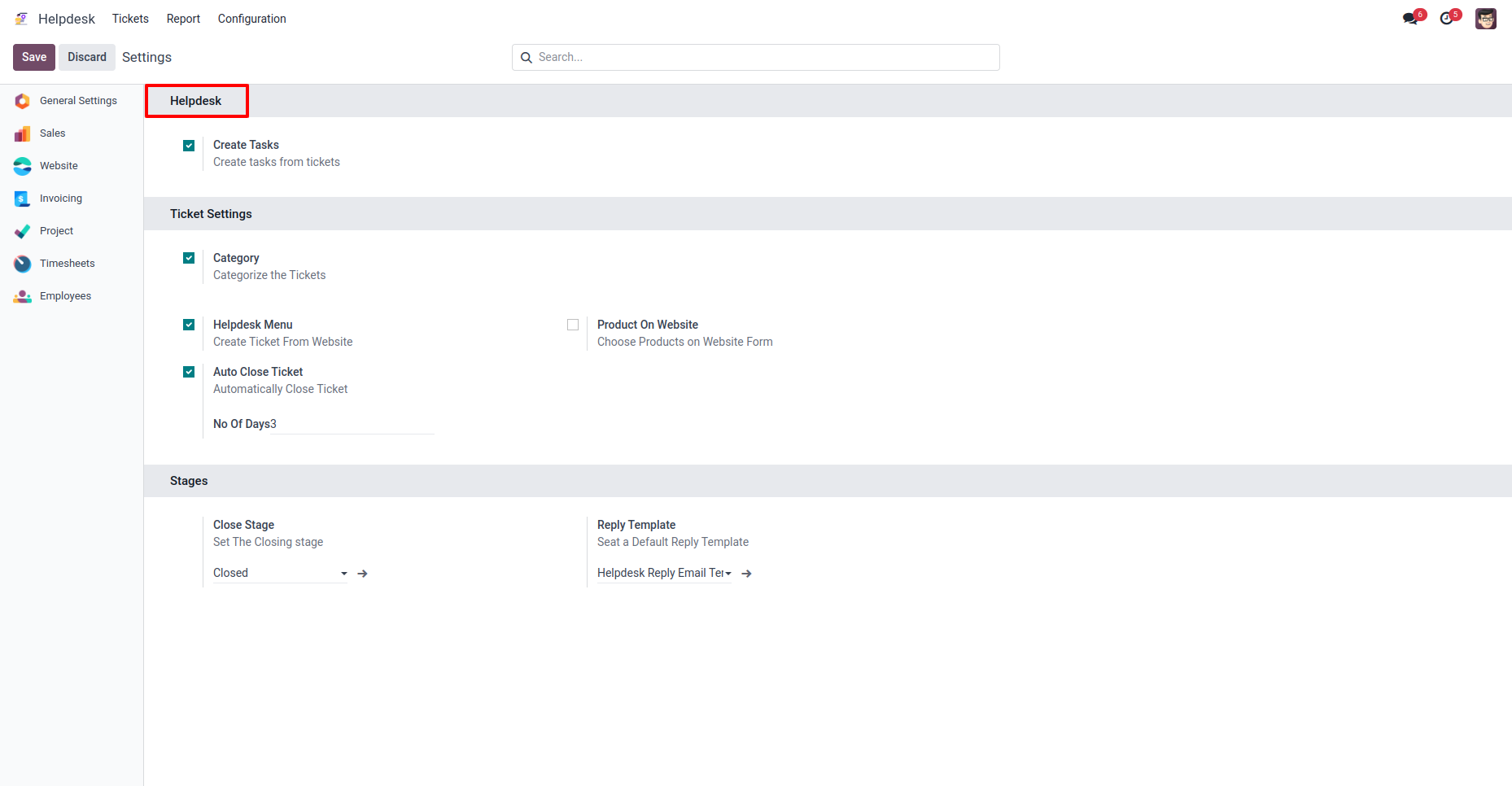
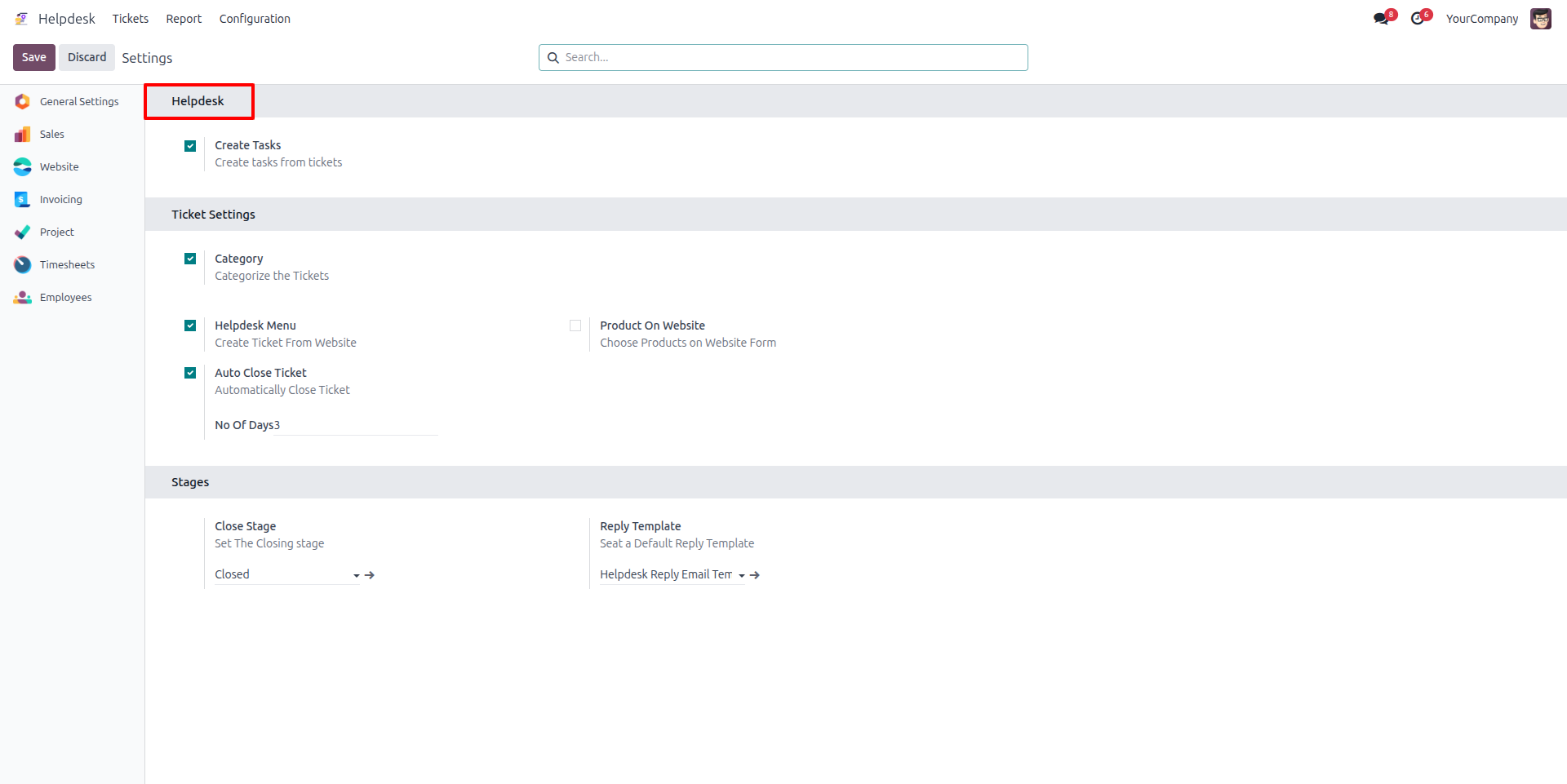
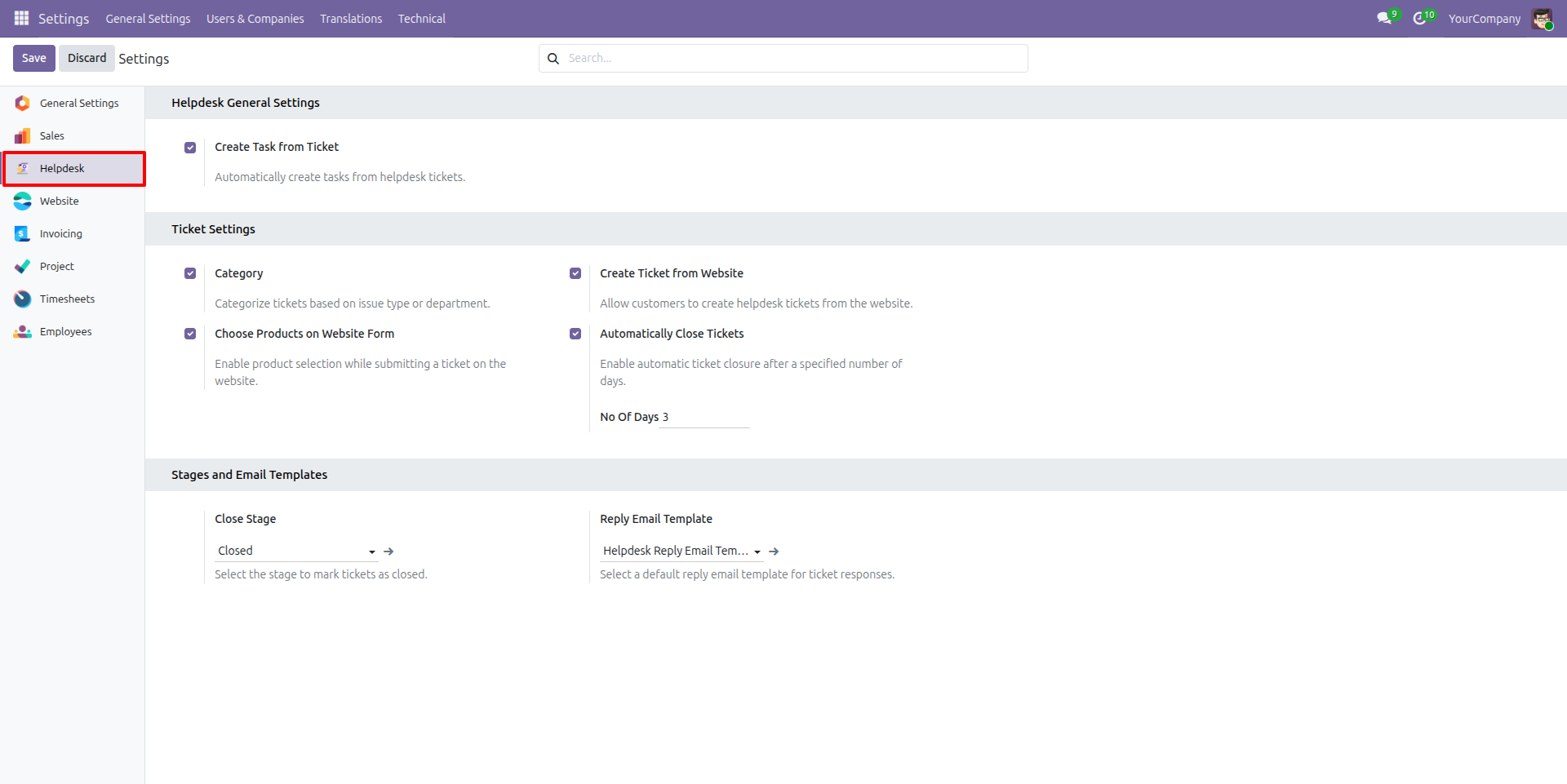
Website helpdesk configuration
Under the settings menu in the helpdesk configuration, you can manage various support options. This includes setting up categories, creating tasks, enabling auto-close for tickets, and configuring other features to optimize the helpdesk functionality and improve support operations.
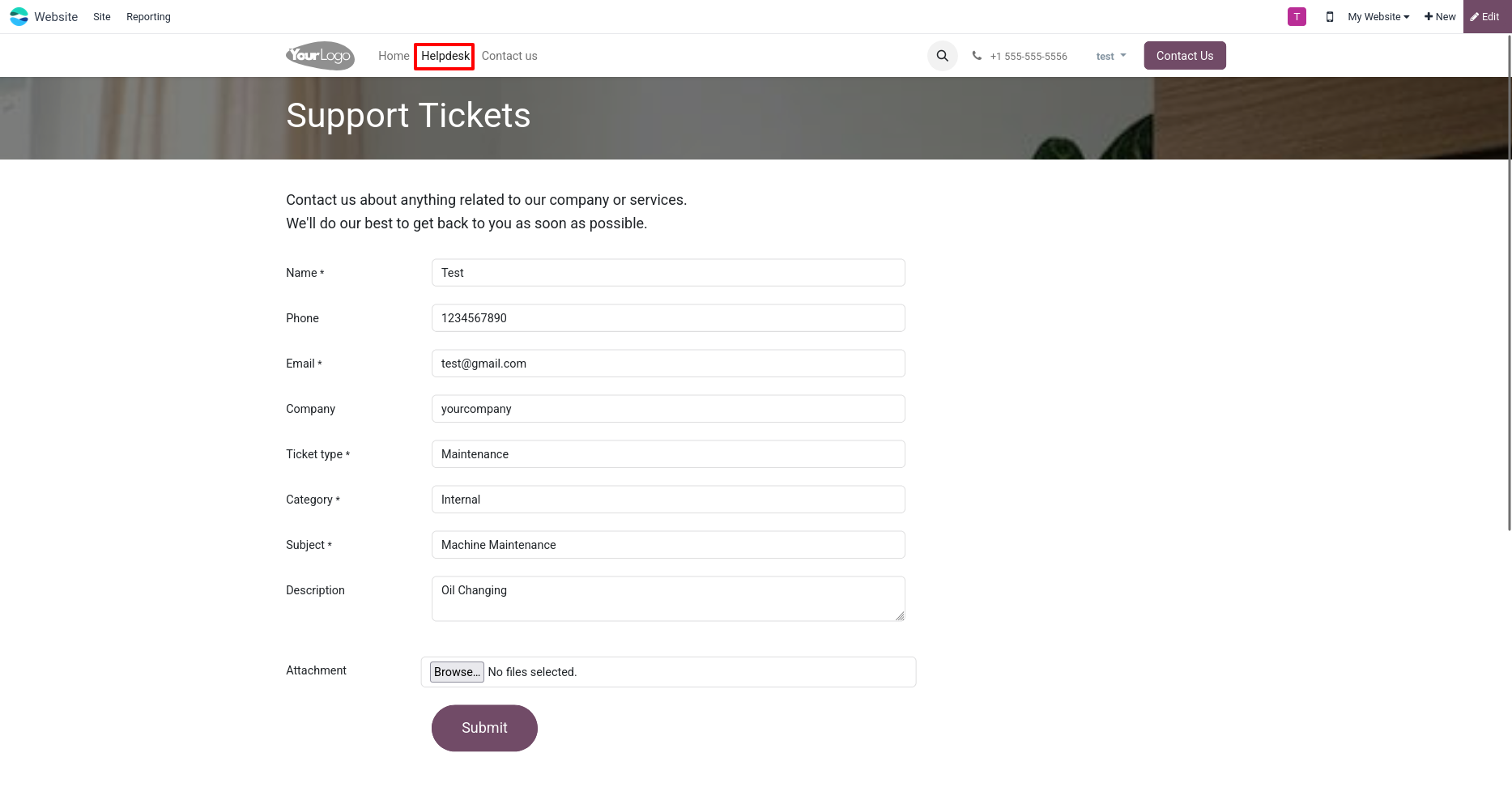
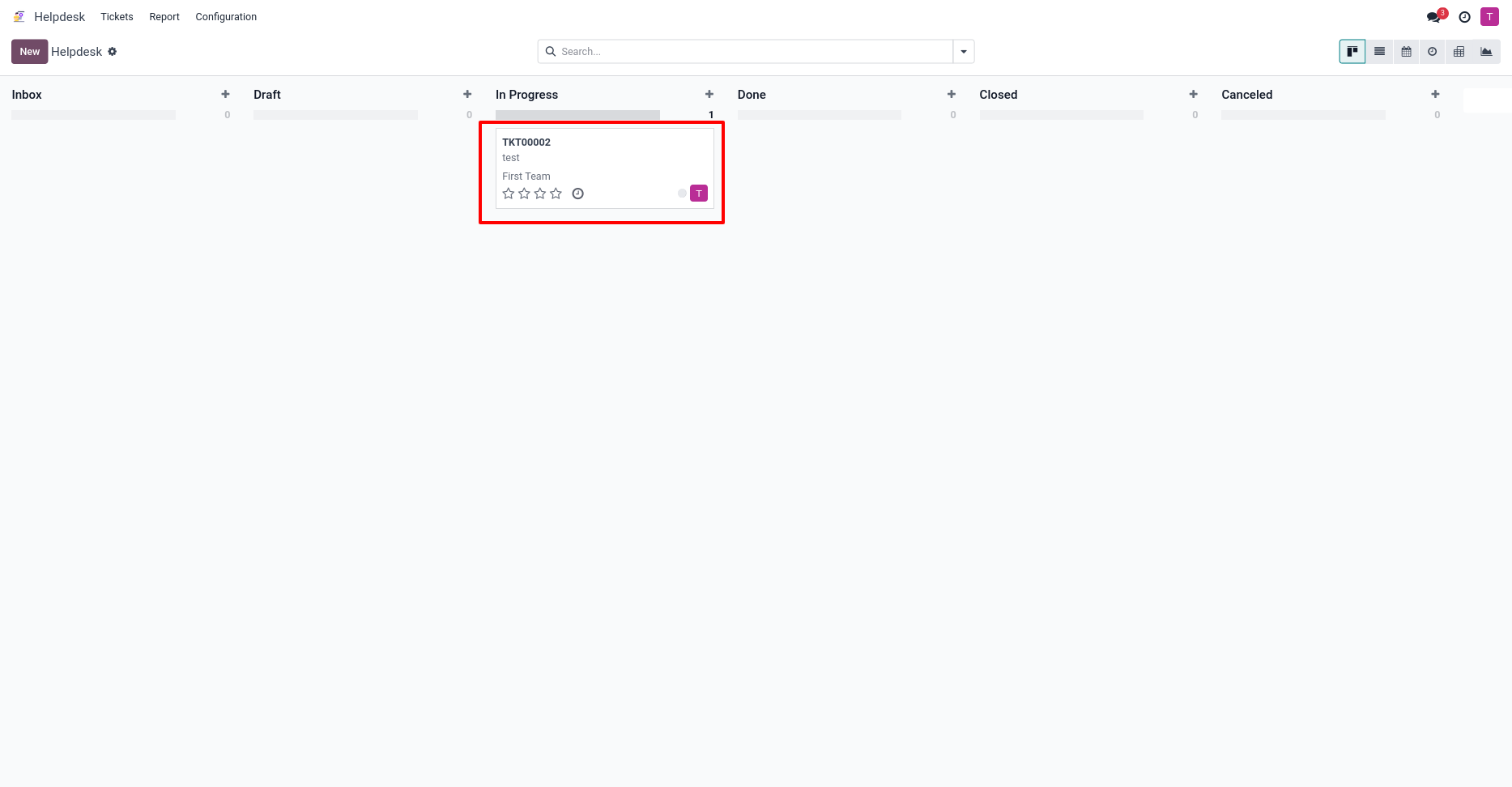
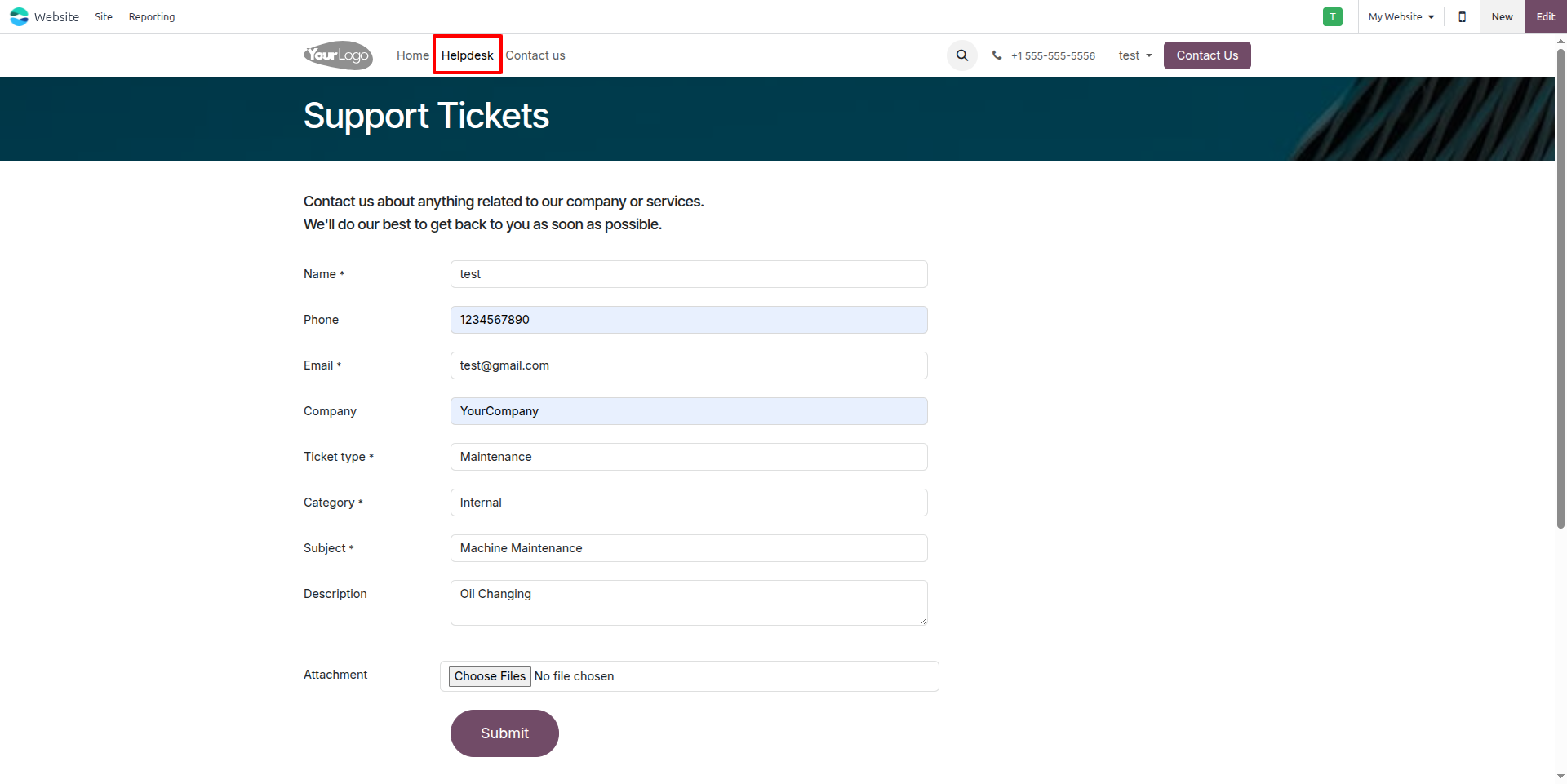
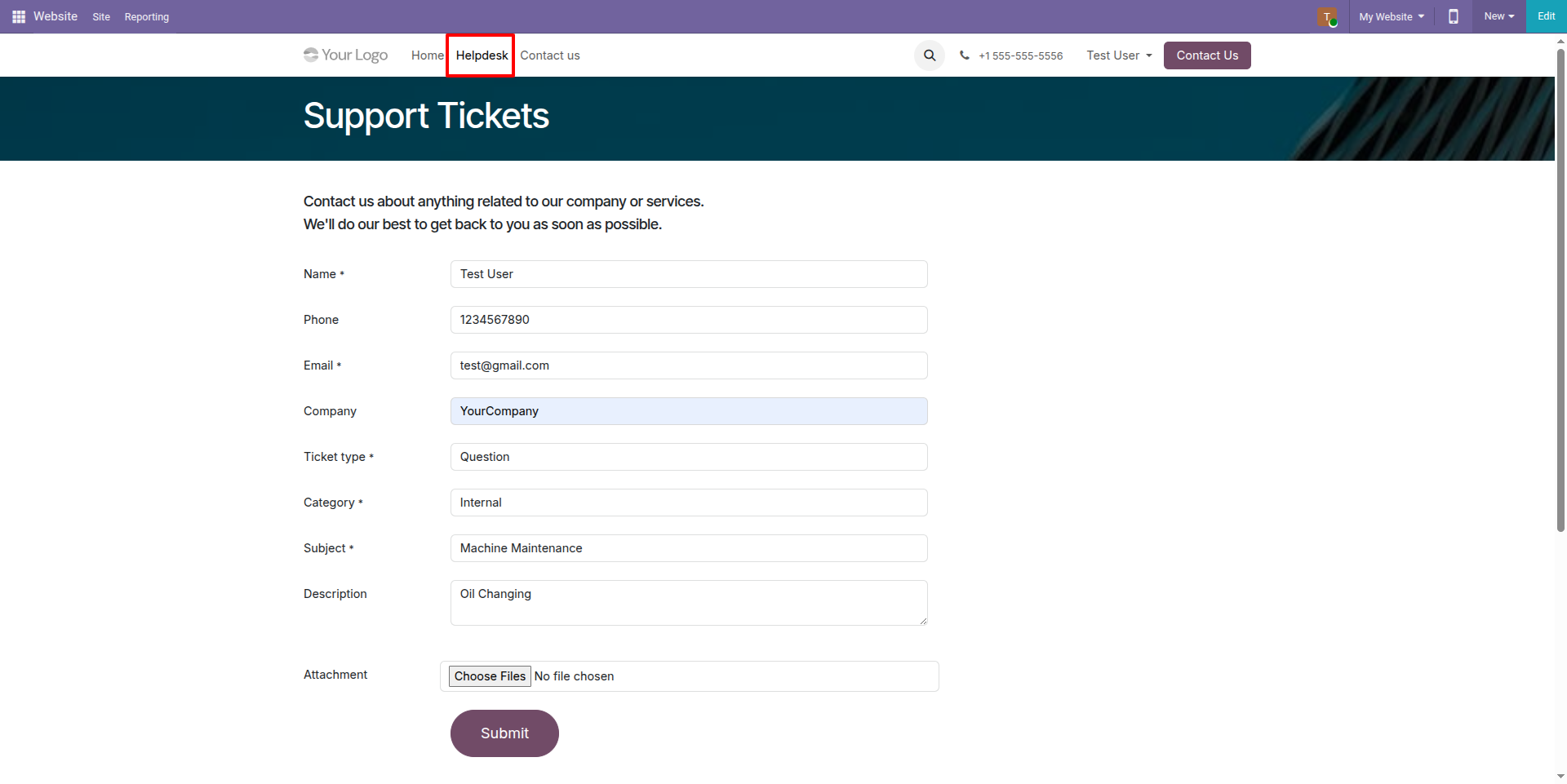
Create a ticket under website
Create a ticket under Website and show the created ticket on the Helpdesk dashboard.
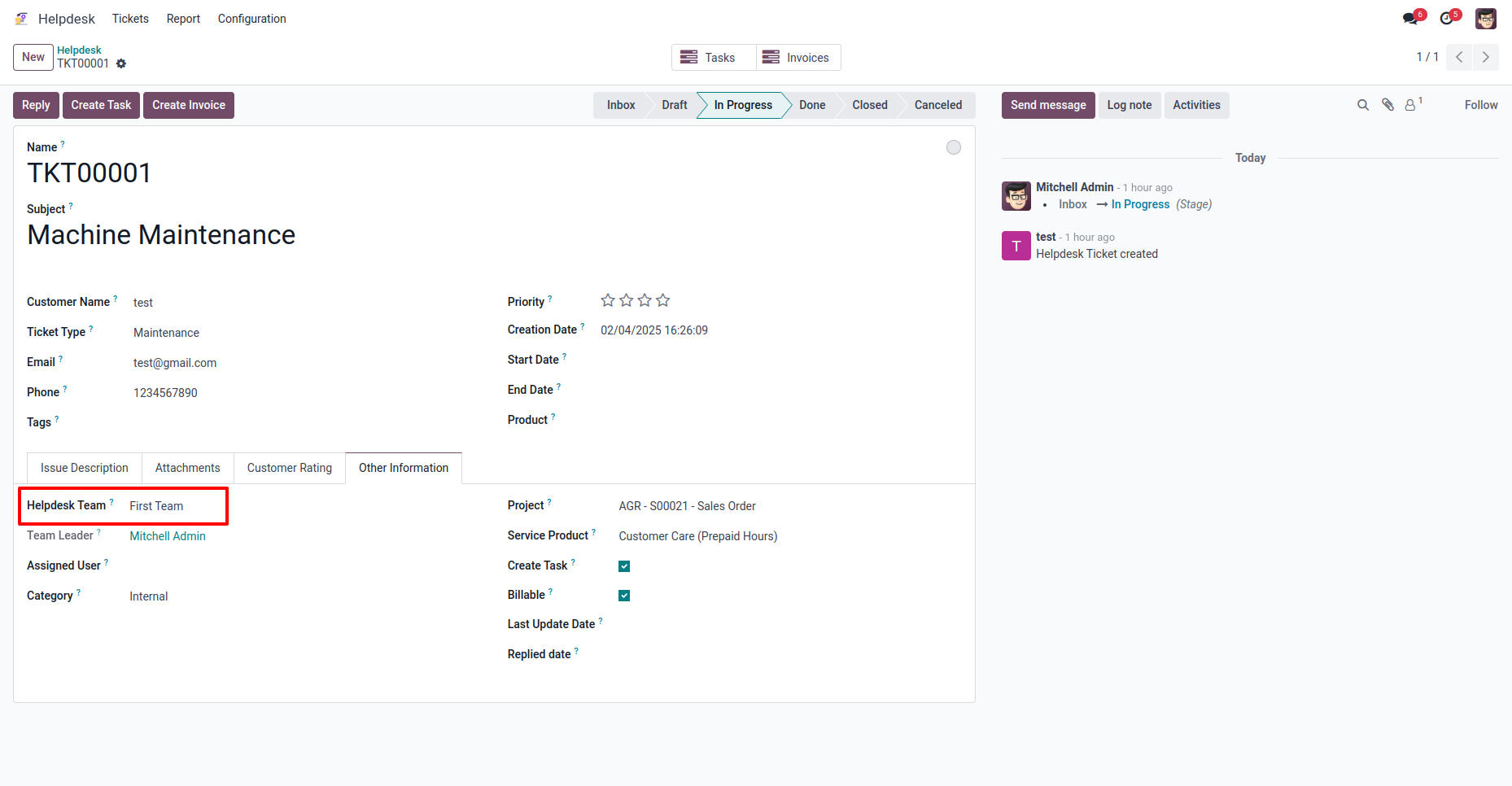
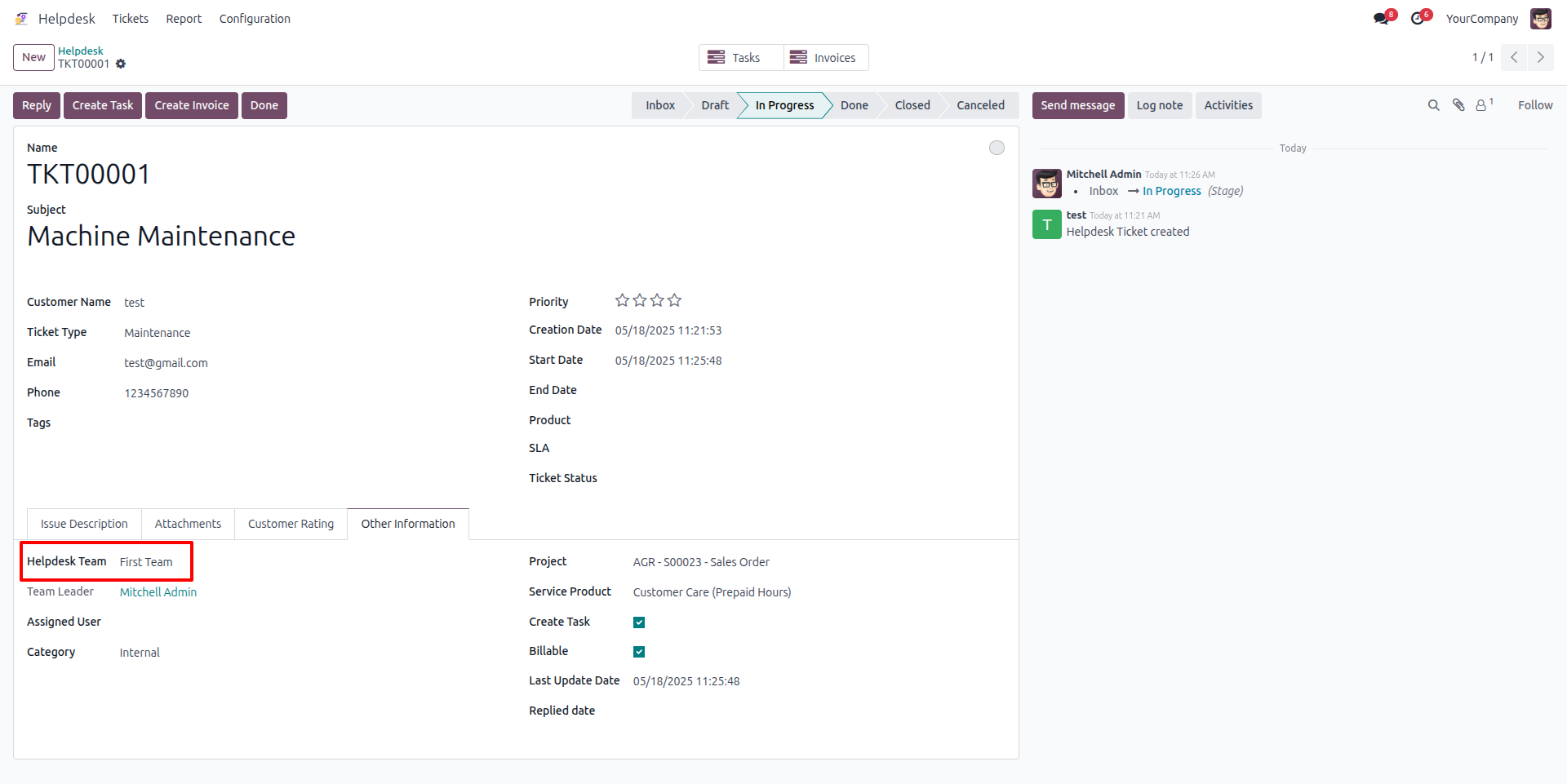
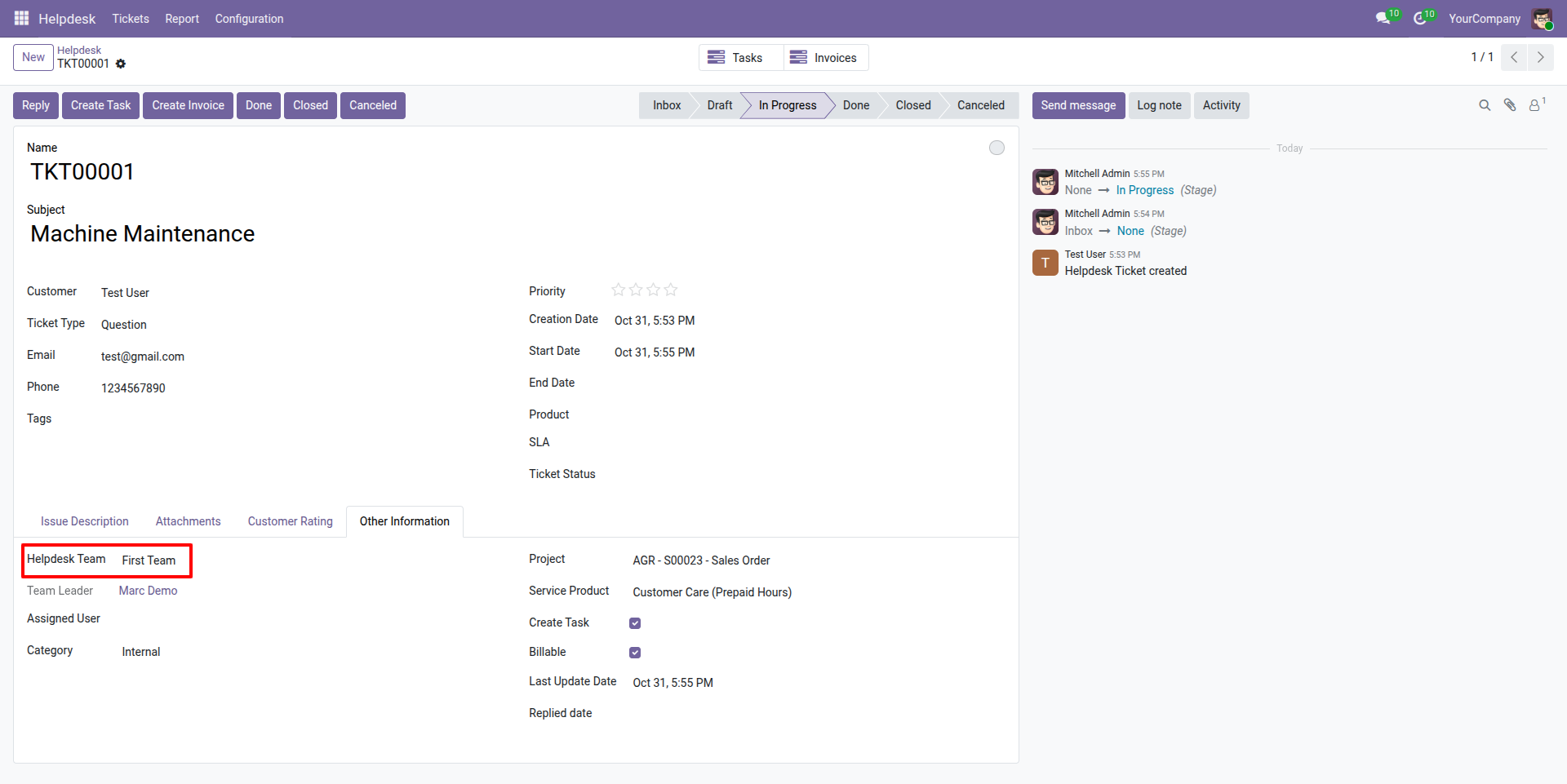
Select helpdesk team
Select and assign the ticket to the appropriate helpdesk team for efficient handling and resolution.
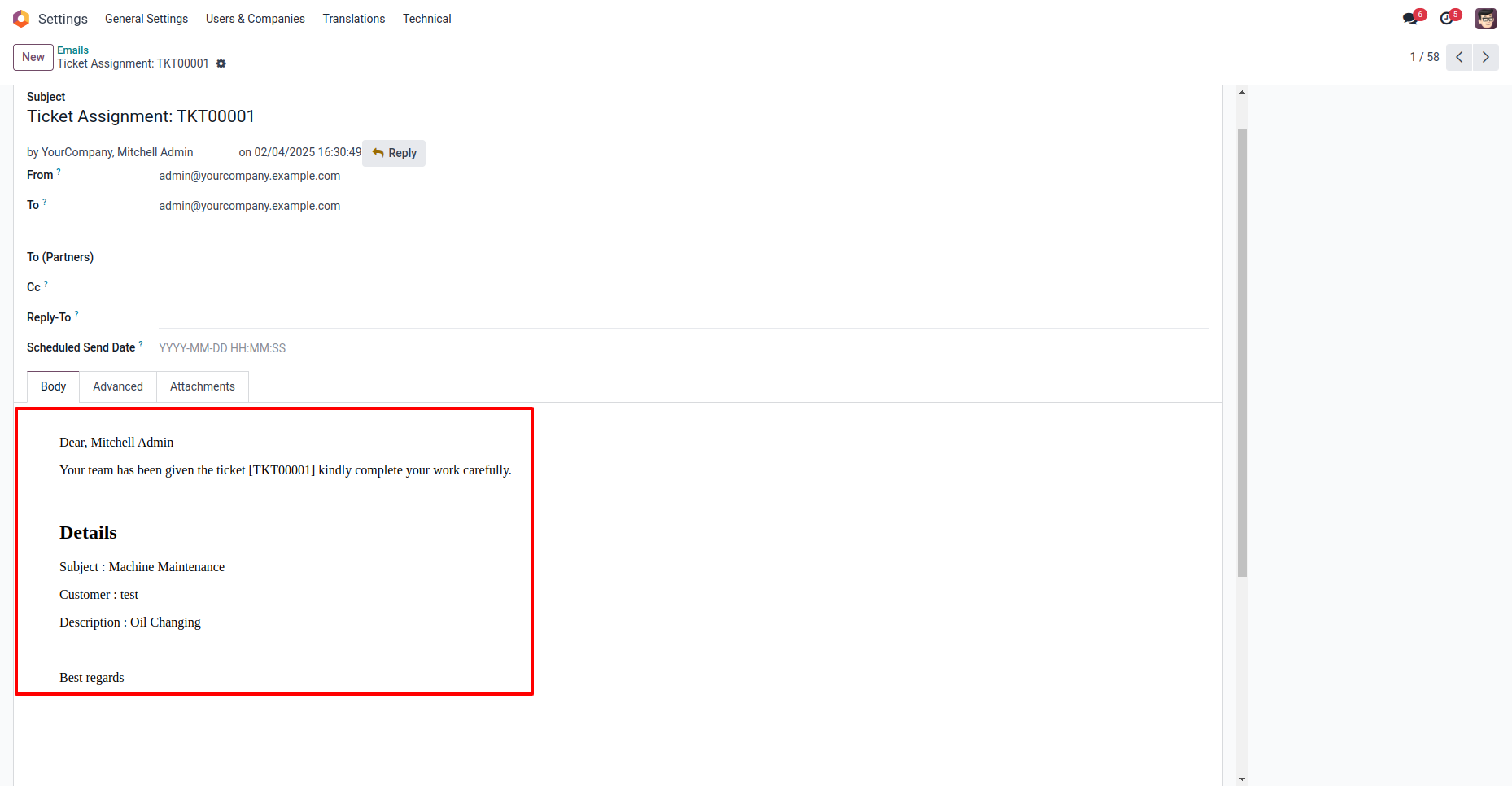
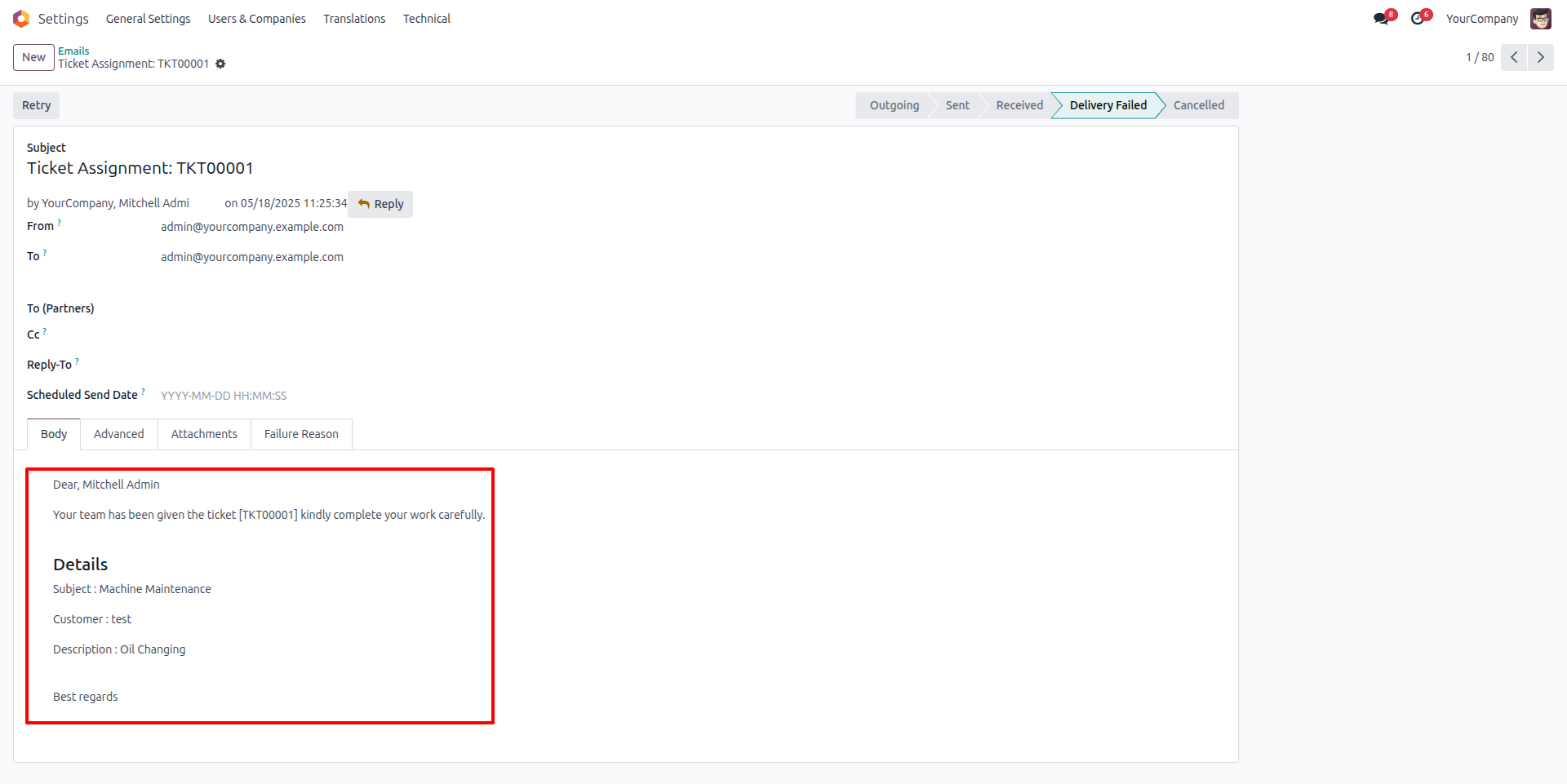
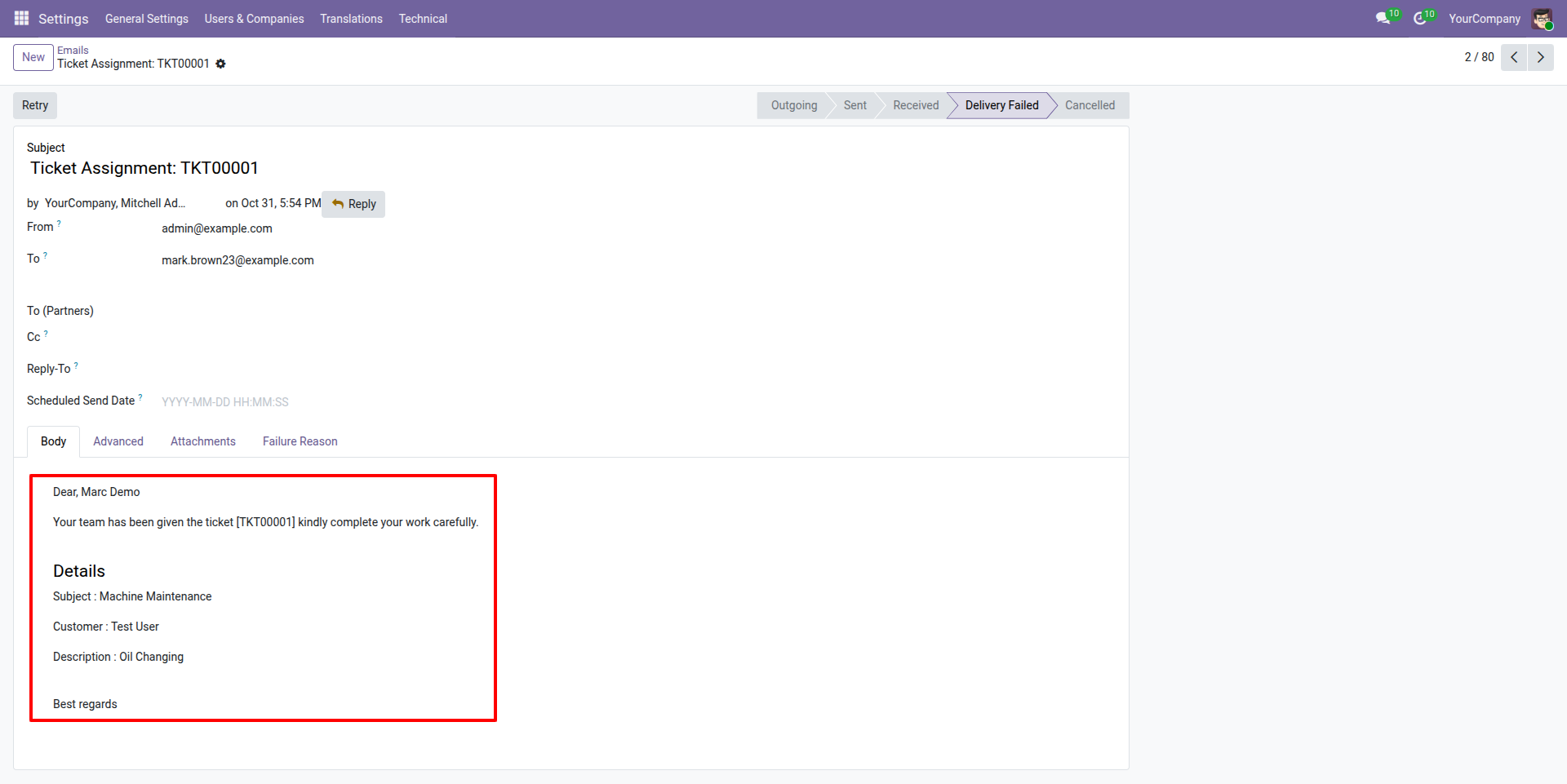
Ticket Assign Email
After selecting the helpdesk team, an email notification is automatically sent to inform them that the ticket has been assigned to their team for resolution.
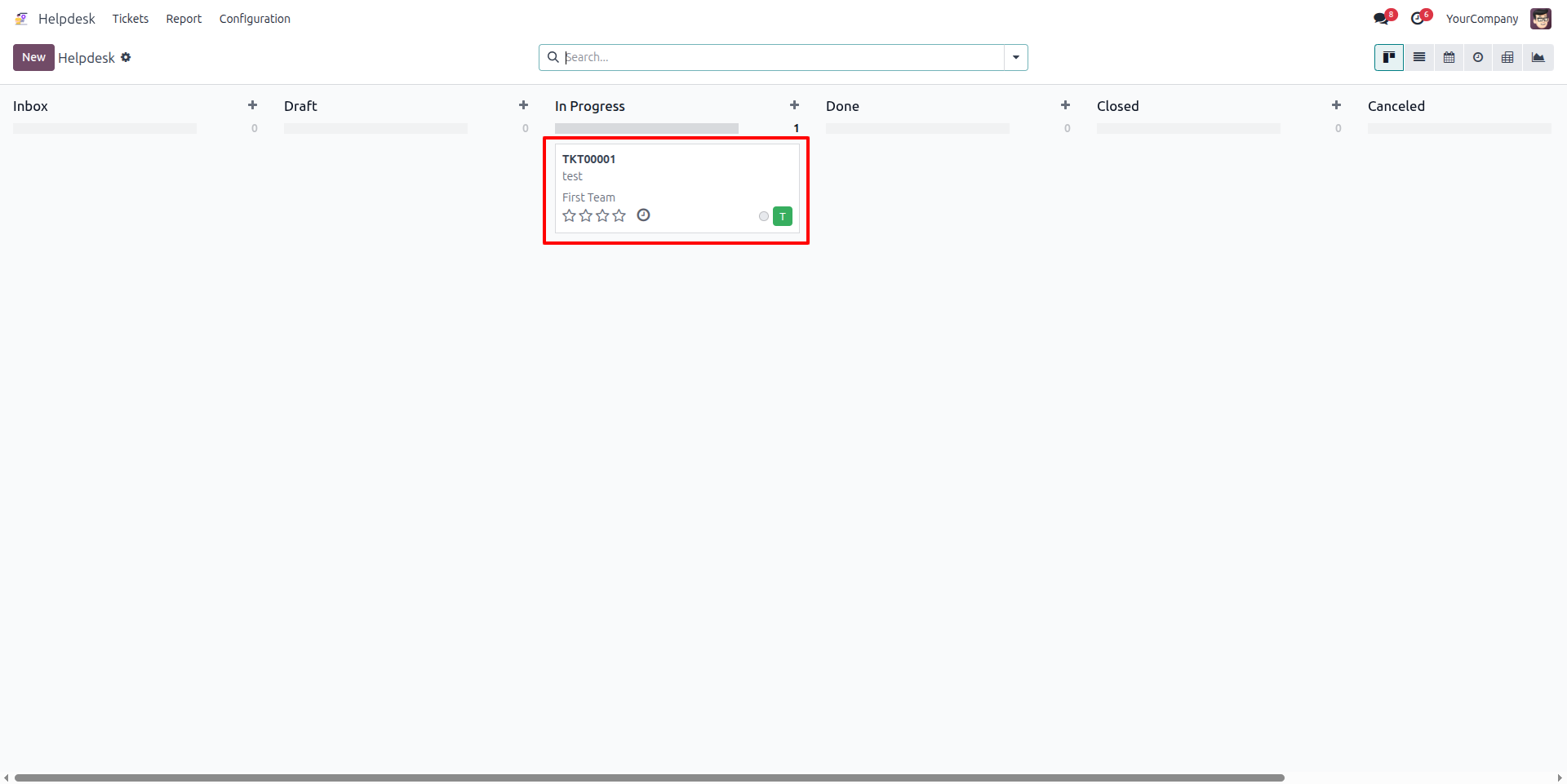
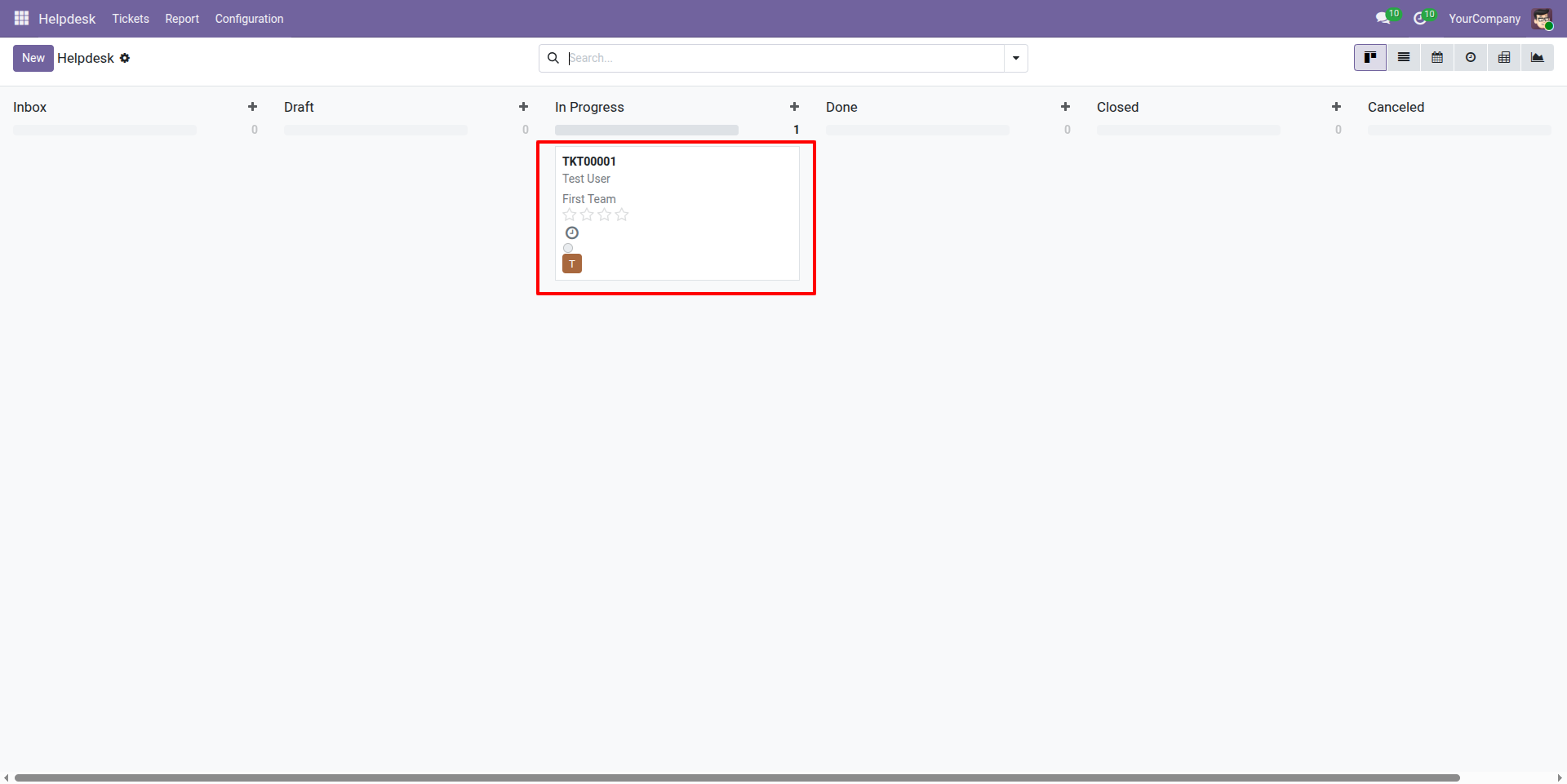
Show all tickets
This section displays all the tickets that have been assigned to you, allowing you to view and manage them efficiently.
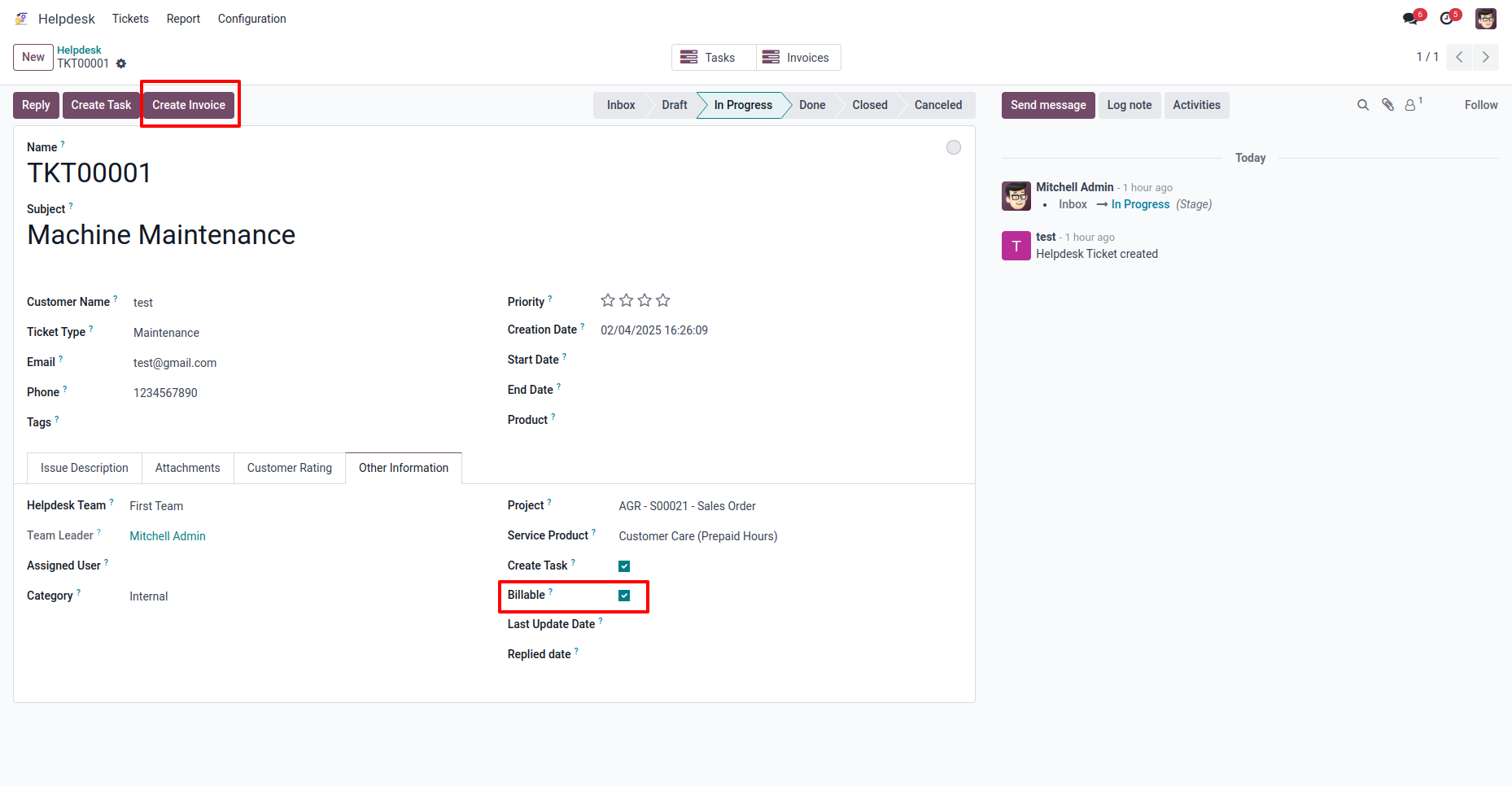
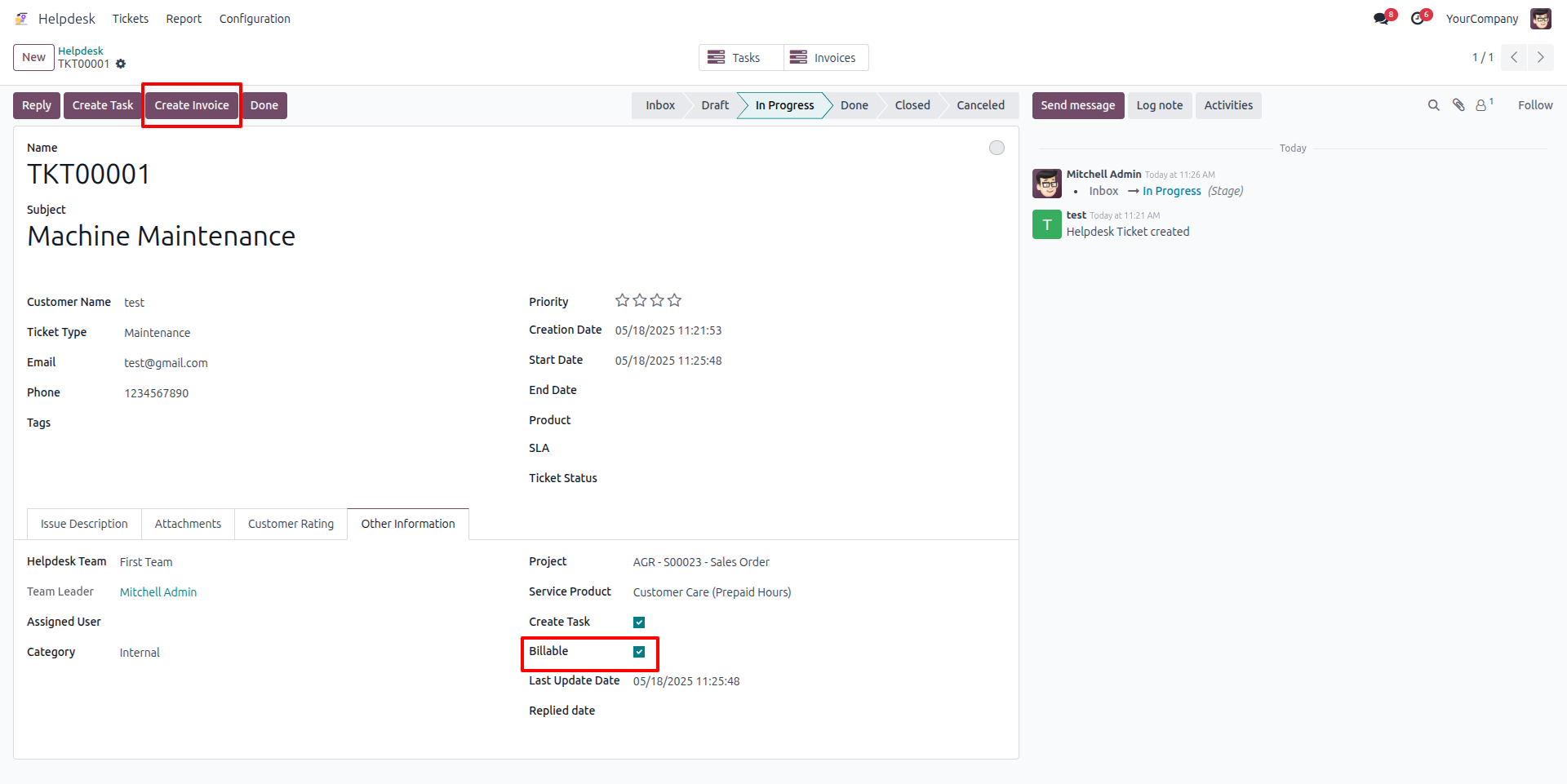
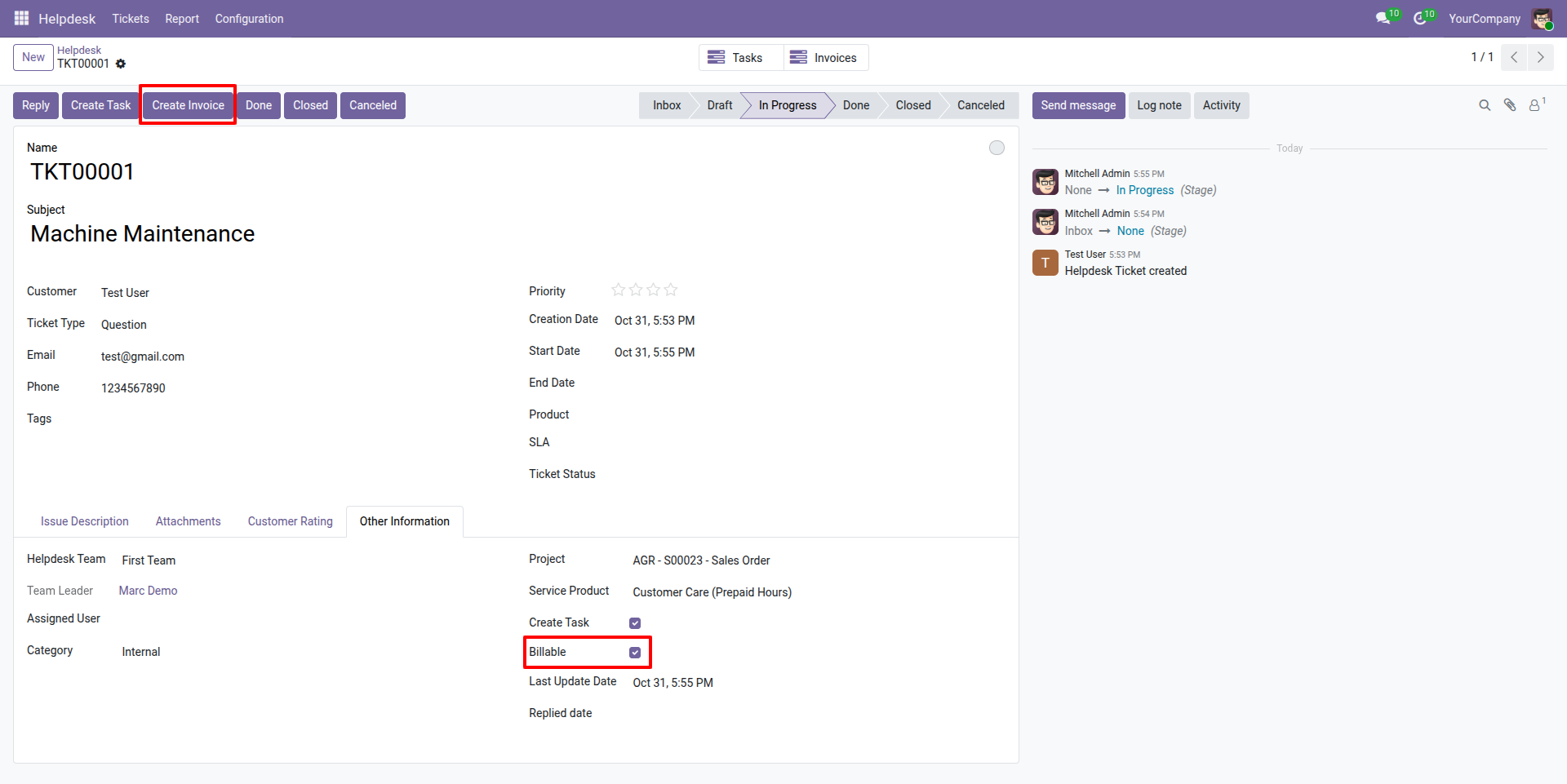
Create Invoice for Billable Ticket
Generate an invoice for tickets marked as billable. Ensure all relevant details, such as ticket number, description, and associated charges, are included in the invoice.
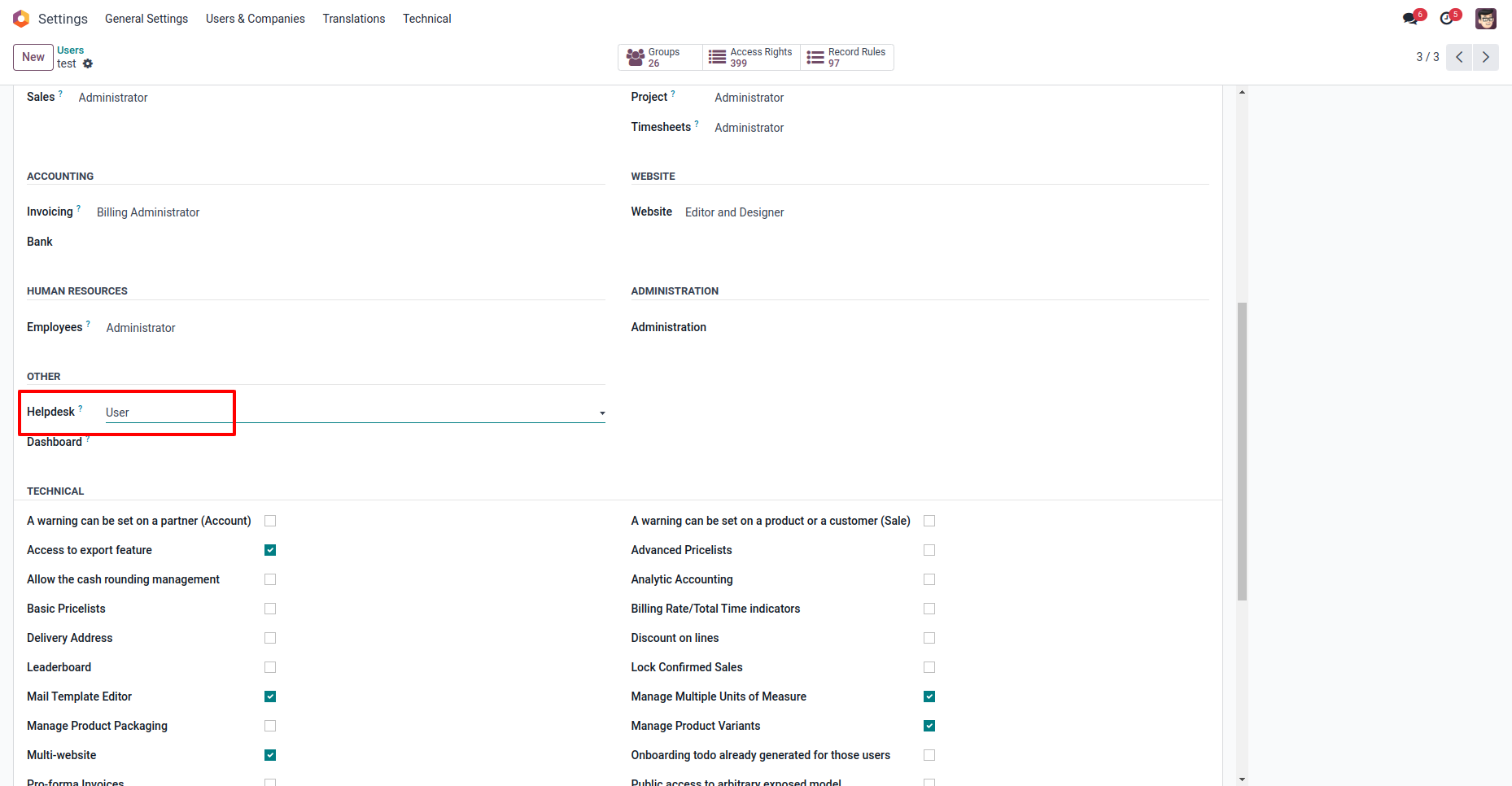
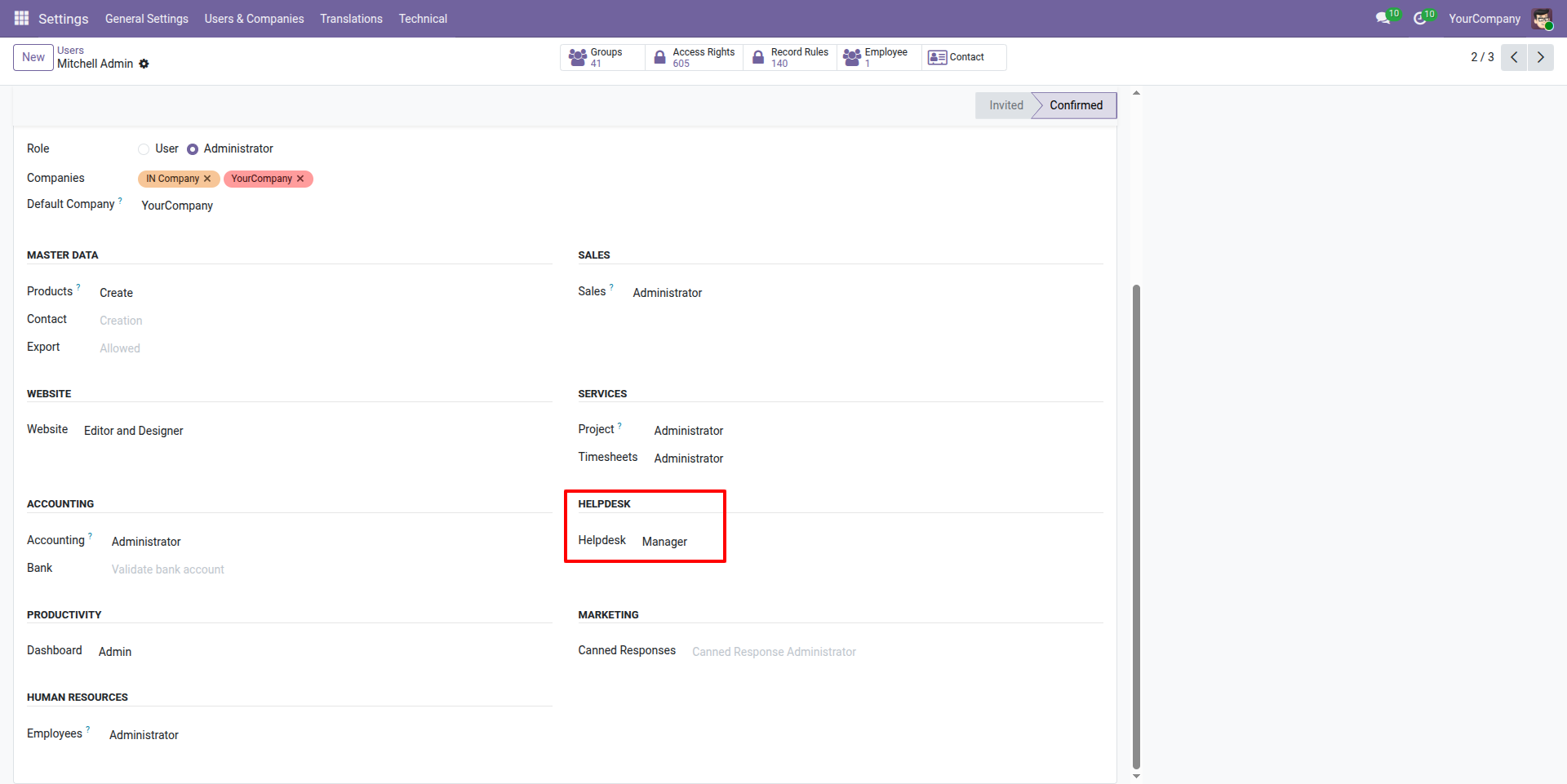
Assign User Roles
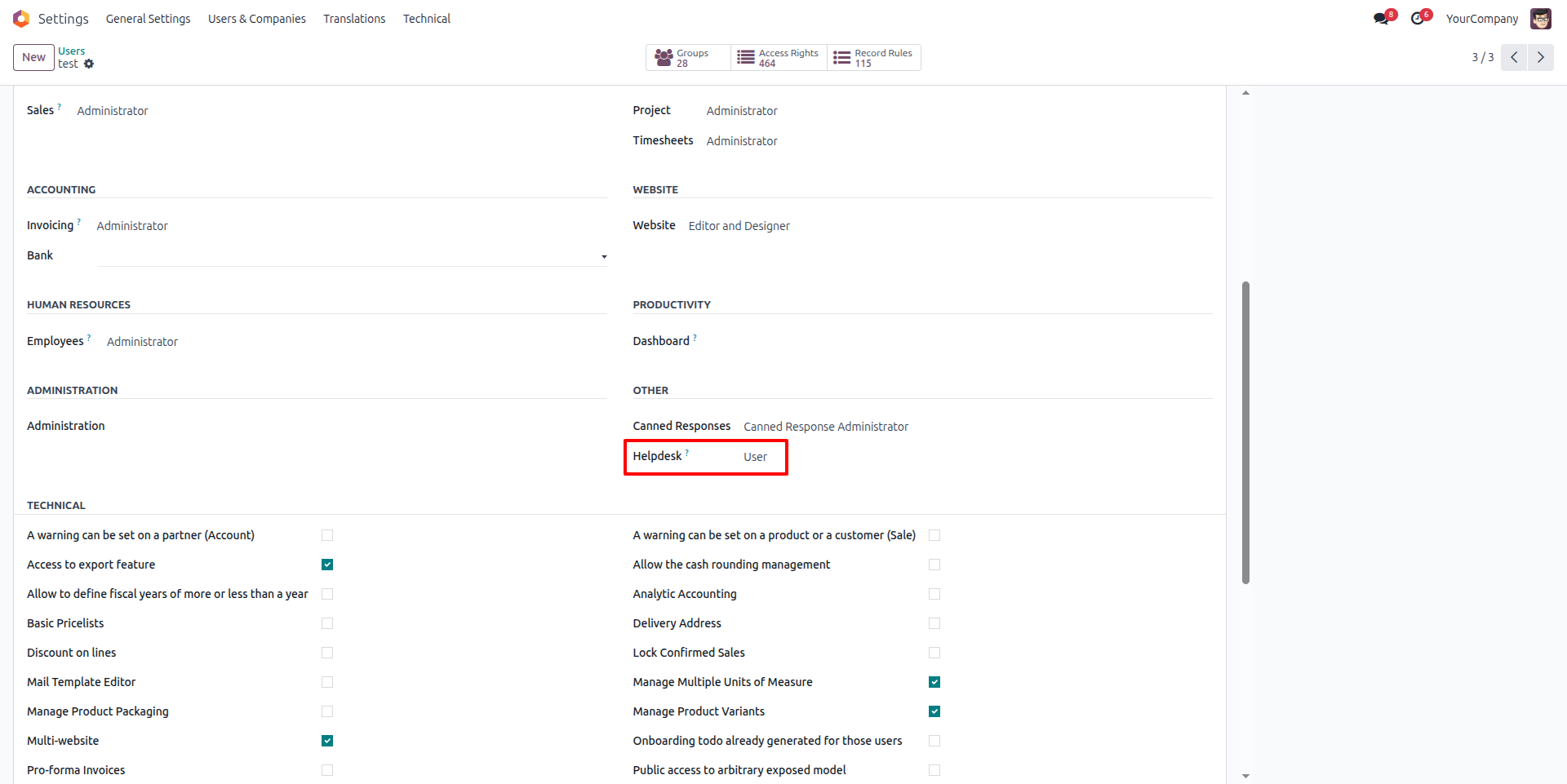
You can see the option to assign roles under the "Users" section. Here, you can select from roles such as User, Team Leader, or Manager. Simply choose the desired role for each individual to define their responsibilities and access levels accordingly.

Our Services

Our Industries

Support



Technical Information
kx_helpdesk_support_ticket
website
project
sale_project
hr_timesheet
mail
contacts
Supported Versions
17.0.1.0.2
₹ 4,742.16
18.0.1.0.0
₹ 4,742.16
19.0.1.0
₹ 4,742.16