?unique=1d6fd7c)


Screenshots
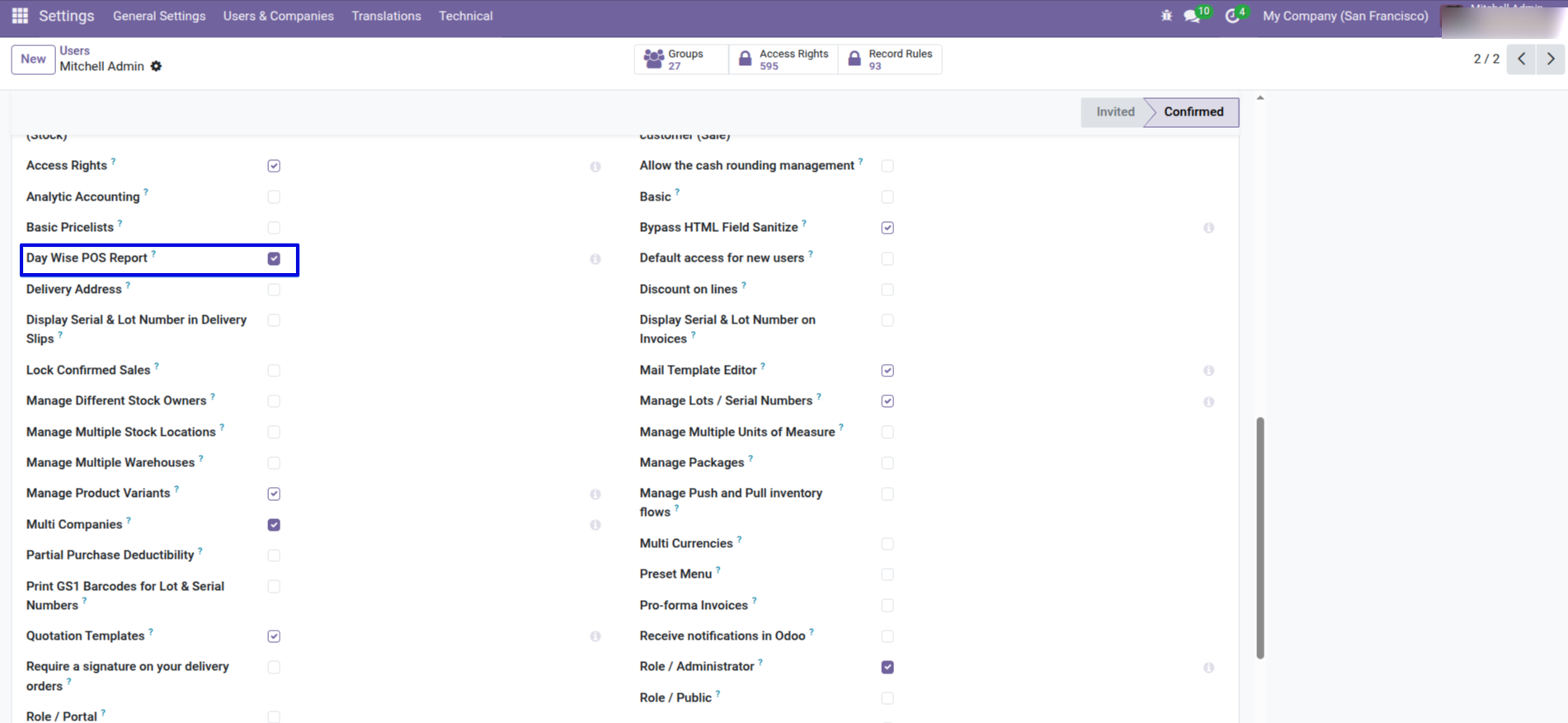
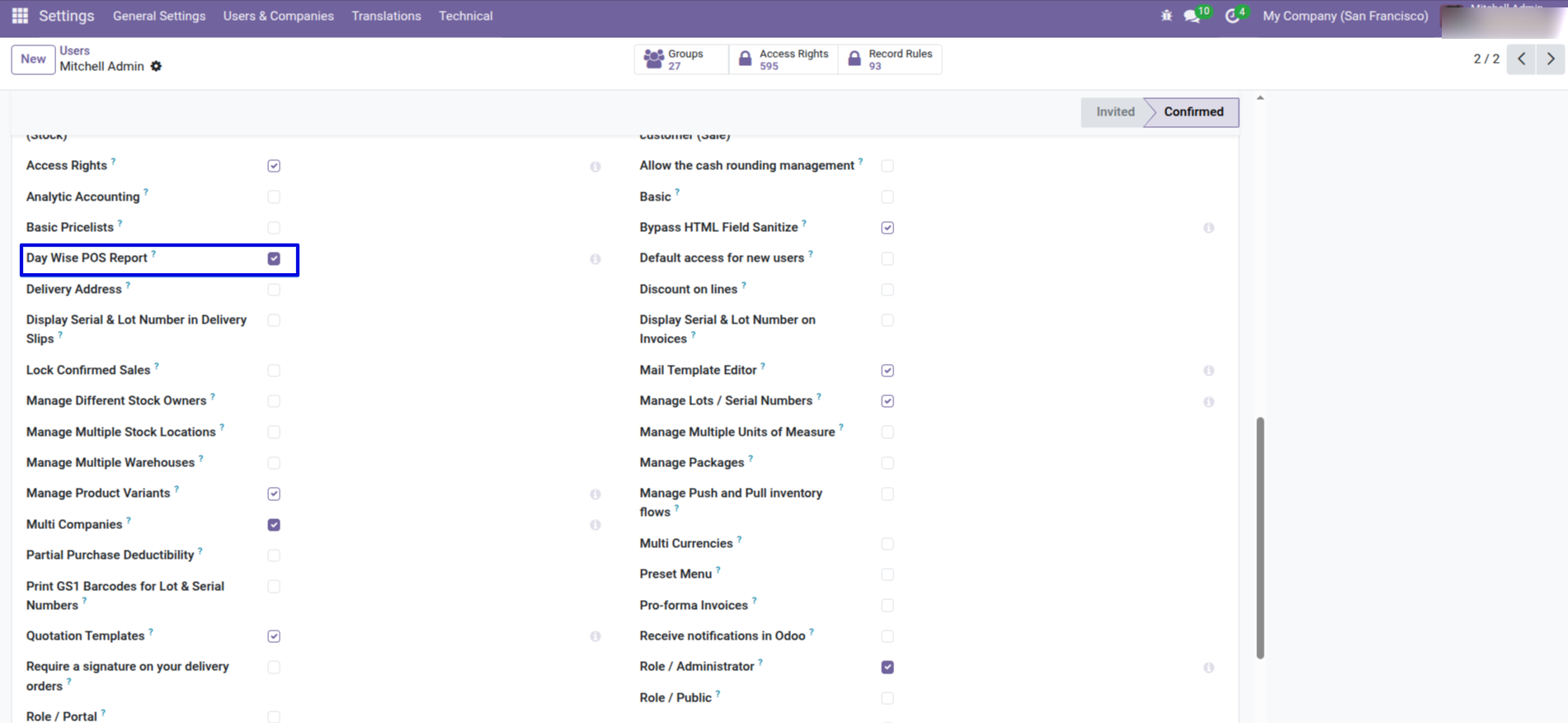
Navigate to Settings → Users & Companies, select the user, and then enable the 'Day Wise Report' option by checking the box.
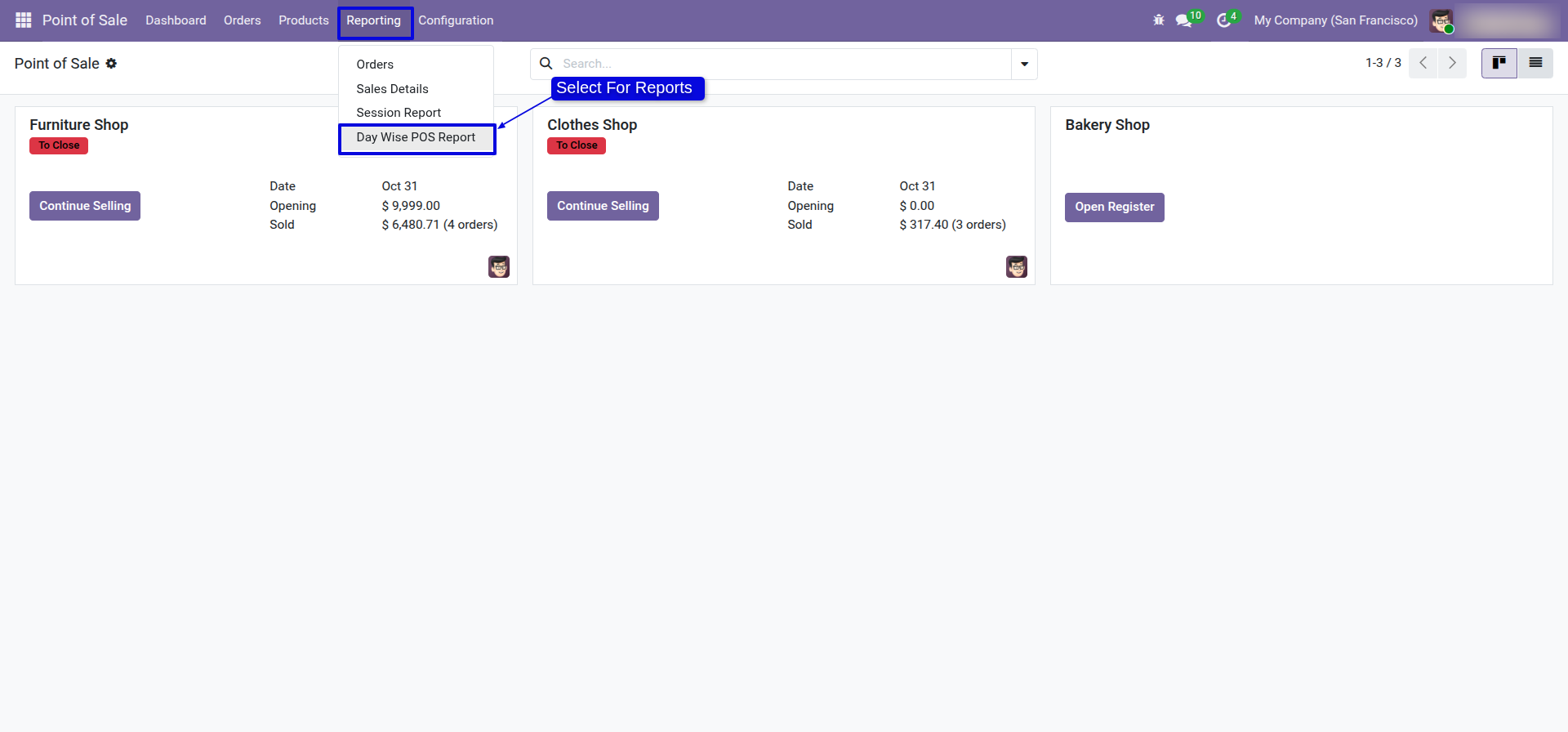
Go to 'Day Wise POS Report'.
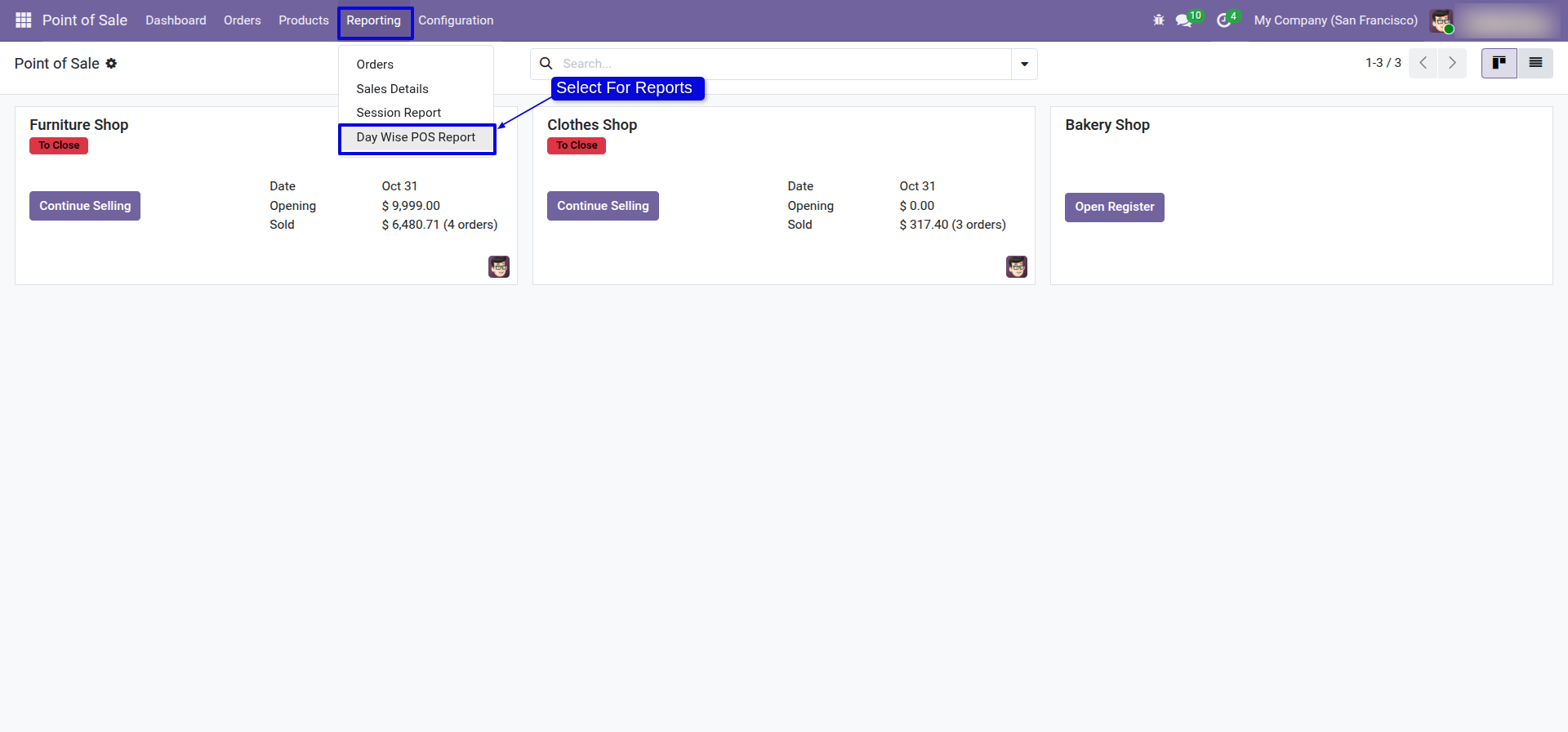
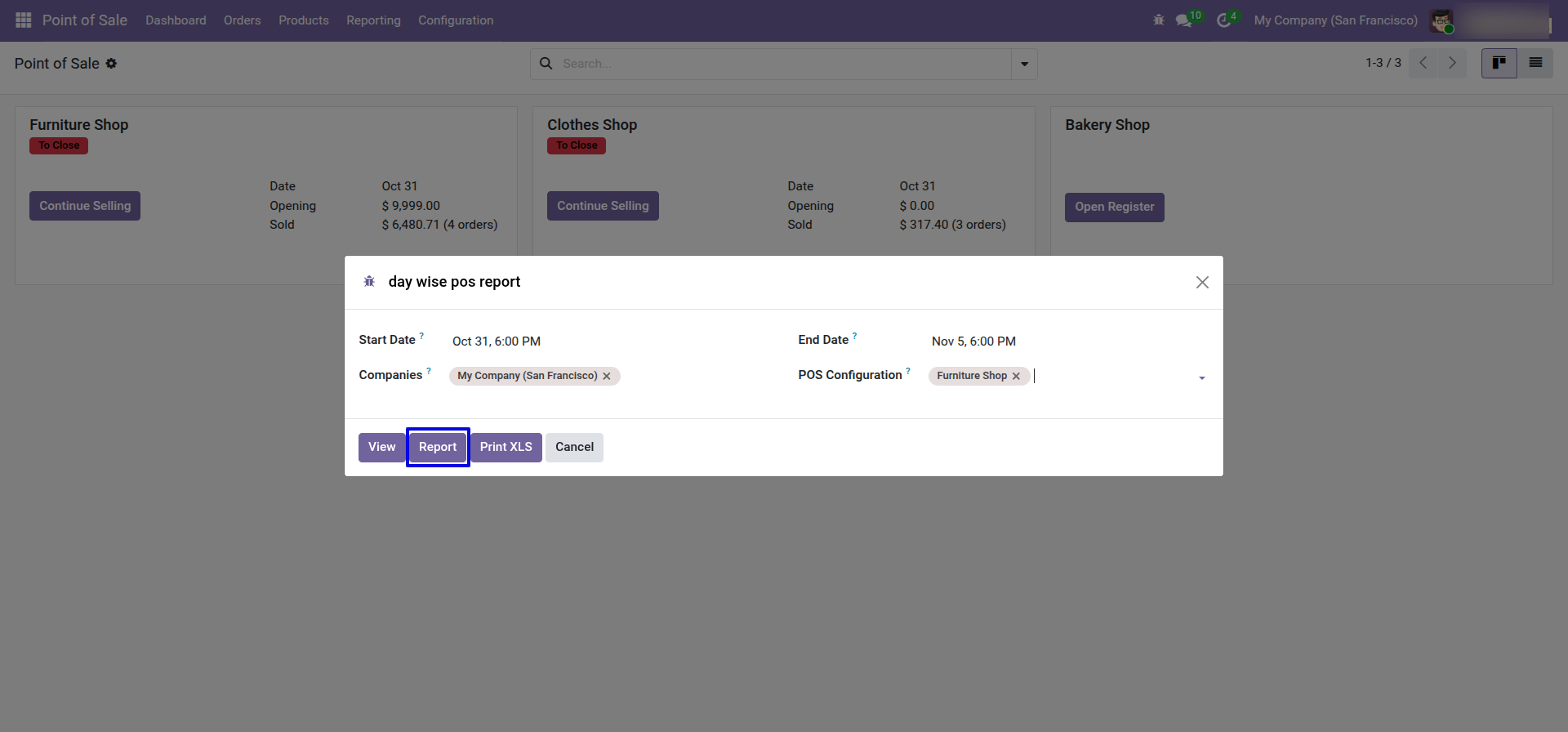
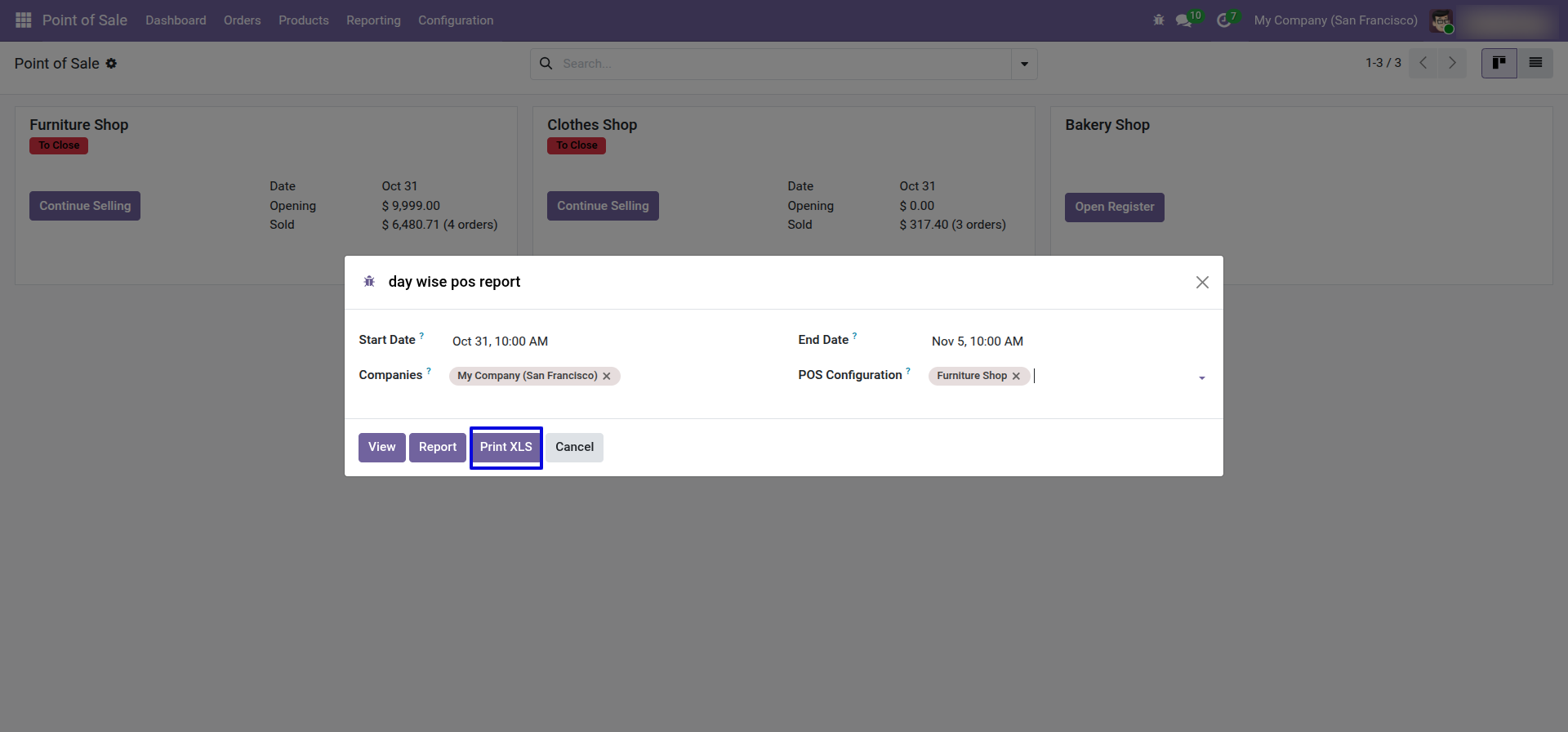
After that, the 'Day Wise POS Report' wizard will appear. Only the configurations of the selected companies will be visible. Set the date range for the PDF/Excel report and choose the companies for the multi-company option.
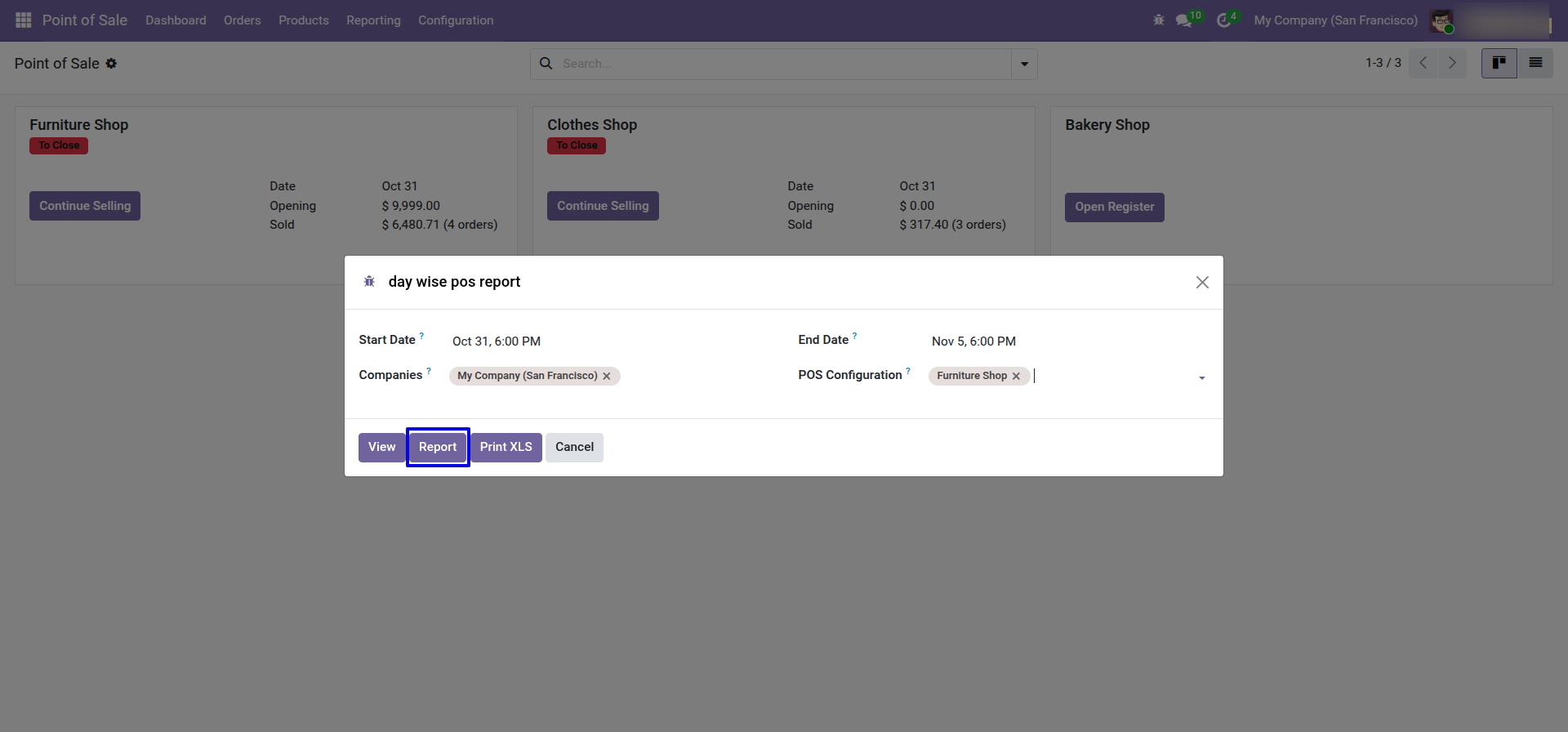
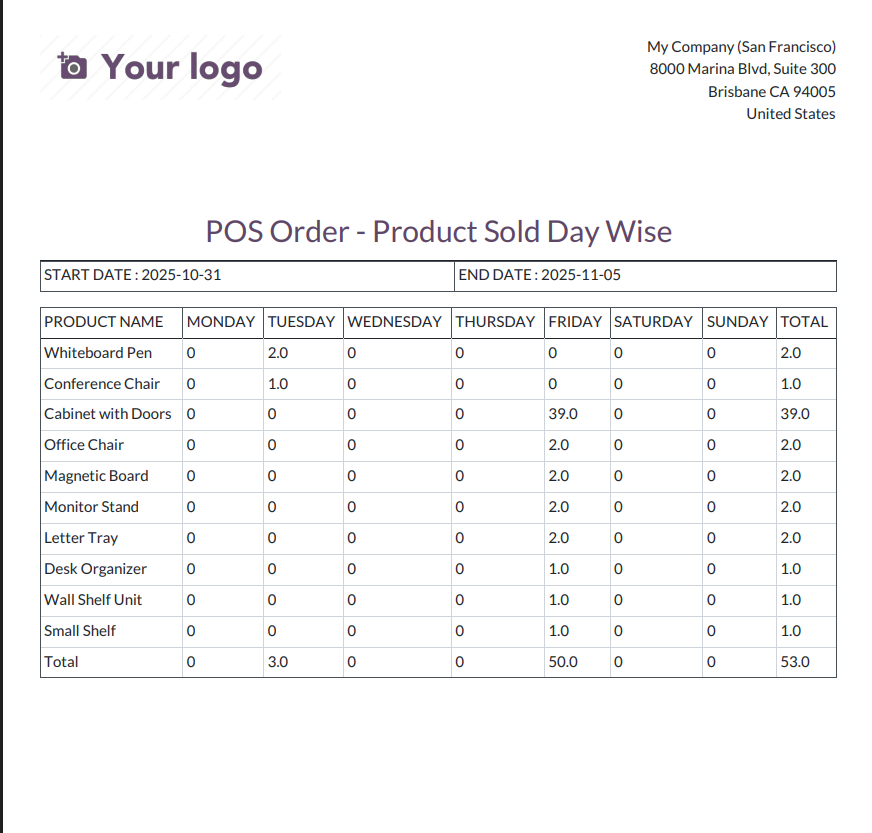
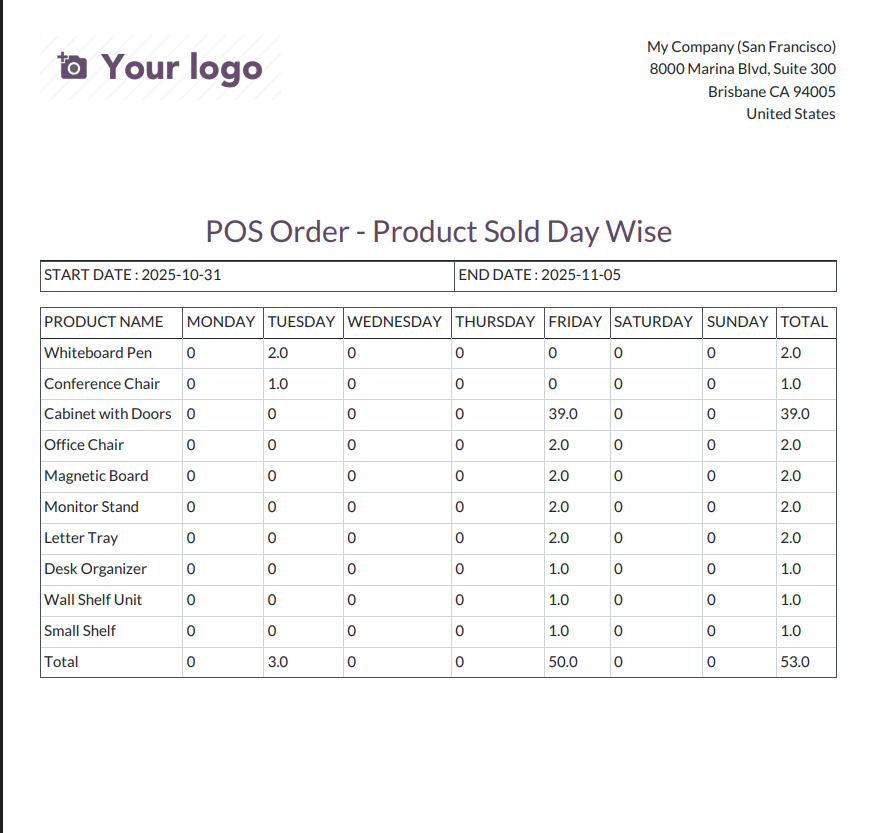
POS products day-wise report for the given date range in a PDF format.
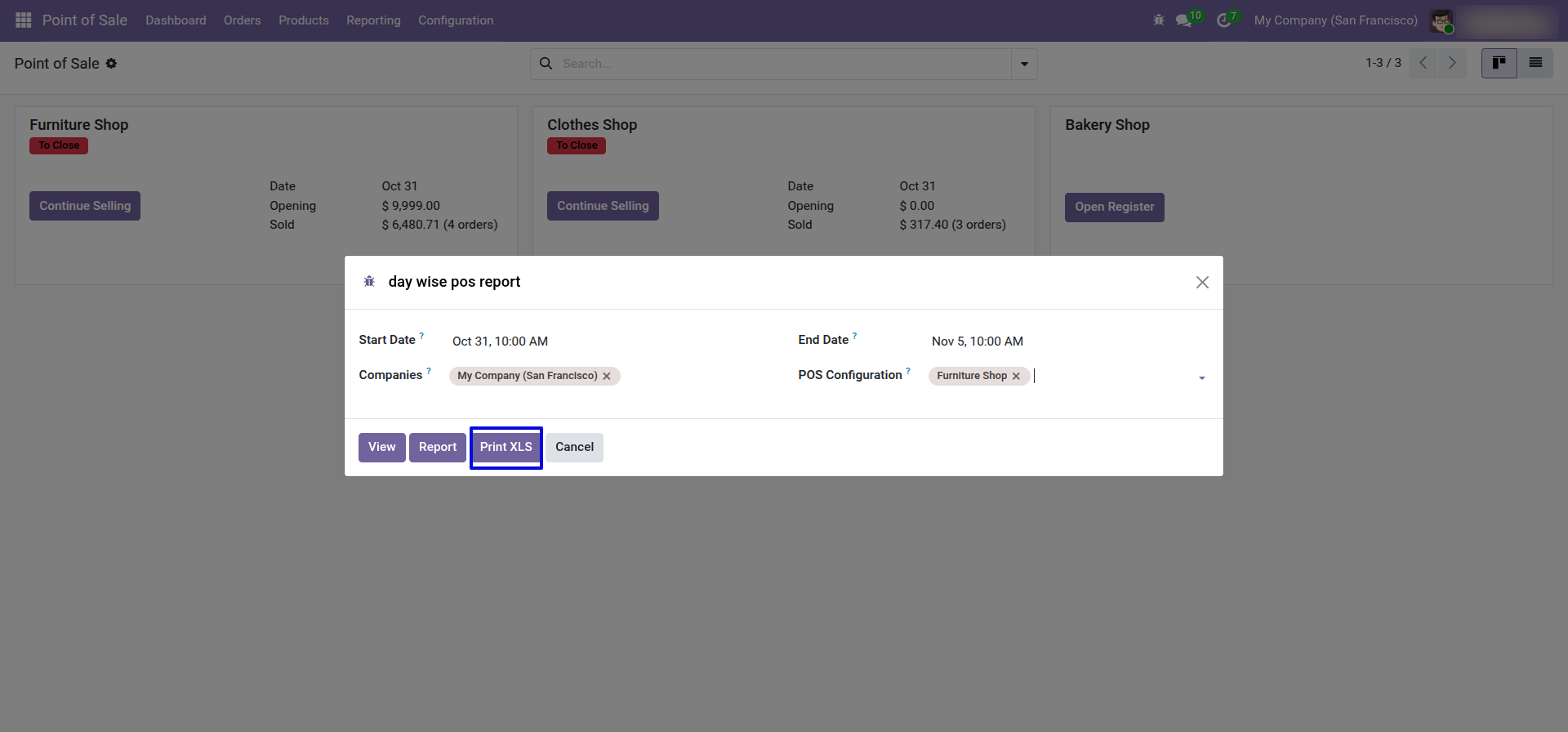
Set Date Range for Excel Report.
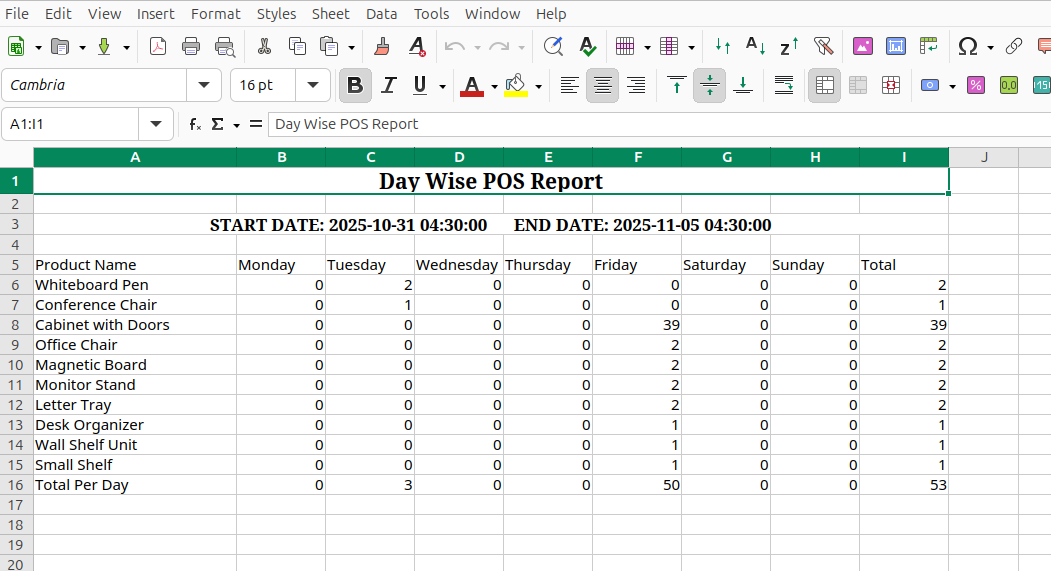
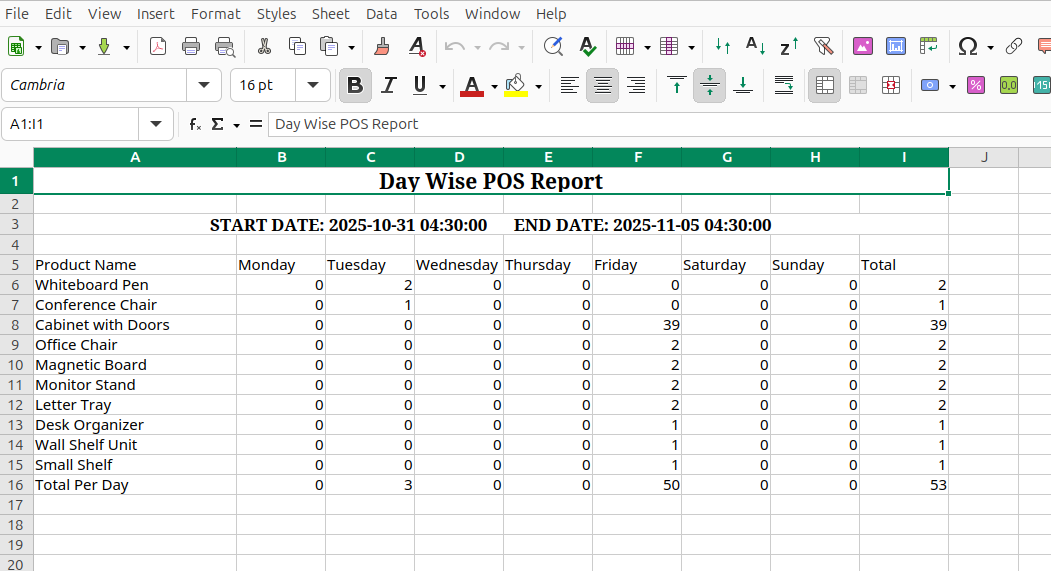
POS products day wise report with for the given date range in the excel report.
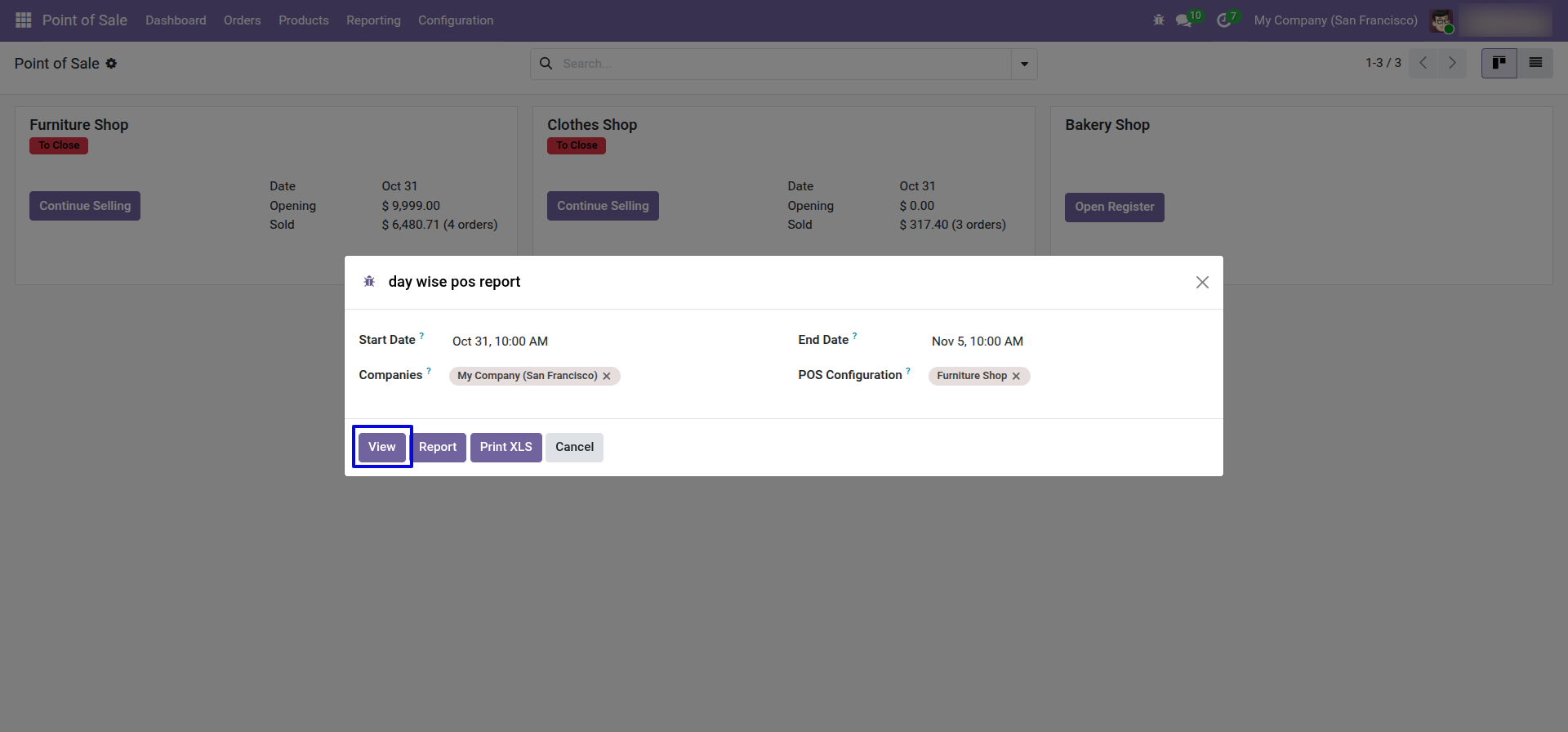
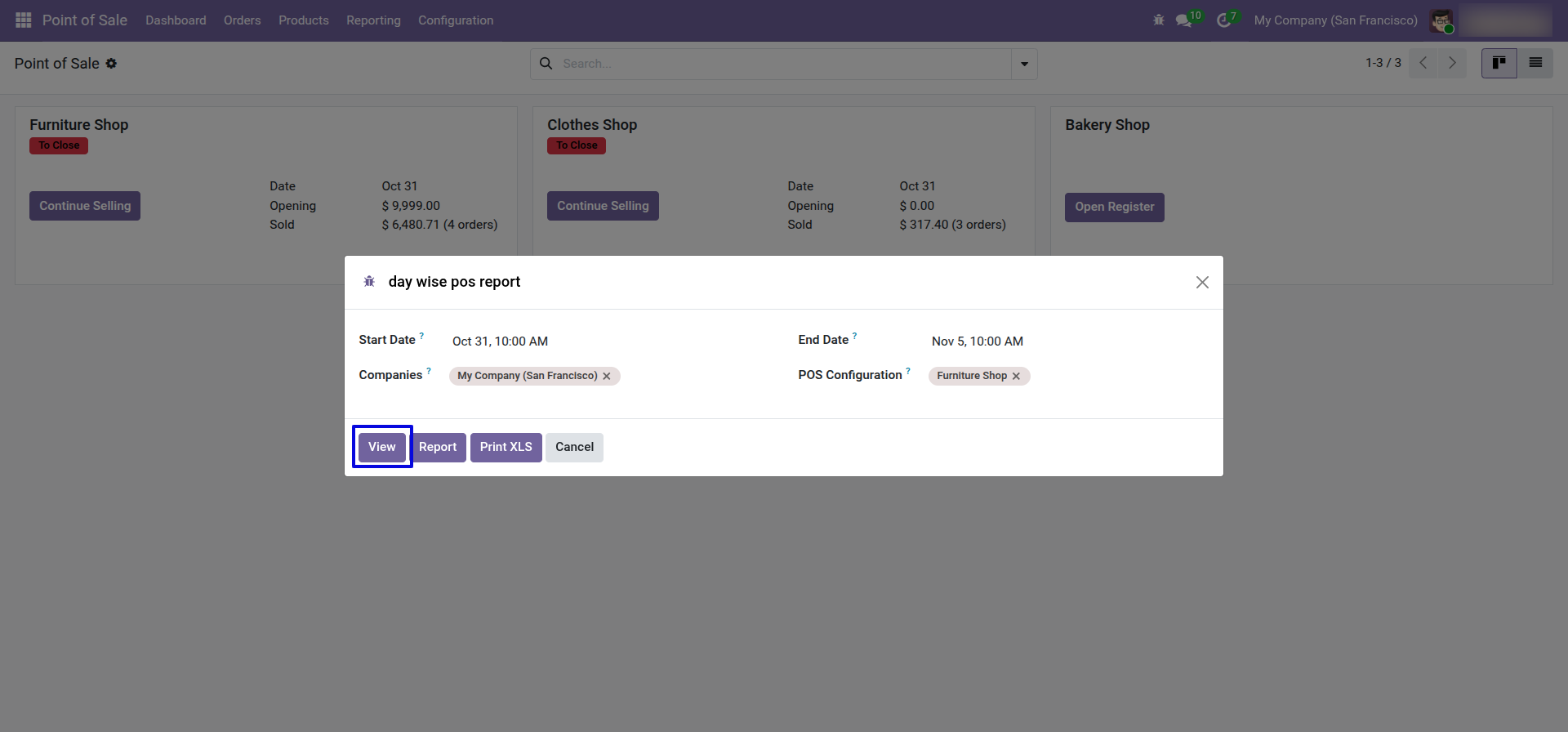
Set Date Range for view Report.
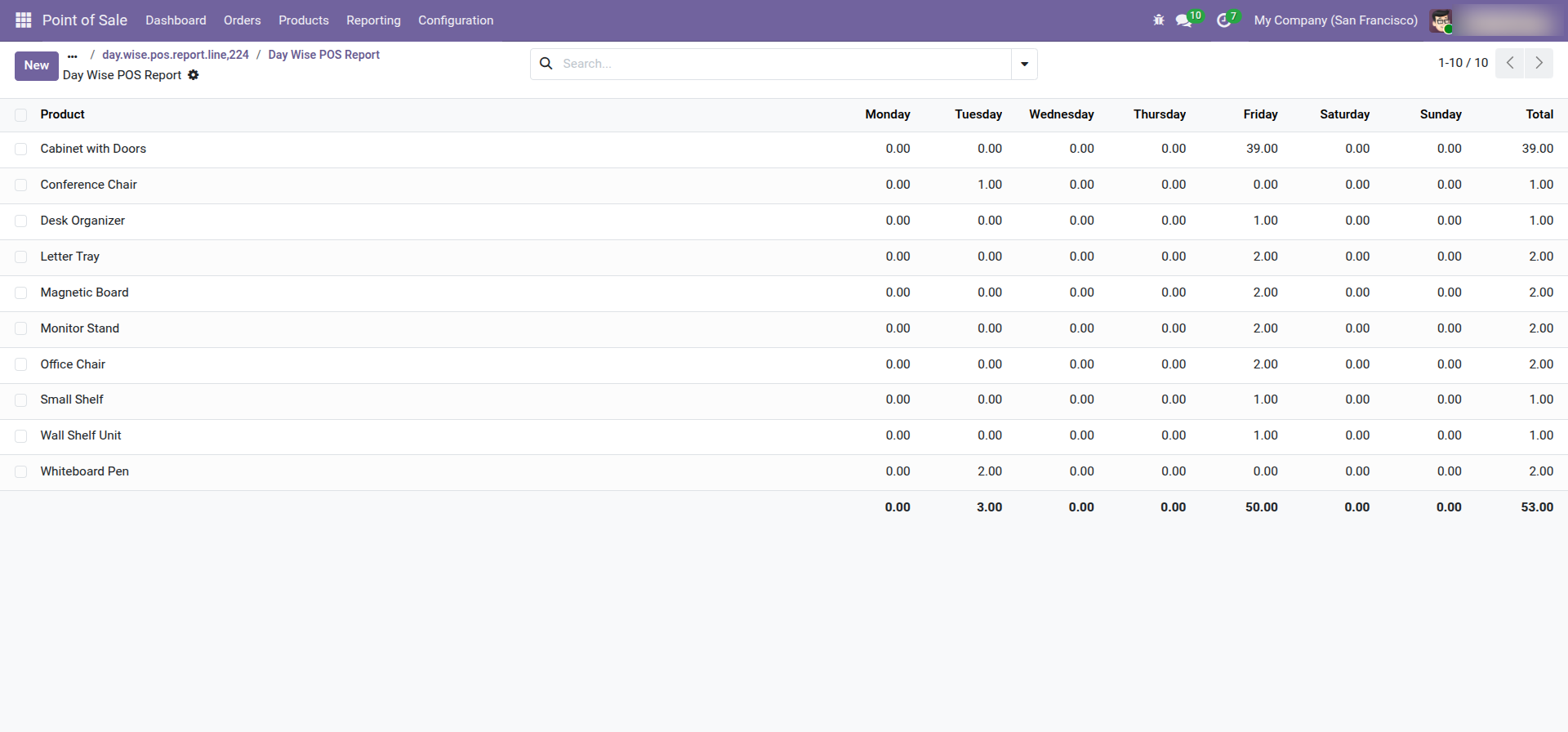
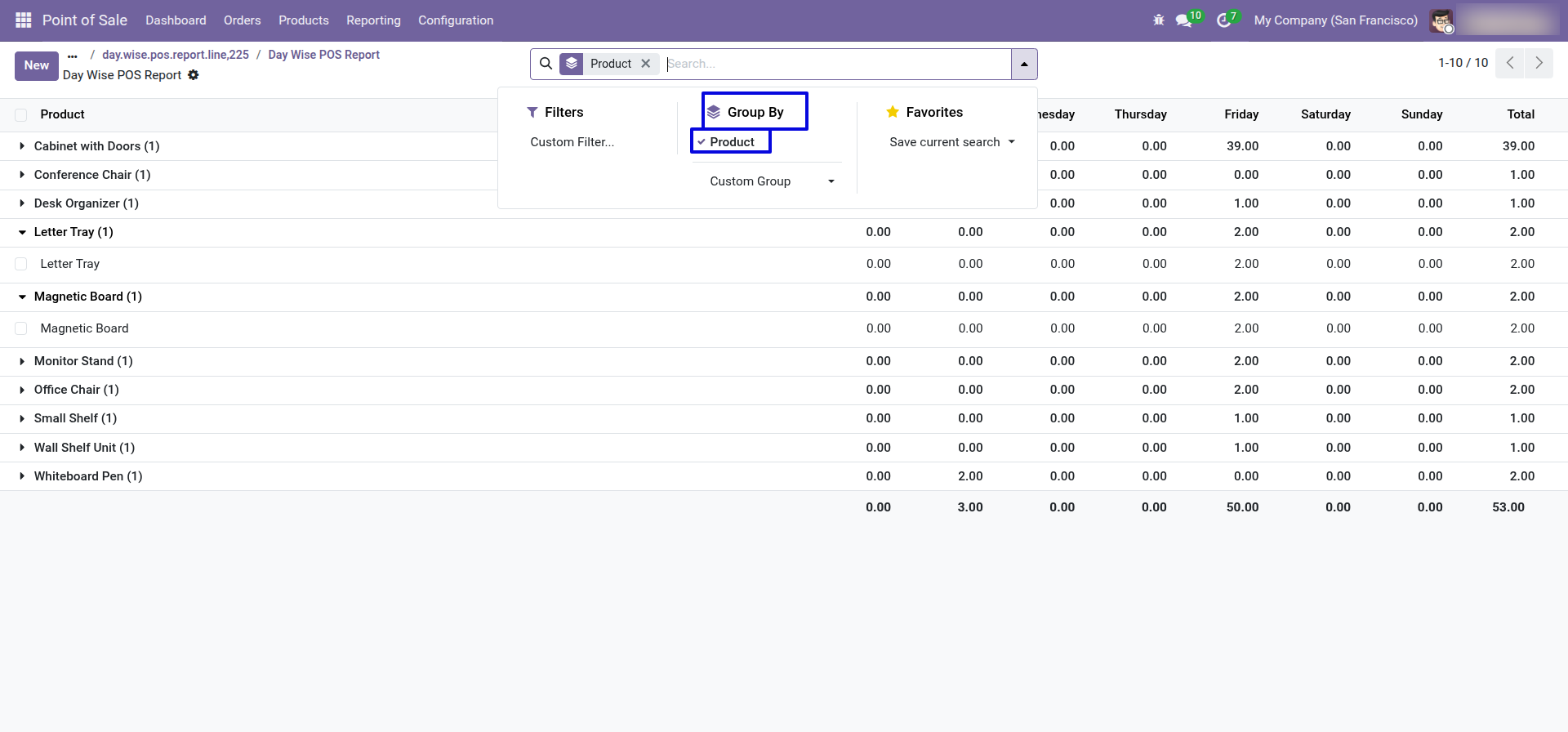
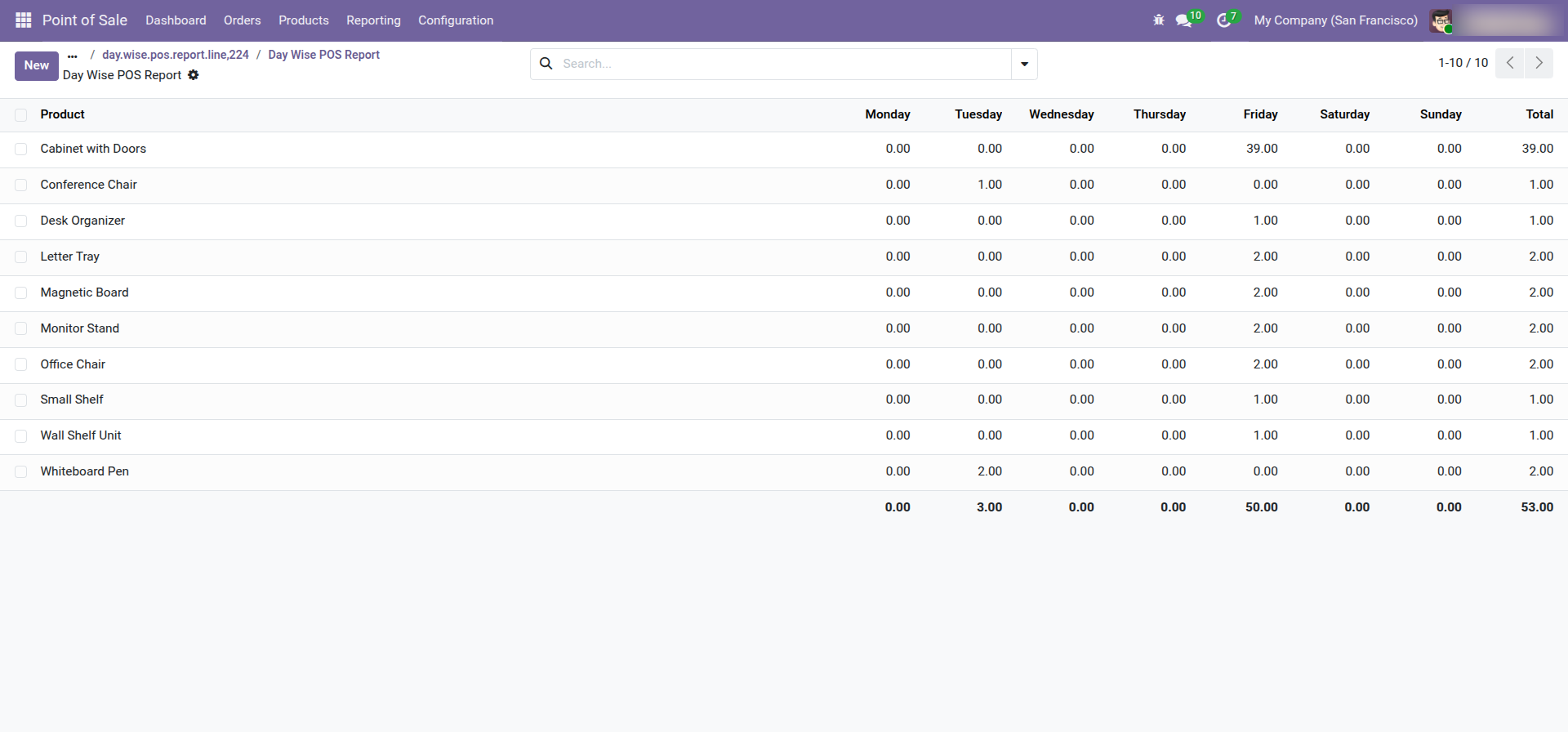
POS products day wise report with for the given date range report view.
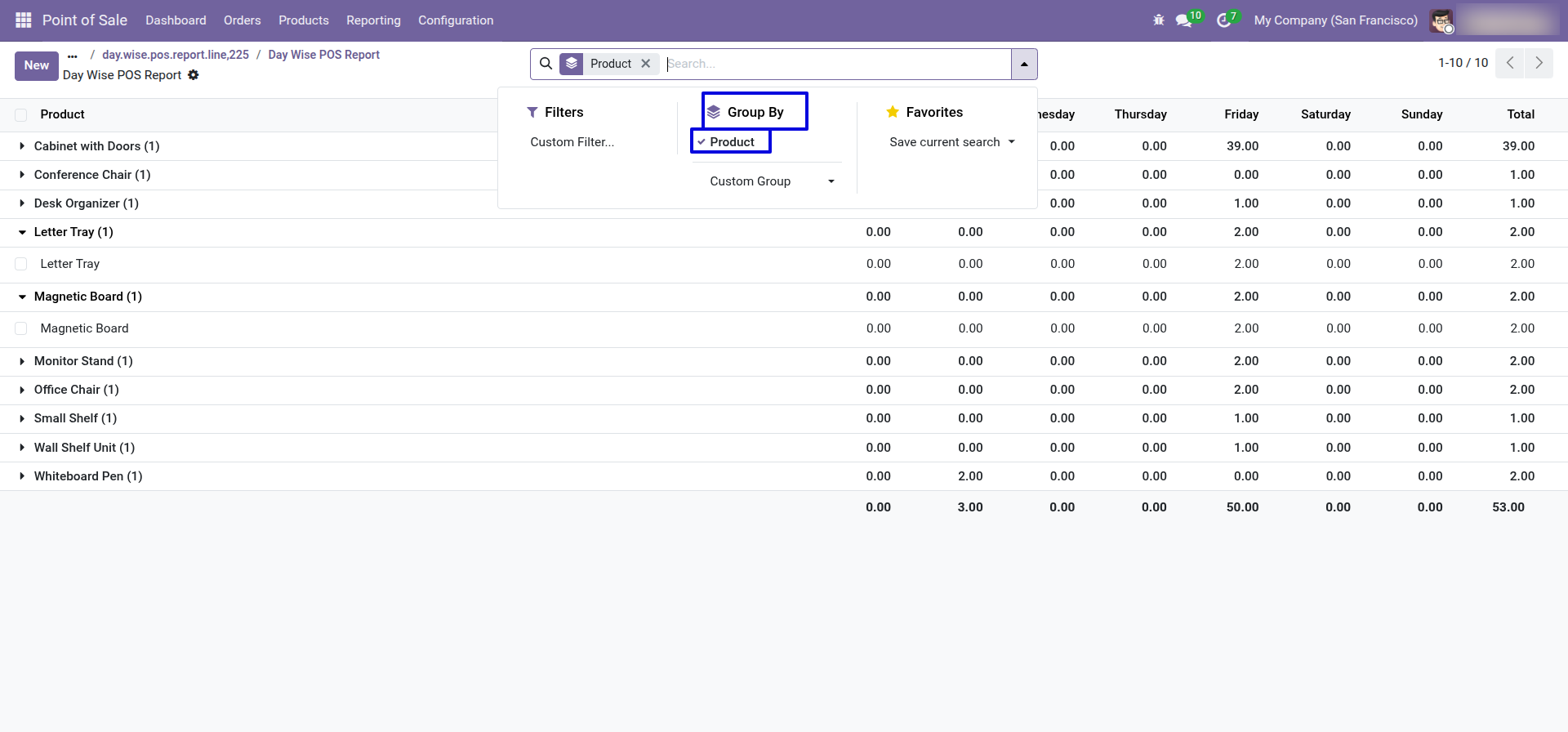
In the report view, you have the option to group the report.
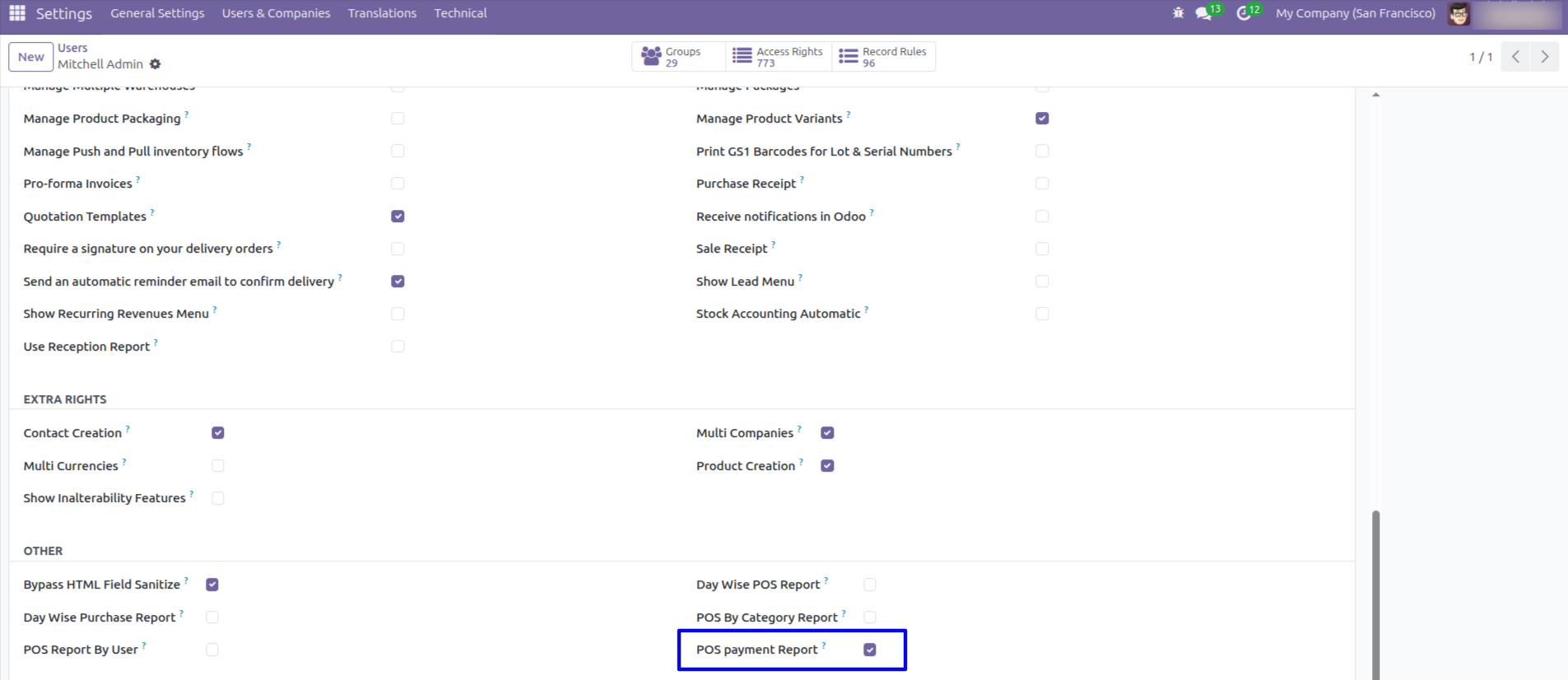
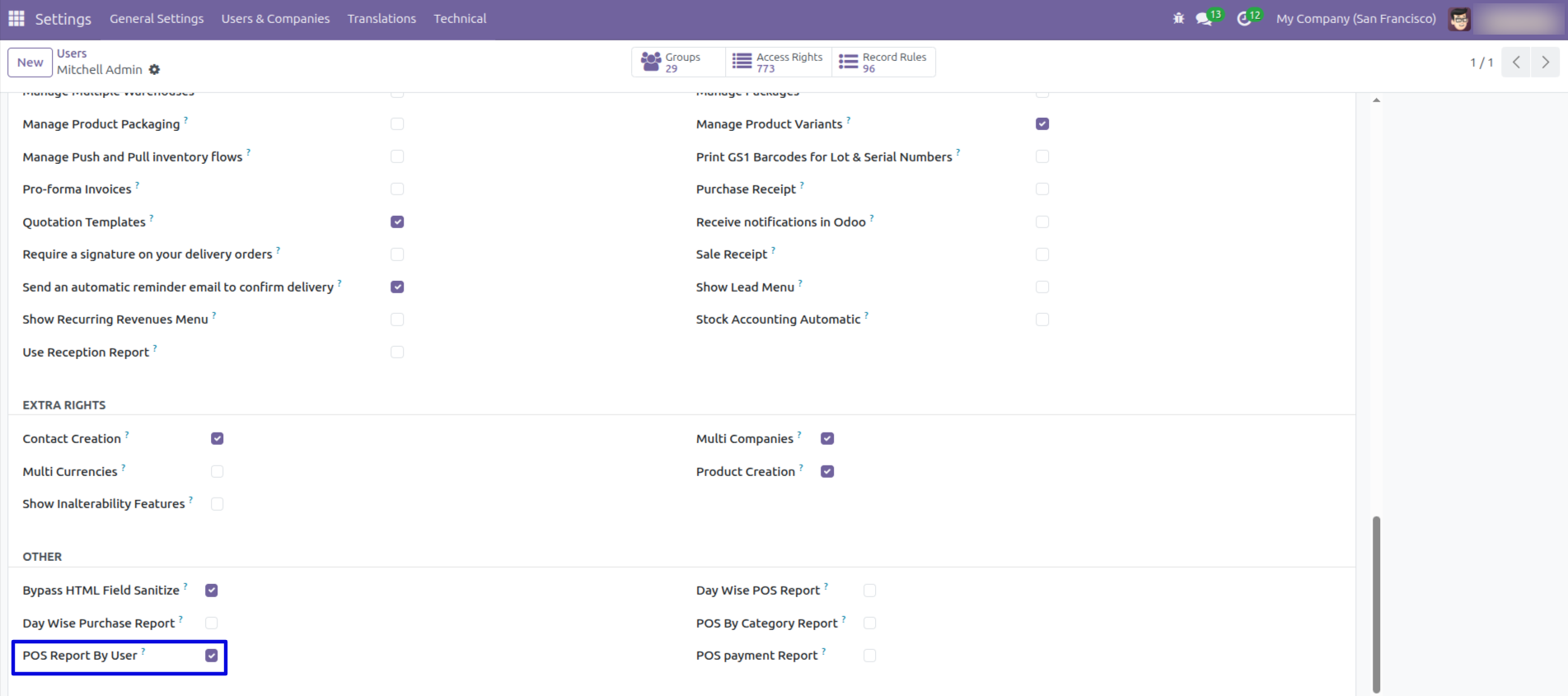
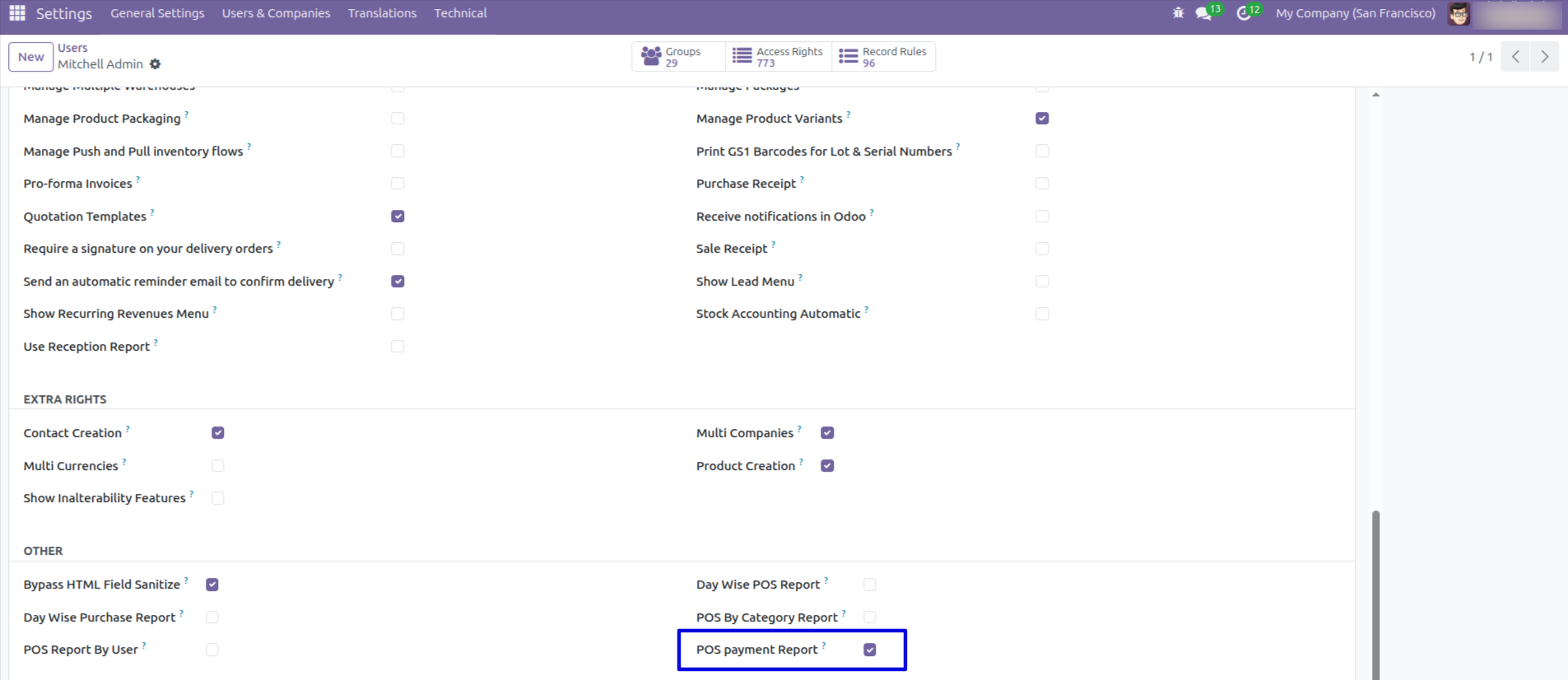
Navigate to Settings → Users & Companies, select the user, and then enable the 'POS payment Report' option by checking the box.
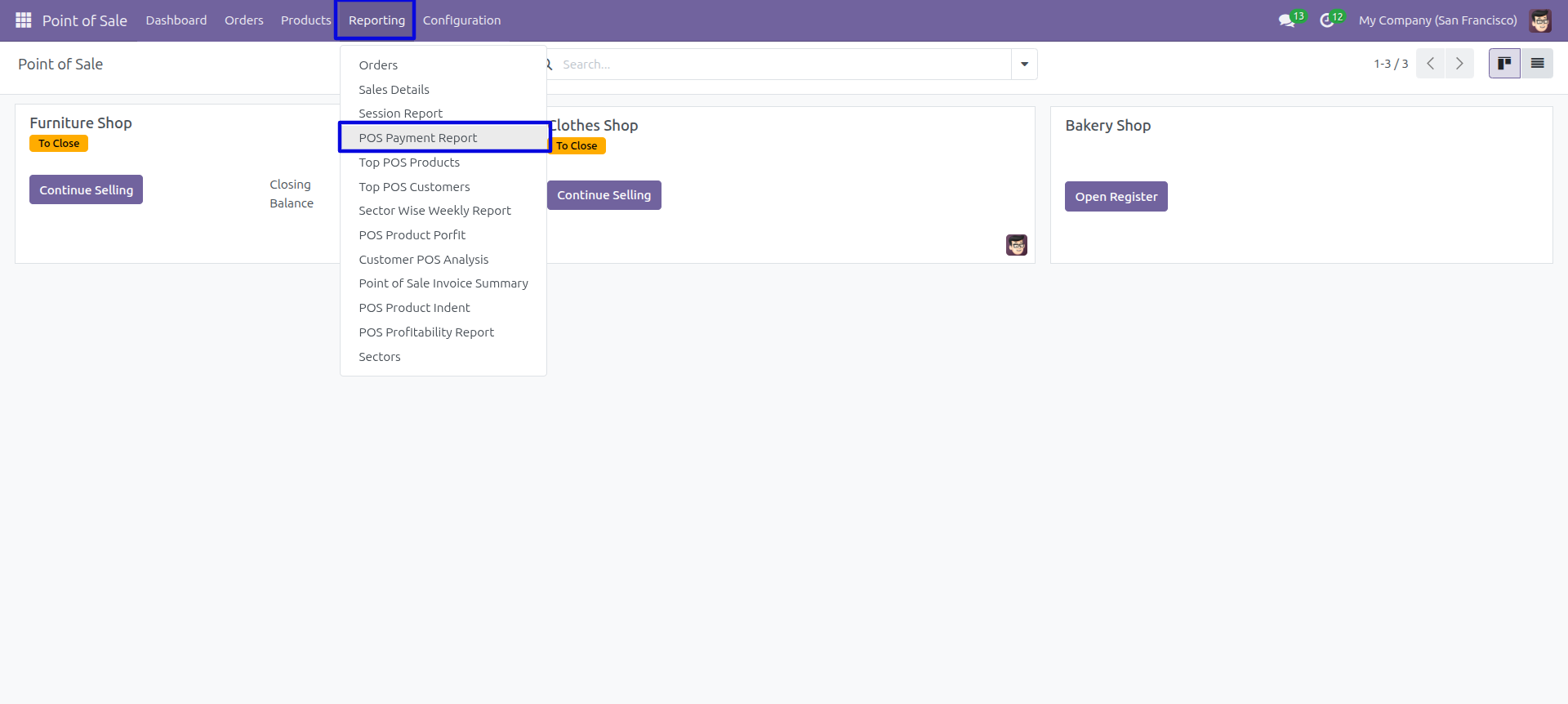
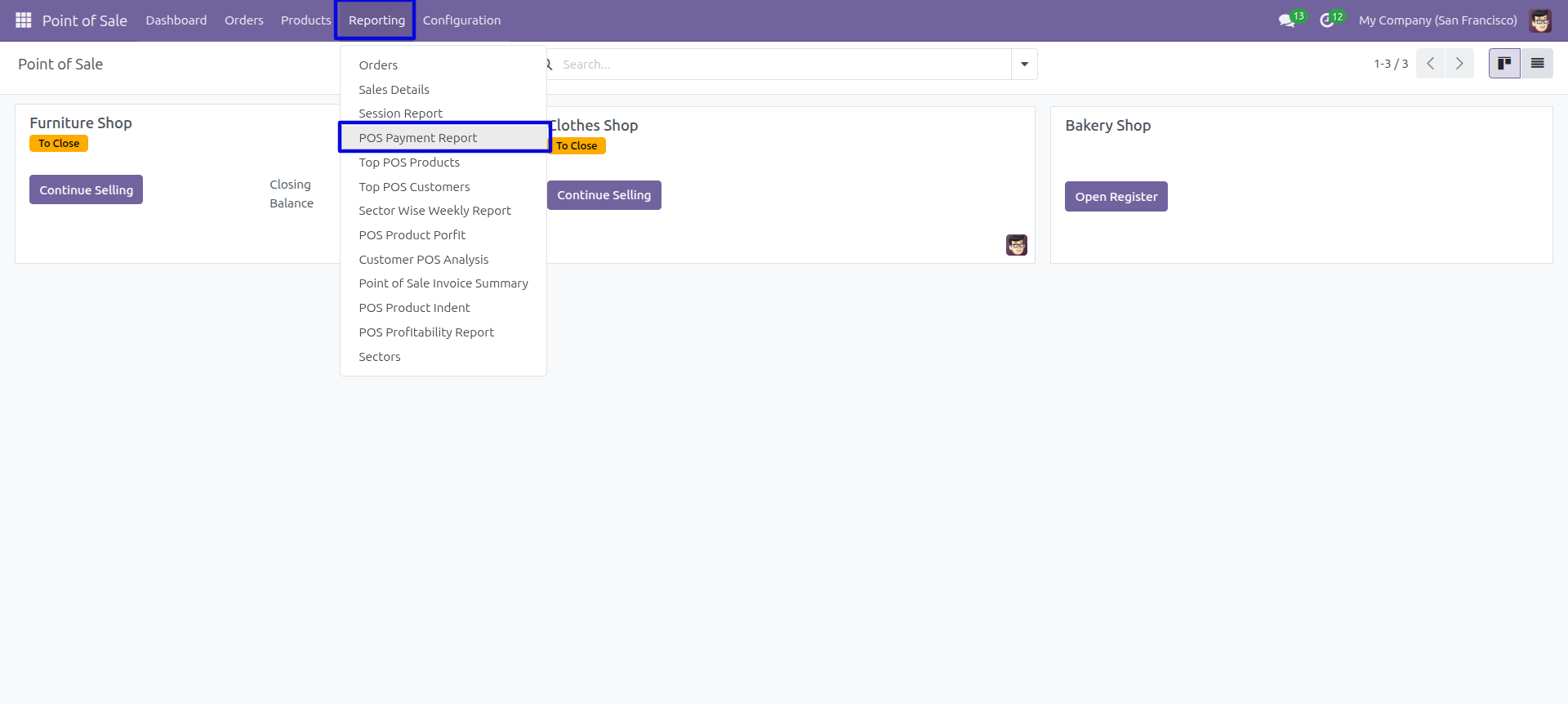
POS payment report menu.
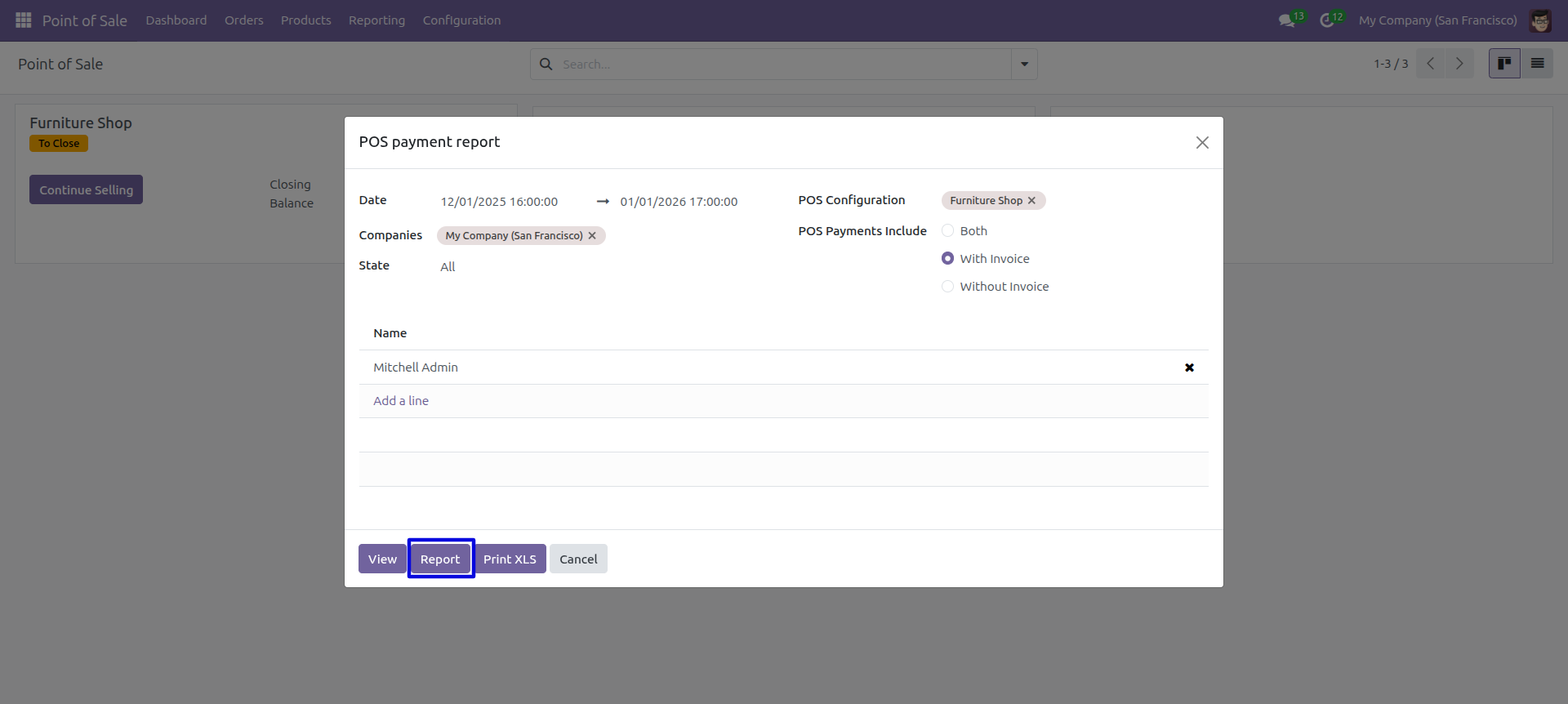
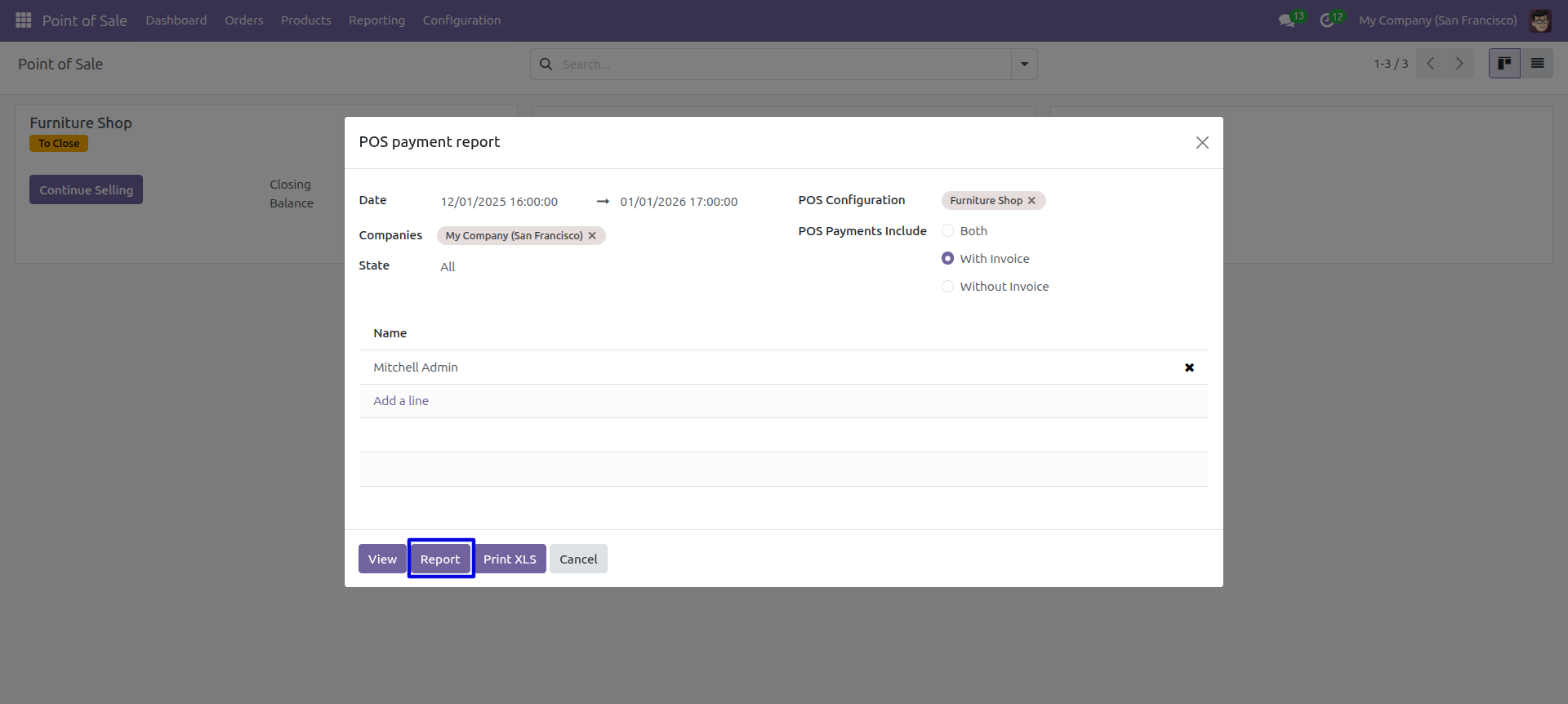
POS payment PDF/Excel report wizard.
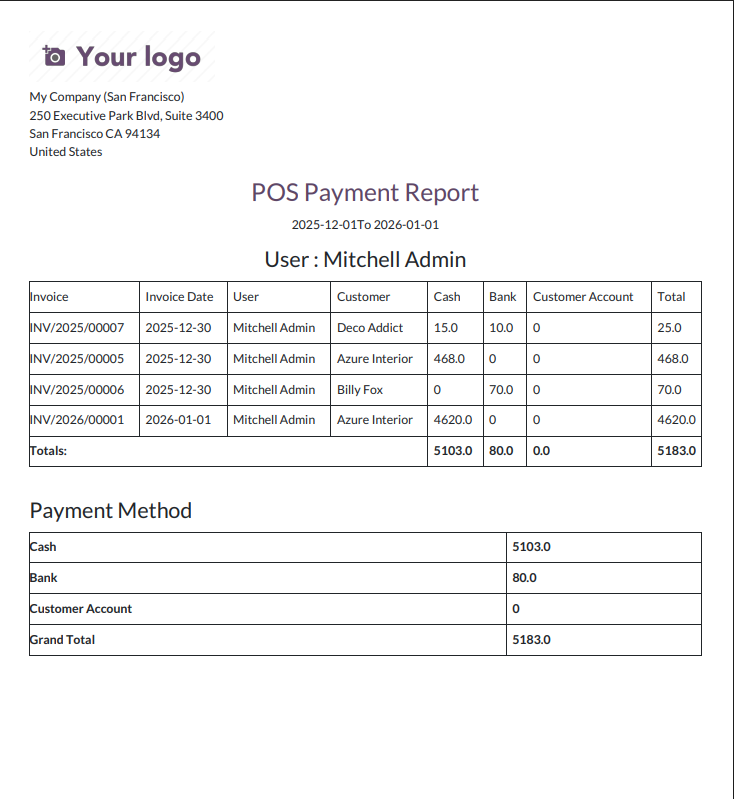
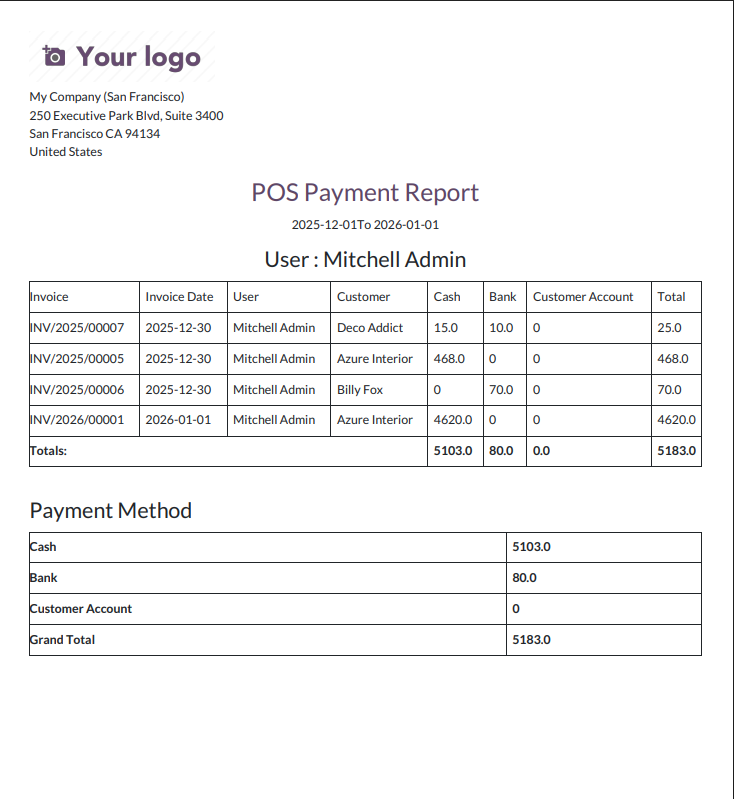
POS Payment PDF report looks like below.
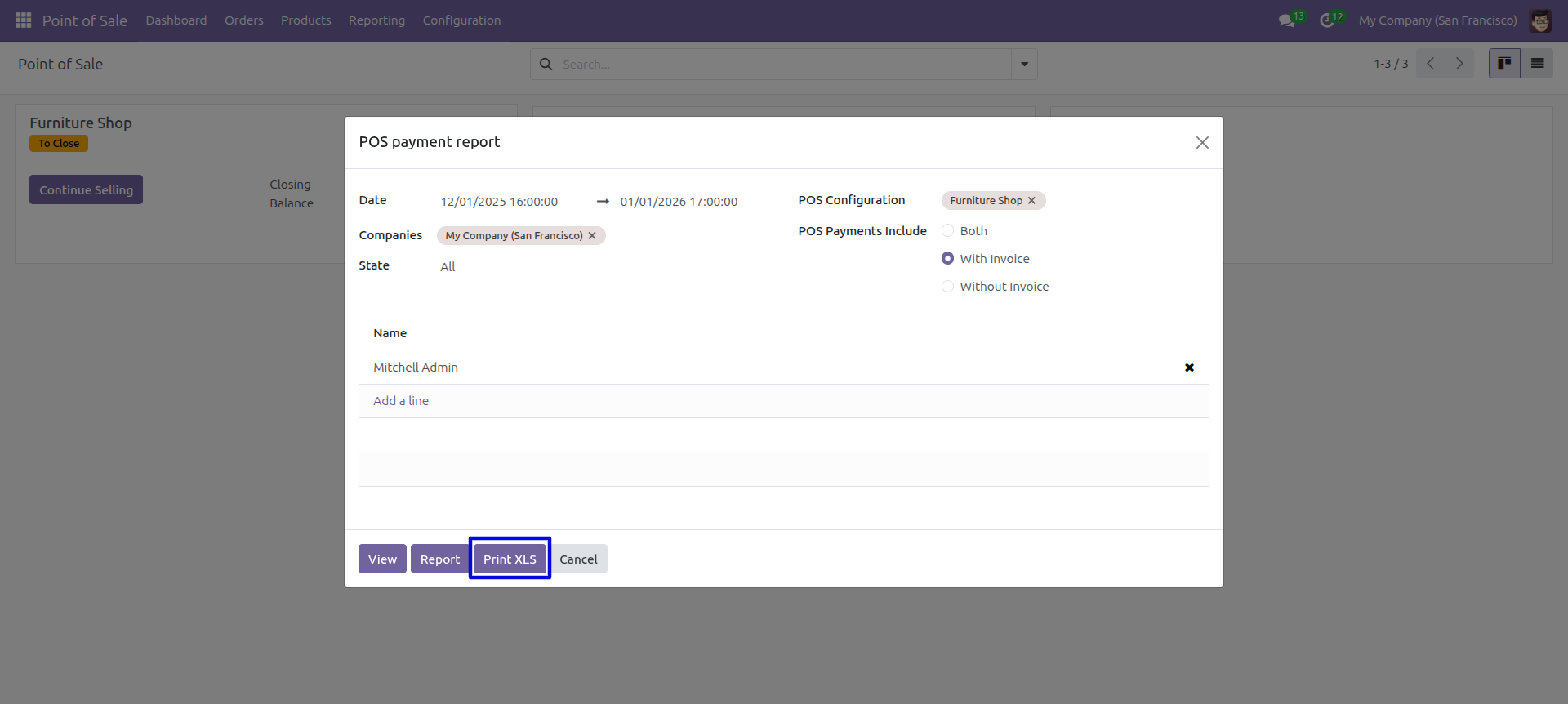
POS payment PDF/Excel report wizard.
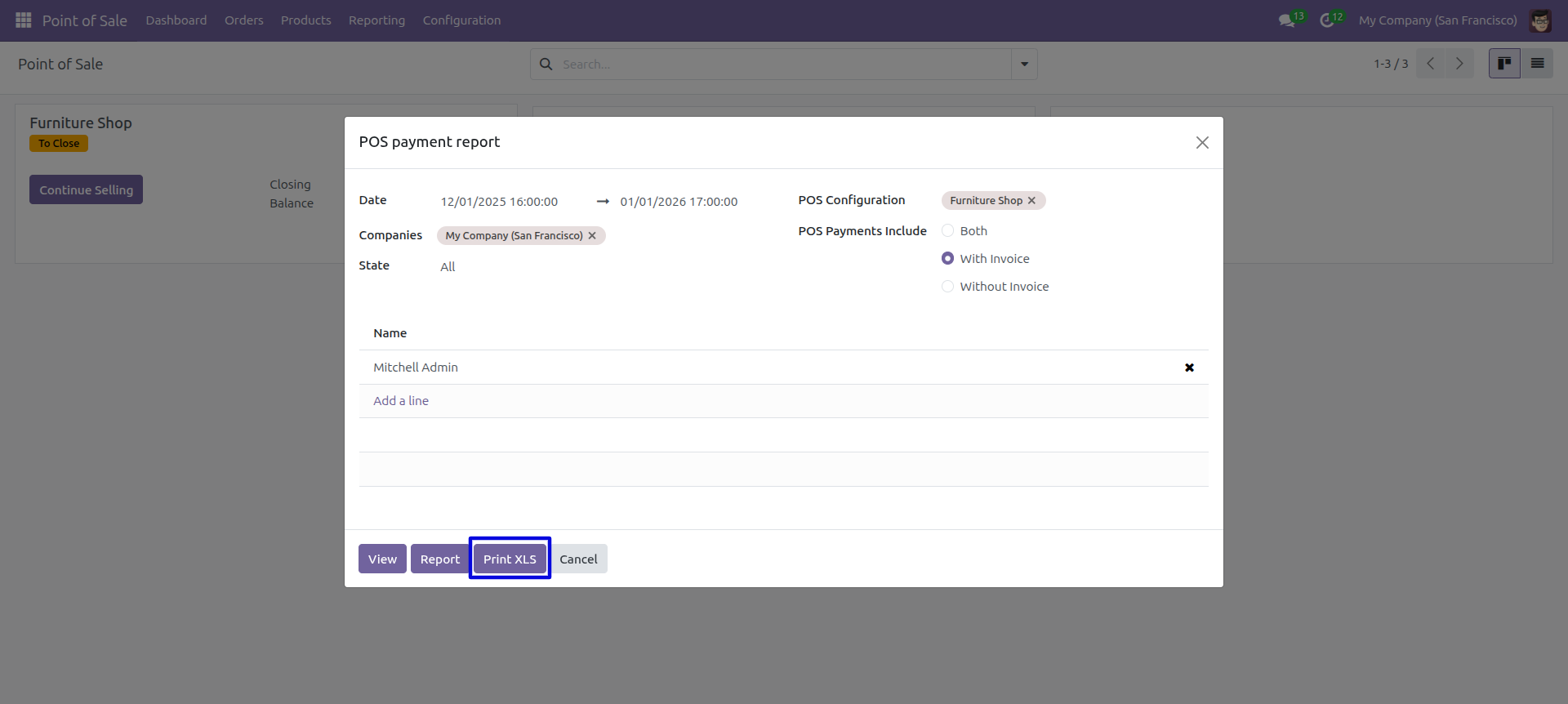
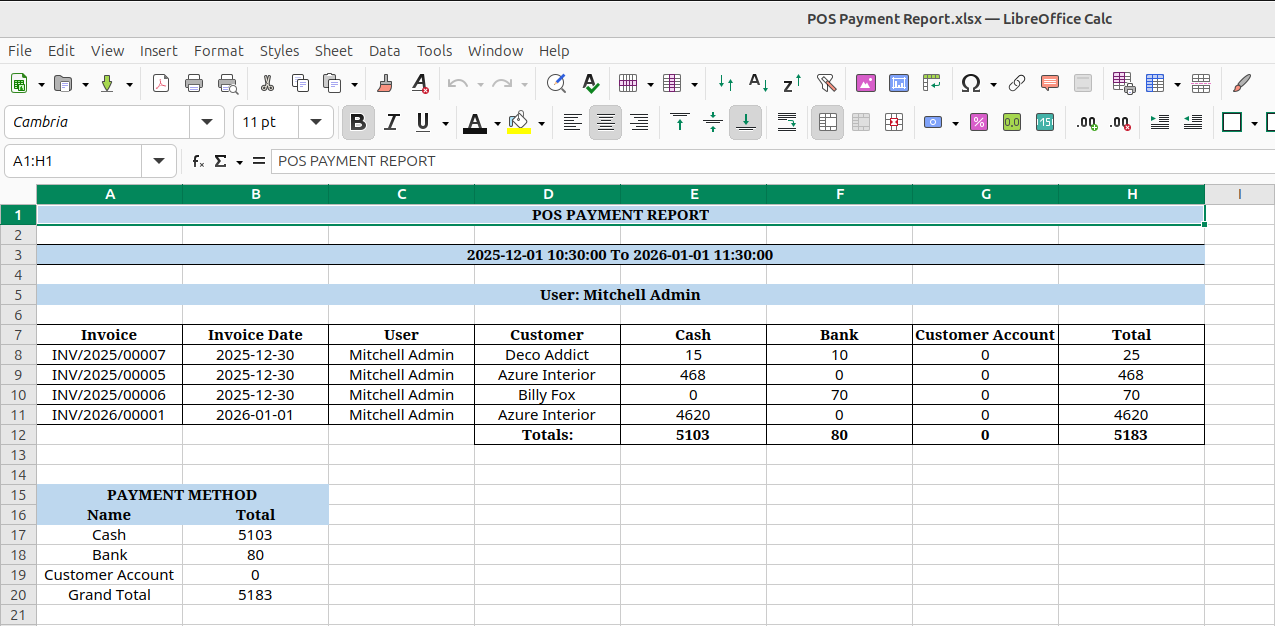
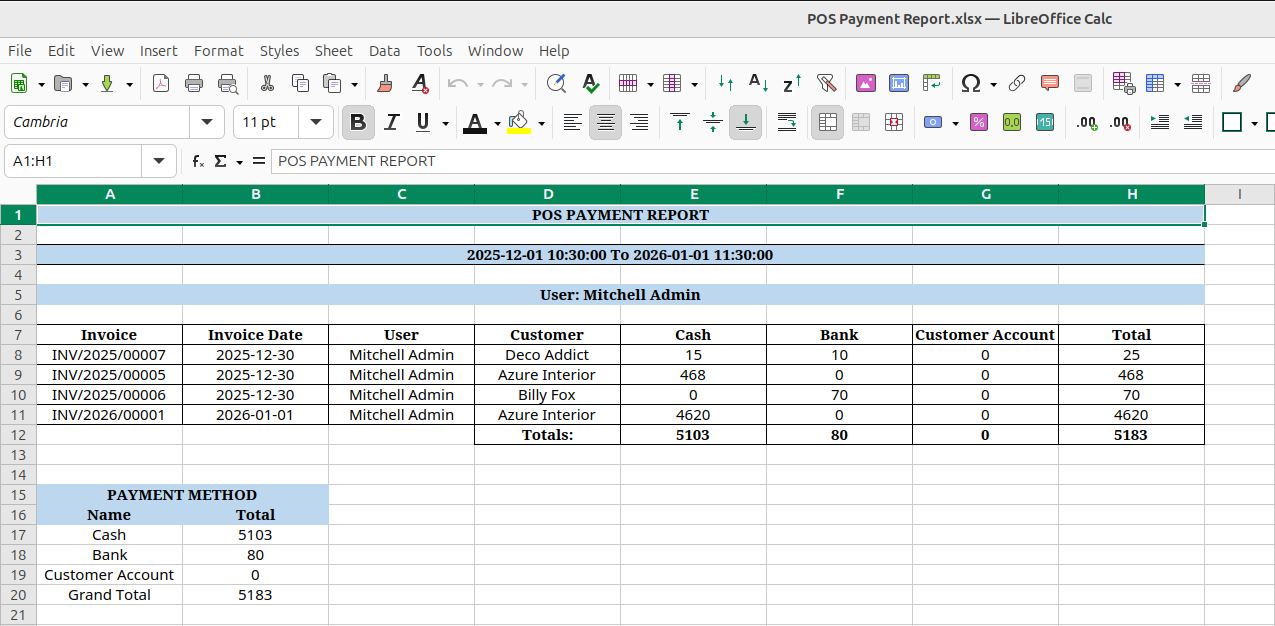
The POS payment excel report looks like below.
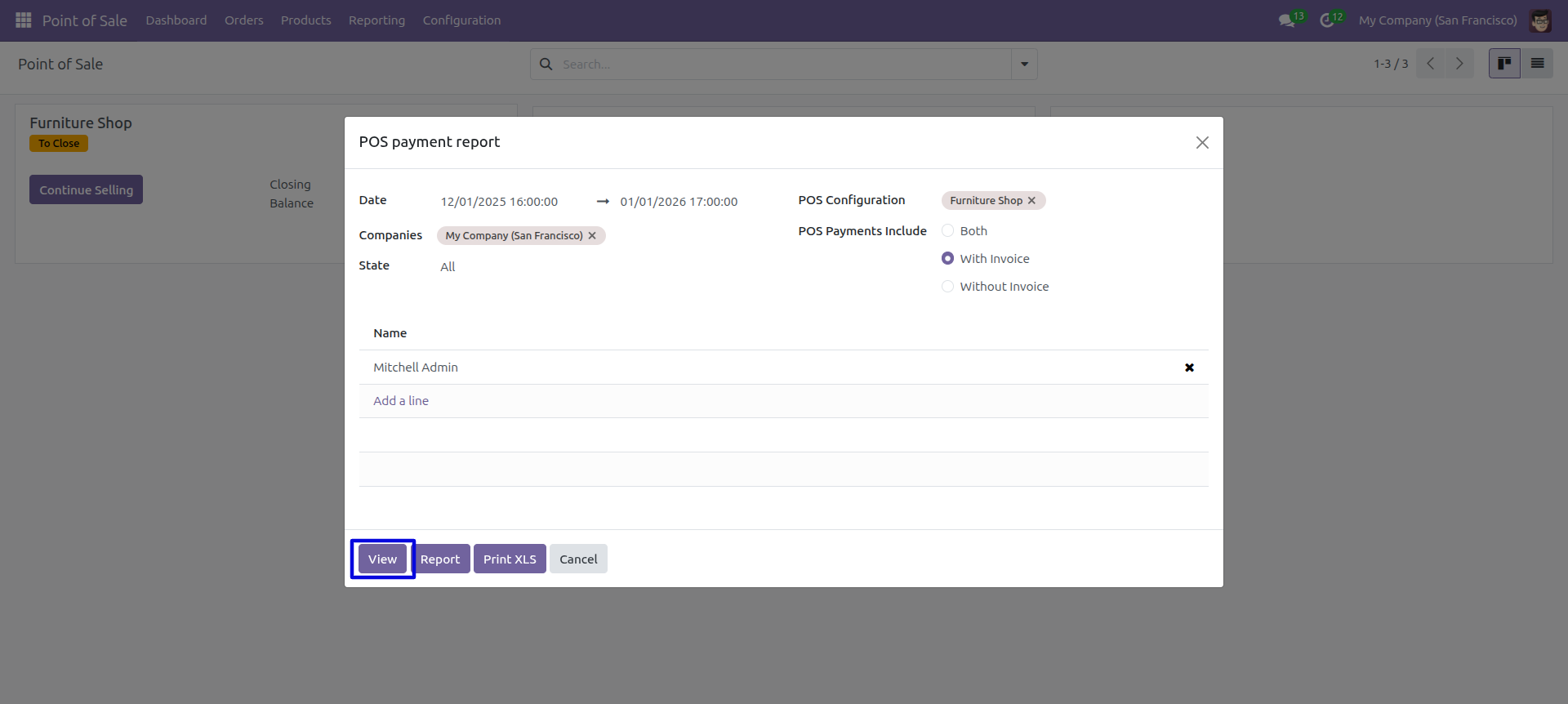
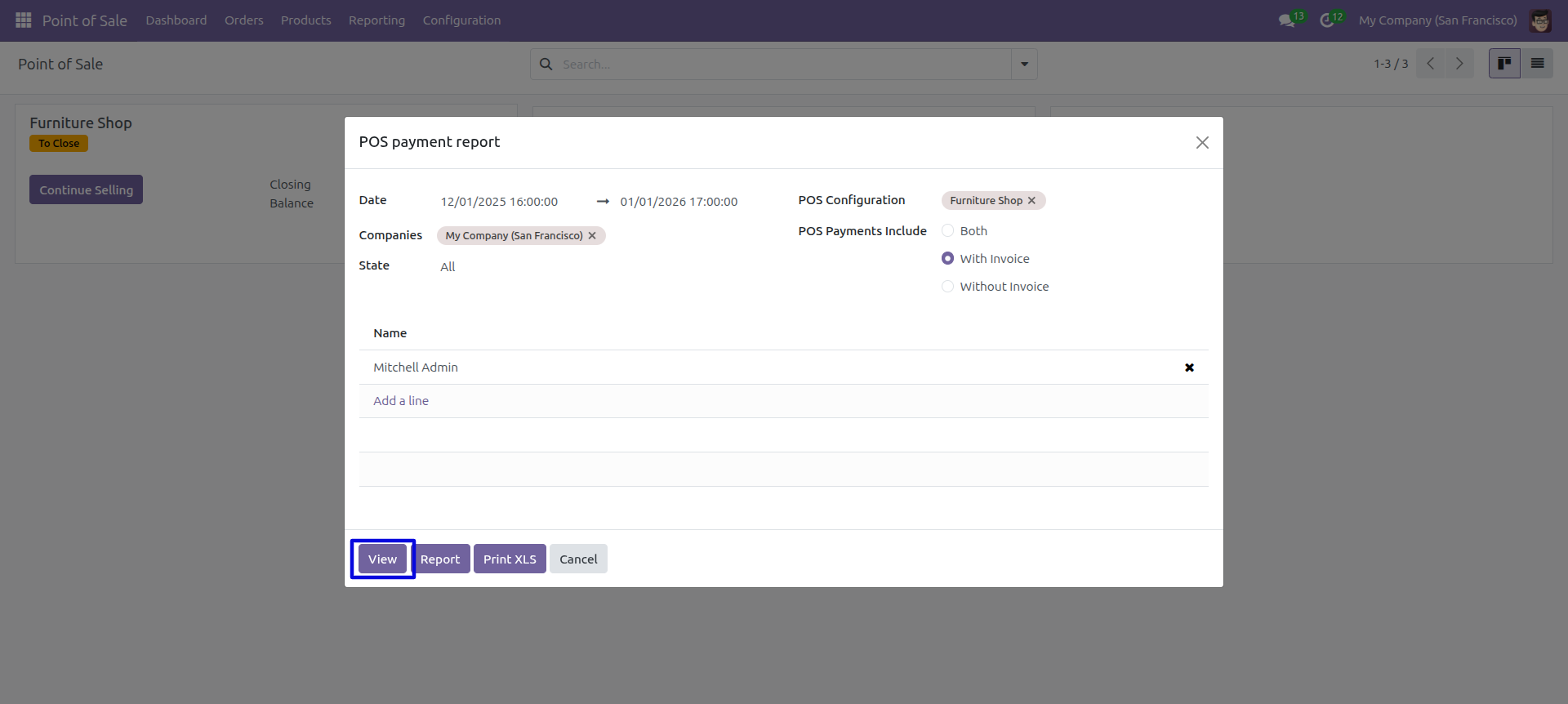
Enter date and time to view the report between particular date-time.
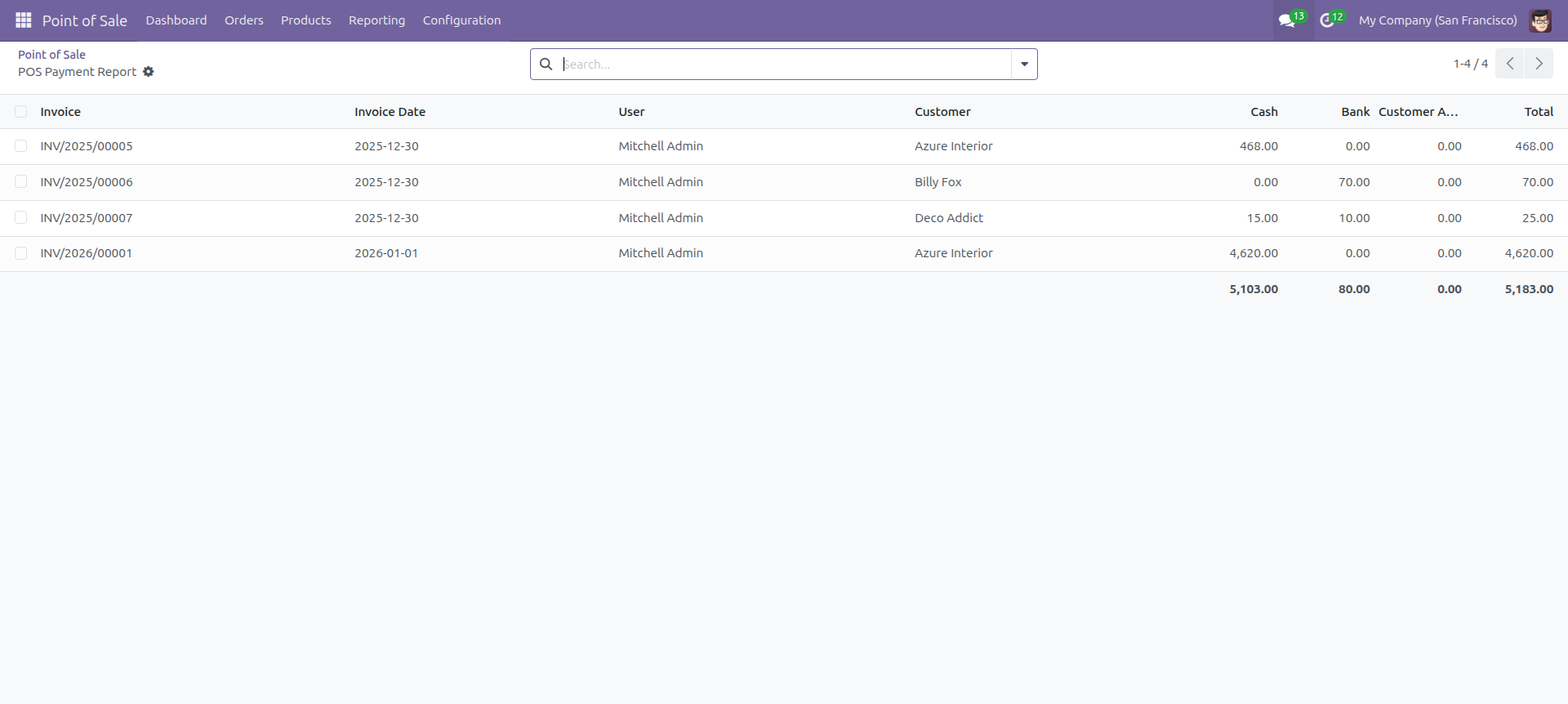
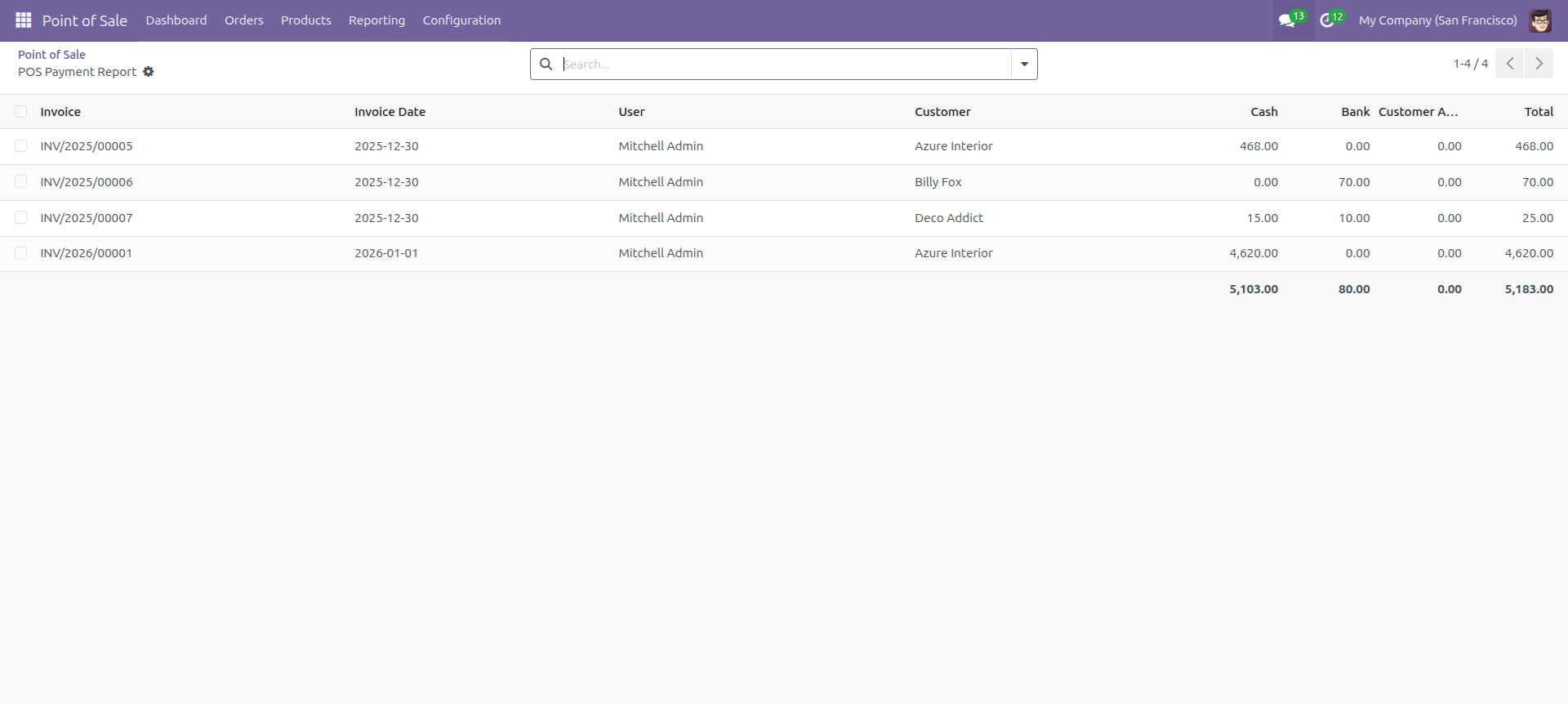
Point of sale payment report view looks like below.
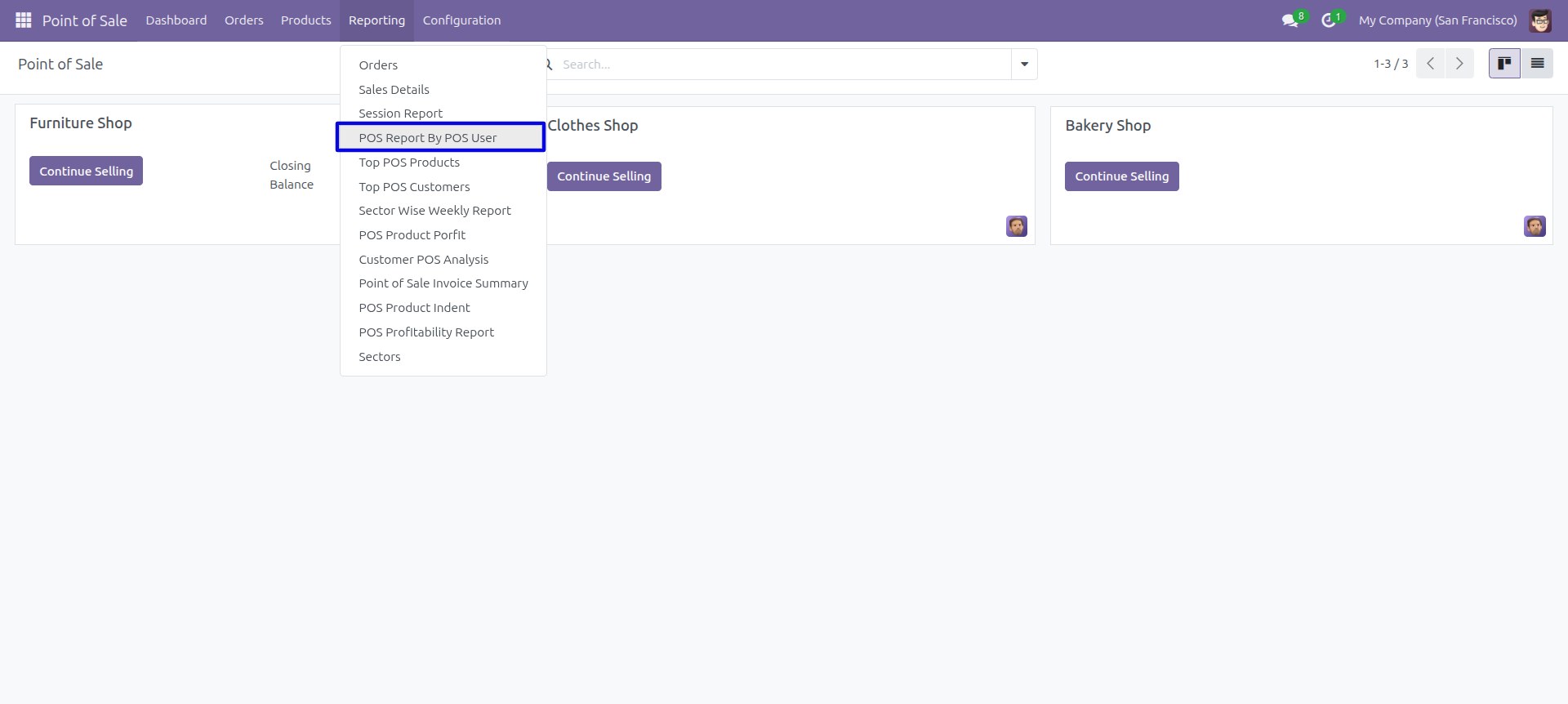
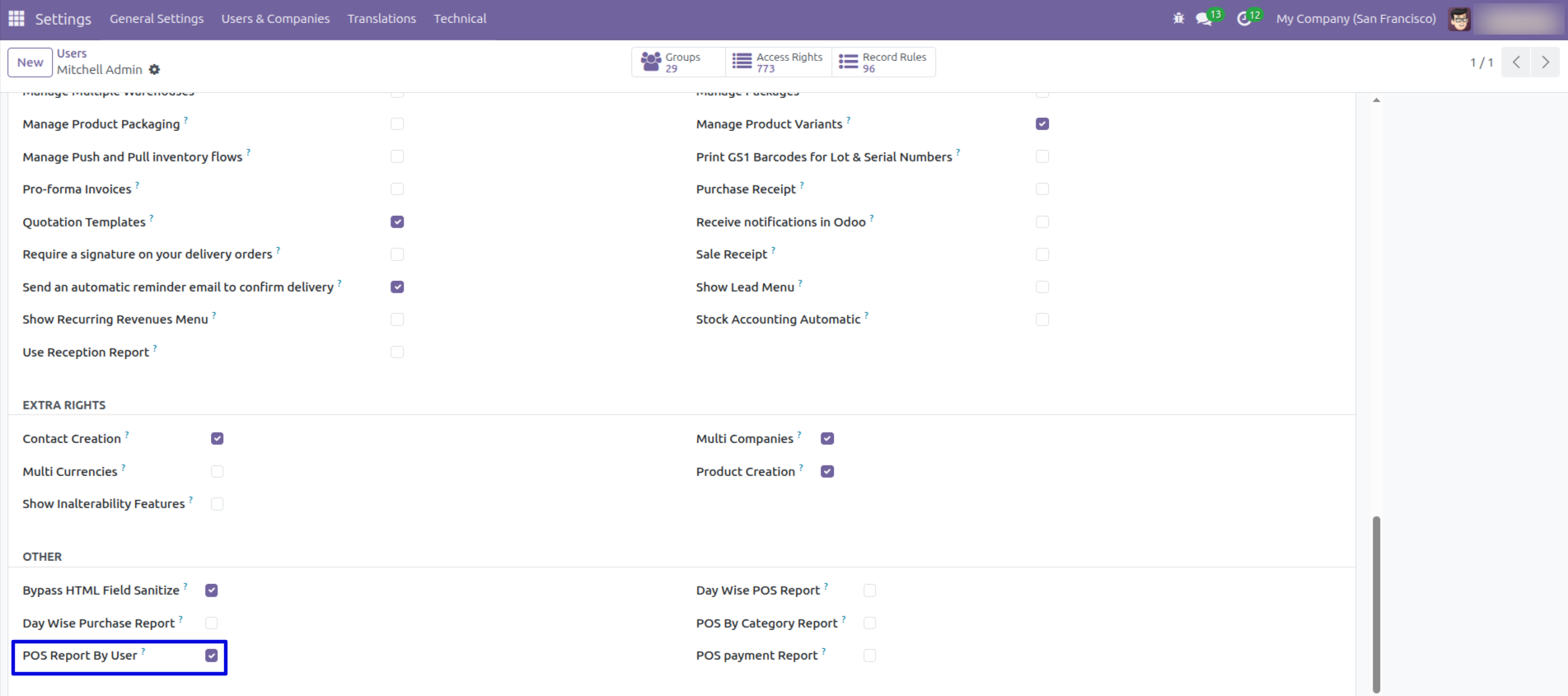
Navigate to the reporting section and choose the 'POS Report By User'.
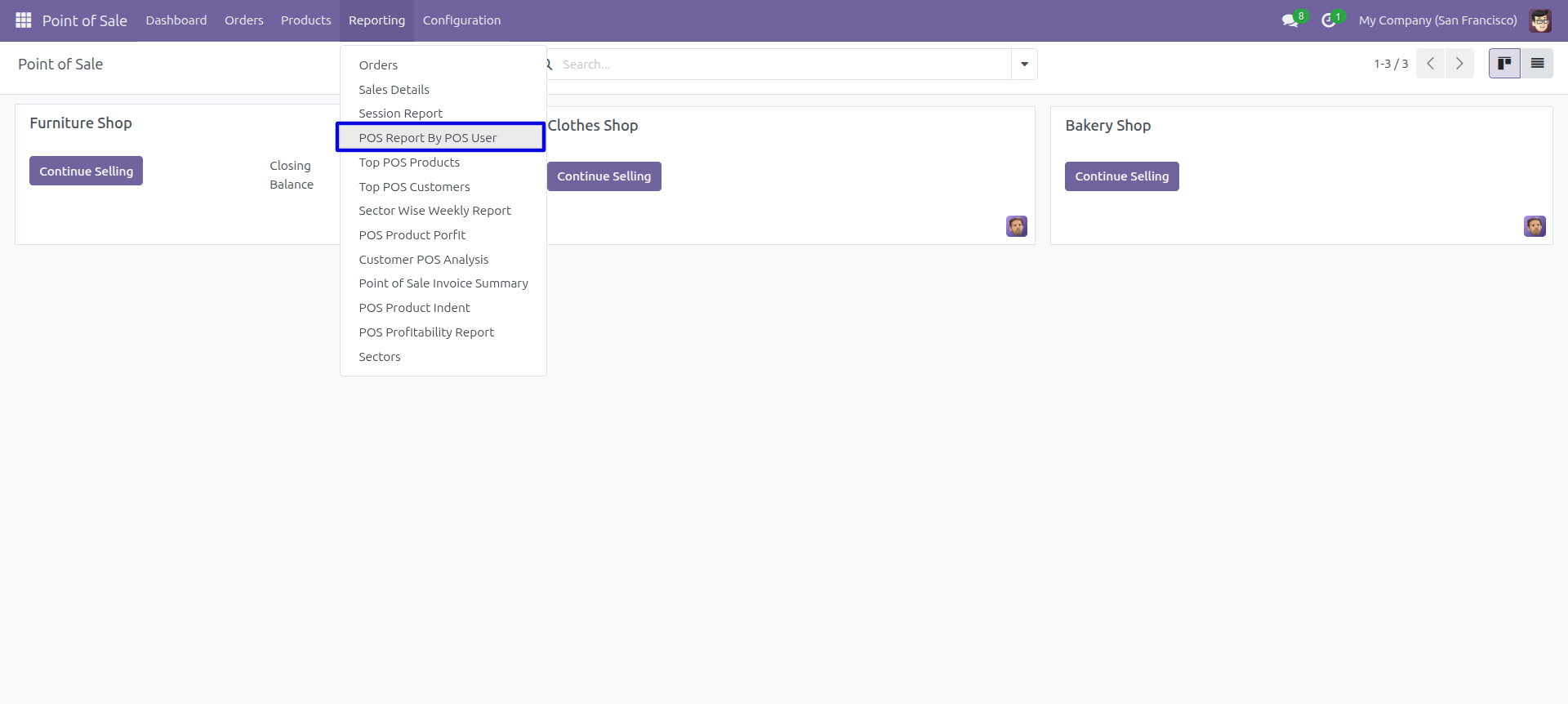
Go to 'POS Report By POS User'.
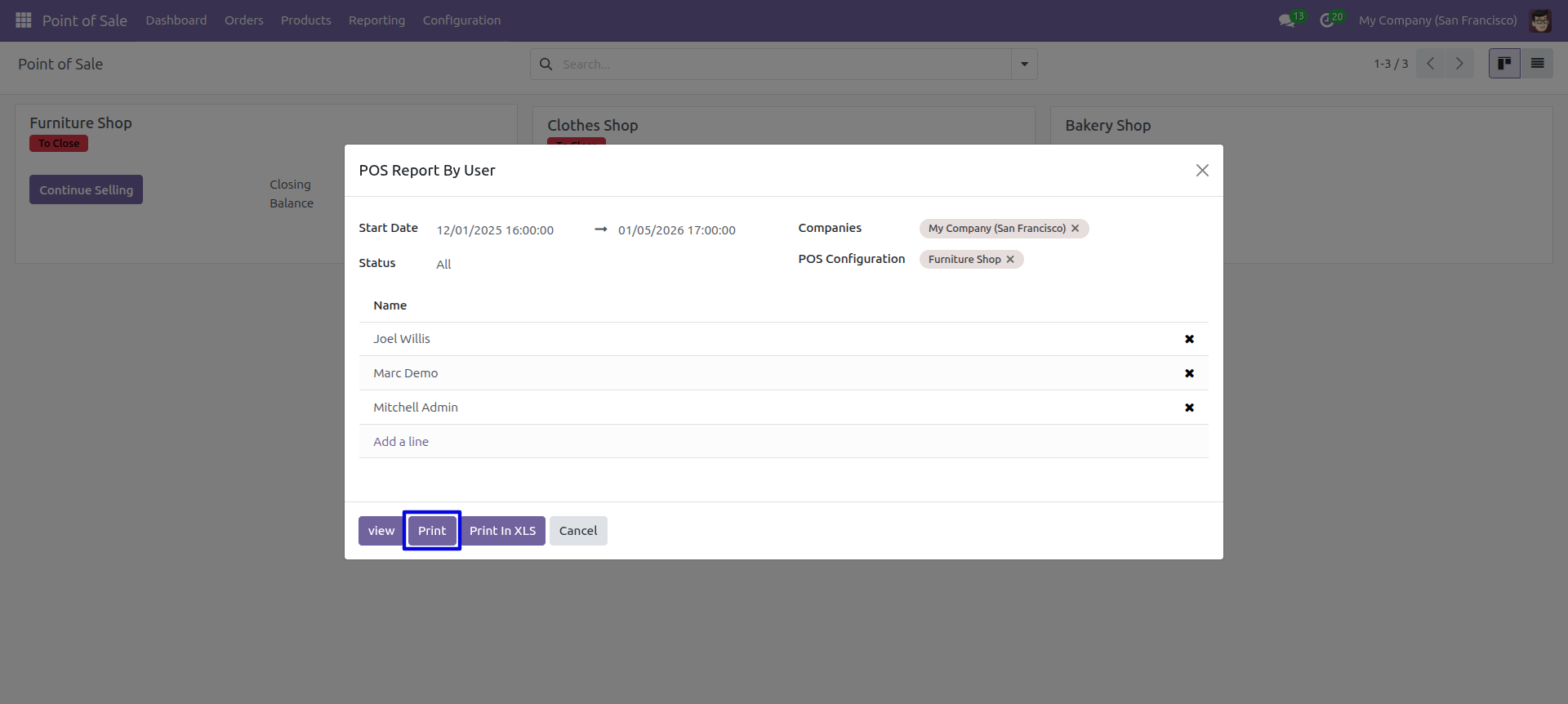
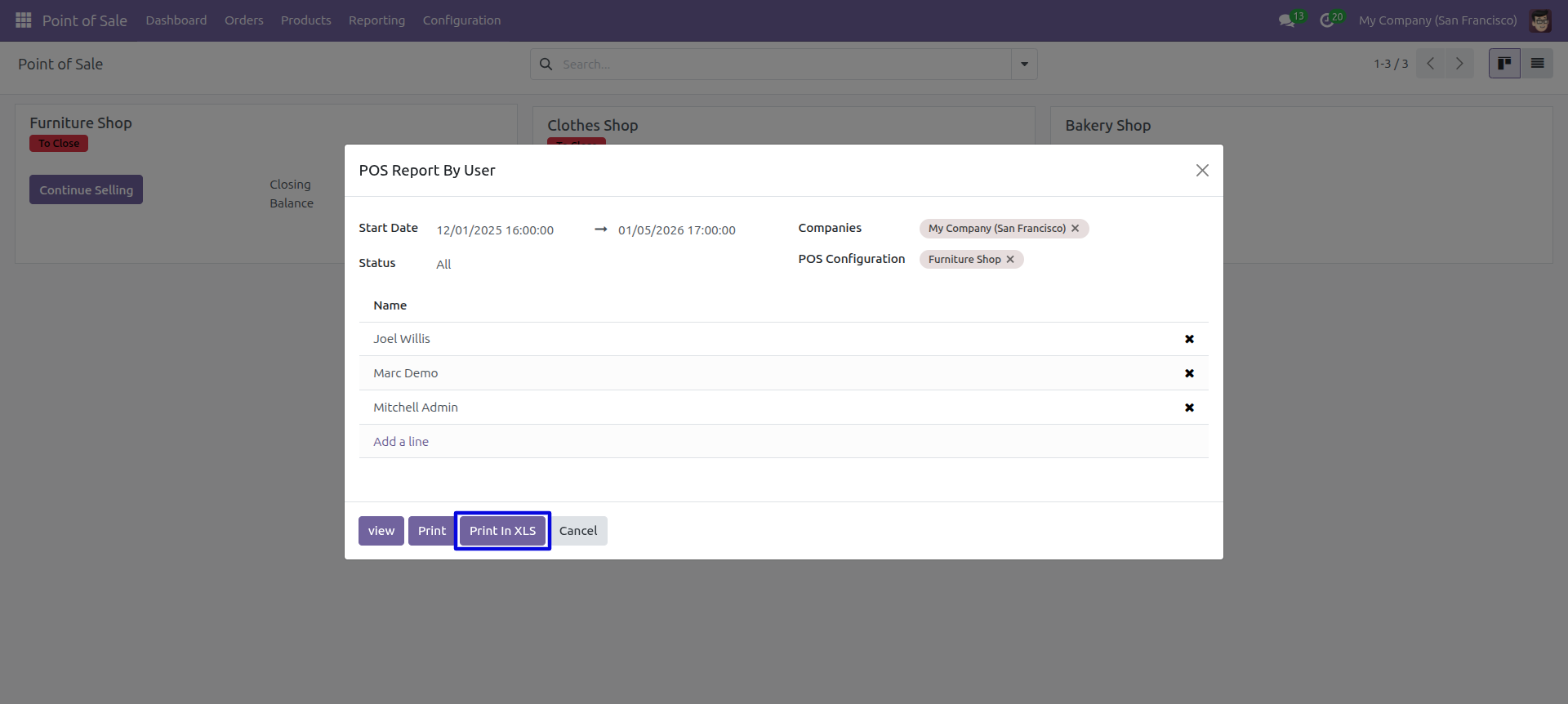
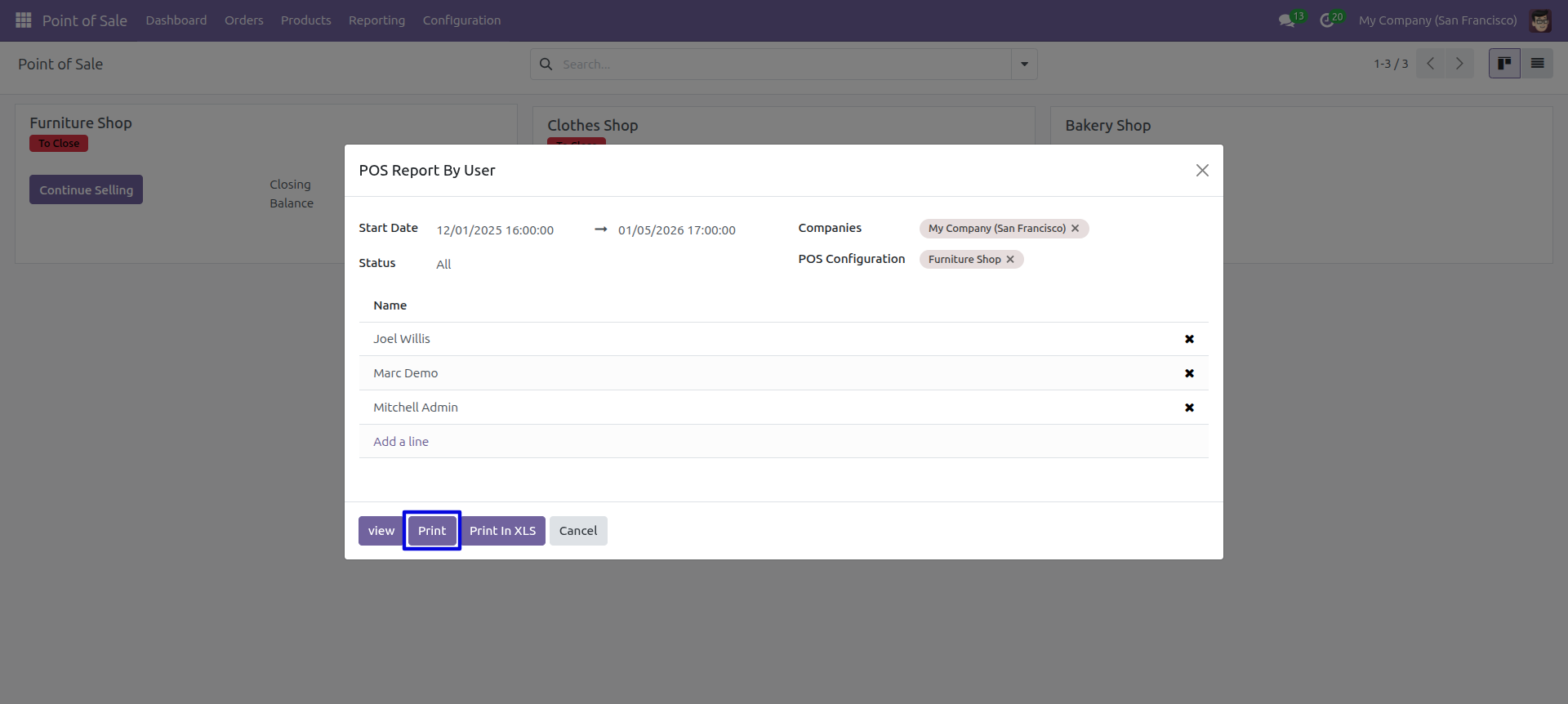
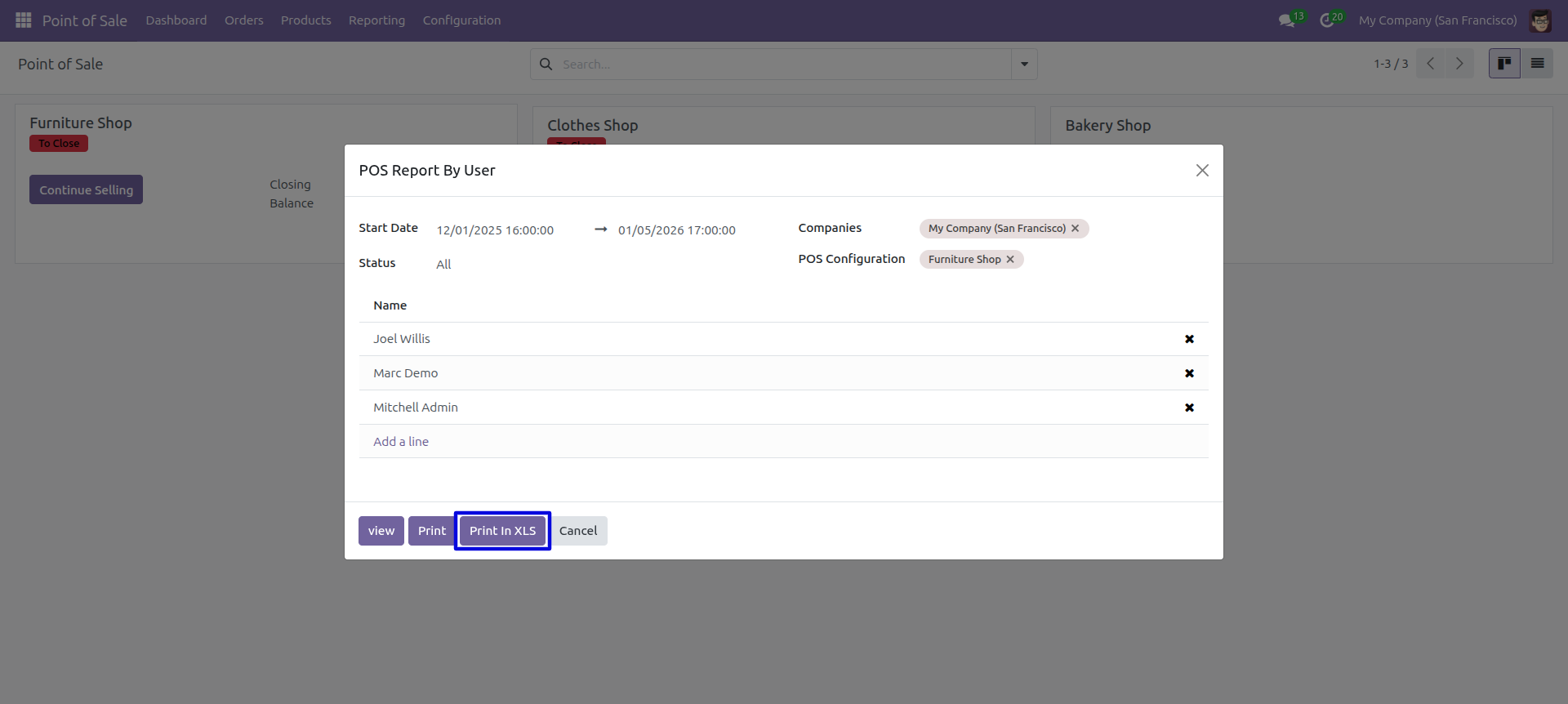
POS order report by salesperson Pdf/Excel report wizard.
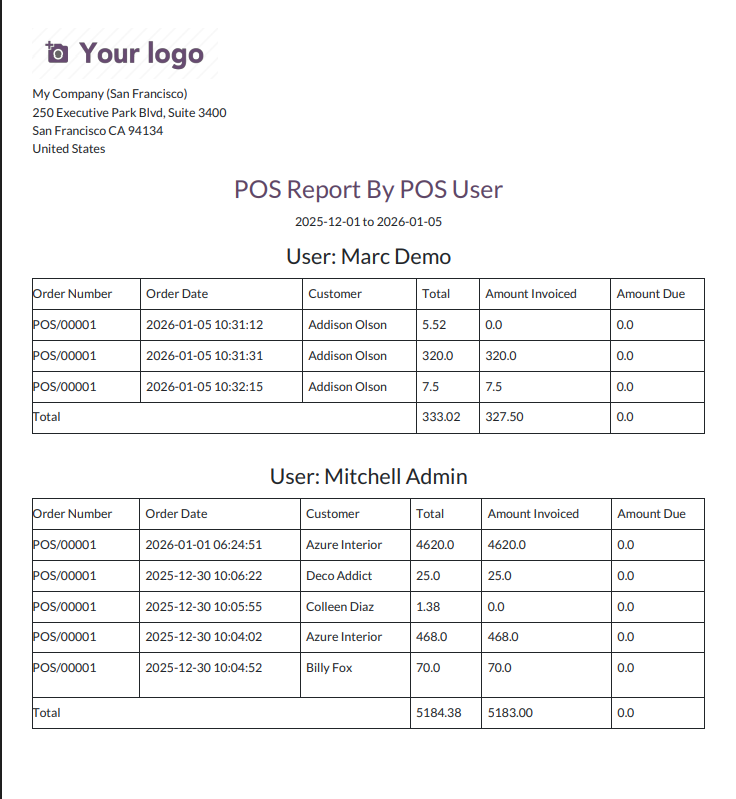
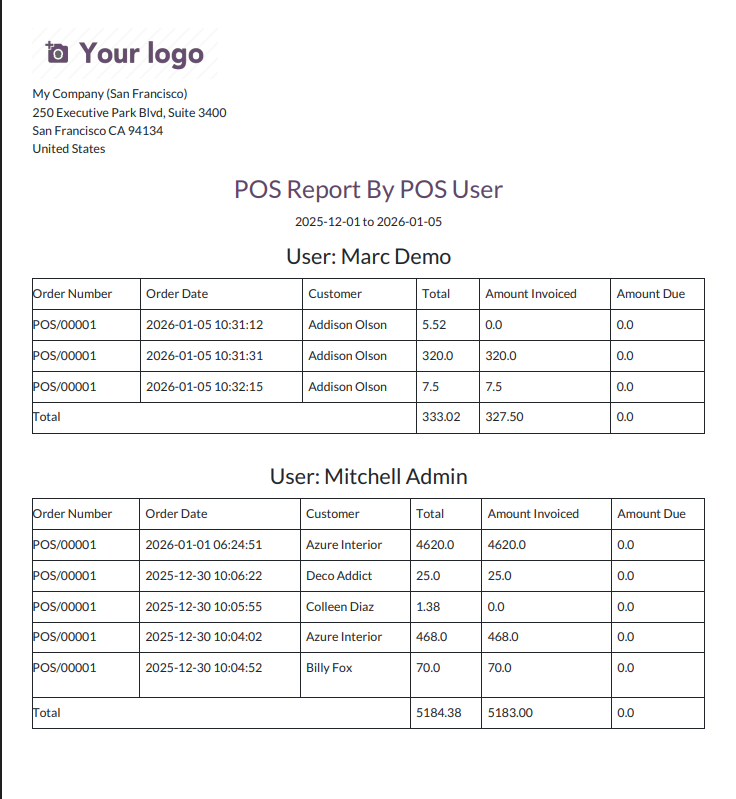
POS order report by salesperson PDF report looks like below.
POS order report by salesperson Pdf/Excel report wizard.
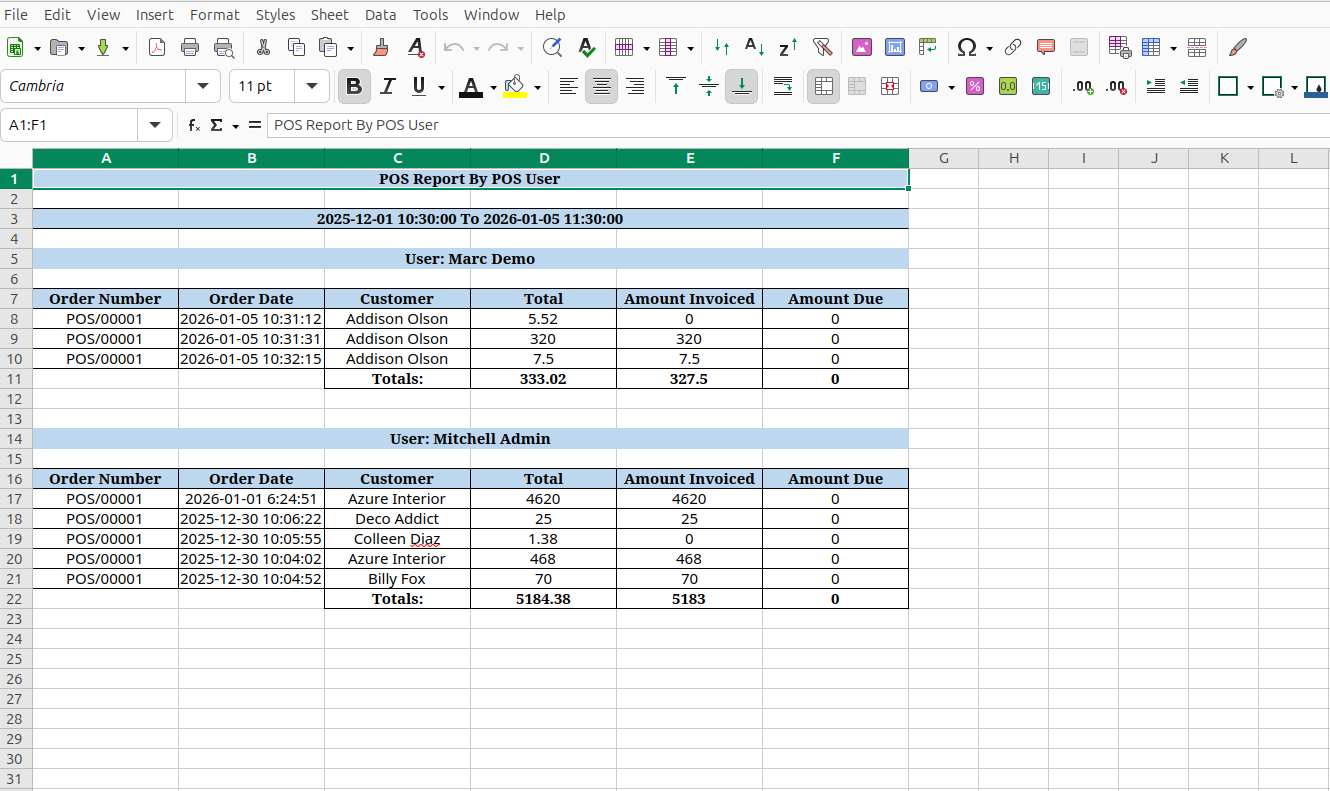
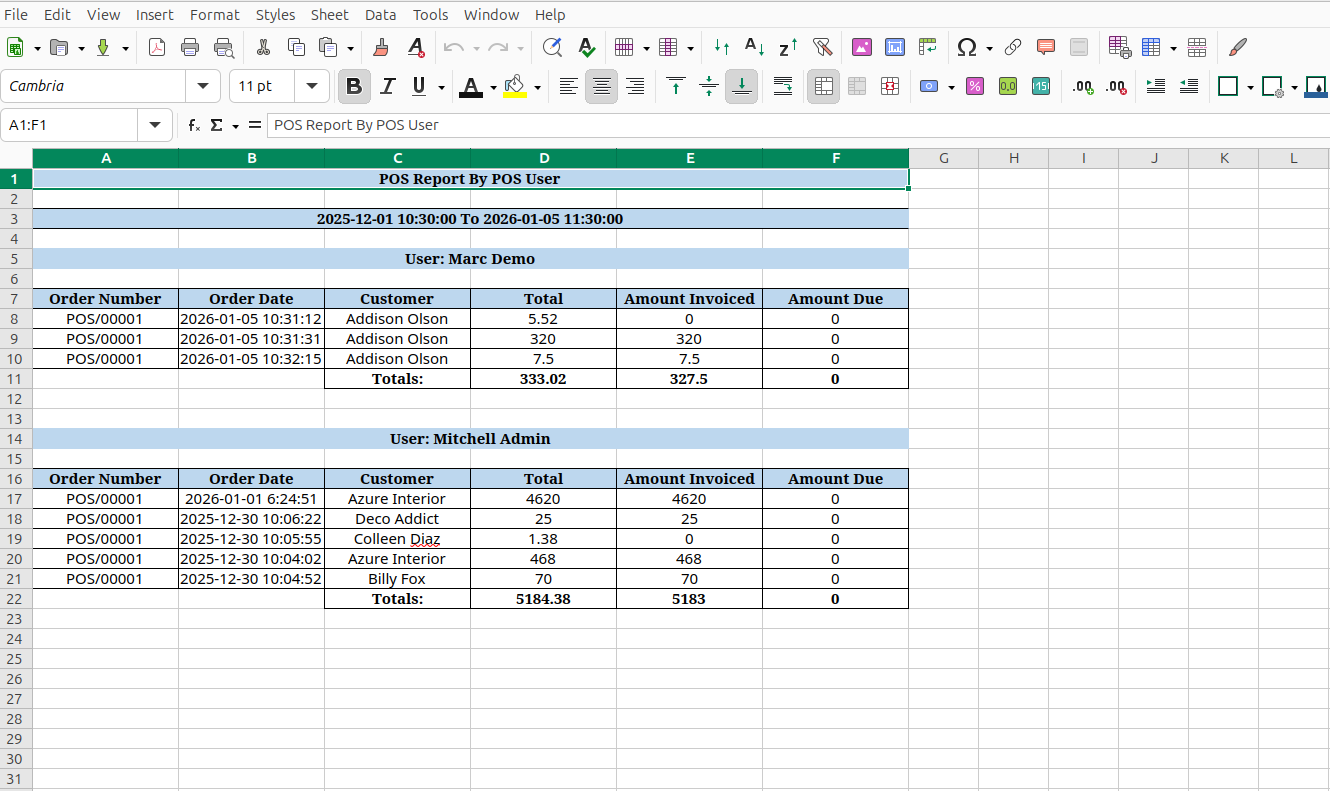
The POS order report by salesperson excel report looks like below.
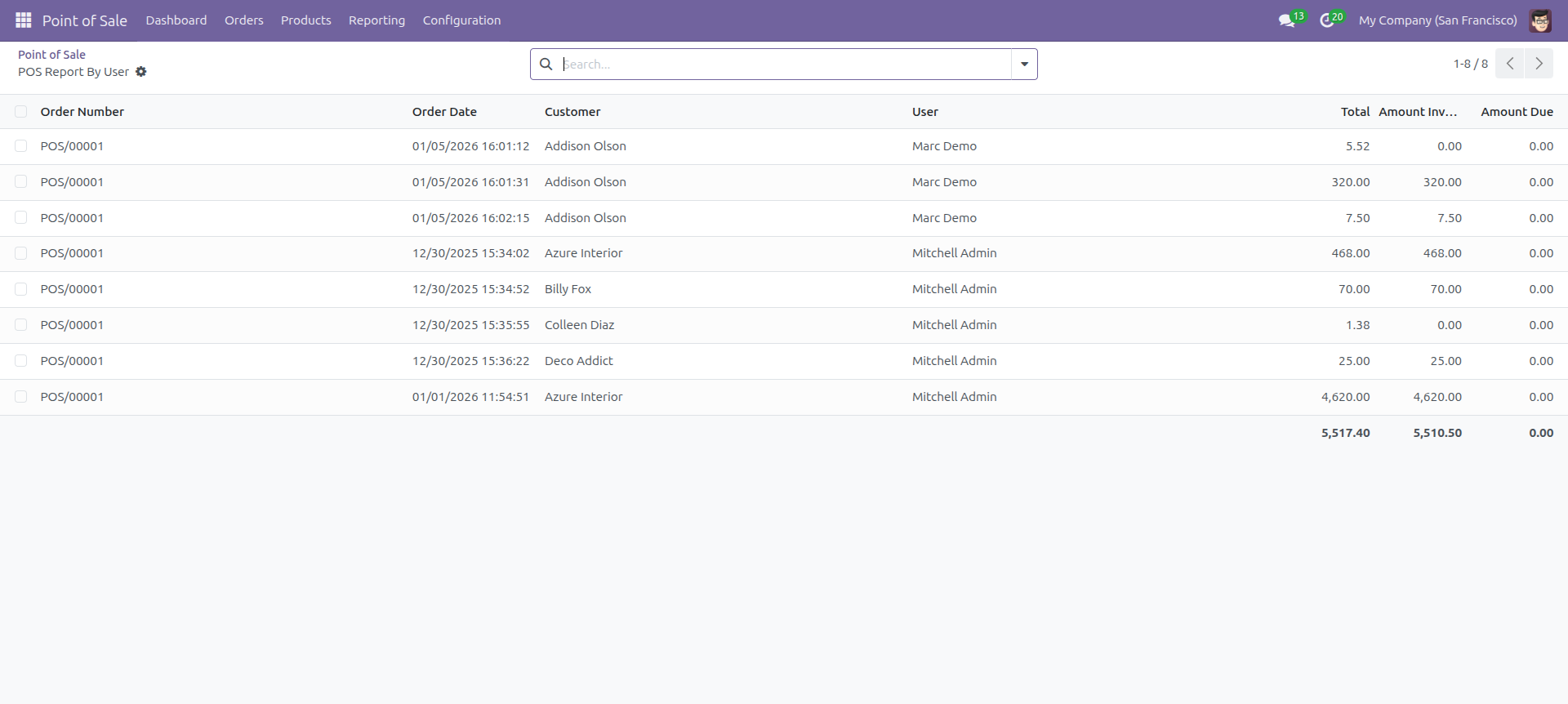
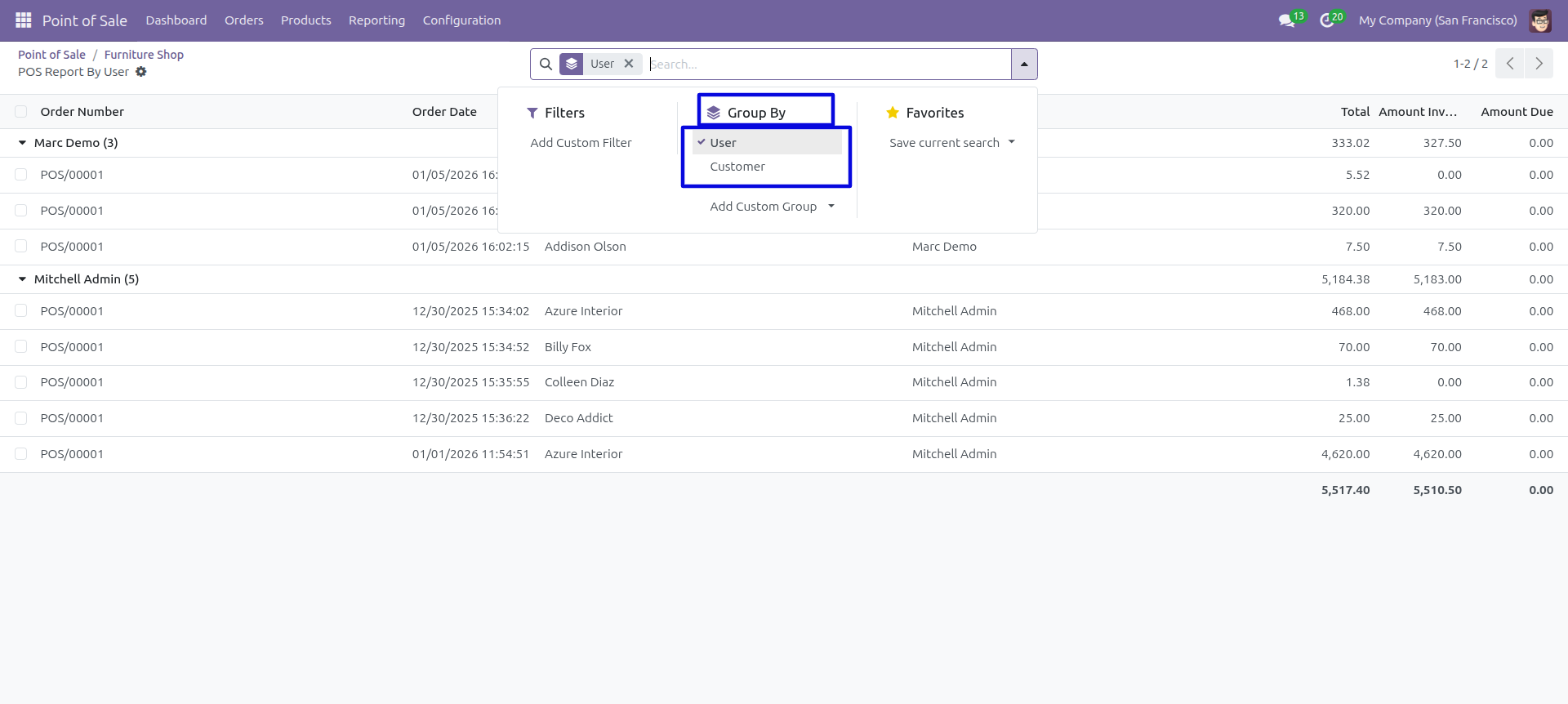
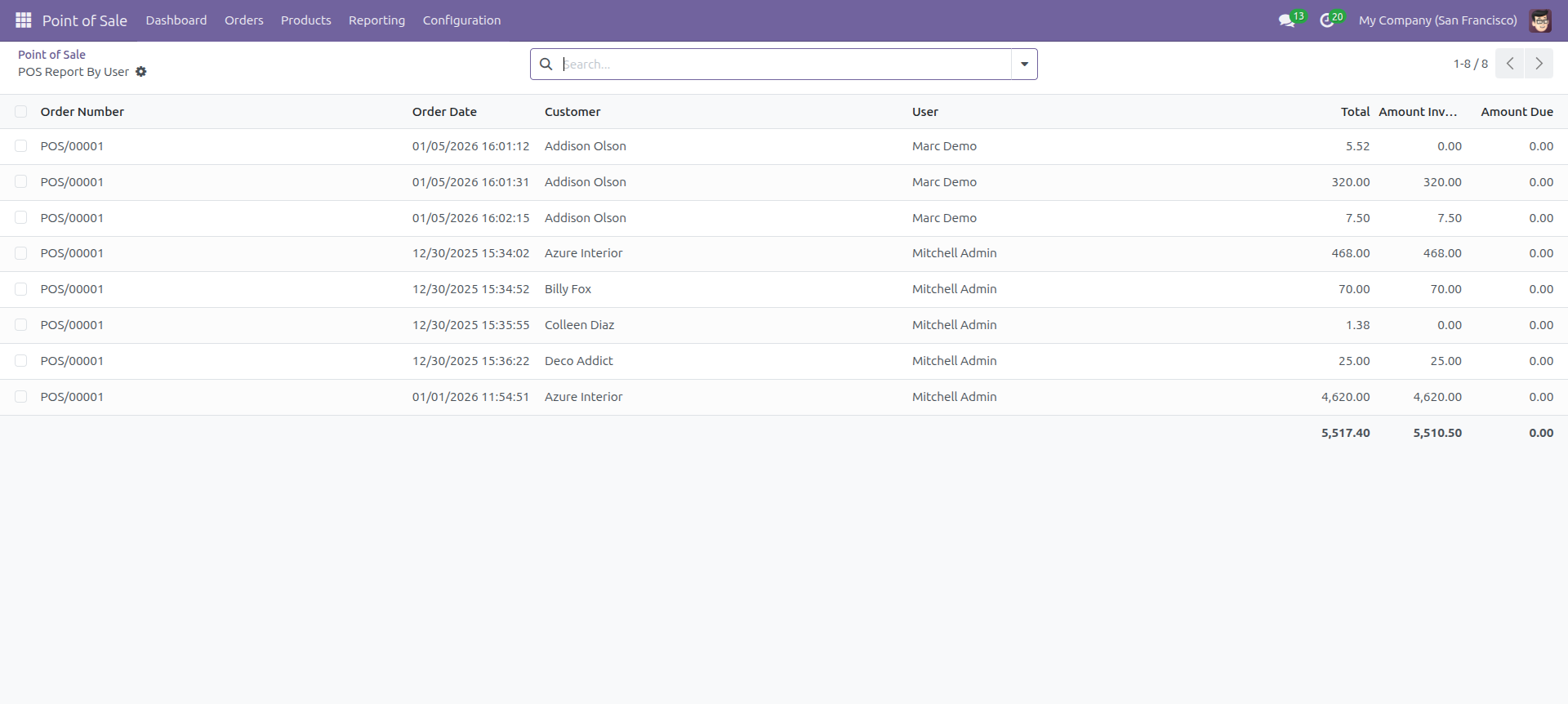
POS report by POS user report with for the given date range report view.
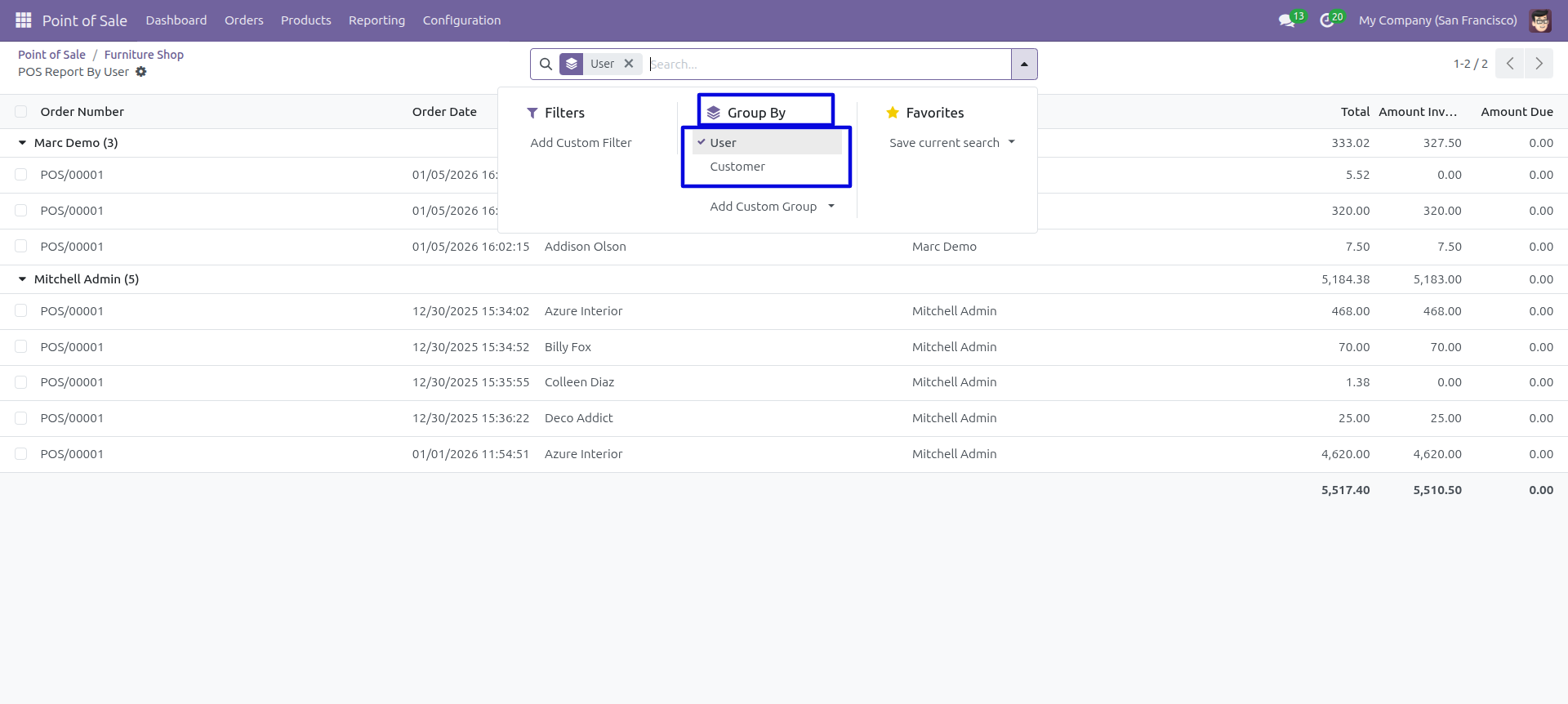
In the report view, you have the option to group the report.
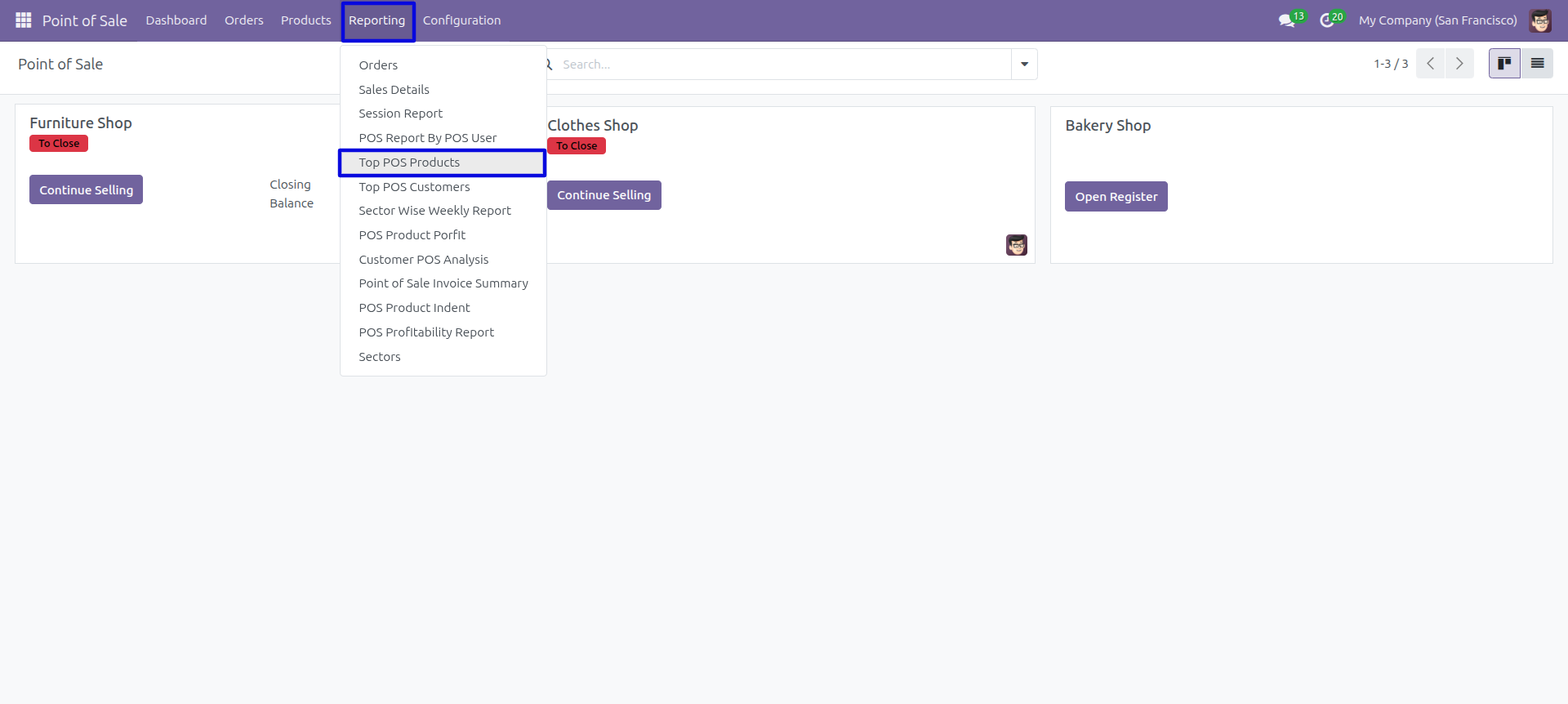
Top POS product menu and kanban view, 'Top POS Products' menu help to print top-selling products.
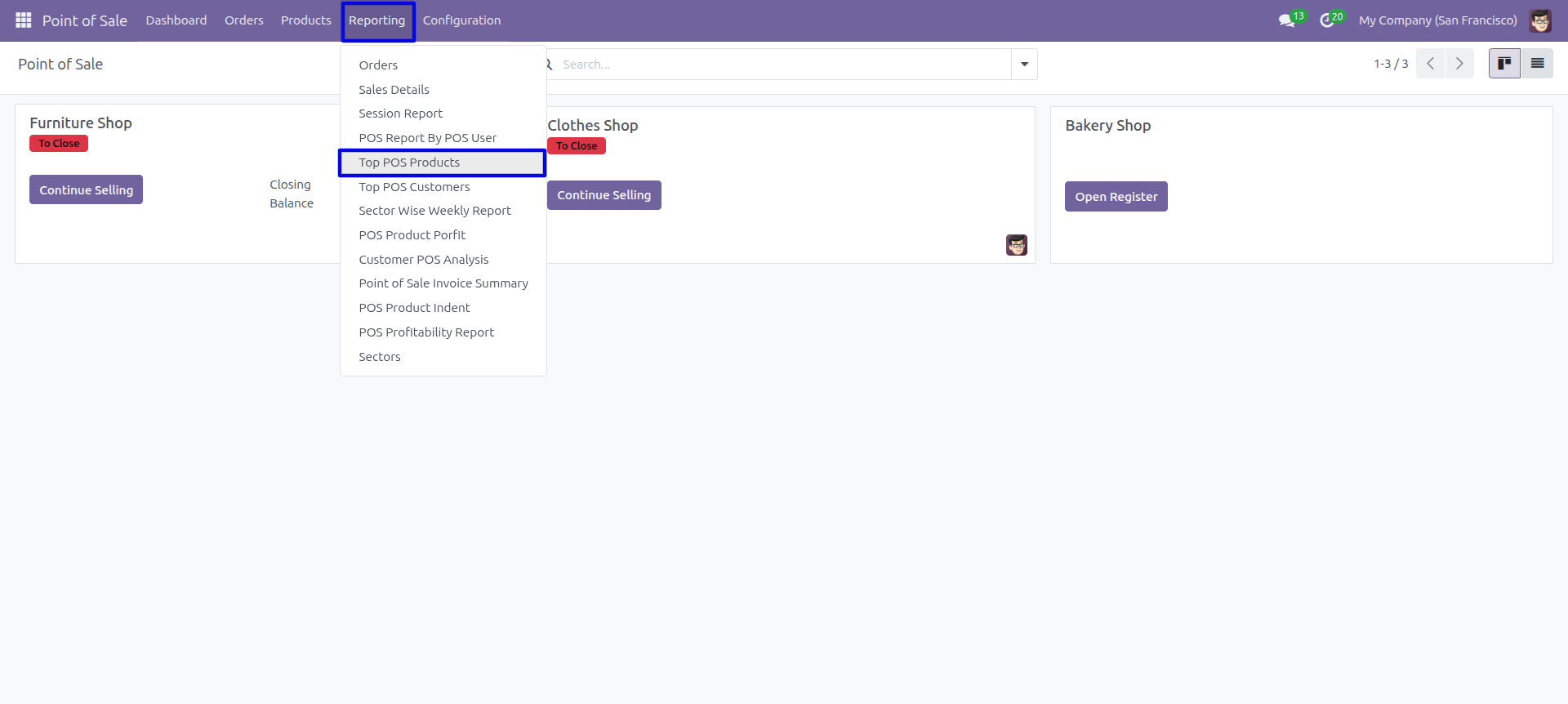
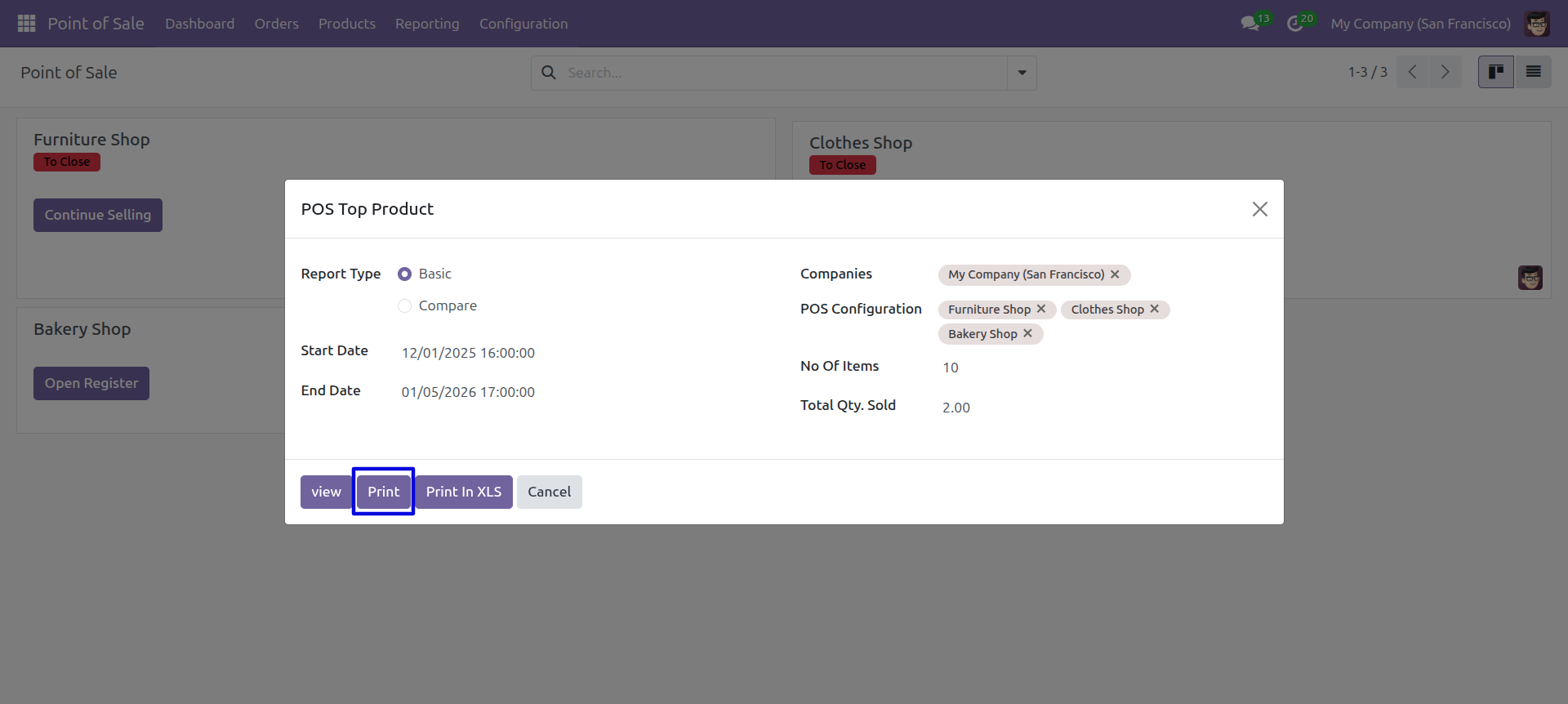
Top POS Products report wizard and select basic report type and press 'Print Report'.
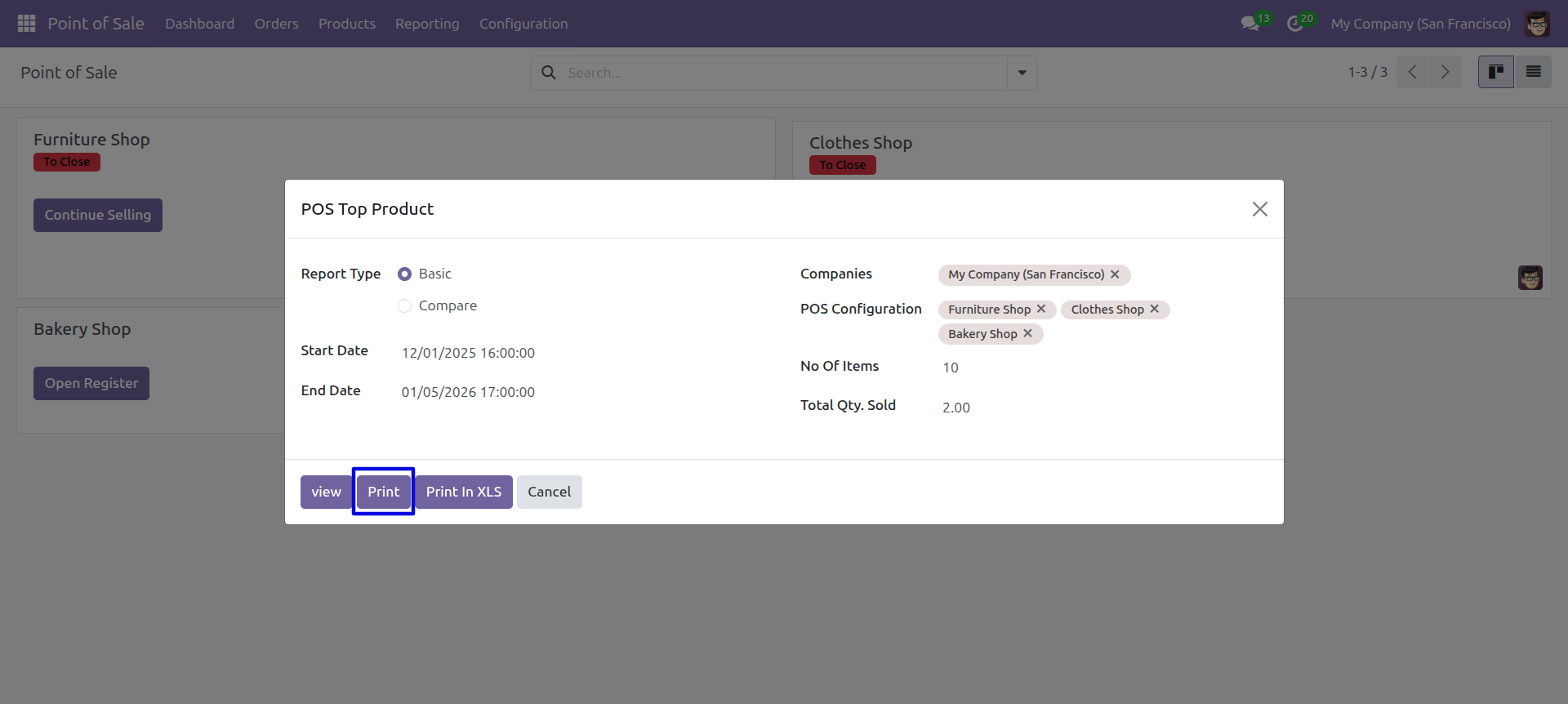
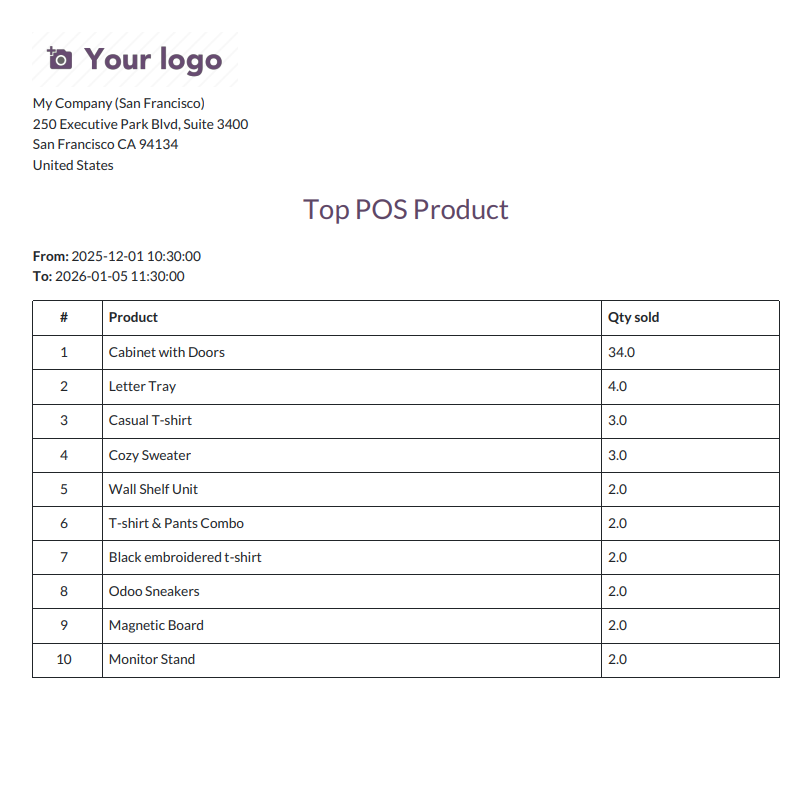
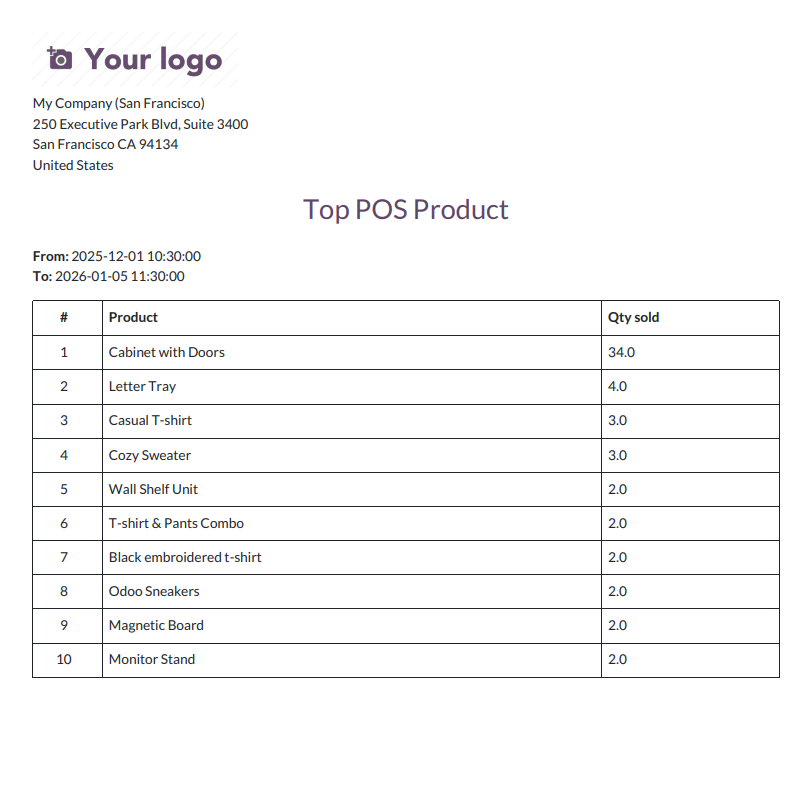
Top POS Product basic PDf report look like below.
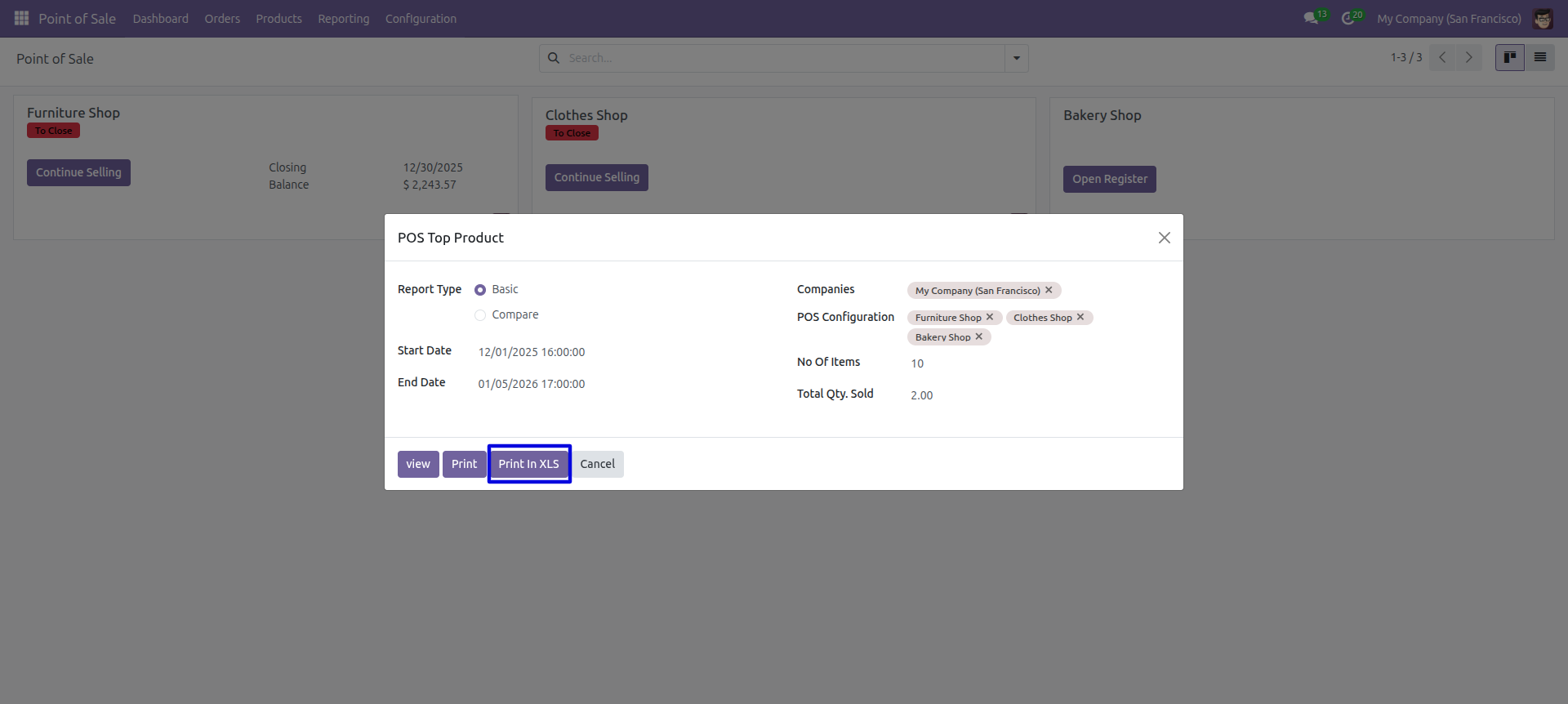
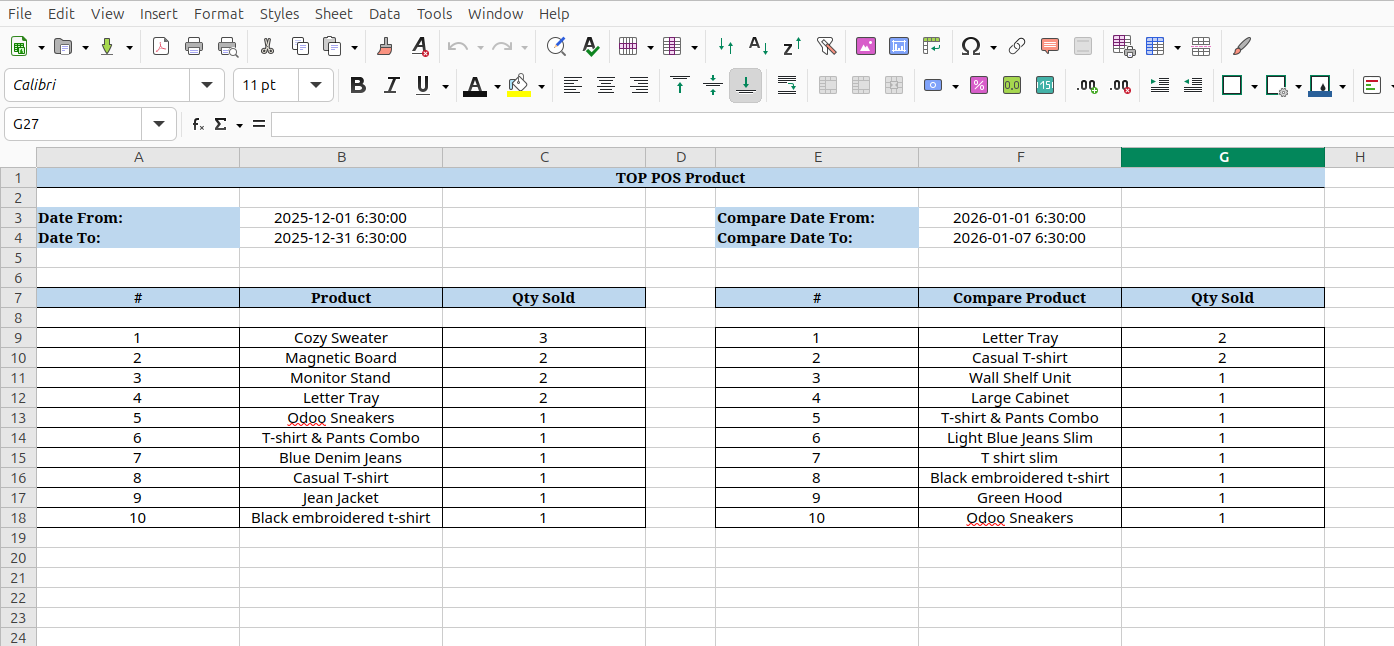
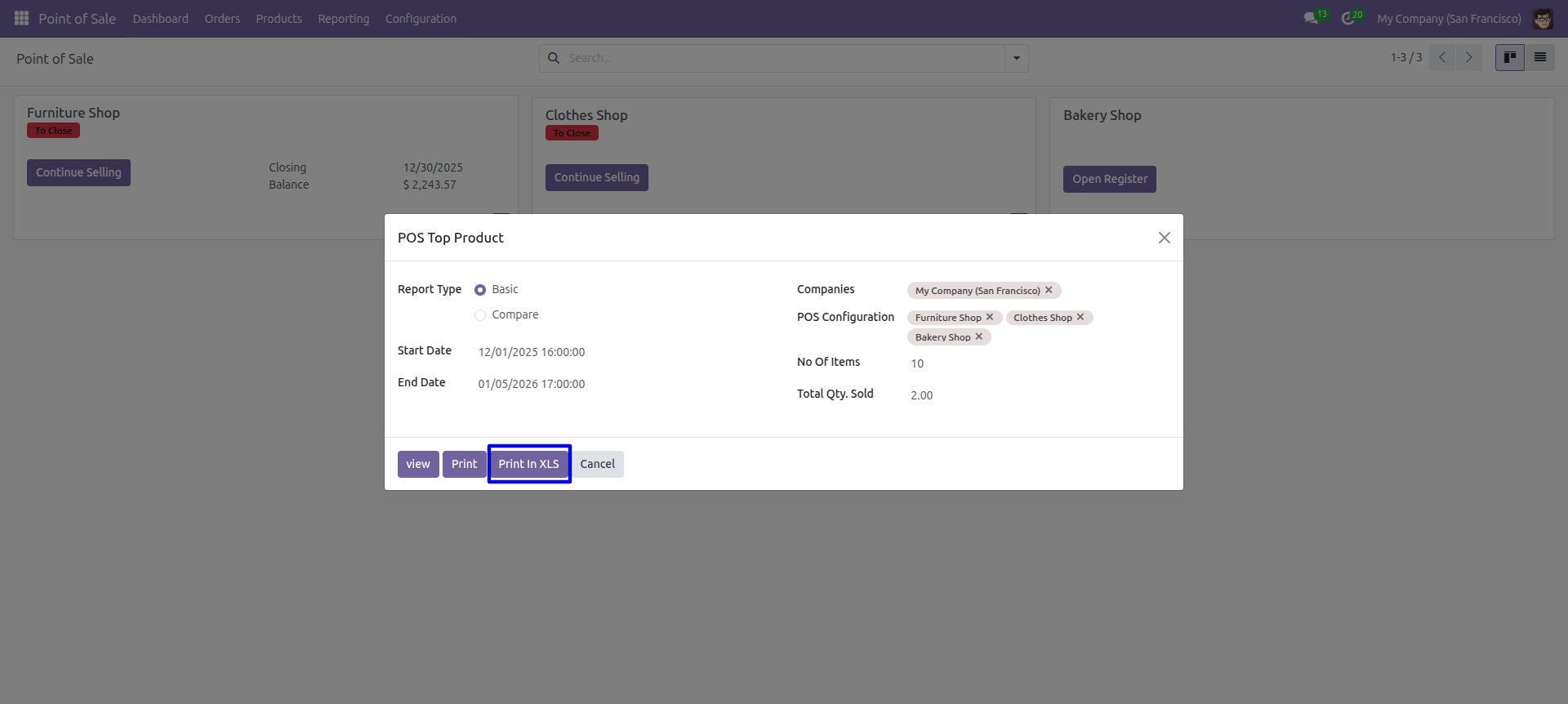
Top POS Products report wizard and select basic report type and press 'Print Xls'.
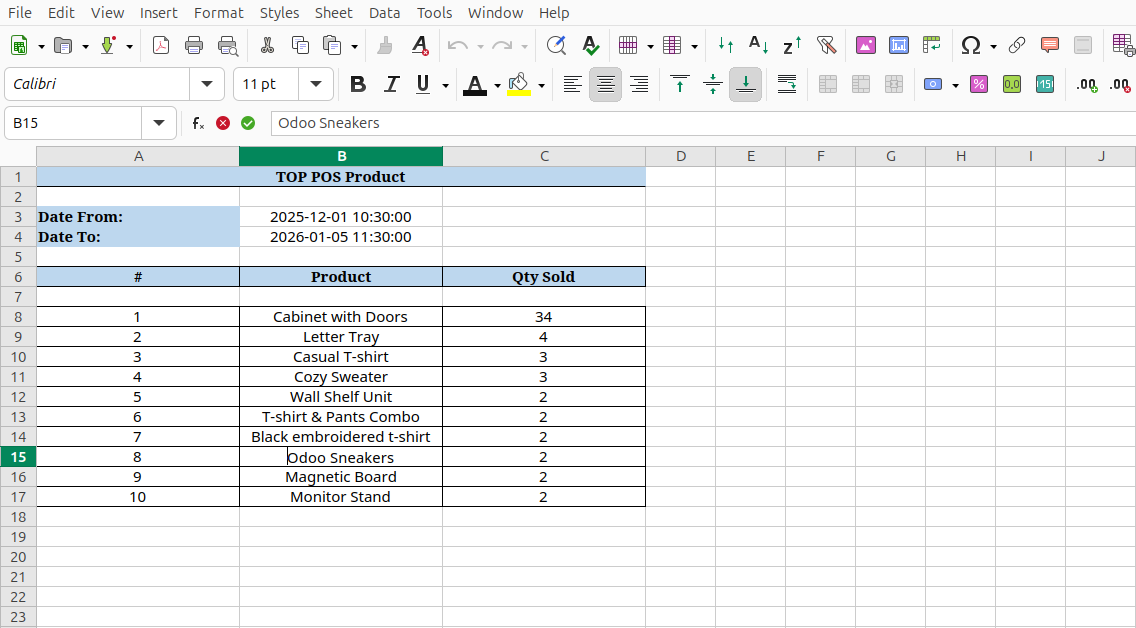
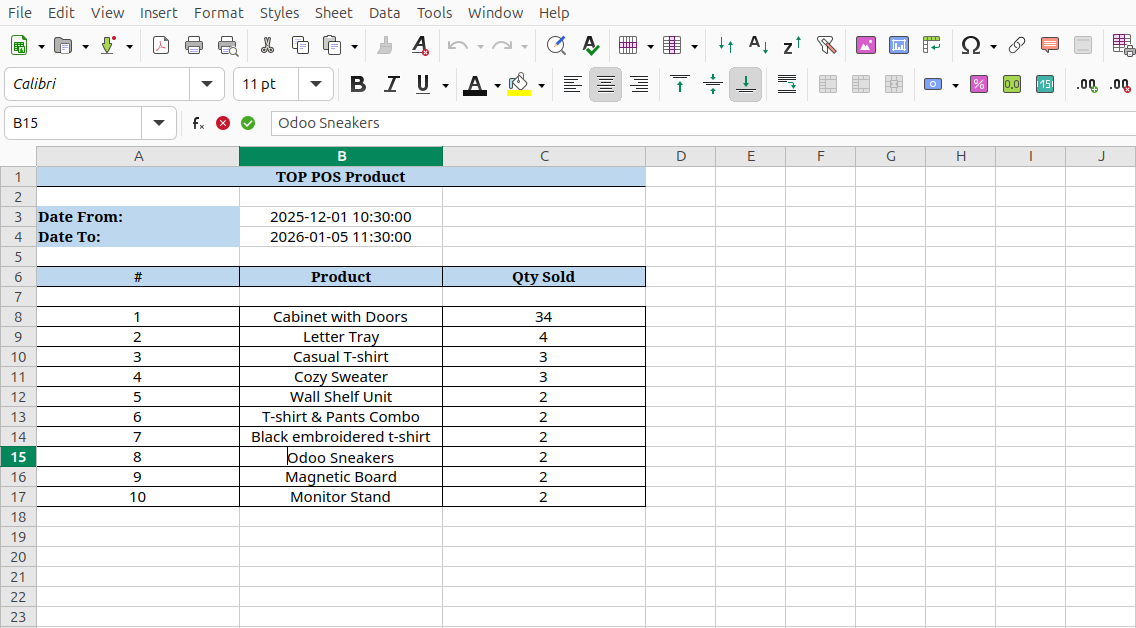
Top POS Product basic excel report look like below.
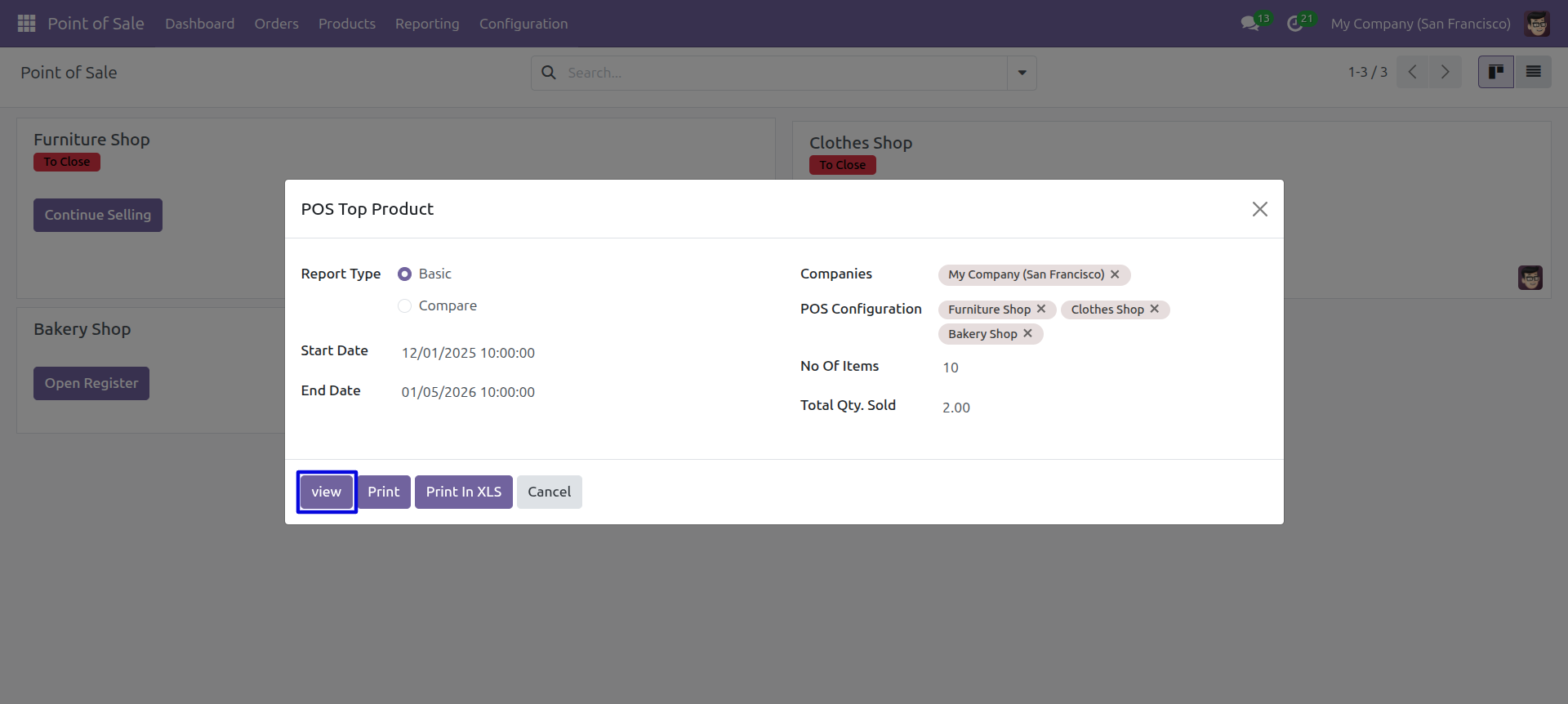
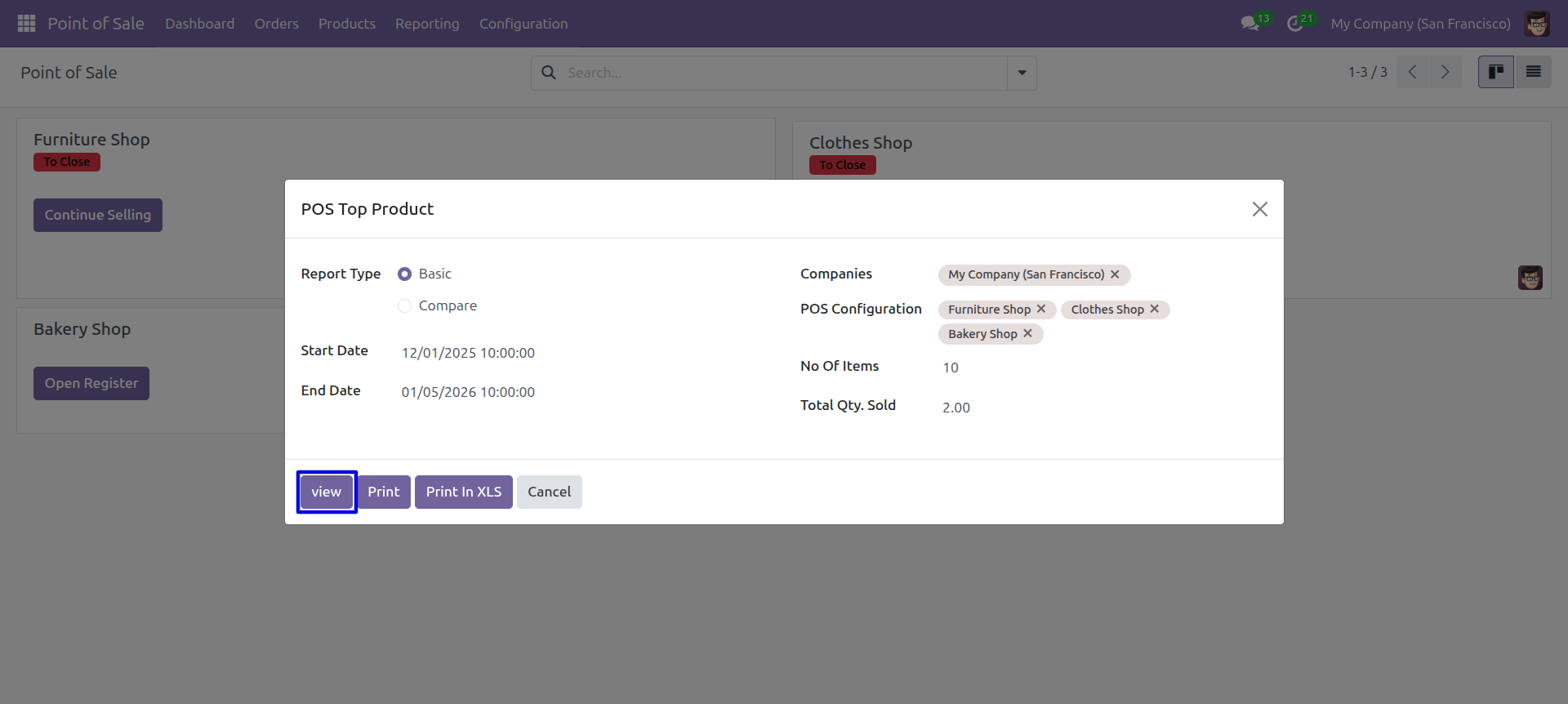
Top product Select basic type report and View report.
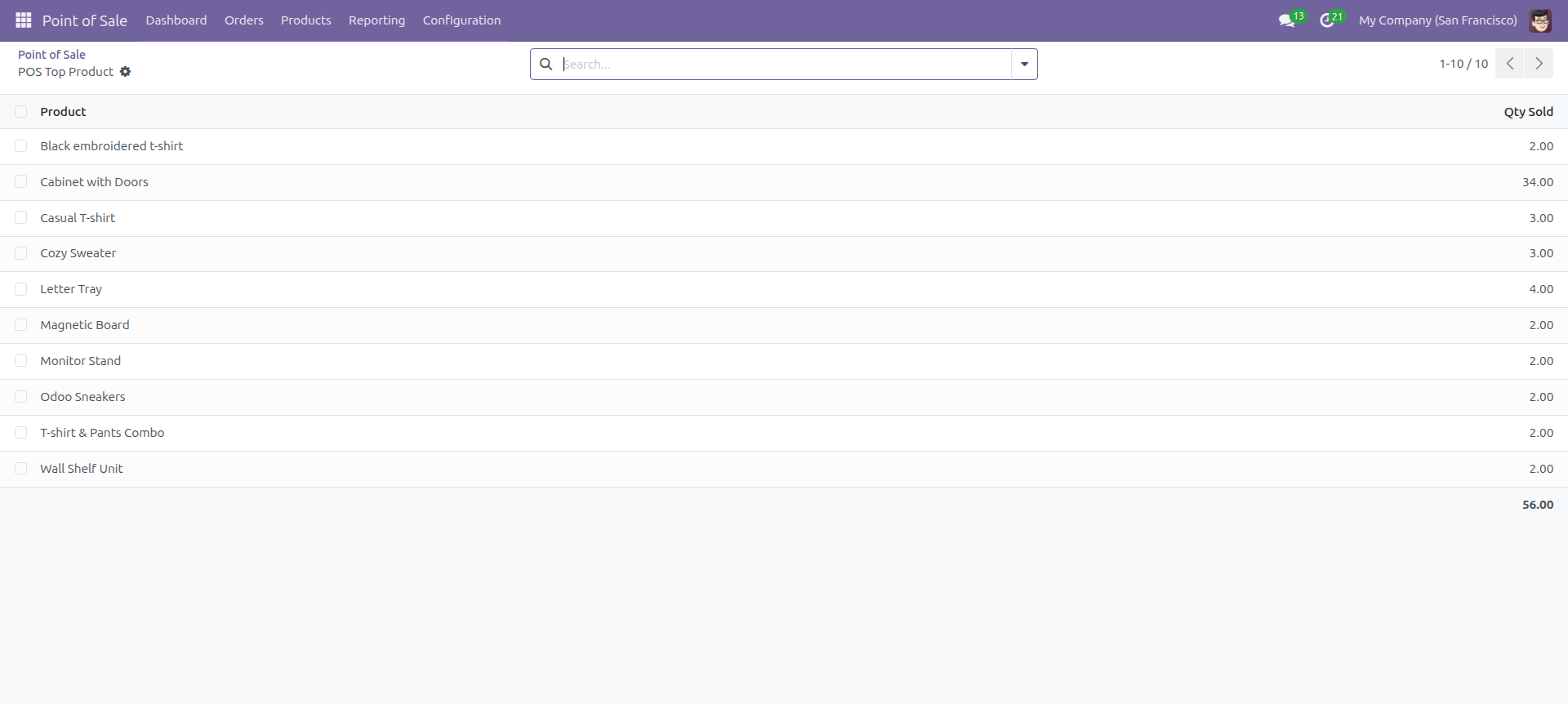
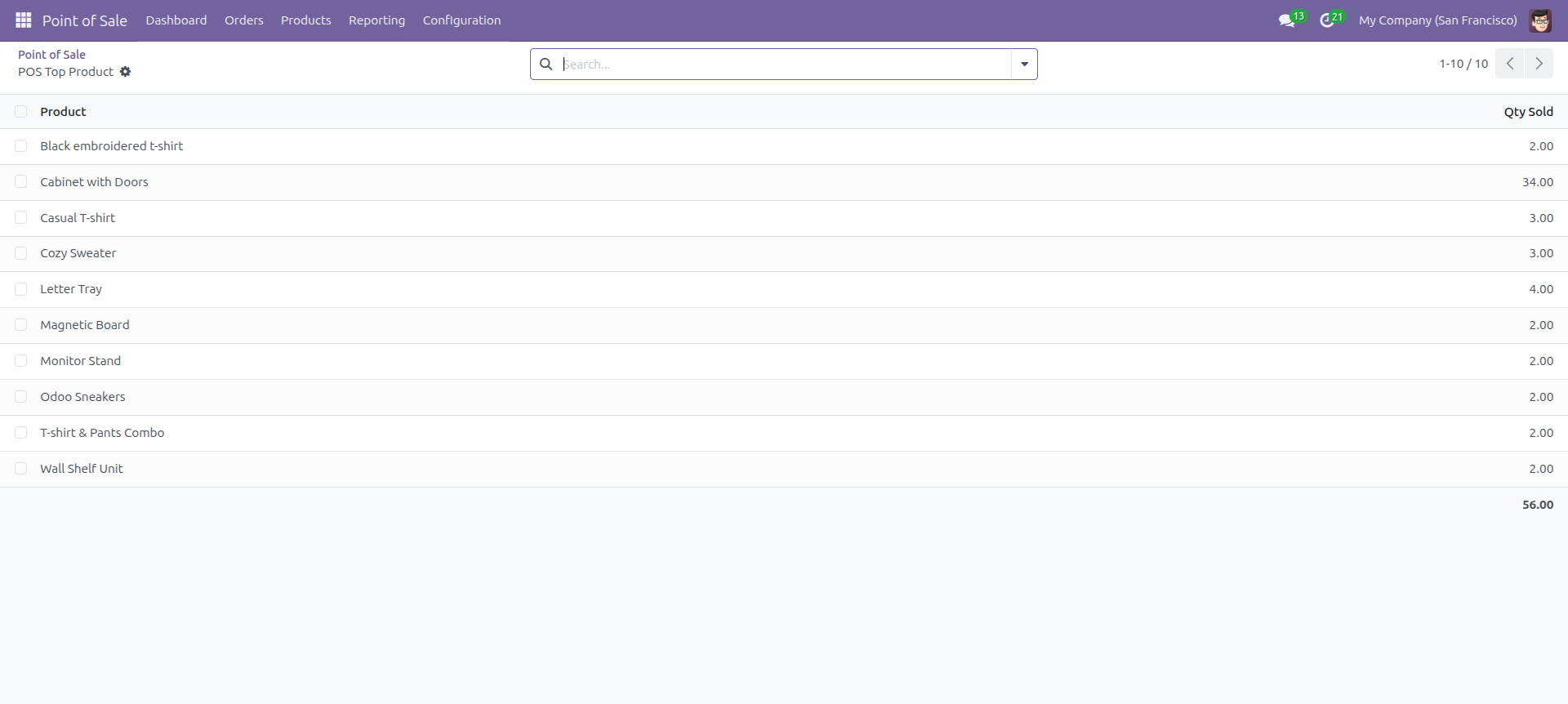
Top product basic type view of the Report look like below.
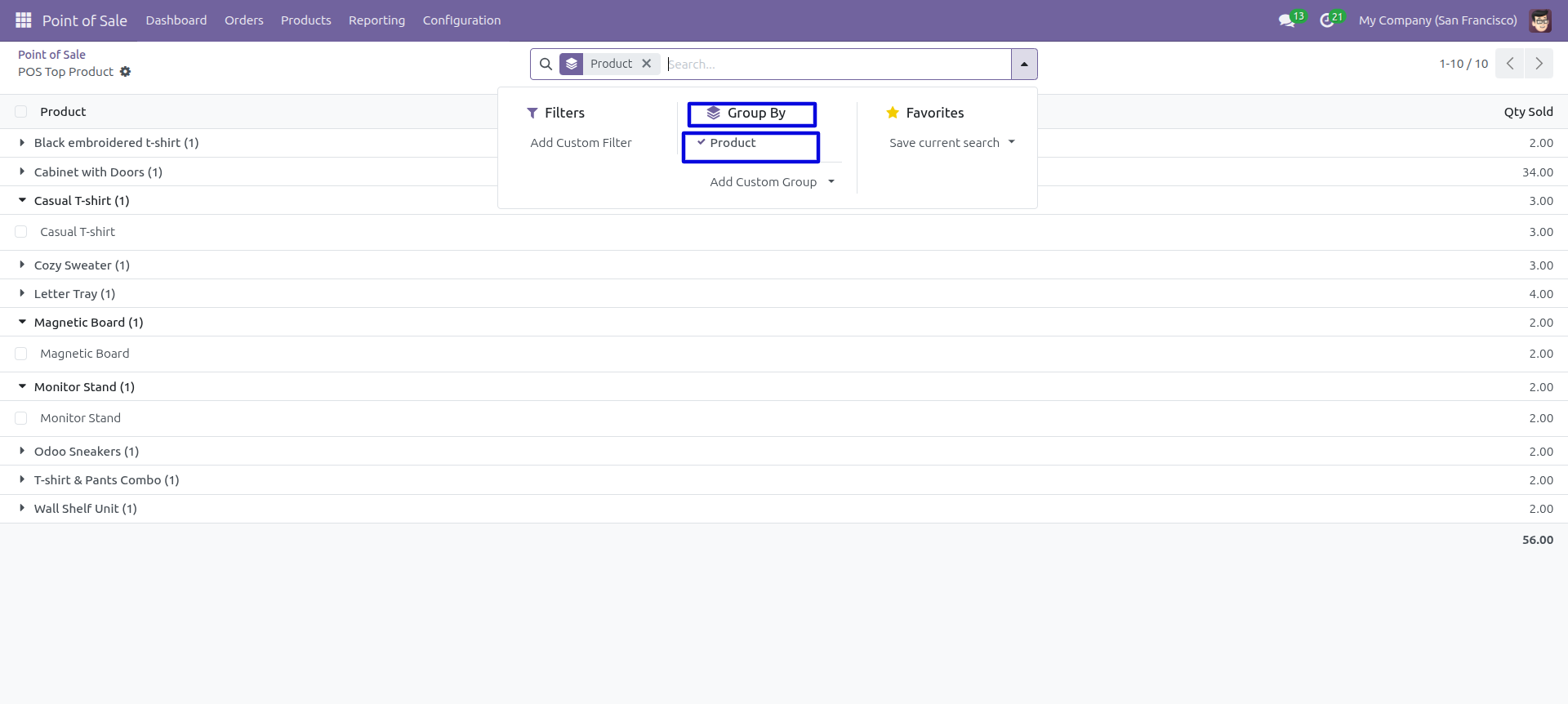
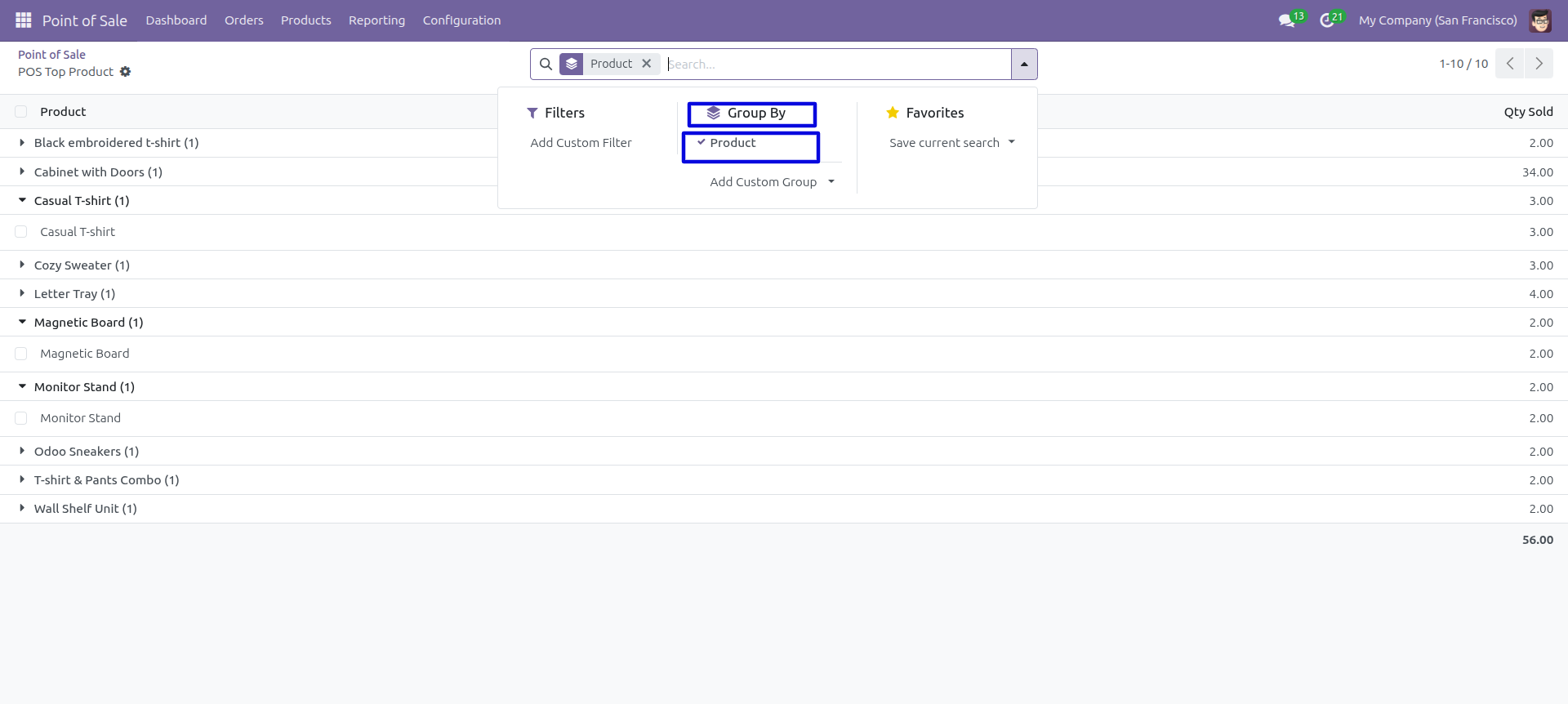
In the report view, you have the option to group the report.
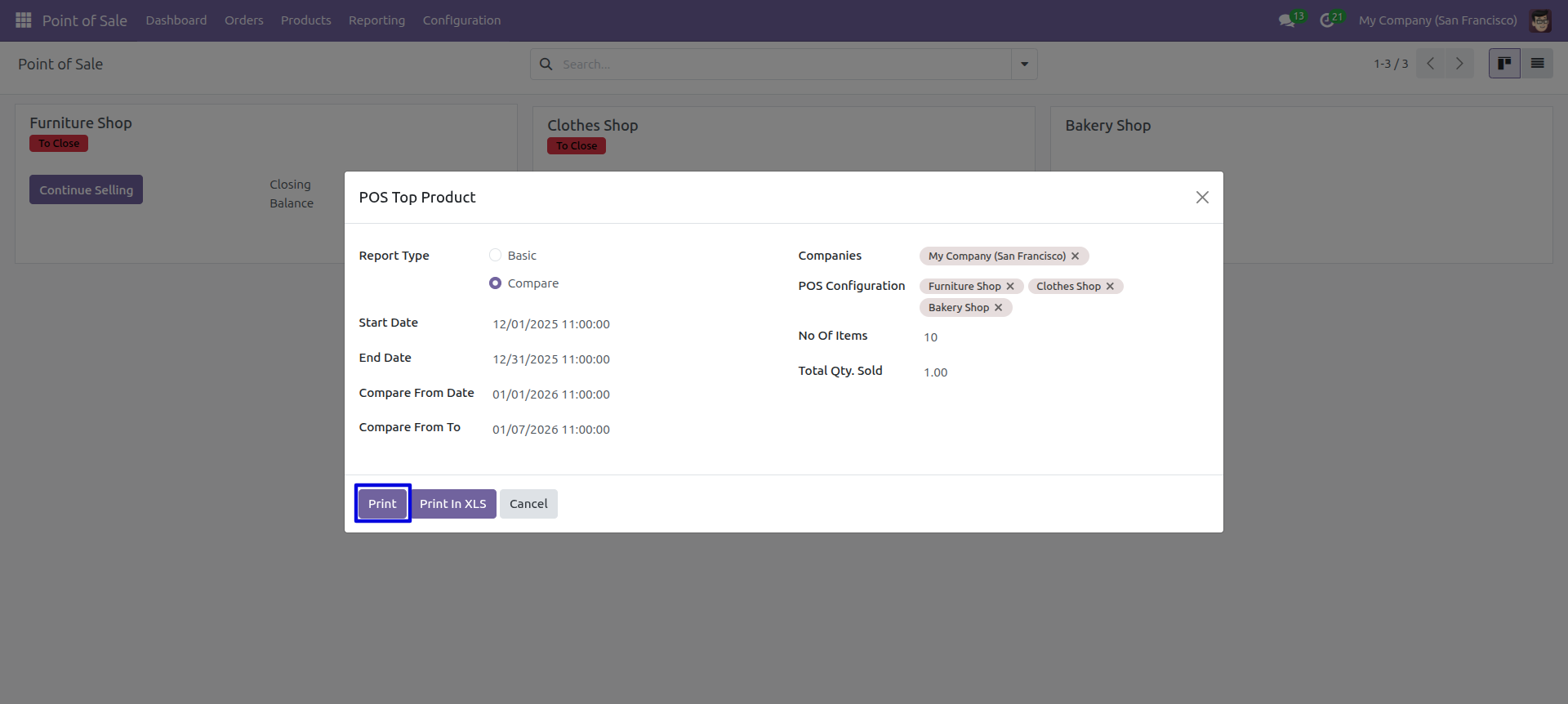
Top POS Product report wizard and select compare report type and press 'Print Report'.
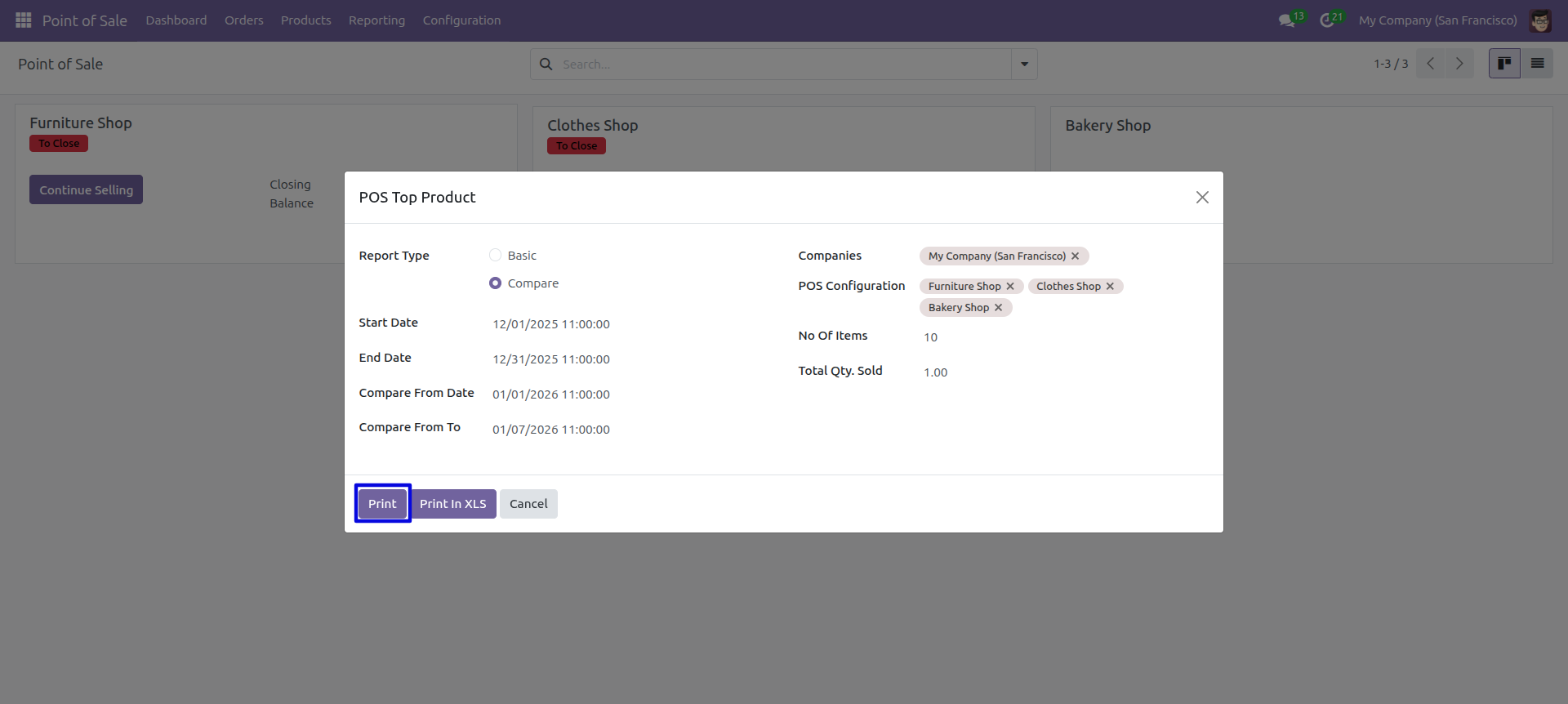
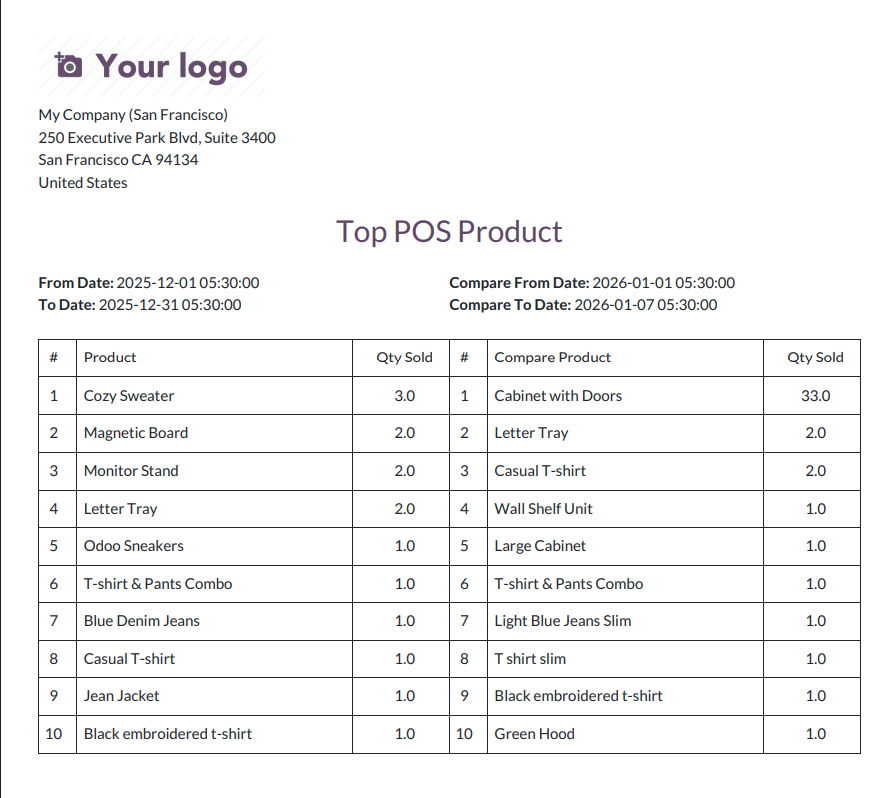
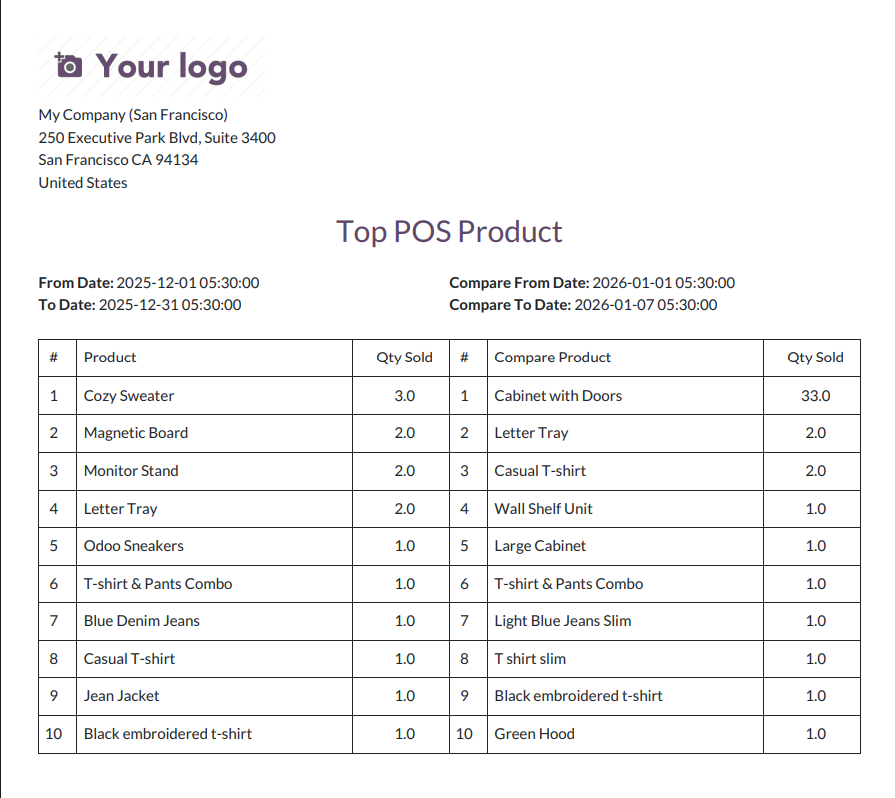
Top POS Product compare PDf report look like below.
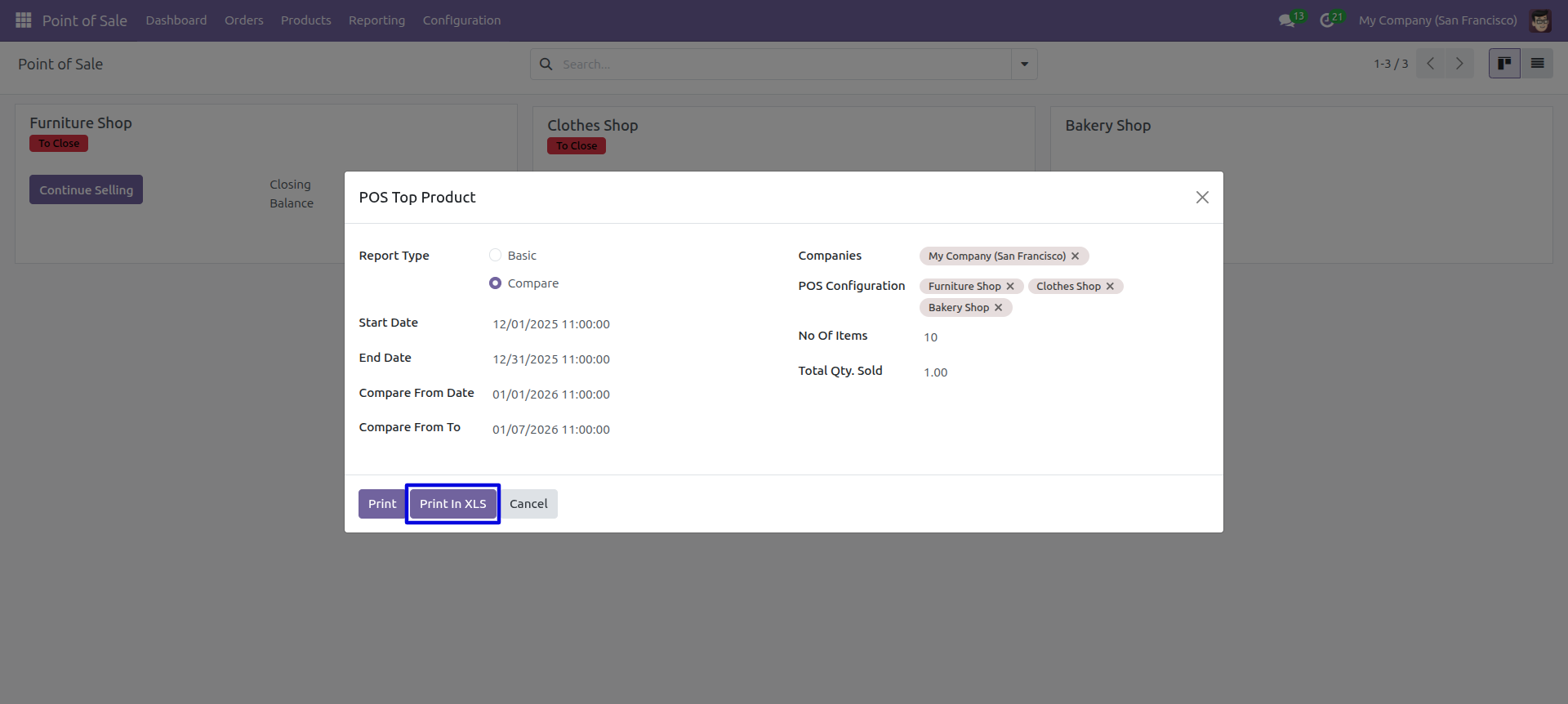
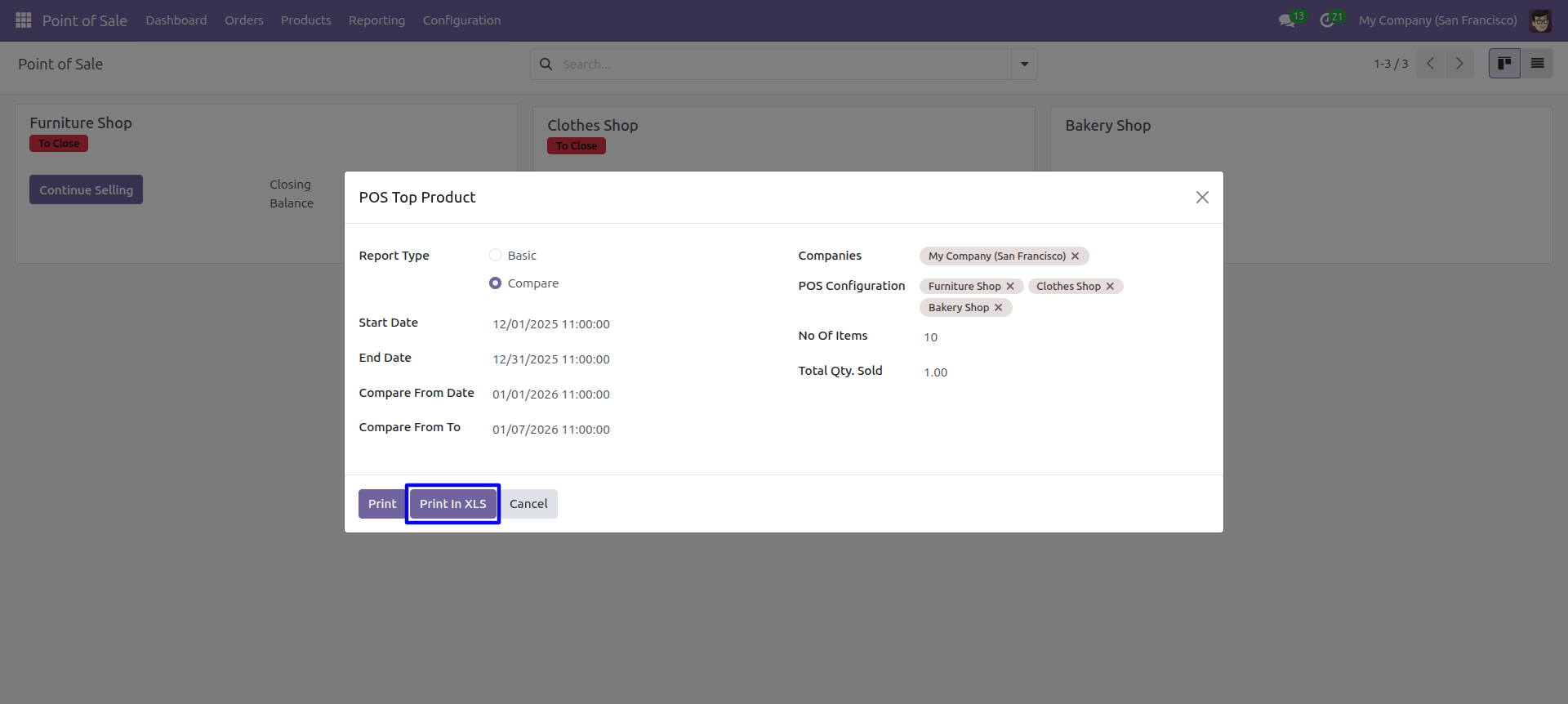
Top POS Product report wizard and select compare report type and press 'Print Xls'.
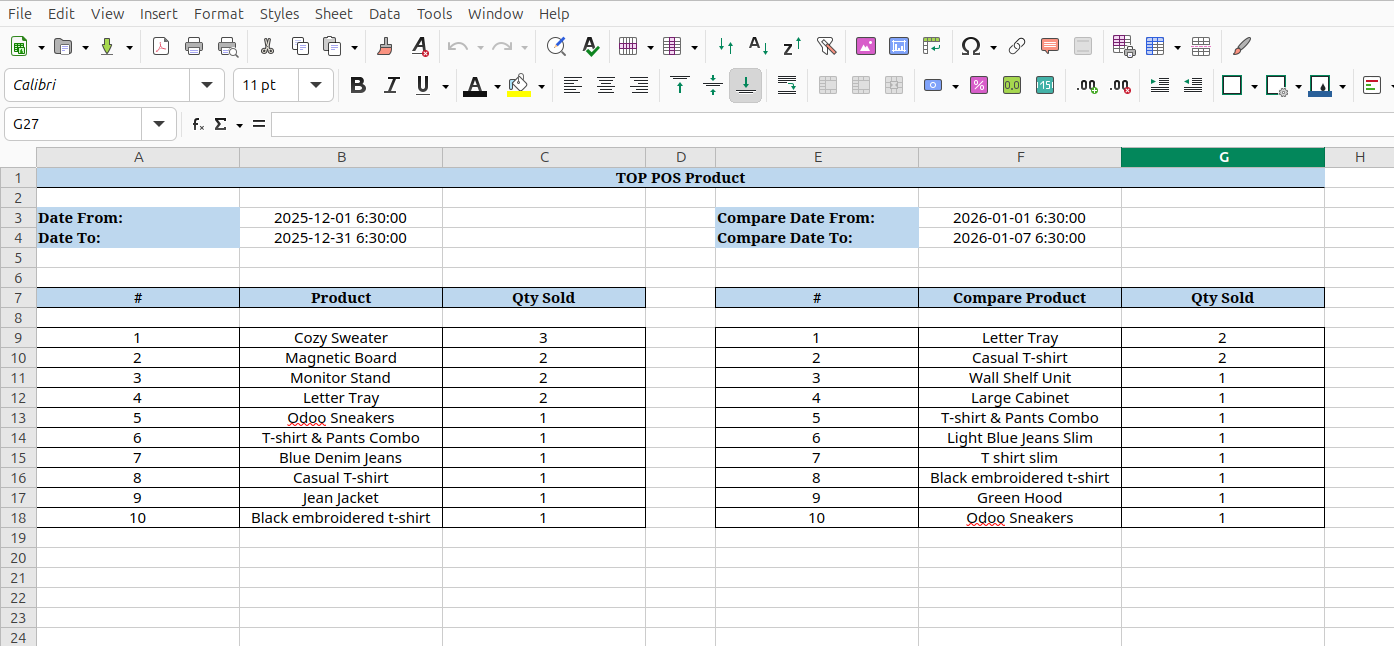
Top POS Product compare excel report look like below.
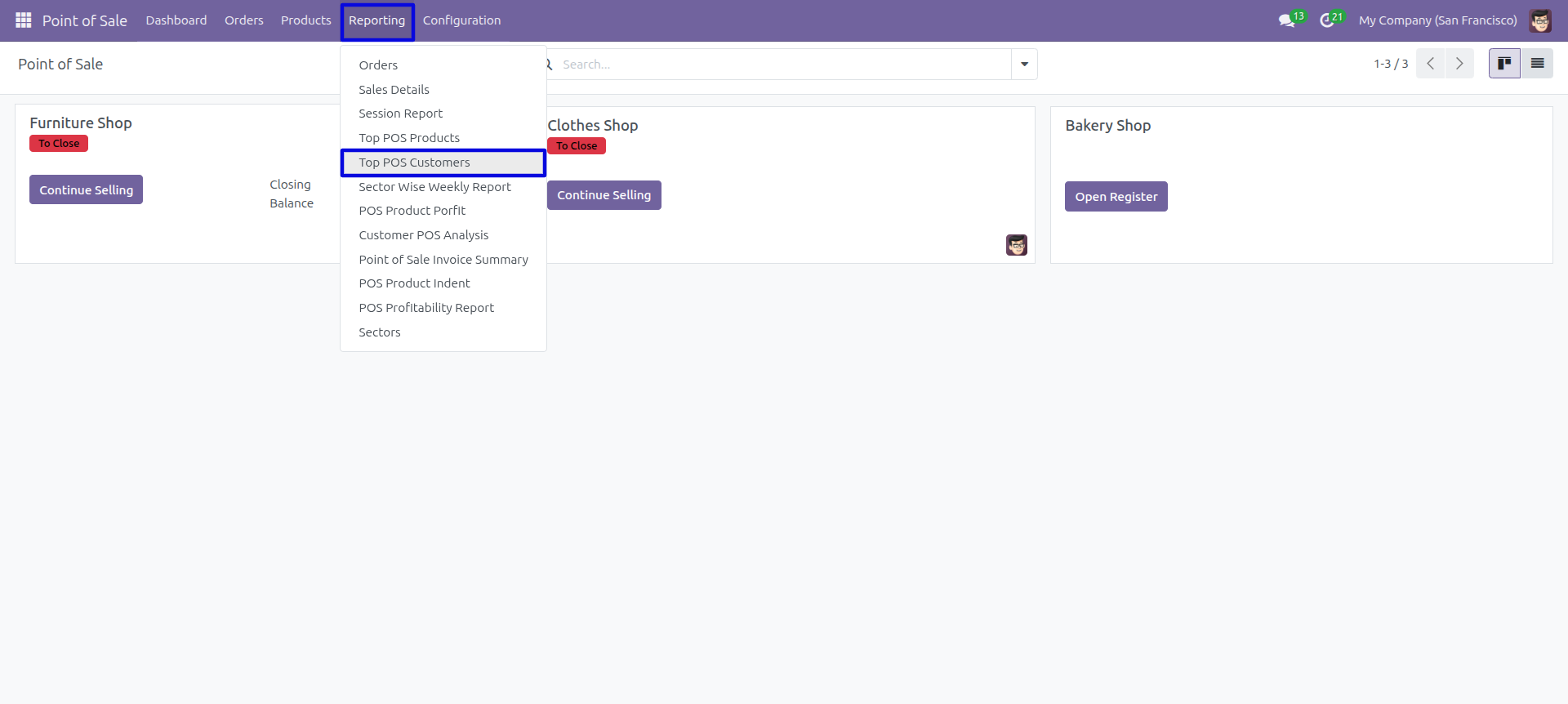
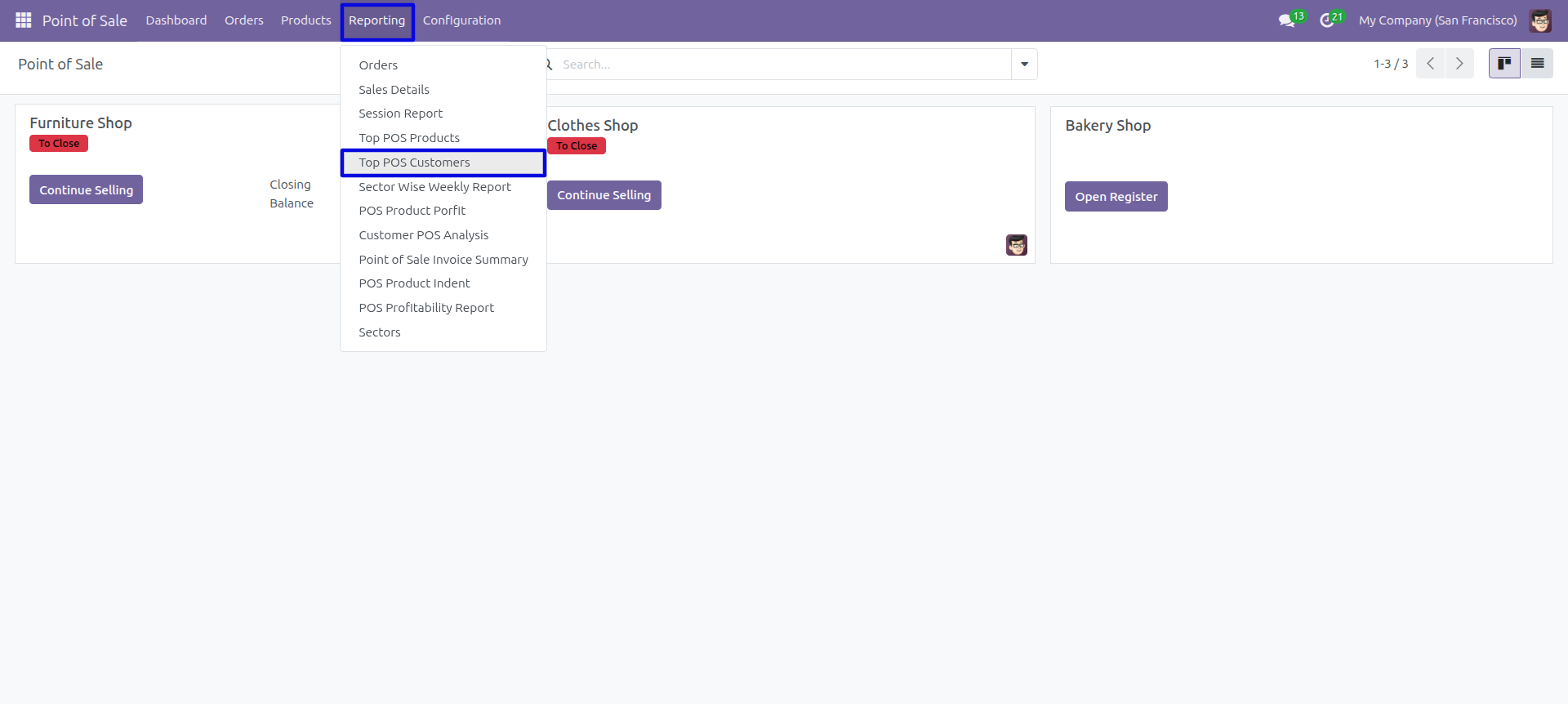
Navigate to Point of Sale → Reporting → Top POS Customers to access the report.
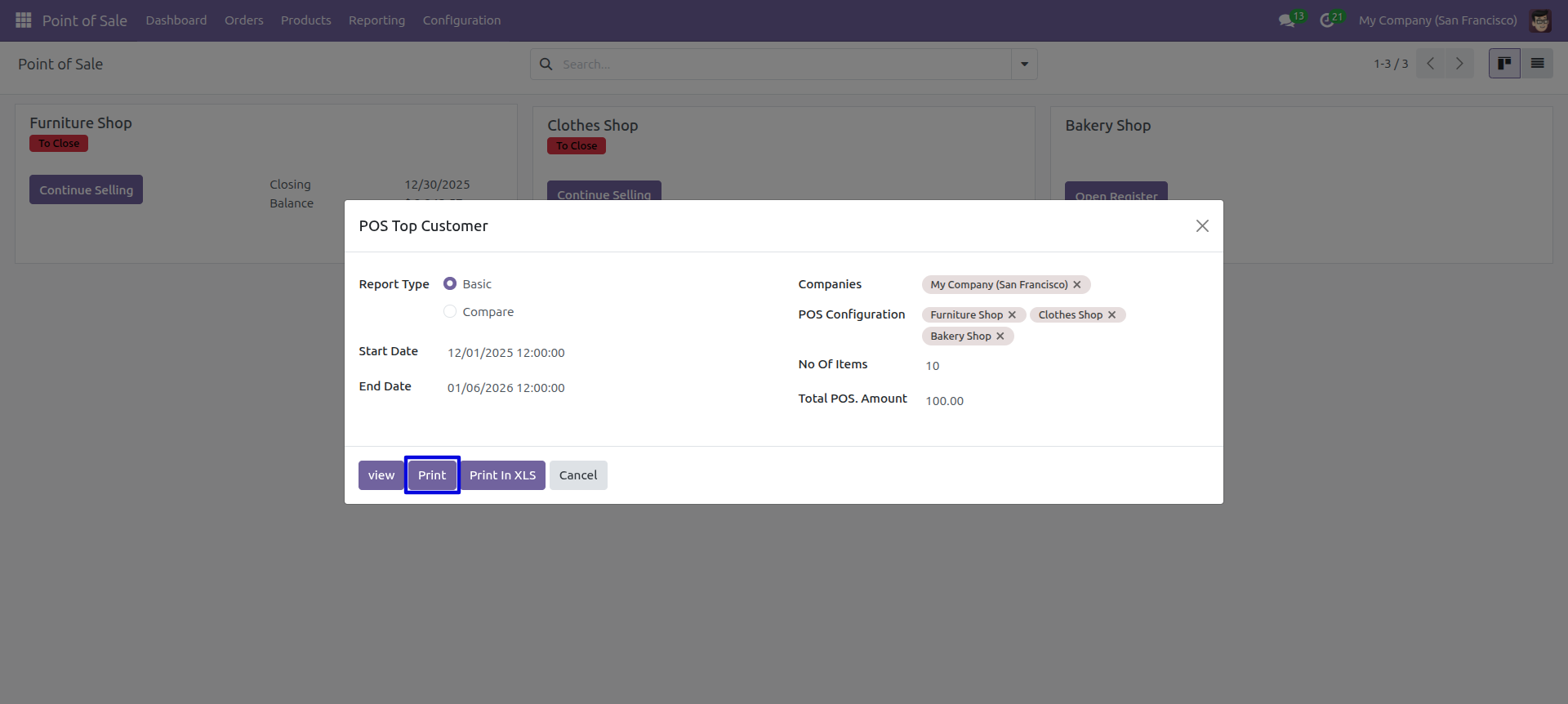
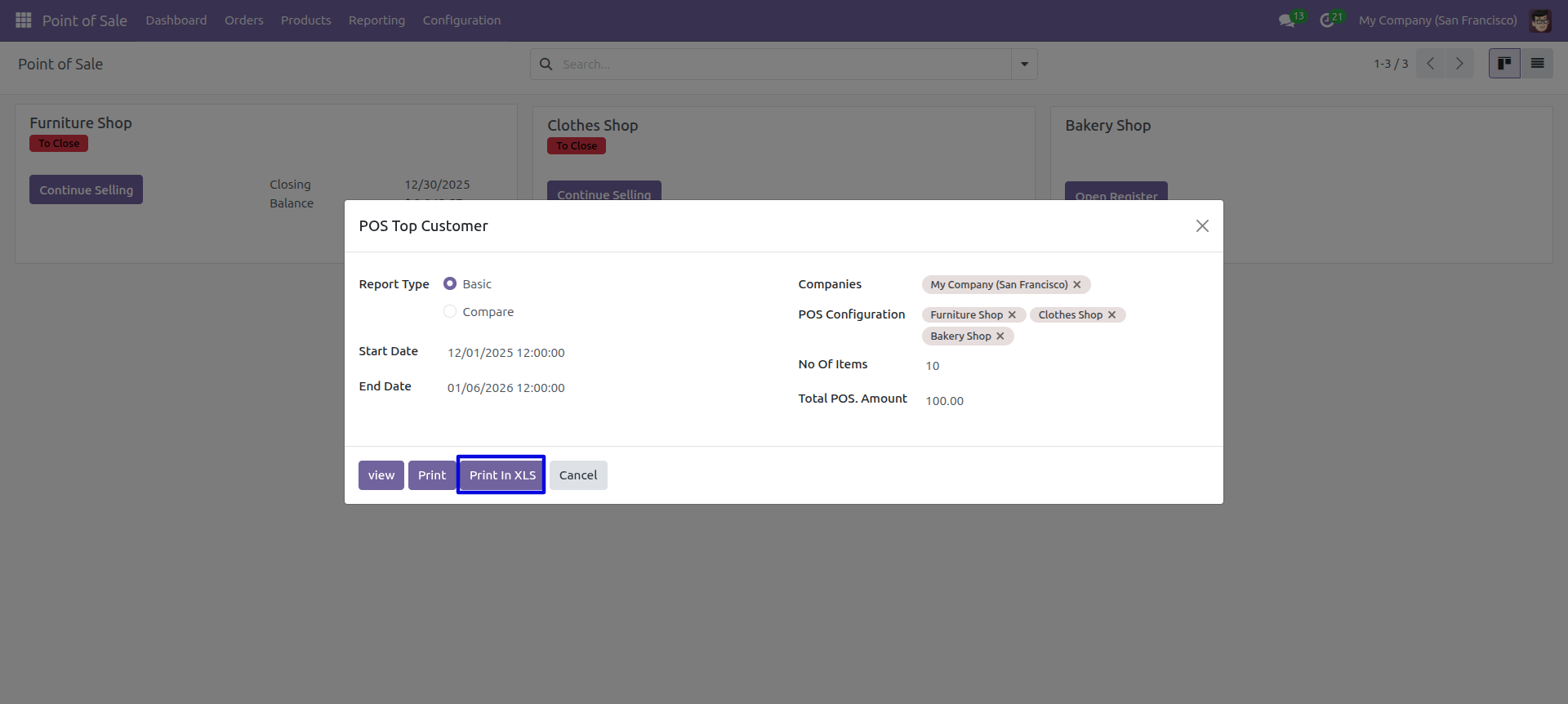
The 'POS Top Customer' wizard will appear. Select Report Type as 'Basic', choose the date range, POS configurations, and set the number of items to display.
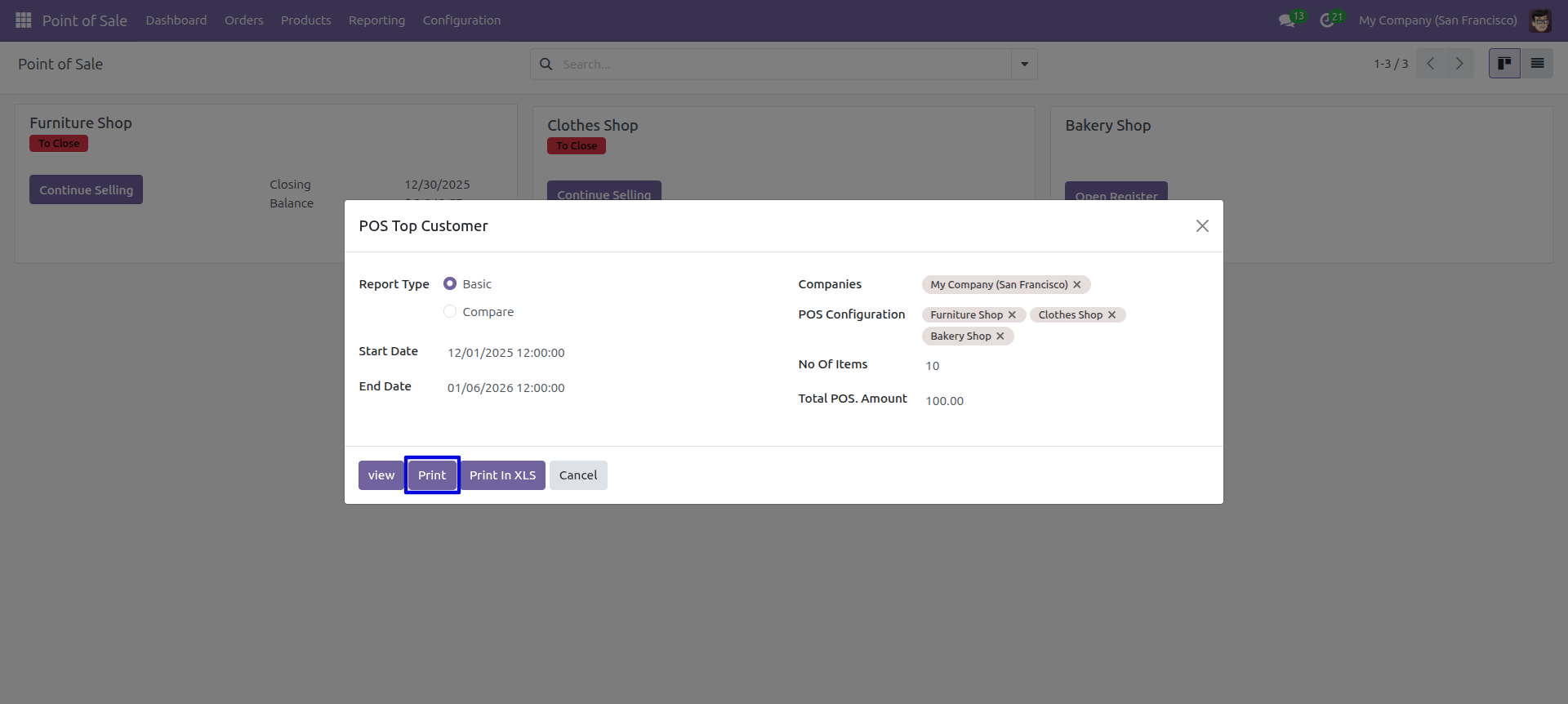
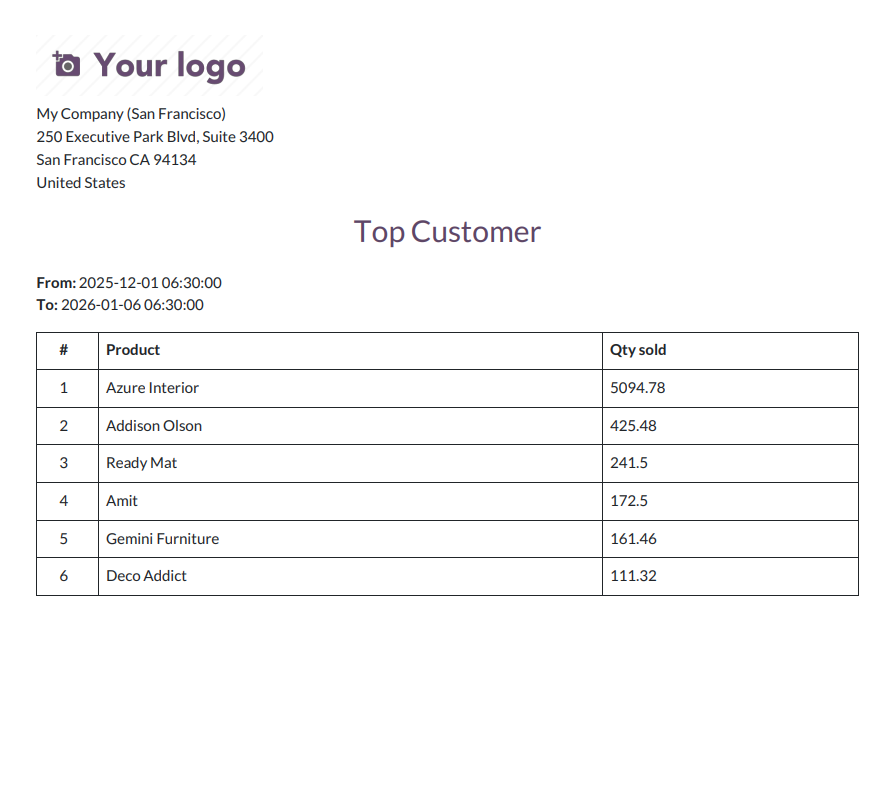
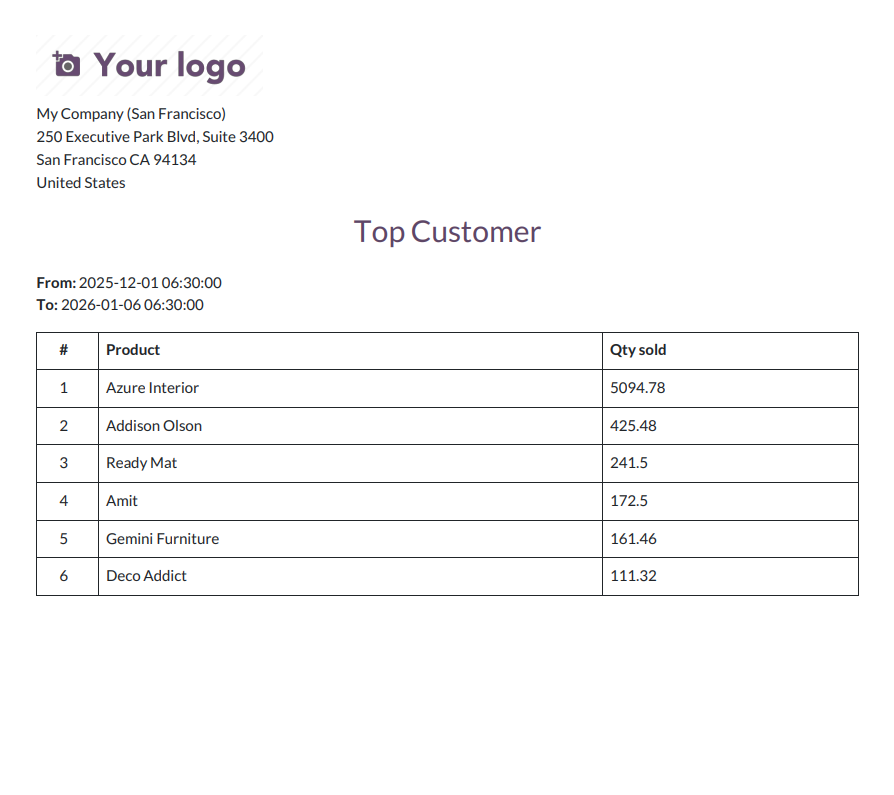
Click 'Print' to generate the top customers report in PDF format showing customer names and their total POS amounts.
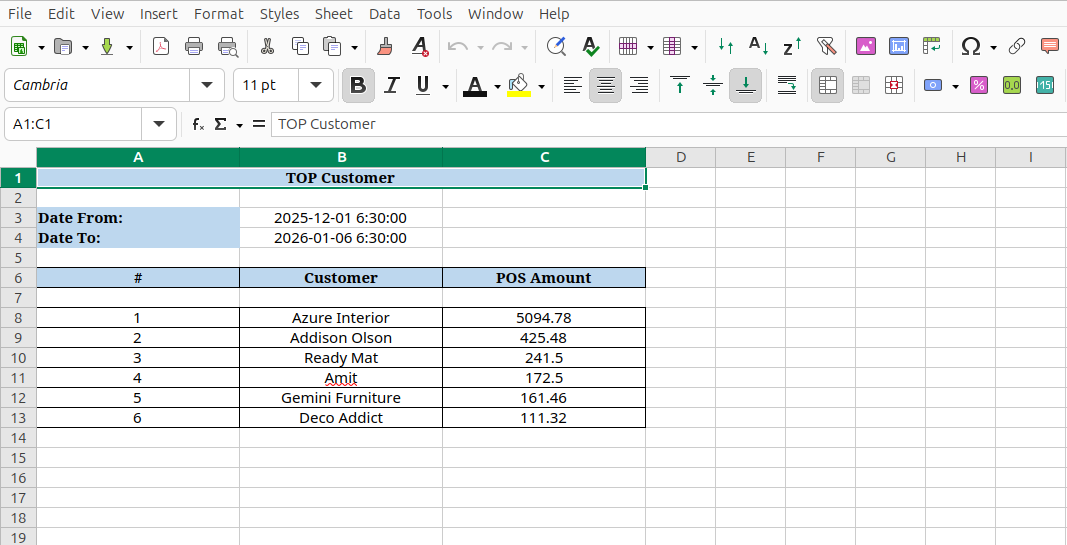
To generate an Excel report, open the wizard and click 'Print In XLS' button.
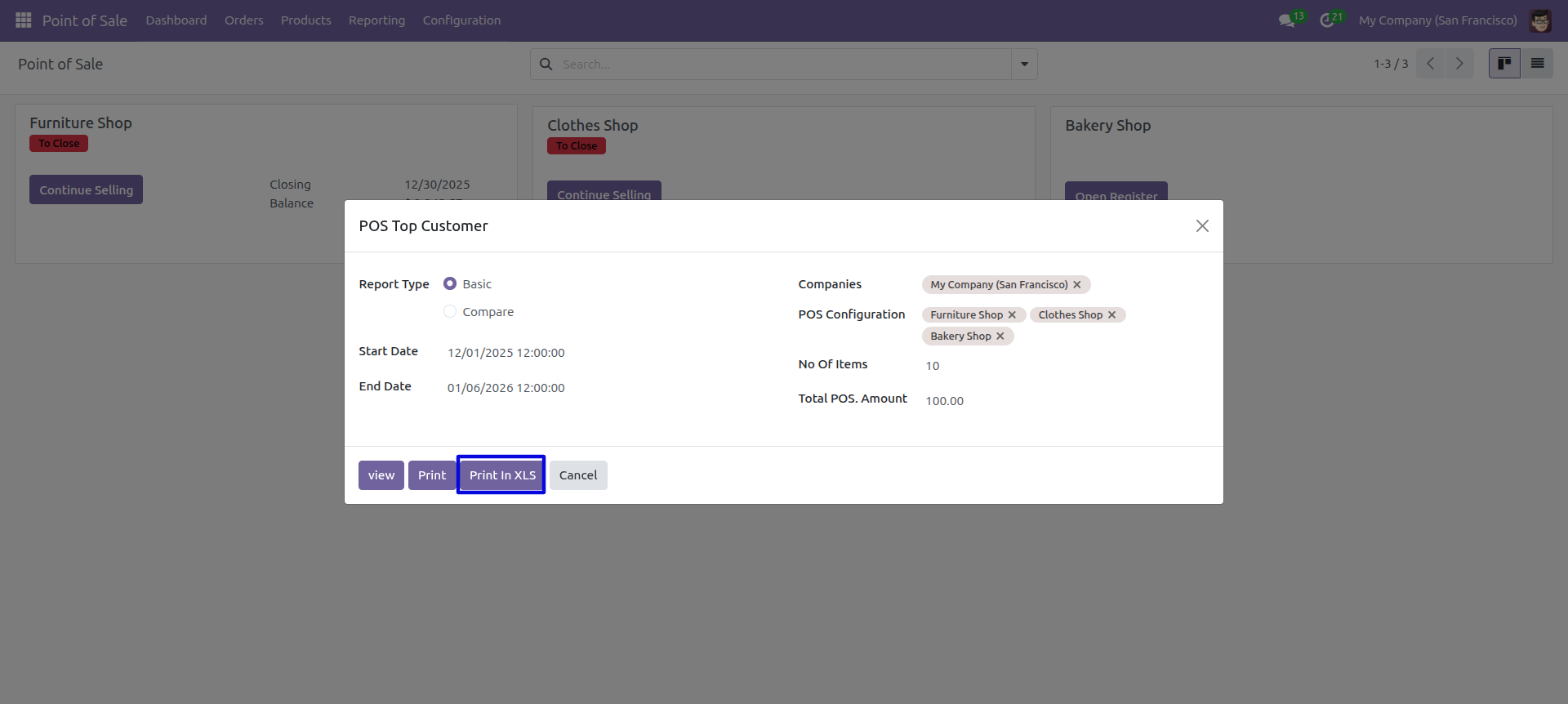
The Excel report shows the top customers with their POS amounts in a formatted spreadsheet.
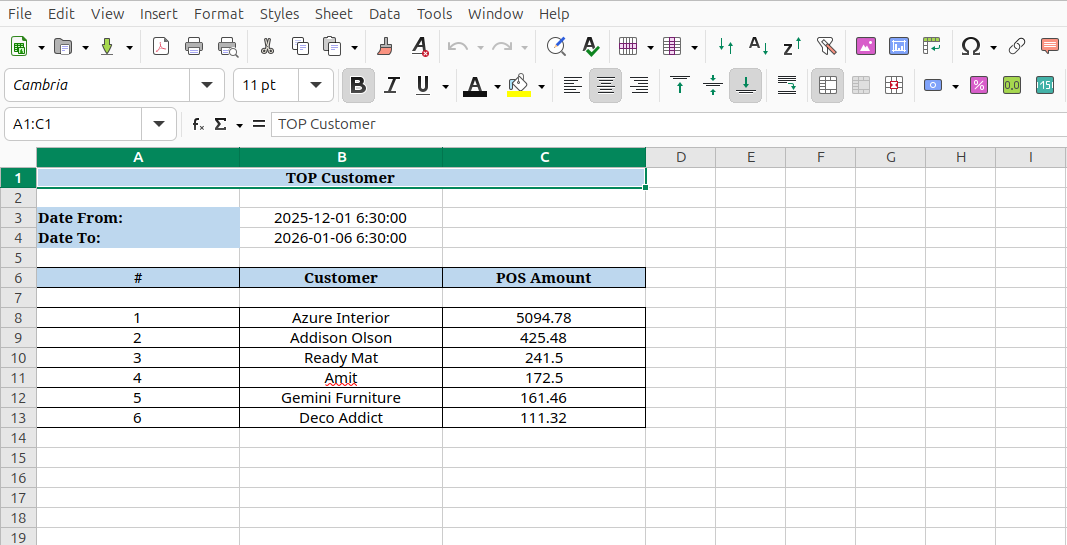
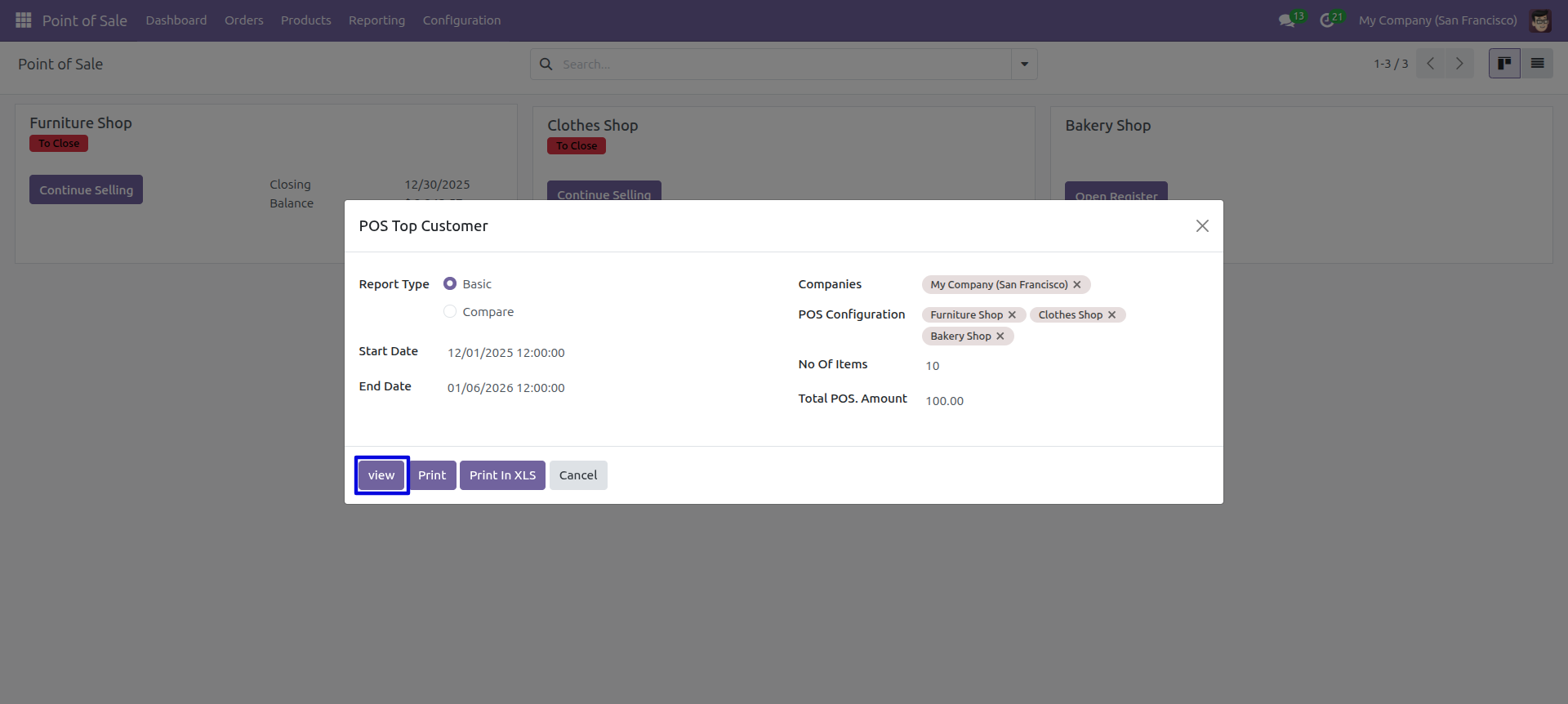
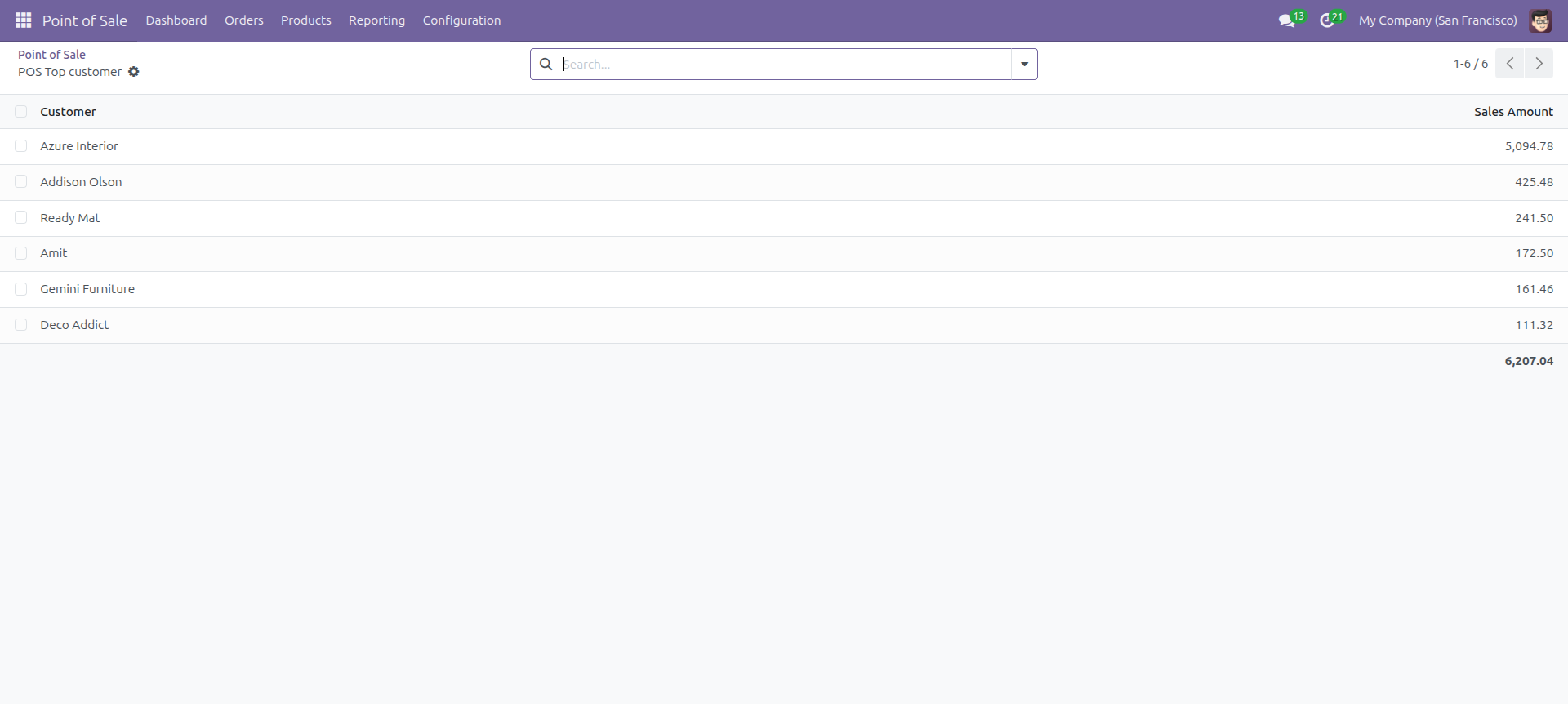
Click 'View' to display the report directly in Odoo's interface.
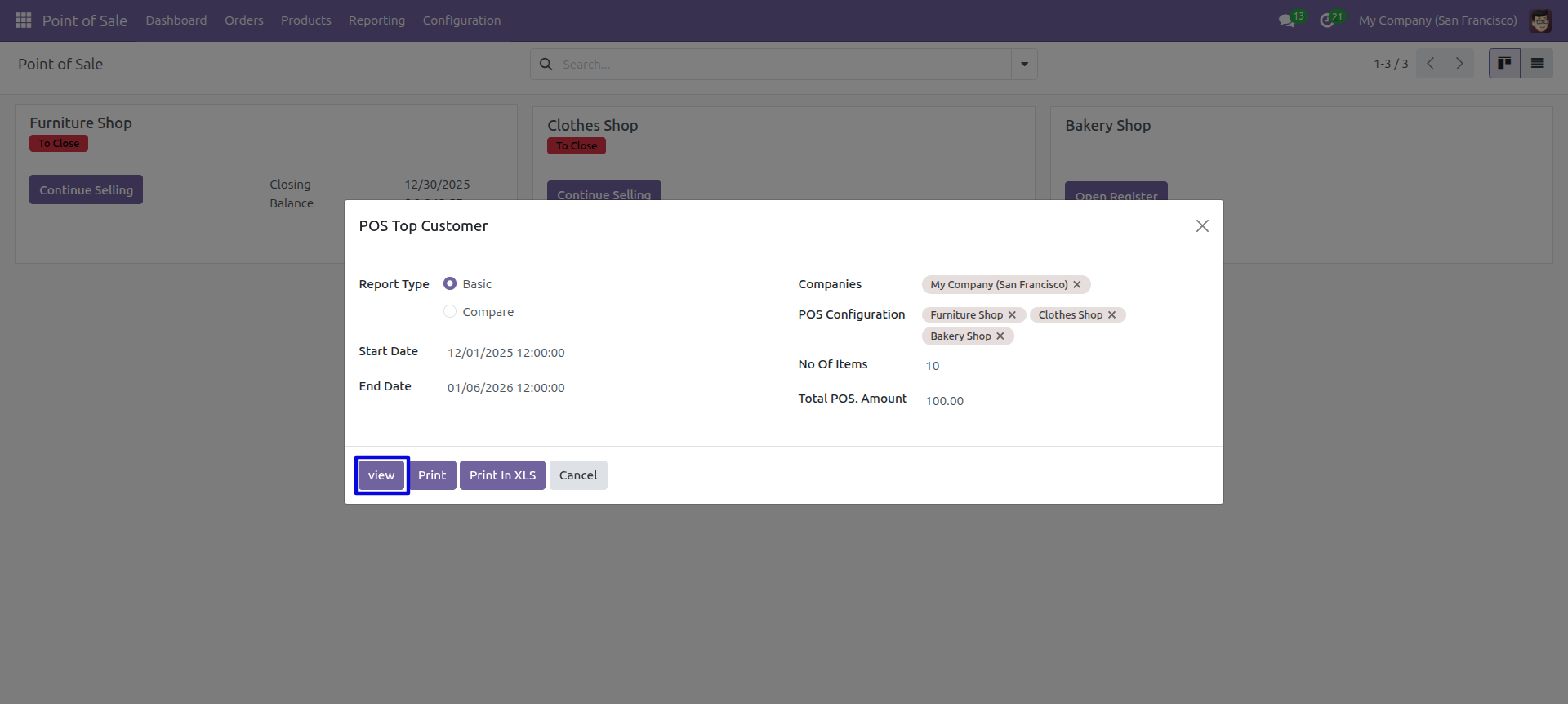
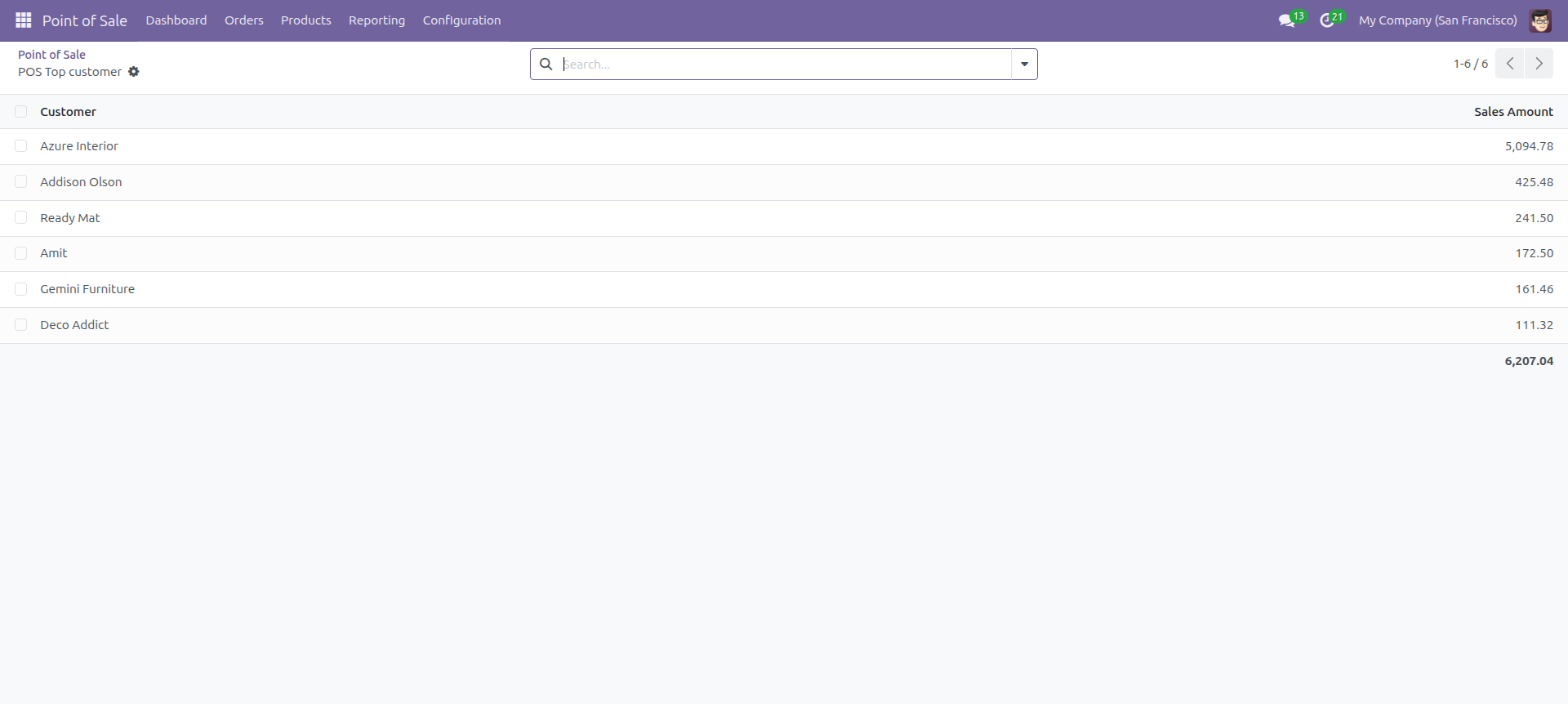
The report view displays customers with their sales amounts in a clean list format.
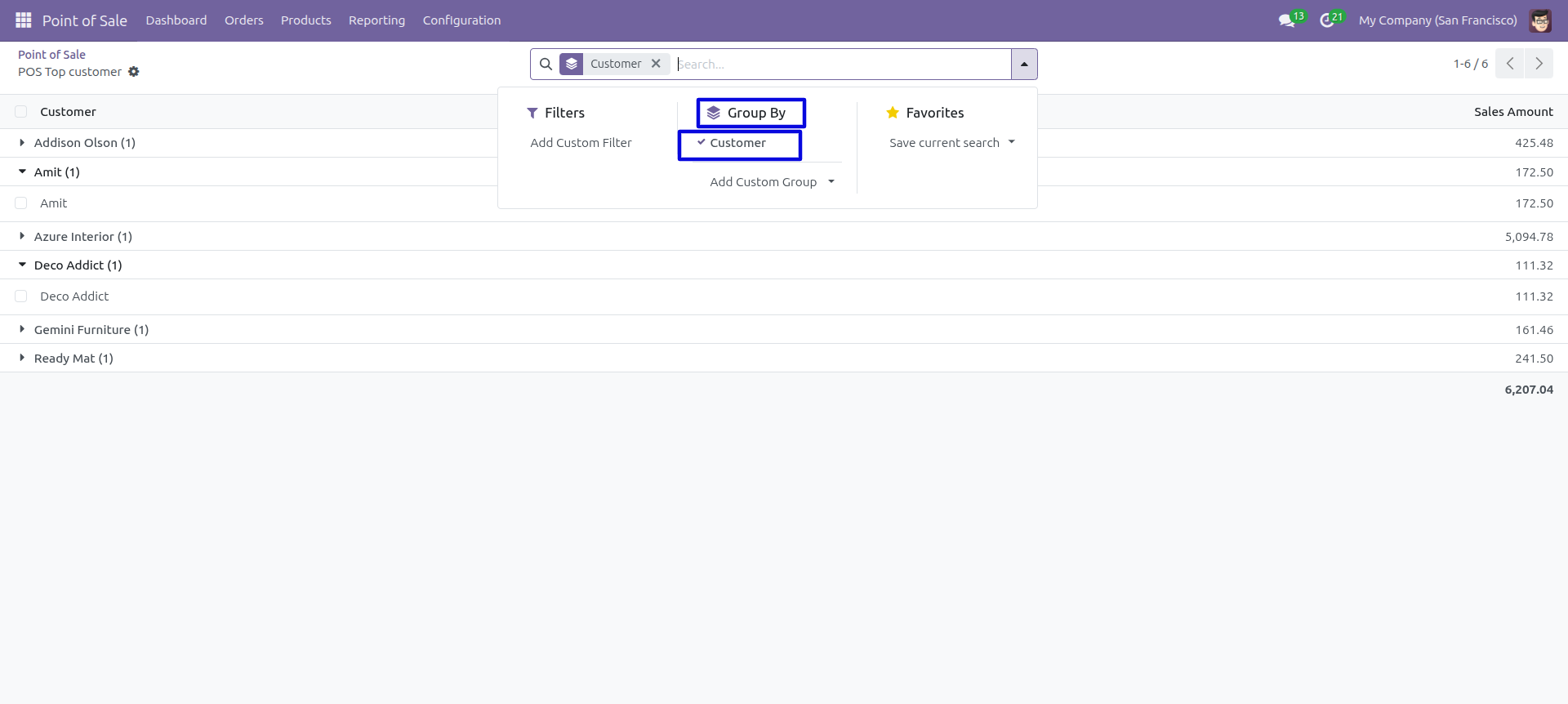
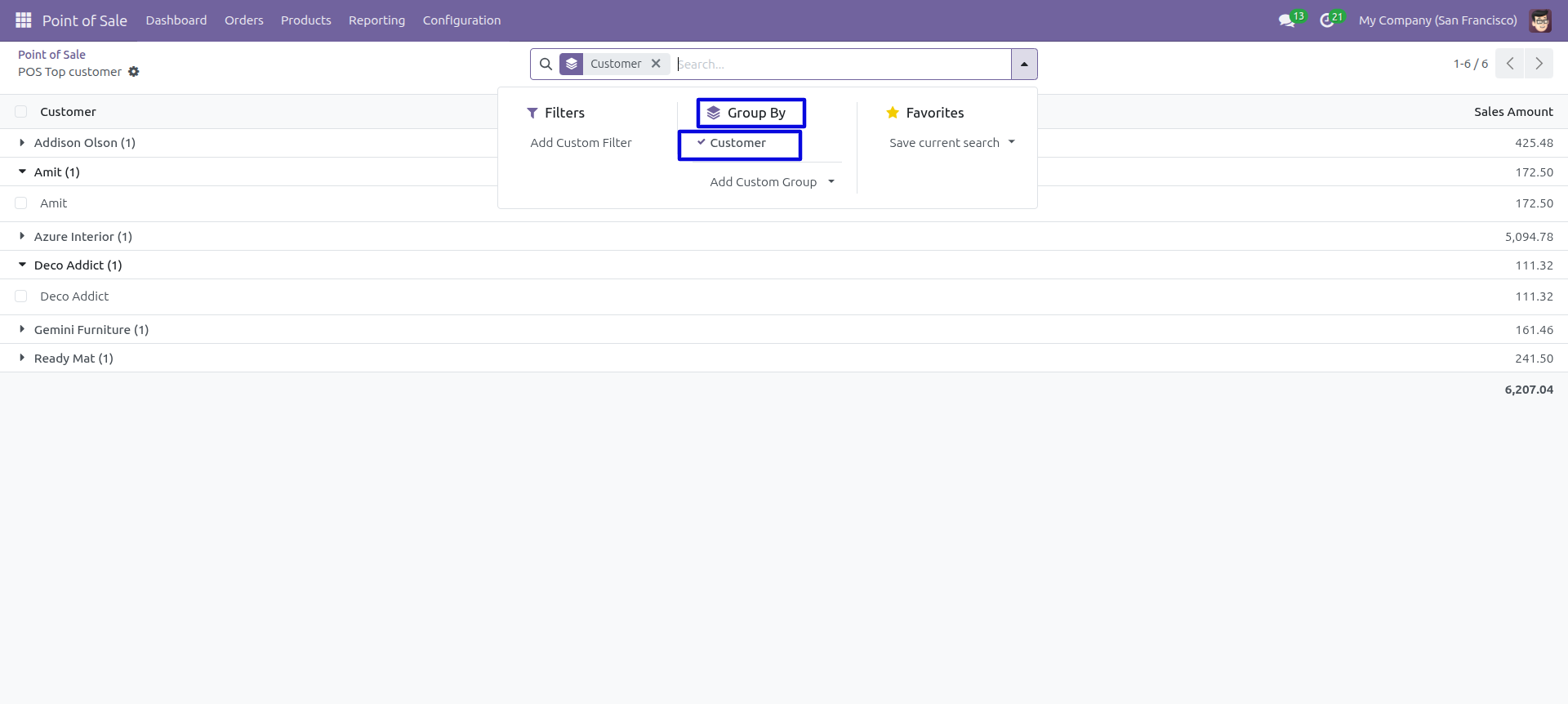
In the report view, you can group the data by Customer using the 'Group By' option.
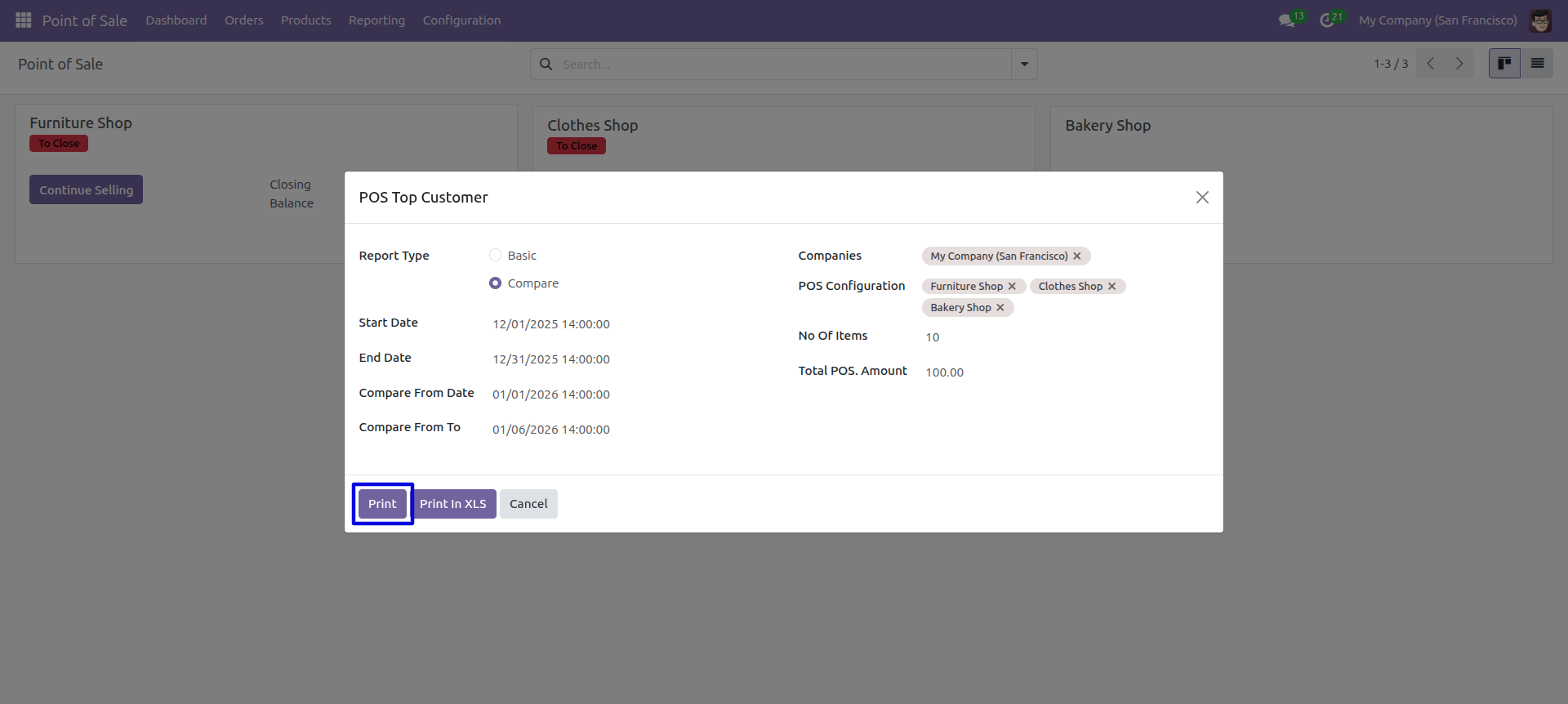
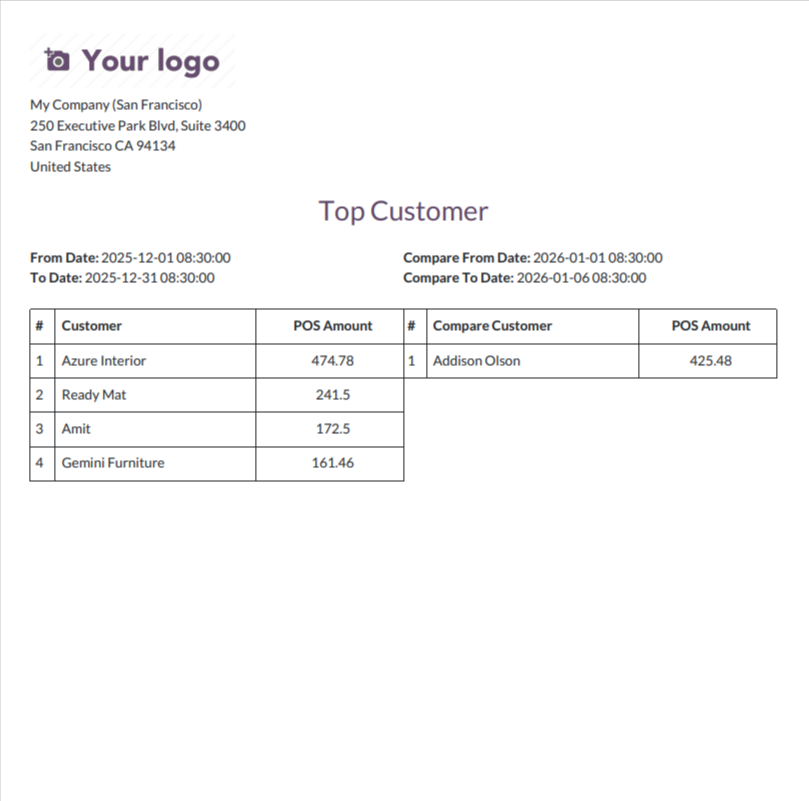
Select 'Compare' mode to compare top customers between two different date ranges.
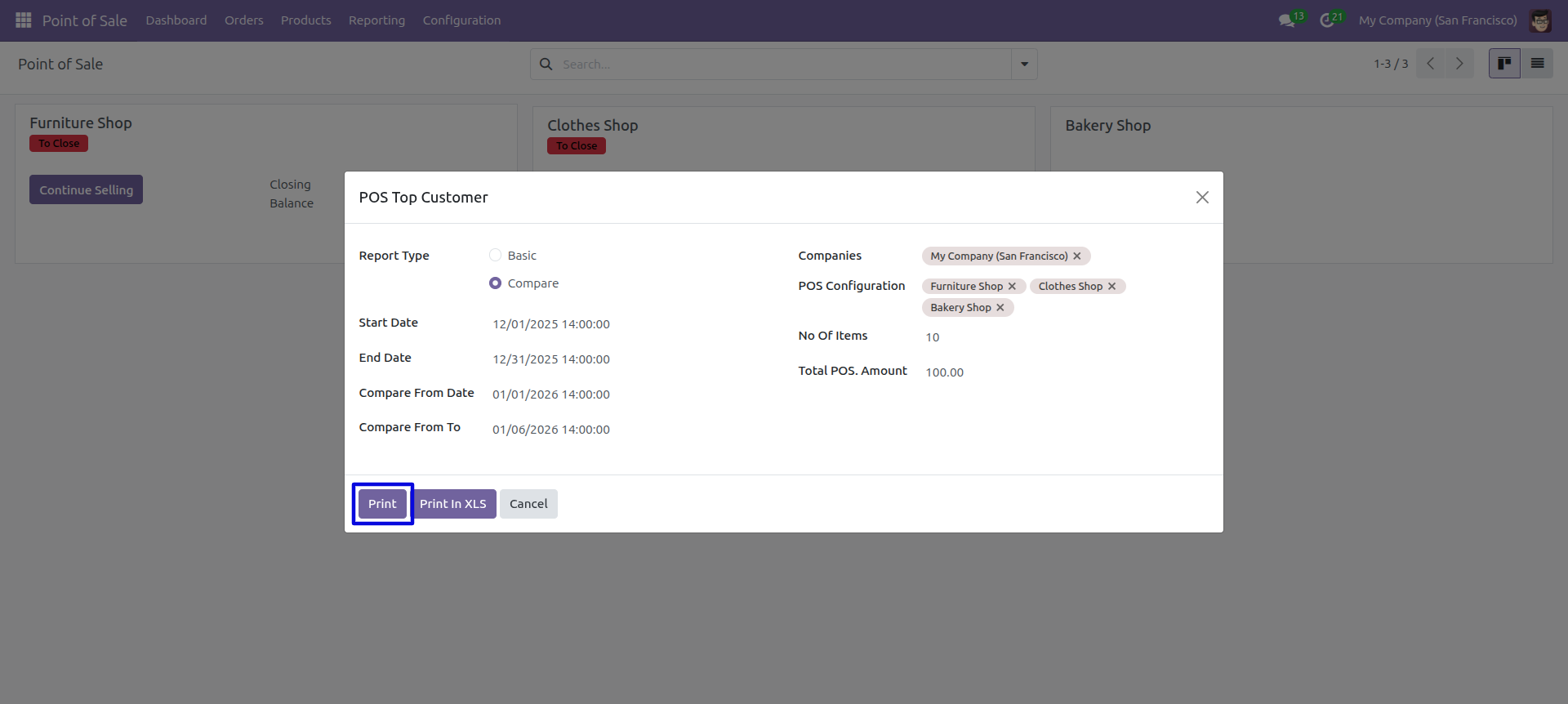
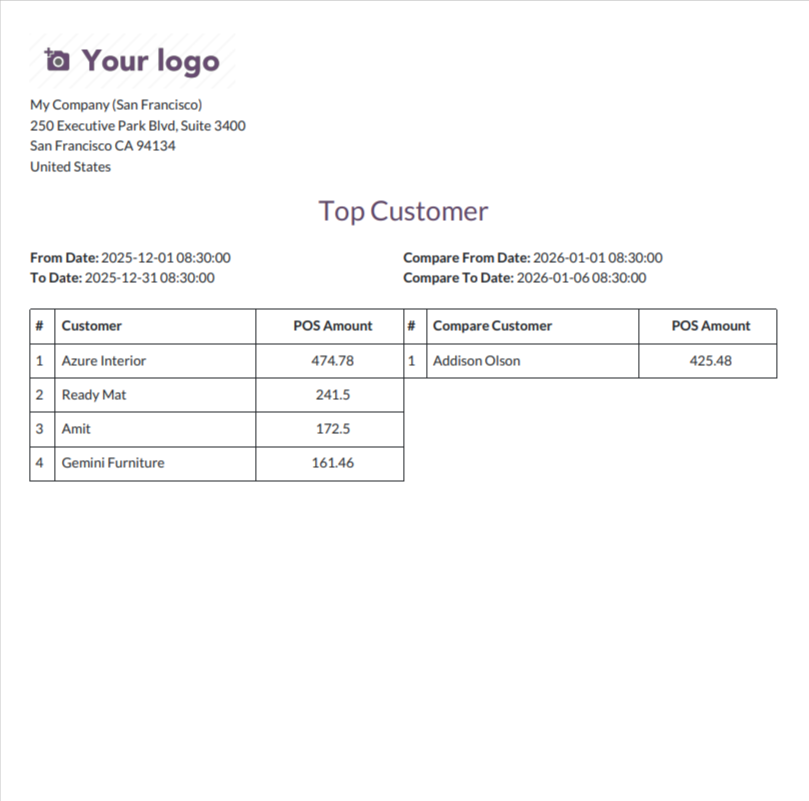
The comparison report shows top customers from two different periods side by side in PDF format.
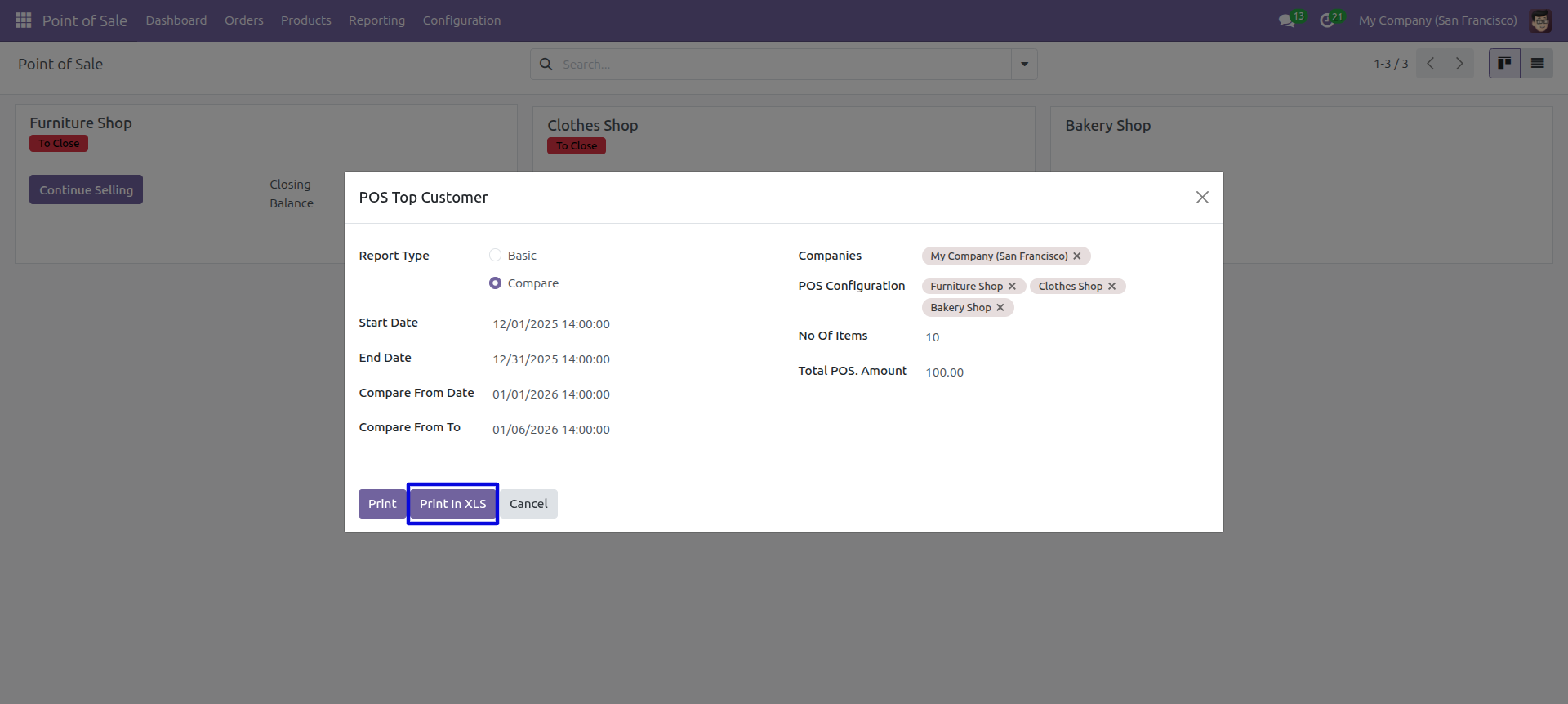
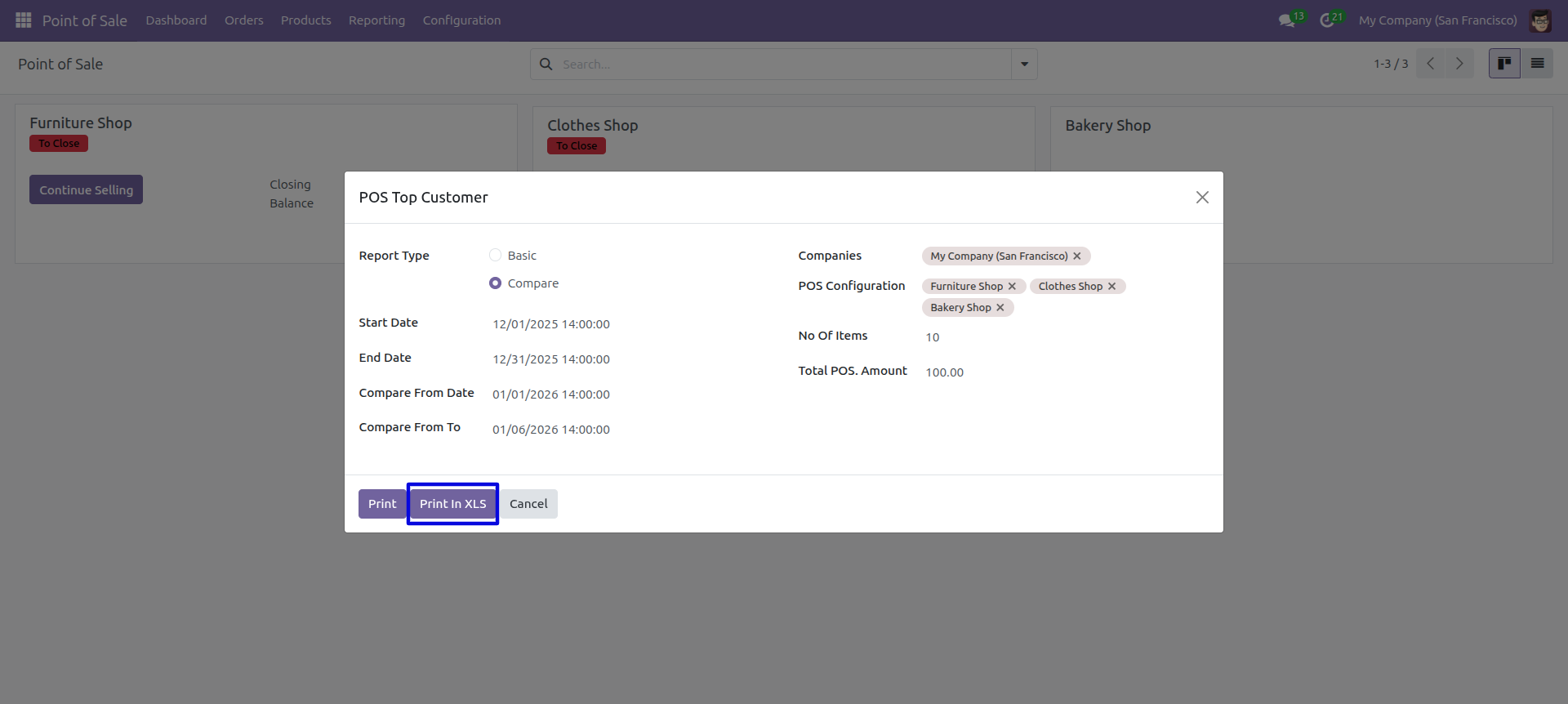
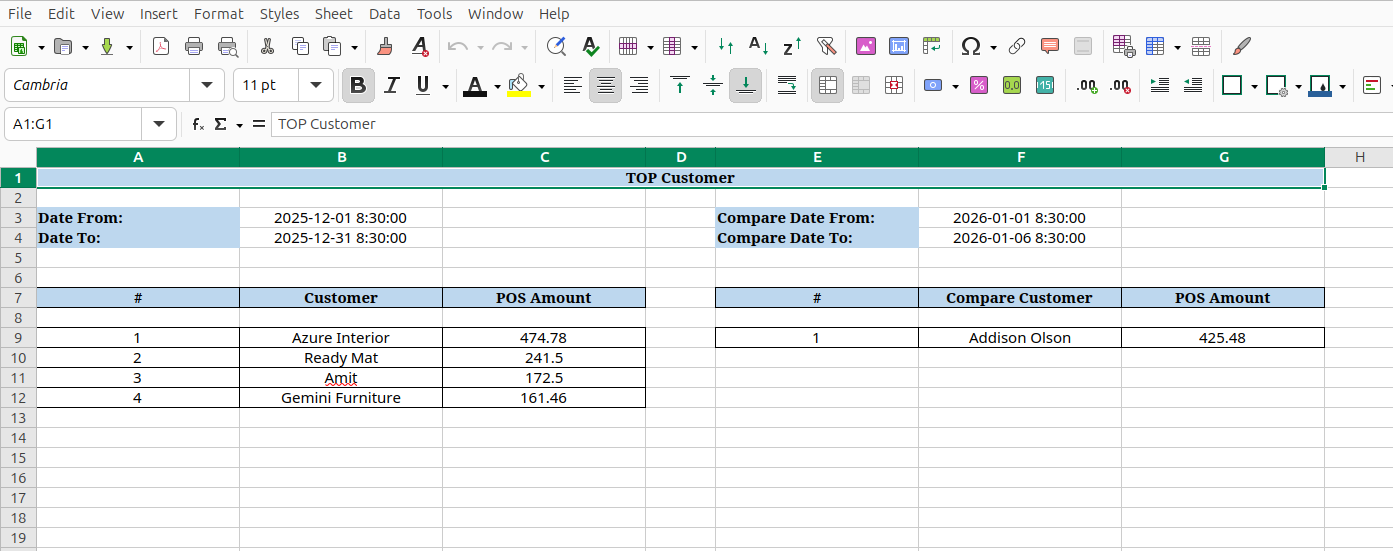
Click 'Print In XLS' in compare mode to export the comparison data to Excel.
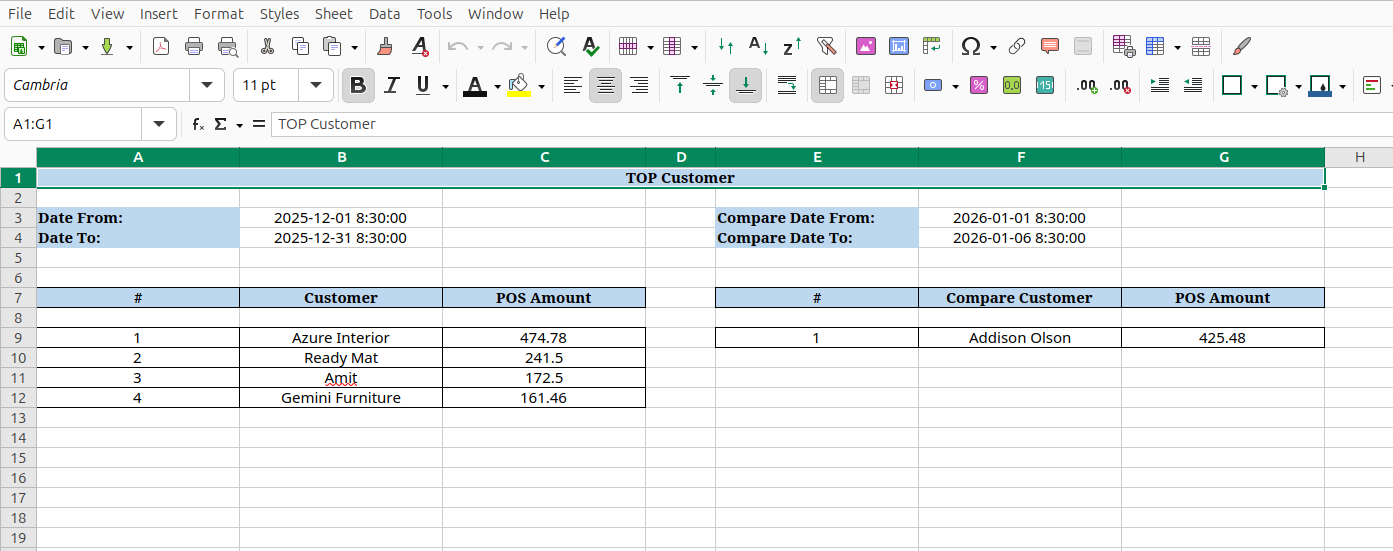
The Excel comparison report displays both periods' top customers with their amounts in separate columns for easy comparison.
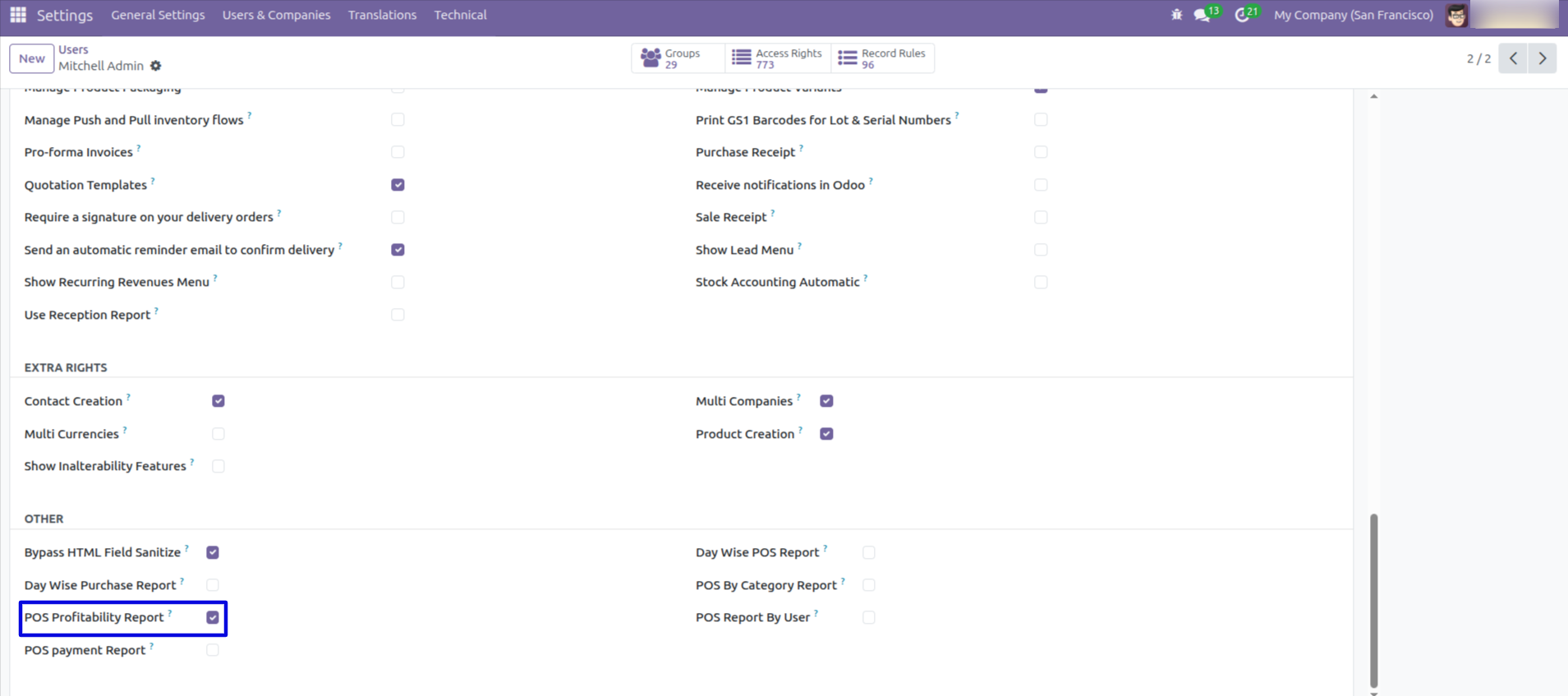
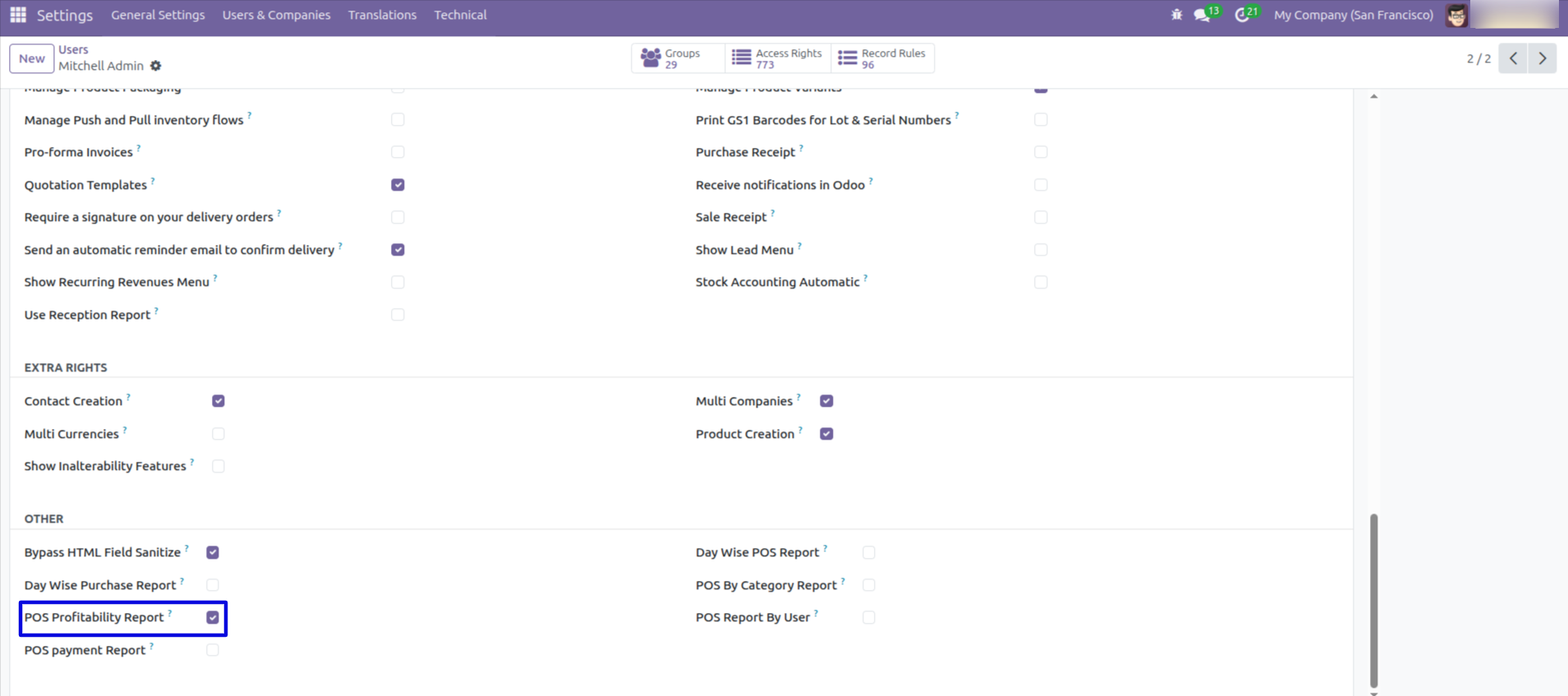
Tick the 'POS Profitability Report'.
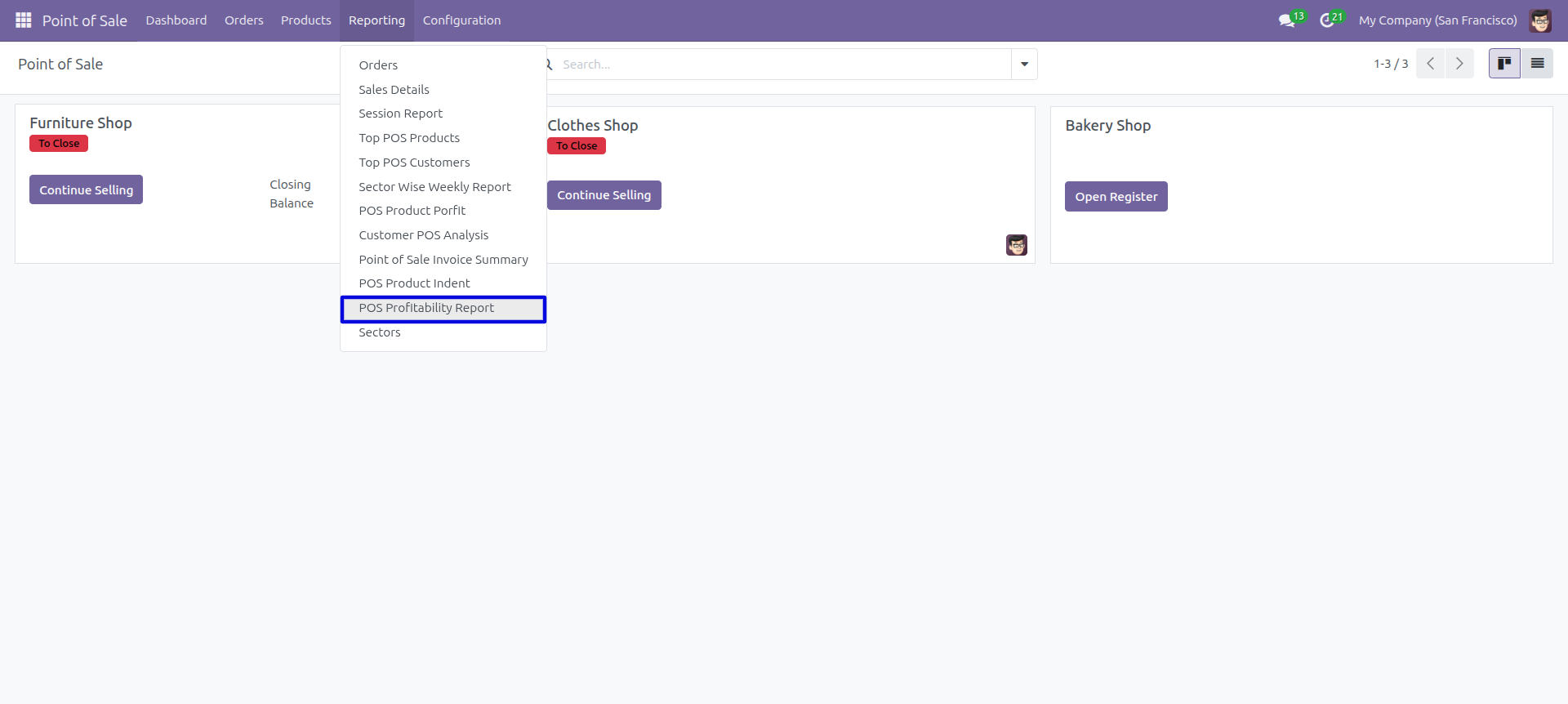
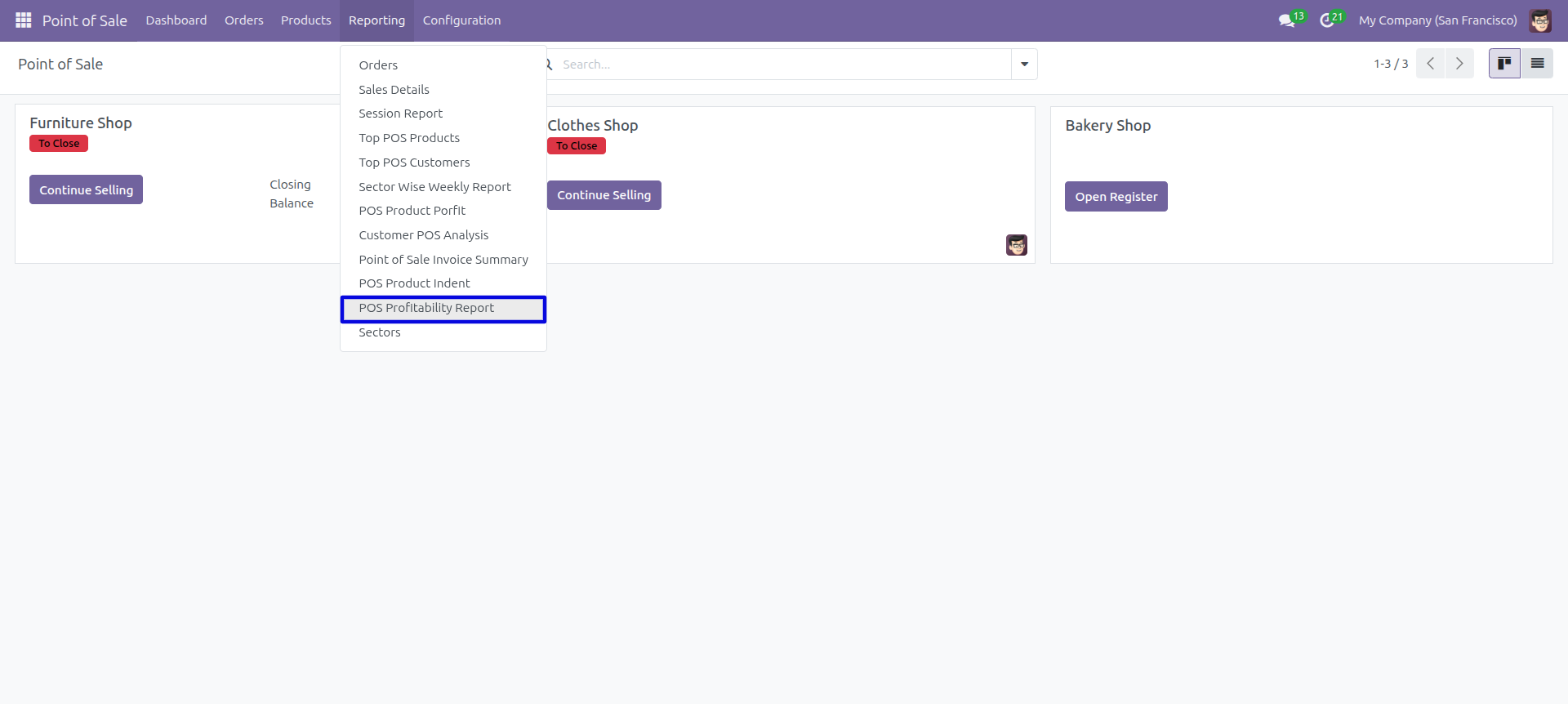
Go to the 'Reporting' => 'POS Profitability Report'.
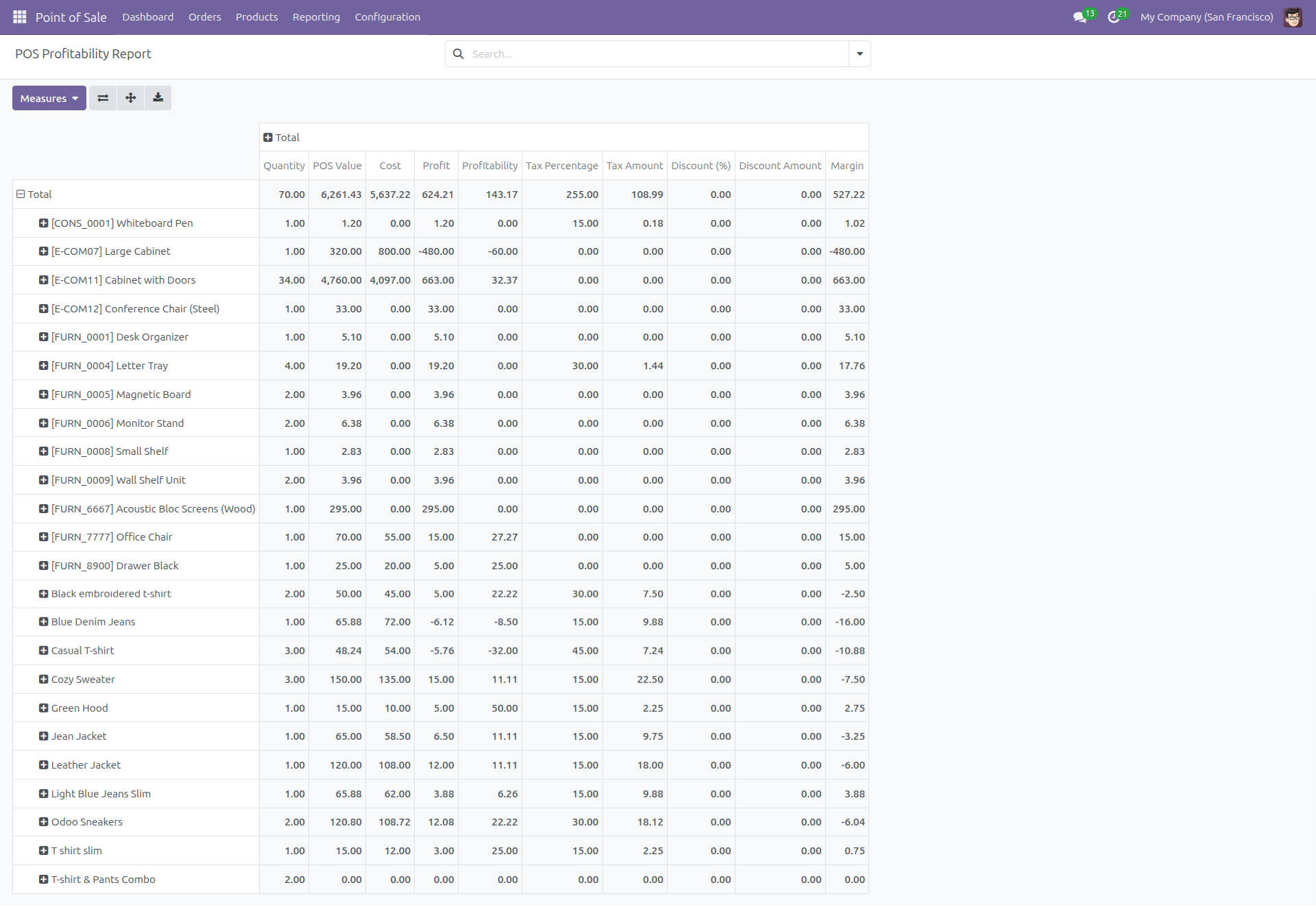
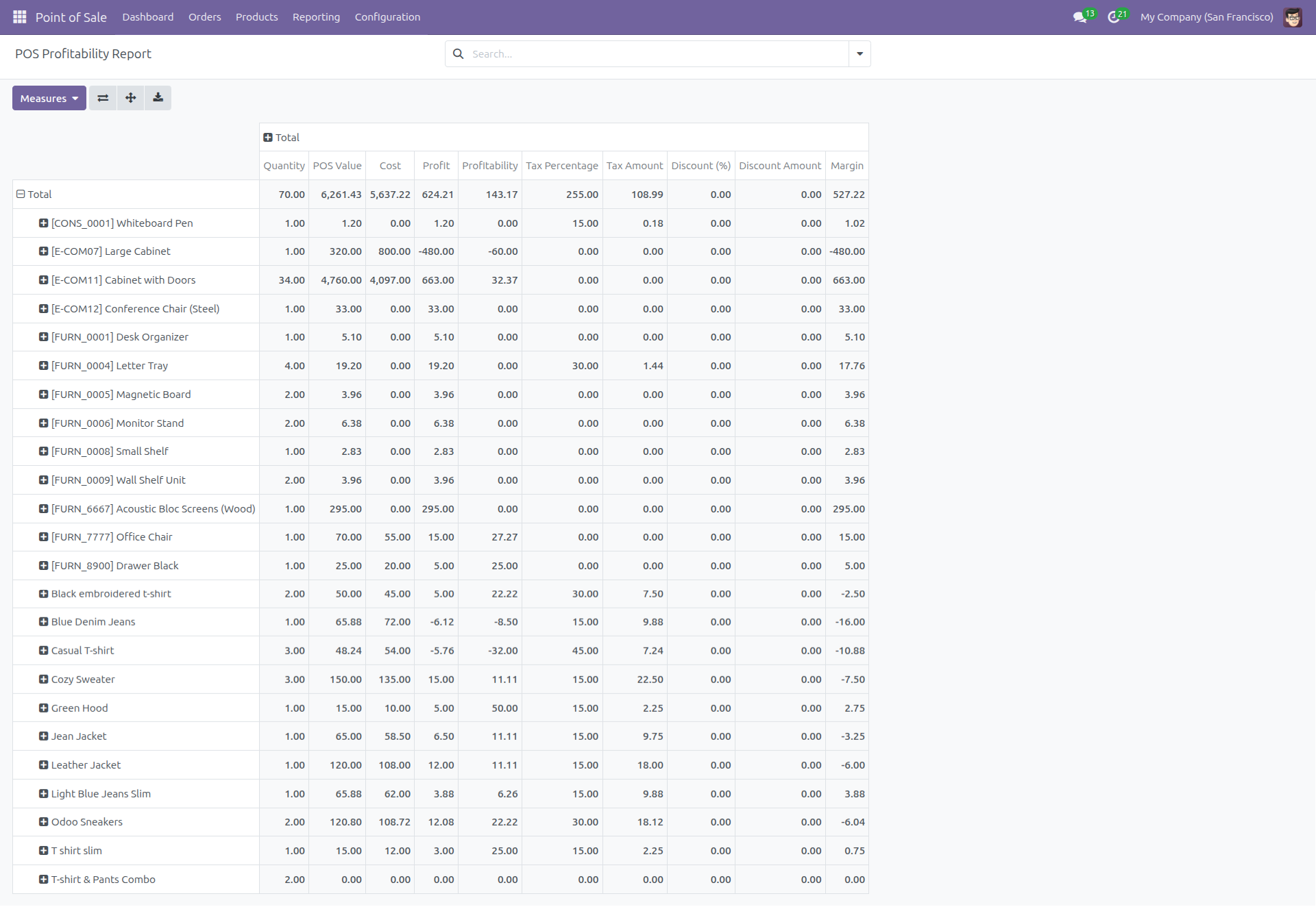
The 'POS Profitability Report' looks like below.
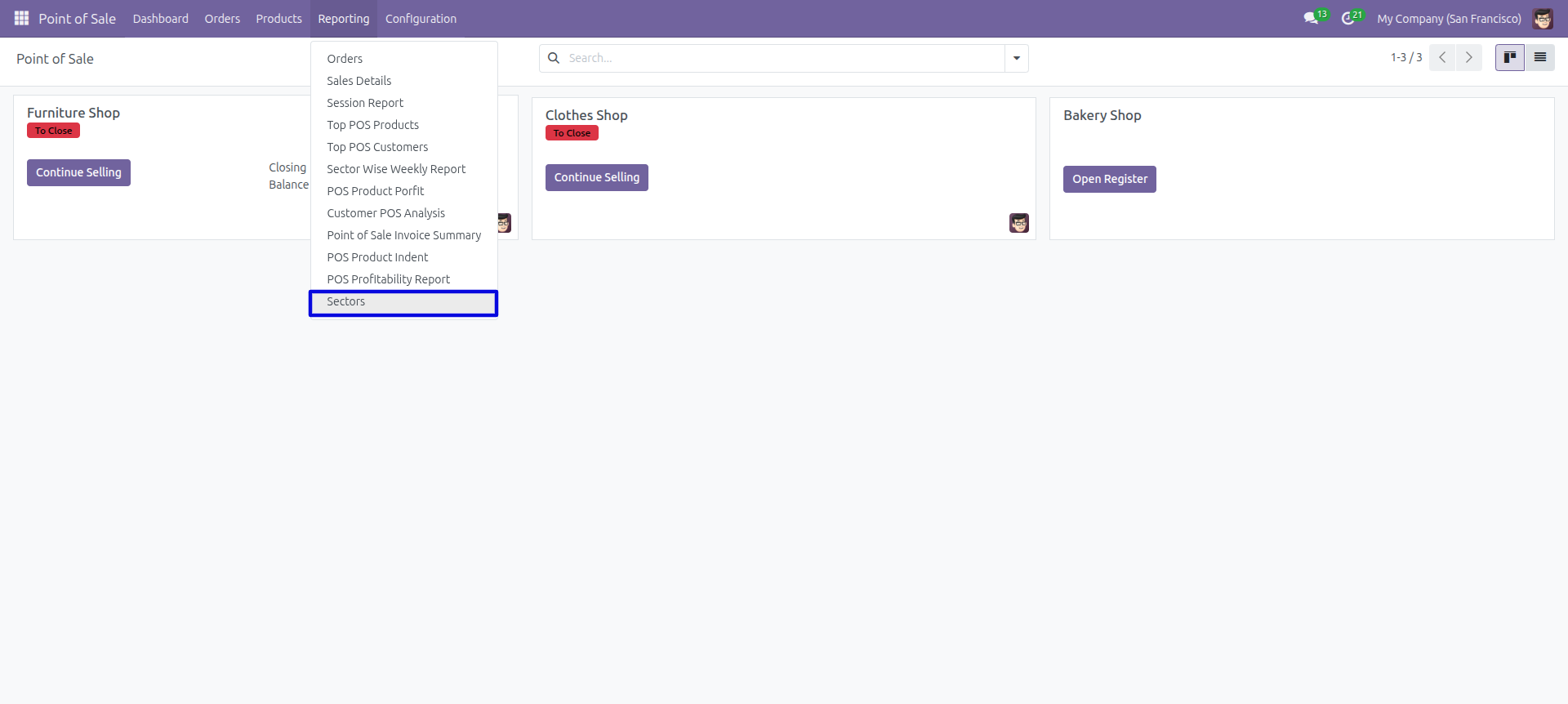
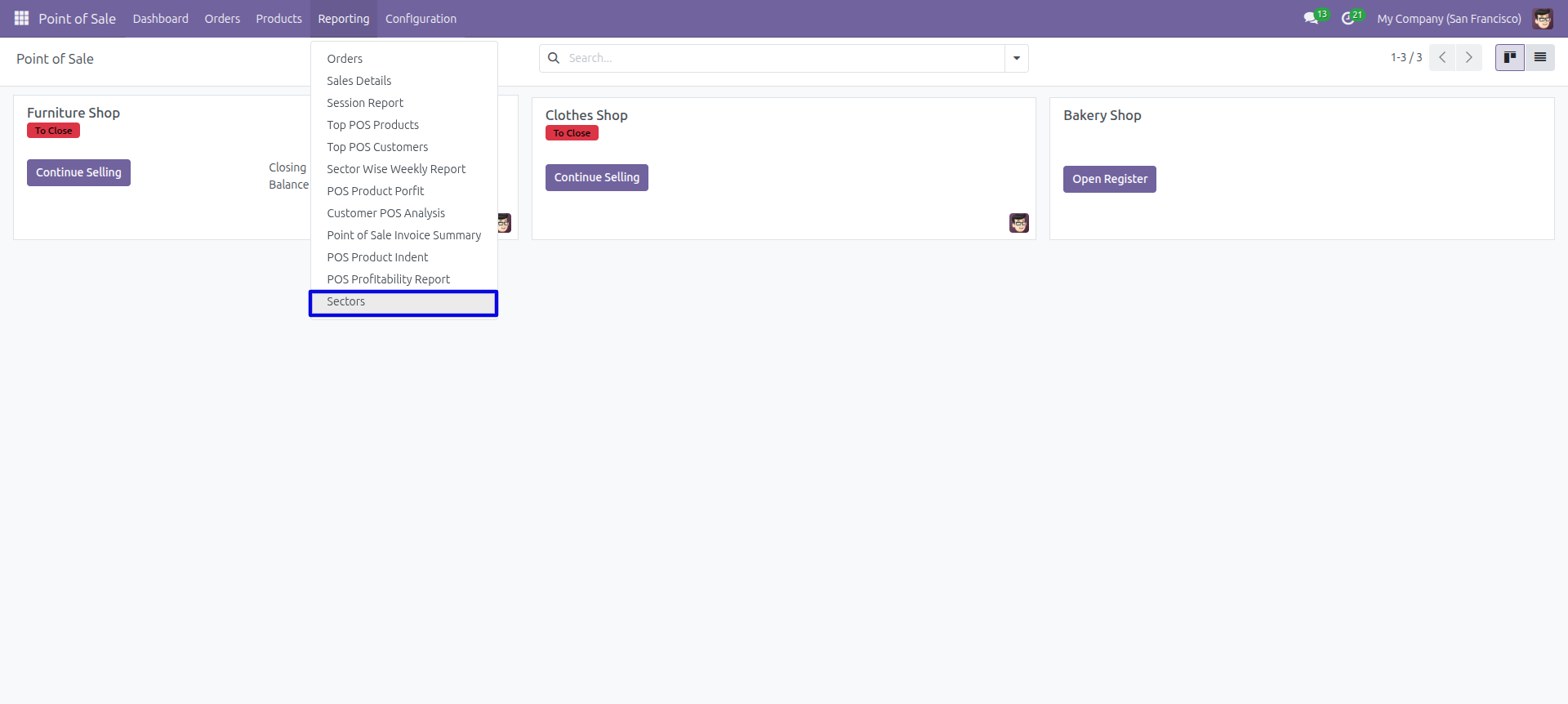
'Sectors' menu.
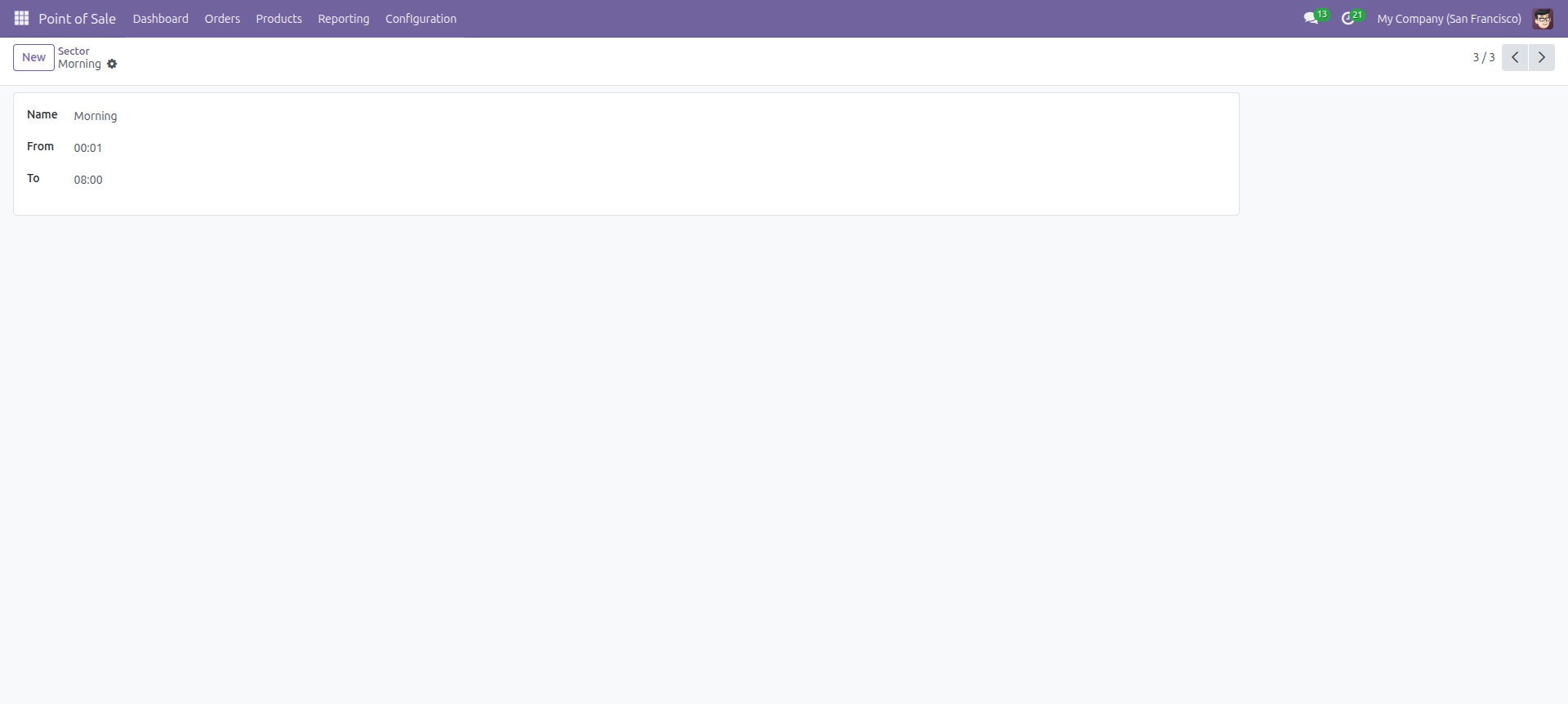
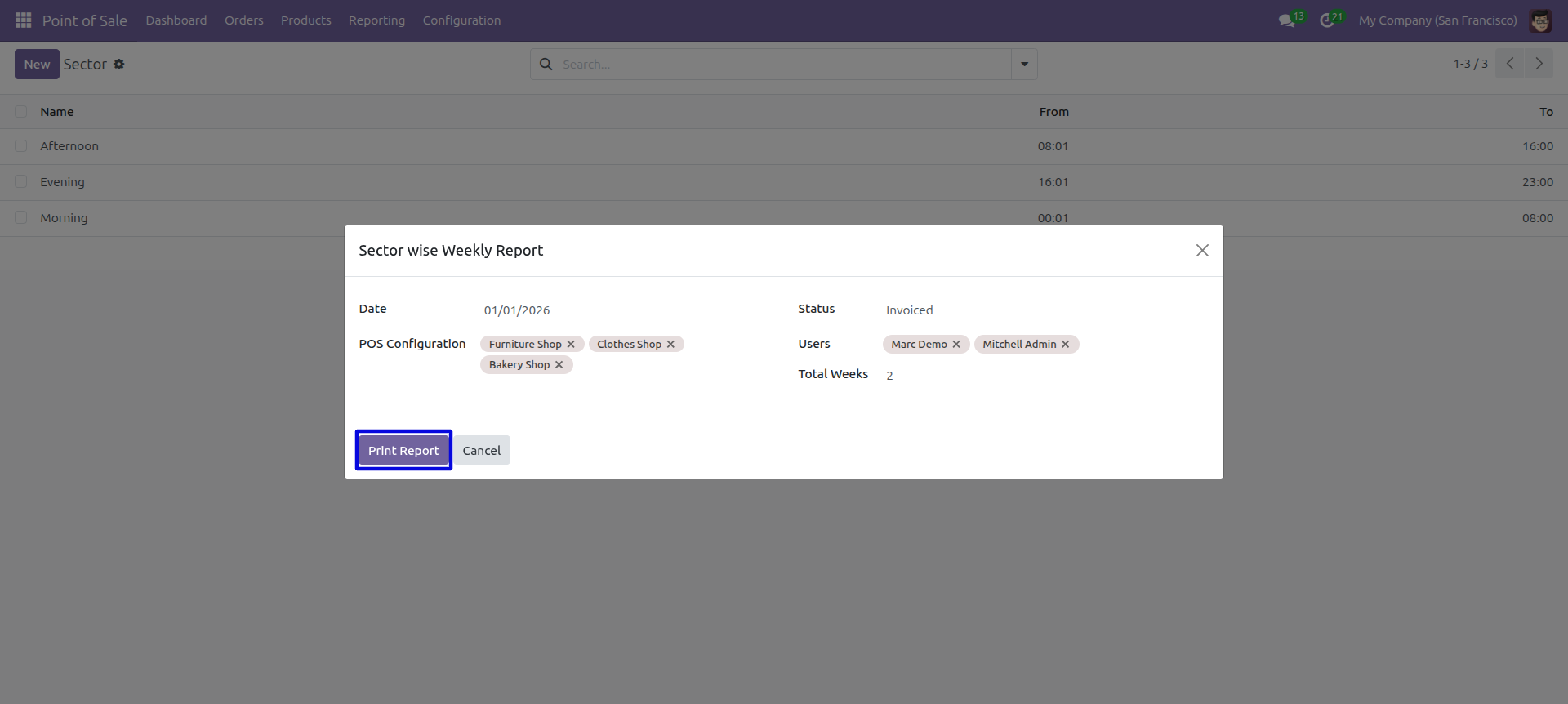
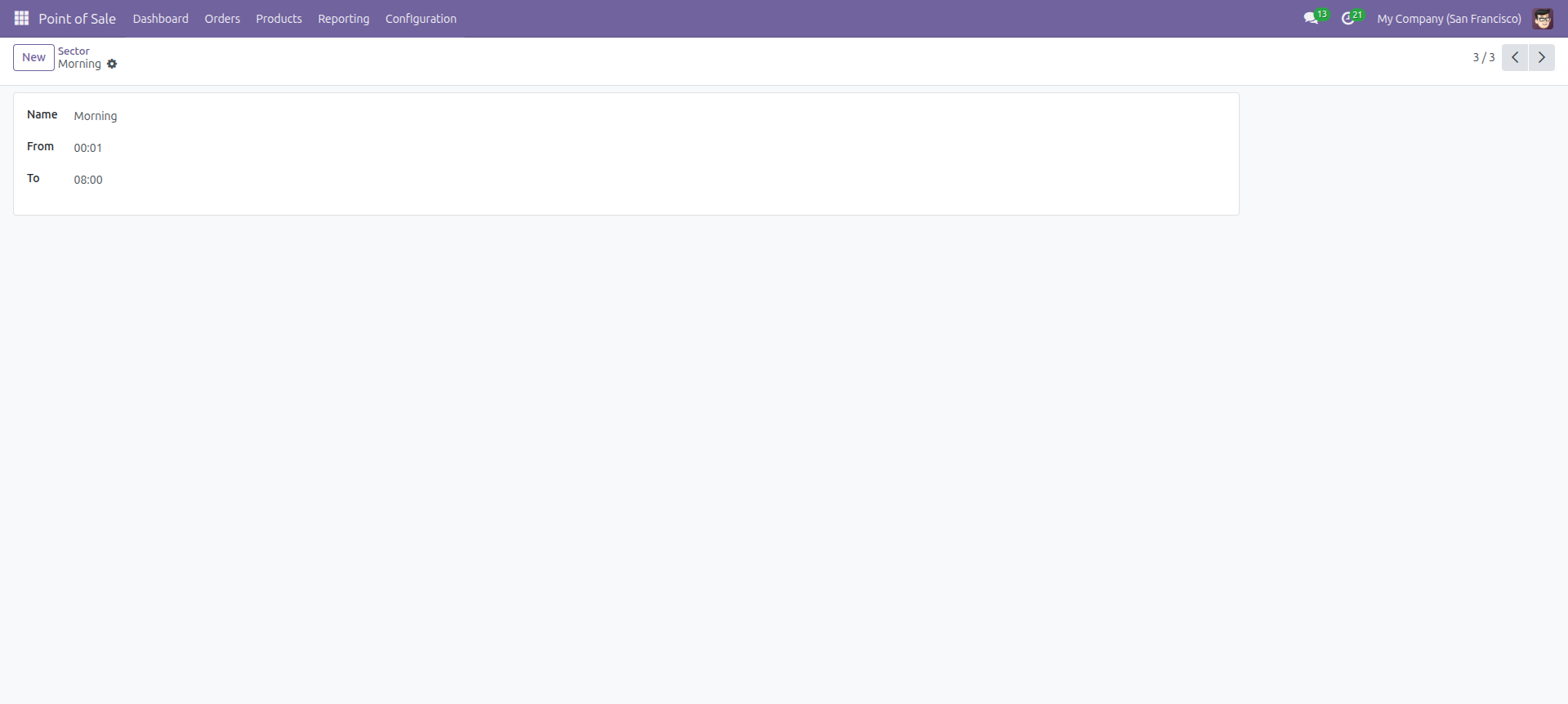
Sector Form View.
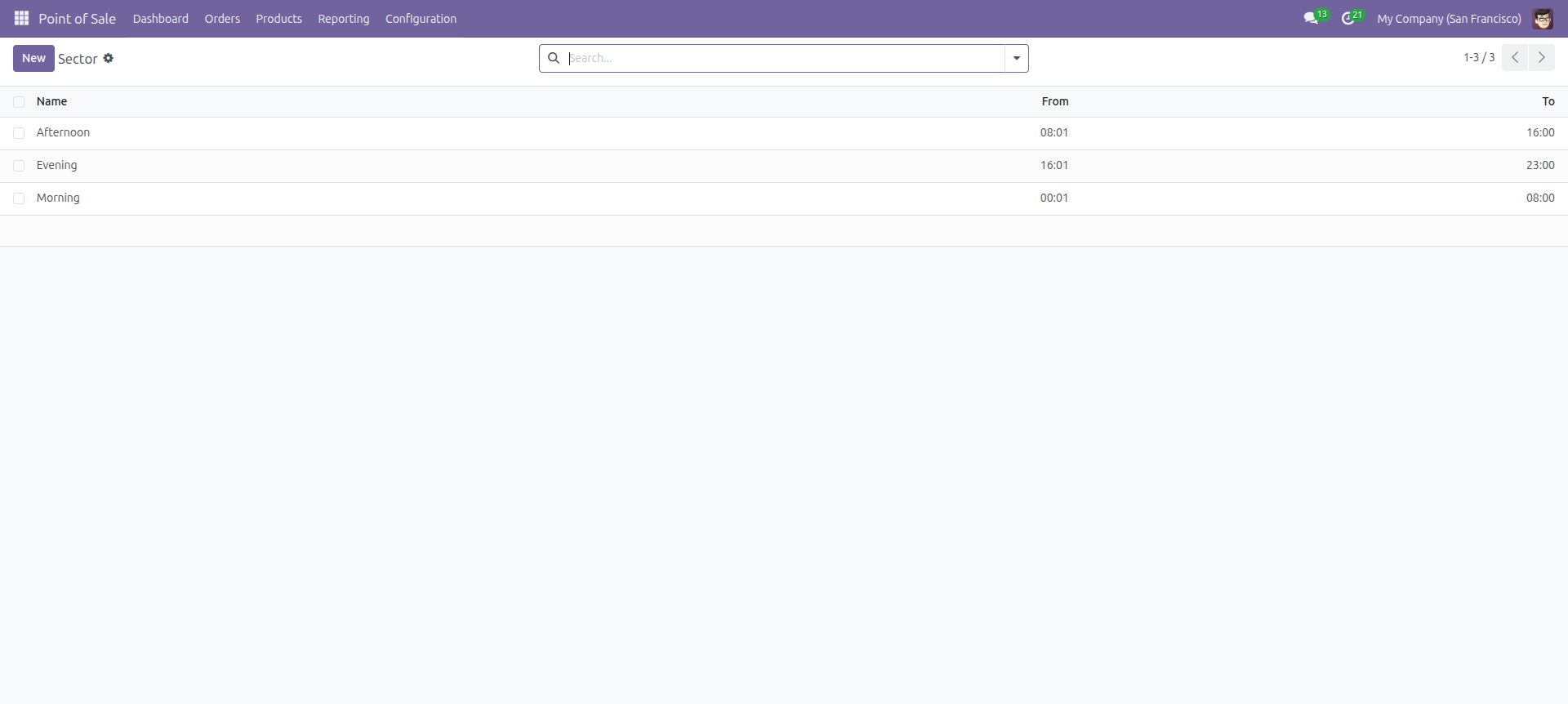
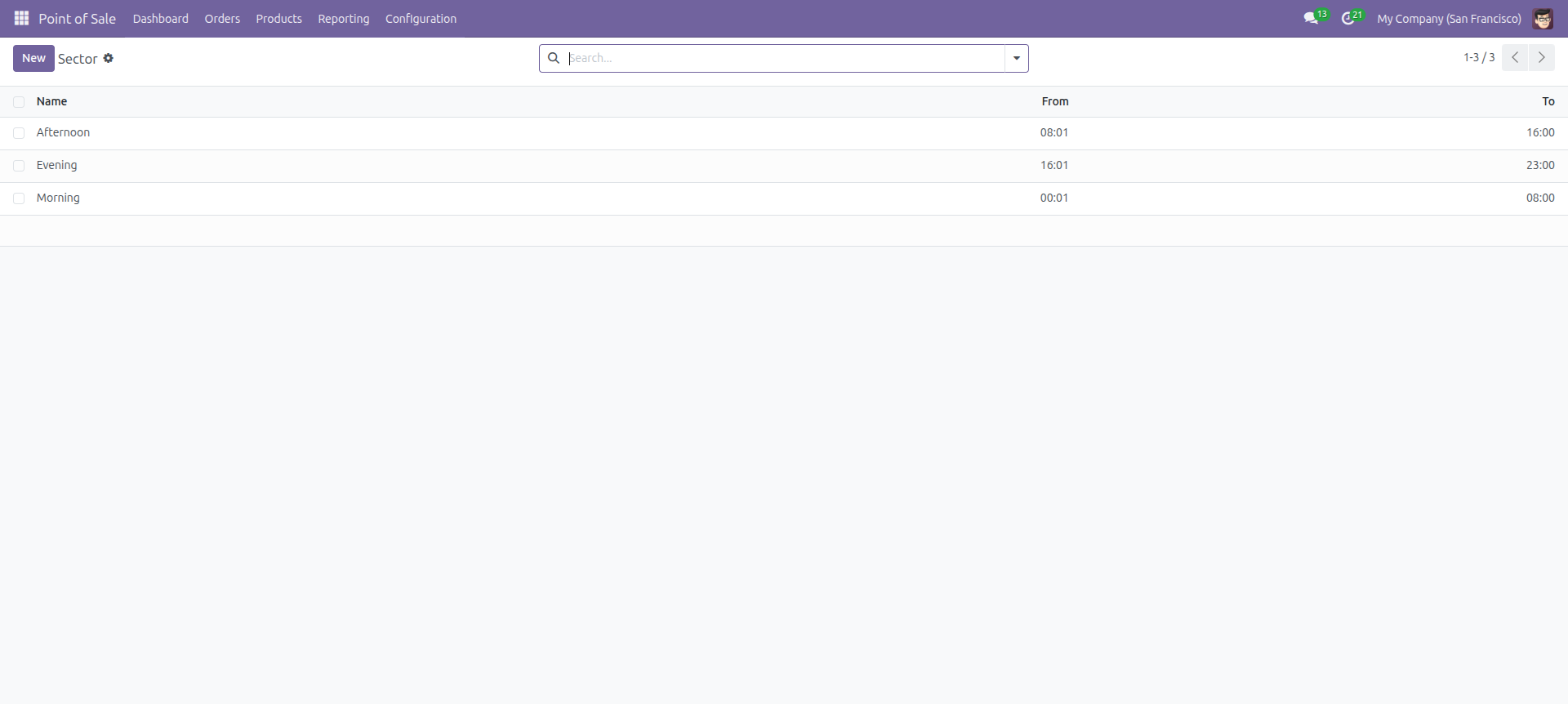
Sector Tree View.
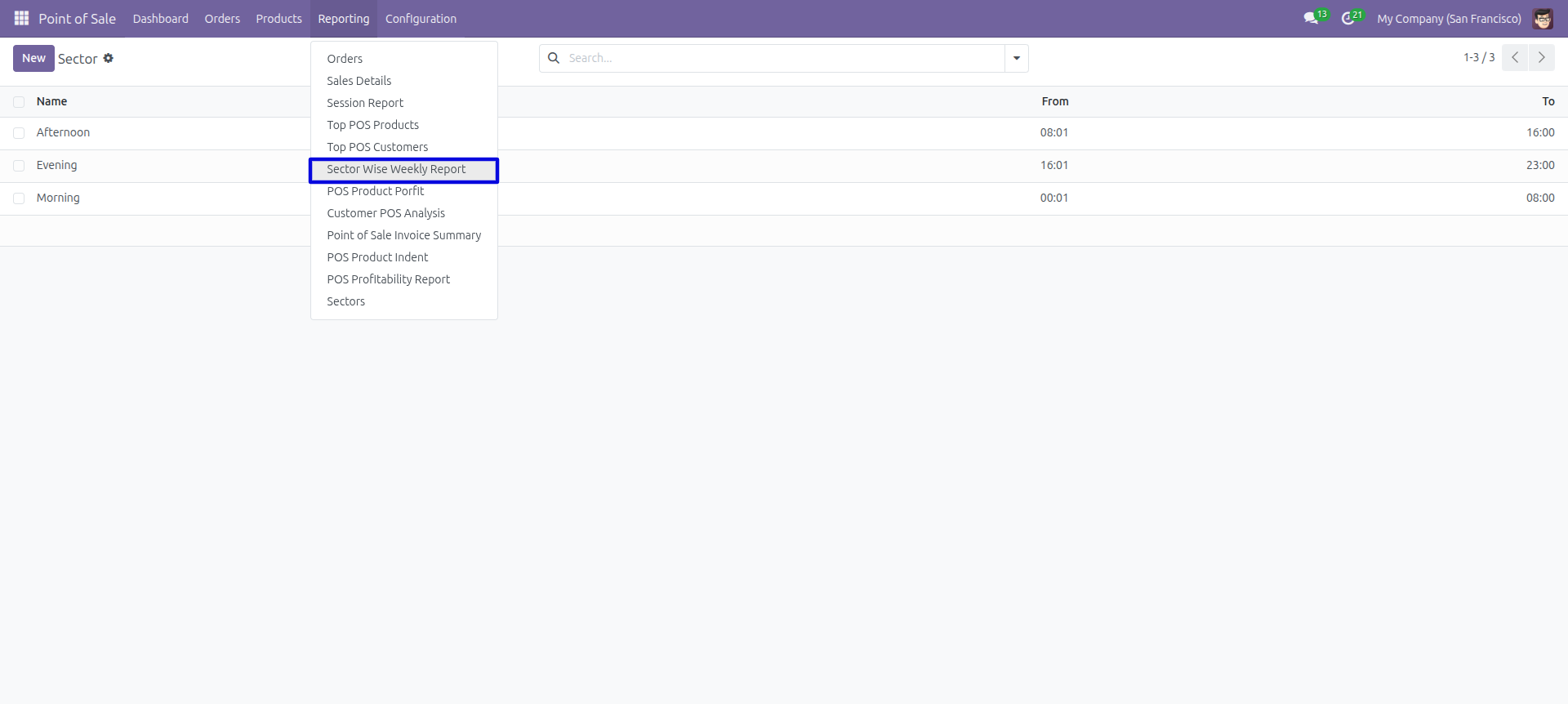
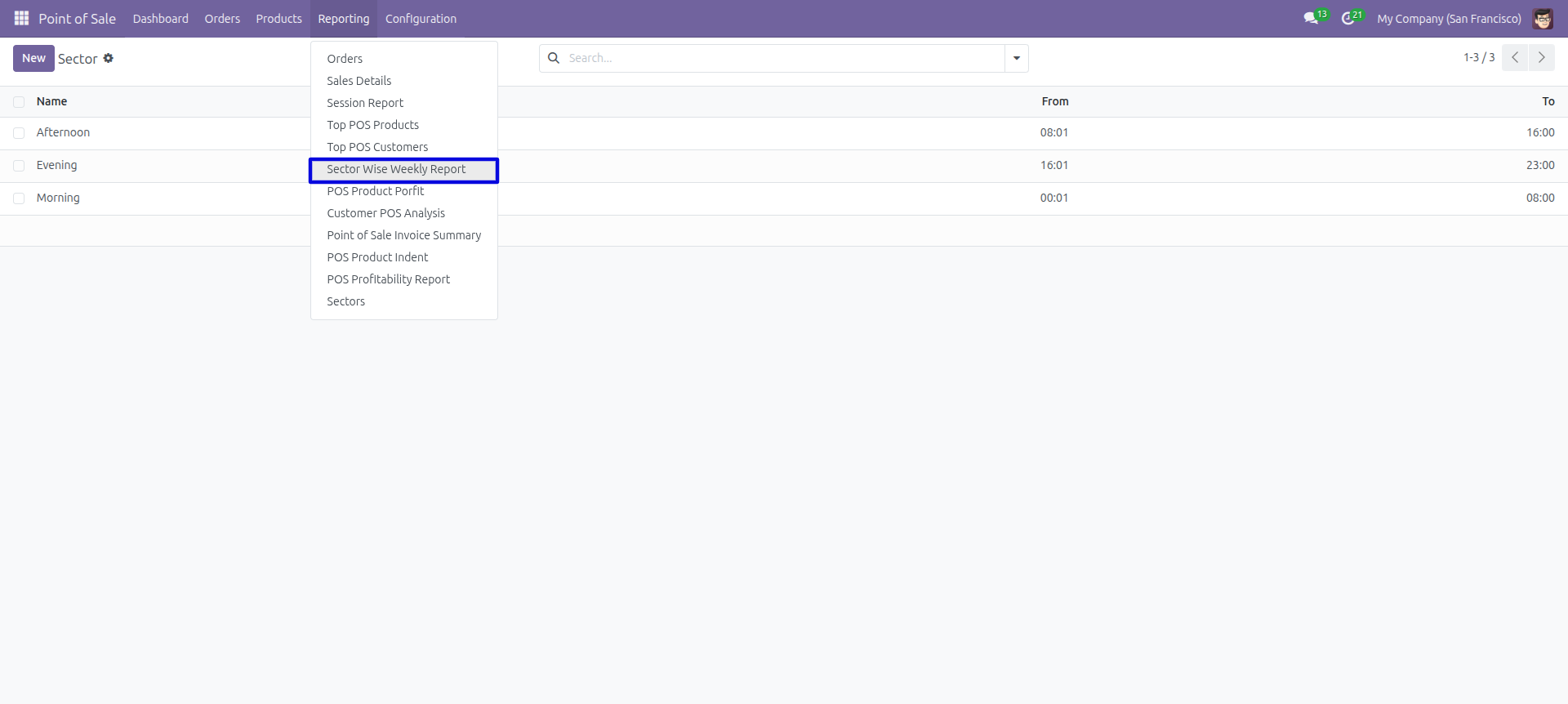
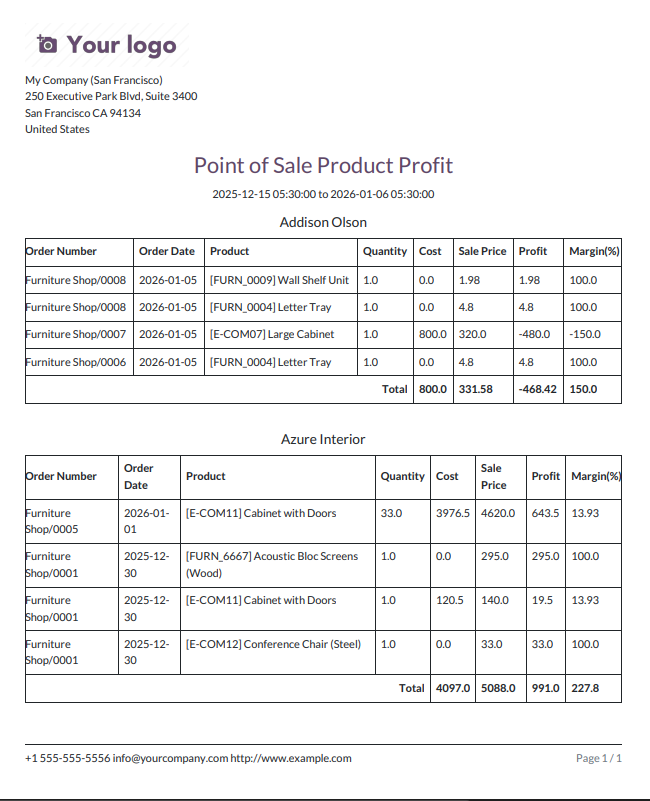
'Sector Wise Weekly Report' Menu.
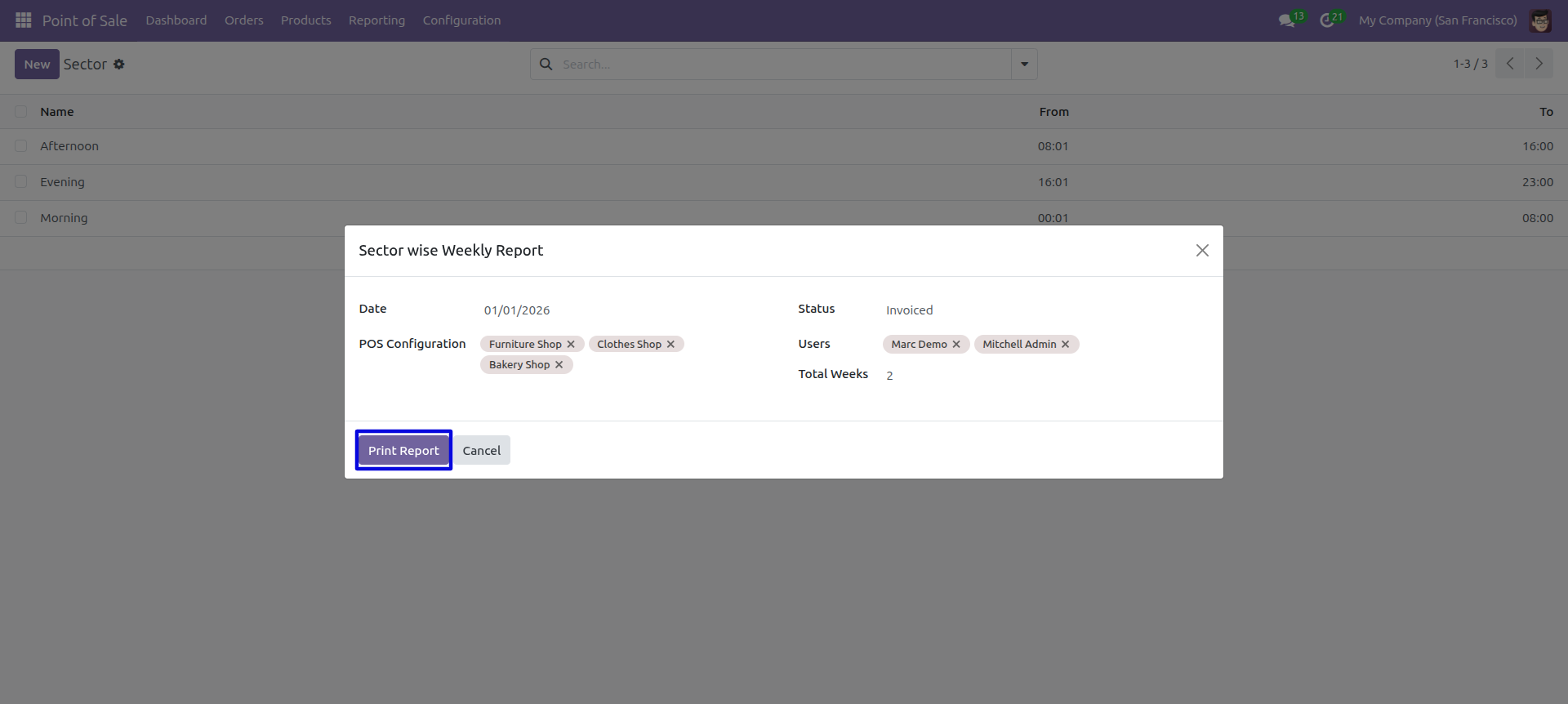
POS Sector Excel report wizard, we print the report.
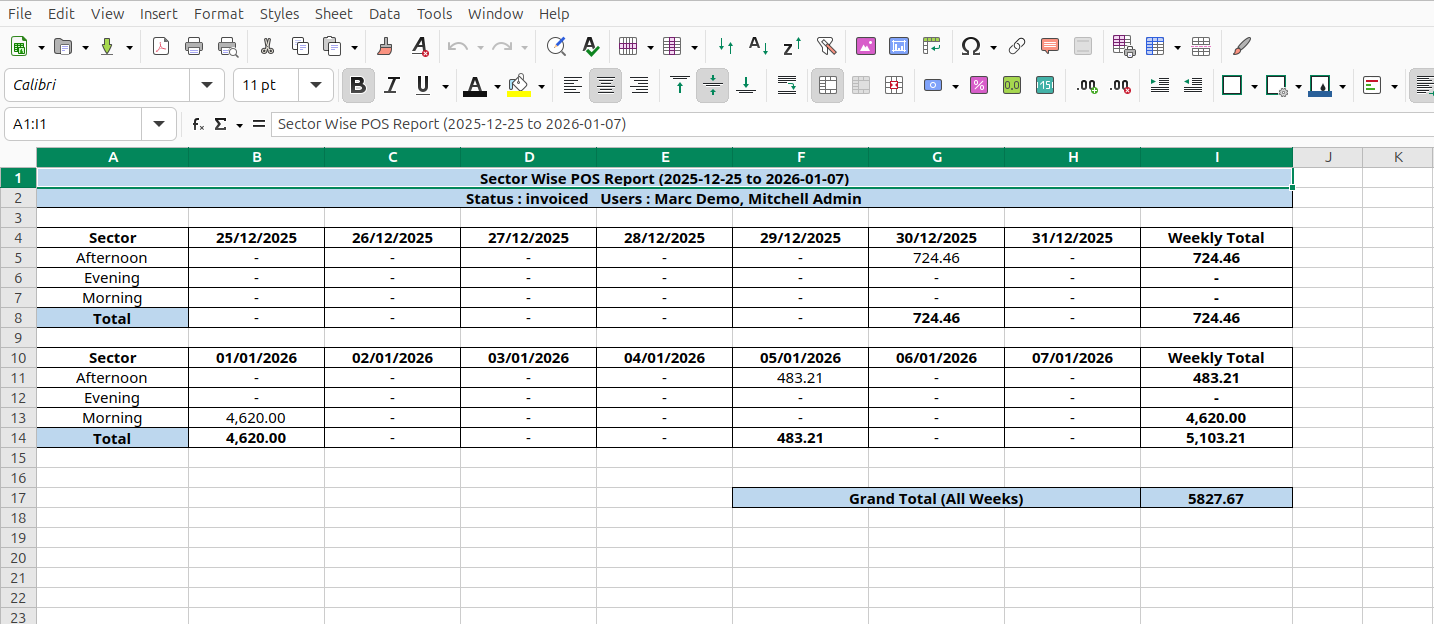
POS Sector XLS report looks like below.
POS Product Profit Report
In this module, you can generate and print product point of sales profit reports in PDF as well as excel format. You can generate reports between any date range. Report generated by customers, products or both. We provide the option to print reports of more than one company.
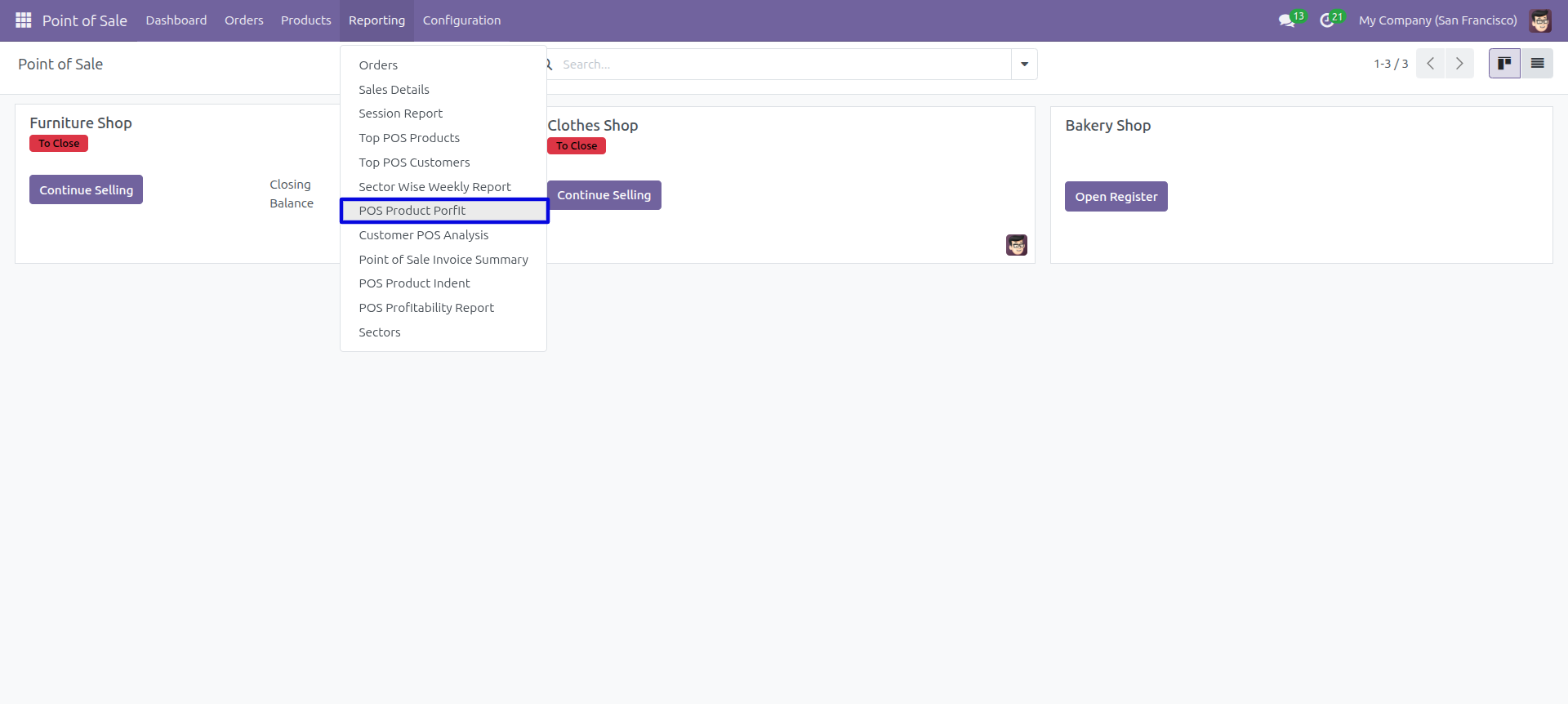
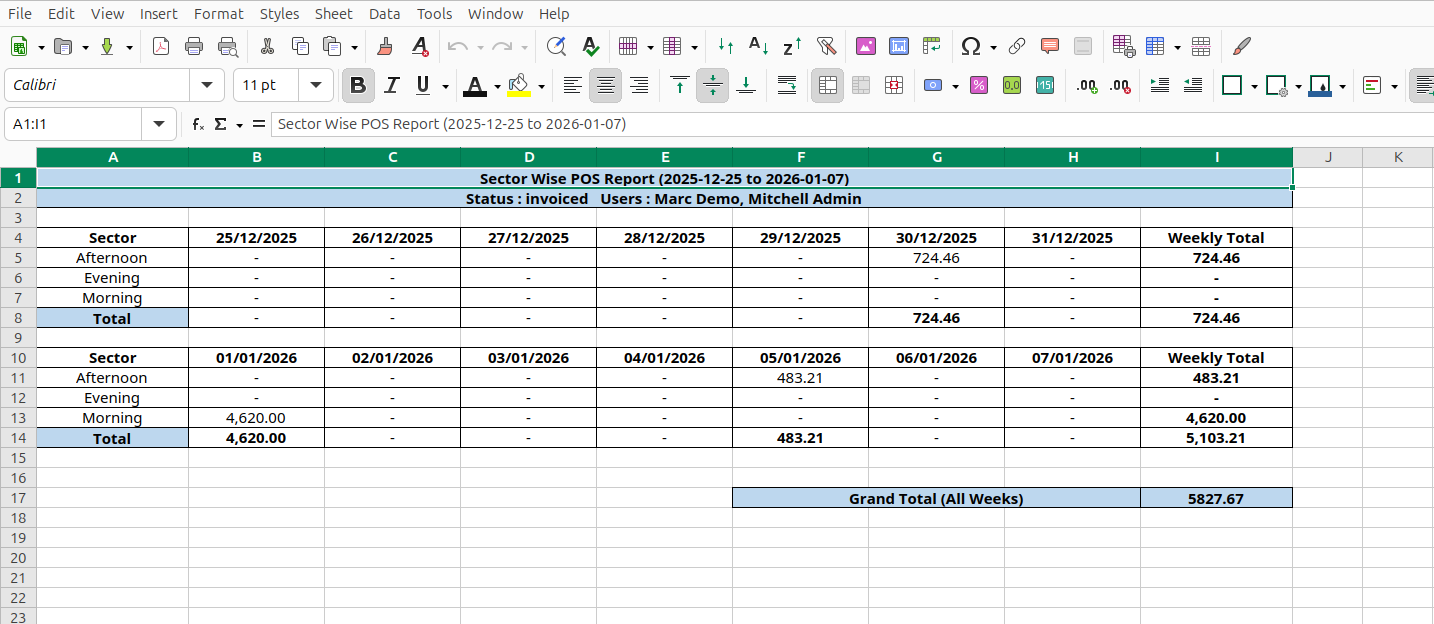
POS Reporting Menu – 'Point Of Sale Product Profit'.
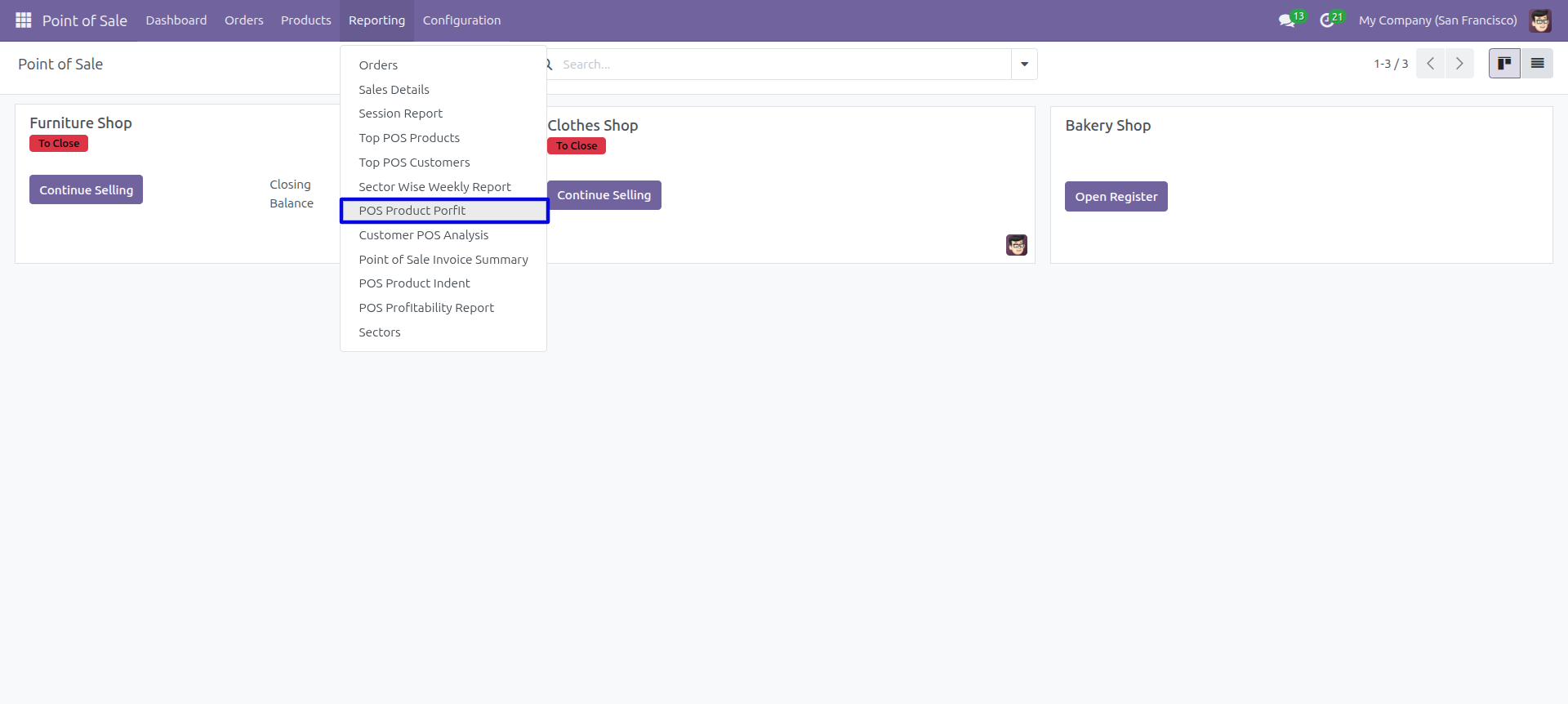
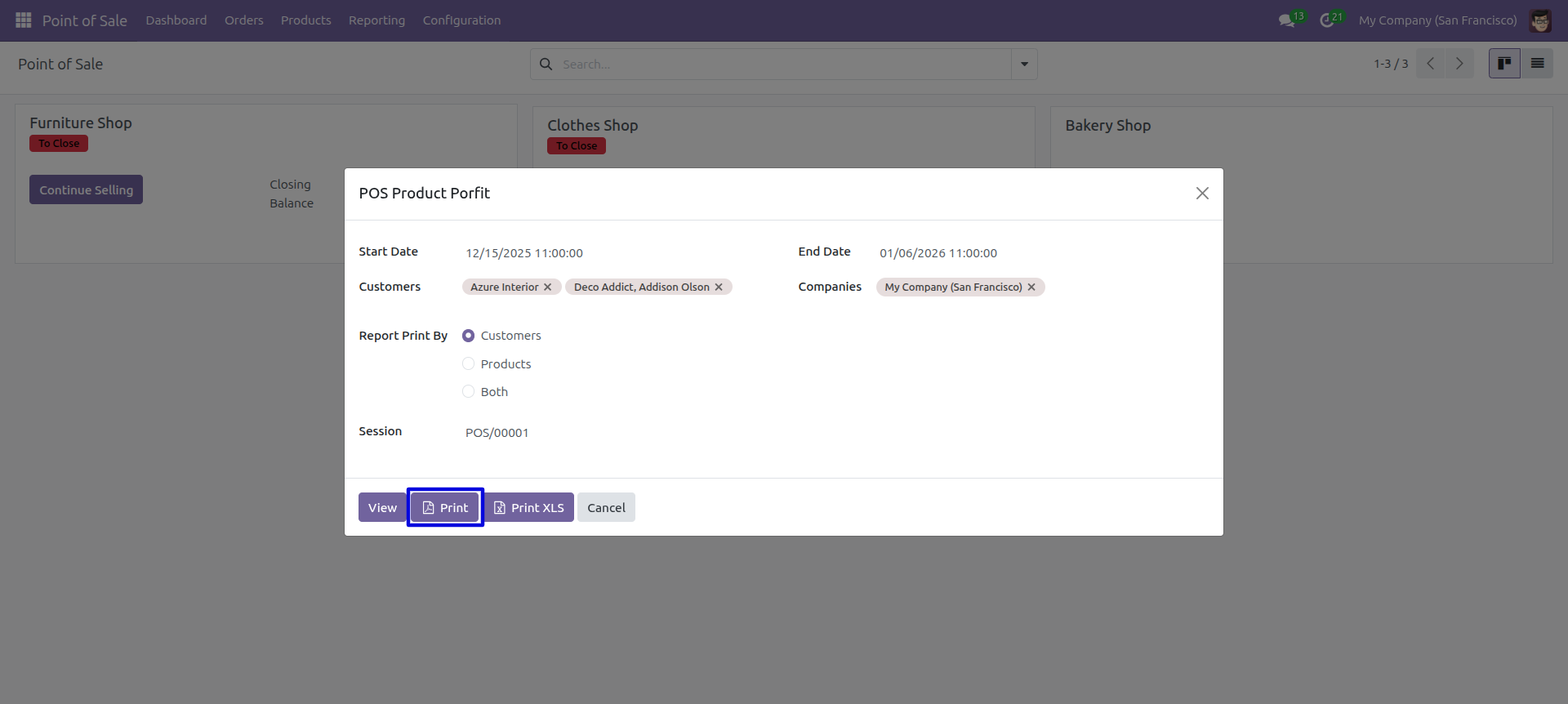
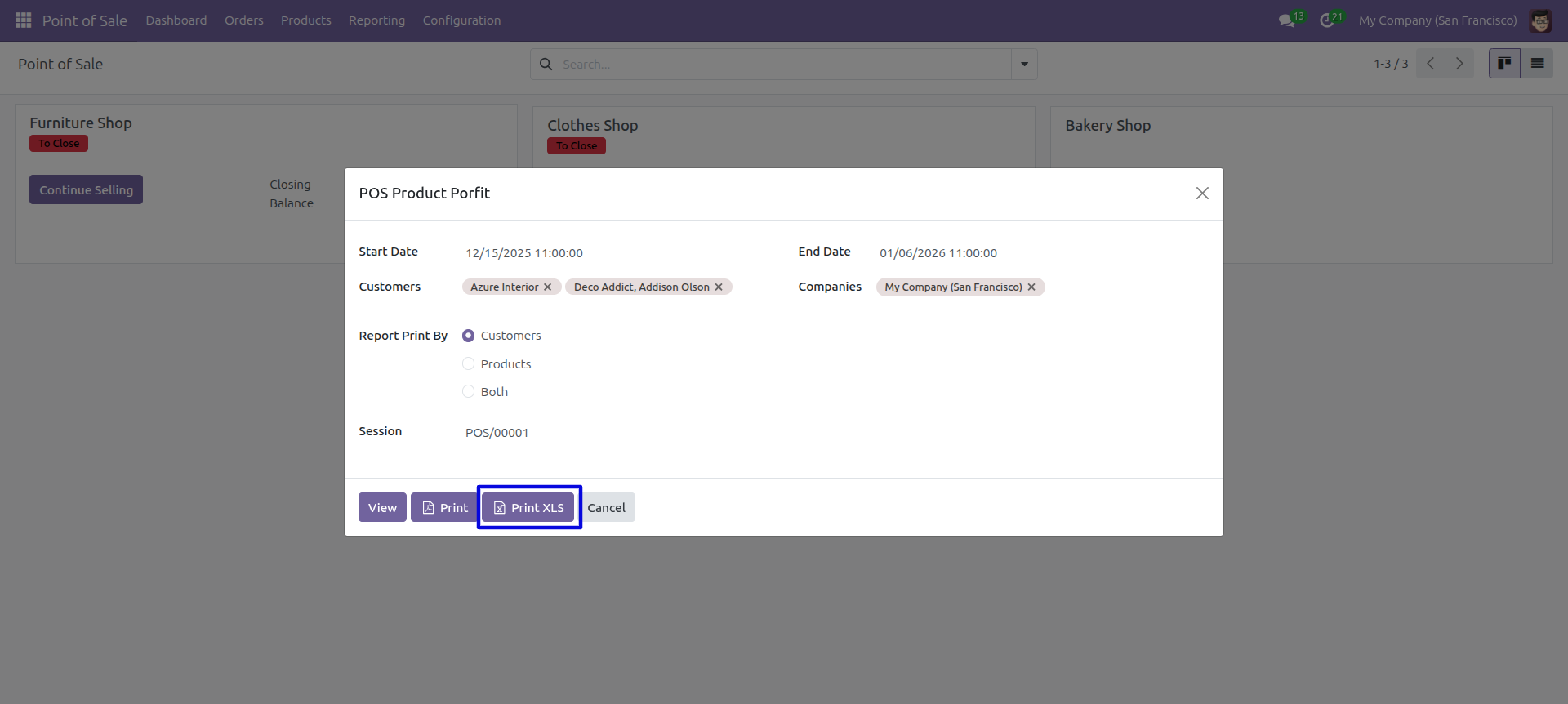
POS product profit PDF/Excel report wizard, we print the report based on customers.
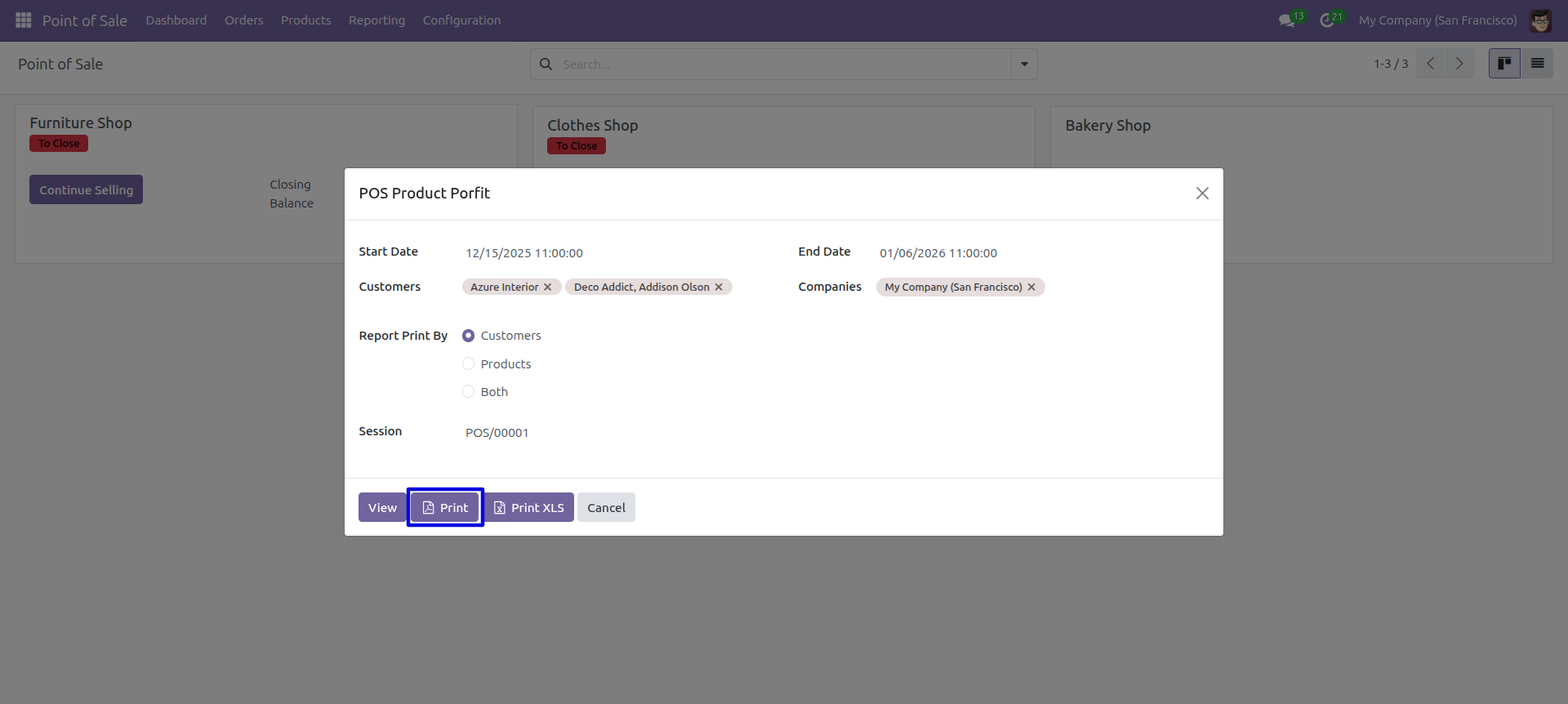
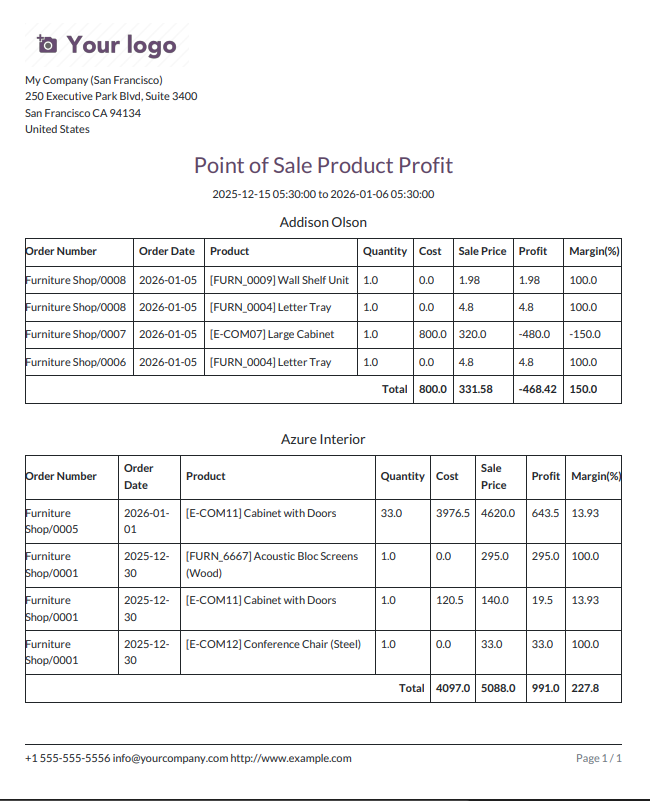
POS product profit PDF report looks like below.
Now we print the 'POS Product Profit Report' excel report.
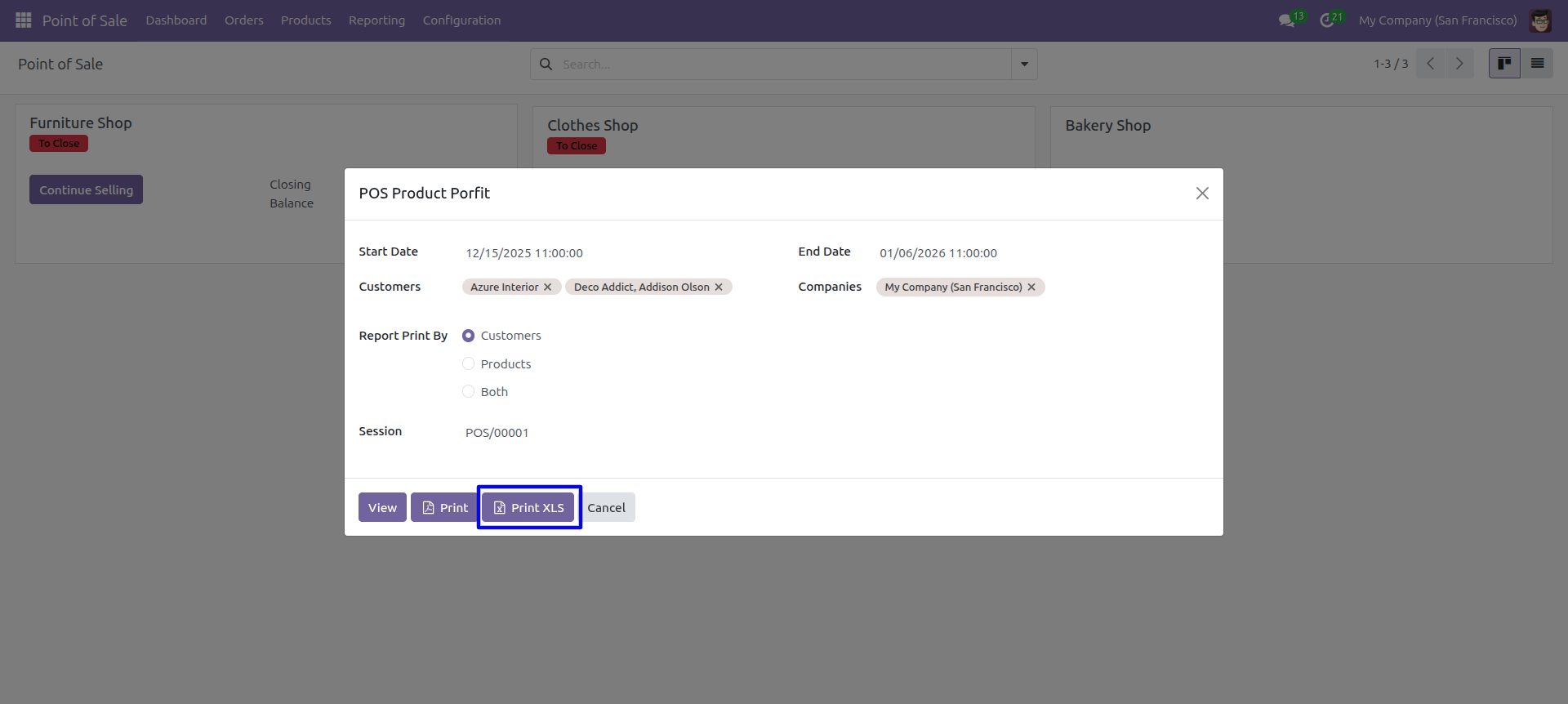
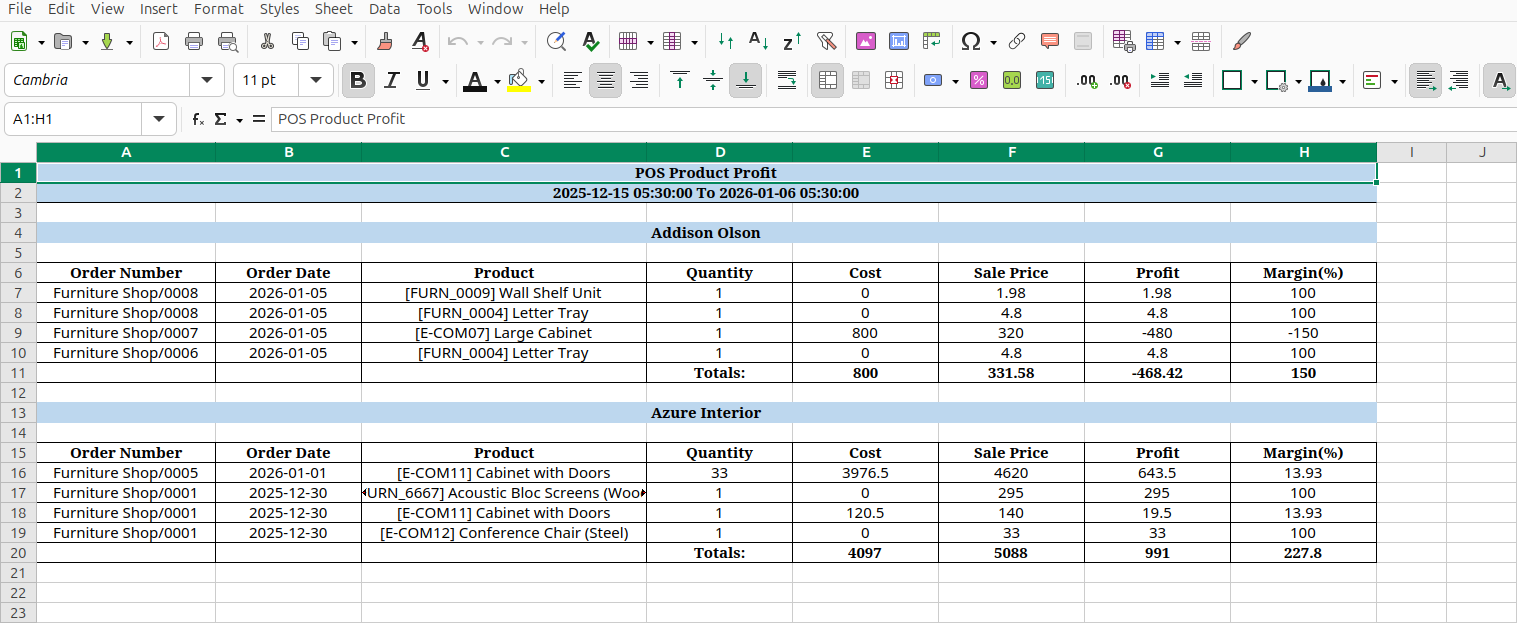
POS product profit XLS report looks like below.
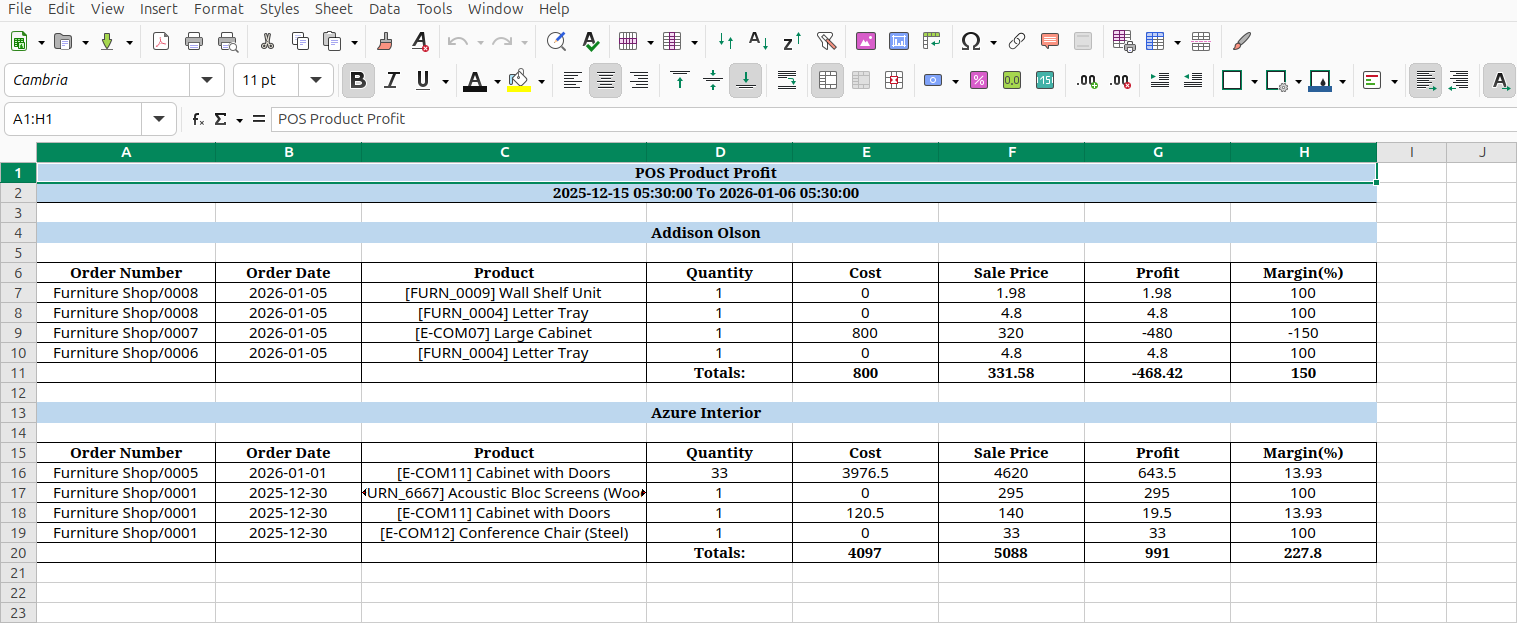
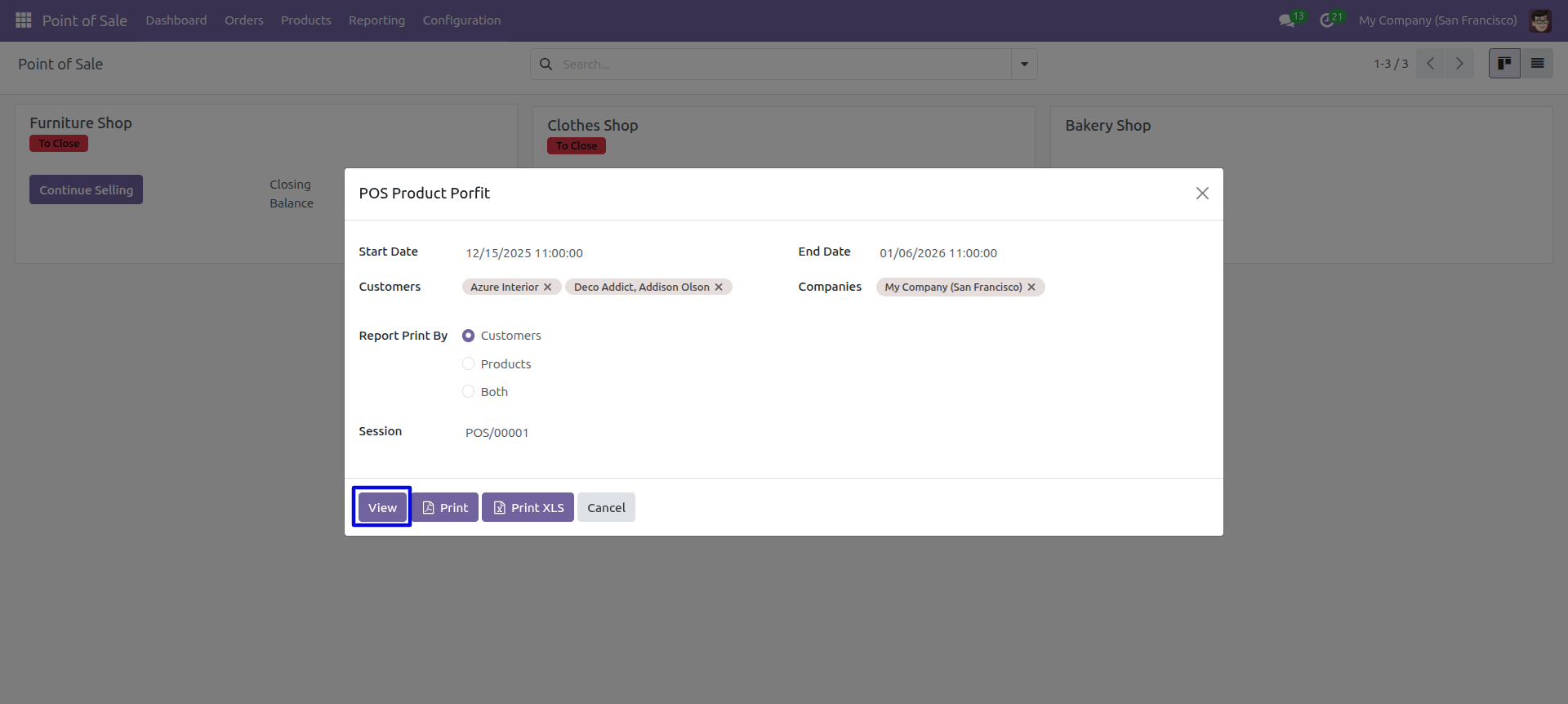
Set Date Range for view Report.
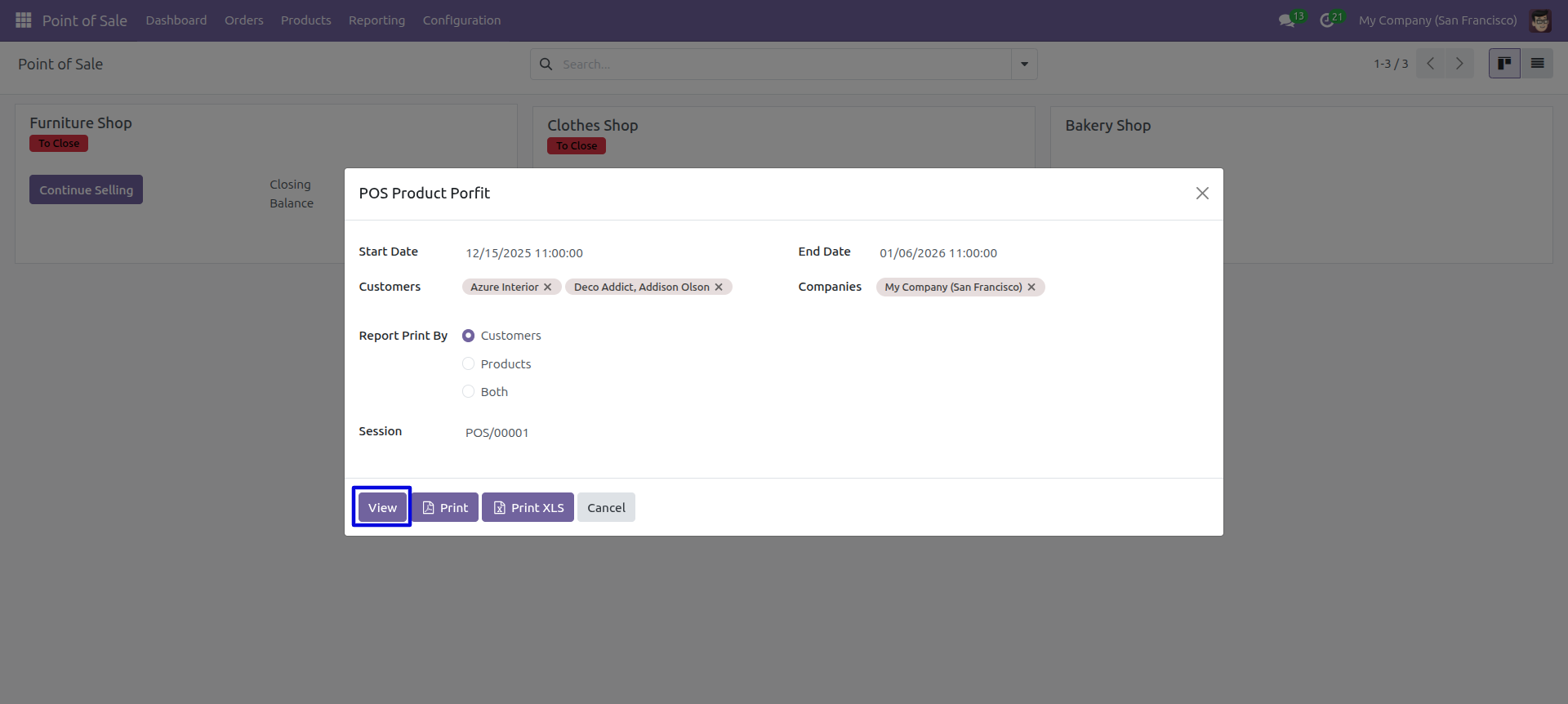
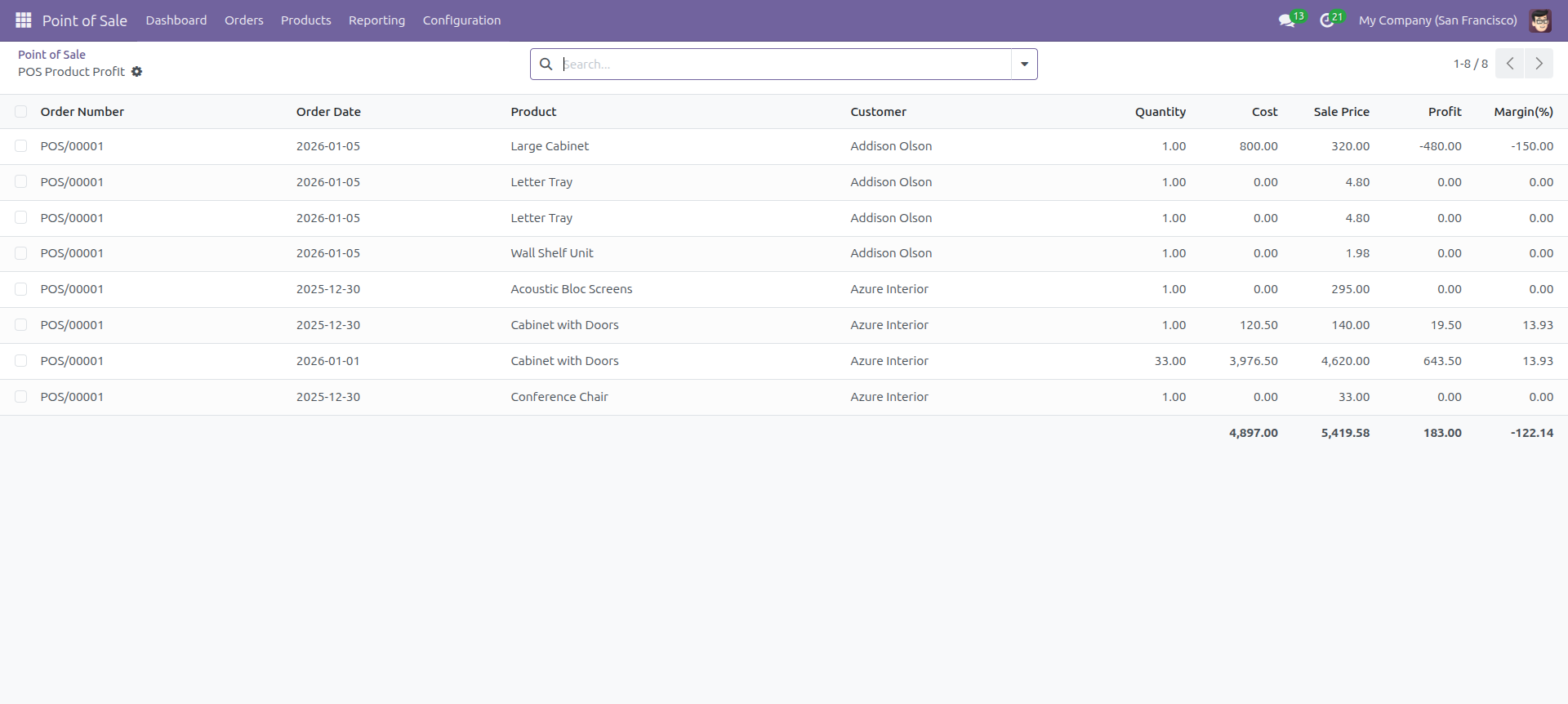
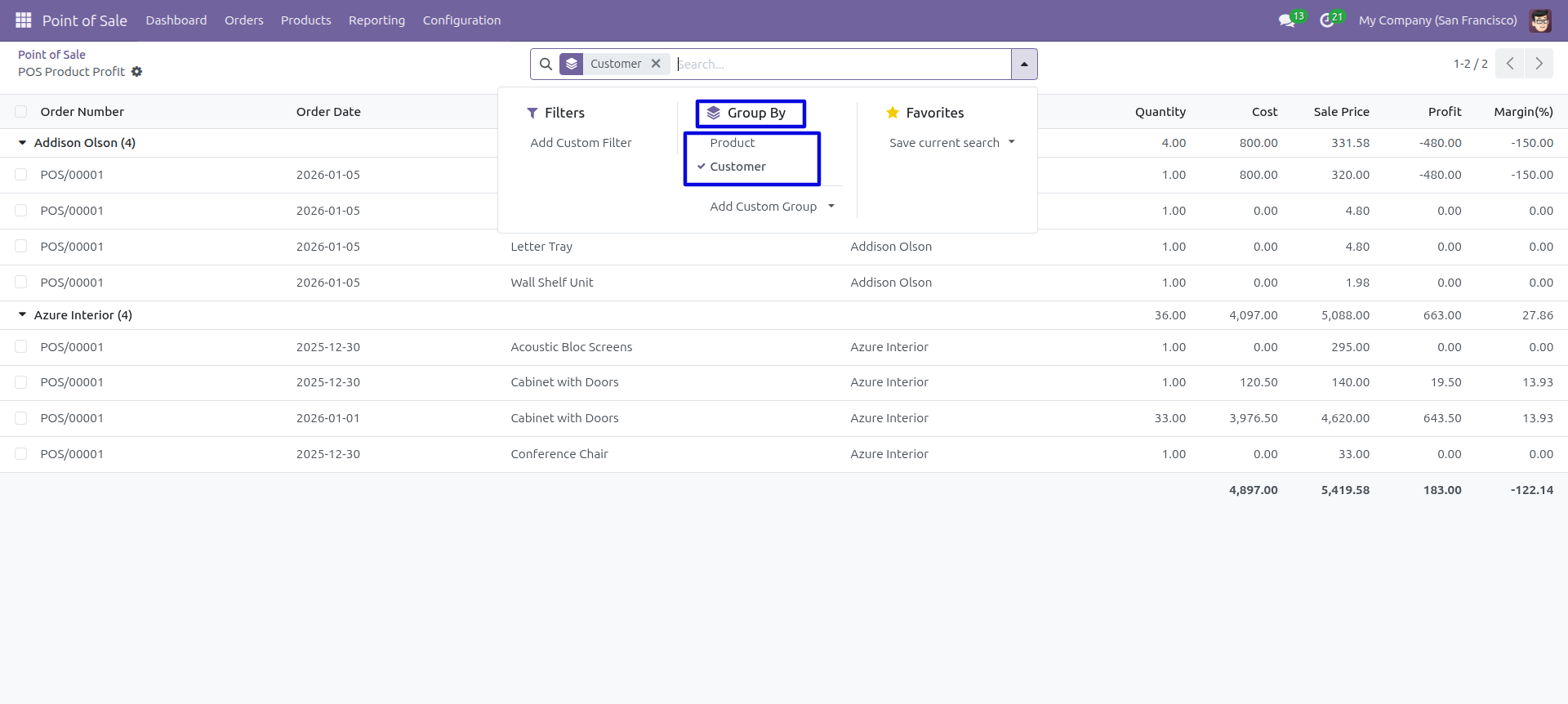
POS Product Profit Report with the given date range report view.
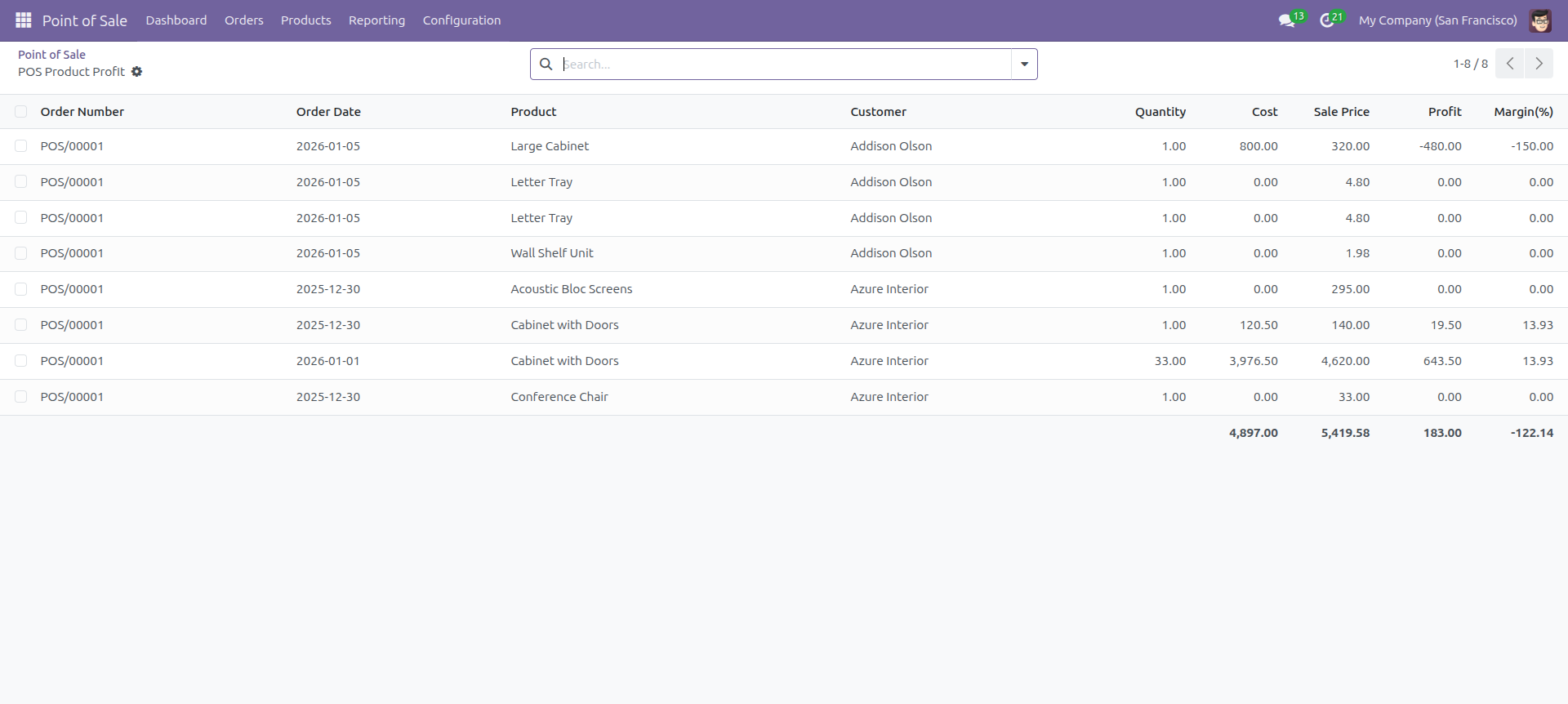
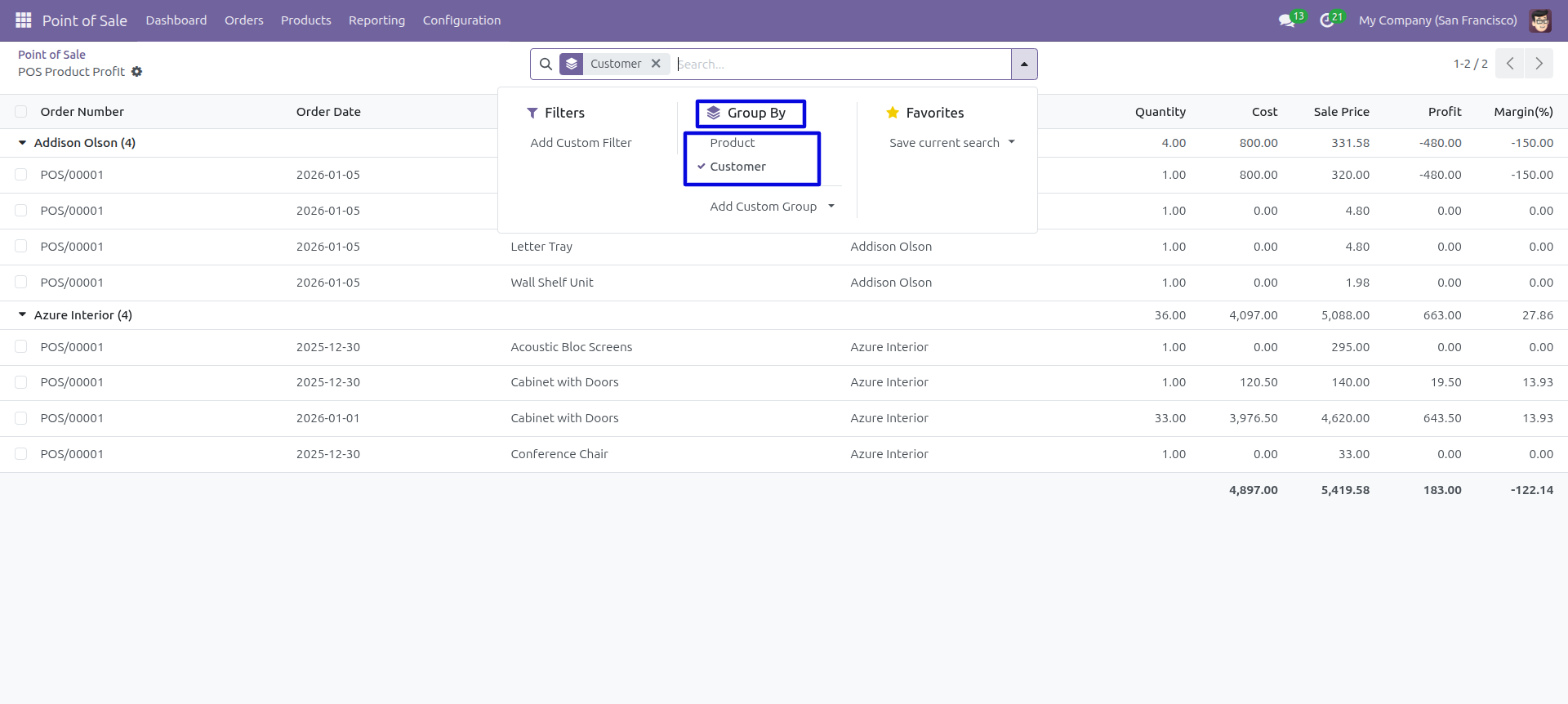
In the report view, you have the option to group the report.
POS Customer Sales Analysis
In this module, you can generate and print customer's point of sales analysis reports in PDF as well as excel format. You can generate reports between any date range. POS orders & products, Report can be generated using these both options. You can also generate a report based on the status of the POS order. We provide the option to print reports of more than one company.
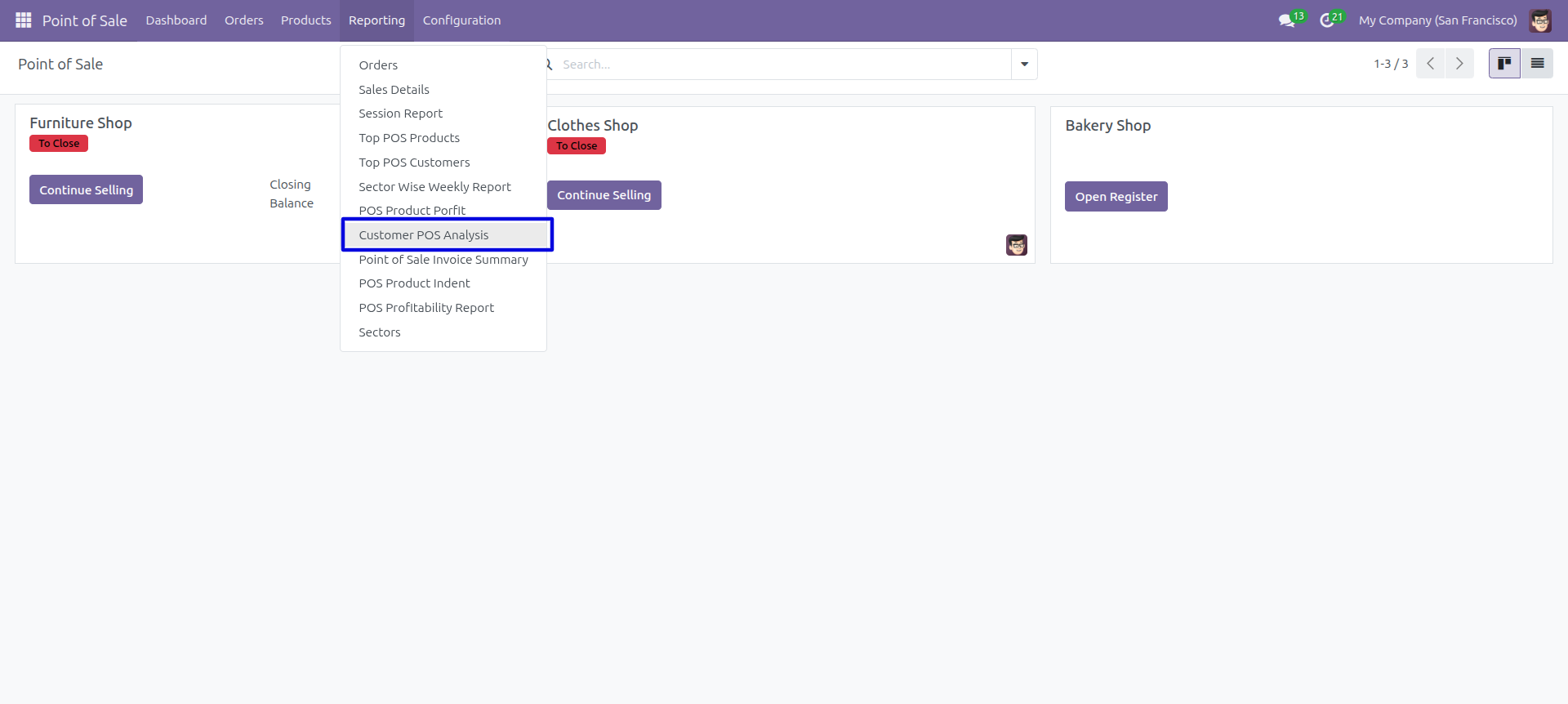
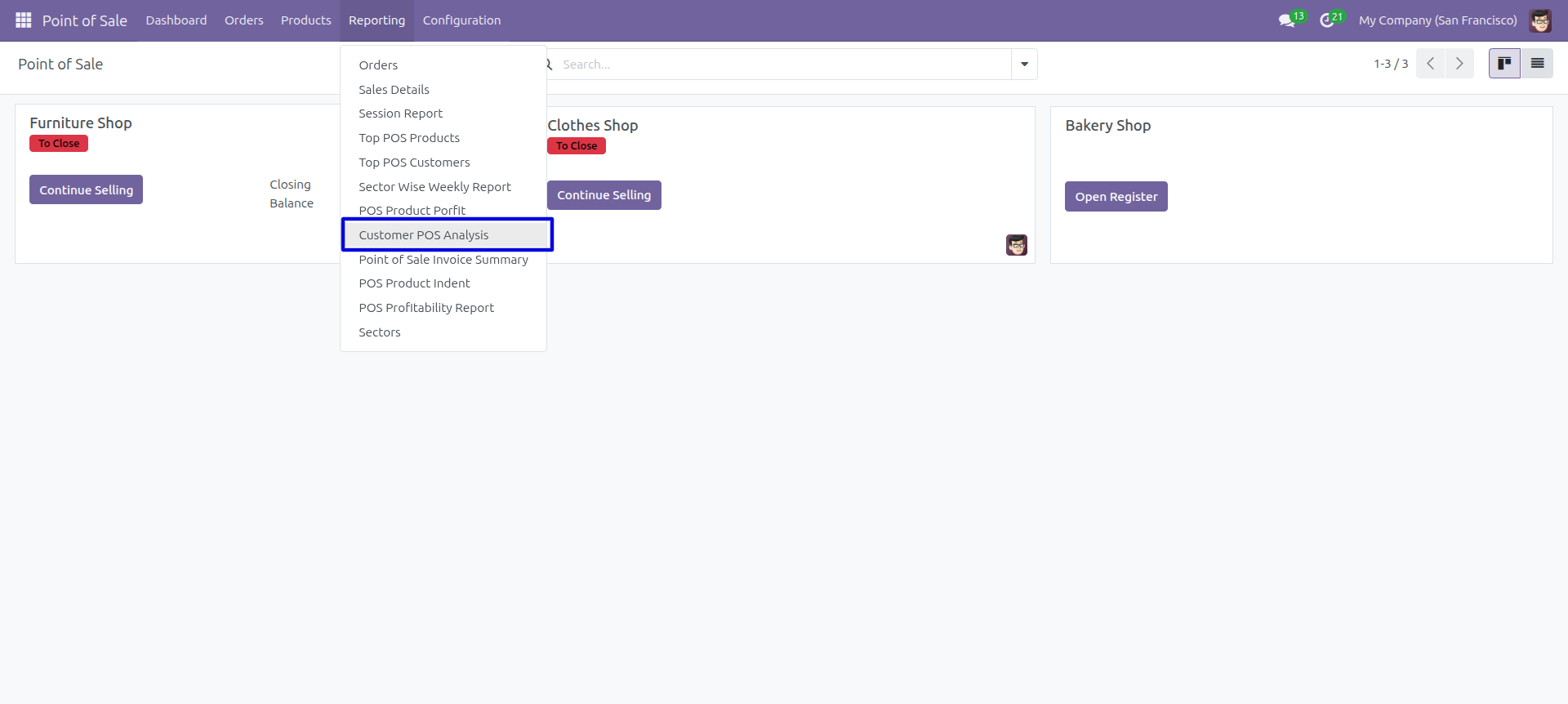
POS Reporting Menu – Customer POS Analysis
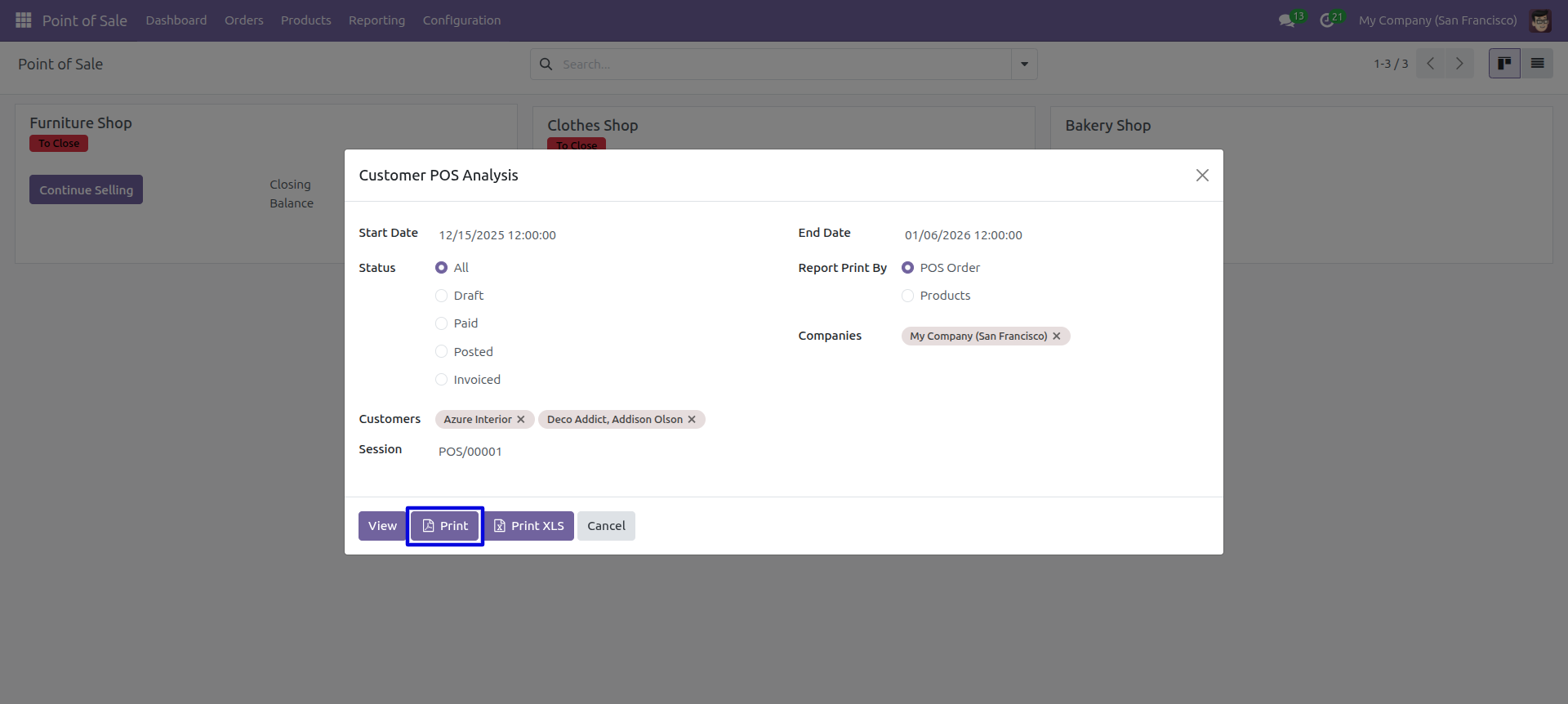
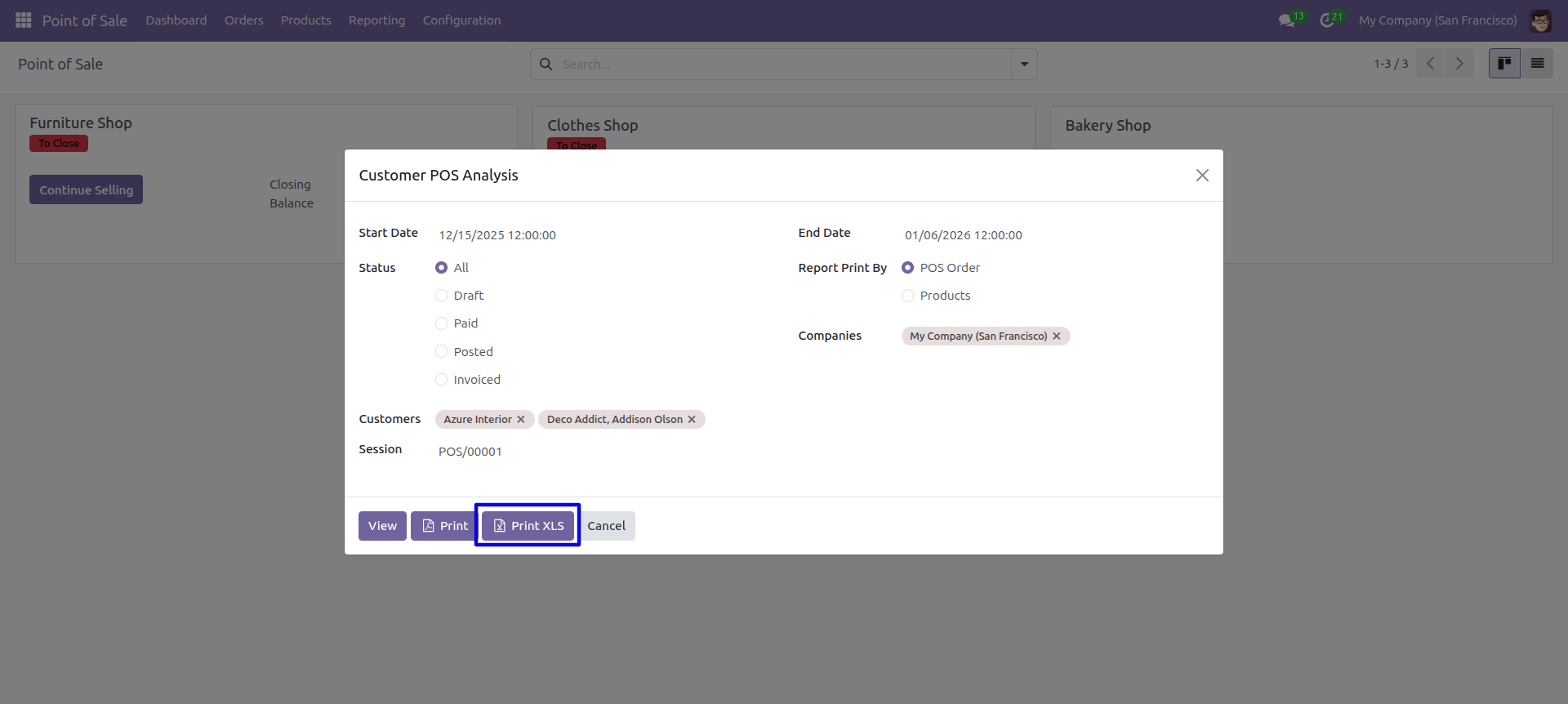
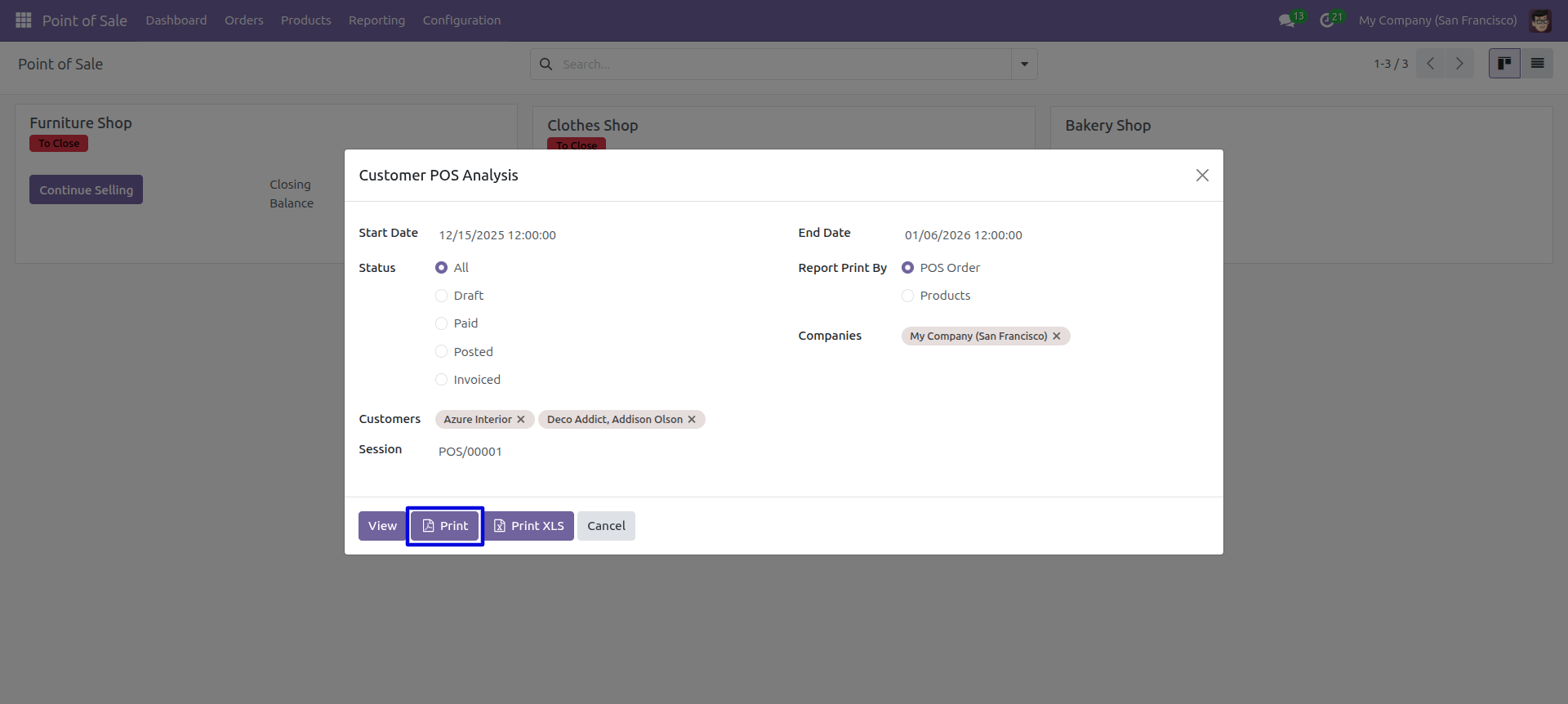
Point of sale analysis PDF/Excel report wizard, we print the report based on POS orders.
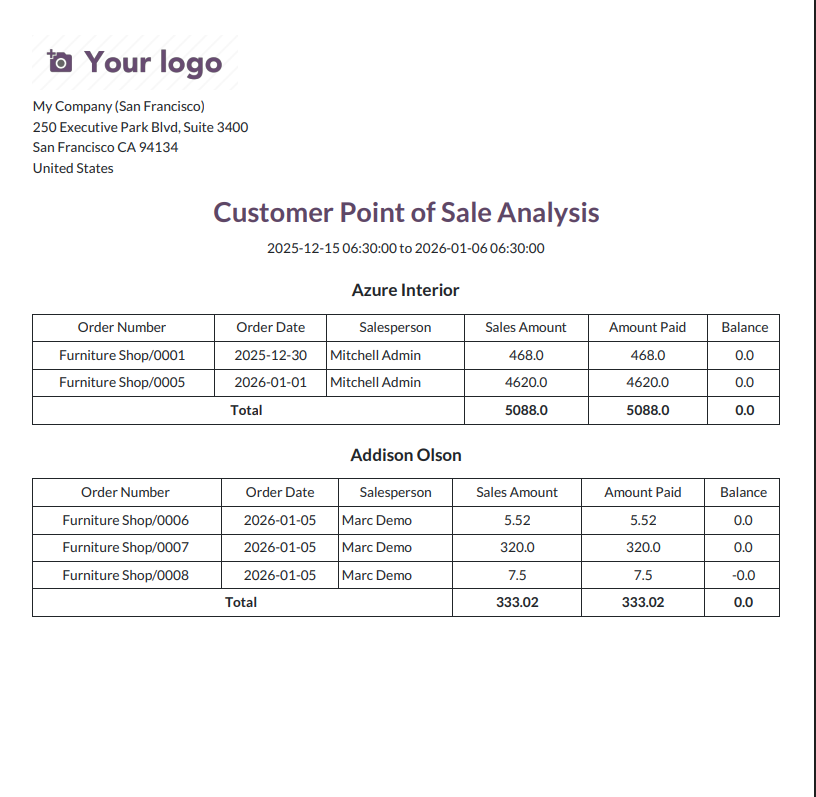
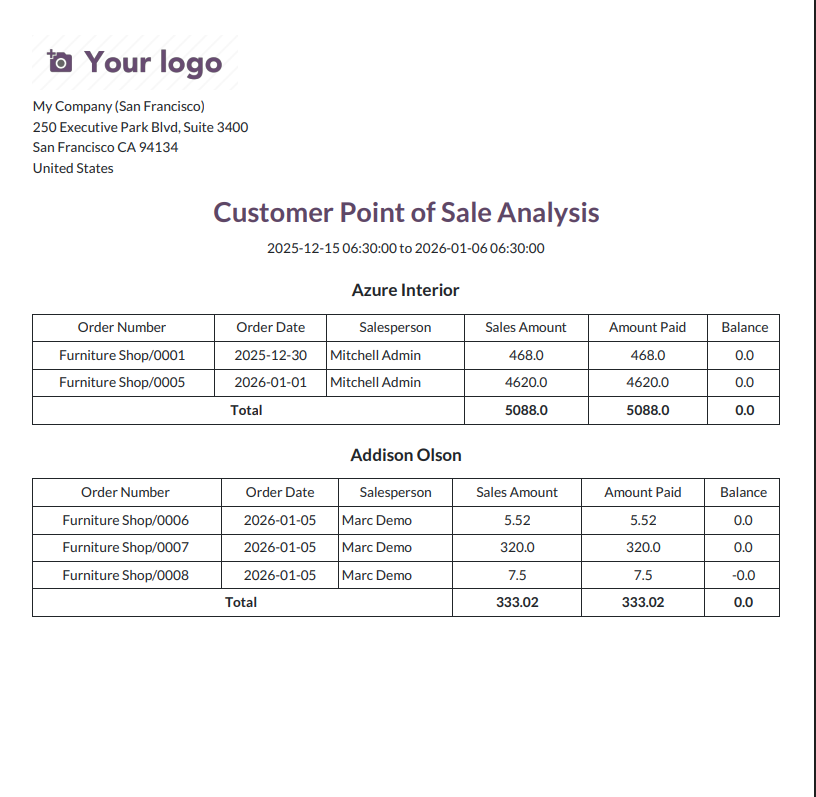
Customer POS Analysis – PDF Report
Now we print the 'Point Of Sale Analysis' excel report.
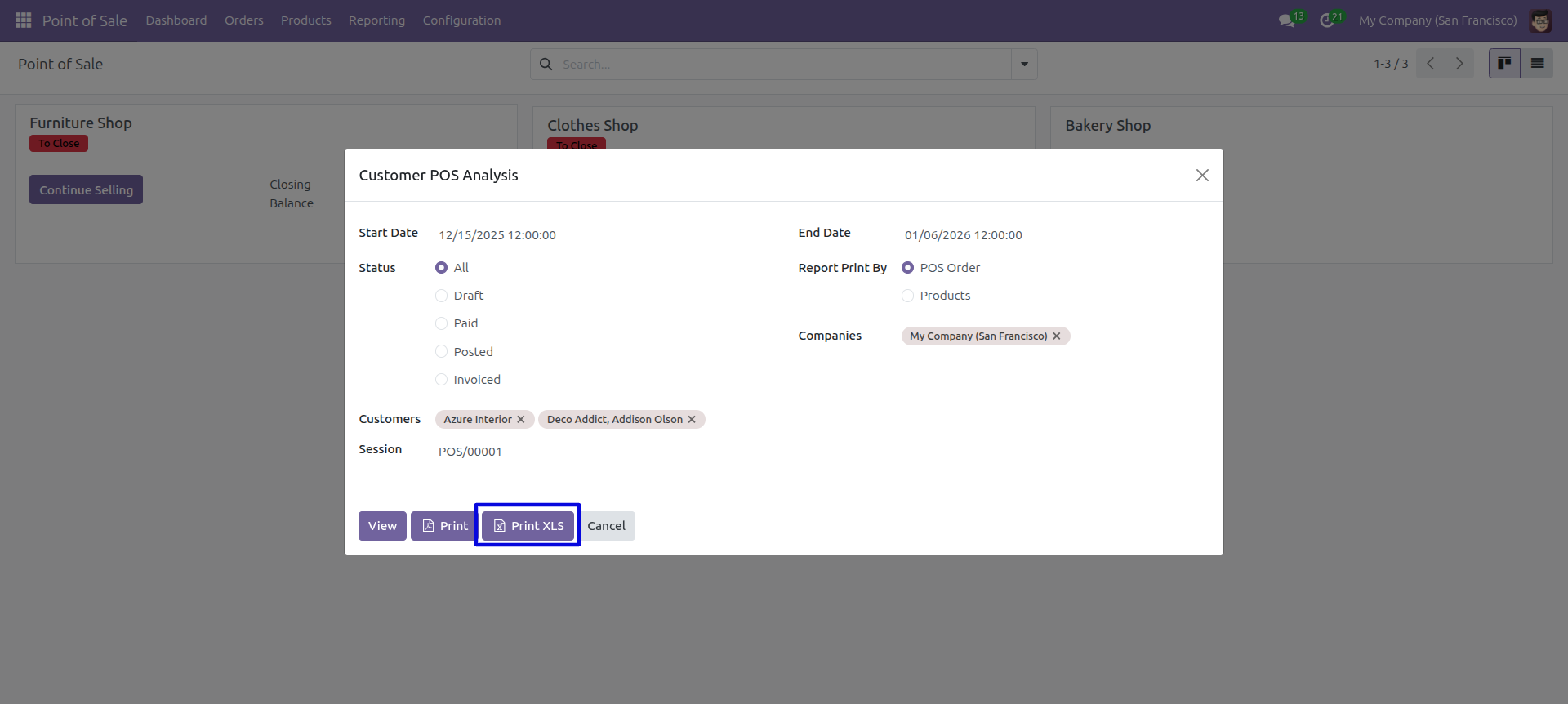
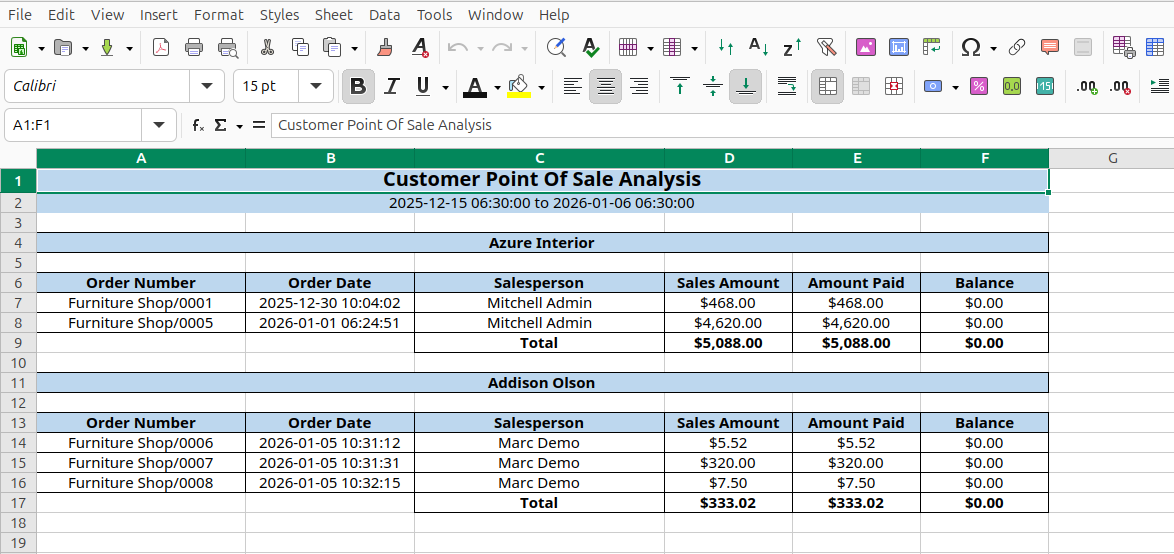
Point of sale analysis XLS report looks like below.
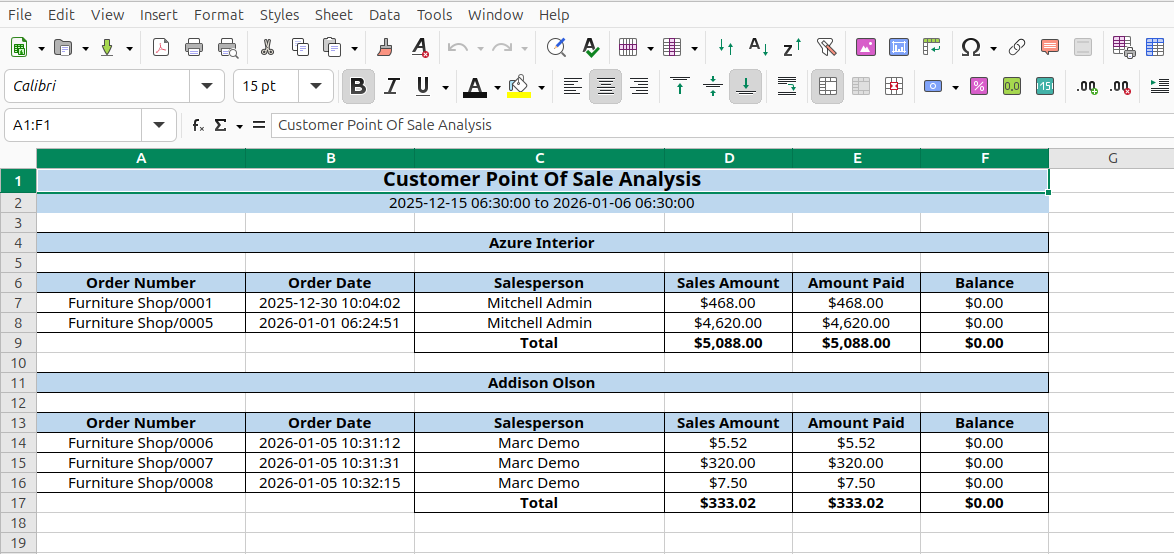
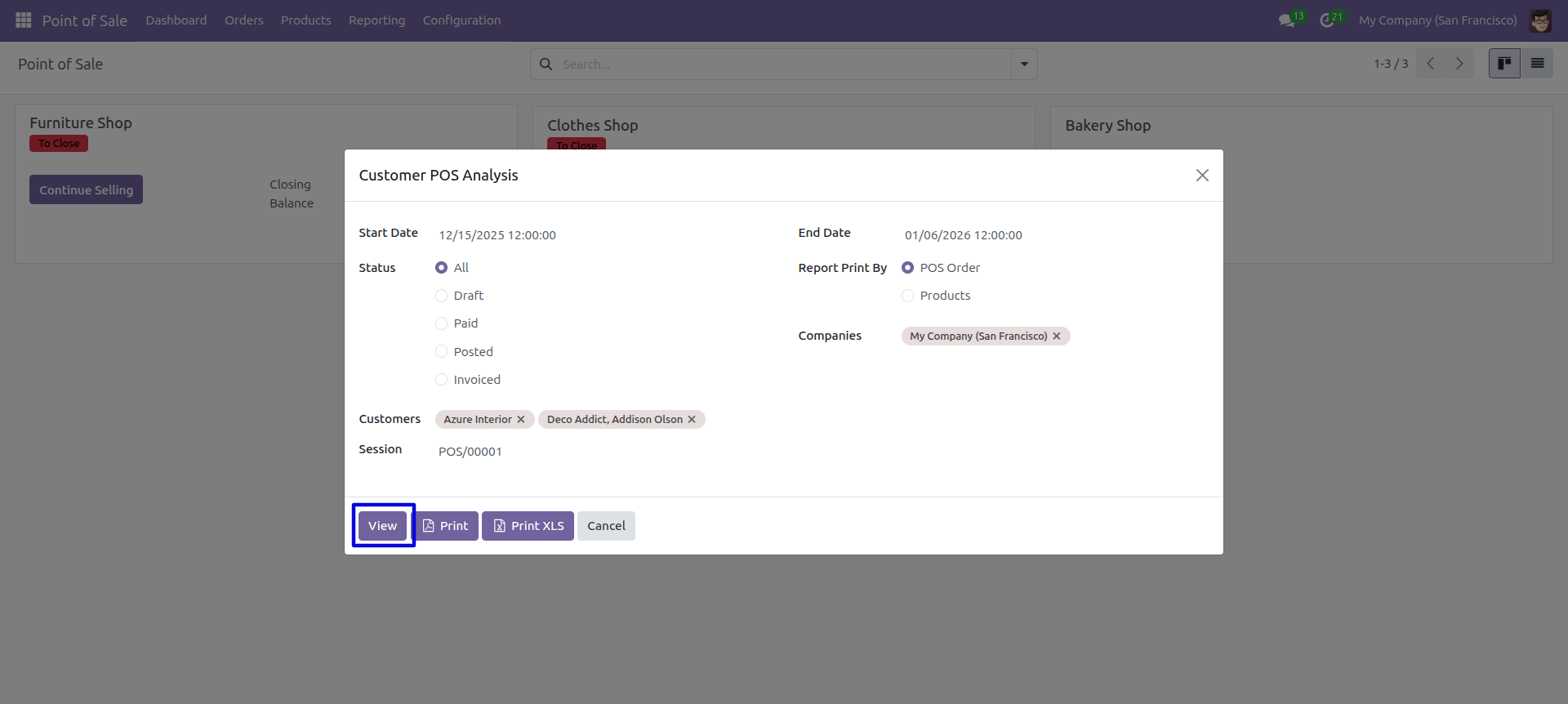
You can also view the Point of sale analysis report by clicking on 'View' button, which is generated based on POS orders.
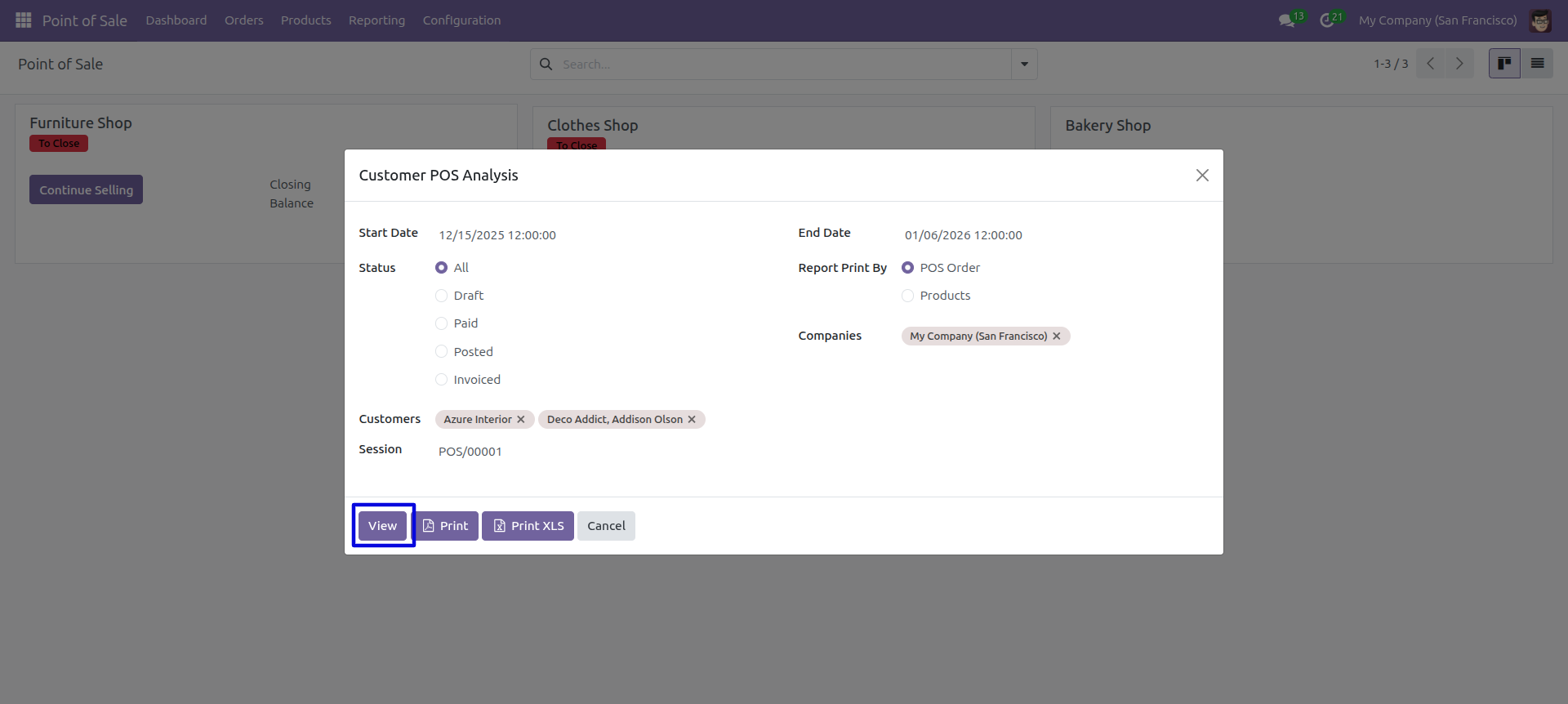
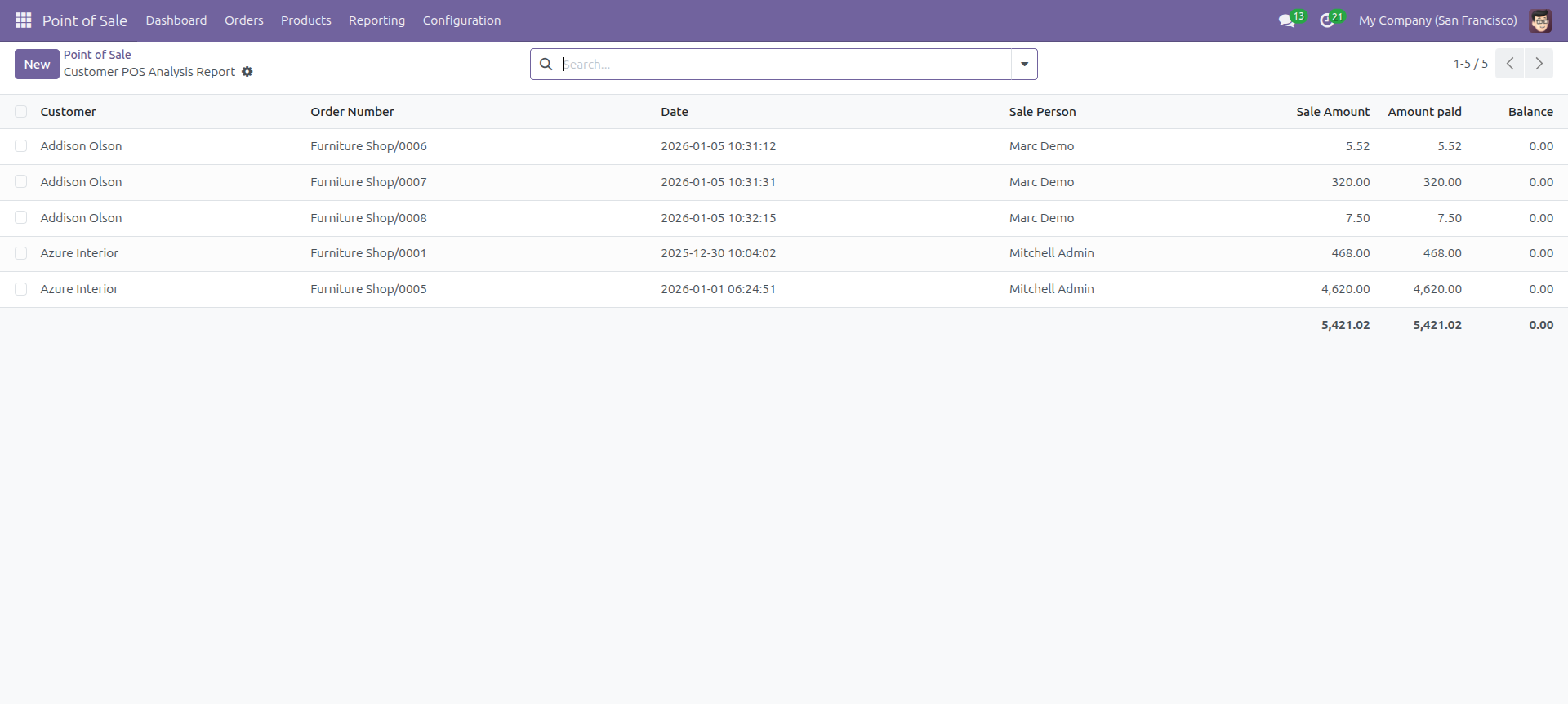
Point of sale analysis report view looks like below.
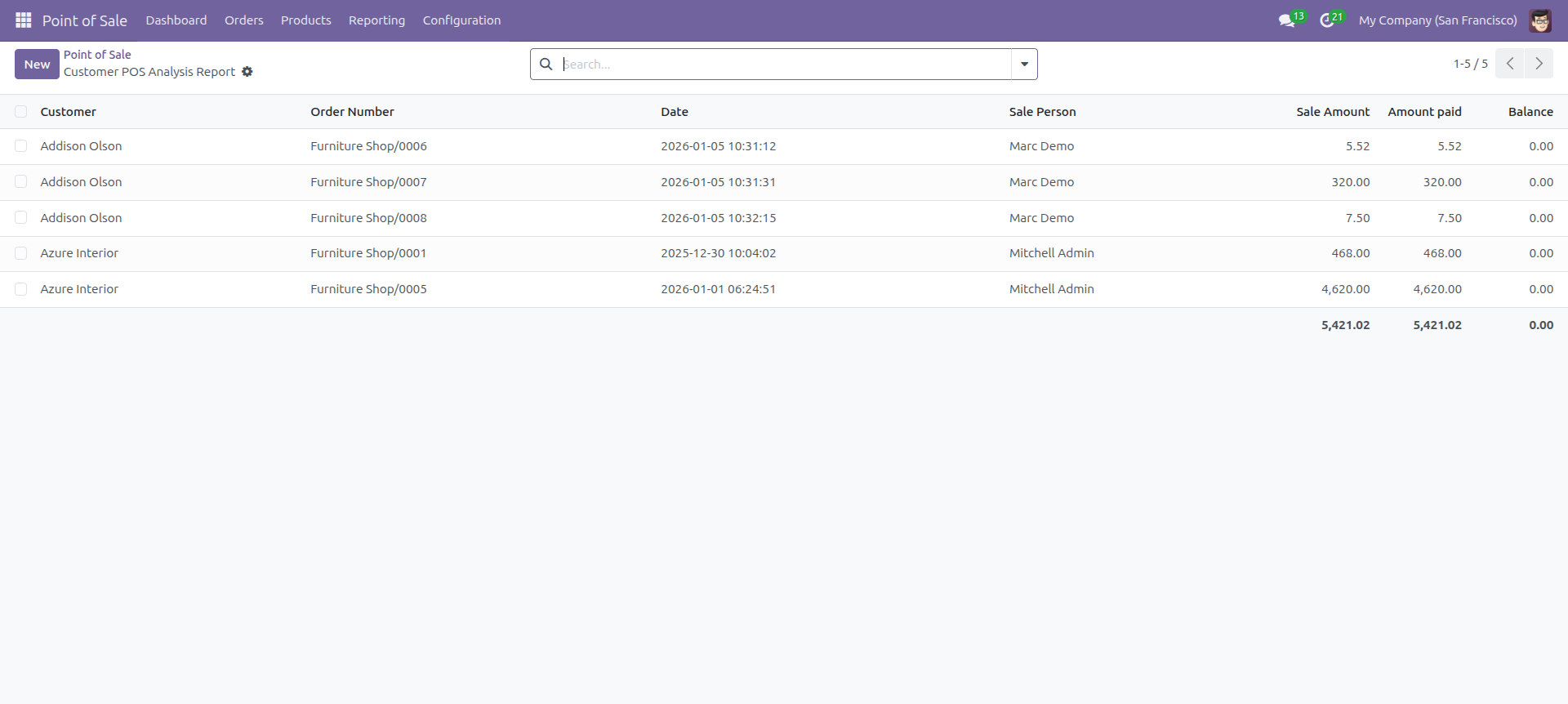
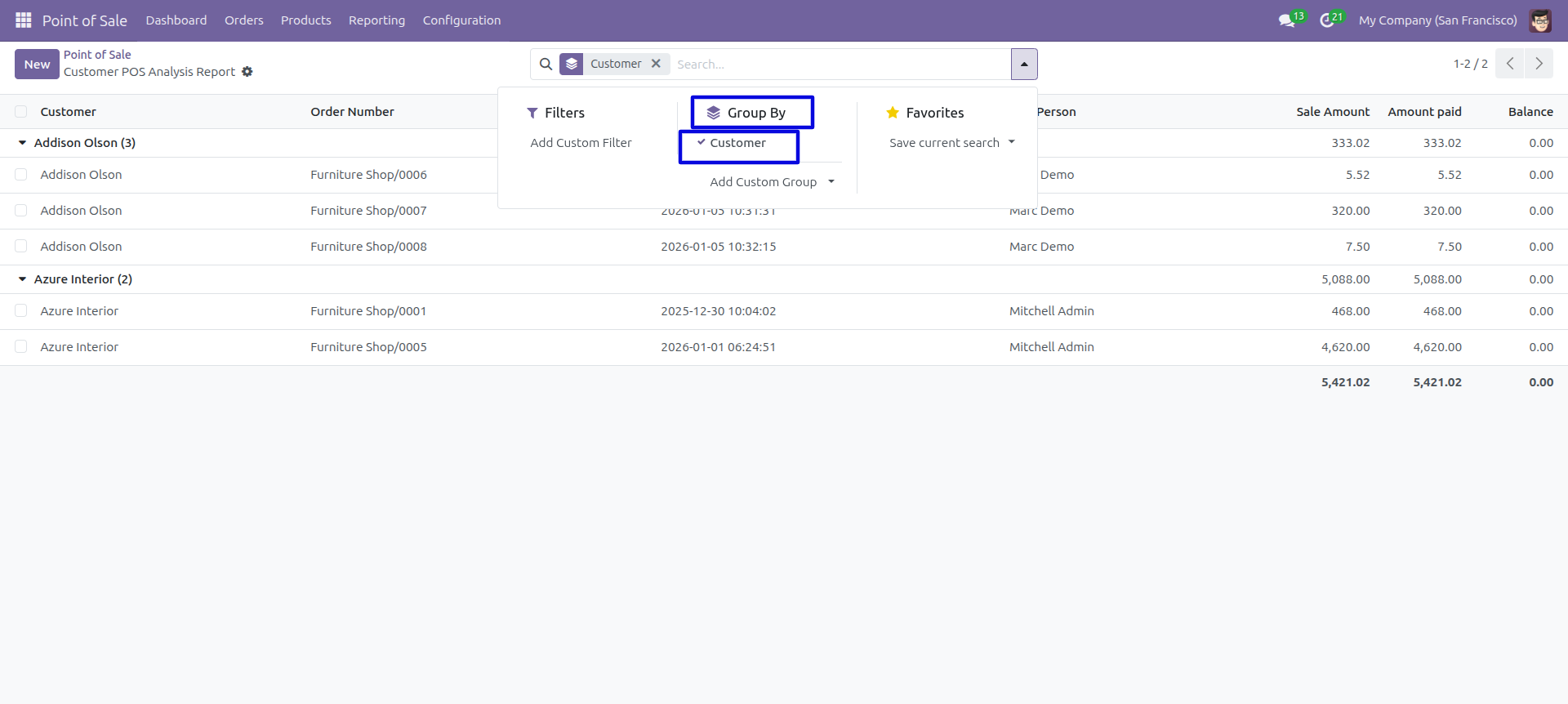
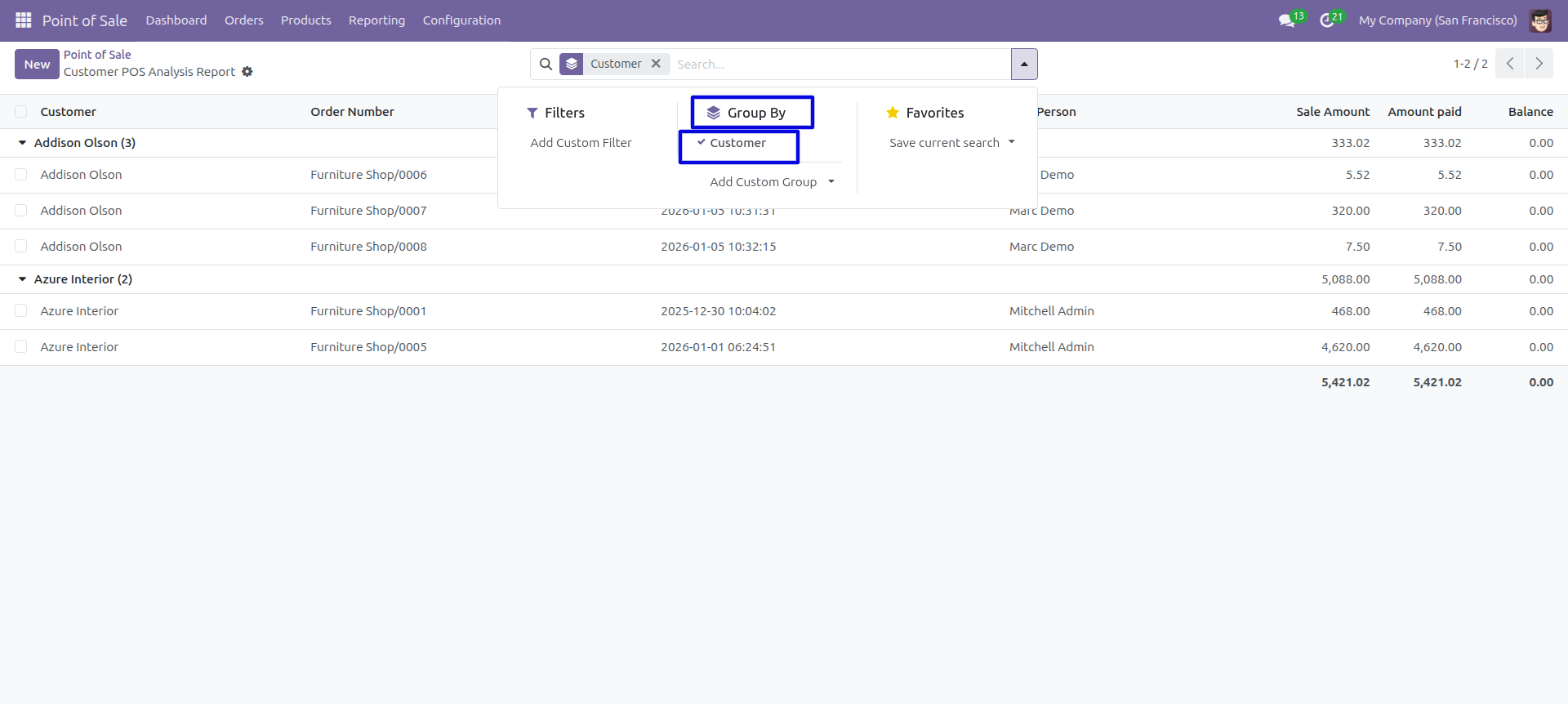
In the report view, you have the option to group the report.
POS By Product Category Report
This module helps to generate and print product point of sale reports by product category in PDF as well as excel format. You can generate reports between any date range. You can generate reports based on any product category. We provide the option to print reports of more than one company.
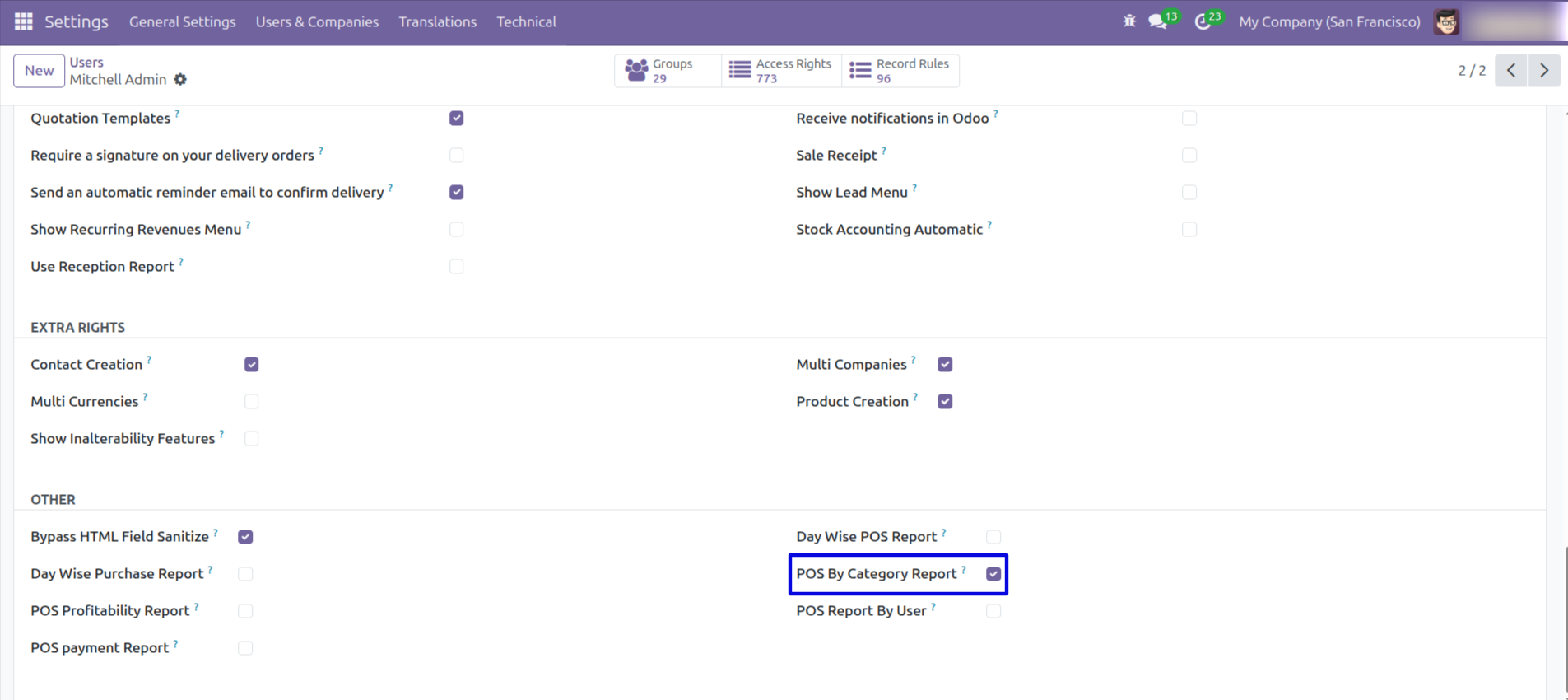
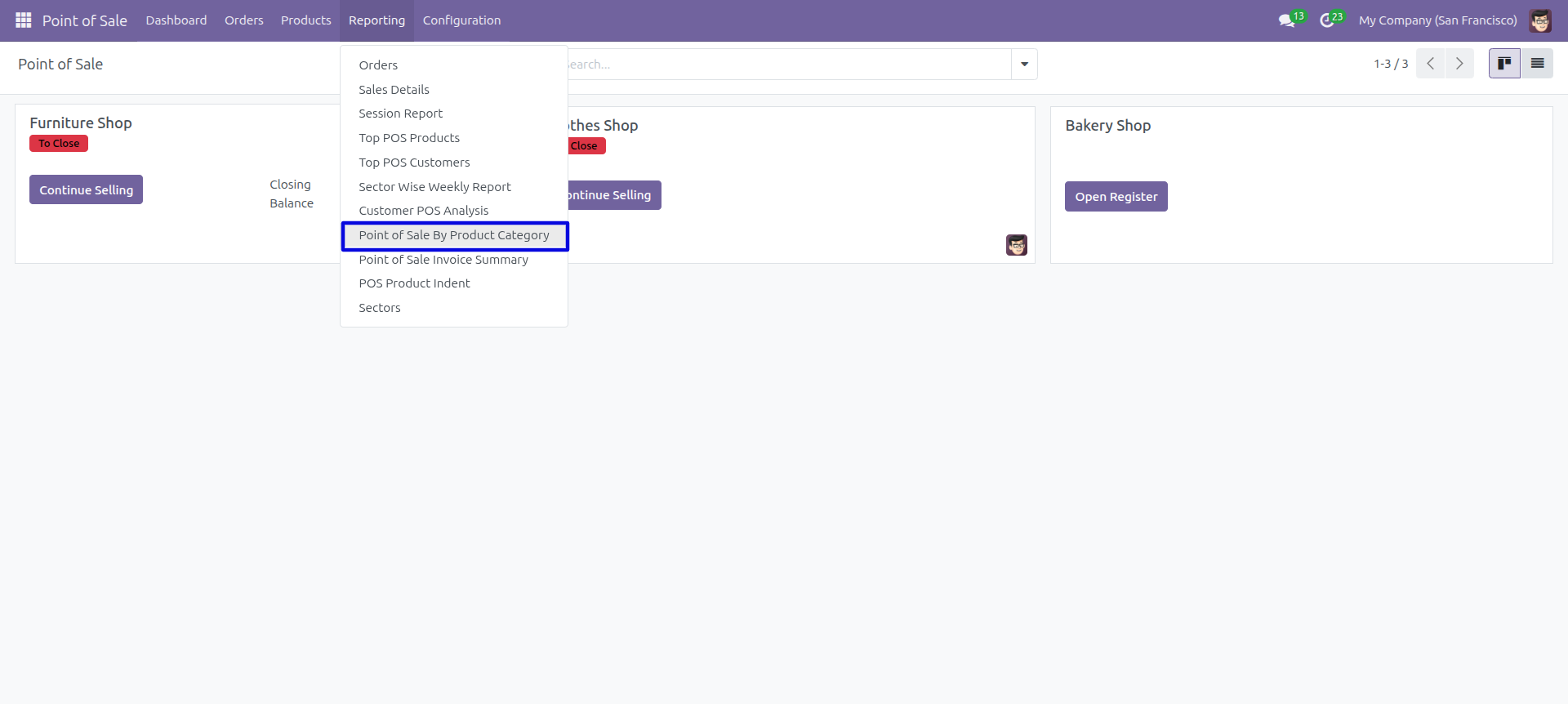
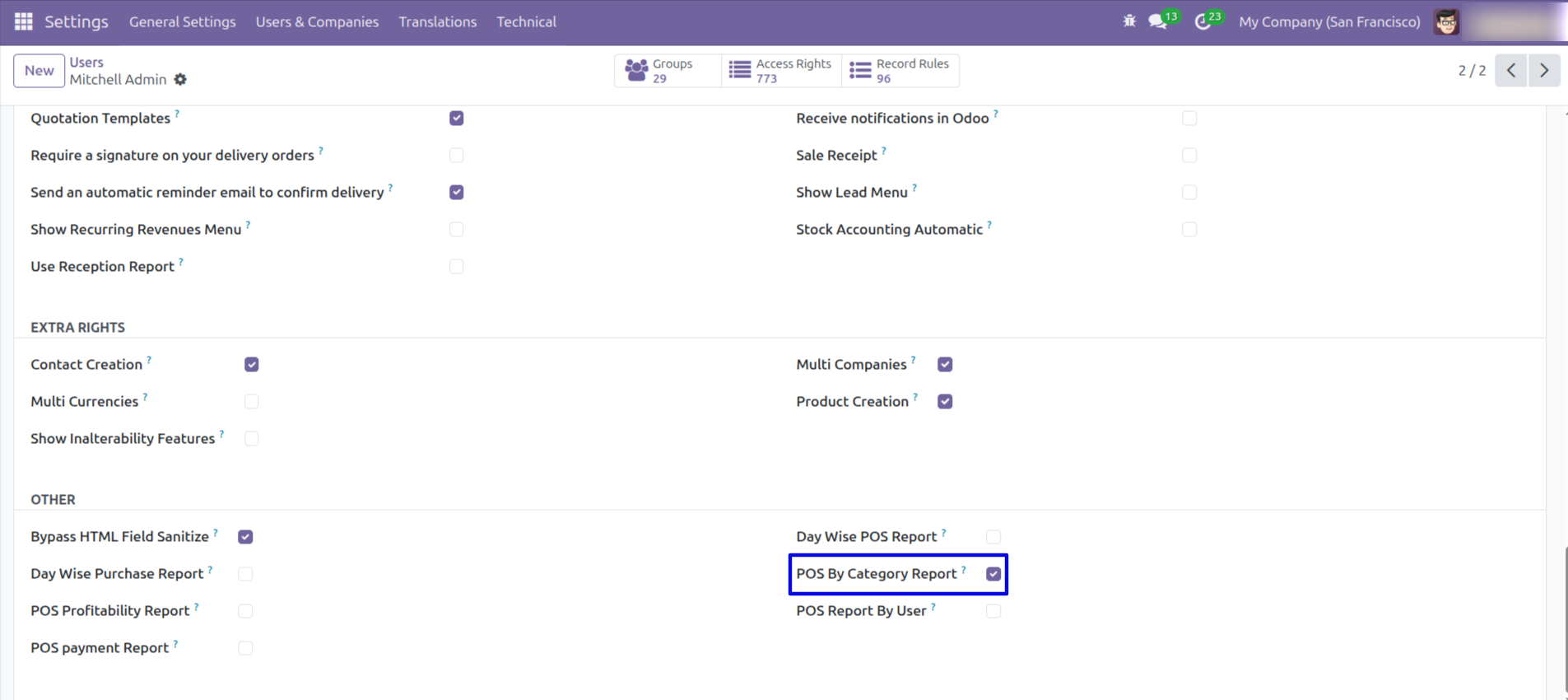
Navigate to the reporting section and choose the 'POS By Category Report.
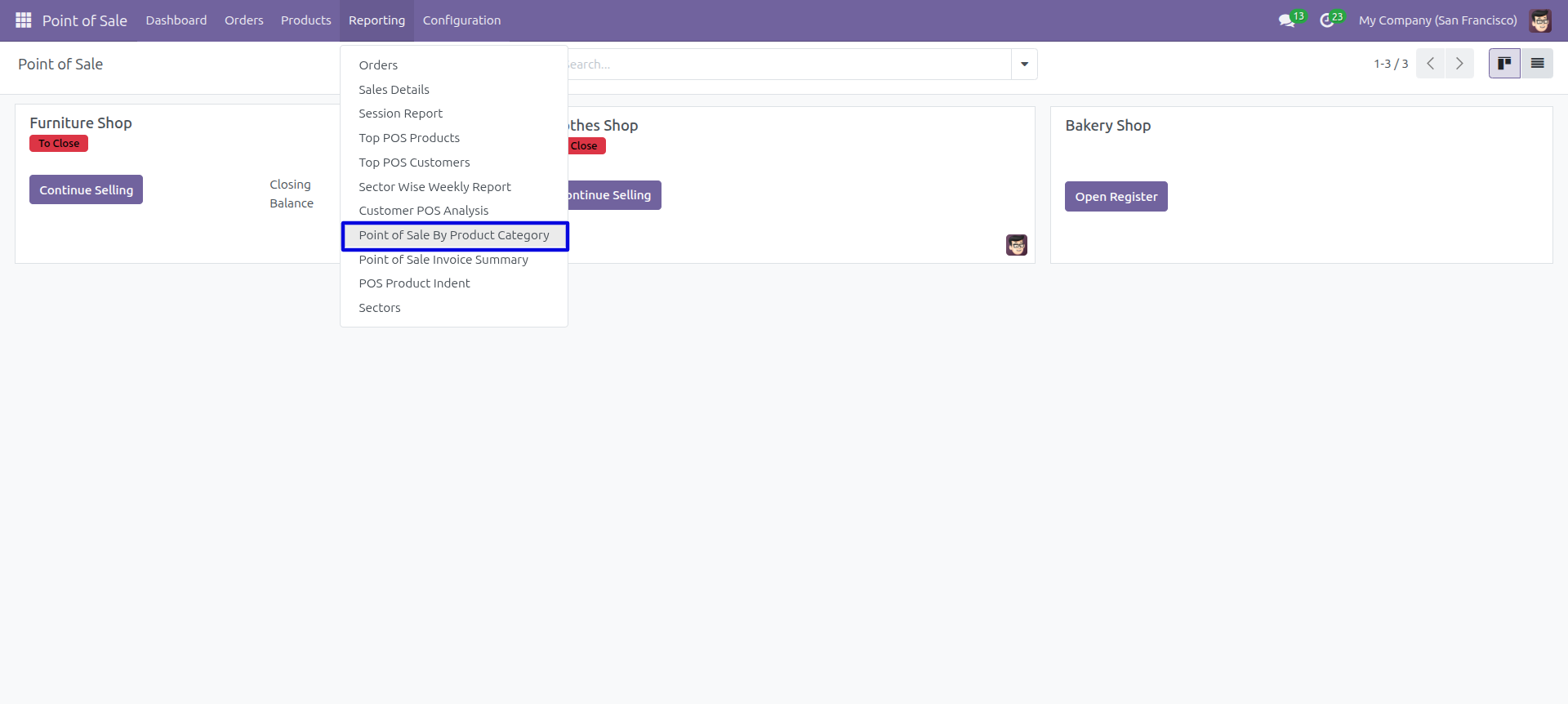
'Point Of Sale By Product Category' menu.
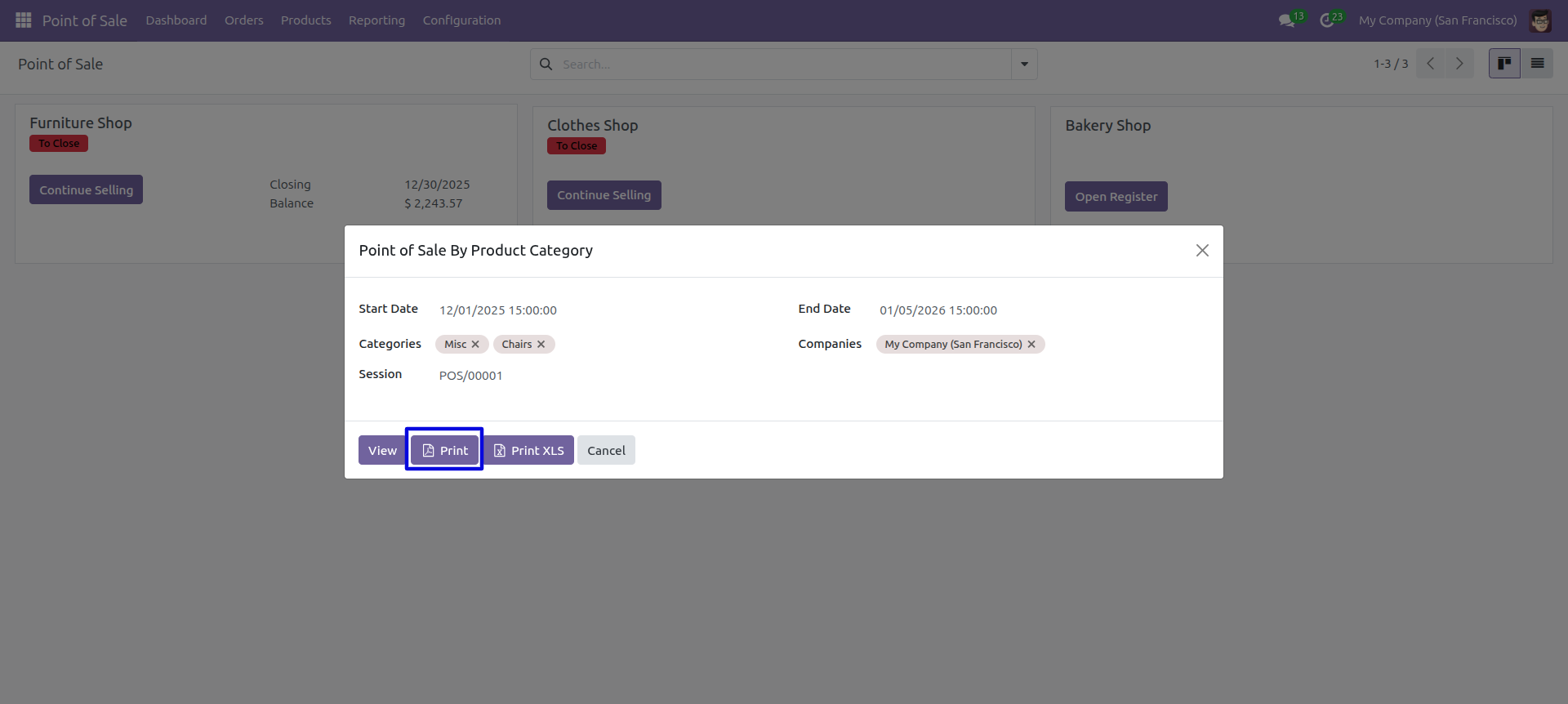
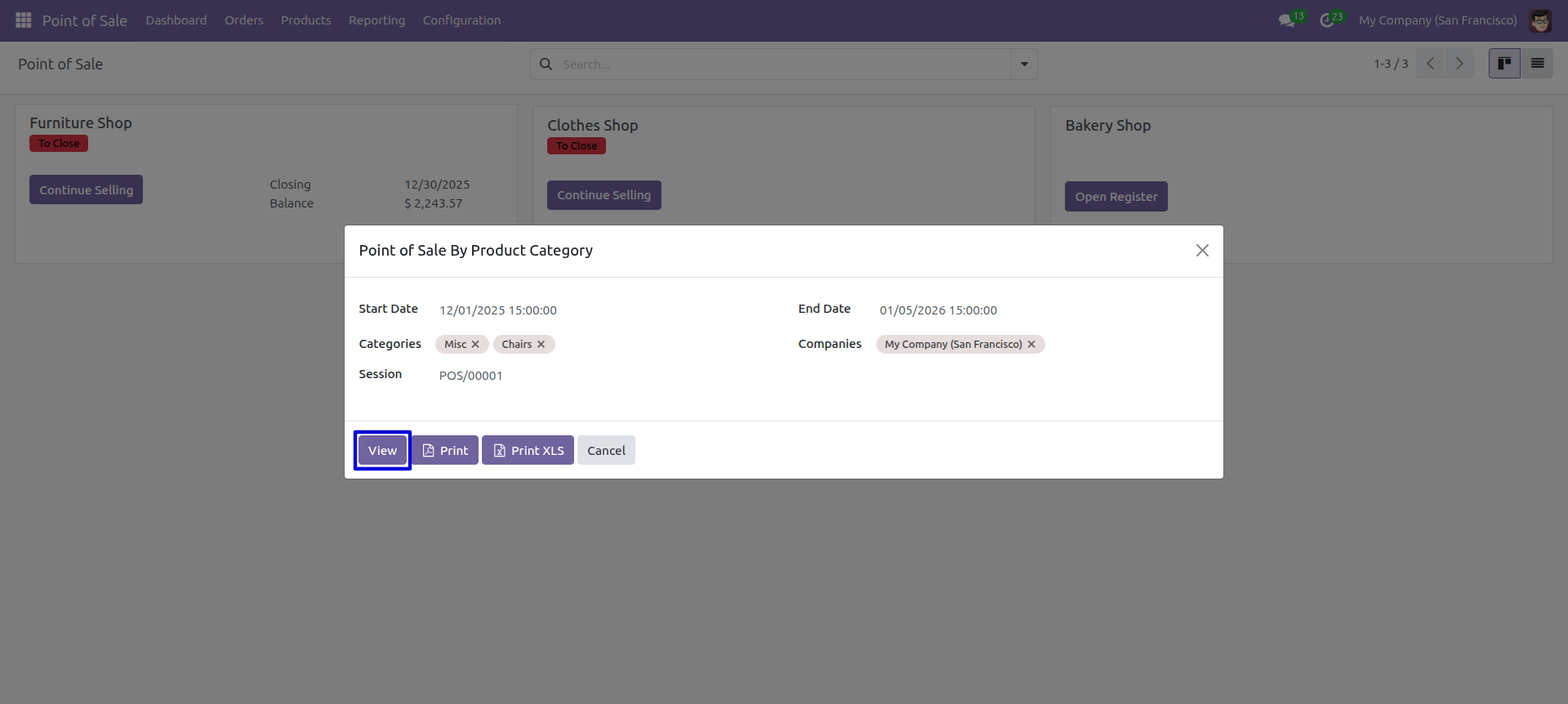
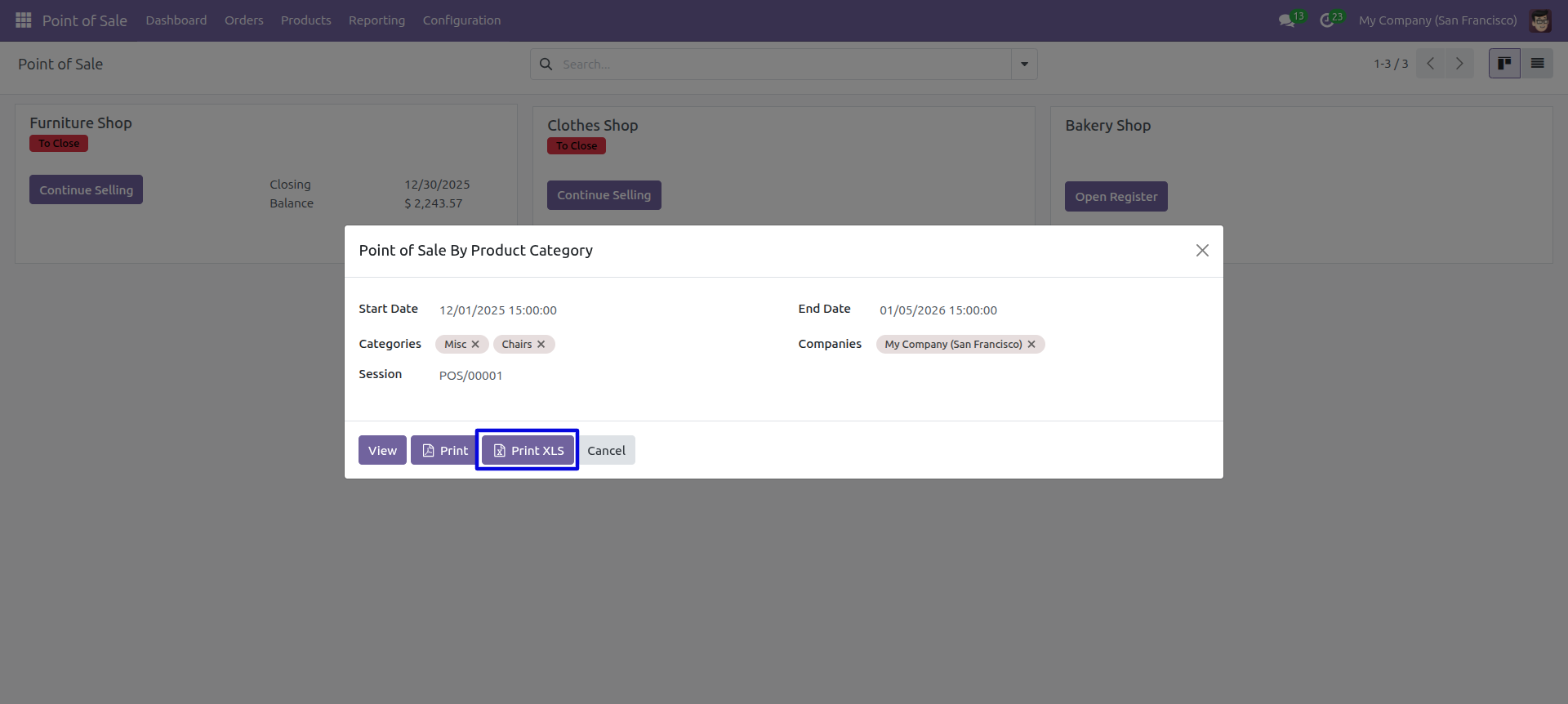
After that 'Point Of Sale By Product Category' wizard will be appear. Only selected companies configurations are visible. Set the date range for the PDF/Excel Report
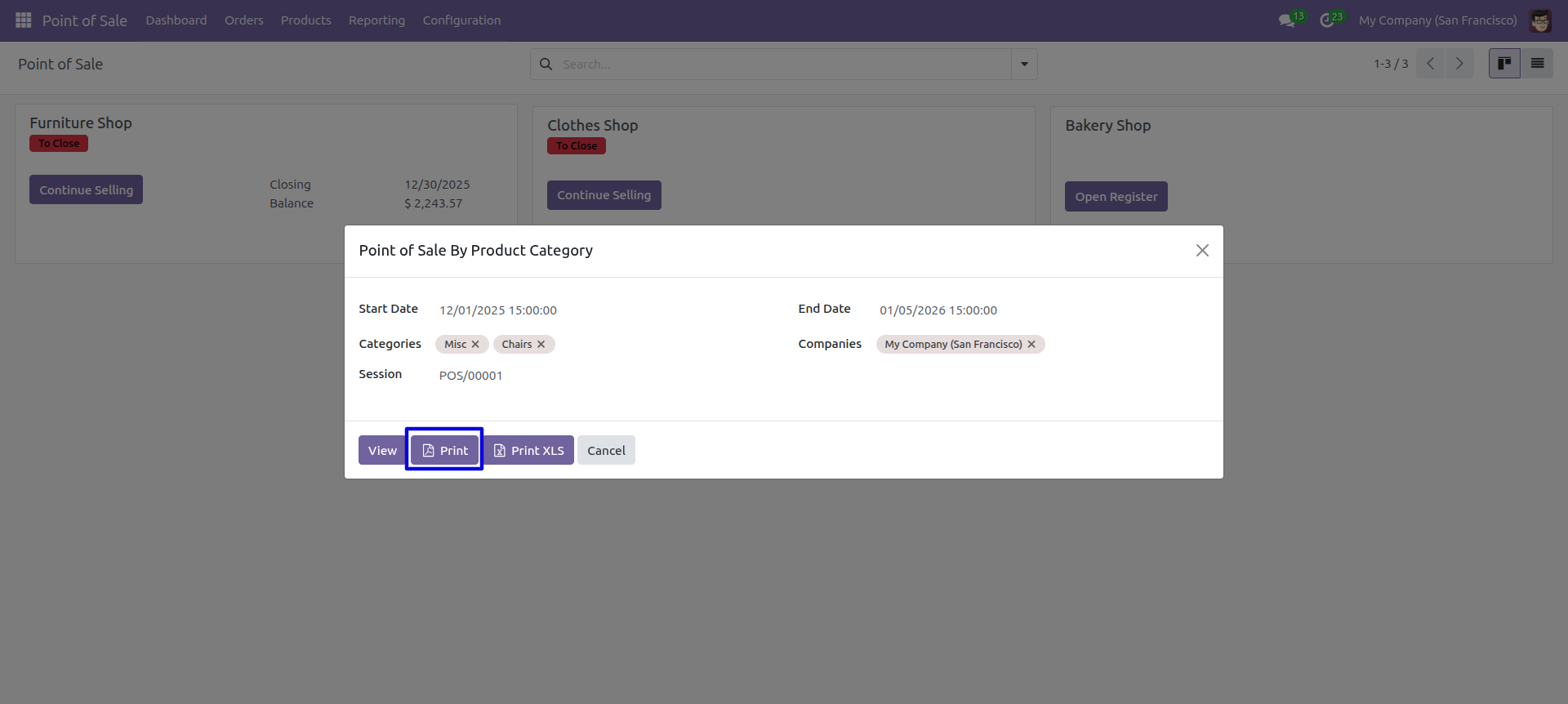
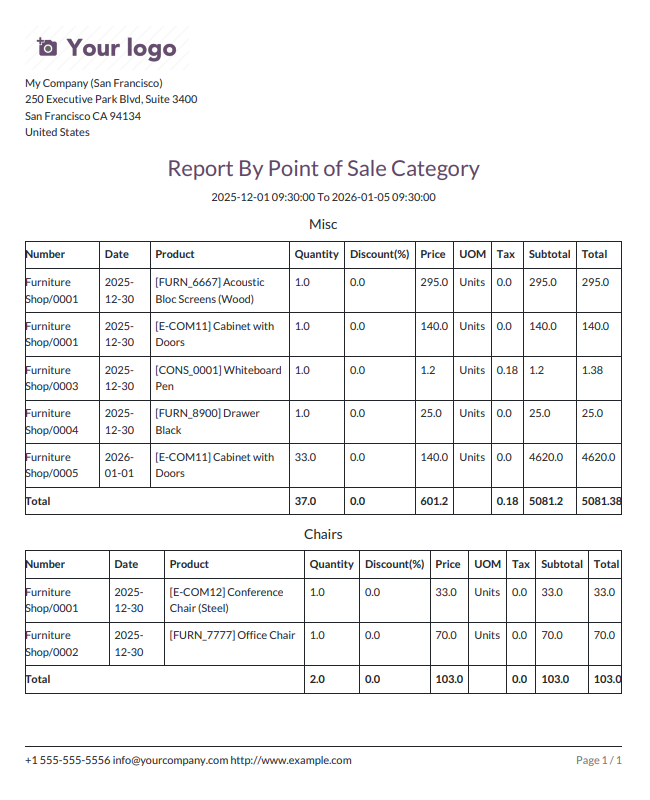
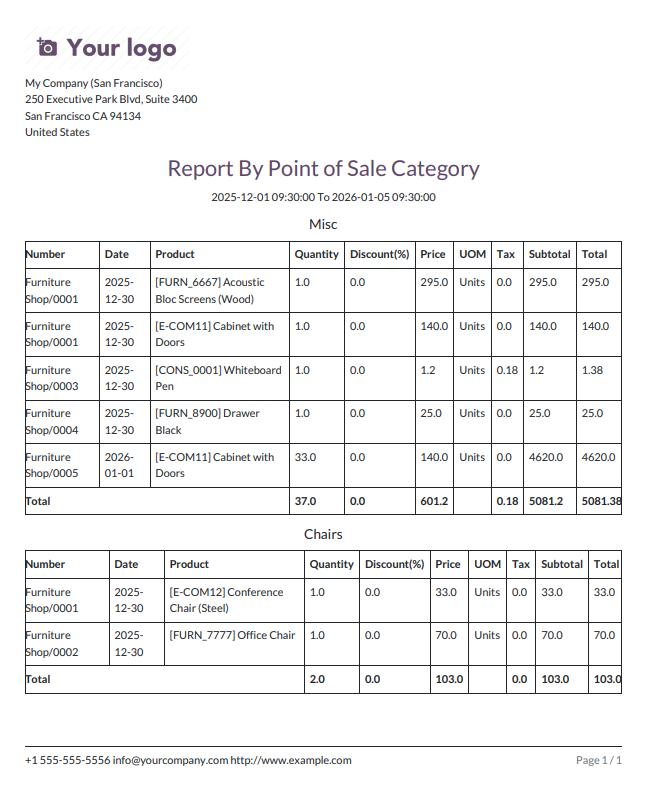
'Point Of Sale By Product Category' PDF report looks like below.
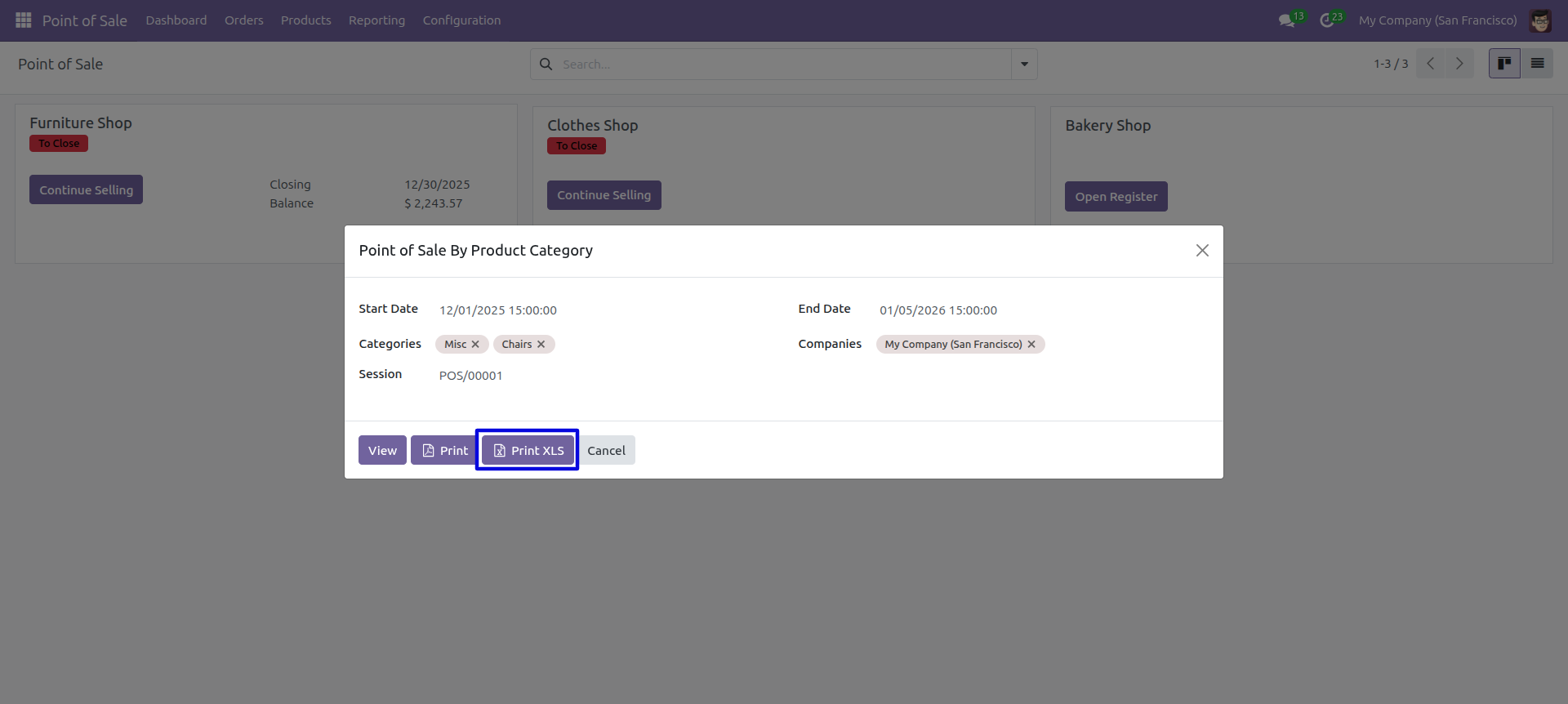
Set Date Range for PDF/Excel Report.
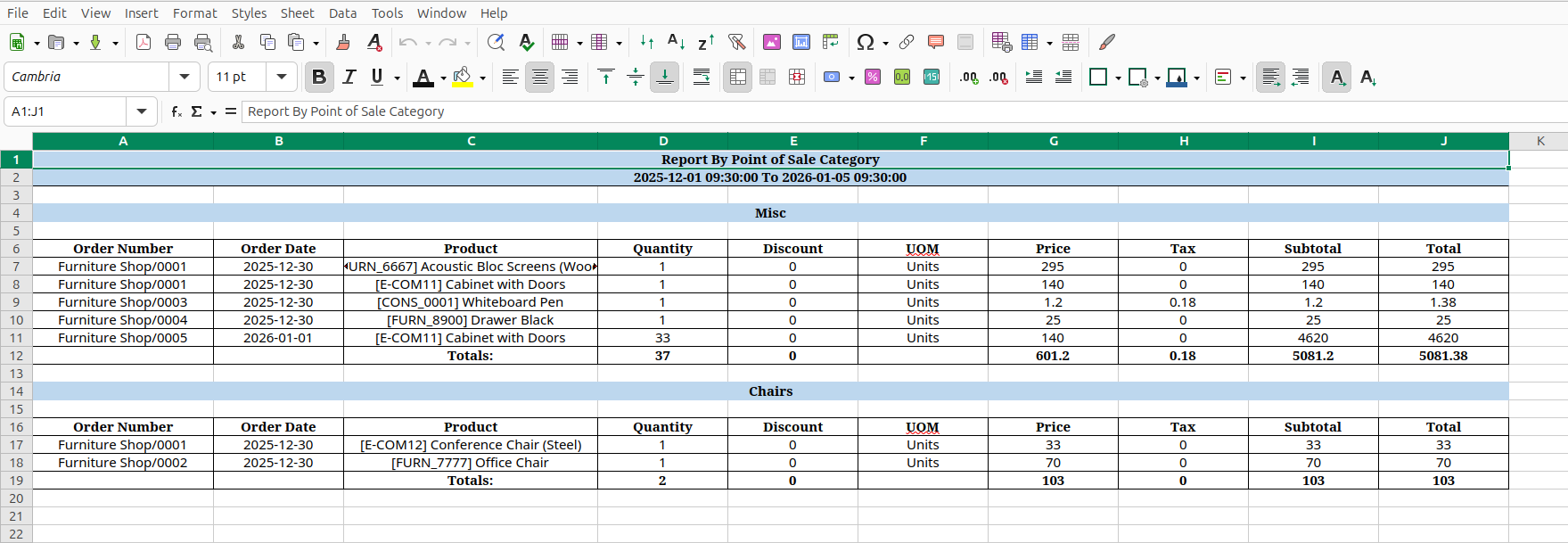
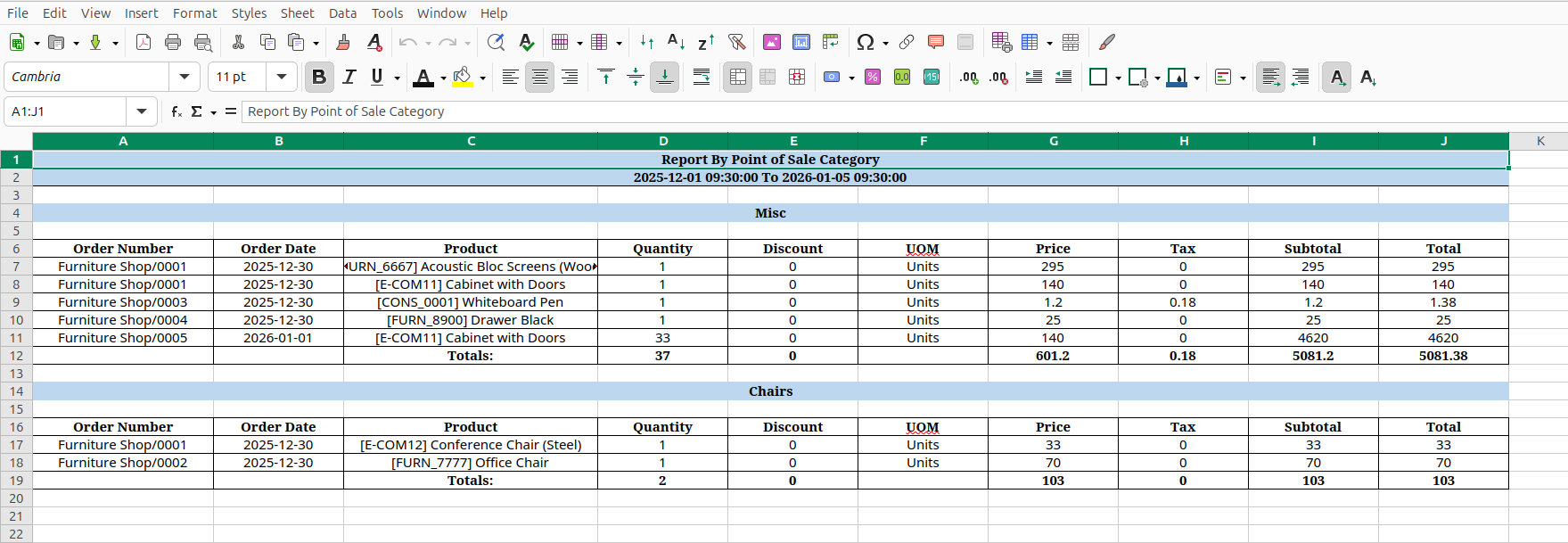
'Point Of Sale By Product Category' XLS report looks like below.
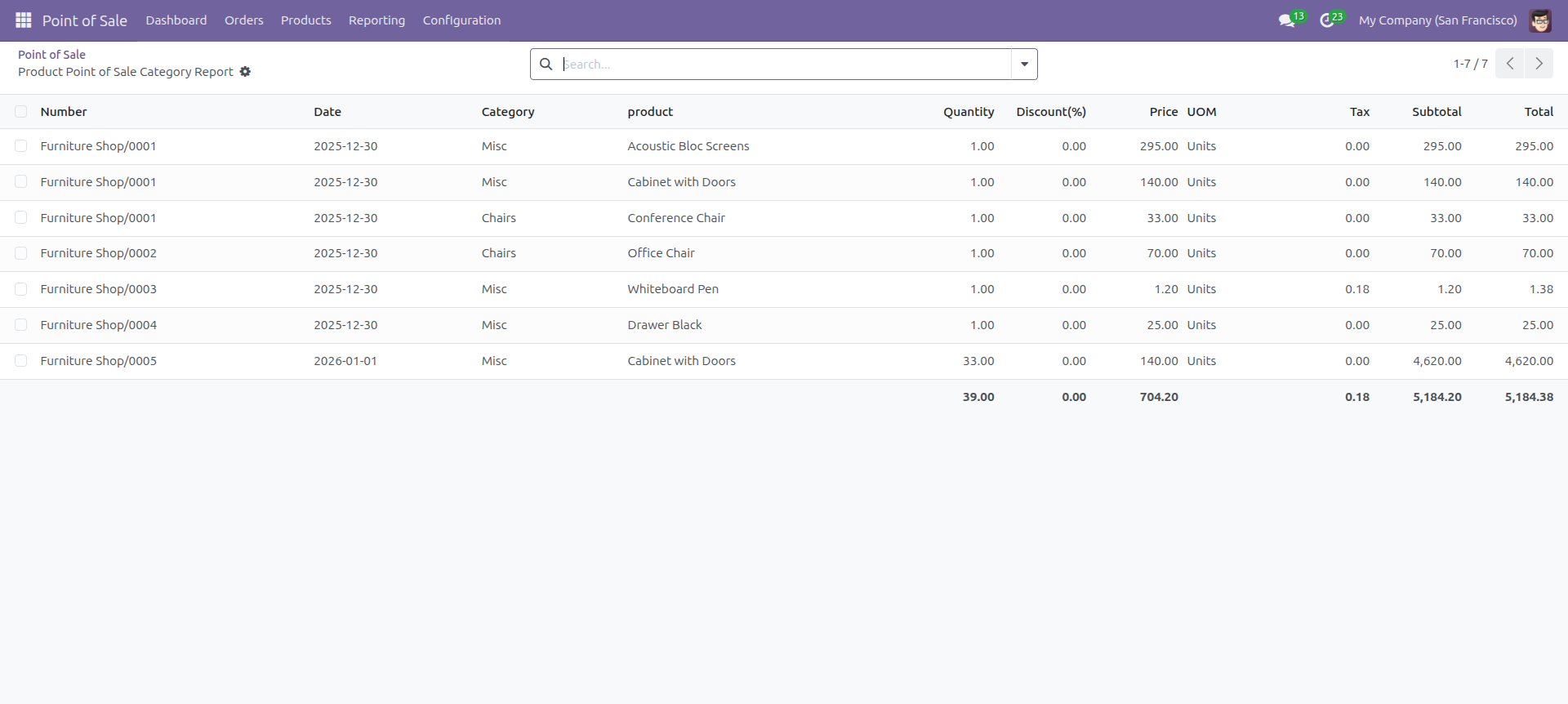
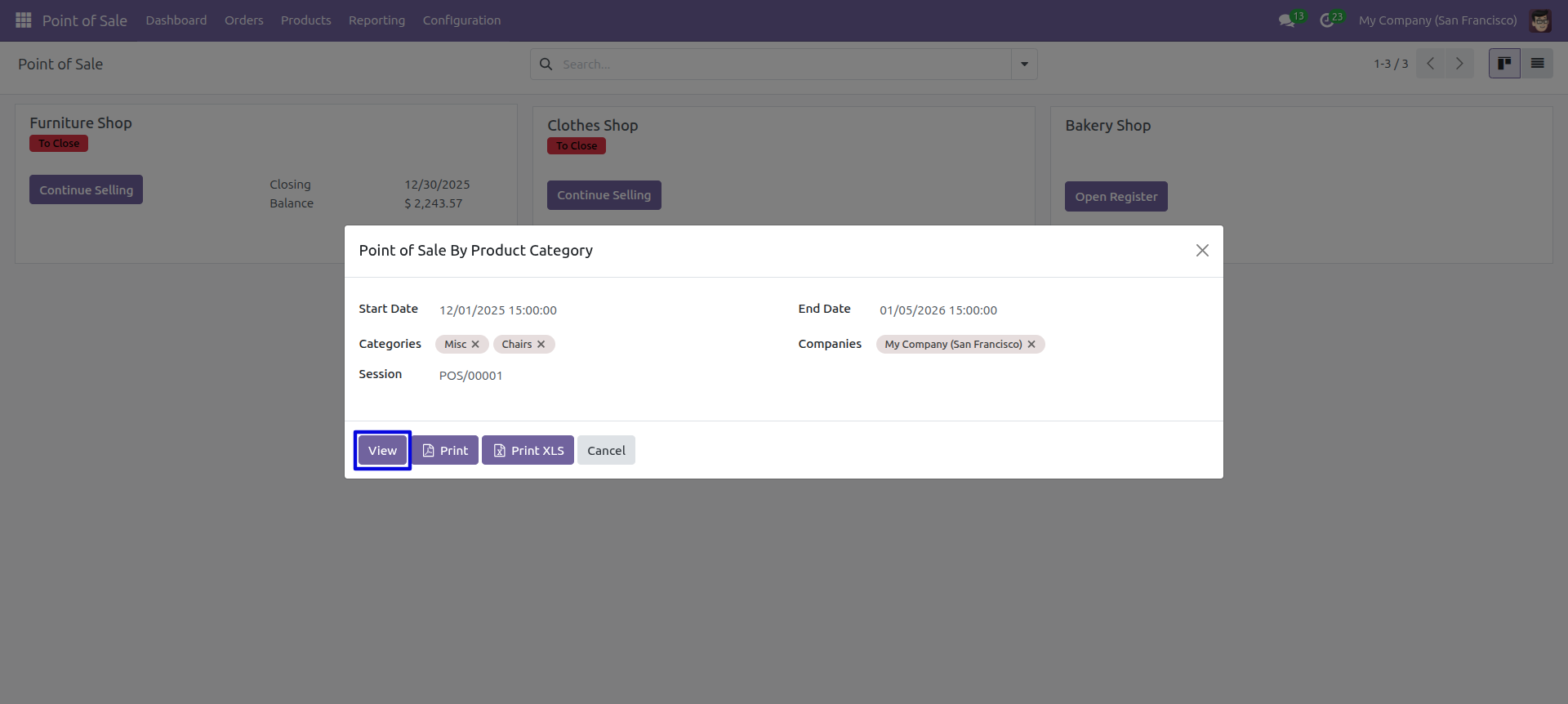
Set Date Range for view Report.
POS Product Category wise report with for the given date range report view.
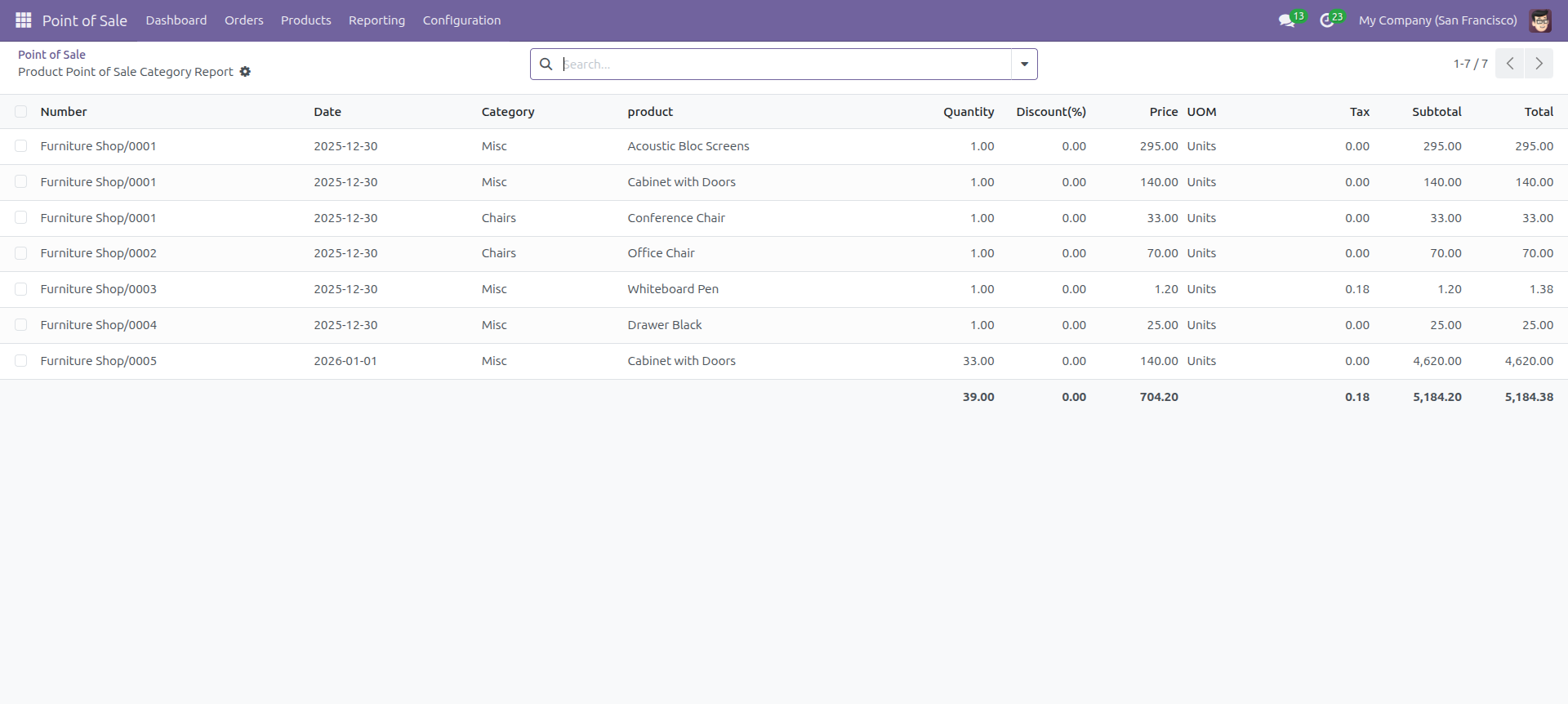
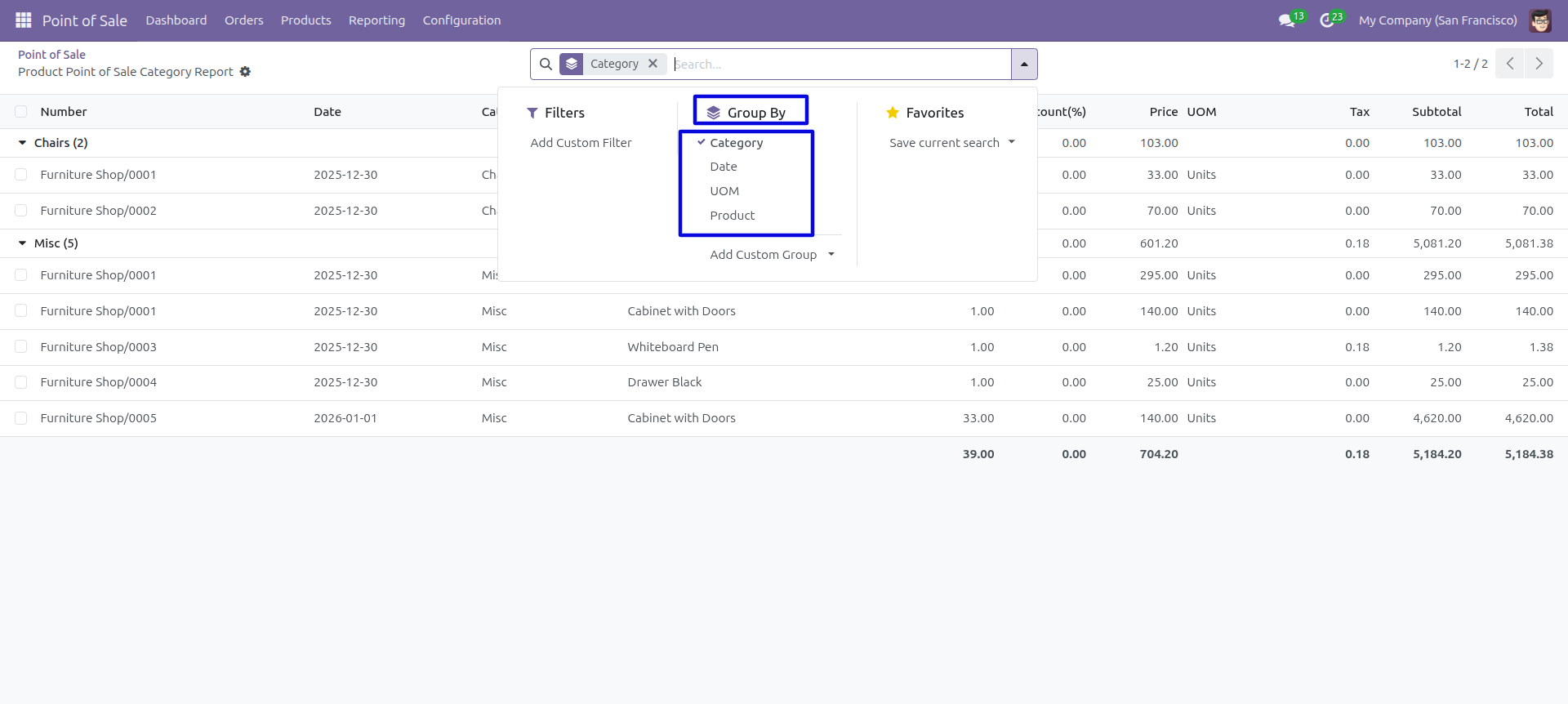
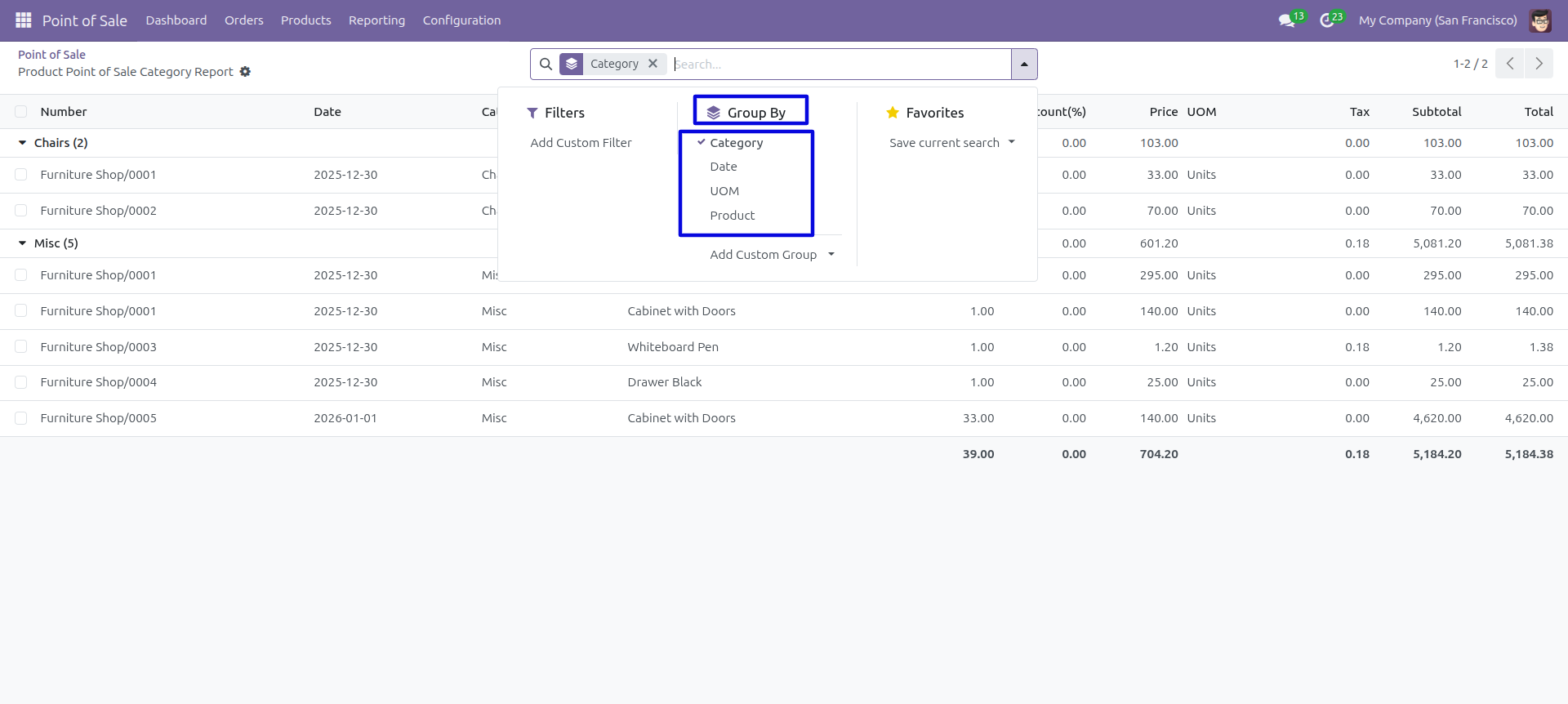
In the report view, you have the option to group the report.
POS Invoice Summary
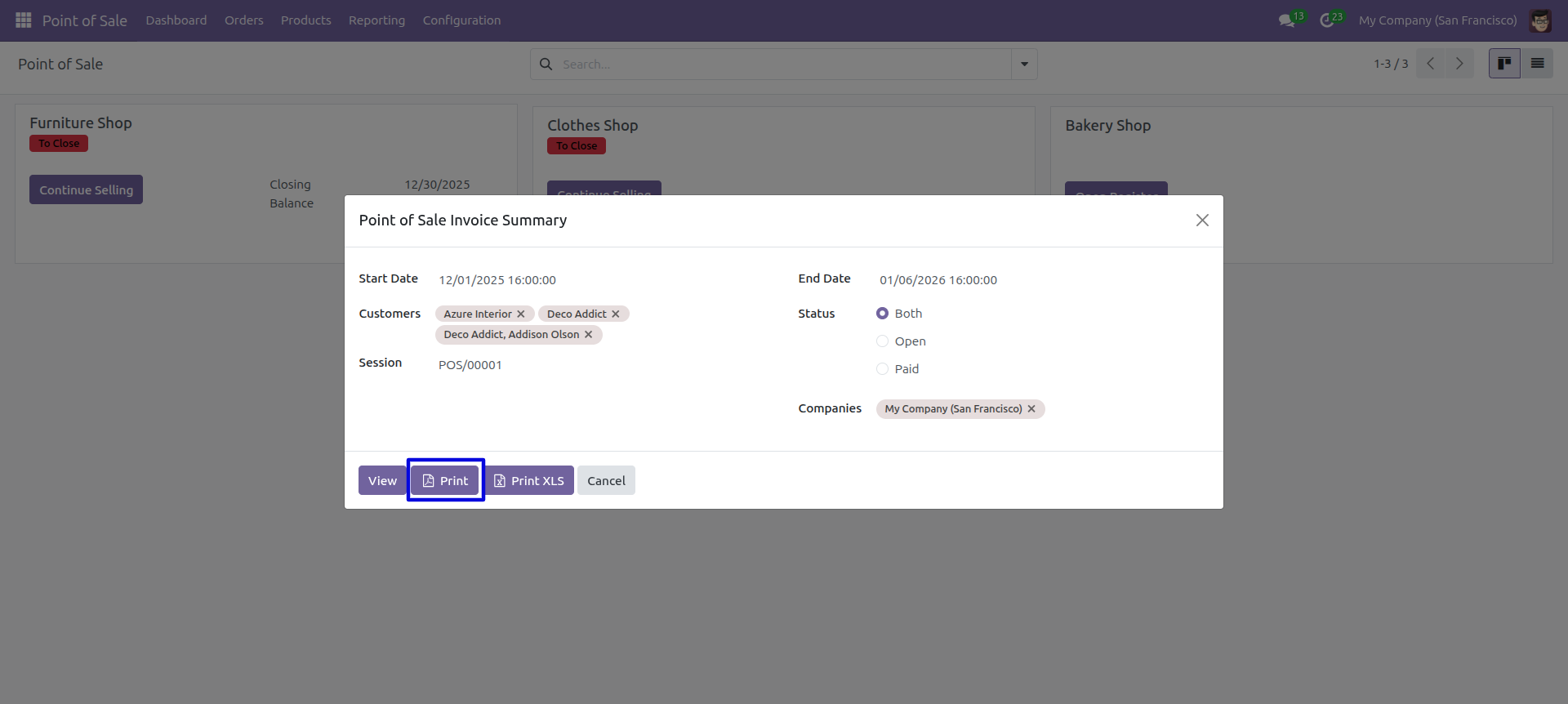
This module helps to generate and print point of sale invoice summary reports of customers in PDF as well as excel format. You can generate reports between any date range. You can generate reports based on invoice status. We provide the option to print reports of more than one company.
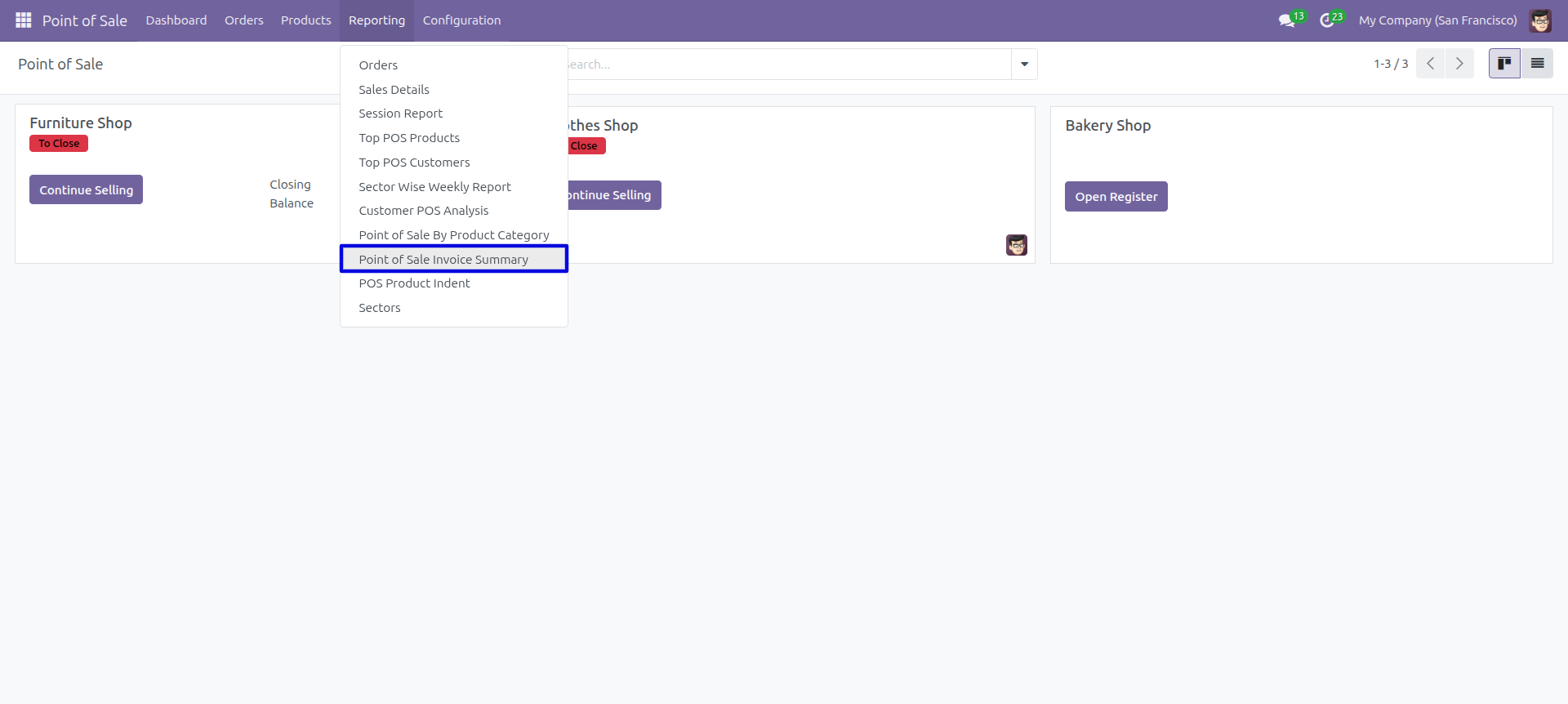
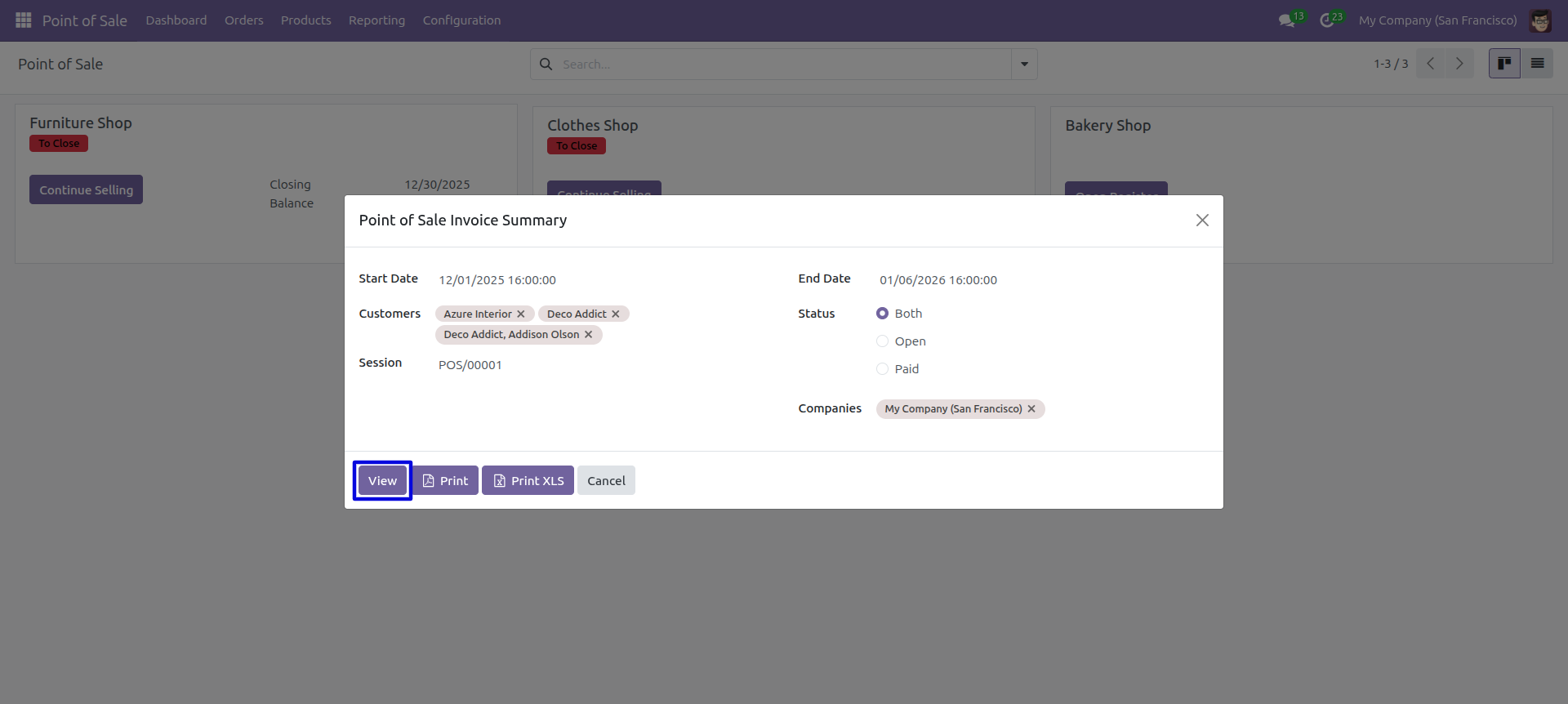
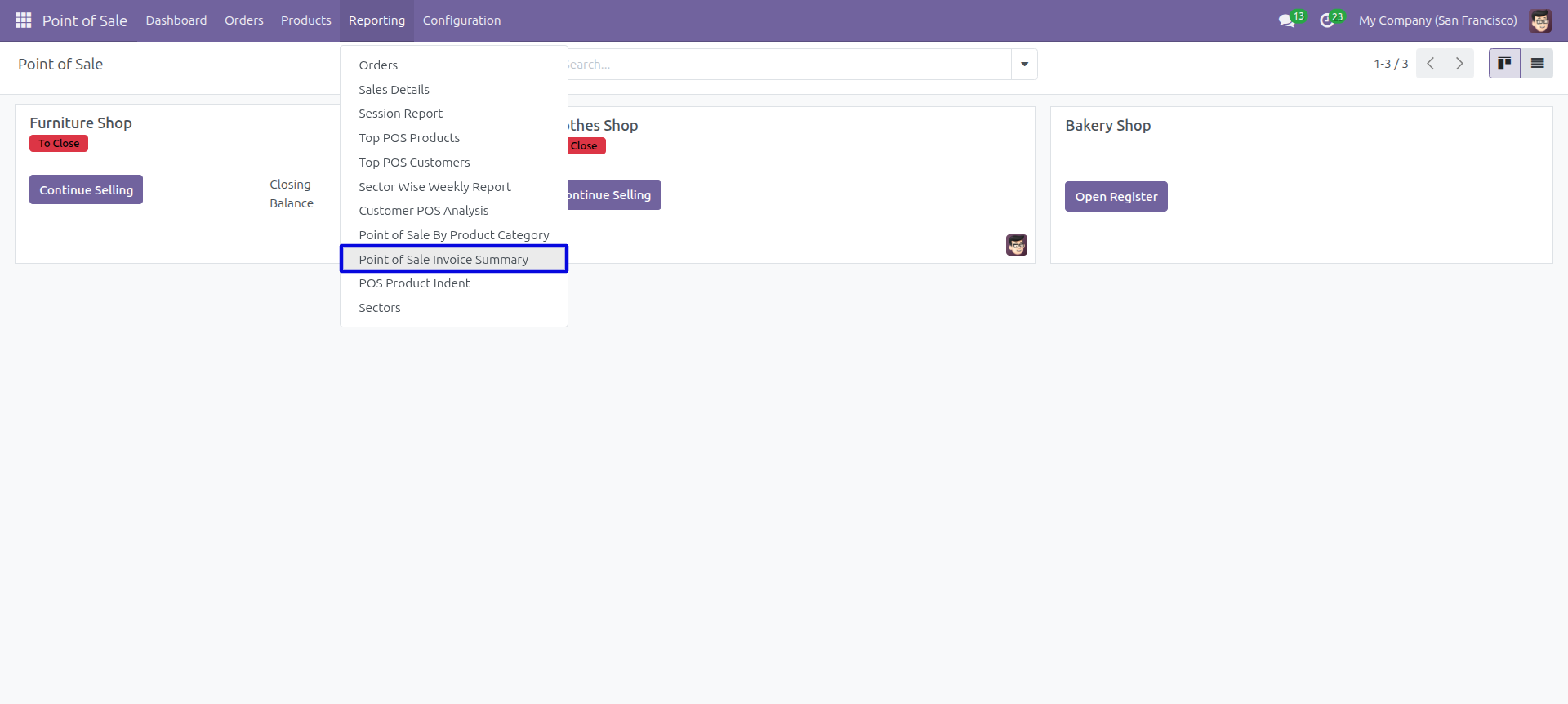
'Point Of Sale Invoice Summary' menu.
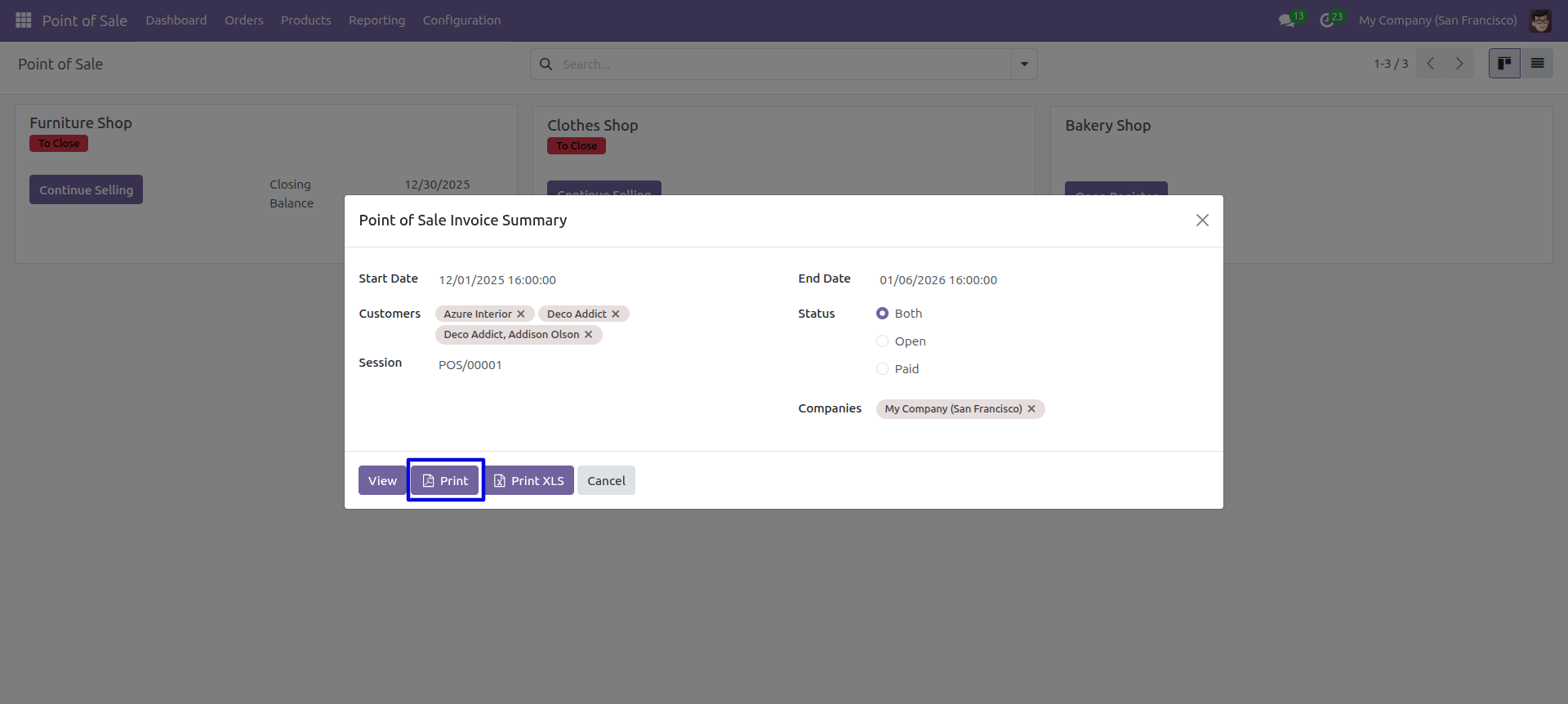
POS invoice summary PDF/Excel report wizard.
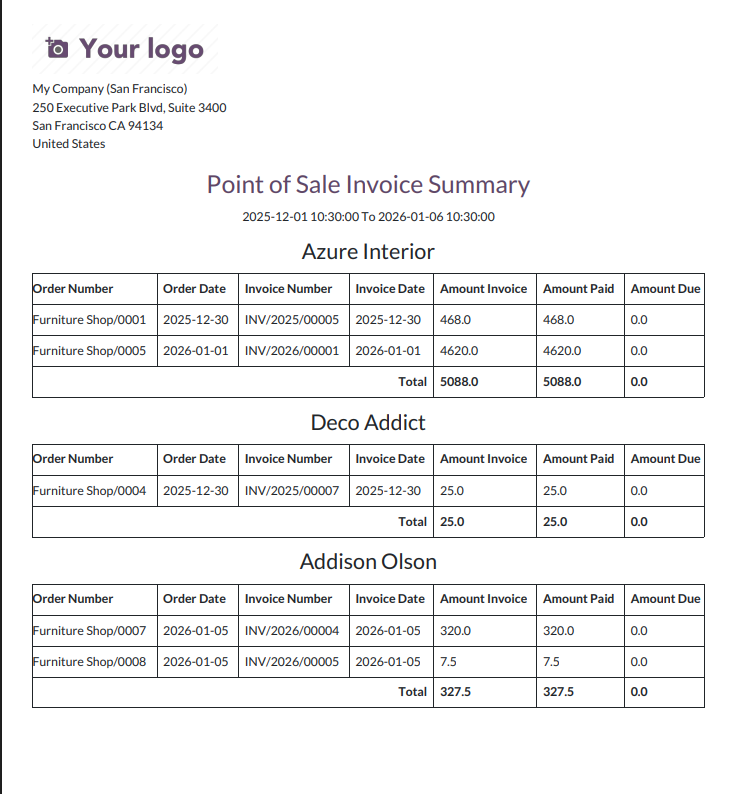
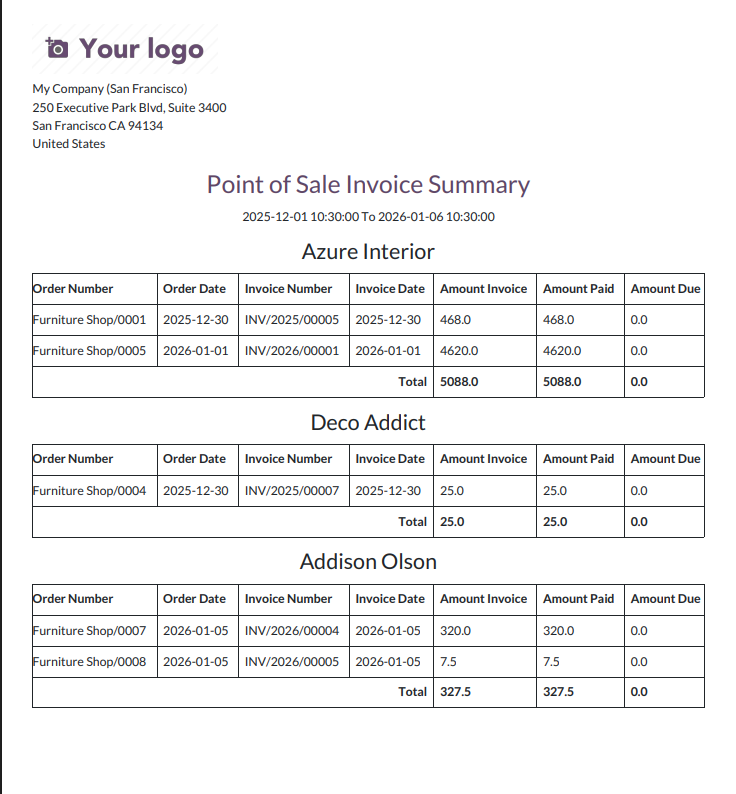
POS invoice summary PDF report looks like below.
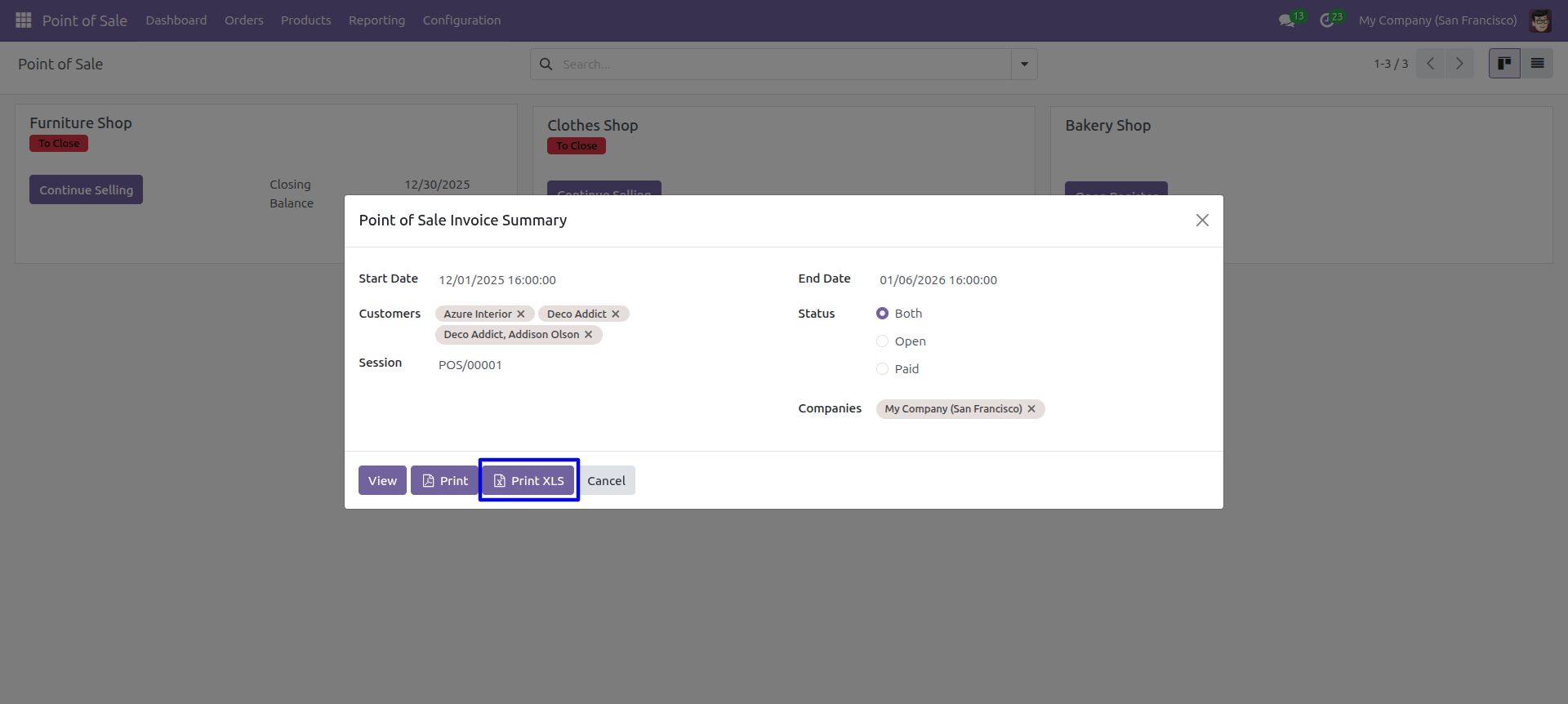
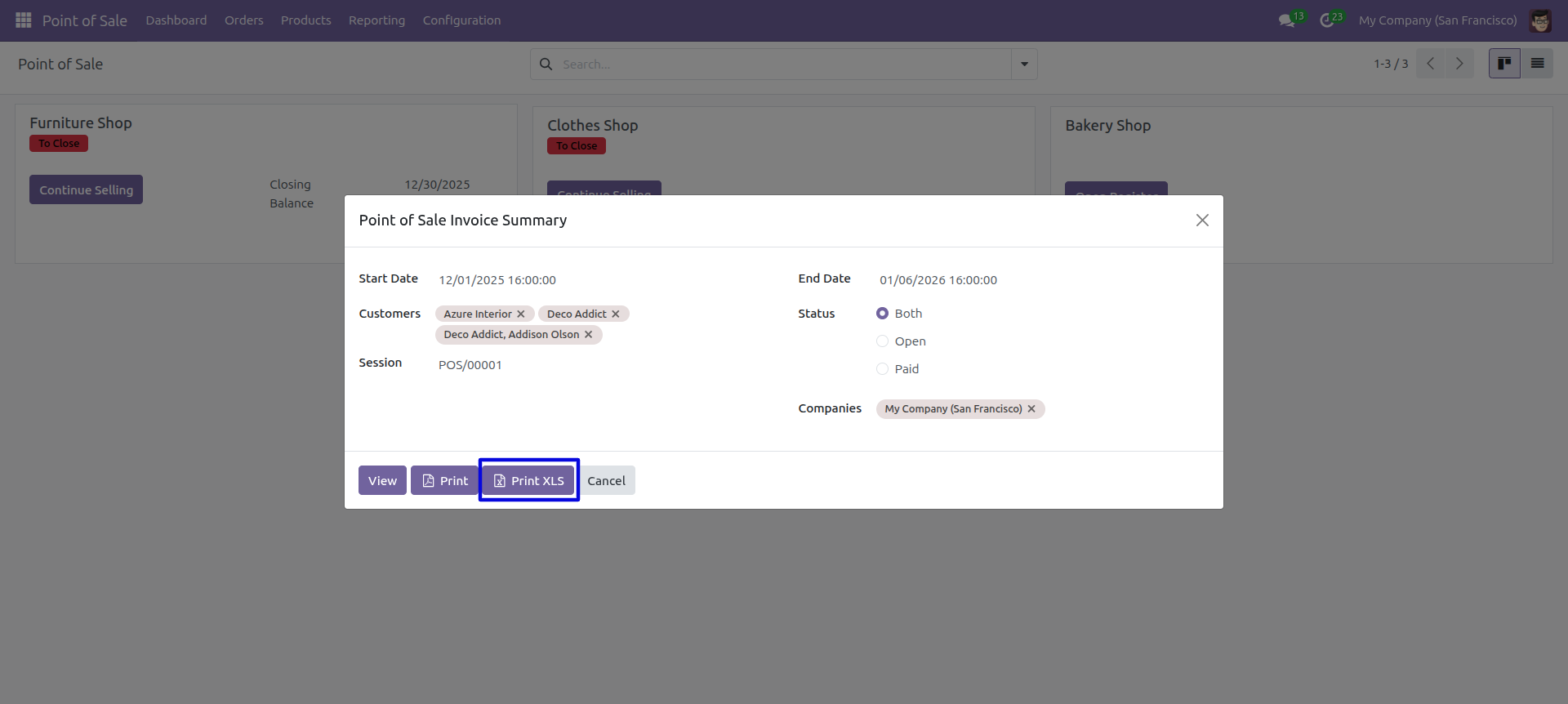
Now we print the 'POS Invoice Summary' excel report.
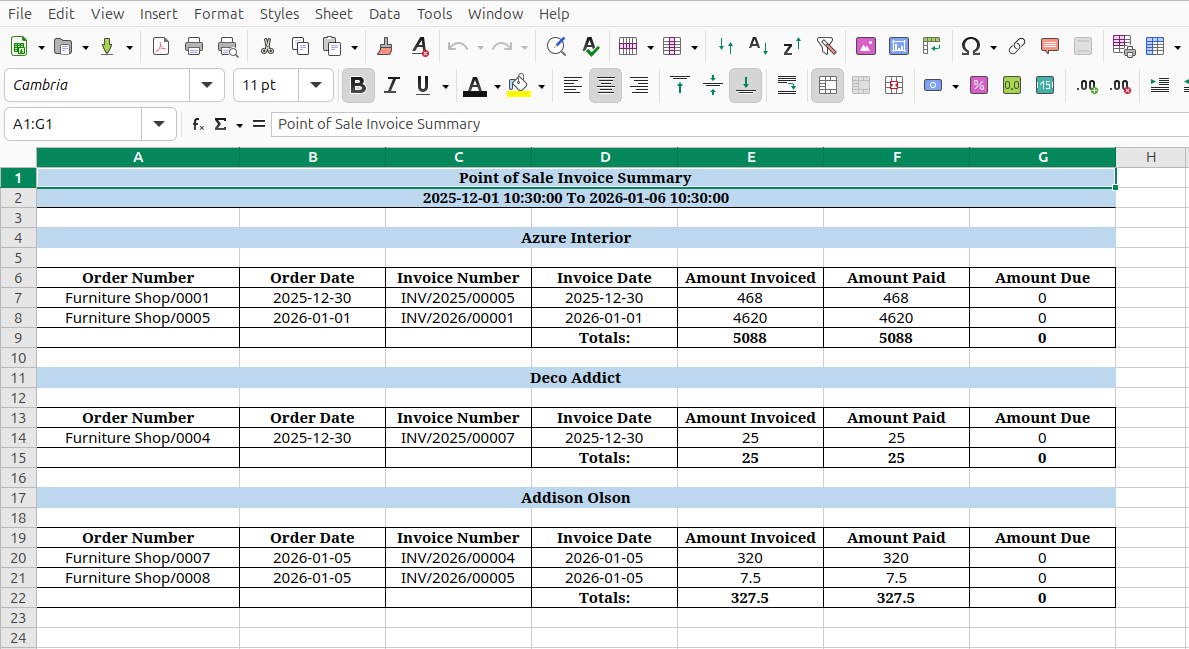
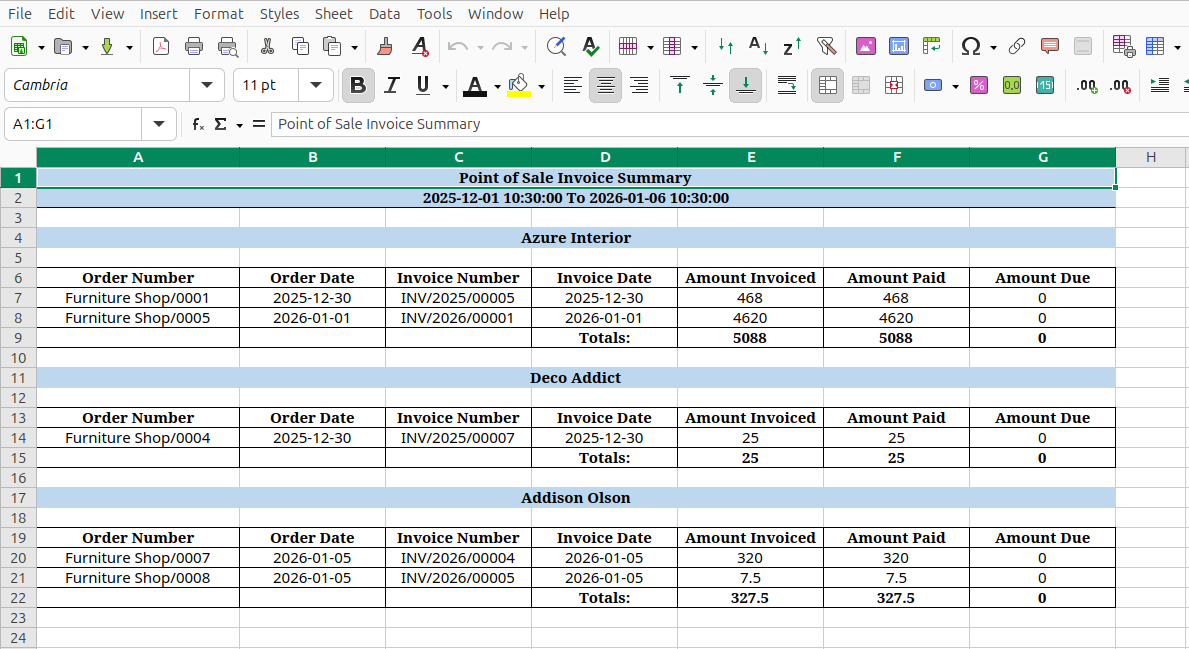
POS invoice summary XLS report looks like below.
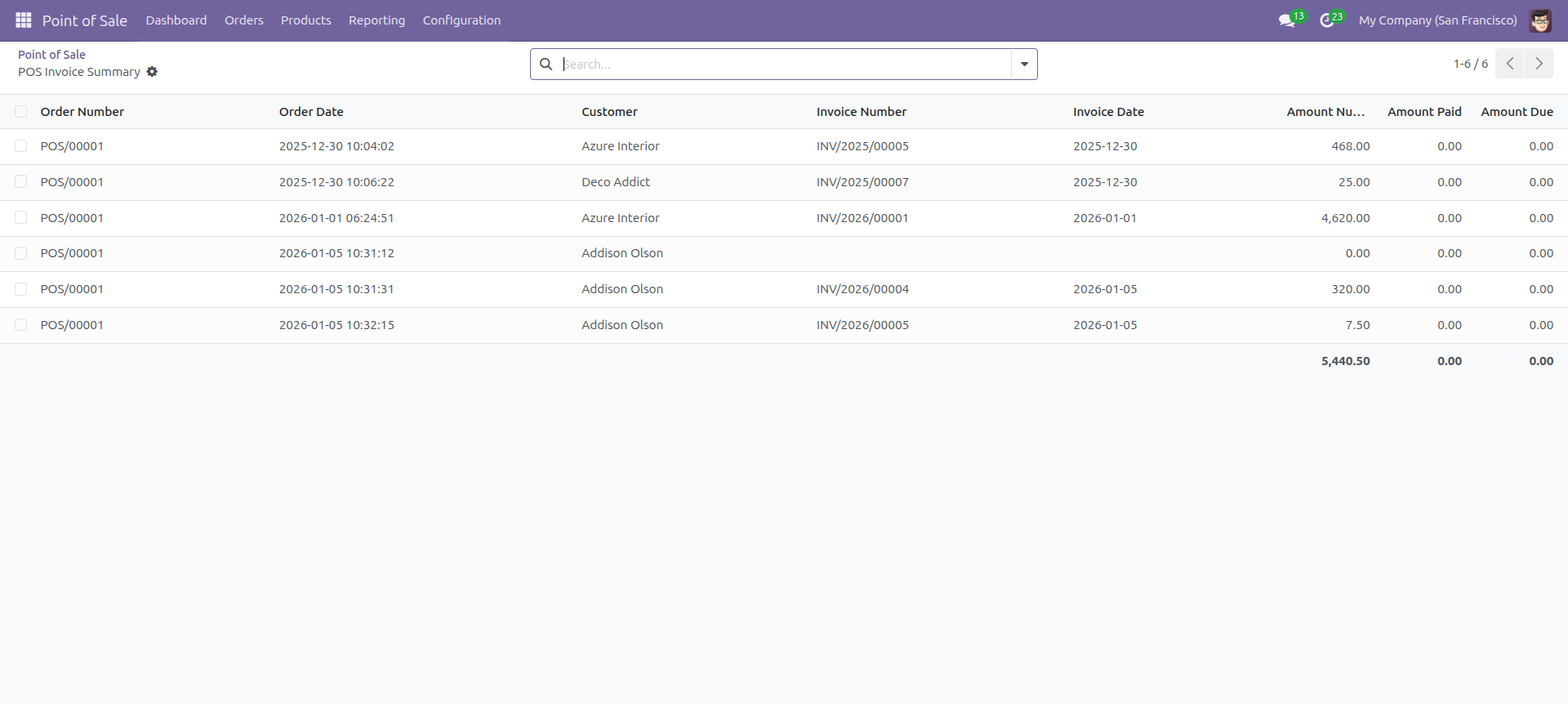
Set Date Range for view Report.
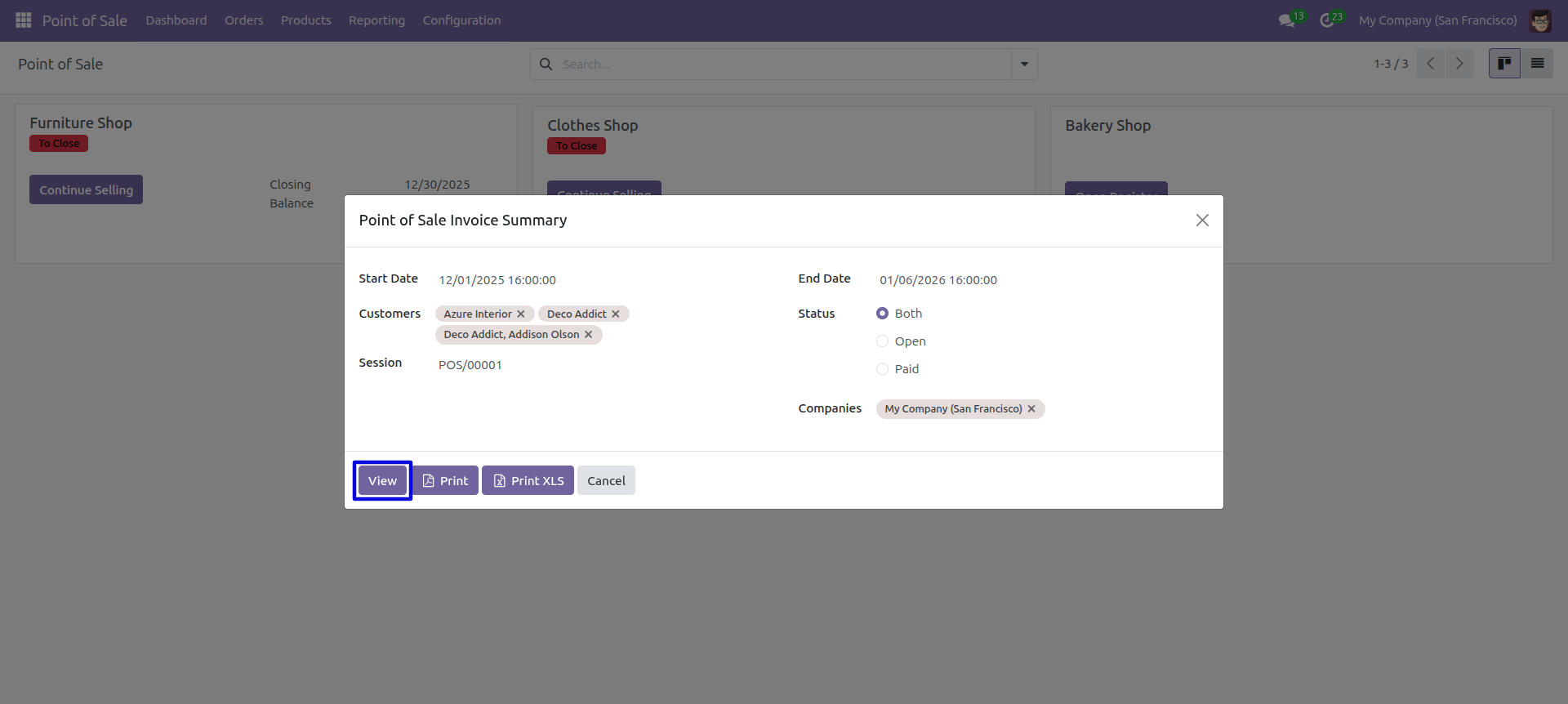
POS invoice summary report with for the given date range report view.
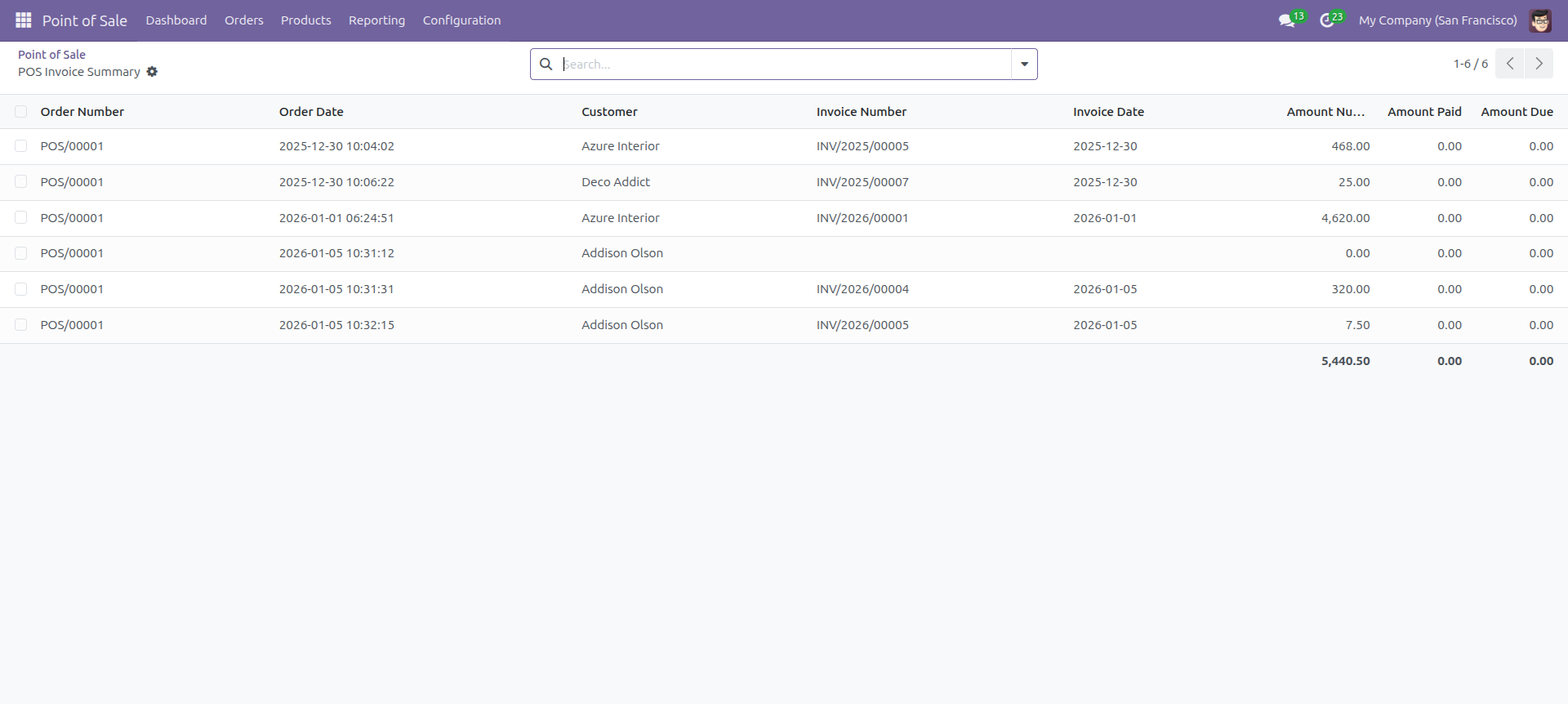
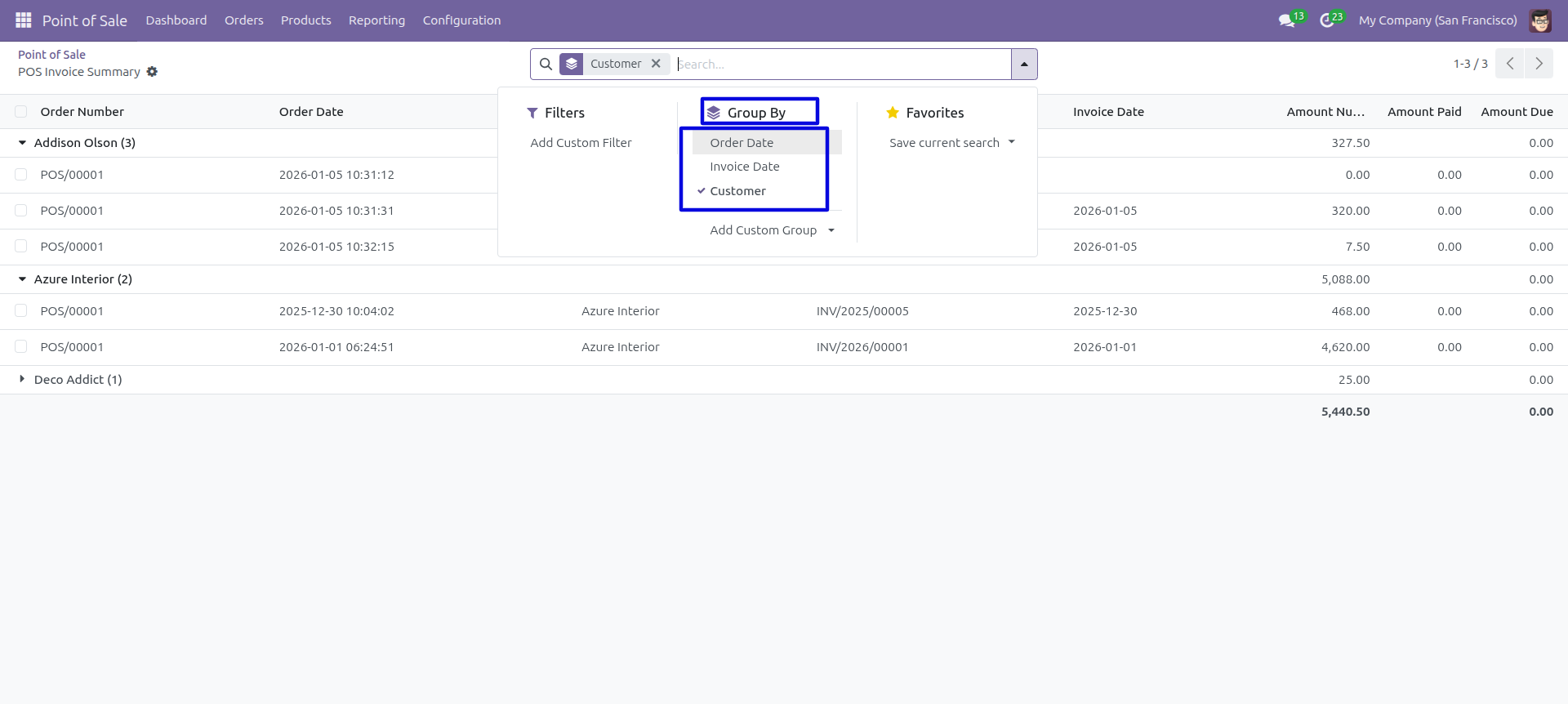
In the report view, you have the option to group the report.
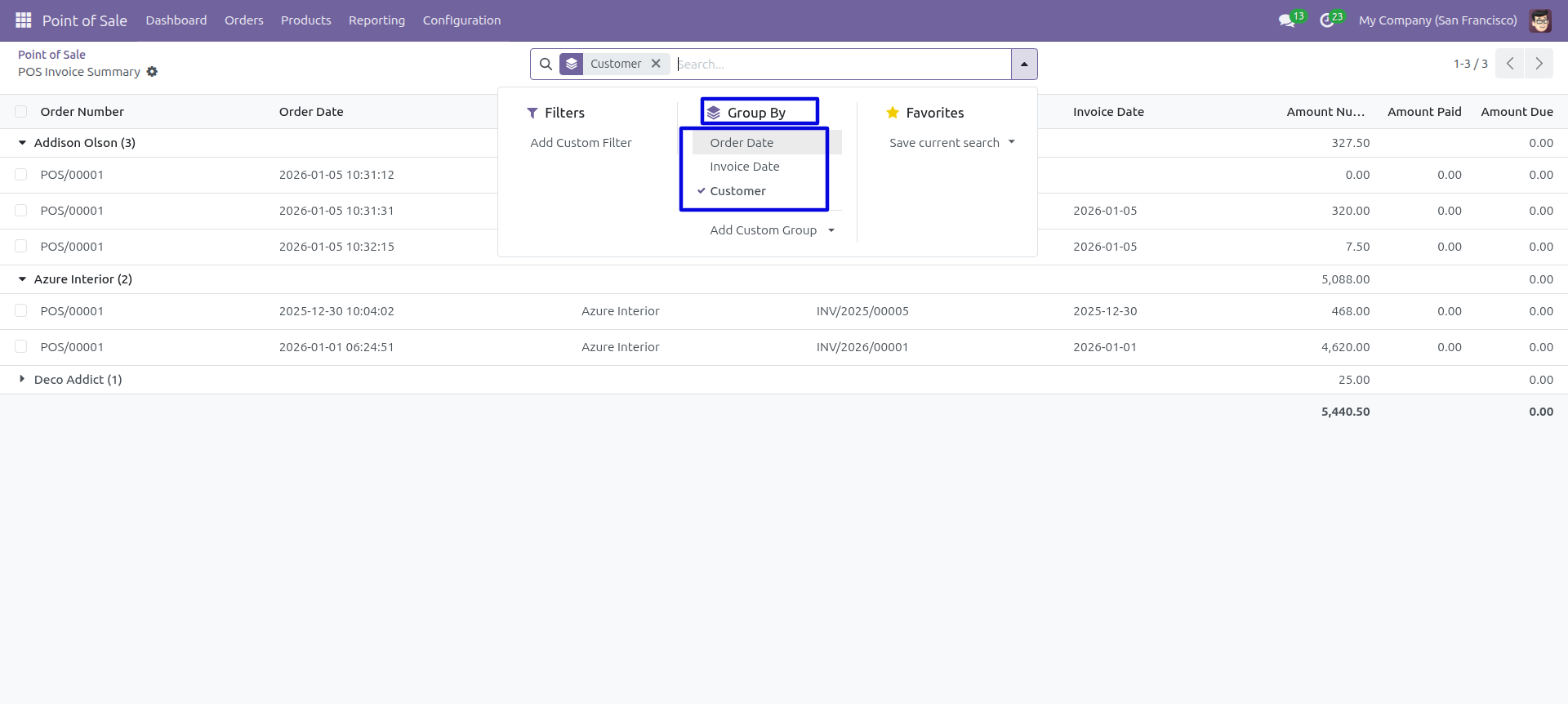
Point Of Sale Product Indent Report
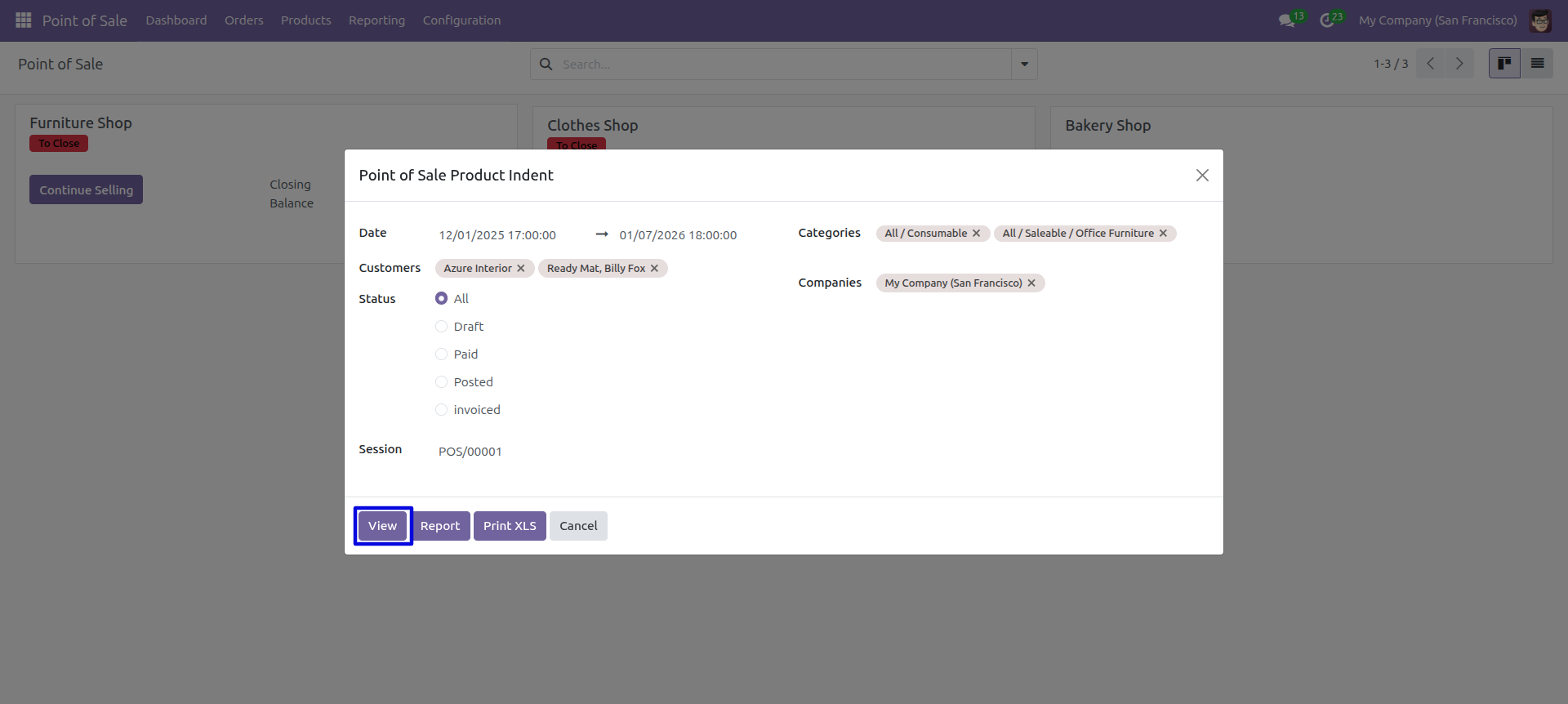
This module will help you to generate product point of sales indent report of customers and print it in PDF as well as excel format. You can generate reports between any date range. You can generate reports by product category. You can also generate a report based on the status of the POS order. We provide the option to print reports of more than one company.
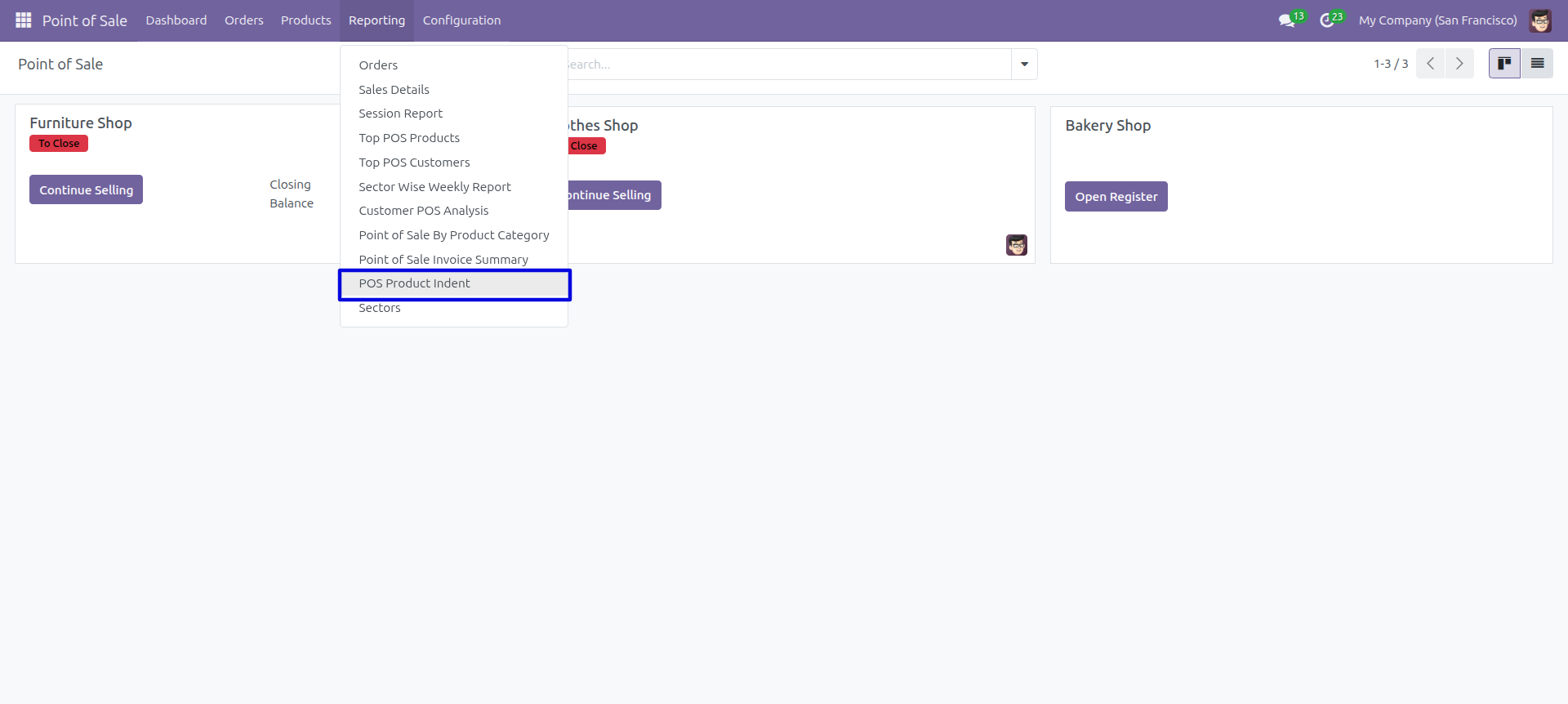
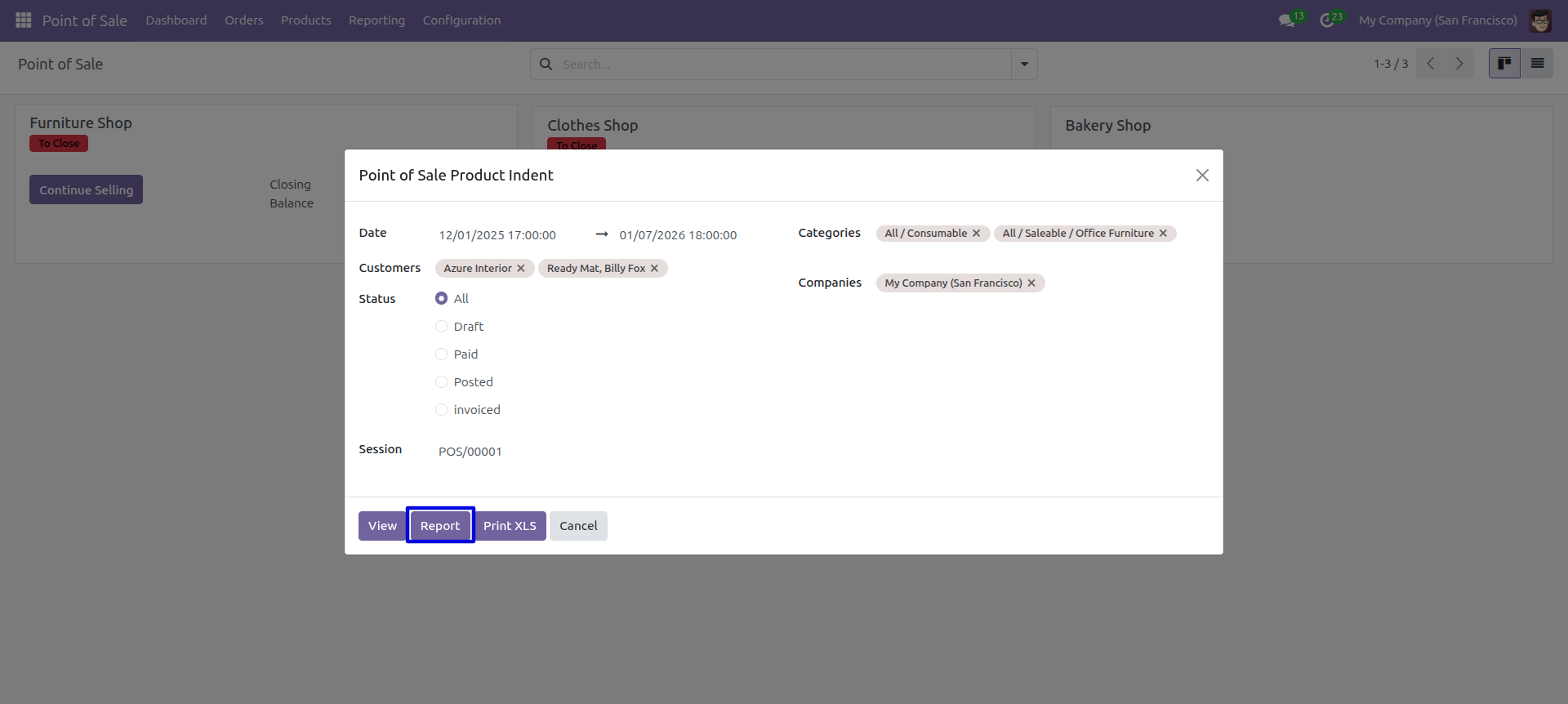
'Point Of Sale Product Indent' menu.
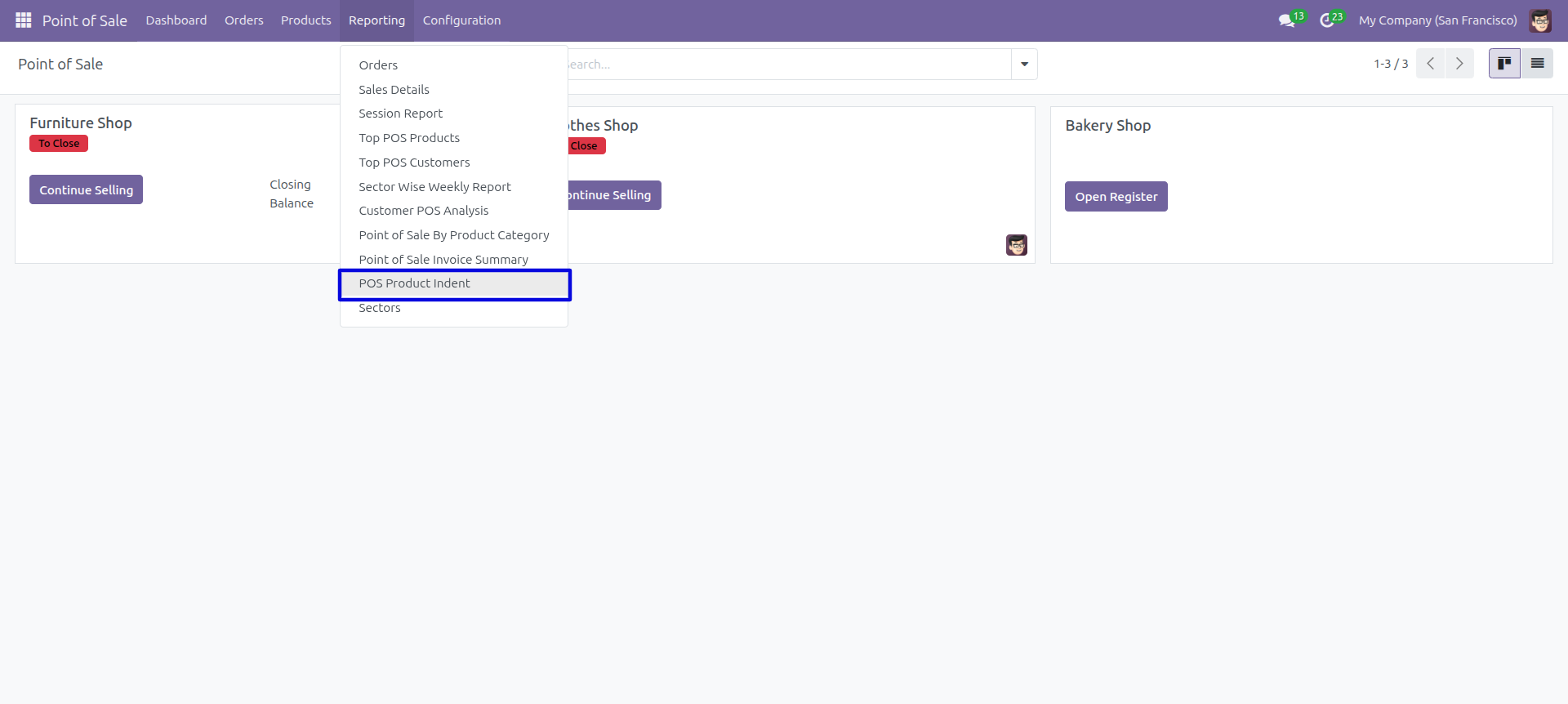
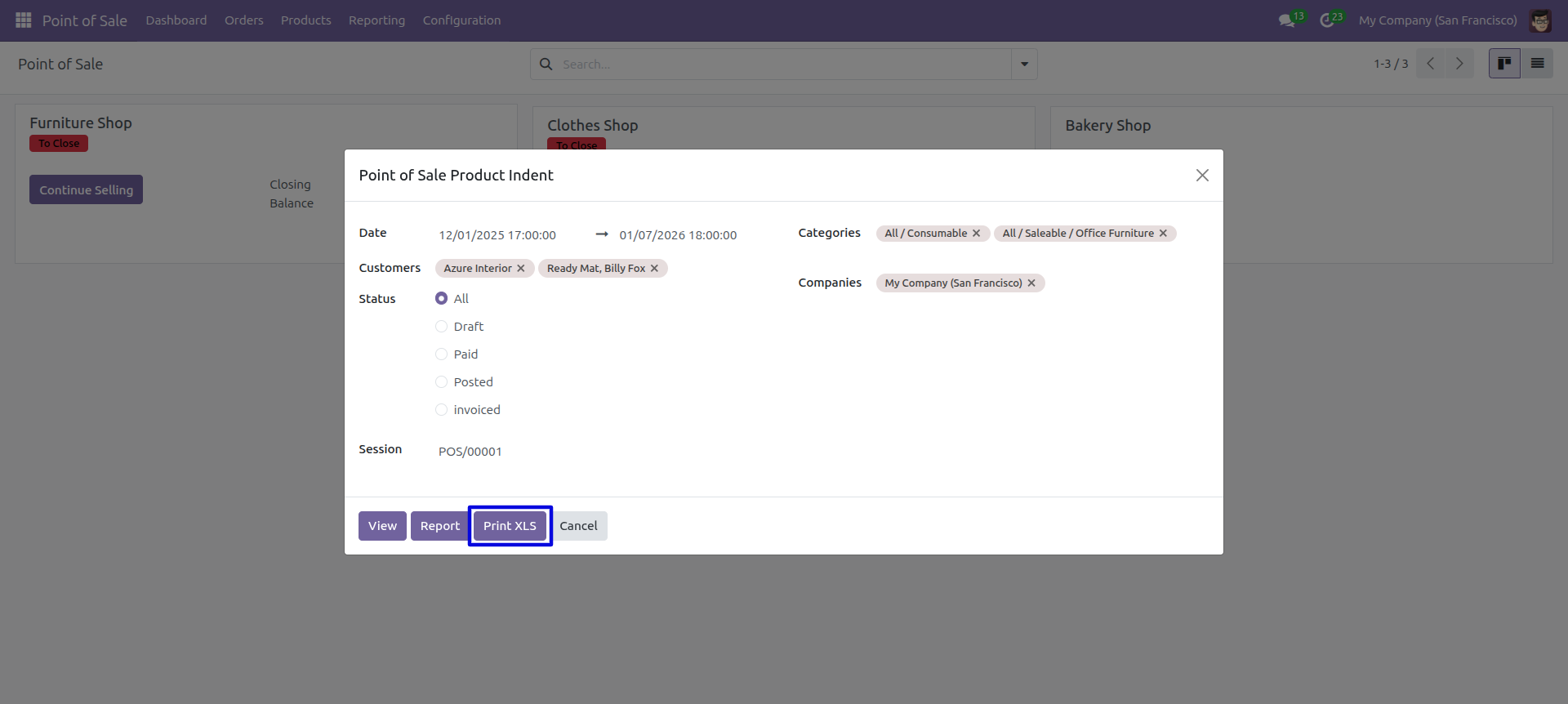
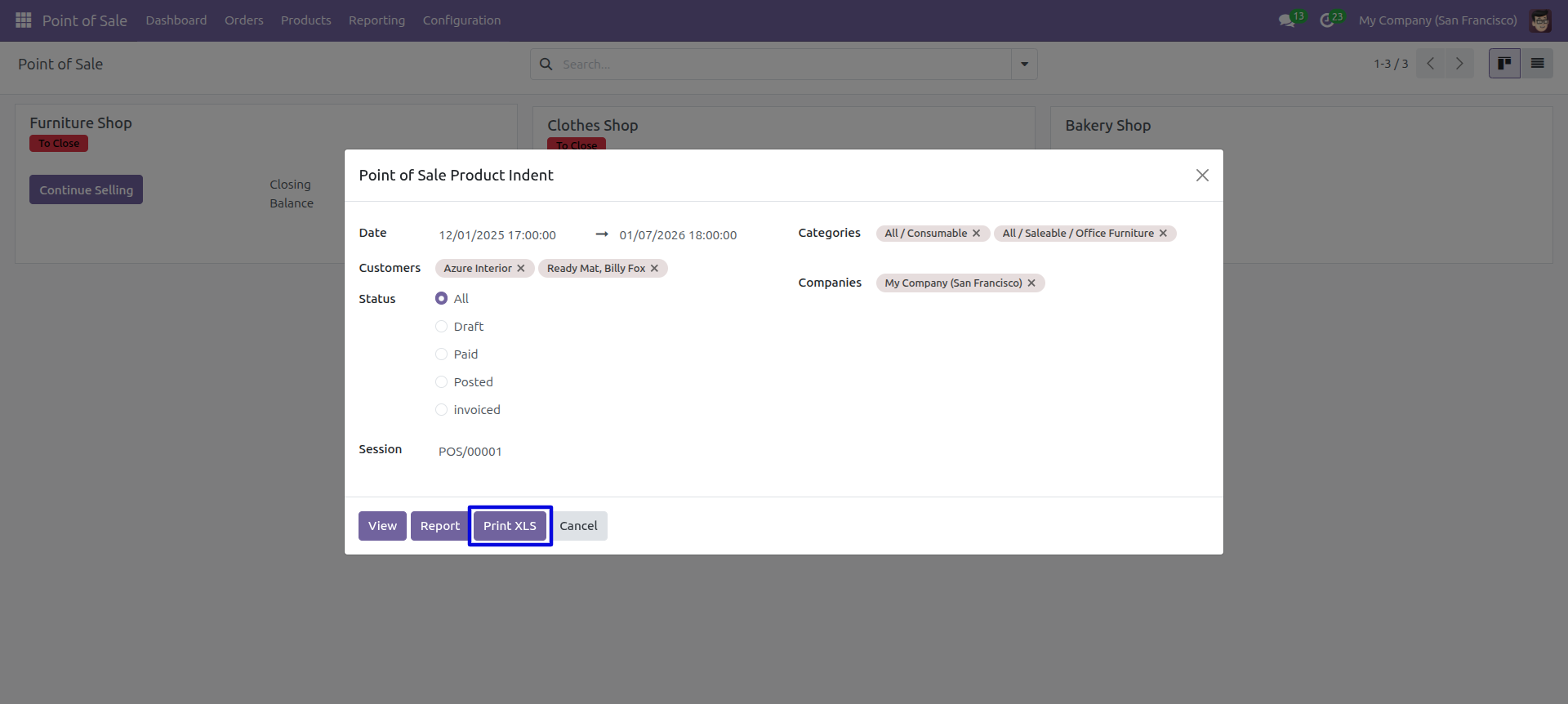
Product indent PDF/Excel report wizard.
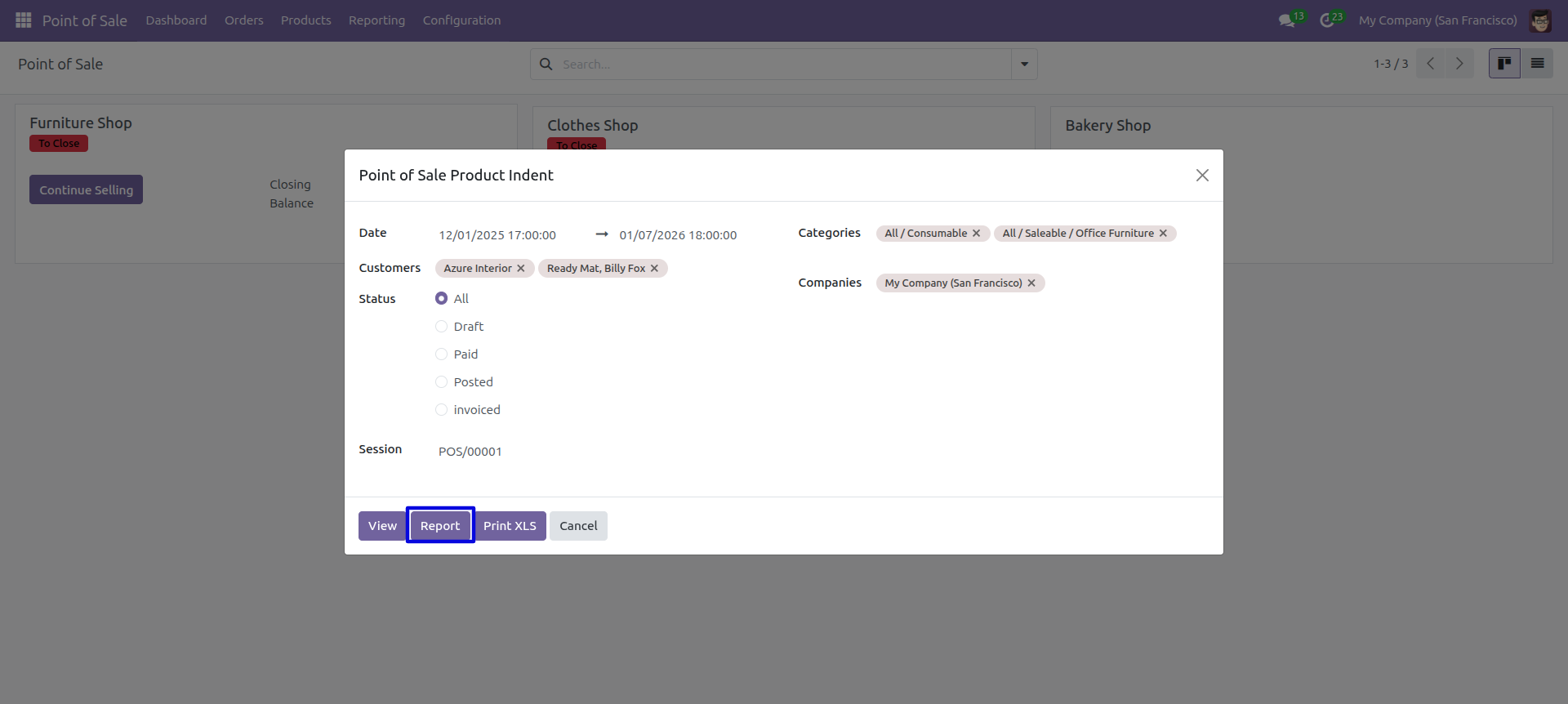
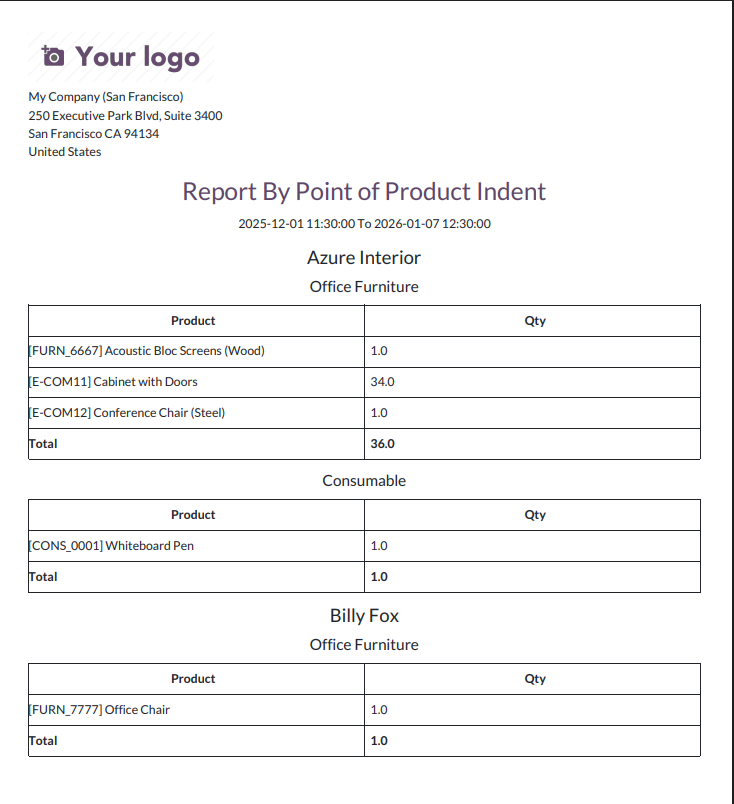
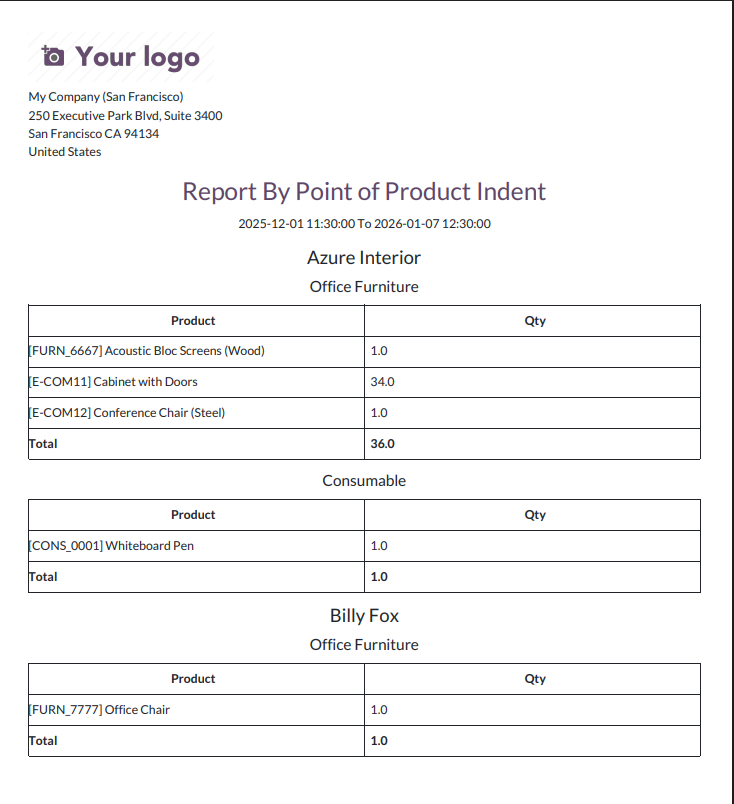
Product indent PDF report looks like below.
Now we print the 'POS Product Indent' excel report.
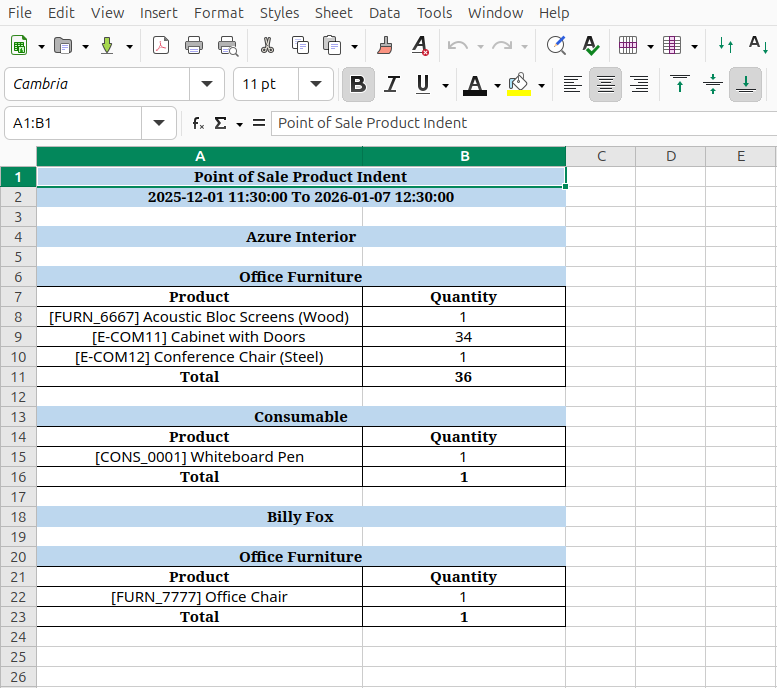
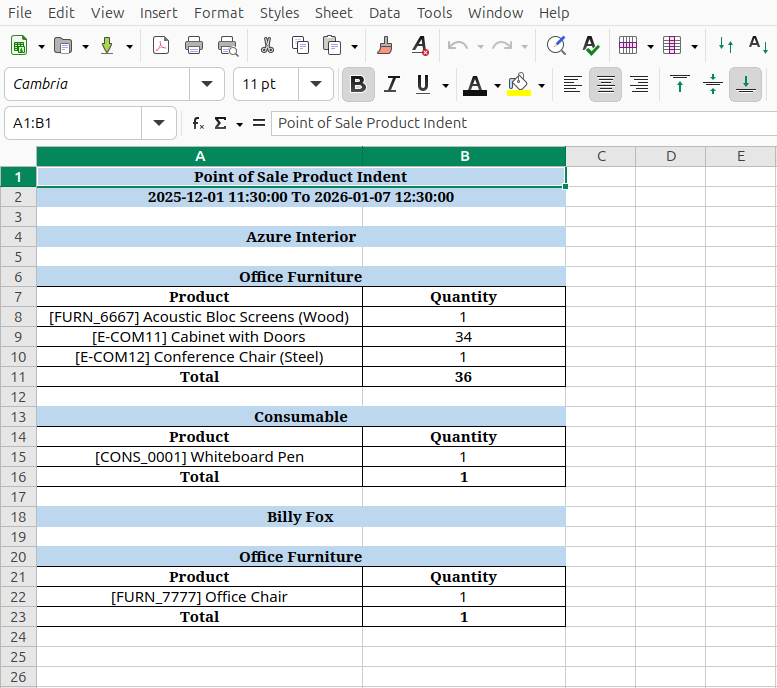
Product indent XLS report looks like below.
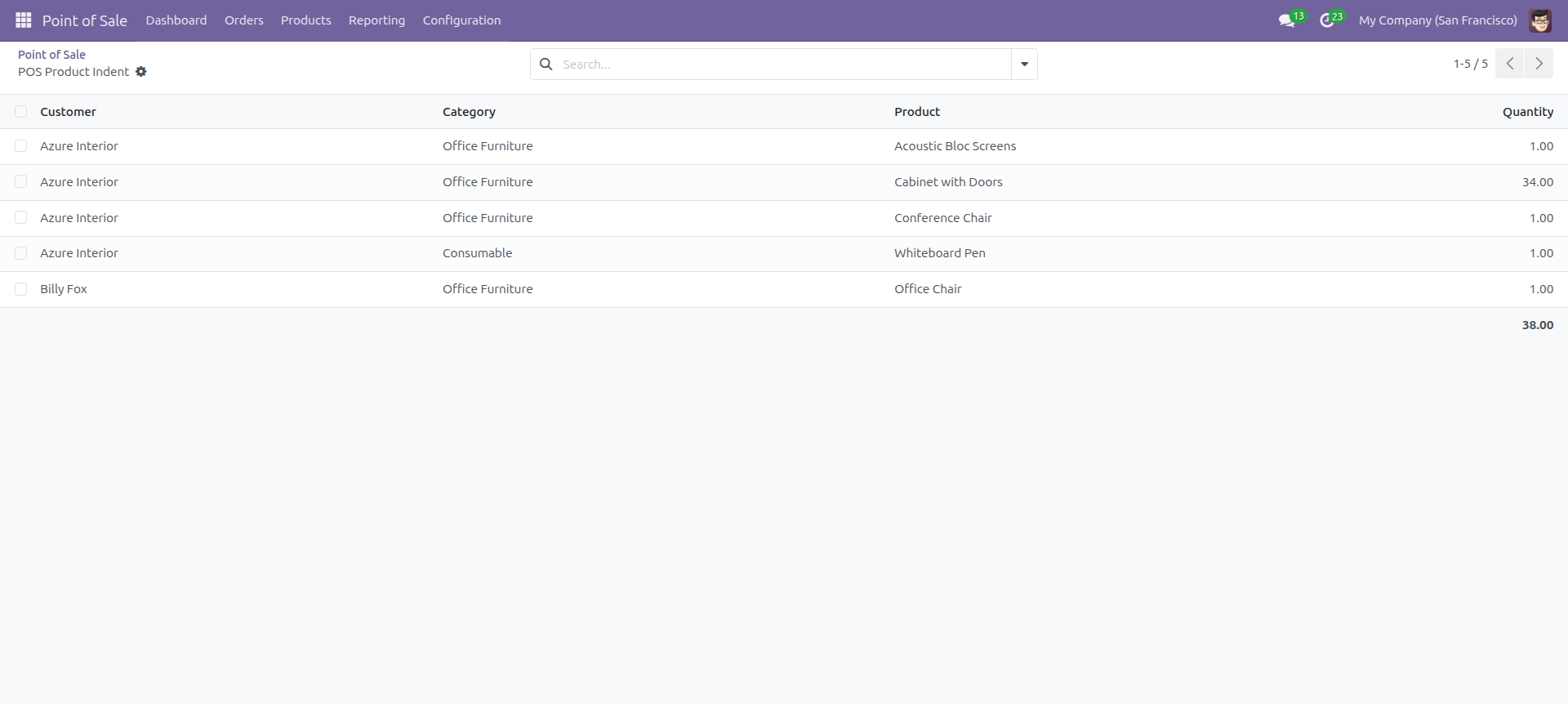
Set Date Range for view Report.
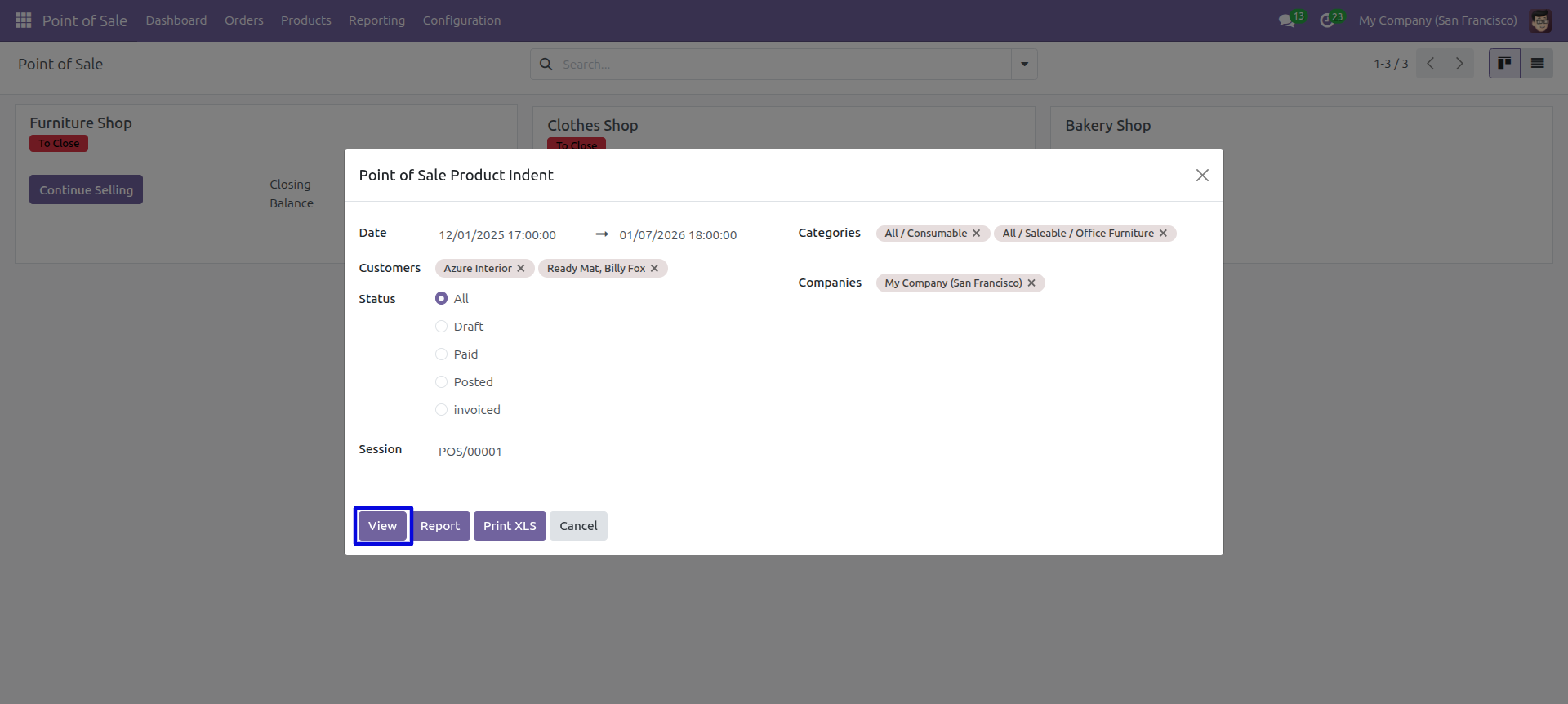
POS product indent report with for the given date range report view.
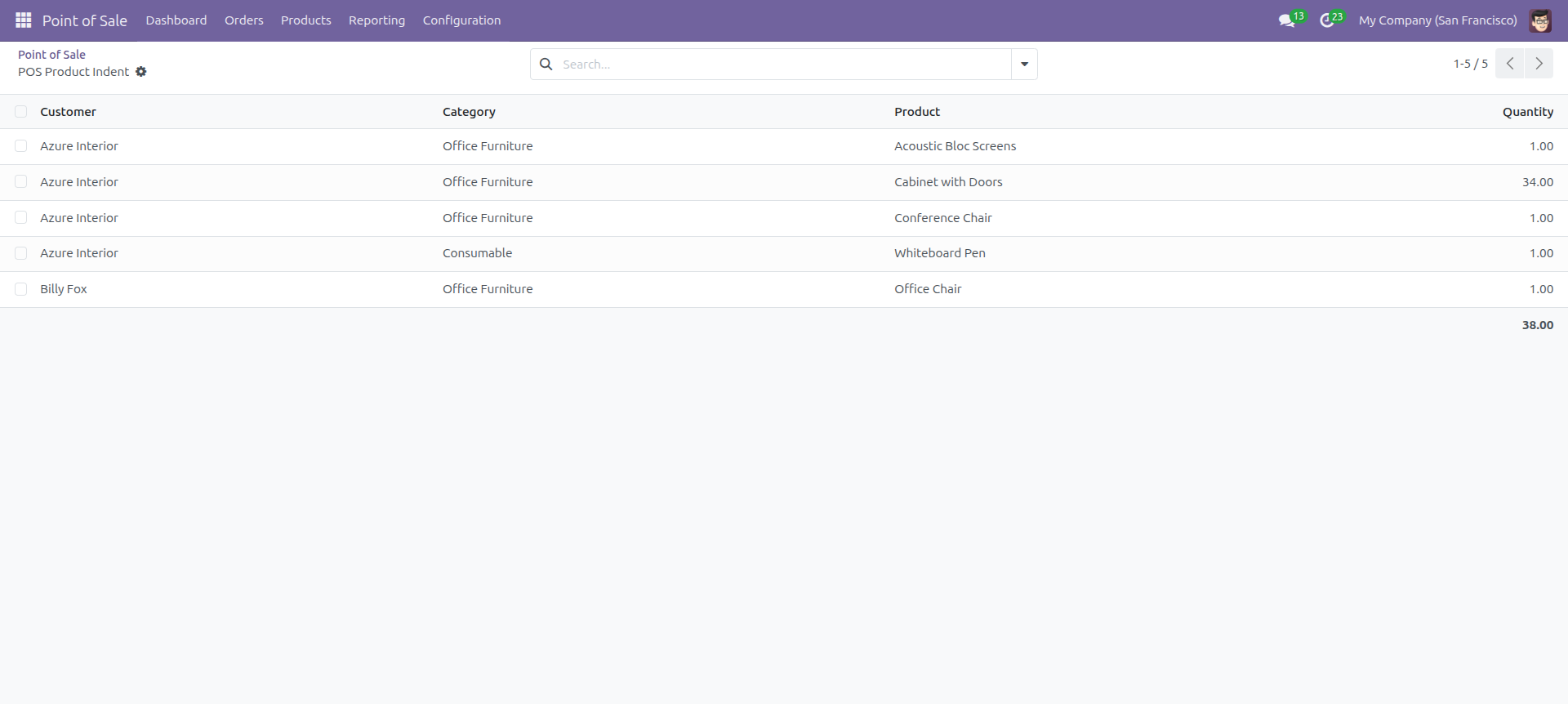
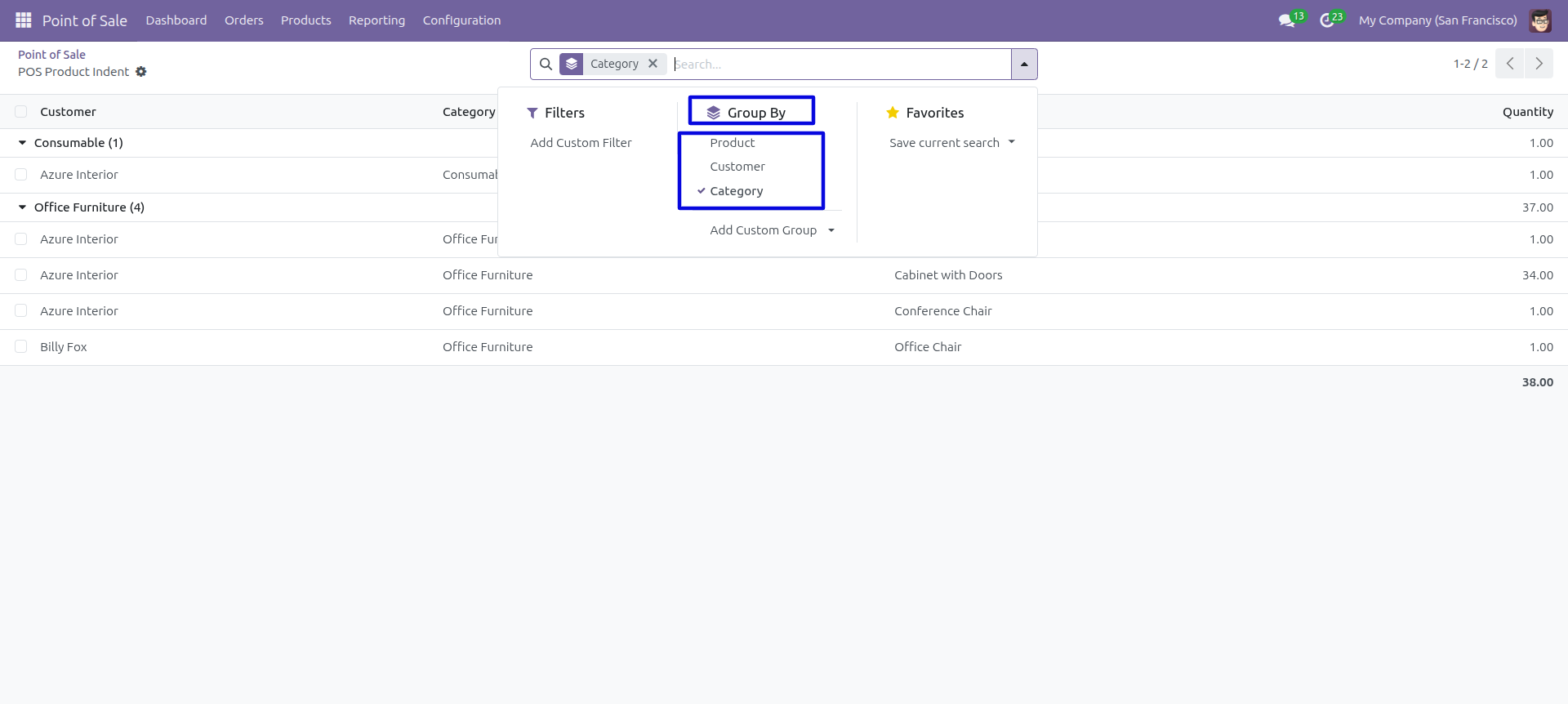
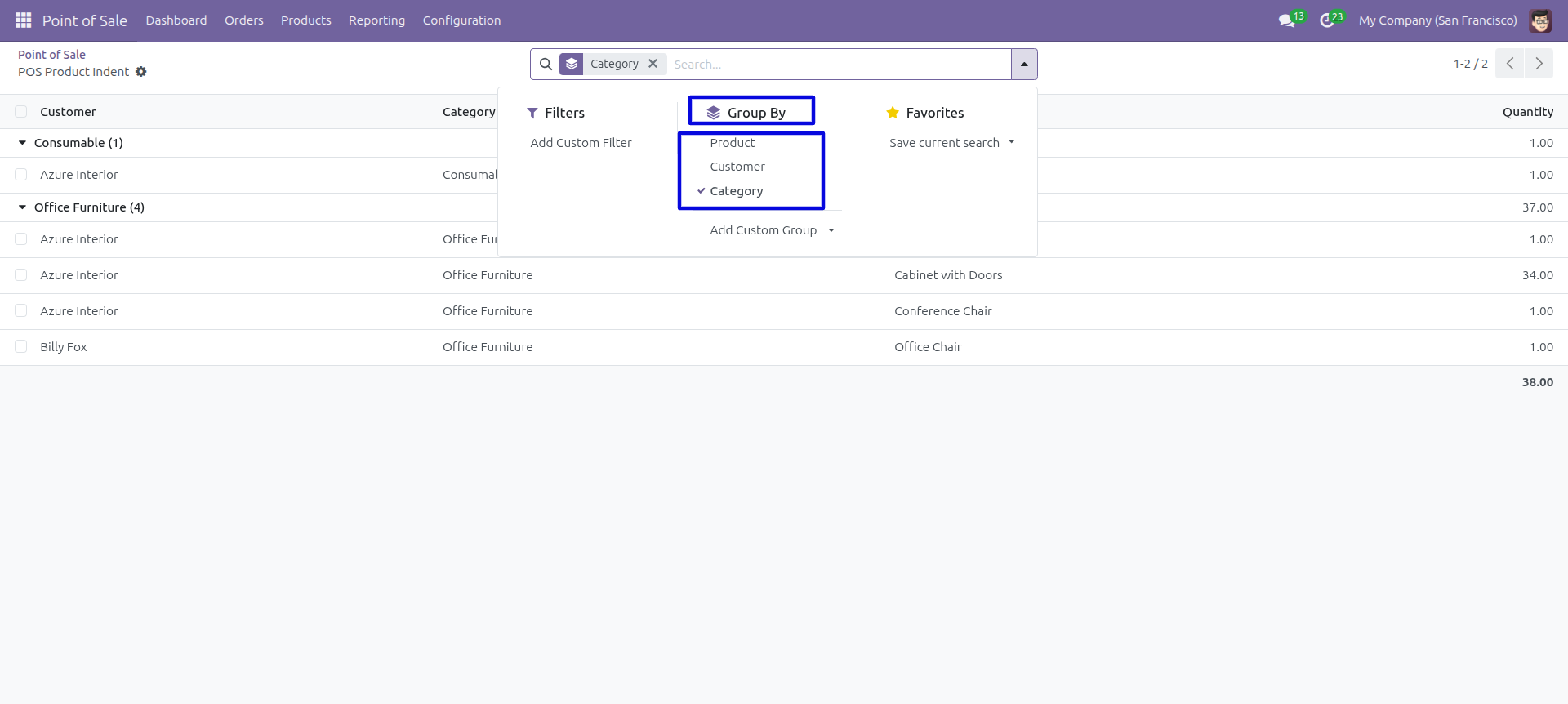
In the report view, you have the option to group the report.
Technical Information
kx_pos_reports
point_of_sale
Supported Versions
18.0.1.0
₹ 9,484.32
19.0.1.0
₹ 9,484.32