Real-time dashboards are exciting because they promise faster decisions, sharper visibility, and less waiting around for reports. But in real business environments, “real time” is not always necessary. Sometimes it adds value. Sometimes it adds cost, complexity, and noise.
The real question is simple: will live data help your team act faster in a way that improves the outcome? If the answer is yes, real-time dashboards in Microsoft Fabric can become a powerful part of your performance analytics strategy. If the answer is no, a well-built Power BI service report with scheduled refreshes may be more practical.
Microsoft Fabric Real-Time Intelligence is designed for scenarios where businesses need to work with event data, streaming analytics, operational monitoring, and fast-moving signals. For startups, SMEs, and growing enterprises in Canada, the US, UAE, and India, the opportunity is clear: use real-time data where speed creates business value, not just because the technology is available.
What a Real-Time Dashboard in Microsoft Fabric Actually Means
What a Real-Time Dashboard in Microsoft Fabric Actually Means

A real-time dashboard shows fresh data as events happen or update within short intervals. In Microsoft Fabric, Real-Time Dashboards can connect with sources such as Eventhouse, KQL databases, Azure Data Explorer, Azure Monitor, and other live data environments.
In practical terms, this means teams can monitor operational activity without waiting for a daily report. A logistics team can track delivery delays. A SaaS business can watch application errors. A retail company can monitor order spikes, payment issues, or stock movement as they happen.
That is where real-time dashboards become useful. They are not just visual screens. They are decision-support tools that help teams respond before small issues turn into bigger business problems.
A real-time dashboard shows fresh data as events happen or update within short intervals. In Microsoft Fabric, Real-Time Dashboards can connect with sources such as Eventhouse, KQL databases, Azure Data Explorer, Azure Monitor, and other live data environments.
In practical terms, this means teams can monitor operational activity without waiting for a daily report. A logistics team can track delivery delays. A SaaS business can watch application errors. A retail company can monitor order spikes, payment issues, or stock movement as they happen.
That is where real-time dashboards become useful. They are not just visual screens. They are decision-support tools that help teams respond before small issues turn into bigger business problems.
When Real-Time Dashboards Are Worth the Investment
When Real-Time Dashboards Are Worth the Investment
Use them when speed changes the result
Real-time dashboards are most valuable when fast action can protect revenue, reduce risk, improve customer experience, or prevent downtime. If delayed insight creates a measurable business loss, real-time reporting becomes more than a technical upgrade. It becomes an operational advantage.
For example, an ecommerce company may use real-time dashboards to monitor failed payments, checkout errors, abandoned carts, and sudden traffic spikes. If the team notices a payment failure pattern within minutes, they can fix the issue before it affects an entire day of sales. That is performance analytics connected to action.

Use them when speed changes the result
Real-time dashboards are most valuable when fast action can protect revenue, reduce risk, improve customer experience, or prevent downtime. If delayed insight creates a measurable business loss, real-time reporting becomes more than a technical upgrade. It becomes an operational advantage.
For example, an ecommerce company may use real-time dashboards to monitor failed payments, checkout errors, abandoned carts, and sudden traffic spikes. If the team notices a payment failure pattern within minutes, they can fix the issue before it affects an entire day of sales. That is performance analytics connected to action.

Use them for operational reporting
Real-time dashboards are especially useful for teams that manage live processes. This includes IT operations, customer support, logistics, manufacturing, inventory, digital products, and service delivery teams.
In one common SME scenario, leadership may ask for every KPI to be shown in real time. But after reviewing the actual business need, the highest-value use case may be much narrower. For example, a warehouse team may only need live visibility into dispatch delays, picking errors, and stock movement exceptions. Meanwhile, leadership may only need daily or weekly KPI summaries.
This is an important distinction. Real-time dashboards should support urgent action. Strategic reporting can often stay scheduled.
Use them for operational reporting
Real-time dashboards are especially useful for teams that manage live processes. This includes IT operations, customer support, logistics, manufacturing, inventory, digital products, and service delivery teams.
In one common SME scenario, leadership may ask for every KPI to be shown in real time. But after reviewing the actual business need, the highest-value use case may be much narrower. For example, a warehouse team may only need live visibility into dispatch delays, picking errors, and stock movement exceptions. Meanwhile, leadership may only need daily or weekly KPI summaries.
This is an important distinction. Real-time dashboards should support urgent action. Strategic reporting can often stay scheduled.
When Scheduled Reporting Is Usually Enough
When Scheduled Reporting Is Usually Enough
Not every department needs second-by-second updates. Sales pipeline reviews, finance reporting, marketing campaign summaries, HR dashboards, and executive scorecards often work well with hourly, daily, or weekly refresh cycles.
In these cases, the Power BI service can be a better fit. It allows businesses to build structured dashboards, manage report access, automate refresh schedules, and share insights across teams without introducing unnecessary real-time architecture.
If the business has messy source data, unclear KPIs, weak ownership, or inconsistent reporting logic, real-time dashboards may only make confusion happen faster. Before investing in live reporting, companies should first make sure their data model, definitions, and reporting structure are reliable.
KoderXpert’s data analytics services help businesses plan dashboards, reporting systems, and analytics solutions around real decision-making needs rather than unnecessary dashboard complexity.

Not every department needs second-by-second updates. Sales pipeline reviews, finance reporting, marketing campaign summaries, HR dashboards, and executive scorecards often work well with hourly, daily, or weekly refresh cycles.
In these cases, the Power BI service can be a better fit. It allows businesses to build structured dashboards, manage report access, automate refresh schedules, and share insights across teams without introducing unnecessary real-time architecture.
If the business has messy source data, unclear KPIs, weak ownership, or inconsistent reporting logic, real-time dashboards may only make confusion happen faster. Before investing in live reporting, companies should first make sure their data model, definitions, and reporting structure are reliable.
KoderXpert’s data analytics services help businesses plan dashboards, reporting systems, and analytics solutions around real decision-making needs rather than unnecessary dashboard complexity.
A Practical Decision Framework for Growing Businesses
Ask these questions before building
What decision needs to happen faster?
Be specific about the action the dashboard will support.
Who will respond to the data?
A live dashboard without ownership becomes passive monitoring.
How fresh does the data really need to be?
Real time, near real time, hourly, and daily reporting all serve different purposes.
Is the event data reliable?
Real-time dashboards depend on clean, consistent, and available data streams.
What is the business impact?
The investment should connect to revenue, efficiency, risk reduction, or customer experience.

If the answers are clear and tied to measurable action, Microsoft Fabric real-time dashboards may be worth exploring.
A Practical Decision Framework for Growing Businesses
Ask these questions before building
What decision needs to happen faster?
Be specific about the action the dashboard will support.
Who will respond to the data?
A live dashboard without ownership becomes passive monitoring.
How fresh does the data really need to be?
Real time, near real time, hourly, and daily reporting all serve different purposes.
Is the event data reliable?
Real-time dashboards depend on clean, consistent, and available data streams.
What is the business impact?
The investment should connect to revenue, efficiency, risk reduction, or customer experience.
If the answers are clear and tied to measurable action, Microsoft Fabric real-time dashboards may be worth exploring.
Choose the right architecture for the problem
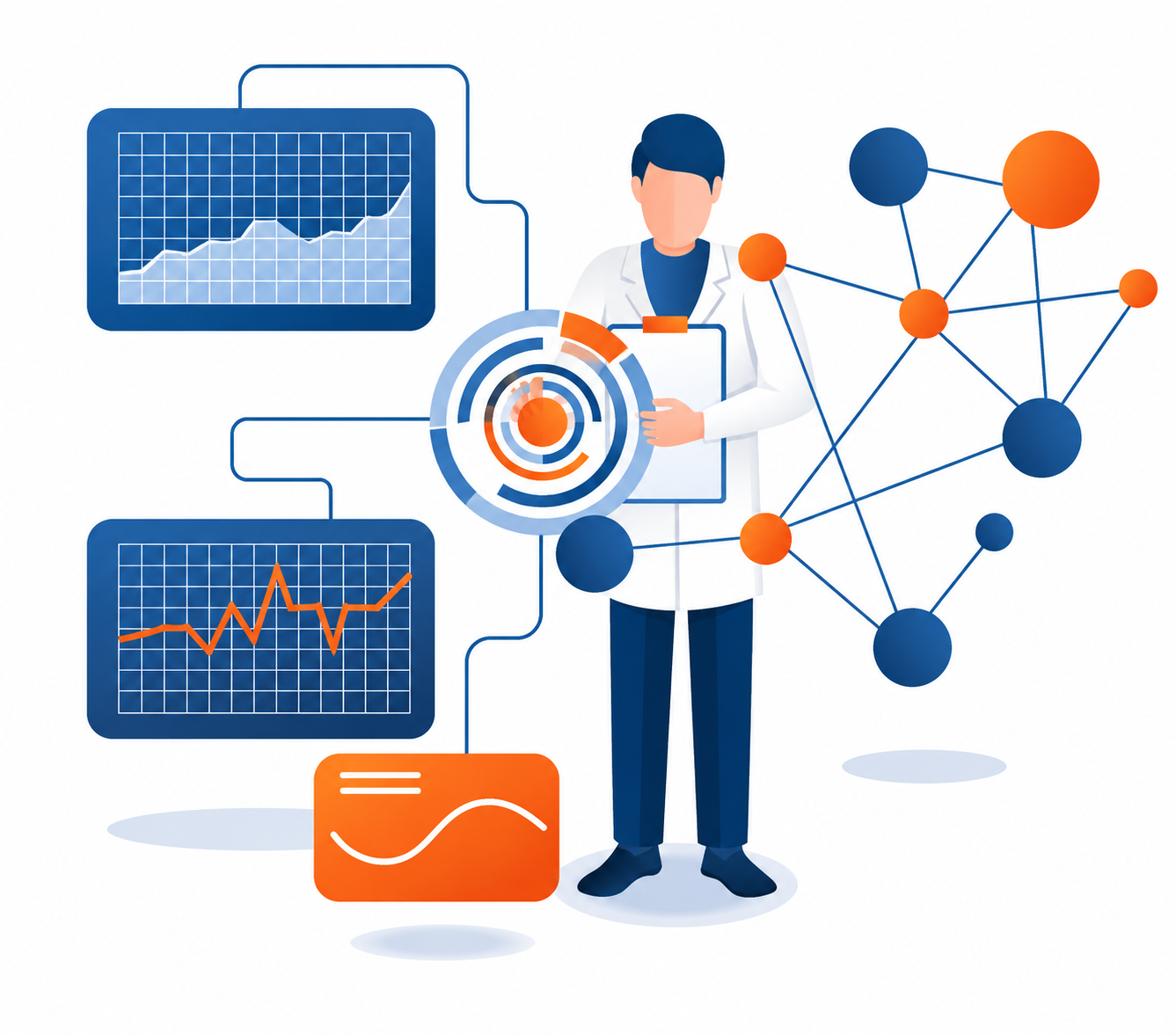
Microsoft Fabric gives businesses several ways to work with data, including batch analytics, Direct Lake, DirectQuery, semantic models, and Real-Time Intelligence. The right setup depends on data volume, freshness needs, report performance, governance, and user expectations.
If your team is comparing reporting models, KoderXpert’s guide on Direct Lake vs DirectQuery in Power BI is a useful resource for understanding which approach fits different analytics needs.
Choose the right architecture for the problem
Microsoft Fabric gives businesses several ways to work with data, including batch analytics, Direct Lake, DirectQuery, semantic models, and Real-Time Intelligence. The right setup depends on data volume, freshness needs, report performance, governance, and user expectations.
If your team is comparing reporting models, KoderXpert’s guide on Direct Lake vs DirectQuery in Power BI is a useful resource for understanding which approach fits different analytics needs.
Security, Governance, and Reliability Cannot Be Ignored
Real-time dashboards often display sensitive operational data. That means security and governance should be planned from the beginning, not added later. Businesses should review workspace roles, user permissions, sensitivity labels, row-level security, retention rules, and compliance requirements.
Microsoft notes that Real-Time Dashboard data and related metadata are encrypted at rest using Microsoft-managed keys. That provides a strong platform foundation, but companies still need their own internal policies for who can access which dashboards and what data should be exposed.
Reliability is just as important. A real-time dashboard that breaks often, shows inconsistent data, or triggers too many alerts can quickly lose user trust. Start with one high-value workflow, validate the data, test alert thresholds, and expand only after the team proves it can act on the insights.
For broader planning, KoderXpert’s article on Power BI service and Microsoft Fabric Copilot explains why governance, data models, and permissions should come before advanced analytics features.

How Real-Time Dashboards Support Performance Analytics
Performance analytics becomes stronger when teams can connect live signals with business outcomes. A support manager can monitor ticket spikes and response times. A product team can track errors after a new release. A sales operations team can watch lead flow from active campaigns. A manufacturing team can spot production delays before they affect delivery.
The goal is not to make every metric live. The goal is to understand which metrics need immediate attention and which ones are better suited for scheduled analysis.
Real-time dashboards should answer, “What needs action right now?” Standard BI dashboards should answer, “What trend should guide our next decision?” When both are used correctly, businesses get a healthier analytics ecosystem.
If your team is still evaluating analytics platforms, KoderXpert’s Power BI vs Tableau vs Looker comparison can help you understand which business intelligence tool may fit your reporting maturity and long-term needs.

Security, Governance, and Reliability Cannot Be Ignored
Real-time dashboards often display sensitive operational data. That means security and governance should be planned from the beginning, not added later. Businesses should review workspace roles, user permissions, sensitivity labels, row-level security, retention rules, and compliance requirements.
Microsoft notes that Real-Time Dashboard data and related metadata are encrypted at rest using Microsoft-managed keys. That provides a strong platform foundation, but companies still need their own internal policies for who can access which dashboards and what data should be exposed.
Reliability is just as important. A real-time dashboard that breaks often, shows inconsistent data, or triggers too many alerts can quickly lose user trust. Start with one high-value workflow, validate the data, test alert thresholds, and expand only after the team proves it can act on the insights.
For broader planning, KoderXpert’s article on Power BI service and Microsoft Fabric Copilot explains why governance, data models, and permissions should come before advanced analytics features.
How Real-Time Dashboards Support Performance Analytics
Performance analytics becomes stronger when teams can connect live signals with business outcomes. A support manager can monitor ticket spikes and response times. A product team can track errors after a new release. A sales operations team can watch lead flow from active campaigns. A manufacturing team can spot production delays before they affect delivery.
The goal is not to make every metric live. The goal is to understand which metrics need immediate attention and which ones are better suited for scheduled analysis.
Real-time dashboards should answer, “What needs action right now?” Standard BI dashboards should answer, “What trend should guide our next decision?” When both are used correctly, businesses get a healthier analytics ecosystem.
If your team is still evaluating analytics platforms, KoderXpert’s Power BI vs Tableau vs Looker comparison can help you understand which business intelligence tool may fit your reporting maturity and long-term needs.
Conclusion: Build Real-Time
Dashboards Only Where Speed Matters
Real-time dashboards in Microsoft Fabric can be extremely valuable, but only when they solve a real business problem.
They work best when a team has event data, a clear response process, and a decision that improves with faster visibility.
For many businesses, especially startups and SMEs, scheduled Power BI service reporting may still be the right starting point.
Once the reporting foundation is strong, real-time dashboards can be introduced for the workflows where speed truly changes the outcome.
If your organization wants better dashboards, stronger performance analytics, or a practical Microsoft Fabric roadmap,
KoderXpert can help you turn raw data into trusted, action-ready insights that support smarter business growth.
Conclusion: Build Real-Time
Dashboards Only Where Speed Matters
Real-time dashboards in Microsoft Fabric can be extremely valuable, but only when they solve a real business problem.
They work best when a team has event data, a clear response process, and a decision that improves with faster visibility.
For many businesses, especially startups and SMEs, scheduled Power BI service reporting may still be the right starting point.
Once the reporting foundation is strong, real-time dashboards can be introduced for the workflows where speed truly changes the outcome.
If your organization wants better dashboards, stronger performance analytics, or a practical Microsoft Fabric roadmap,
KoderXpert can help you turn raw data into trusted, action-ready insights that support smarter business growth.
Need Better Dashboards?
Build reporting systems that turn raw data
into clear, action-ready insights.
Need Better Dashboards?
Build reporting systems that turn raw data into clear, action-ready insights.
Frequently asked questions
Frequently asked questions
Real-time dashboards in Microsoft Fabric help businesses monitor live or near-live event data from sources such as Eventhouse, KQL databases, Azure Monitor, and streaming pipelines.
A business needs real-time dashboards when faster visibility can directly improve revenue, customer experience, uptime, service levels, risk control, or operational response.
Yes. For many business needs, scheduled reporting in Power BI service is enough, especially for sales, finance, marketing, HR, and executive performance reviews.
They can be useful when the business has clear event data, a specific action to take, and a team ready to respond. Startups and SMEs should usually begin with one focused use case.
Companies should check data quality, event sources, Fabric capacity, dashboard ownership, security permissions, alert rules, compliance needs, and whether faster reporting will create measurable value.
Real-time dashboards in Microsoft Fabric help businesses monitor live or near-live event data from sources such as Eventhouse, KQL databases, Azure Monitor, and streaming pipelines.
A business needs real-time dashboards when faster visibility can directly improve revenue, customer experience, uptime, service levels, risk control, or operational response.
Yes. For many business needs, scheduled reporting in Power BI service is enough, especially for sales, finance, marketing, HR, and executive performance reviews.
They can be useful when the business has clear event data, a specific action to take, and a team ready to respond. Startups and SMEs should usually begin with one focused use case.
Companies should check data quality, event sources, Fabric capacity, dashboard ownership, security permissions, alert rules, compliance needs, and whether faster reporting will create measurable value.