Upgrading to Odoo 19.2 can improve ERP performance, usability, automation, and access to new features. But for SMBs and growing enterprises, upgrade success depends on whether sales, inventory, accounting, manufacturing, website, and reporting workflows still run smoothly after go-live.
An Odoo 19.2 upgrade should be handled like a controlled ERP project. Odoo’s upgrade guidance recommends using an upgraded test database, checking custom module readiness, testing real business flows, and planning production downtime. For teams planning odoo implementation or improving an existing ERP setup, this checklist helps reduce upgrade risk.
KoderXpert supports ERP implementation, customization, migration, and post-upgrade support through its Odoo services, helping businesses audit, test, validate, and go live with confidence.
Why the Odoo 19.2 Upgrade
Needs Careful Testing
Odoo 19.2 brings improvements across planning, automation, finance, manufacturing, collaboration, and everyday usability. These updates can create value, but every ERP environment is different. A standard setup has a simpler path than a system with custom modules, connectors, Studio changes, payment gateways, barcode flows, or multi-company accounting rules.
A database can upgrade successfully and still have broken reports, template issues, access conflicts, API errors, or user confusion. That is why a practical ERP testing checklist matters before go-live.

Why the Odoo 19.2 Upgrade
Needs Careful Testing
Odoo 19.2 brings improvements across planning, automation, finance, manufacturing, collaboration, and everyday usability. These updates can create value, but every ERP environment is different. A standard setup has a simpler path than a system with custom modules, connectors, Studio changes, payment gateways, barcode flows, or multi-company accounting rules.
A database can upgrade successfully and still have broken reports, template issues, access conflicts, API errors, or user confusion. That is why a practical ERP testing checklist matters before go-live.
Key upgrade risk areas
Key upgrade
risk areas
Custom modules and apps:
Code, Studio changes, and third-party modules may need updates for Odoo 19.2.
Reports and templates:
Invoices, quotations, purchase orders, and emails must be reviewed.
Security and integrations:
Access rules, APIs, payment providers, shipping tools, and EDI connections need validation.
Custom modules
and apps:
Code, Studio changes, and third-party modules may need updates for Odoo 19.2.
Reports and templates:
Invoices, quotations, purchase orders, and emails must be reviewed.
Security and integrations:
Access rules, APIs, payment providers, shipping tools, and EDI connections need validation.
Run a Custom Module Audit
Before production upgrade, complete a detailed custom module audit. This is essential if your business has custom workflows for sales approvals, manufacturing routing, warehouse operations, accounting reports, subscriptions, CRM automation, or customer portals.
Classify modules into standard Odoo apps, custom-built modules, and third-party apps. Then rate each item by business impact. A reference field is lower risk than a pricing rule used on every quotation, while a monthly connector is less urgent than an eCommerce integration handling daily orders.
What to check
Module manifests, dependencies, deprecated methods, Python models, XML views, and JavaScript assets.
Studio fields, computed fields, automated actions, approval rules, and scheduled actions.
Third-party module availability, security groups, record rules, menu visibility, and user permissions.
If you are also planning a new ERP rollout, KoderXpert’s Odoo ERP implementation guide can help with planning, module selection, training, and go-live preparation.
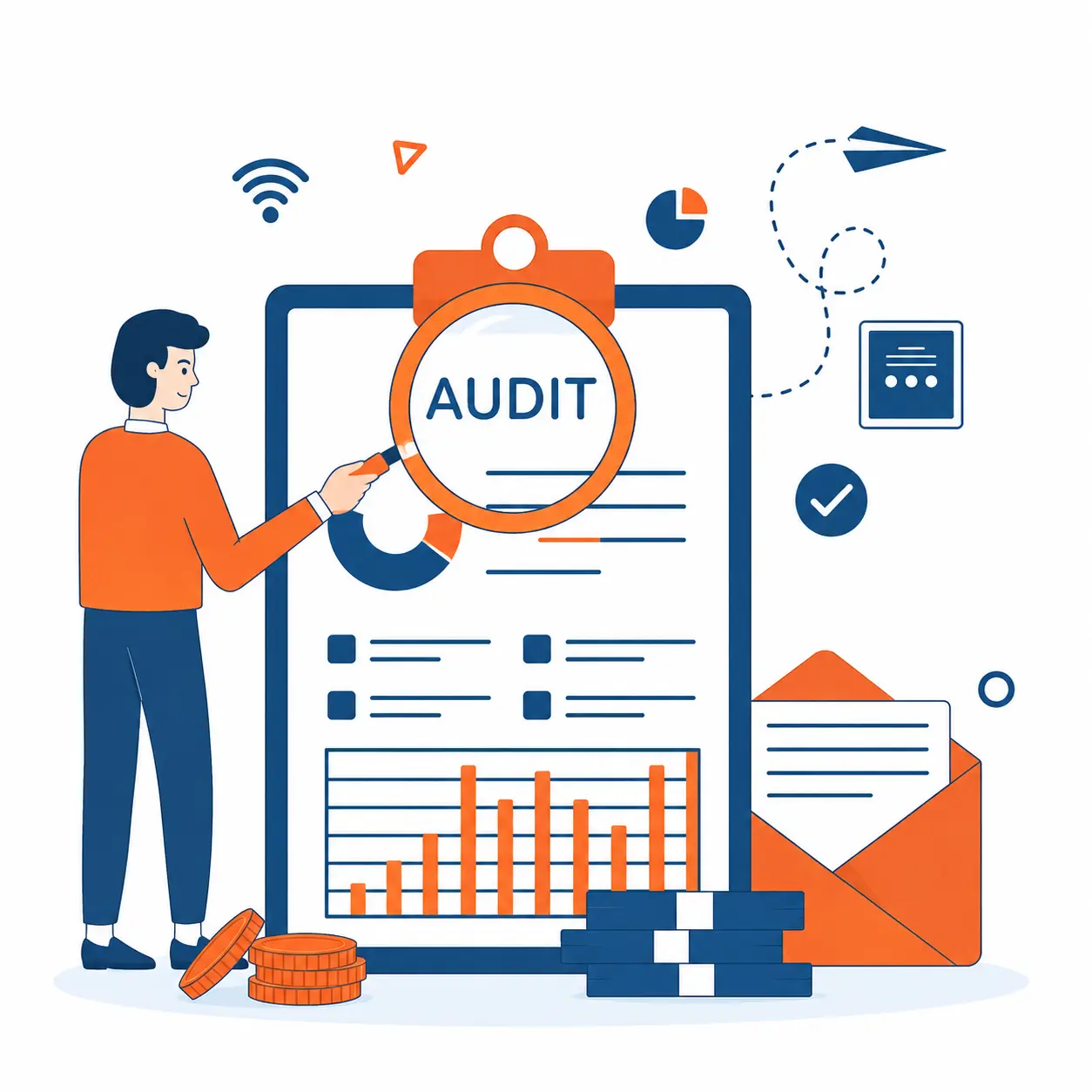
Run a Custom Module Audit
Before production upgrade, complete a detailed custom module audit. This is essential if your business has custom workflows for sales approvals, manufacturing routing, warehouse operations, accounting reports, subscriptions, CRM automation, or customer portals.
Classify modules into standard Odoo apps, custom-built modules, and third-party apps. Then rate each item by business impact. A reference field is lower risk than a pricing rule used on every quotation, while a monthly connector is less urgent than an eCommerce integration handling daily orders.
What to check
Module manifests, dependencies, deprecated methods, Python models, XML views, and JavaScript assets.
Studio fields, computed fields, automated actions, approval rules, and scheduled actions.
Third-party module availability, security groups, record rules, menu visibility, and user permissions.
If you are also planning a new ERP rollout, KoderXpert’s Odoo ERP implementation guide can help with planning, module selection, training, and go-live preparation.
Prepare a Realistic Test Database
Testing should happen on a database that closely reflects production. A demo database will not expose the same risks as your real setup. Use a recent backup, align the required filestore, and confirm that key users, companies, products, taxes, warehouses, templates, and workflows are available.
Test environments may neutralize outgoing emails, payment providers, delivery carriers, scheduled actions, and bank synchronization. This protects production data, but your team must still validate anything that behaves differently in staging.
What to check
Create a staging instance for Odoo 19.2 upgrade validation.
Confirm the database and filestore are aligned.
Disable live emails, real payments, and production triggers.
Give access to sales, finance, inventory, operations, and management users.

Prepare a Realistic Test Database
Testing should happen on a database that closely reflects production. A demo database will not expose the same risks as your real setup. Use a recent backup, align the required filestore, and confirm that key users, companies, products, taxes, warehouses, templates, and workflows are available.
Test environments may neutralize outgoing emails, payment providers, delivery carriers, scheduled actions, and bank synchronization. This protects production data, but your team must still validate anything that behaves differently in staging.
What to check
Create a staging instance for Odoo 19.2 upgrade validation.
Confirm the database and filestore are aligned.
Disable live emails, real payments, and production triggers.
Give access to sales, finance, inventory, operations, and management users.
Test Real Business Workflows
Strong post-upgrade validation should follow real user journeys, not only technical checks. Ask each department to test critical workflows. The goal is clear: can your team complete the same work after the upgrade without errors, missing data, or delays?
Classify modules into standard Odoo apps, custom-built modules, and third-party apps. Then rate each item by business impact. A reference field is lower risk than a pricing rule used on every quotation, while a monthly connector is less urgent than an eCommerce integration handling daily orders.
Department checks
Sales and CRM: Create leads, convert opportunities, generate quotations, apply pricelists, confirm orders, and check portal access.
Inventory and purchase: Create purchase orders, receive products, validate stock moves, test returns, and check replenishment rules.
Manufacturing: Validate bills of materials, work orders, quality checks, maintenance tasks, and shop floor flows.
Accounting: Create invoices, vendor bills, payments, credit notes, tax reports, and bank reconciliations.
For businesses with sensitive role-based access, KoderXpert’s Odoo access and security management guide is useful when reviewing permissions before and after the upgrade.

Test Real Business Workflows
Strong post-upgrade validation should follow real user journeys, not only technical checks. Ask each department to test critical workflows. The goal is clear: can your team complete the same work after the upgrade without errors, missing data, or delays?
Classify modules into standard Odoo apps, custom-built modules, and third-party apps. Then rate each item by business impact. A reference field is lower risk than a pricing rule used on every quotation, while a monthly connector is less urgent than an eCommerce integration handling daily orders.
Department checks
Sales and CRM: Create leads, convert opportunities, generate quotations, apply pricelists, confirm orders, and check portal access.
Inventory and purchase: Create purchase orders, receive products, validate stock moves, test returns, and check replenishment rules.
Manufacturing: Validate bills of materials, work orders, quality checks, maintenance tasks, and shop floor flows.
Accounting: Create invoices, vendor bills, payments, credit notes, tax reports, and bank reconciliations.
For businesses with sensitive role-based access, KoderXpert’s Odoo access and security management guide is useful when reviewing permissions before and after the upgrade.
Validate Integrations, Automation, and Reports
Your module compatibility review should include every system connected to Odoo: eCommerce, shipping, payment gateways, BI dashboards, CRM tools, EDI, marketplace feeds, accounting exports, and custom APIs.
Test both directions of data flow. If an online store sends orders into Odoo, confirm the order enters correctly, taxes apply properly, stock is reserved, delivery is triggered, payment status is updated, and the invoice can be generated. Then confirm whether order status or stock updates move back to the connected platform.
Reporting and automation checks
Compare sales, purchase, inventory, accounting, and tax reports before and after upgrade.
Check custom dashboards, pivot views, spreadsheet reports, and exported files.
Validate scheduled reports, automated actions, server actions, and approval flows.
If your roadmap includes automation, KoderXpert’s AI in Odoo article adds useful context.

Validate Integrations, Automation, and Reports
Your module compatibility review should include every system connected to Odoo: eCommerce, shipping, payment gateways, BI dashboards, CRM tools, EDI, marketplace feeds, accounting exports, and custom APIs.
Test both directions of data flow. If an online store sends orders into Odoo, confirm the order enters correctly, taxes apply properly, stock is reserved, delivery is triggered, payment status is updated, and the invoice can be generated. Then confirm whether order status or stock updates move back to the connected platform.
Reporting and automation checks
Compare sales, purchase, inventory, accounting, and tax reports before and after upgrade.
Check custom dashboards, pivot views, spreadsheet reports, and exported files.
Validate scheduled reports, automated actions, server actions, and approval flows.
If your roadmap includes automation, KoderXpert’s AI in Odoo article adds useful context.
Finalize UAT and Go-Live Readiness
User acceptance testing should be owned by real users, not only developers. Give each department a checklist and require sign-off for workflows they use daily. For leadership teams, this turns the upgrade into a business readiness exercise.
Go-live checklist
Critical workflows approved by department owners.
Custom modules upgraded successfully in staging.
Reports, templates, permissions, and integrations validated.
Backup and downtime window confirmed.
Support available during and after go-live
In one retail and distribution-style ERP project, staged testing caught pricing, inventory route, and email template issues before production. None stopped the technical upgrade, but each could have affected customer experience after launch.

Finalize UAT and
Go-Live Readiness
User acceptance testing should be owned by real users, not only developers. Give each department a checklist and require sign-off for workflows they use daily. For leadership teams, this turns the upgrade into a business readiness exercise.
Go-live checklist
Critical workflows approved by department owners.
Custom modules upgraded successfully in staging.
Reports, templates, permissions, and integrations validated.
Backup and downtime window confirmed.
Support available during and after go-live
In one retail and distribution-style ERP project, staged testing caught pricing, inventory route, and email template issues before production. None stopped the technical upgrade, but each could have affected customer experience after launch.
planning an Odoo upgrade?
Get expert support for auditing, testing, upgrading, and validating your ERP before production launch.
Explore Odoo Services
planning an Odoo upgrade?
Get expert support for auditing, testing, upgrading, and validating your ERP before production launch.
Explore Odoo Services
Conclusion: Upgrade with Confidence, Not Guesswork
The Odoo 19.2 upgrade can be a smart move for businesses that want stronger workflows and newer platform capabilities. But it should be planned with the same discipline as an odoo implementation: audit the system, prepare a realistic test database, validate custom modules, test workflows, review integrations, and then move to production.
If your team does not have the internal bandwidth to manage the upgrade safely, working with an experienced odoo development company can reduce risk. KoderXpert supports businesses across the US, Canada, UAE, and India with ERP consulting, upgrade planning, customization, automation, and post-go-live support. To discuss your Odoo 19.2 upgrade roadmap, visit KoderXpert.
Conclusion: Upgrade with Confidence, Not Guesswork
The Odoo 19.2 upgrade can be a smart move for businesses that want stronger workflows and newer platform capabilities. But it should be planned with the same discipline as an odoo implementation: audit the system, prepare a realistic test database, validate custom modules, test workflows, review integrations, and then move to production.
If your team does not have the internal bandwidth to manage the upgrade safely, working with an experienced odoo development company can reduce risk. KoderXpert supports businesses across the US, Canada, UAE, and India with ERP consulting, upgrade planning, customization, automation, and post-go-live support. To discuss your Odoo 19.2 upgrade roadmap, visit KoderXpert.
Frequently asked questions
Frequently asked questions
Test custom modules, user permissions, reports, email templates, integrations, accounting, inventory, sales, purchasing, manufacturing, and end-to-end business workflows before production go-live.
A custom module audit identifies code, dependencies, third-party apps, Studio changes, and security rules that may need updates before they work properly in Odoo 19.2.
The timeline depends on database size, customization level, integrations, and user testing depth. A simple setup may need days, while a heavily customized ERP may need several weeks.
Yes, if your setup is simple and your team understands Odoo testing. For customized databases, third-party integrations, or complex workflows, an experienced Odoo development company can reduce risk.
After go-live, monitor system performance, user errors, integrations, reports, scheduled actions, and business-critical transactions for at least the first few working days.
Test custom modules, user permissions, reports, email templates, integrations, accounting, inventory, sales, purchasing, manufacturing, and end-to-end business workflows before production go-live.
A custom module audit identifies code, dependencies, third-party apps, Studio changes, and security rules that may need updates before they work properly in Odoo 19.2.
The timeline depends on database size, customization level, integrations, and user testing depth. A simple setup may need days, while a heavily customized ERP may need several weeks.
Yes, if your setup is simple and your team understands Odoo testing. For customized databases, third-party integrations, or complex workflows, an experienced Odoo development company can reduce risk.
After go-live, monitor system performance, user errors, integrations, reports, scheduled actions, and business-critical transactions for at least the first few working days.